

10 Ways to Reduce Support Ticket Response Time in Salesforce
Key takeaways:
Use automated case routing, priority rules, and SLA tracking to get tickets to the right agents faster and prevent urgent requests from being overlooked.
Unified customer information, knowledge resources, templates, and workflow automation help agents respond faster with fewer manual steps.
Salesforce multilingual support tools can help agents communicate across languages without switching platforms or relying on manual translation.
When a customer reaches out to your support team, every minute of waiting matters. A slow first response can make a small issue feel bigger, while a quick and relevant reply reassures the customer that their problem is being handled.
The challenge is that reducing support ticket response time is not as simple as asking agents to type faster. Response delays often begin much earlier. Tickets may sit in the wrong queue, agents may spend time searching for context, approvals may slow down resolutions, or language barriers may create unnecessary back-and-forth.
The good news is that Salesforce gives support teams multiple ways to remove these bottlenecks. With the right combination of automation, routing, knowledge management, and multilingual support, you can build a faster and more efficient service operation. Here are 10 practical ways to improve support response time in Salesforce.
Automate Case Routing to Reduce Support Ticket Response Time
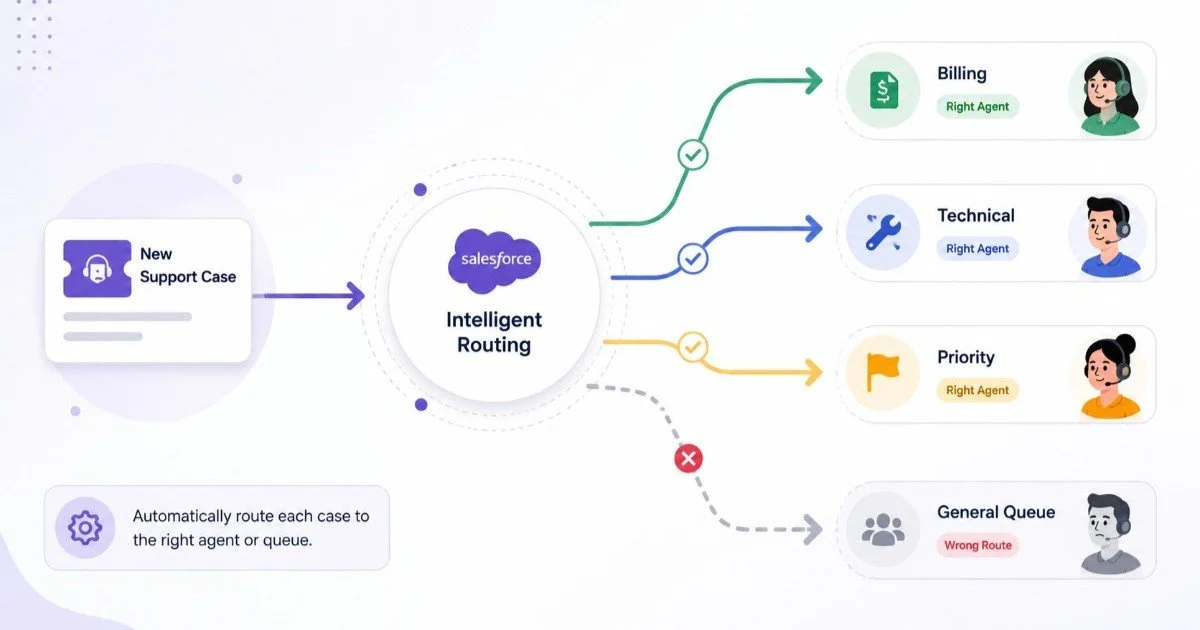
One of the most common reasons for a slow support ticket response time is simple: the case reaches the wrong person. An agent may have to review the ticket, realize it belongs to another team, and manually transfer it. That process can add minutes or hours to the customer support response time, especially when support volume is high.
Salesforce can reduce this delay with intelligent routing rules. Route cases based on factors such as:
Product or service category
Issue type
Customer priority or account tier
Region or language
Agent skills and availability
Channel through which the case was submitted
The goal is to make sure the first agent who receives the ticket is the right person to handle it. For example, a billing issue from an enterprise customer should not enter the same queue as a basic technical support request. Proper routing removes unnecessary handoffs and helps teams deliver faster customer support from the very beginning.
Use Case Prioritization and Clear SLA Rules
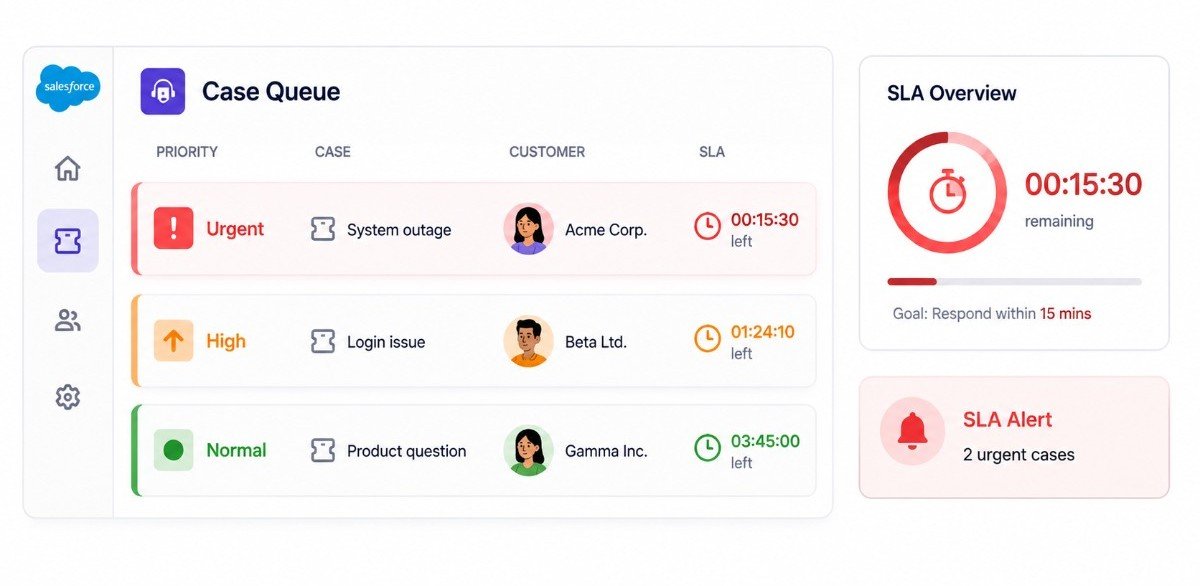
Not every support ticket requires the same response time. A login issue affecting one user may be urgent, but a system outage affecting an entire enterprise account requires immediate attention. If agents work through cases in the order they arrive, critical requests can get buried.
Use Salesforce to prioritize tickets based on urgency, impact, customer value, and SLA commitments. Set clear rules for when a case should be:
Assigned immediately
Escalated
Flagged for supervisor review
Moved to a priority queue
You can also create automated alerts when a case approaches its SLA deadline. This approach improves customer support efficiency because agents spend less time deciding what to work on next. The system helps direct attention toward the tickets where speed matters most.
Give Agents Complete Customer Context in the Service Console
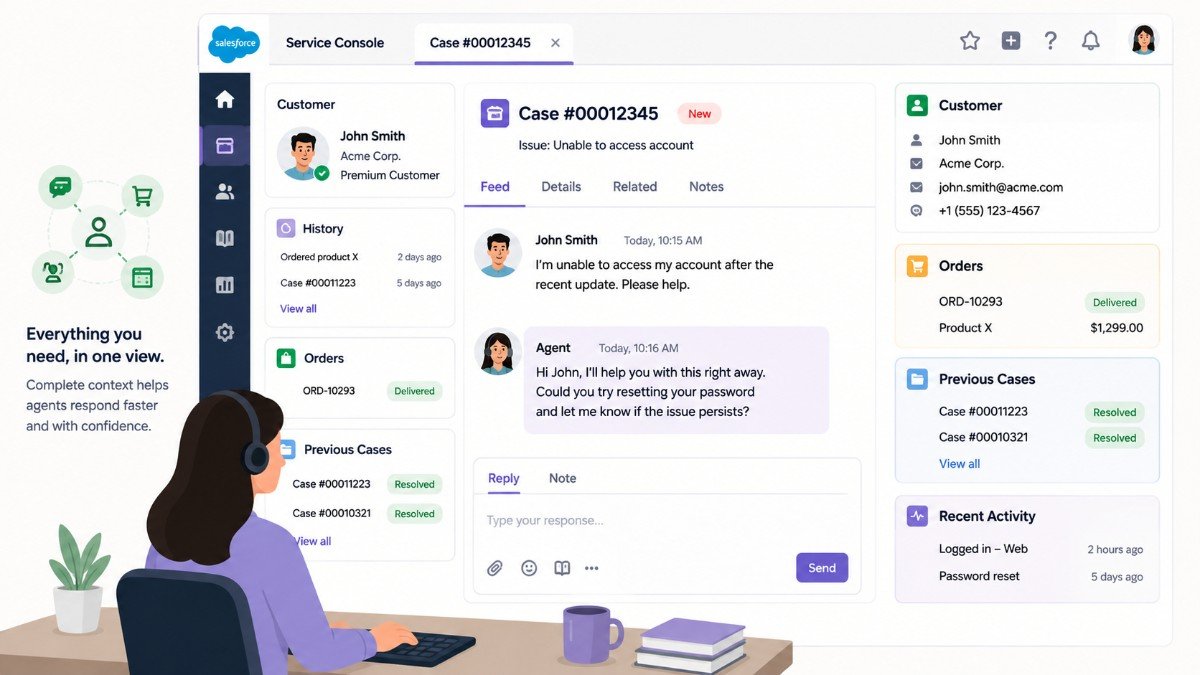
Imagine receiving a customer ticket and having to open multiple records just to understand what is happening. The agent needs to check the customer's purchase history, previous cases, recent conversations, account status, and perhaps internal notes. By the time they gather all the information, the response is already delayed.
A better approach is to design the Salesforce Service Console so agents can see the most important context in one workspace. Include relevant information such as:
Customer details.
Open and closed cases.
Previous conversations.
Order or subscription information.
Related account data.
Product details.
Recent activity.
When agents have context immediately available, they can move from “What happened?” to “Here’s how I can help” much faster. This is one of the simplest ways to improve the customer support response time without increasing the size of your support team.
Build a Strong Knowledge Base for Faster Customer Support
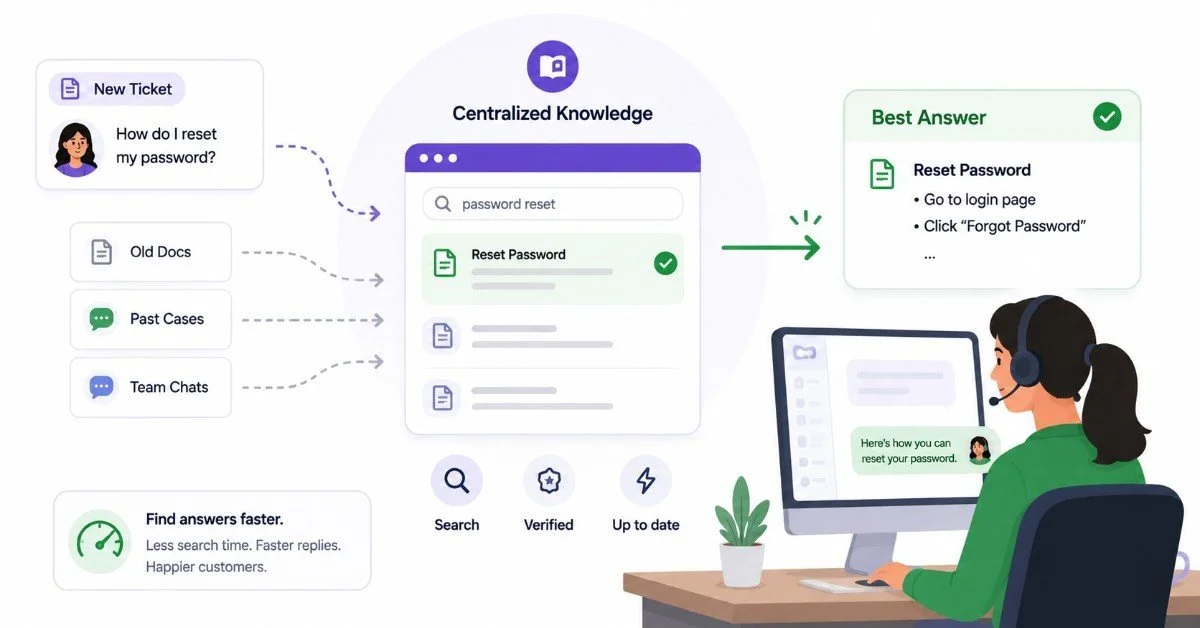
A large portion of support time is often spent searching for answers that already exist somewhere in the organization. The information may be in an old case, an internal document, a Slack conversation, or the memory of a senior support agent. None of these are ideal places for agents to search during a live customer interaction.
Salesforce Knowledge helps centralize useful answers and troubleshooting guidance. Create articles for:
Common customer questions
Product troubleshooting
Billing and account processes
Known issues
Step-by-step solutions
Internal support procedures
The more easily agents can find reliable answers, the faster they can respond. Keep the knowledge base organized and regularly review outdated articles. You can also identify recurring ticket topics and create new content around them.
A well-maintained knowledge base does not just improve response speed. It also helps make responses more consistent across the support team.
Use Email and Response Templates for Common Requests
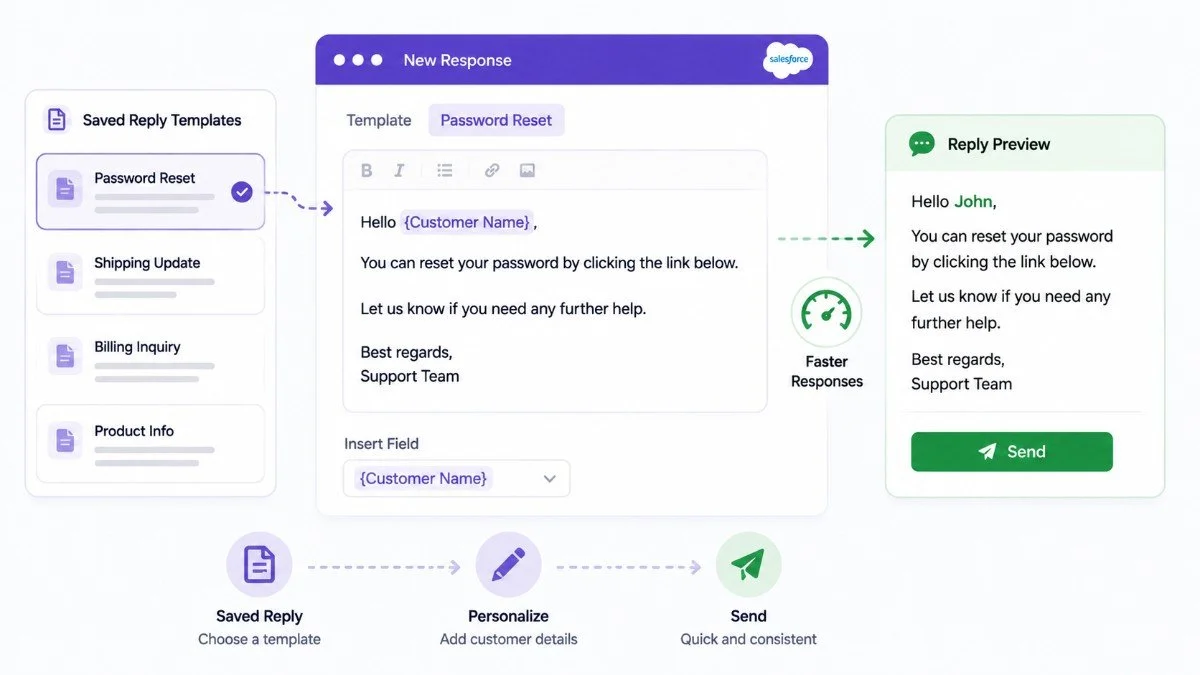
Agents should not have to write the same response from scratch dozens of times every day. For recurring issues, create reusable templates that give agents a strong starting point. These might cover topics such as password resets, shipping updates, billing questions, onboarding steps, or known product issues.
Templates can significantly improve support response time because agents only need to personalize and verify the information rather than write an entire response. However, avoid turning every interaction into a generic message.
The best approach is to use templates for the repetitive parts while allowing agents to add customer-specific context. That gives you both speed and a more personalized experience.
Automate Repetitive Support Workflows in Salesforce
Many tickets do not require an agent to perform every step manually. For example, Salesforce automation can:
Create follow-up tasks
Update case status
Send acknowledgments
Notify another team
Request additional information
Trigger approval processes
Escalate high-priority cases
Every manual step adds potential delays. Automation reduces those delays and keeps cases moving even when agents are busy with other customers.
Look at your existing support workflow and ask a simple question: Which steps happen repeatedly and follow predictable rules? Those are the strongest candidates for automation.
Start with high-volume processes because even small time savings per ticket can create a major improvement in overall customer support efficiency at scale.
Remove Language Barriers with a Salesforce Chat Translator
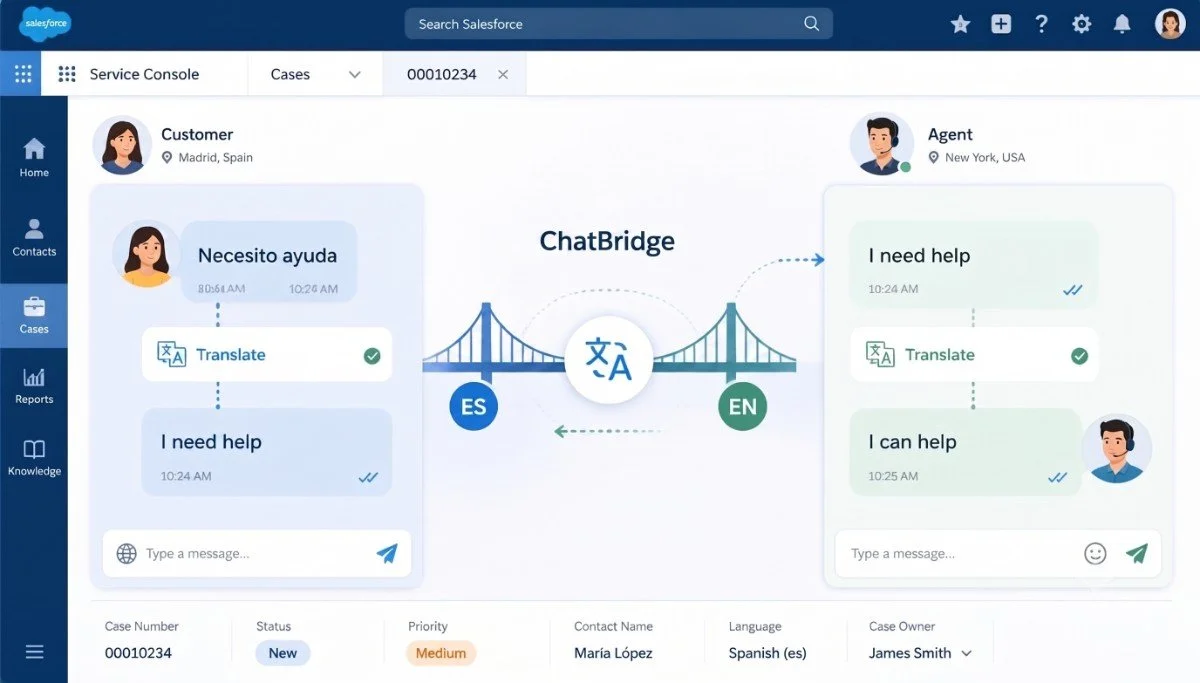
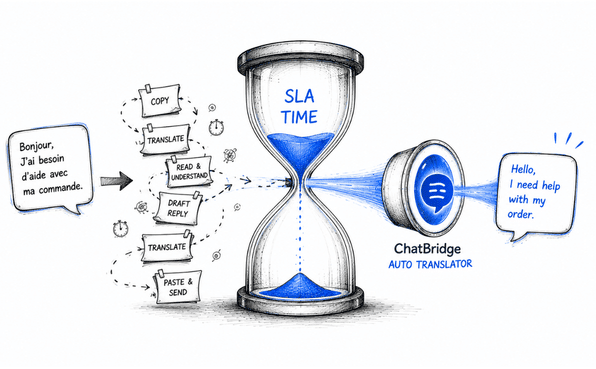
For global support teams, language can quietly increase response times. A customer may write in a language the assigned agent does not understand. The agent then needs to find a multilingual colleague, manually use an external translation tool, or route the conversation to another queue. None of these options is ideal for delivering faster customer support.
This is where a Salesforce chat translator such as ChatBridge becomes particularly relevant. ChatBridge provides real-time translation within Salesforce Service Cloud, allowing agents to communicate with customers without leaving the Service Console. Incoming messages can be translated into the agent's preferred language, while the agent's replies can be translated back into the customer's language.
By removing manual copy-pasting and tool switching, multilingual Salesforce support can become part of the agent's existing workflow rather than a separate process. This is especially useful for teams supporting customers across different countries or multilingual markets.
The result is not just broader language coverage. It can also help reduce delays caused by language-based routing and manual translation steps.
Use Agent Skills and Workload Balancing to Improve Support Response Time
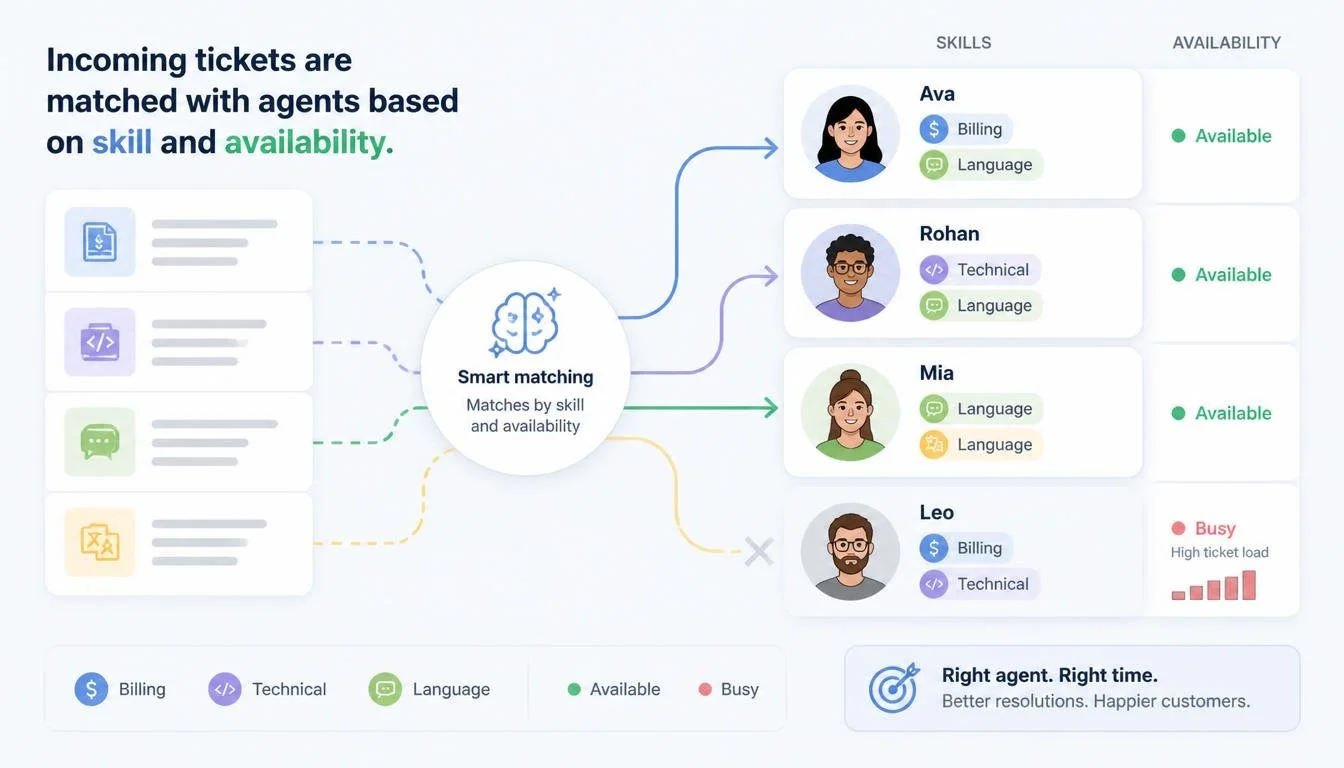
The fastest agent is not always the best person to handle every ticket. A support team may include agents with different product knowledge, language capabilities, or technical expertise. Routing a complex issue to a general support queue can create unnecessary transfers.
Instead, define agent skills and use them to guide case assignment. At the same time, avoid sending every case to your most experienced agents. If a few agents become overloaded while others have capacity, your overall customer support response time will increase.
Monitor workload distribution and adjust routing rules when needed. Consider factors such as:
Number of open cases
Average case complexity
Agent availability
Required skills
Priority level
A balanced workload helps teams respond more consistently and prevents queue bottlenecks.
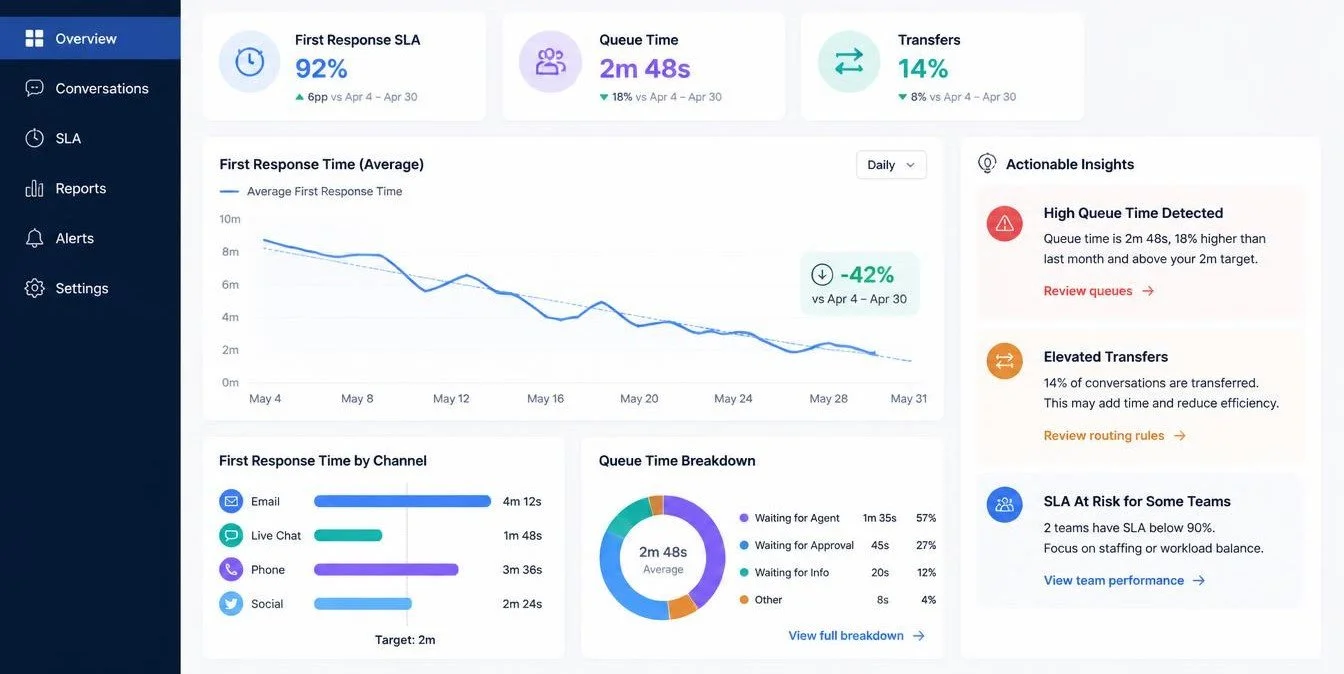
Monitor Response Time Metrics, Not Just Resolution Time
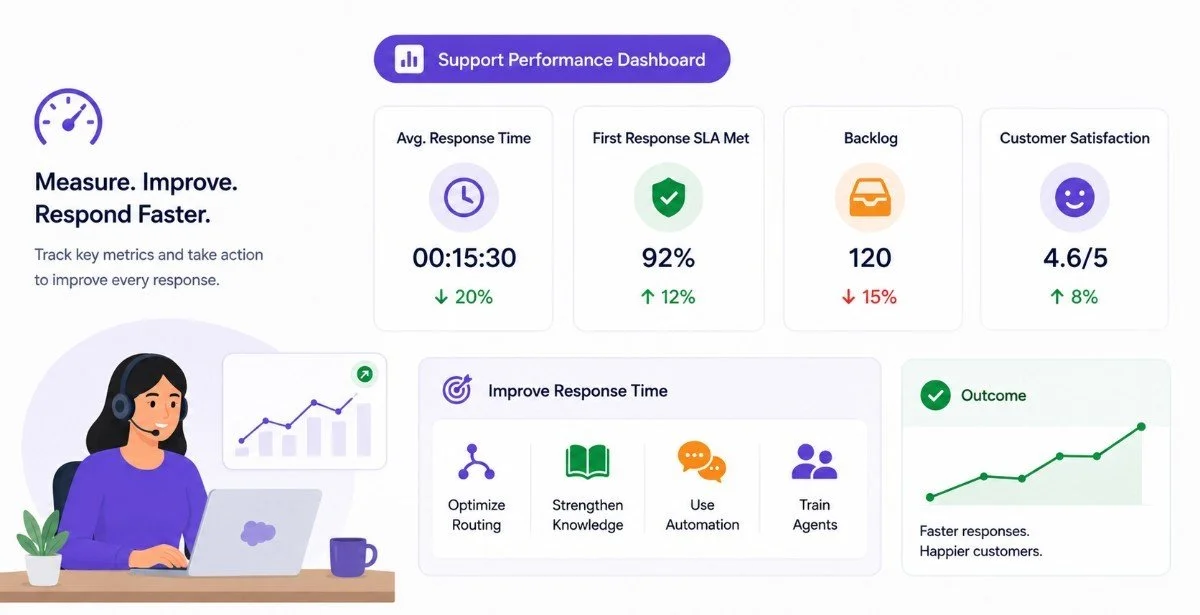
You cannot improve what you do not measure. Many support teams focus heavily on average resolution time. While that metric is important, it does not tell the full story. A customer may receive a quick acknowledgment but wait hours for meaningful progress.
Track several metrics, including:
First response time
Average customer support response time
Time spent in each case status
Number of case transfers
SLA compliance
Queue wait time
Response time by priority
Response time by support channel
You should also segment the data. For example, do customers in a particular region experience slower responses? Are multilingual cases taking longer? Does one queue consistently miss SLAs? These insights can reveal exactly where your support process is slowing down.
Continuously Review and Optimize Your Salesforce Support Process
Reducing response time is not a one-time Salesforce configuration project. Your ticket volume changes. Products change. Customer expectations change. A routing process that worked six months ago may now be creating unnecessary delays.
Schedule regular reviews of your support operation. Look for patterns such as:
Repeated case reassignments
High-volume ticket categories
Common escalation triggers
Knowledge gaps
Slow approval processes
Cases waiting too long in queues
Support channels with longer response times
Then make small improvements and measure the results. This is also where working with a Salesforce PDO partner can help. A partner with product and Salesforce development experience can help organizations evaluate custom support workflows, build automation, optimize the Service Console, and create solutions for operational challenges that standard configurations may not fully address.
The important thing is to treat customer support efficiency as an ongoing process rather than a fixed setup.
Final Thoughts
If your team wants to reduce support ticket response time, the answer is rarely just “work faster.”
The real solution is to remove the delays around the agent. Send tickets to the right person, prioritize them correctly, provide customer context, centralize knowledge, automate repetitive work, and continuously measure where cases get stuck.
For multilingual teams, language should be part of that optimization strategy too. A native Salesforce translation solution such as ChatBridge can reduce translation-related friction. It brings real-time communication across languages directly into the Salesforce Service Console.
The best way to improve support response time is to look at every step between the customer's request and the agent's reply. Remove unnecessary clicks, handoffs, searches, and waiting.
Do that consistently, and faster customer support becomes the natural result of a better Salesforce support operation.
Frequently Asked Questions
-
Salesforce reduces response time through automated case routing, priority rules, SLA tracking, workflow automation, reusable response templates, unified customer context, and performance monitoring that help agents receive, understand, and respond to cases faster.
-
A good response time depends on case priority, support channels, and SLA commitments. High-priority issues may require immediate attention, while standard requests can follow longer targets based on customer expectations and business needs.
-
Multilingual support reduces language-based delays by helping agents understand and respond to customers without manual translation or unnecessary case transfers. Real-time translation can streamline communication and help teams deliver faster, more consistent assistance.
-
A Salesforce chat translator enables agents and customers to communicate across languages within the existing support workflow. This reduces context switching, manual translation, and language-based routing delays, helping agents respond faster.
Related Readings


Let’s Talk

Drop us a note, we’re happy to take the conversation forward 👇🏻
