How to Make Your Salesforce Service Cloud Multilingual Without Expanding Your Team
Key Summary:
Multilingual support is solved with real-time translation, not extra staff.
Use ChatBridge in Salesforce Service Cloud for built-in chat translation - no external tools needed.
Real-time chat translation cuts handle time and boosts CSAT.
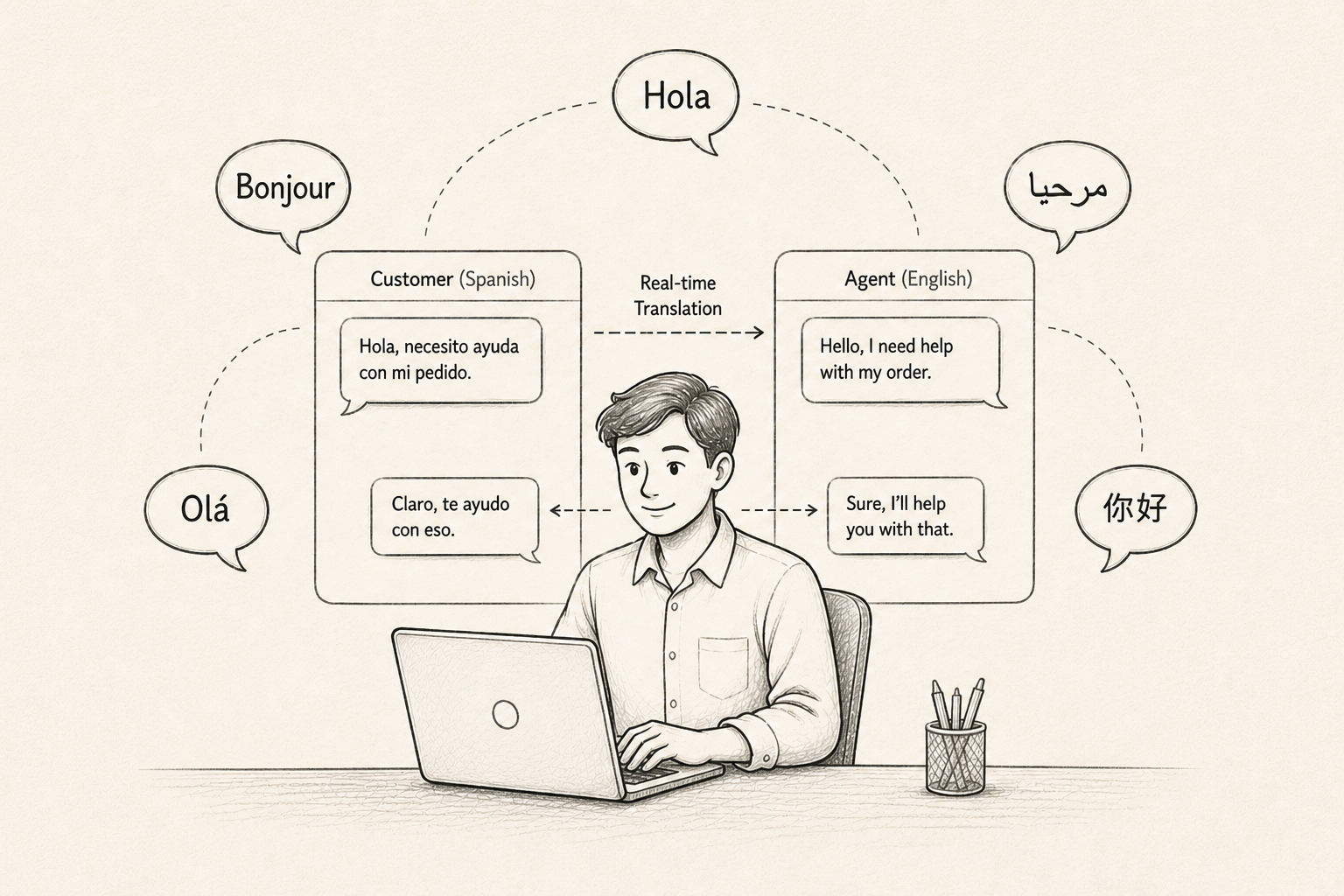
Think about when a customer sends your support team a message in Spanish. Another customer comes in French. A third arrives in Arabic. Your agents stare at the screen, unsure what to do next.
This is the reality for a lot of growing businesses today. Customers are global, but support teams often aren't. And the problem isn't just inconvenient, it's expensive.
Studies show that 75% of consumers prefer to buy from brands that offer support in their native language. When they don't get it, they leave.
The good news? You don't need to hire a multilingual team to fix this. You need the right Salesforce multilingual solution. In this article, we'll walk you through exactly how you can use real-time chat translation to make your Salesforce Service multilingual.
The Multilingual Support Problem Most Teams Ignore
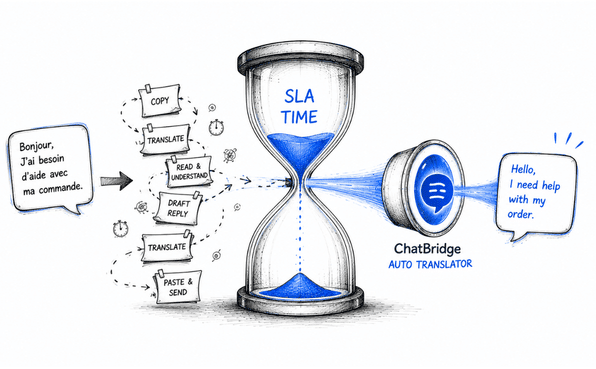
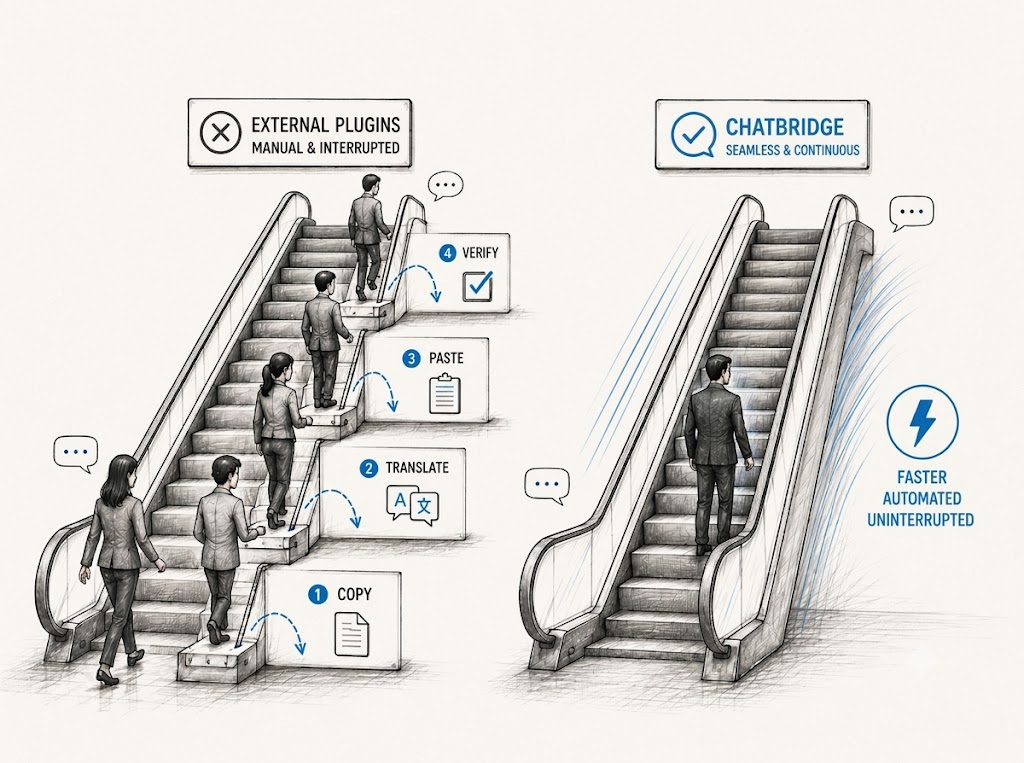
Let's be honest about the current state of multilingual support for most businesses. If a customer writes in a language your agent doesn't speak, here's what usually happens: the agent copies the message into Google Translate, types a reply, translates it back, and pastes it in. It's slow, error-prone and honestly, it feels unprofessional.
Other teams try to solve it by routing everything to bilingual agents. But those agents end up overloaded, burned out, and handling way more complexity than their peers. Some companies outsource multilingual support altogether, which introduces quality risks and breaks the continuity of the customer relationship.
None of these solutions scales well. And here's the thing: Salesforce Service Cloud, as powerful as it is, doesn't come with a built-in real-time translation layer. It's built for process excellence, not language coverage.
The result? Longer handle times, lower CSAT scores, agent frustration, and missed SLAs, all because of a language gap that most teams just accept as "part of the job." But it doesn't have to be that way.
Introducing ChatBridge: What It Is and How It Fits With Salesforce
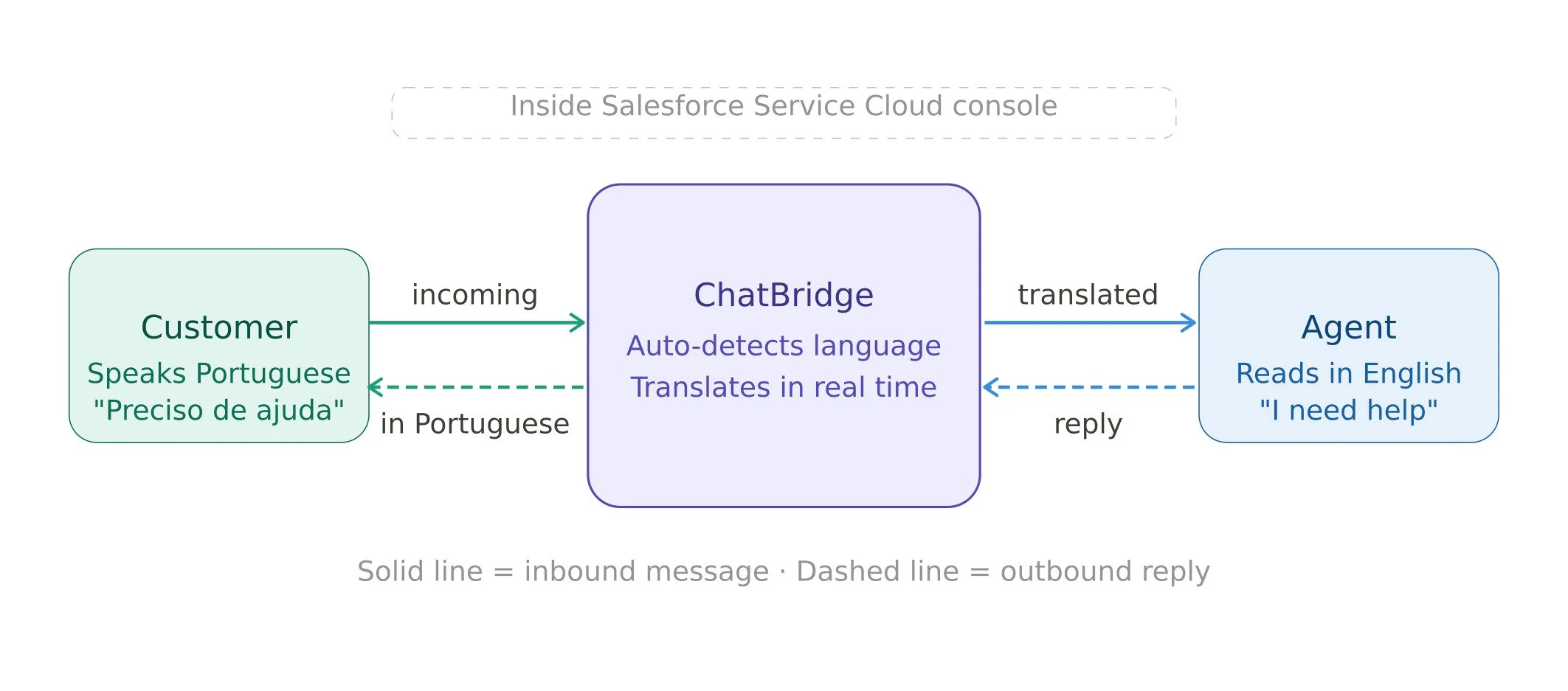
ChatBridge is a Salesforce customer support tool built specifically to close the language gap without making agents switch tabs, copy-paste into translators, or learn a new platform.
It sits directly inside your Salesforce Service Cloud console as a Lightning component. Your agents keep working the way they already do. ChatBridge just handles the translation layer in the background.
Here's how it works:
A customer sends a message in their language (say, Portuguese).
ChatBridge detects the language and instantly translates it into the agent's working language (say, English).
The agent reads the message in English and types a reply in English.
ChatBridge translates the reply back to Portuguese before it reaches the customer.
The whole translation process feels seamless for both the agent and the customer. No awkward delays and no obvious machine translation disclaimers. Just smooth, natural customer support without language barriers.
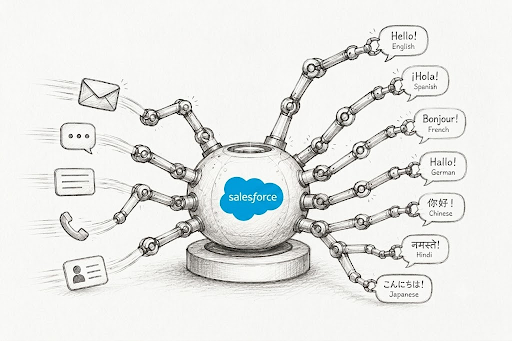
ChatBridge comes with reliable support for quick, live chat conversations. It supports 130+ languages with automatic language detection. So, there is no manual setup needed per conversation.
ChatBridge is ideal for businesses using Salesforce CRM, Salesforce admins, and Salesforce Service Cloud teams. It supports leads at companies that are growing globally and need their existing team to keep up. Think of it as a Salesforce chat translation built right into the workflow.
How to Make Salesforce Service Cloud Multilingual Using Chatbridge
Looking for a way to make your Salesforce support multilingual? Salesforce chat translation with Chatbridge makes that possible. Know about the step-by-step process of how Chatbridge works inside Salesforce Service Cloud.
Step 1: Install from AppExchange
Head to the Salesforce AppExchange and search for ChatBridge. Install it in your sandbox environment first so you can test it safely before going to production. The installation itself takes a few minutes.
If you've used Salesforce AppExchange services before, this process will feel familiar. It follows the same managed package install flow you'd use for any other AppExchange product.
Step 2: Add the Chatbridge Lightning Components to Your Console
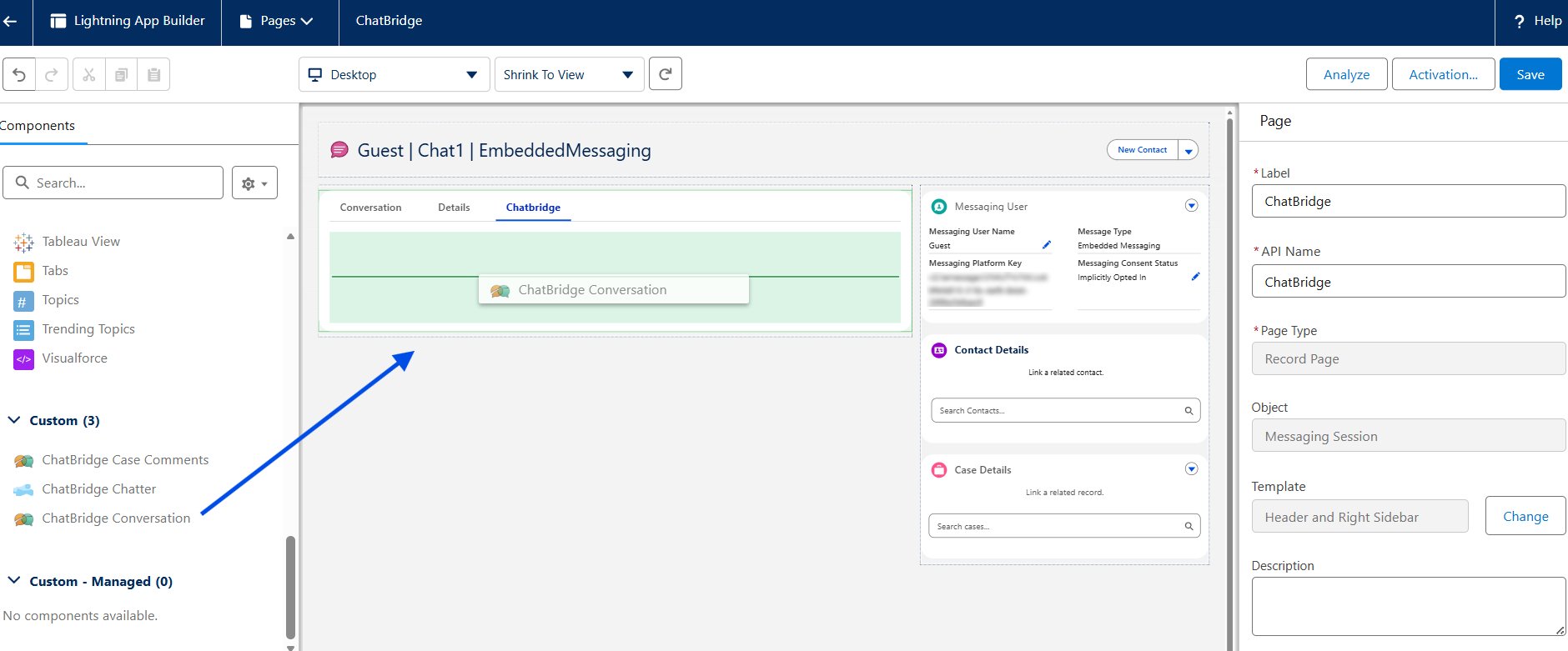
Open App Builder in Salesforce and drag the ChatBridge Lightning components into the record page of your Service Console. You can embed components directly on the record page to streamline agents' chat workflows once you’ve created a record page using the Lightning App Builder.
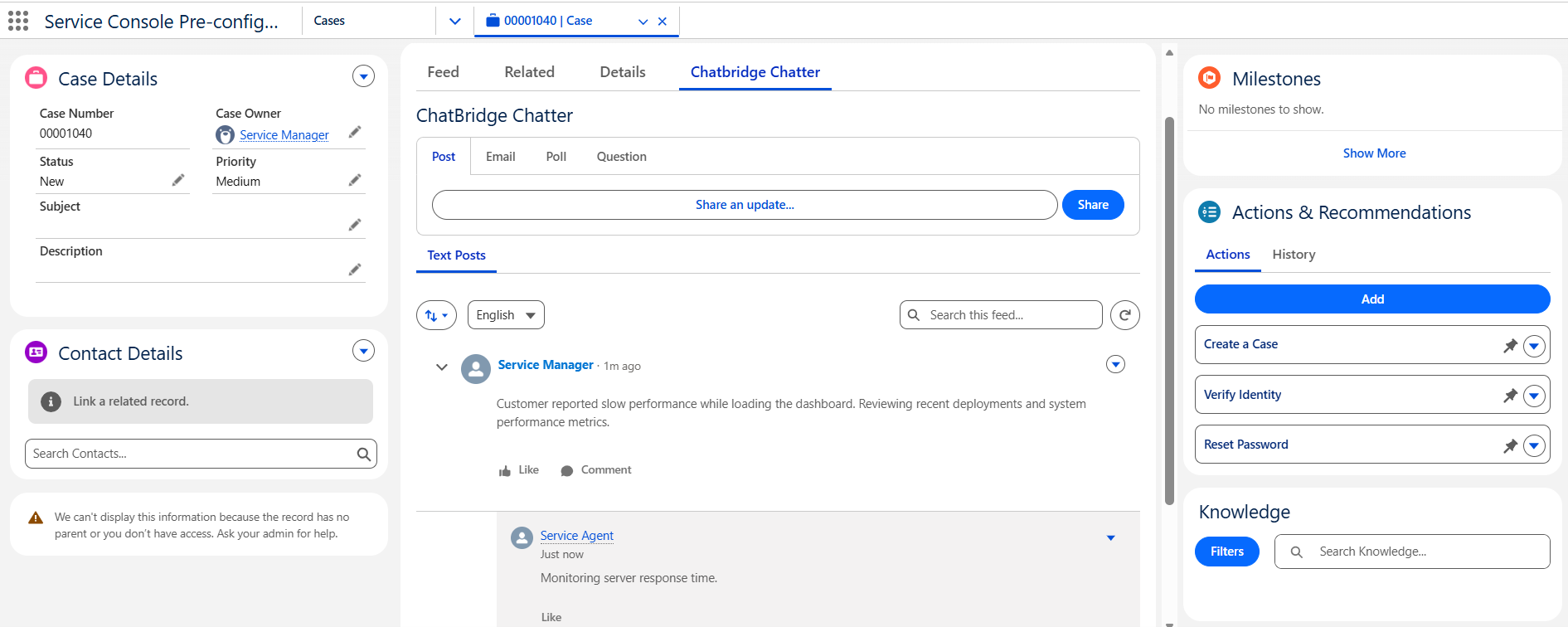
You can also add the chatbridge as the chatter component in Service Cloud. The Chatbridge chatter component gives you even more translation capabilities. Not only chat, but you can also translate posts, comments, emails, and the entire feed in real-time and in the language of your choice.
Step 3: Choose your Preferred Translation Engine
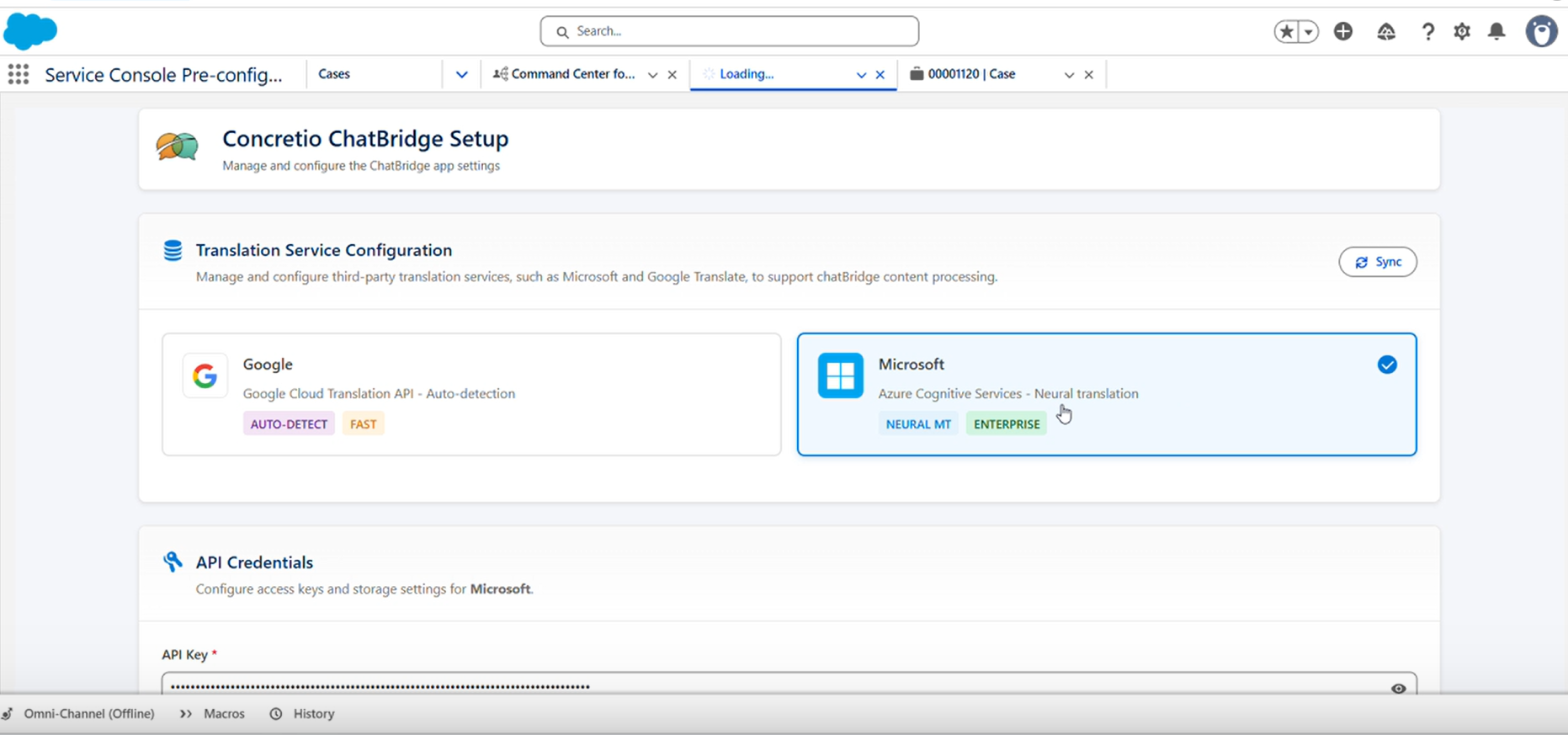
Chatbridge allows you to use your preferred translation API (such as Google Translate or Microsoft Translate). If you haven’t connected with the translation service or don’t know how to connect one, the Salesforce integration service helps you. Your admin or integration partner can handle this in no time.
Step 4: Use Auto Translation To Translate Your Chat Automatically
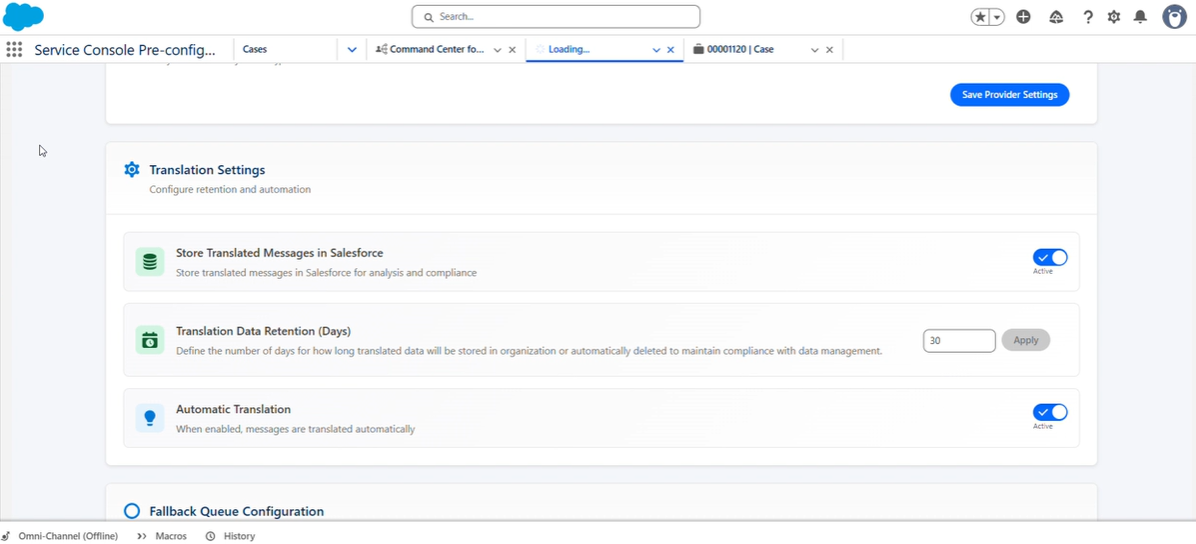
Chatbridge provides you with a feature to automatically translate your chat into the selected language. Simply ensure your toggle is on, and you can automate the conversation translation in real time. The application also does automatic language detection. Auto-detect is fast, accurate, and requires zero extra effort.
Step 5: Test with a Sandbox Conversation and Go Live
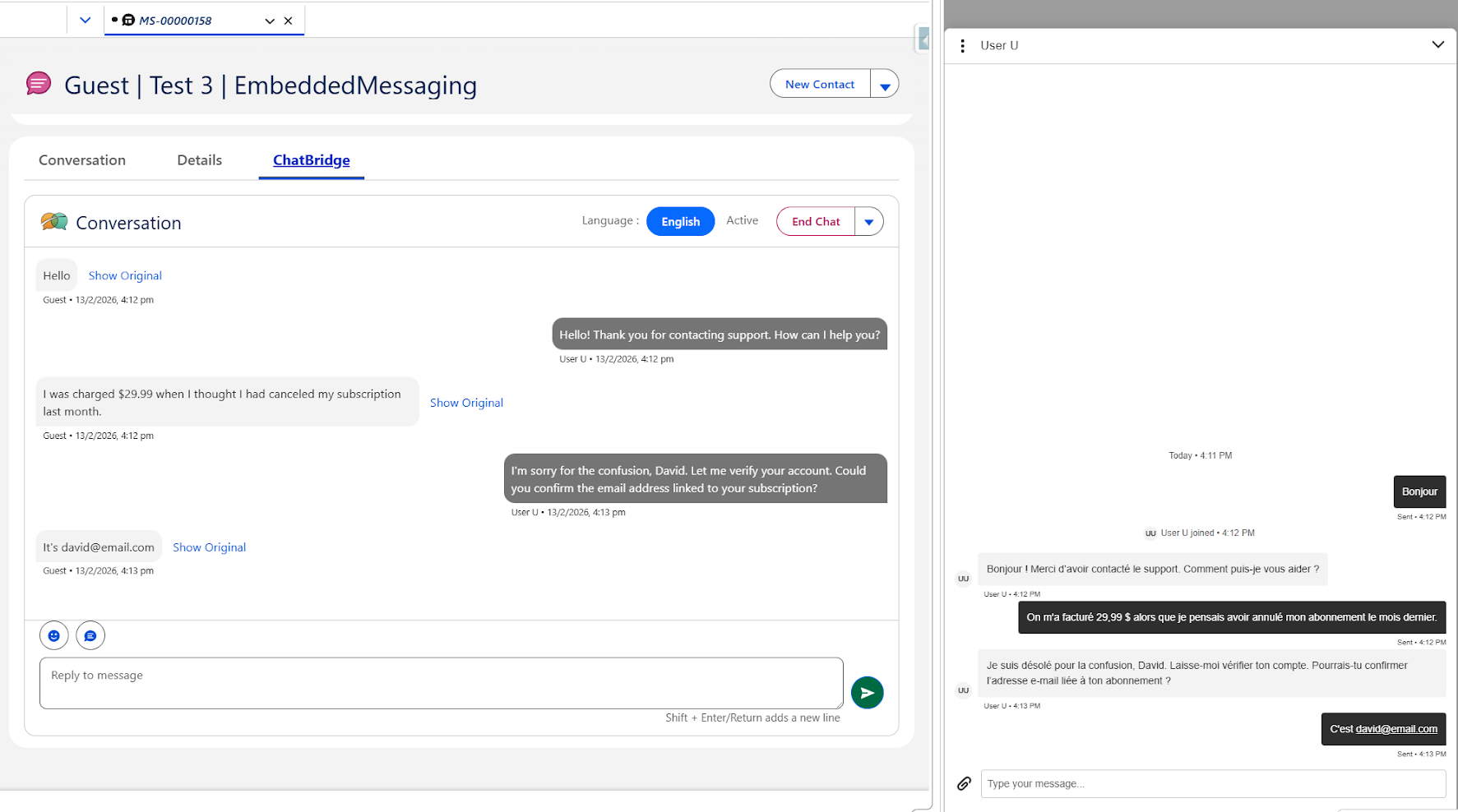
Before you go live, run a test conversation in your sandbox. Simulate a chat in a non-English language and verify that the translated message appears correctly for the agent, and that the agent's reply is correctly translated back to the customer's language. Spot-check a few language combinations if you have the time. Once you're happy with the sandbox results, publish to production.
“Pro tip: No coding required. The entire setup is drag and drop for any Salesforce admin. You don’t need developers to get ChatBridge running. Though having a Salesforce consulting partner can speed things up if you’re configuring more complex routing rules alongside it.”
Real-World Results: What Teams See After Using Chatbridge for Salesforce Chat Translation
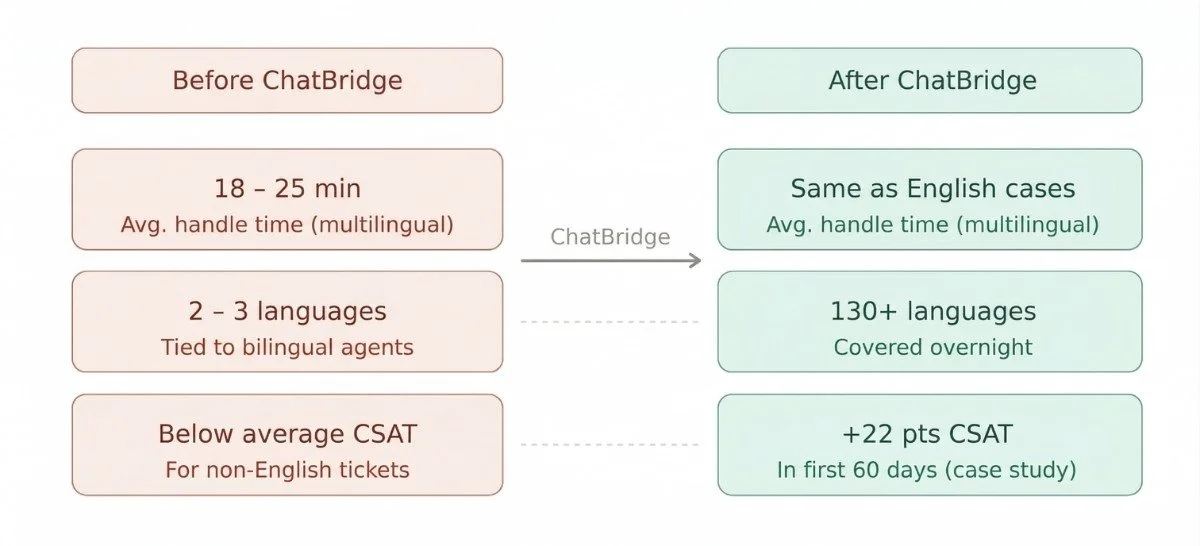
Here's a look at what typically changes once Salesforce chat translation is active in ChatBridge.
Before ChatBridge
Average handle time for multilingual cases: 18-25 minutes.
Languages supported: 2-3 (tied to bilingual agents).
CSAT score for non-English tickets is significantly lower than English cases.
After ChatBridge
Handle time drops to match standard English case times.
The number of languages covered expands to 130+ overnight.
CSAT scores for multilingual cases improve significantly within the first month.
One mid-market SaaS company that implemented ChatBridge through Salesforce multilingual solutions saw its support team go from handling 2 languages to 130+ with the same 12-person team in under two weeks. Their customer satisfaction score for international customers jumped by 22 points in the first 60 days.
Agents also report feeling more confident. Instead of fumbling through copy-paste translation, they can focus on what they're actually good at: solving the customer's problem.
Conclusion
Multilingual support isn't a headcount problem. It's a workflow and tooling problem, and ChatBridge solves it without disrupting anything your team already does inside Salesforce.
With the right Salesforce multilingual solution in place, your existing agents can handle any language, on any channel, with the same speed and quality they bring to every other ticket. No new hires. No new tools outside of Salesforce. Just better support for every customer, regardless of what language they speak.
Your customers are already global. Now your support team can be too. So, what are you waiting for? Try ChatBridge or book a quick demo with the ChatBridge team to know more about the solution.
Frequently Asked Questions
-
Modern translation engines like Google Translate and Microsoft Translator are highly accurate for everyday support conversations. Chatbridge can be integrated with these reliable translation services that make the real-time chat translation in Salesforce Service Cloud highly accurate.
-
No. ChatBridge lives inside the Salesforce console as a Lightning component. Agents never leave their existing workflow. Translation happens automatically in the background with zero additional steps or training required.
-
ChatBridge includes an Agent Transfer feature that allows an agent to transfer an active messaging session to another available agent or to a queue. This ensures that conversations can be reassigned to the most appropriate resource while maintaining full visibility of the previous interaction history. After the transfer, the receiving agent can view the entire conversation and translate the messages into their preferred language if required.
-
Yes. ChatBridge follows Salesforce's security standards. You connect your own preferred translation API, giving you full control over how data is handled and ensuring compliance with GDPR, CCPA, and your internal data policies.
-
Absolutely. Since ChatBridge auto-detects and translates each conversation independently, a single agent can manage multiple chats across different languages simultaneously without any manual switching or language-specific configuration between sessions.
-
Small teams can use live translation integrations and AppExchange solutions inside Salesforce. These tools allow existing agents to serve global customers efficiently without adding headcount or outsourcing support.
Related Reading
Let’s Talk

Drop us a note, we’re happy to take the conversation forward 👇🏻