

Salesforce's New Editions Explained: AI, Slack, and Security Now Bundled
Key takeaways:
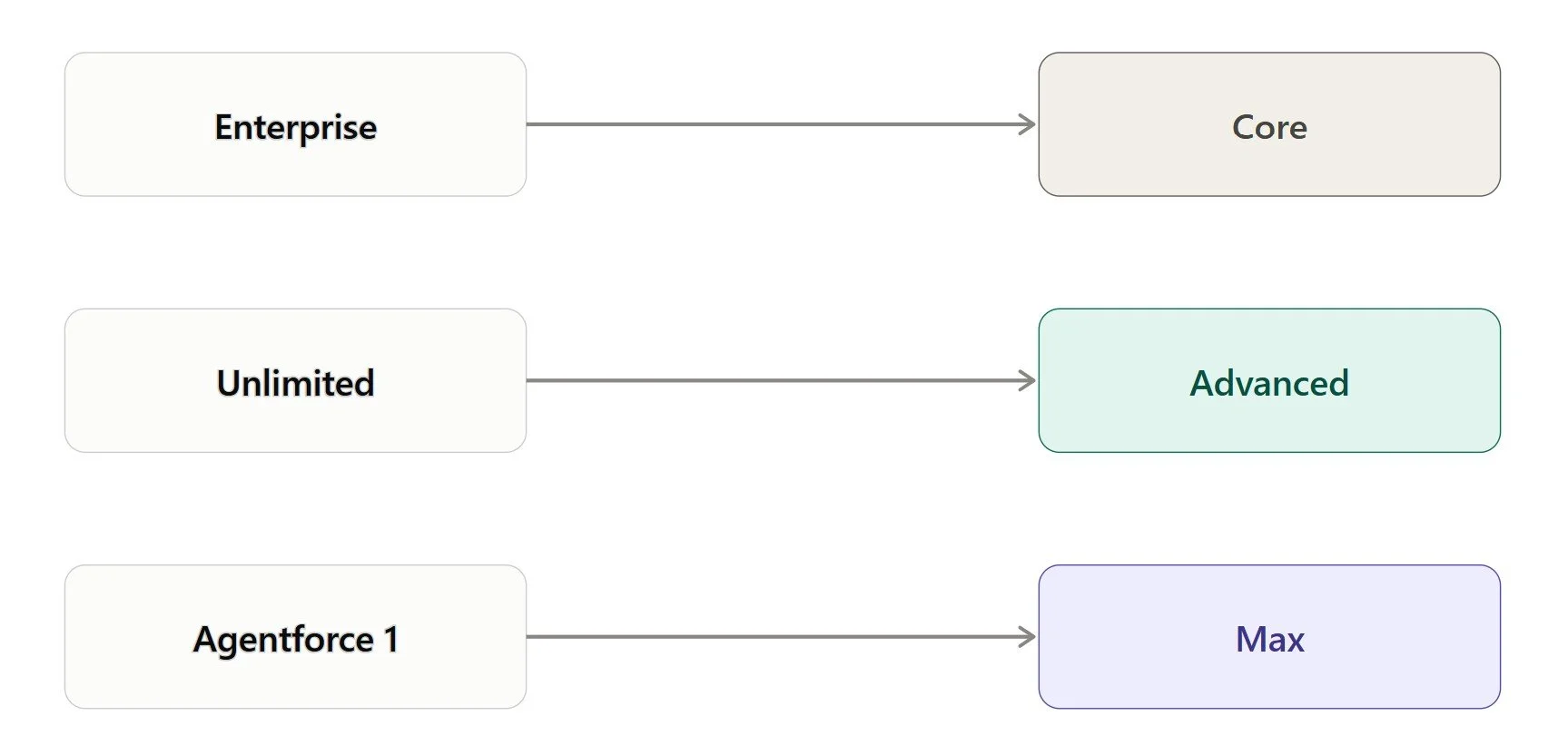
Salesforce replaced Enterprise, Unlimited, and Agentforce 1 with three new tiers: Core, Advanced, and Max.
Existing customers keep current pricing until renewal, and Agentforce users can upgrade to Max at no extra cost.
The bundle benefits businesses already paying separately for Slack, Tableau, or premium support most.
If you've been putting off a Salesforce renewal conversation, now might be a good time to have it. On September 3, 2026, Salesforce rolled out a whole new lineup of Salesforce new editions, and it's a bigger shake-up than a typical price update. The company retired its long-standing Enterprise, Unlimited, and Agentforce 1 editions and replaced them with three new tiers: Core, Advanced, and Max. Let’s break down what's actually changed, what's in each tier, and what it means for your budget.
Why Salesforce Rebuilt Its Editions
For years, buying Salesforce meant picking a base edition and then bolting on extras. Want Slack? That's a separate purchase. Want better analytics? Add Tableau. Want premium support? That's another line item. By the time you added it all up, a "simple" CRM purchase turned into a stack of SKUs that someone on your team had to track and renew separately.
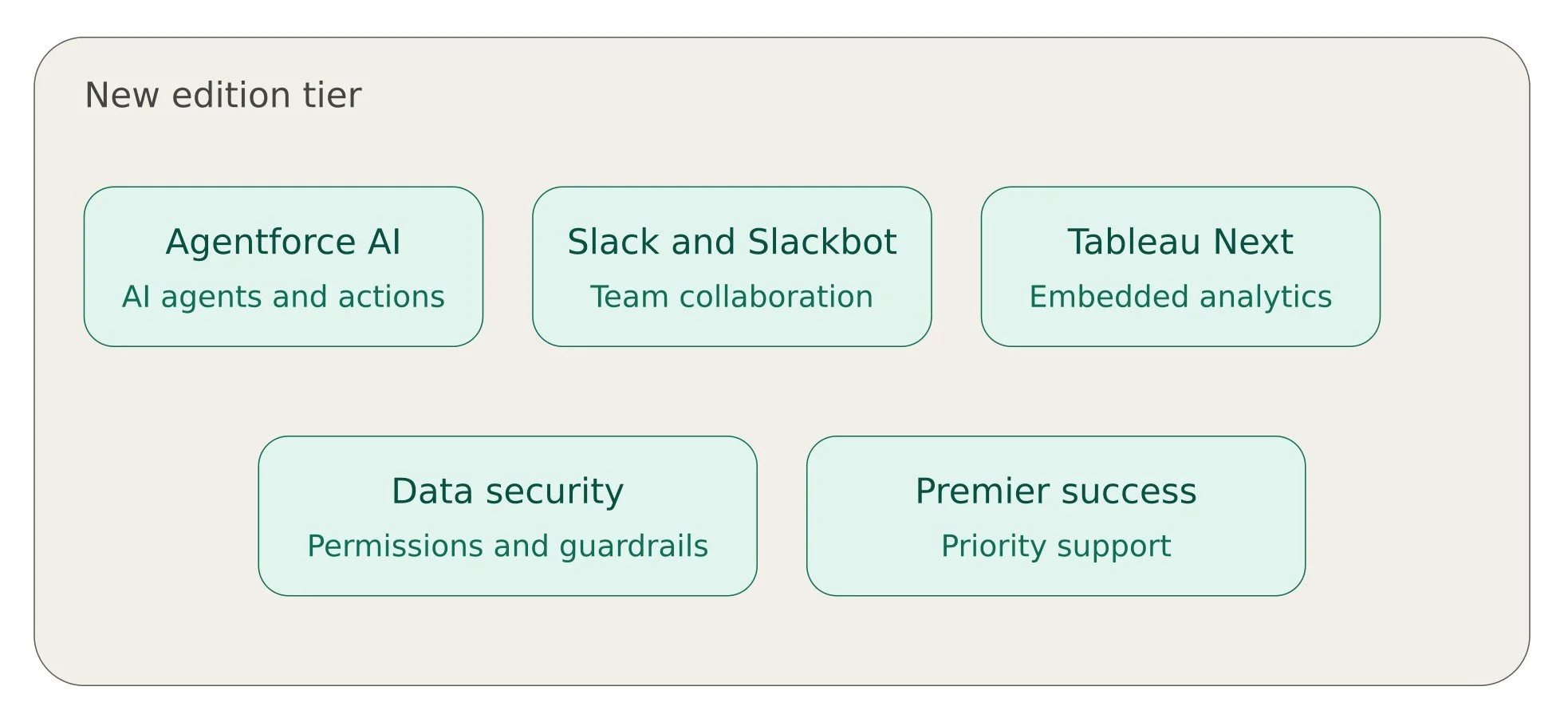
The Salesforce editions 2026 lineup is Salesforce's answer to that complexity. Instead of selling AI, collaboration, analytics, security, and support as separate add-ons, the company folded them all into every tier. Every one of the new editions now comes with a bundle that includes Agentforce AI, Slack and Slackbot, embedded analytics through Tableau Next, enterprise-grade data security, and a Premier Success Plan. You don't buy pieces anymore. You buy a tier, and the tier includes everything.
Salesforce New Editions Explained: Meet Core, Advanced, and Max
Here's the quick rundown of what each tier is built for in Salesforce Editions.
Core is the entry point into this new structure. It replaces what used to be the Enterprise edition, but it comes with meaningfully more built in, since Slack, analytics, and security are no longer optional extras.
Advanced takes the place of the old Unlimited edition. It's aimed at teams that need more automation and more room to run AI agents without hitting a ceiling.
Max steps in for the former Agentforce 1 edition. It's the top tier, and it carries the largest allowance of AI capacity of the three.
The tiers apply across Agentforce Sales, Agentforce Service, and Agentforce Industries, so whether you're running a sales team, a support desk, or an industry-specific deployment, the same three-tier structure applies.
Salesforce Editions Comparison: What You Actually Get
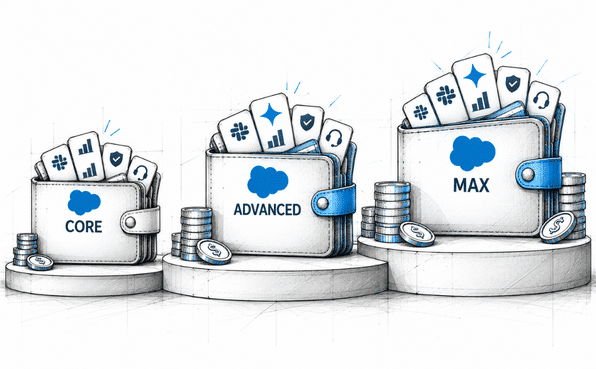
A useful Salesforce editions comparison comes down to two things: price and Flex Credits. Flex Credits are what fuel Agentforce's AI actions, so the allowance you get matters as much as the sticker price.
Core: $195 per user, per month, with 500,000 Flex Credits included.
Advanced: $395 per user, per month, with 1 million Flex Credits included.
Max: $550 per user, per month, with 2.75 million Flex Credits included.
That Flex Credit allowance is worth reading closely before you assume it covers your usage. It's an annual allotment for the whole org, not something refreshed every month or handed out per seat. If your teams lean heavily on AI agents throughout the year, it's worth running the math on whether 500,000 or 1 million credits will actually get you through twelve months, or whether you'll be topping up along the way.
Worth noting on pricing: Max holds steady at the same $550 price point that Agentforce 1 customers were already paying, so that tier isn't a price increase. Core and Advanced, on the other hand, are priced higher than their Enterprise and Unlimited predecessors, though Salesforce says the added Slack, Tableau, and security features offset that difference in value.
Salesforce Editions and Licenses: What Happens to Existing Customers
If you're already a Salesforce customer, the Salesforce editions and licenses question on everyone's mind is simple: does my bill change tomorrow? The answer is no, not immediately. Salesforce has said existing customers on legacy editions keep their current pricing for now. But renewals are a different story. When your contract comes up, expect the conversation to shift toward these new tiers, and expect the topic of a price adjustment to come up too.
There's one clear win built into the transition: current Agentforce 1 Edition customers can upgrade to Max at no additional cost, with Salesforce estimating up to $500 in added value per user from the extra features now bundled in. If you're already paying for Agentforce 1, this is close to a free upgrade.
Pricing for Agentforce Industries editions is arriving a bit later, sometime in fall 2026, so industry-specific customers don't have a complete like-for-like comparison to work from just yet.
Learn more: The Ultimate Dreamforce 2026 Guide: Dates, Keynotes, and Event Strategy
Should You Move to the New Plans?
Whether these Salesforce new plans make sense for you really depends on what you're already paying for. If your organization already licenses Slack, uses Tableau for analytics, and pays for a premium success plan separately, folding all of that into one tier could genuinely simplify your renewal and might even save money once you add up what you were paying piecemeal.
If you're not using those extras today, the calculation looks different. You'd be paying for capabilities you may not touch, and the value story softens quite a bit. It's worth sitting down with your Salesforce account executive and comparing your current total spend, add-ons included, against what a Core, Advanced, or Max seat would actually run per user before deciding to switch. Working with Salesforce consultants can also be useful here, since they can look at your existing setup and tell you honestly whether the bundled features are worth the jump or whether you're better off staying put.
The Bottom Line
The shift to these new Salesforce pricing editions in 2026 is really about consolidation. Salesforce is betting that businesses want fewer contracts to manage and a more predictable path to deploying AI agents, rather than assembling a collection of separate products. For teams that were already buying Slack, Tableau, and premium support on the side, this is likely a net positive. For everyone else, the new tiers are worth a closer look, but they're not automatically a better deal just because they bundle more in.
Either way, this is one of the more significant changes to Salesforce's commercial structure in recent memory, and it's worth understanding before your next renewal lands on your desk.
Frequently Asked Questions
-
Salesforce doesn't use version numbers the way traditional desktop software does, since it's a cloud platform. Instead, it pushes out three major releases a year, named Spring, Summer, and Winter, and these updates roll out automatically to every customer's org. So the "newest version" at any given time is simply whichever seasonal release is currently live.
-
Salesforce editions are generally tiered by business size and feature depth. Entry-level editions cover the basics for small teams, mid-tier editions add more automation and customization, and top-tier editions unlock the most advanced features, higher user limits, and premium support. There's also a free Developer Edition meant for building, testing, and learning on the platform rather than running a live business on it.
-
2026 has been a big year for AI on the platform. Salesforce has continued expanding Agentforce, its AI agent framework, across sales, service, and industry-specific products. Slack also received a major AI upgrade with smarter, more autonomous features. On the commercial side, Salesforce restructured how it packages and prices its core editions, bundling AI, collaboration, analytics, and security together rather than selling them separately.
-
Salesforce ships three major platform releases every year: Spring, Summer, and Winter. Each one is numbered by the year it lands in (for example, Winter '26 or Summer '26) and brings new features, performance improvements, and updates that apply automatically across all editions. Check out the Salesforce releases in 2026.
-
You can check inside your org by going to Setup, then searching for "Company Information" in the Quick Find box. Your current edition is listed there. You can also confirm it by checking your latest Salesforce invoice or asking your account executive directly.
-
Classic is Salesforce's older user interface, while Lightning is the newer, more modern interface with improved navigation, customizable dashboards, and better mobile support. Salesforce has been steadily moving customers toward Lightning, and most new features are built for it first, if not exclusively.
-
Yes. Salesforce editions 2026 aren't locked in permanently. Most businesses start on a lower tier and move up as their needs grow, and Salesforce account executives can walk you through what a tier change looks like for your specific setup and contract terms.
-
Most Salesforce products offer a free trial, typically lasting 30 days, so businesses can test features before committing to a paid plan. Trial availability and length can vary by product and edition, so it's worth checking the specific page for whatever product you're evaluating.
Related Readings
Let’s Talk

Drop us a note, we’re happy to take the conversation forward 👇🏻
