

Voice AI in Healthcare: Building HIPAA-Compliant Patient Intake & Scheduling
Key takeaways:
Voice AI in healthcare only works if compliance is built in. Encryption, access controls, and audit logs are the foundation of the system.
Patient intake and scheduling are the highest-return starting points, which is exactly where conversational AI performs best.
With voice AI, patients get care at any time, while healthcare teams reduce no-shows, manual work, and unnecessary calls.
A patient calls your clinic right after the front desk closes. They want to book an appointment, but nobody answers. They hang up, call the practice down the street, and get an appointment there instead. Multiply that by every after-hours call, every hold-music dropout, and every overwhelmed front desk on a Monday morning, and you start to see why patient access is one of the hardest problems in healthcare operations.
This is exactly the gap voice AI in healthcare is starting to close, but not in the casual way voice AI gets deployed in other industries. A missed sales lead is a lost opportunity. A mishandled patient record is a compliance violation with real legal and financial consequences. Building healthcare voice AI for intake and scheduling means solving two problems at once: making the patient experience faster and easier, while never putting protected health information at risk.
This article covers what voice AI in healthcare actually looks like, why intake and scheduling are such a natural fit for it, and what it takes to build it in a way that's genuinely HIPAA-compliant.
What Is Voice AI in Healthcare?
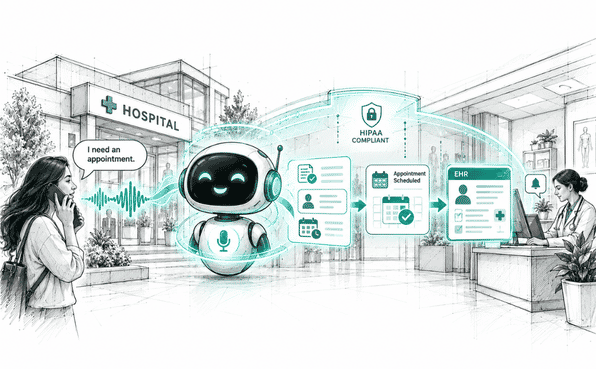
Voice AI in healthcare refers to conversational systems that can understand spoken language, carry on a natural back-and-forth conversation, and take action, all over a phone call or voice interface, without a human on the other end. Instead of pressing 1 for billing and 2 for scheduling, a patient can just say what they need, and the system responds the way a person would.
Healthcare voice AI isn't one single tool. It spans everything from automated intake calls before a visit, to appointment booking, to AI medical scribe tools that document what happens during a clinical encounter. What ties all of it together is the same core requirement: every one of these systems is handling protected health information, or PHI, which means the compliance bar is much higher than it is for a voice agent booking a restaurant reservation.
How Healthcare Voice AI Works
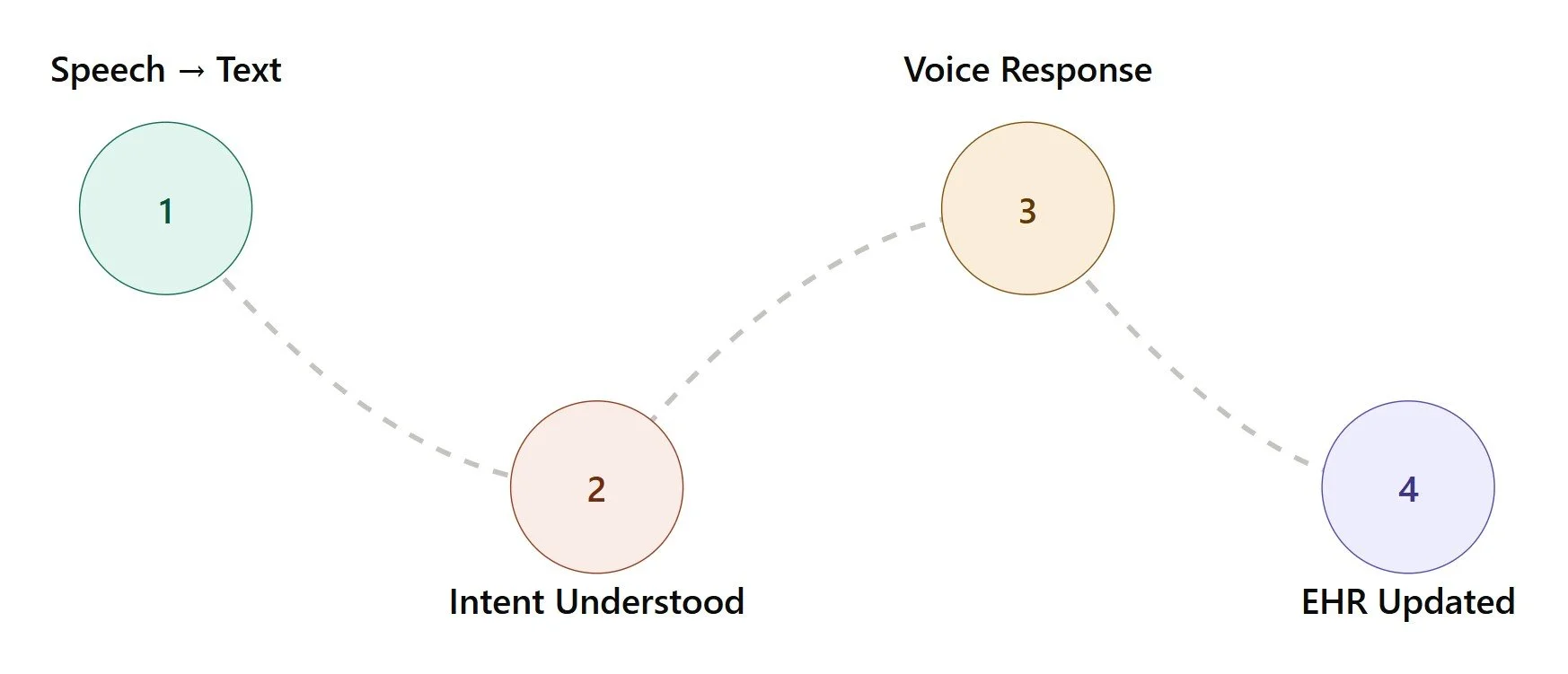
Under the hood, most healthcare voice AI systems follow a similar pipeline. Speech recognition converts what the patient says into text. A language model interprets the intent behind that text, whether it's booking an appointment, describing symptoms, or asking about insurance coverage. The system then generates a natural-sounding spoken response and, where needed, writes structured data back into a practice management system or electronic health record.
The technical part is only half the job. The other half is making sure that pipeline runs inside a compliant environment from end to end: encrypted connections, access-controlled data storage, and a business associate agreement with any vendor involved. A voice agent that sounds great but doesn't handle PHI correctly isn't actually usable in a healthcare setting, no matter how good the conversation feels.
Common Healthcare Voice AI Use Cases
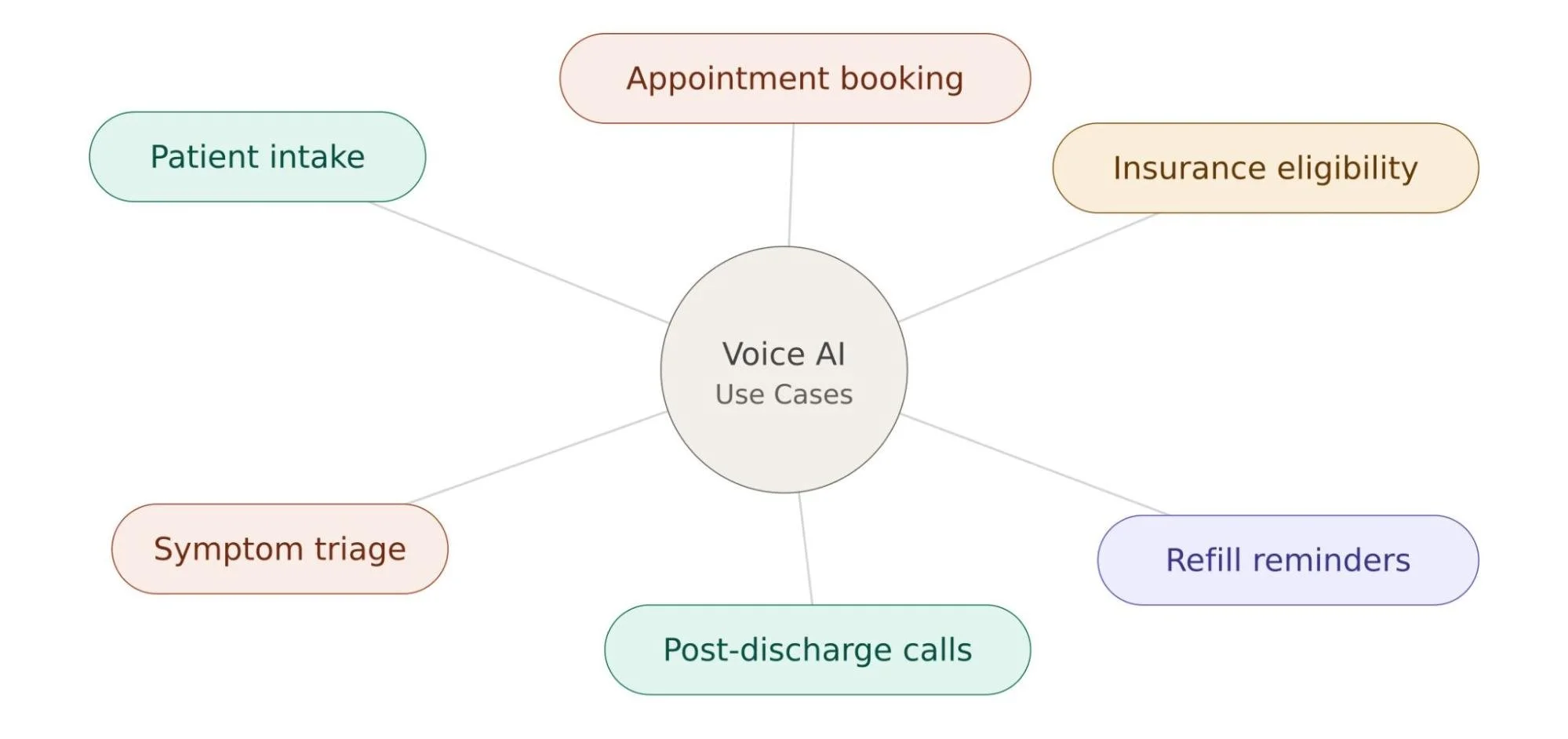
Patient intake and appointment scheduling are the two most common entry points, but they're far from the only ones. Healthcare organizations are also using voice AI for:
Insurance eligibility checks before a visit, confirming coverage without a manual call to the payer
Post-discharge follow-up calls to check on recovery and catch complications early
Prescription refill reminders that reduce gaps in medication adherence
Pre-visit symptom triage that routes patients to the right department before they arrive
AI medical scribe support that documents clinical encounters in real time
Many organizations start with one use case, prove it out, and then expand from there, often working with an experienced AI agent development company to build out the compliance and integration work that each new use case requires.
Why Patient Intake and Scheduling Are Ideal for Voice AI
Of all the places voice AI in healthcare gets applied, intake and scheduling tend to deliver the fastest, clearest return. Both are high-volume, repetitive, rules-based processes, which is exactly the kind of work conversational AI handles well. Both also happen to be where most patients experience the most friction with a healthcare organization, long before they ever see a provider.
Challenges With Traditional Patient Intake
Traditional intake usually means a clipboard, a pen, and a patient trying to remember every medication they're on while sitting in a waiting room. Staff then re-enter that handwritten information into the EHR, which introduces transcription errors and eats up time that could go toward patient care. For phone-based intake, the problem is different but just as real: patients get put on hold, transferred between departments, or asked to repeat the same information to three different staff members.
None of this is anyone's fault. Front desk teams are usually understaffed relative to patient volume, especially at practices seeing dozens of patients a day. But the result is a process that's slow, error-prone, and frustrating on both sides of the counter.
Challenges With Manual Appointment Scheduling
Manual appointment scheduling carries its own weight. Missed appointments cost the U.S. healthcare system an estimated $150 billion a year, and national no-show rates commonly run between 18% and 30% depending on specialty, according to industry research compiled by Curogram. A meaningful share of that traces back to friction: patients who can't get through during business hours to book, confirm, or reschedule simply don't follow through.
On top of that, scheduling is inherently a real-time coordination problem. Staff have to check provider availability, account for appointment type and duration, handle cancellations, and manage waitlists, often while juggling multiple phone lines at once. It's tedious work that doesn't scale well with a growing patient base, and it's one of the first places burnout shows up on a front desk team.
How Voice AI Can Automate Patient Intake
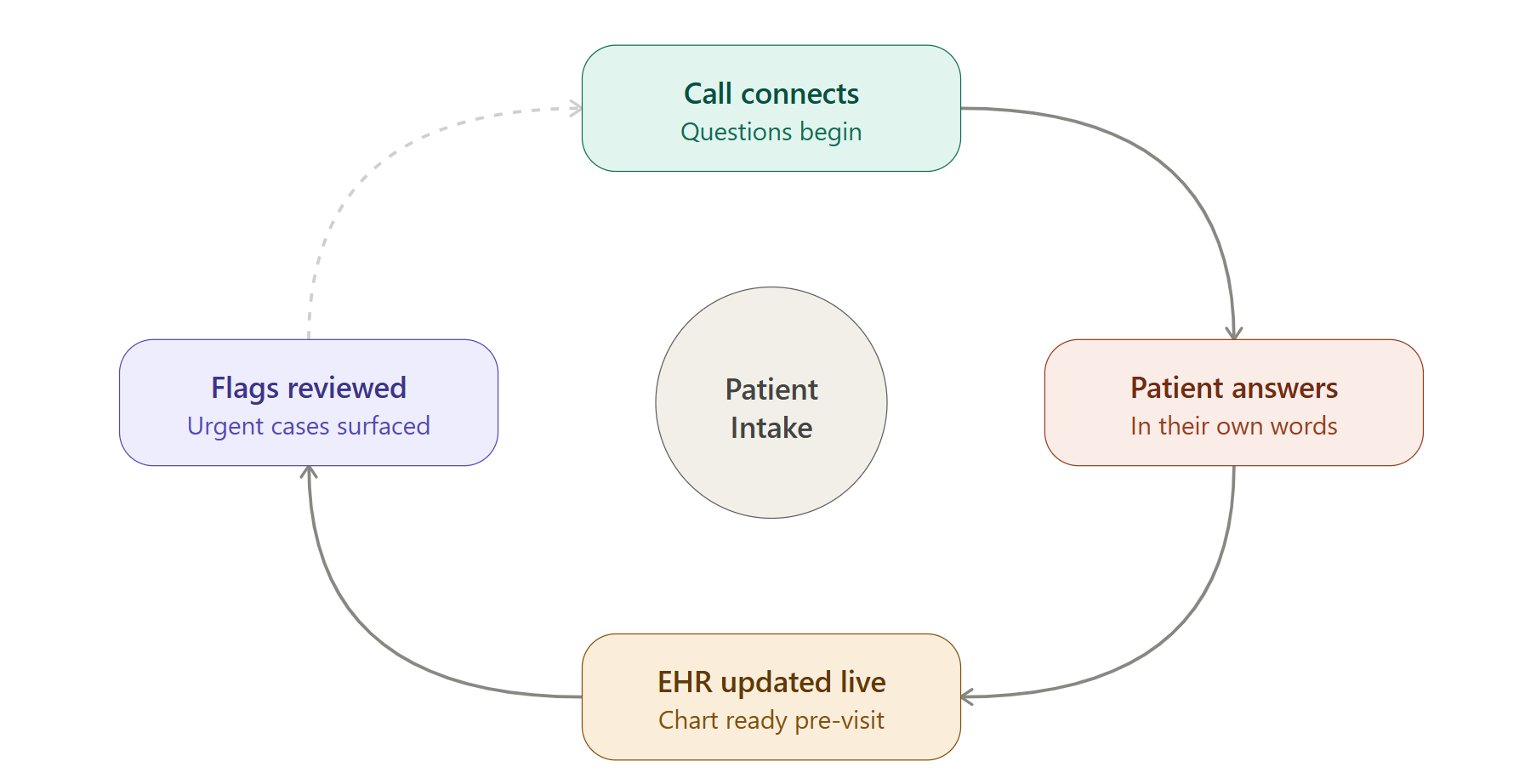
A voice agent can call a patient ahead of their visit, or answer when a patient calls in, and walk through the same intake questions a front desk staffer would ask. Reason for visit, current medications, allergies, insurance details, and basic demographic information. Because it's a natural conversation rather than a form, patients can answer in their own words instead of hunting for the right checkbox.
The real value shows up in what happens to that information afterward. Instead of sitting on a paper form waiting to be transcribed, the voice agent writes structured data directly into the EHR or practice management system in real time. By the time the patient arrives, their chart is already updated, and staff can spend the visit on care instead of data entry. Well-built systems also flag anything that needs clinical attention immediately, like a patient reporting concerning symptoms, so nothing waits until someone manually reviews the intake later.
How Voice AI Can Automate Appointment Scheduling
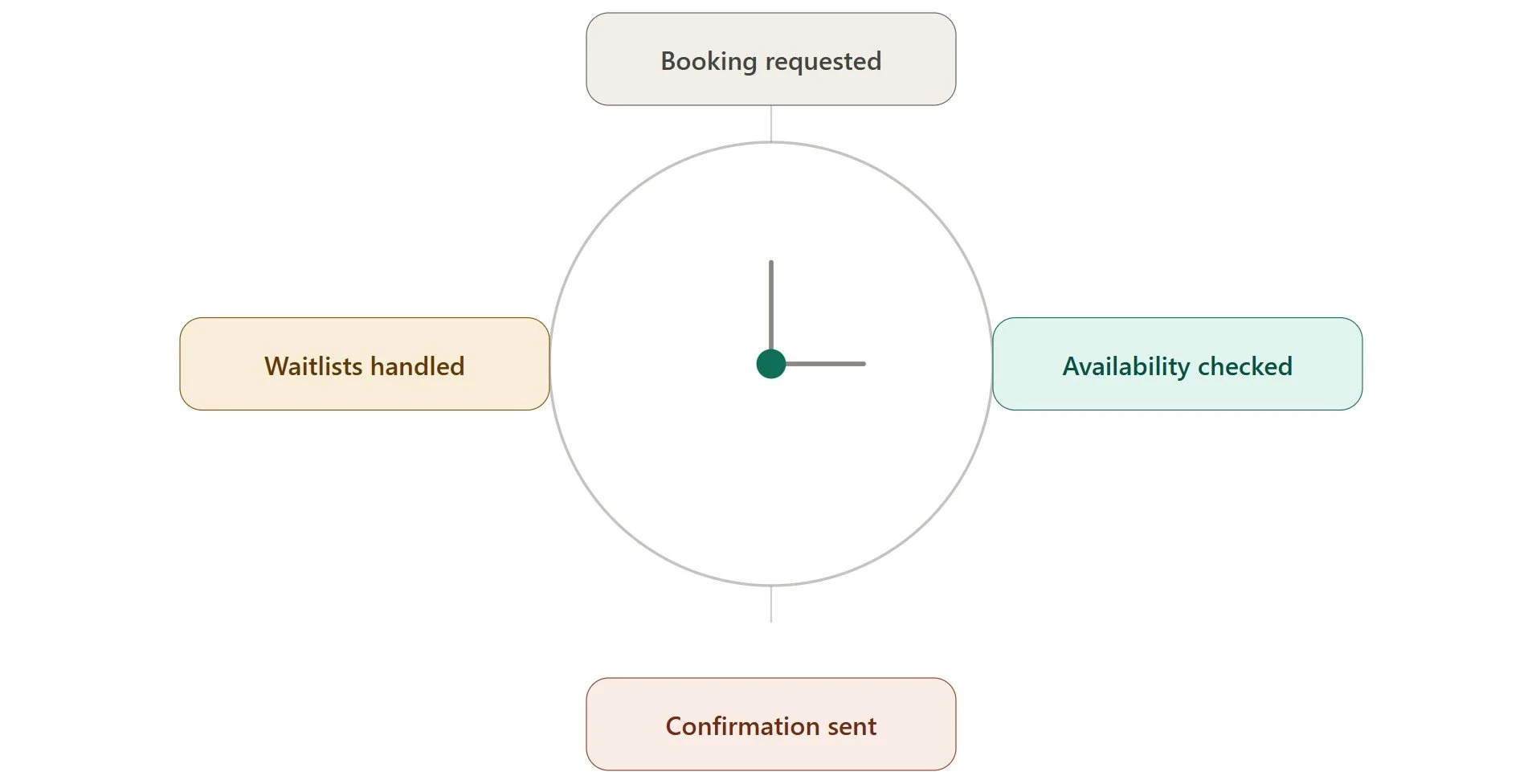
Scheduling automation works on the same principle, i.e., give patients a way to book, reschedule, or confirm appointments any time, without needing a staff member on the line. Good patient scheduling AI software checks live provider availability, offers open slots, and can factor in appointment type and duration automatically, the same logic a scheduler would apply manually.
For patient appointment scheduling specifically, this also covers the messier parts of the job. When a provider cancels, the system can work through a waitlist and fill the slot without staff intervention. It can send timely reminder calls that meaningfully cut down on no-shows, and it can handle rescheduling requests instantly instead of putting a patient on hold. None of this requires adding headcount, and it means a patient calling at 9 PM on a Sunday gets the same booking experience as one calling at 10 AM on a Tuesday.
What Makes Voice AI HIPAA Compliant?
This is the part that separates a genuinely usable healthcare voice AI system from one that just sounds convincing in a demo. HIPAA-compliant AI starts with a signed Business Associate Agreement, or BAA, between the healthcare organization and any AI vendor that creates, receives, maintains, or transmits PHI on its behalf. HHS's own guidance on business associate contracts spells out exactly what these agreements need to cover, and without one in place, no amount of good engineering makes the system compliant.
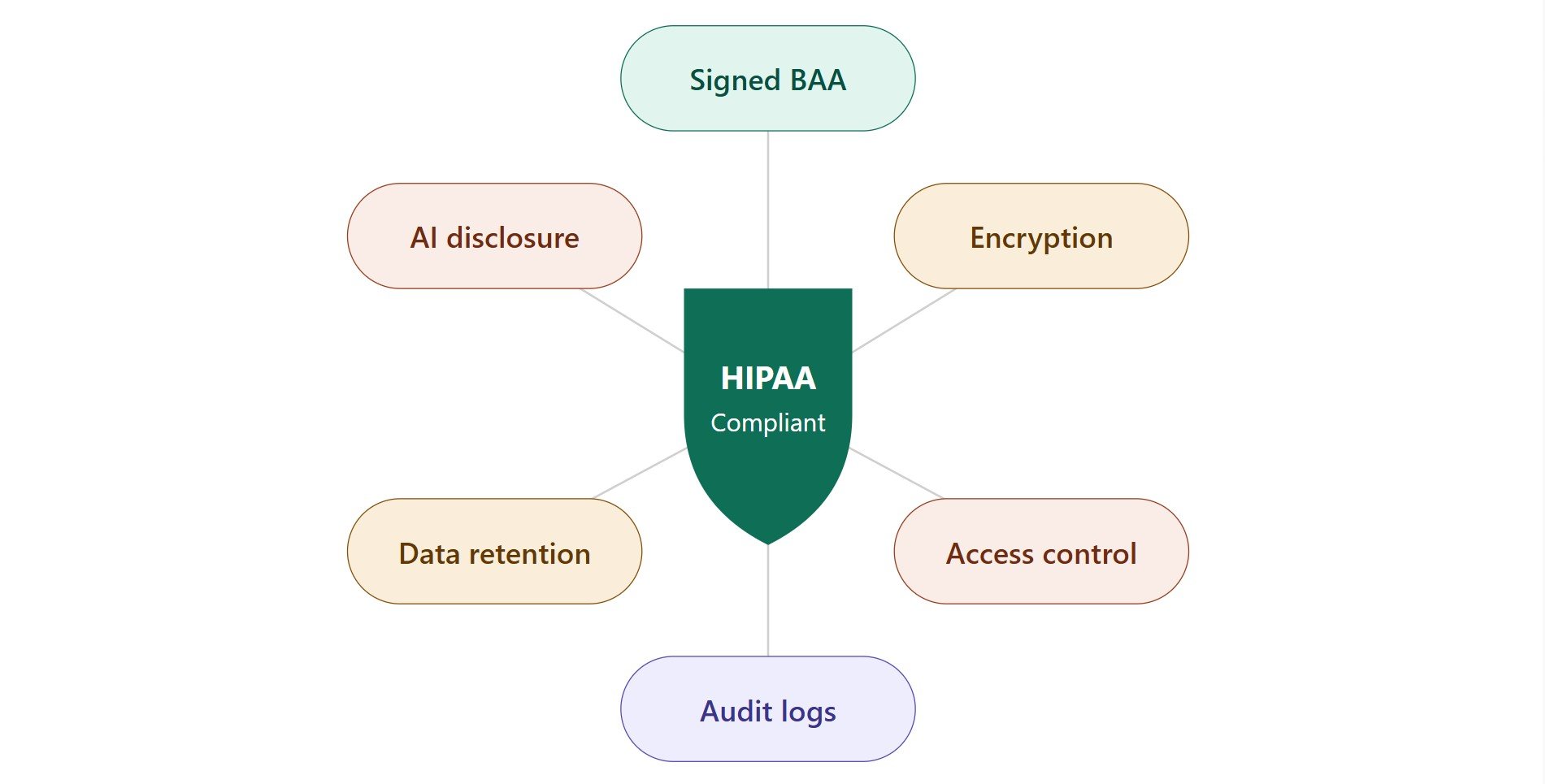
Beyond the BAA, a compliant system needs to cover a specific set of technical and procedural safeguards:
Encryption for data at rest and in transit
Strict role-based access controls, so only authorized staff can view PHI
Detailed audit logs of who accessed what and when
A clear data retention and deletion policy for call recordings and transcripts
Minimum necessary collection, storing only the information the task actually requires, not logging every detail of a conversation indefinitely
Upfront disclosure to patients that they're speaking with an AI system rather than a person, which several states are now formally requiring for AI-driven healthcare interactions
Benefits of HIPAA-Compliant Voice AI
For Patients
Patients get access to intake and scheduling whenever they actually need it, not just during business hours.
Book an appointment the moment they think of it, instead of waiting for the front desk to open
Get a same-day callback instead of sitting on hold
Complete intake questions at their own pace, instead of rushing through a clipboard in a waiting room
For anyone juggling a job, kids, or an inconvenient schedule, that kind of flexibility often determines whether they follow through on care at all.
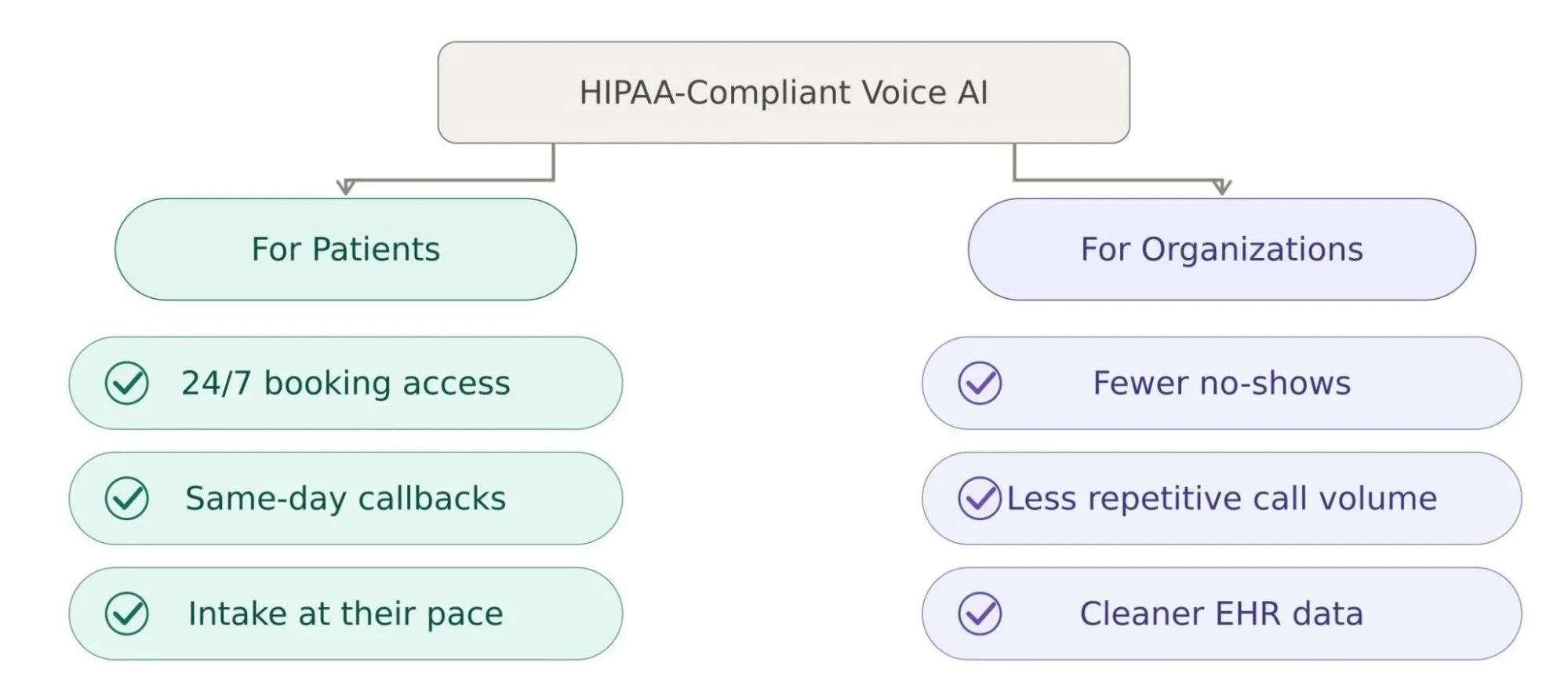
For Healthcare Organizations
For the organization, the benefits are just as tangible:
Fewer no-shows, driven by consistent, timely reminder calls
Less time spent on repetitive phone calls, freeing up front desk capacity
More accurate data in the EHR, without manual re-entry or transcription errors
Staff time redirected to patients who actually need a human, instead of routine bookings a voice agent can handle just as well
Done properly, this doesn't replace the people running patient access. It removes the volume of low-value work that keeps them from focusing on the calls that genuinely need a person.
Conclusion
Voice AI in healthcare isn't a shortcut around good compliance practice, and it was never meant to be. The organizations getting real value out of it are the ones treating HIPAA compliance as the foundation, not an afterthought bolted on before launch. Get that part right, and the payoff is straightforward: patients get faster, easier access to care, and healthcare organizations get back the time their staff were losing to phone tag, paperwork, and no-shows that never had to happen.
Further Reading:
Cascade vs. Speech-to-Speech: Which Architecture Should Your Voice Agent Use in 2026?
Connecting Your AI Voice Agent to the Real World: SIP, WebRTC, and CRM Integrations Explained
Beyond Single-Turn: How Multi-Step Agentic Voice Agents Handle Complex Customer Workflows
The Enterprise Re-Architecture Blueprint: Upgrading Rigid Chatbots to Autonomous Agents
How to Measure AI Voice Agent Quality (Beyond CSAT and Call Duration)
Frequently Asked Questions
-
It depends entirely on how the system is built. A voice AI tool is only HIPAA compliant if the vendor signs a BAA and the system includes encryption, access controls, audit logging, and proper data retention policies. A natural-sounding voice agent with none of that in place is not compliant, regardless of how it's marketed.
-
No, and that's not really the goal. Voice AI handles the repetitive, high-volume parts of intake and scheduling, which frees up front desk staff to focus on patients who need a human, like complex cases or sensitive conversations.
-
A well-built system recognizes when a question falls outside its scope, such as a clinical question, and escalates the call to a human without losing the context already gathered, so the patient doesn't have to repeat themselves.
-
No. Best practice, and increasingly a legal requirement in several states, is to disclose upfront that the patient is speaking with an AI system rather than a person.
-
It varies based on how complex the EHR integration and compliance review are. Straightforward scheduling automation can go live faster, while full intake automation with clinical data capture typically takes longer due to the additional compliance and testing work involved.
Related Readings
Let’s Talk
Drop us a note, we’re happy to take the conversation forward 👇🏻
