

Comparing ChatBridge to External Translation Plugins: What's Actually Different?
Key Takeaways:
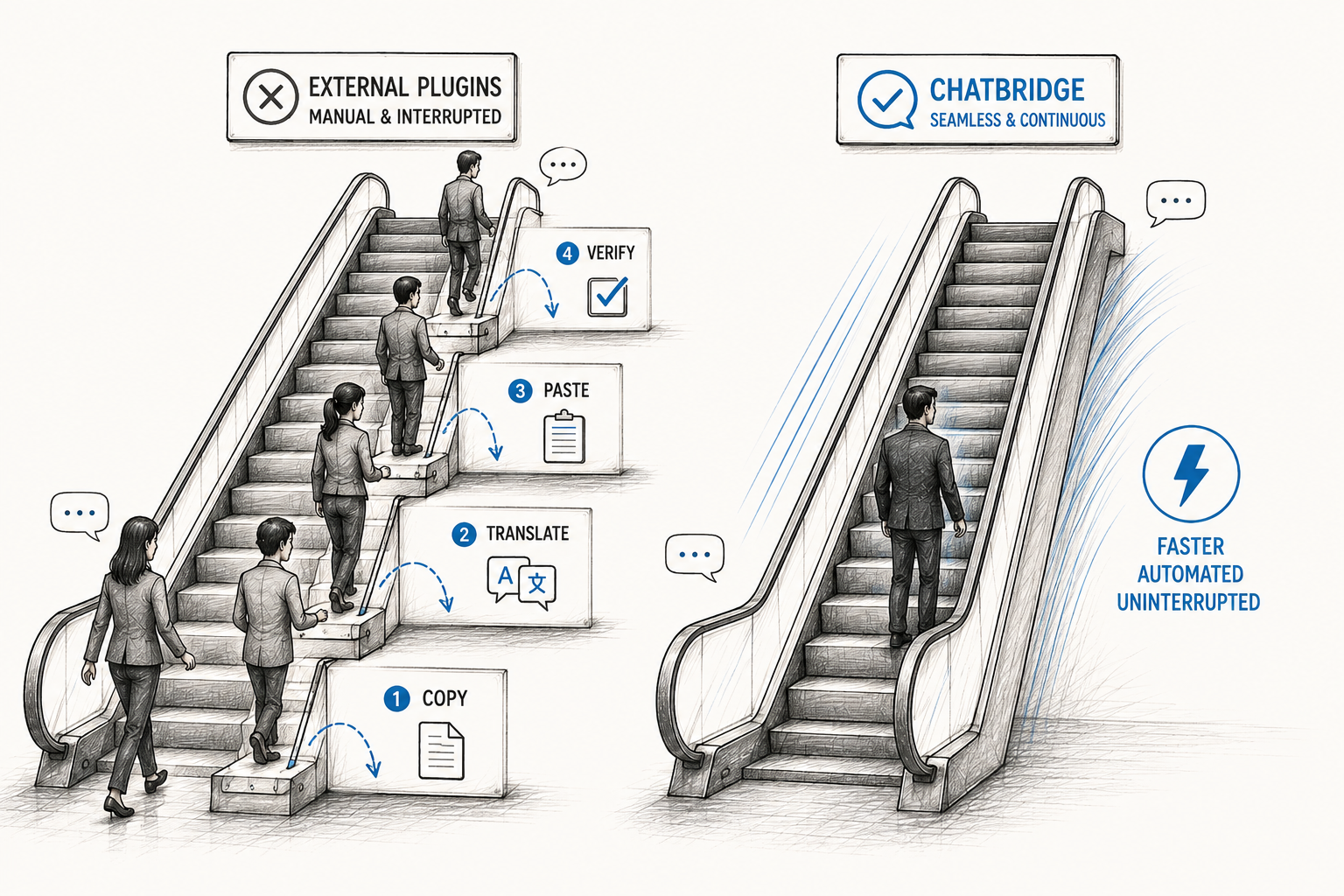
External plugins add manual steps and delays; ChatBridge translates live, natively inside the Salesforce Service Console.
External tools and plugins solve real problems but weren't purpose-built for real-time Salesforce chat.
ChatBridge covers 130+ languages with fast AppExchange setup and no custom integration work required.
If you've been researching how to translate customer chats inside Salesforce, you've probably come across a bunch of options. Browser extensions, standalone translation APIs, external plugins that promise to add translation to any website, and dedicated Salesforce apps built specifically for this problem.
They all claim to solve the same issue. But they really don't work the same way, and the differences matter a lot more once your team is actually using one of these day-to-day.
Let's break down how ChatBridge, a purpose-built Salesforce chat translation app, compares to the external translation plugins many teams try first and find out what the actual differences are.
Why Businesses Look Outside Salesforce for Translation in the First Place
Most teams don't start by searching for a dedicated Salesforce chat translator. They start with what's already familiar. Someone suggests using Google Translate's browser extension. Someone else finds a general-purpose translation API and asks a developer to wire it in. It feels like the quick, low-cost fix.
And for a while, it kind of works. Until your support volume grows, or your chat traffic spans more languages, or someone notices agents are spending an extra two or three minutes per conversation just managing the translation step manually.
That's usually the point where teams start looking for a real Salesforce translation solution instead of a workaround. It's a similar pattern to how teams often approach finding the right apps on Salesforce AppExchange in general.
ChatBridge vs External Plugins: The Practical Difference for Multilingual Customer Support
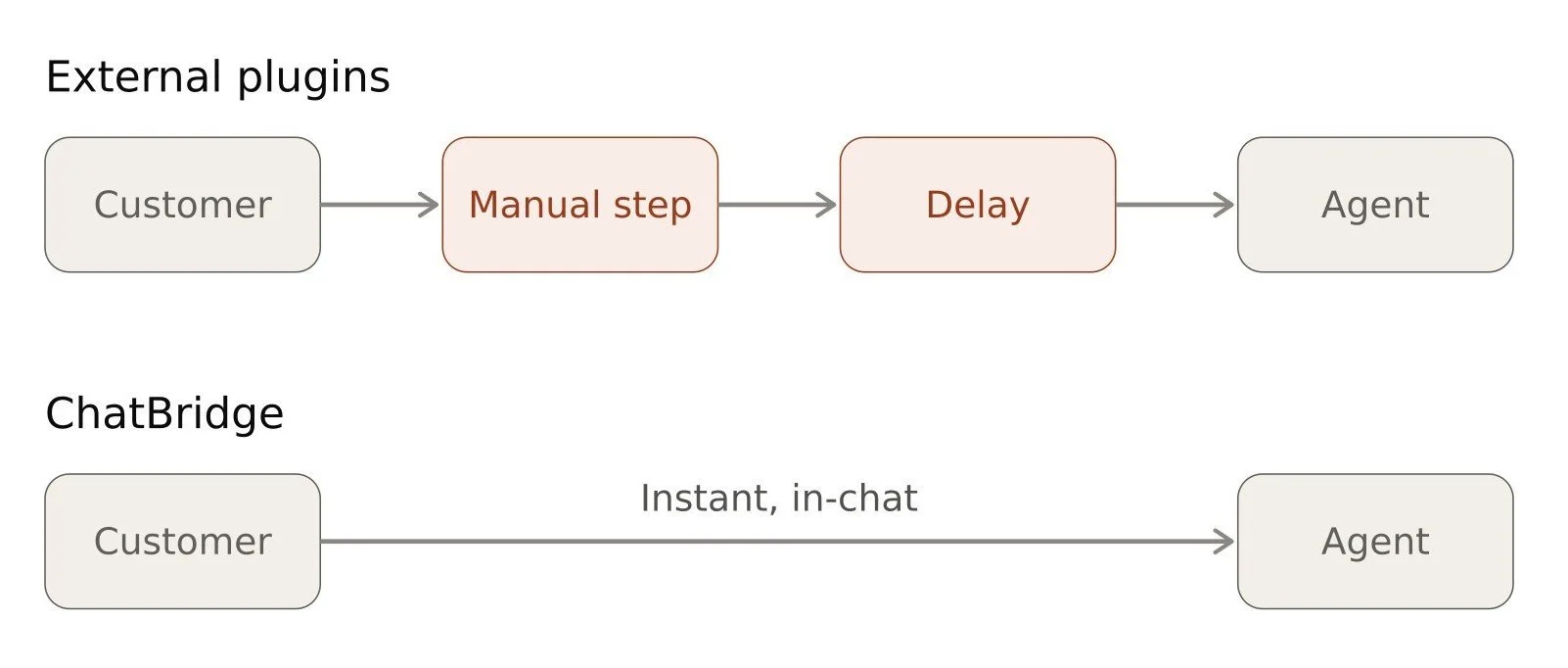
Here's really what it comes down to. External plugins can technically translate text. But multilingual customer support isn't just about translating words; it's about doing it fast enough, consistently enough, and smoothly enough that your agents and customers never feel the friction of a language barrier at all.
With most external tools, that friction still shows up somewhere. A delay here. A manual step there. A slightly awkward setup that works most of the time but occasionally breaks.
With a native Salesforce translator for Service Cloud like ChatBridge, that friction is designed out of the process entirely. The conversation just flows, the same way it would if both people spoke the same language.
ChatBridge vs Popular External Translation Plugins: A Side-by-Side Look
Let's look at how ChatBridge actually stacks up against some of the most commonly used external translation tools that teams try to plug into Salesforce.
| Features | ChatBridge | Unbabel | Google/Microsoft APIs | Translation Studio by 1440 | Smartcat |
|---|---|---|---|---|---|
| Built specifically for live Salesforce chat | Yes | Partial (multi-platform) | No | Partial (broader focus) | No (content-focused) |
| Real-time translation | Instant | Slower (human review layer) | Instant | Instant | Not real-time (async workflow) |
| Handles live conversations | Yes | Yes | Requires setup | Limited | No |
| Setup effort | Install & configure | Moderate | Requires integration work | Moderate | Moderate (workflow setup) |
| Language coverage | 130+ | ~29 (with human refinement) | Broad, general-purpose | Broad | Broad |
| Lives inside Service Console | Yes | Yes | Not natively | Yes | No (separate platform) |
| Best suited for | Live chat conversations, case feed, Chatter feed, comments, and posts. | Brand-sensitive, polished replies. | General translation needs. | Records, emails, and knowledge articles. | Structured content, tickets, and knowledge base articles. |
What Makes ChatBridge Different as a Native Salesforce Chat Translation App
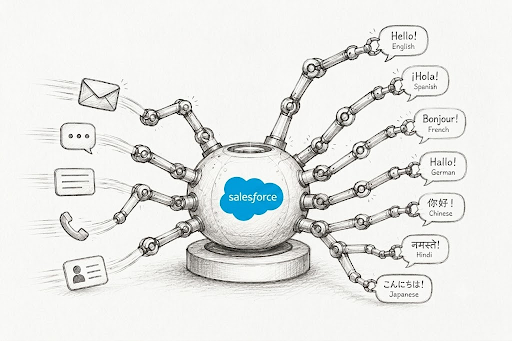
ChatBridge takes a different approach right from the start. Instead of adapting a general translation tool to work with Salesforce, it was built specifically as Salesforce real-time translation and designed to live inside Service Cloud from day one. That distinction changes a lot.
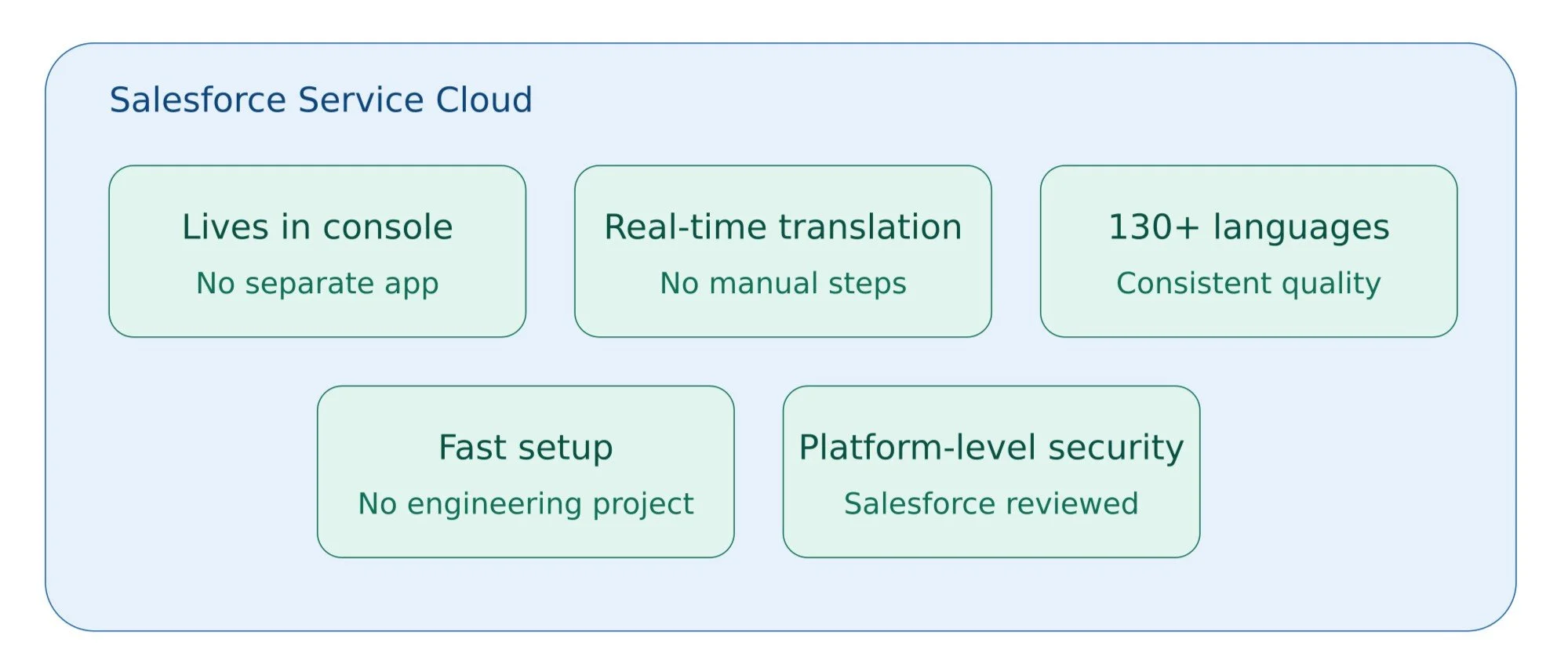
1. Chatbridge works inside the console your agents already use: There's no separate app to open, no browser extension to install on every machine, no external dashboard to check. Agents work in the same Salesforce Service Console they already know, and translation happens automatically as part of that experience.
2. Translation happens in real time, without manual steps: A customer types a message in their language. It shows up already translated for the agent. The agent replies normally, and that reply gets translated back before the customer sees it. No copying, no clicking a translate button, no waiting for a refresh.
3. It covers 130+ languages, including less common ones: A lot of external tools handle the major languages well but lose accuracy fast outside of that. ChatBridge is built to maintain consistent quality across a much wider range, which matters if your customer base isn't limited to the usual handful of languages.
4. Setup doesn't require an engineering project: Since ChatBridge is available directly through Salesforce AgentExchange, getting it running is a matter of installing and configuring it, not building a custom integration from scratch and maintaining it indefinitely.
5. Security is handled at the platform level: ChatBridge has gone through Salesforce's own Security Review process, which means your data protection standards are aligned with Salesforce's own requirements.
This is part of why it's worth reading 7 ways ChatBridge solves multilingual support challenges that AI agents miss, since a lot of these gaps show up specifically in less common languages.
Where External Tools Start to Fall Short
None of this means external tools are useless. Some are genuinely well-built. But a few consistent problems show up across most of them.
They add steps instead of removing them. Even a well-integrated plugin often still requires an extra click, a manual trigger, or a moment where the agent has to check whether the translation actually rendered correctly.
They aren't built around live chat specifically. A lot of these tools were designed for translating web pages, documents, or emails first, and chat support got added later. That shows up in small ways, like translation lag during a fast back-and-forth conversation.
Setup and maintenance take real effort. APIs need connecting. Extensions need managing across every agent's browser. And when Salesforce pushes an update, someone has to check whether the integration still works.
Pricing can scale unpredictably. Usage-based API pricing sounds fine until your chat volume grows and the bill grows right along with it, sometimes faster than expected.
Data handling isn't always transparent. Routing customer conversations through a third-party translation service means understanding exactly what happens to that data, how long it's retained, and whether it meets your company's security standards. This is exactly why teams increasingly look at how to pass a Salesforce security audit and compliance review before committing to any third-party tool touching customer data.
Should You Switch From an External Plugin to a Native Salesforce Solution?
If your team is currently getting by with a browser extension or a custom-built API integration, it might feel like switching is more effort than it's worth. But it's worth asking a few honest questions.
Are your agents spending extra time per chat managing the translation step manually?
Is your support quality noticeably slower for non-English customers compared to English-speaking ones?
Is someone on your team quietly maintaining an integration that occasionally breaks?
Are you paying enterprise-level pricing for a translation platform that was built for far more than just live chat?
If the answer to any of these is yes, that's usually a sign the workaround has run its course. Salesforce chat translation, done through a tool actually built for Salesforce, tends to solve these problems at the root instead of patching around them.
Final Thoughts
External translation plugins aren't necessarily bad tools. Some are genuinely capable. But most of them were built to solve a broader translation problem, then retrofitted to work with Salesforce. And that gap shows up in setup time, ongoing maintenance, and the small delays your agents deal with every day.
ChatBridge was built the other way around. It started with the question of how a support agent inside Salesforce Service Cloud can chat with a customer in any language, live, without leaving the console or adding extra steps. That's the difference between a translation tool that happens to work with Salesforce, and a Salesforce chat translation app that was actually designed for it.
If you're comparing options right now, it's worth checking how much friction each one actually removes from your team's day, not just whether it translates text. That's usually where the real difference shows up.
Frequently Asked Questions
-
No. ChatBridge installs directly from Salesforce AppExchange and can be configured without a custom integration project, unlike generic external translation tools.
-
It is a general-purpose translation tool, not built for Salesforce live chat. They require manual integration work and lack context awareness for support-specific tone and nuance.
-
Yes. ChatBridge is built specifically for live support conversations. So it retains customer sentiment and urgency better than generic APIs or human-review tools with added delay.
-
No. ChatBridge integrates natively into the existing Service Console your agents already use, so there's no workflow disruption or need to rebuild your current support stack.
Related Readings

Let’s Talk

Drop us a note, we’re happy to take the conversation forward 👇🏻
