Key Takeaways
Salesforce Data Cloud pricing combines licensing with usage-based credit consumption.
Credits are consumed based on workloads like data processing, segmentation, and activation.
Monitoring credit usage helps optimize costs and avoid unexpected expenses.
Salesforce Data 360 pricing often looks straightforward. In practice, it's a different story. Many organizations budget for the platform itself but overlook the usage-based costs that grow as data volumes, identity resolution, and activations increase.
Here's a number that surprises many Salesforce admins: running Identity Resolution on one million profiles can use up 100,000 credits in a single run. This is not an error, and it is not a rare case. This is simply how the Salesforce Data 360 credit system works. If your org treats Data Cloud pricing like a normal per-user Salesforce license, the final invoice may not match what you expected.
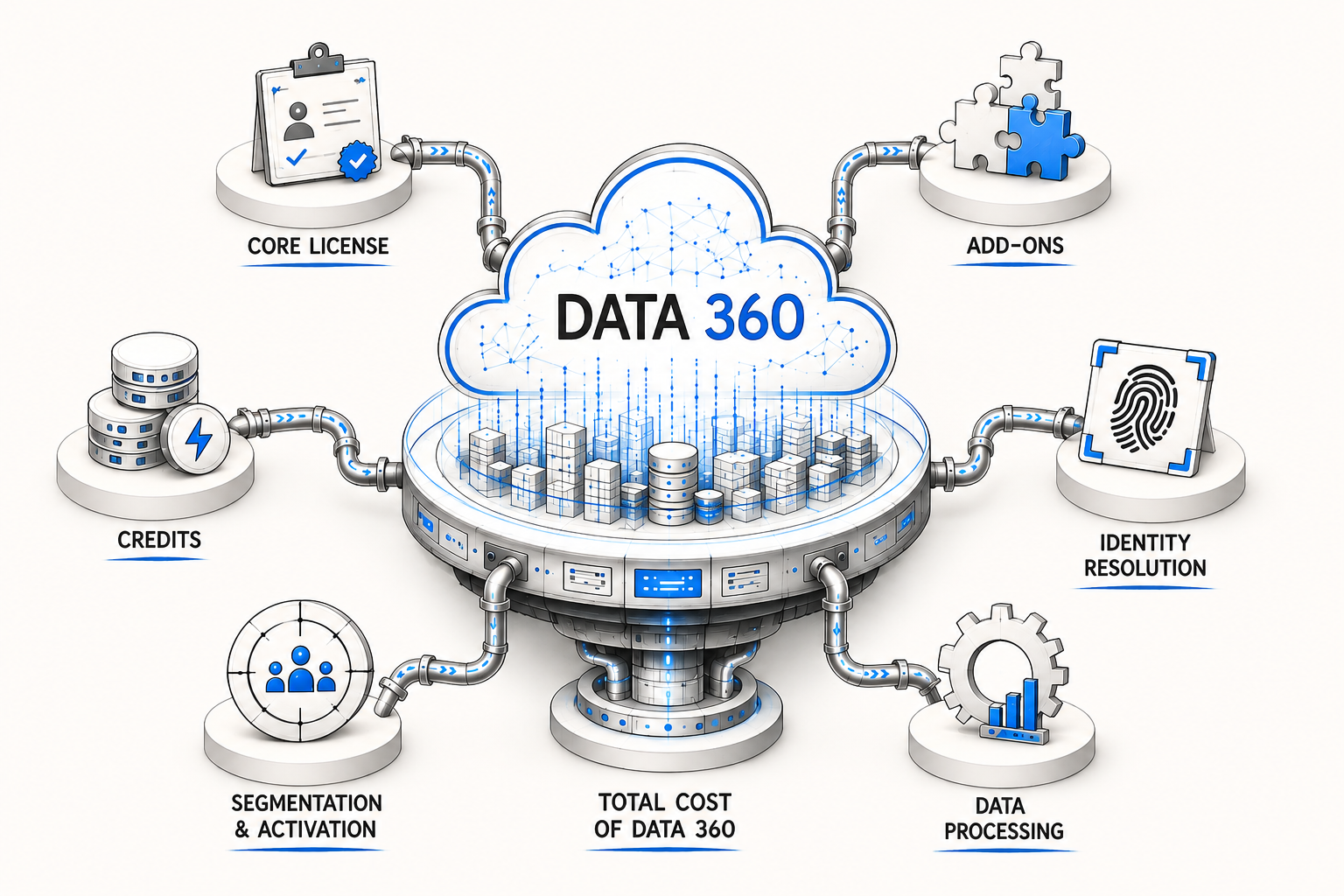
This is the part most people are not told about in advance. Salesforce Data Cloud pricing is not a single number on a price sheet. It works in layers: a core license, a set of optional add-ons, and a usage system that tracks almost everything you do with your data. For a Salesforce Partner guiding clients through Data 360 adoption, understanding this structure is important. It can be the difference between a smooth rollout and an unexpected budget issue later in the year.
Let's go through each part step by step to understand how it actually works.
How Salesforce Data 360 Pricing Is Structured
Before determining a realistic budget, it is important to understand the underlying structure of the pricing model. The following sections outline how each component fits together.
Data 360 Uses a Hybrid Pricing Model
Most Salesforce products follow a familiar rule: pay per user, per month or per year, done. Data Cloud breaks that mold.
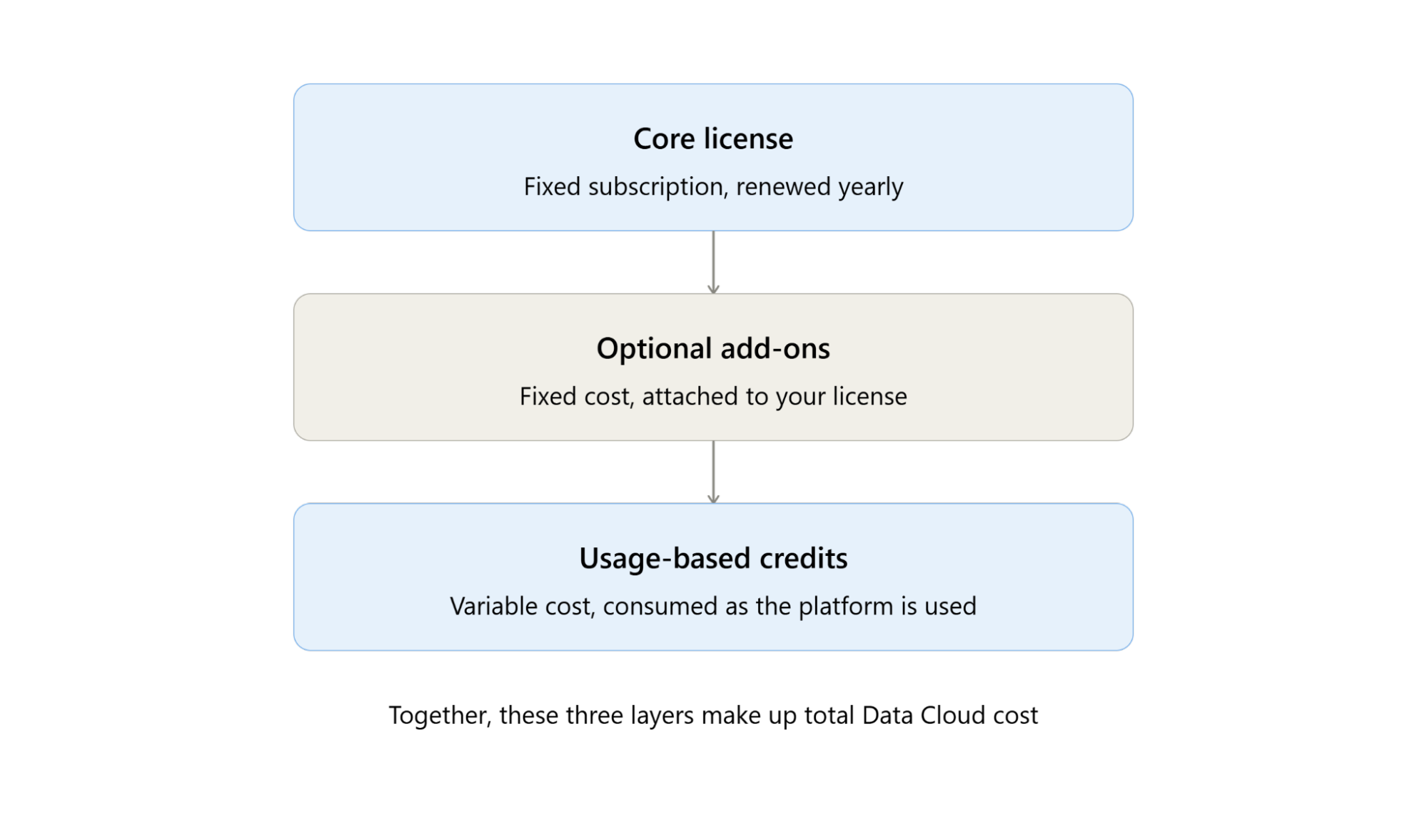
Salesforce Data 360 pricing combines three distinct layers:
A fixed subscription (the core license)
Optional add-ons you attach based on your needs
Usage-based credits that get consumed as the platform actually processes your data
Example: Buying a car. You pay a fixed price for the vehicle itself, you pay extra for accessories like a roof rack or upgraded trim, and then you pay for gasoline based on how much you actually drive.
Data Cloud works the same way: the "car" is your core license, the "accessories" are your add-ons, and the "gasoline" is your credit consumption.
Why Data 360 licensing is different from traditional Salesforce Licensing
Traditional Salesforce licensing is based on the number of users who need access. Data Cloud is different. It does not charge based on the number of users. It charges based on how much work the platform does.
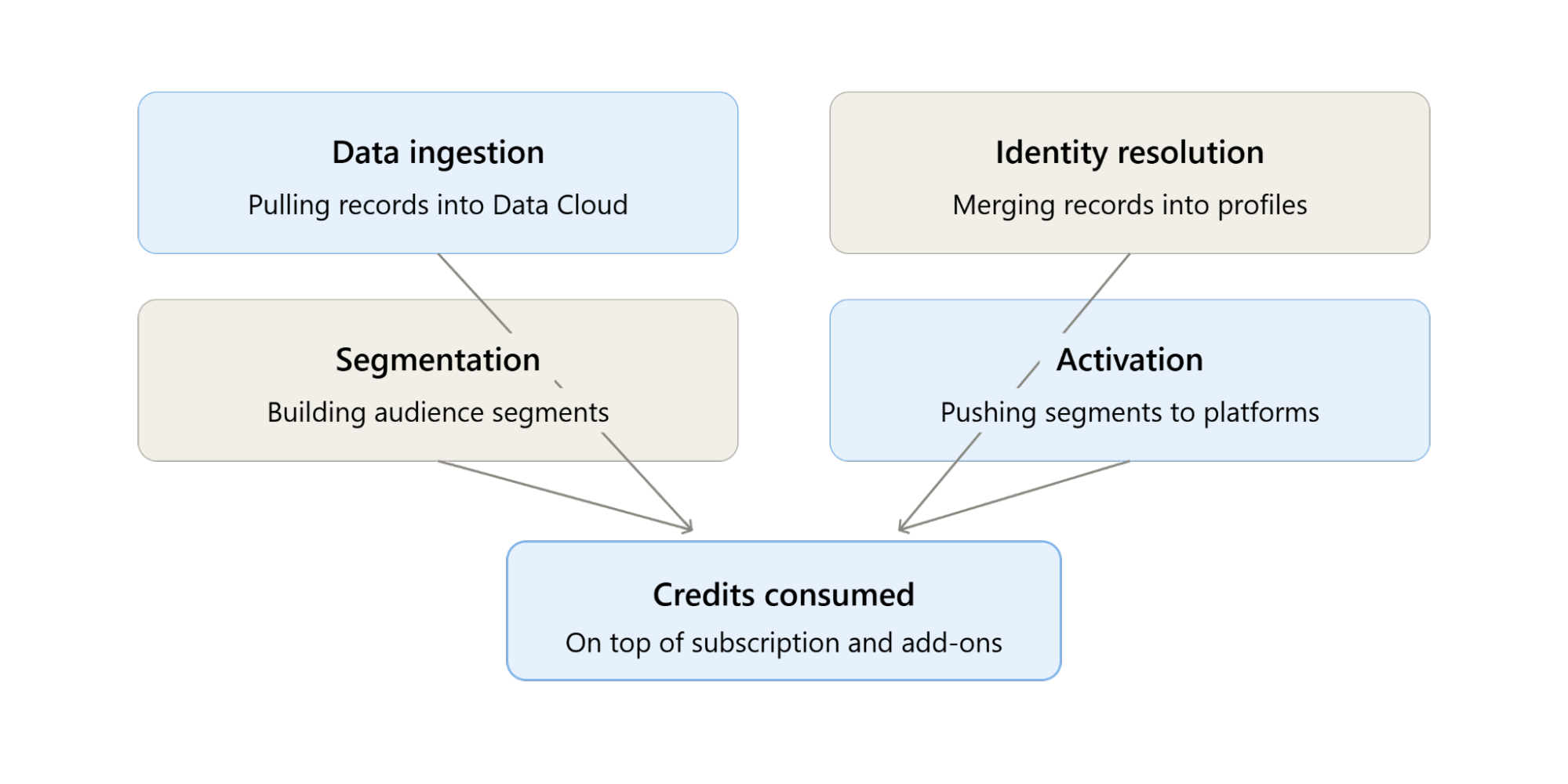
Every time your org performs actions like:
Data ingestion: Pulling records into Data 360 from your systems
Identity Resolution: Merging and matching customer records into unified profiles
Segmentation: Building audience segments from unified data
Activation: Pushing those segments out to advertising or marketing platforms
Credits are charged in addition to your subscription and add-ons. This is the Flex Credits consumption model, and it drives Data Cloud's overall cost.
Data 360 is not a per-user license with a flat annual fee. It is a subscription-plus-usage model, where credits, not seats, make up a large part of your total cost.
Three Main Cost Categories in Salesforce Data 360
Salesforce Data Cloud pricing is built from three separate cost components, each billed and renewed differently. Understanding what each one covers makes it easier to see where your actual spend comes from.
1. Core License
This is the upfront, fixed-cost layer, usually renewed every year. It sets up the core Data Cloud capabilities in your Salesforce org and includes an initial amount of credits and storage. Data 360 runs on top of your existing Salesforce edition (Enterprise, Performance, Unlimited, or Developer).
Most orgs purchase the standard Data Cloud License. There is also a newer license called the "Companion Org," which lets one org connect to an existing Data 360 instance instead of setting up its own
2. Add-On Licenses
These are optional, fixed-cost extras layered on top of your core license, usually renewed yearly alongside it. Common add-ons include:
| Add-On | What It Does |
|---|---|
| Data Spaces | Partitions your data by region, brand, or business unit. |
| Segmentation & Activation | Enables audience segment creation and batch activation. |
| Extra Storage Allocation | Additional storage beyond your initial entitlement. |
| Private Connect for Data Cloud | Secure private connectivity to external systems. |
| Platform Encryption | Customer-managed encryption keys for Data Cloud. |
| Advertising Audiences | Required to activate segments to platforms like Google Ads or Meta. |
| Sub-Second Real-Time Profile & Entities | Real-time processing for Identity Resolution, Data Graphs, and audience segments. |
Many Data Cloud services, including identity resolution, segmentation, activation, and data integration, can be enabled through core capabilities and optional add-ons.
3. Consumption-Based Credits
This part of the cost varies with usage. You can say it pay-as-you-go layer, carries the most complexity and the most budget risk.
Most actions in Data 360 use credits. Credit use depends on how much data is processed. Examples include ingesting a data stream, running a Calculated Insight, and publishing a segment.
Also Read: Salesforce Unbottled the ‘Genie’ Platform
How Salesforce Data 360 Credits Work
Salesforce Data Cloud Credits are charged according to the data processing activities of your business. Unlike charging per feature, Salesforce charges based on the amount of processing detected across different steps in the customer data lifecycle.
1. Harmonize and Merge
Prepare customer data from different sources by cleaning, processing, converting, and merging them into a single customer profile.
The activities consuming credits at this stage are:
Batch processing of data
Streaming processing of data
Batch merging of profiles
2. Analyze and Predict
Extract insights and enrich customer profiles with calculated metrics and AI predictions.
The credit-consuming activities are:
Batch calculated insights
Streaming calculated insights
Inferences
3. Execute
Retrieving merged customer data and executing instant activities in Salesforce or alongside connected applications.
The credit-consuming activities are:
Data inquiries
Streaming actions, including lookups
4. Segment and Activate
Create customer audiences and activate them across marketing, sales, service, and external platforms.
Credit-consuming activities include:
Segment Rows Processed
Batch Activation
Activate DMO – Streaming
5. End-to-End Real-Time Processing
Support real-time customer experiences by processing profile updates and API requests as events occur.
Credit-consuming activities include:
Real-Time Profile Processing
Real-Time API Requests
As your data volume and processing frequency increase, so does your credit consumption. Monitoring these workloads is key to avoiding unexpected costs.
How Salesforce Calculates Your Data 360 Credit Usage
Salesforce calculates Data 360 credit consumption based on three factors:
Usage Type: The operation being performed (such as data transformation, calculated insights, segmentation, or activation).
Unit of Usage: Data 360 measures usage in units of 1 million records.
Credit Multiplier: Each usage type has a predefined multiplier that determines how many credits are consumed for every one million records processed.
The formula is:
Credits Consumed = (Records Processed ÷ 1,000,000) × Credit Multiplier
Example: Batch Calculated Insight
Suppose you create a Batch Calculated Insight on 2 million records, and the credit multiplier for this operation is 15.
Calculation:
Records Processed = 2,000,000
Unit = 1,000,000 records
Multiplier = 15
Credits Consumed = (2,000,000 ÷ 1,000,000) × 15 = 30 Credits
Now assume the calculated insight refreshes the next day, and your dataset has grown to 2.2 million records.
Credits Consumed = (2,200,000 ÷ 1,000,000) × 15 = 33 Credits
This means that credit consumption increases as your data volume grows. Since calculated insights, identity resolution, segmentation, and activation often run on a recurring schedule, organizations should monitor both processing frequency and data growth to accurately forecast Data Cloud costs.
Note: The credit multiplier varies by workload. Salesforce publishes the current multipliers in its Data Cloud Rate Card, so always refer to the latest documentation when estimating costs.
Factors That Affect Your Total Data Cloud Cost
A handful of variables tend to swing the final bill more than anything else. Thus, users must know what to consider when implementing Salesforce Data 360 in depth.
Data volume and growth rate: More rows ingested and processed means more credits, every single time a process runs.
Refresh frequency: How often you re-run Identity Resolution, refresh Calculated Insights, or re-publish segments directly multiplies your consumption.
Source type: External data pipelines cost noticeably more per row than native Salesforce connectors (Marketing Cloud, CRM, Commerce Cloud).
Real-time vs. batch processing: Streaming and sub-second real-time actions carry much higher multipliers than their batch equivalents.
Add-on selection: Features like Advertising Audiences or Private Connect add fixed annual cost regardless of usage.
Delta volume over time: Incremental daily growth compounds quickly across months, especially since multiple downstream processes, not just ingestion, re-touch that same new data
This is really the heart of any Data Cloud TCO exercise. Total cost of ownership here isn't just the license invoice; it's the compounding effect of usage patterns stretched across 12, 24, or 36 months.
How to Monitor Data 360 Credit Usage
By monitoring credit consumption in the Data 360, you can see your credit consumption, recognize sudden increases, and obtain forecasts to aid in future planning without incurring any unexpected expenses.
The Salesforce platform has many built-in monitoring tools that can help the administrator track the overall consumption of the Ingested Data Cloud credits.
What to Monitor
Total credits consumed over a selected time period.
Credit usage by workload, including data transformations, calculated insights, segmentation, and activation.
Data processing volumes to see how many records are being processed.
Scheduled jobs and refresh frequency, as recurring processes can significantly impact credit consumption.
Usage trends over time to identify growth patterns and forecast future credit needs.
Best Practices to Optimise Data Cloud Costs
The following practices help keep Data 360 costs predictable and manageable.
| Best Practice | Why It Matters |
|---|---|
| Plan your data strategy early | Map out data volume, refresh frequency, and use-case scope with a Salesforce Partner before implementation. |
| Track every processing run | Ingestion refreshes, segment publishes, and recalculations all consume credits. |
| Limit Identity Resolution refreshes | Its multiplier is the highest, so plan refresh frequency carefully. |
| Ingest only what you need | Unused historical data adds cost without delivering value. |
| Forecast delta growth | Daily incremental data volume compounds quickly over time. |
| Pre-transform data upstream | Clean and shape data before it reaches Data 360 to reduce credit consumption. |
Working with experienced Salesforce Data Cloud consulting experts can help identify high-cost workloads early and optimize credit consumption before deployment.
Conclusion
Salesforce Data Cloud pricing rewards planning and punishes guesswork. Costs come from three parts working together: the core license, add-ons, and usage credits, so two orgs with the same license can still end up with very different bills. Working with an experienced Salesforce Partner and tracking usage early helps keep that cost predictable instead of surprising.
If you're planning a Data 360 rollout or want to get a clearer picture of your expected costs, talk to a Salesforce Partner who can map out your usage and pricing before you commit.
Frequently Asked Questions
-
No. Unlike most Salesforce products, Data Cloud does not follow a per-user pricing model. Instead, your total cost is based on a combination of a core license, optional add-ons, and usage-based Data Cloud credits.
-
Even if two organizations purchase the same Data 360 license, their costs can differ significantly because credit consumption depends on factors such as data volume, refresh frequency, real-time processing, and activation workloads.
-
Yes. Credits are consumed each time an eligible workload runs. For example, if a Calculated Insight refreshes daily, credits are charged for every refresh based on the amount of data processed.
-
High-volume operations such as profile unification, calculated insights, segmentation, activation, and real-time processing generally account for the largest share of credit consumption because they process large amounts of customer data.
-
It's a good practice to review credit usage regularly, especially after large data imports, changes to refresh schedules, or new automation projects. Continuous monitoring helps identify unexpected spikes and keeps costs predictable.
-
Yes. By estimating your expected data volume, processing frequency, required add-ons, and anticipated workloads, you can forecast credit consumption and build a more accurate implementation budget before going live.
Related Readings


Drop us a note, we’re happy to take the conversation forward 👇🏻