How to Find the Best Apps on Salesforce AgentExchange

Key takeaways:
Identify your business needs before searching to find the best Salesforce AppExchange apps that match your Salesforce environment.
Compare reviews, security, pricing, and vendor support to choose the right Salesforce AppExchange app with confidence.
Test every AppExchange solution in a Sandbox before production to ensure smooth deployment and better performance.
If you've ever logged into Salesforce AppExchange(AgentExchange) looking for "just one simple app" and walked away 45 minutes later with 12 browser tabs open and zero decisions made... you're not alone. Trust me, most Salesforce admins have been there.
AppExchange is basically the App Store for Salesforce, but with thousands of listings, dozens of categories, and a lot of Salesforce AppExchange apps that look shiny on the surface but don't actually solve your problem.
So how do you cut through the noise and pick the right one?
That's exactly what this blog is about. We're going to walk through everything, step by step, so that next time you go hunting for the best apps on Salesforce AppExchange or AgentExchange, you know exactly what to look for and what to avoid.
Exploring the Salesforce AppExchange Marketplace
Salesforce AppExchange isn't just a pile of apps sitting in one place. It's an entire ecosystem offering roughly 5,000 ready-to-install Salesforce AppExchange solutions, spanning apps, components, Bolt solutions, Lightning data, and Flow solutions.
Over 70,000 peer reviews are sitting on the platform, plus insights shared directly by partners who've built up serious industry expertise over the years. Customers have collectively installed more than 6 million of these Salesforce AppExchange apps and solutions to date.
So whether you're after a no-code widget or a full low-code Bolt solution, there's a lot more sitting on AppExchange than most people give it credit for.
Let's break down what these categories actually look like.
Types of Solutions Available on AgentExchange?
Now that you know how big this ecosystem really is, it helps to know that not everything on it falls under the same bucket. Here's a quick breakdown of what you'll actually come across:
| Product Type | What It Does | Example Use Case |
|---|---|---|
| Apps | Full applications that add new functionality inside Salesforce | Project management, HR tools |
| Components (Lightning Components) | Small building blocks you drop into pages | Custom dashboards, widgets |
| Bolt Solutions | Pre-built templates for specific industries | Community portals for nonprofits |
| Flow Solutions | Ready-made automation flows | Approval processes, lead routing |
| Consulting Services | Implementation partners that help deploy and customize Salesforce solutions | Custom Salesforce builds |
Knowing which category you actually need saves a ton of time. If you need a quick automation fix, you don't need to browse full-blown apps a Flow Solution might do the trick in 10 minutes.
Identify Your Business Requirements Before Choosing an App
This is the part people skip that causes the most regret later. Before you even open AppExchange, sit with these questions.
1. Determine the Problem You Want to Solve
Before you search, know exactly what you're solving for:
Skip vague goals like "we need better reporting” it's too broad to act on.
Be specific instead, like "our sales team can't see regional pipeline data in real time."
Write that problem down in one clear sentence before opening AppExchange.
A clear problem statement makes it much easier to spot the right app.
2. Know Your Current Salesforce Configuration
Are you on Sales Cloud, Service Cloud, or a custom-built org?
Are you using Lightning or (still, somehow) Classic?
Some apps aren't compatible with older configurations, and finding that out after purchase is a painful conversation with your team.
3. Analyse Reviews, Ratings, and Product Demos
Don't just look at the overall star rating; it rarely tells the full story.
Read the 2- and 3-star reviews closely; that's usually where real issues show up, like support delays, hidden costs, or missing features.
Always request a live demo before deciding.
A 20-minute walkthrough usually tells you more than an hour of reading the product page.
4. Verify Security and Compliance Requirements
Every app gets some access to your Salesforce data, so security matters. Check for:
Salesforce Security Review passed.
Industry compliance badges like GDPR, HIPAA, or SOC 2.
Clear privacy policy and data-handling terms.
Strong user authentication to control access.
Data encryption, both at rest and in transit.
Regular security scans and quick fixes for issues found.
5. Choose a Trusted App Vendor
Check how long the Salesforce ISV partner behind an app has been active, how often they push updates, and how they handle support tickets. A 5+ year track record with Salesforce AppExchange solutions is a very different bet than an app that launched last quarter.
6. Calculate Overall Costs
The listed price is rarely the full price, and the true total cost of ownership matters more than the sticker price when weighing Salesforce ROI.
Per-user licensing fees
Implementation or setup costs
Ongoing support/maintenance fees
Costs of any add-ons you'll likely need later
A cheap app with expensive implementation can end up costing more than a pricier, plug-and-play option. Here's a simple example of how a one-time purchase compares to a subscription model over a few years:
| Feature | One-Time Purchase | Subscription Model |
|---|---|---|
| Initial Cost | $5,000 | $0 |
| Monthly Fee | $0 | $200 |
| Year 1 Total | $5,000 | $2,400 |
| Year 3 Total | $5,000 | $7,200 |
Learn from the Salesforce Community
Trailblazer Community groups, Salesforce subreddits, and LinkedIn groups are goldmines. People share honest, unfiltered opinions there that you won't find in official reviews.
If you're deciding between two similar tools, just ask; someone's probably used both.
Step-by-Step Guide to Finding Apps on AppExchange
Whether you're looking for productivity tools, AI solutions, or industry-specific applications, Salesforce AppExchange offers thousands of trusted apps. Here's a step-by-step guide to help you find the best AppExchange apps for your Salesforce environment.
Step 1: Open Salesforce AppExchange and Check the Home Tab
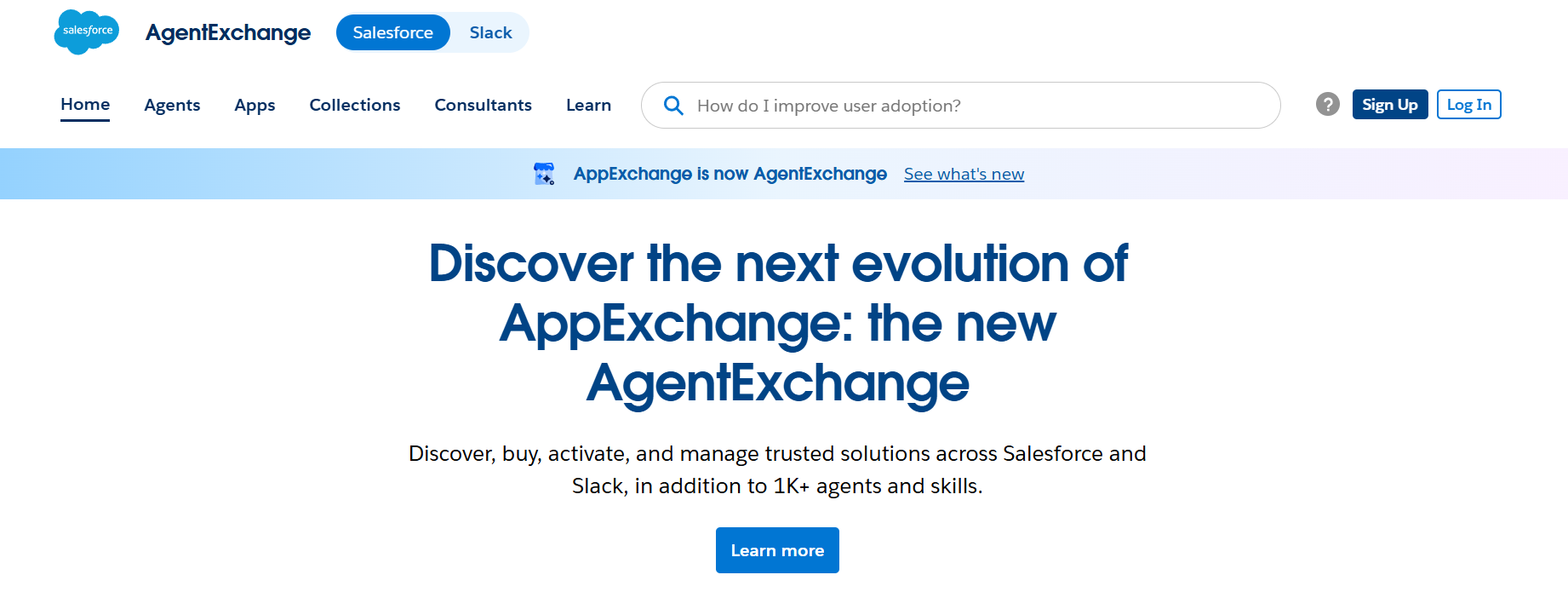
Start by heading to the marketplace itself, where you'll find thousands of listings waiting to be filtered down.
Go to the Salesforce AppExchange website.
Log in using your existing Salesforce credentials; this personalizes recommendations based on your org.
Land on the homepage and get a feel for the layout before diving into search.
Step 2: Search for an App That Matches Your Needs
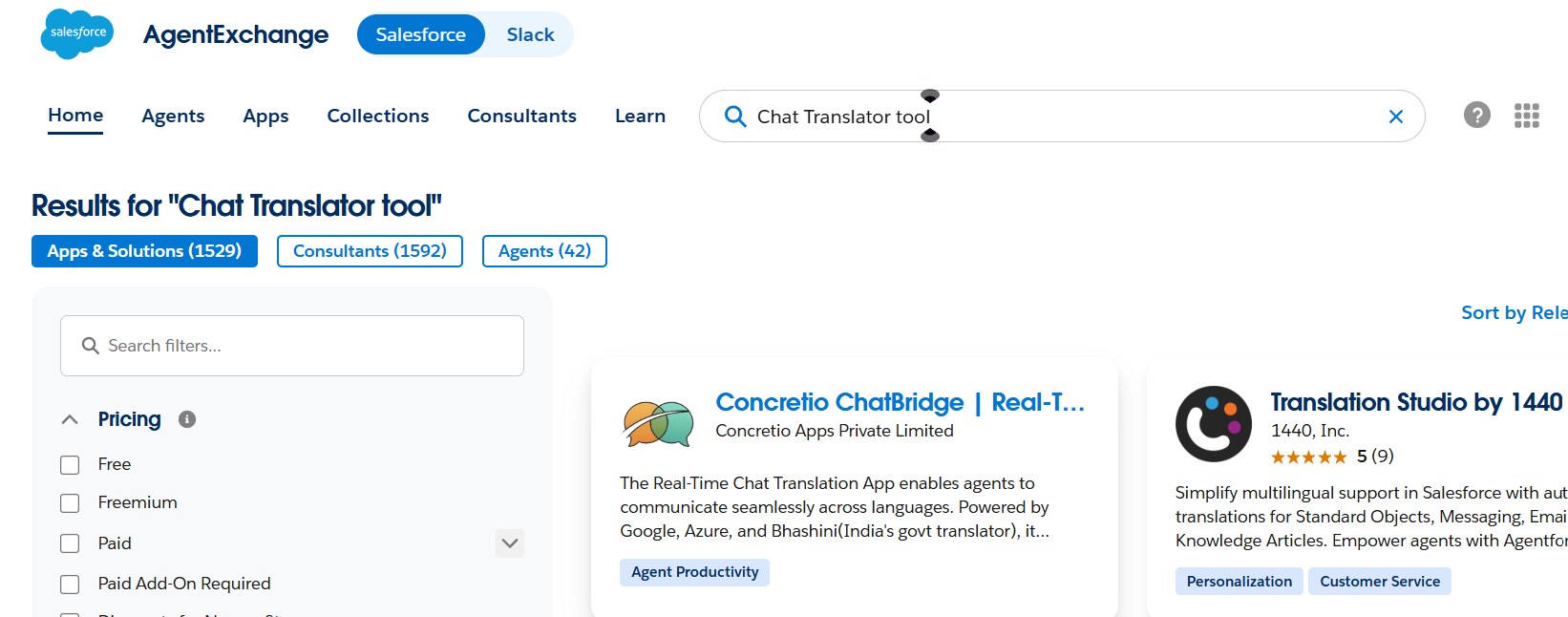
Once you're in, the fastest way to narrow things down is a direct keyword search.
Try a few different keywords rather than just one; the search looks for matches mainly in the app's title, tagline, and short description, so wording matters.
By default, you'll only see the first ten results, so click "View All" to see the full list instead
Step 3: Read Customer Reviews
Favor apps with at least 10 reviews for a fair spread of opinions.
Watch for reviews all posted around the same date.
Read both positive and critical reviews, not just the top-rated ones.
Don't assume that's everything.
Step 4: Refine Your Search with Filters
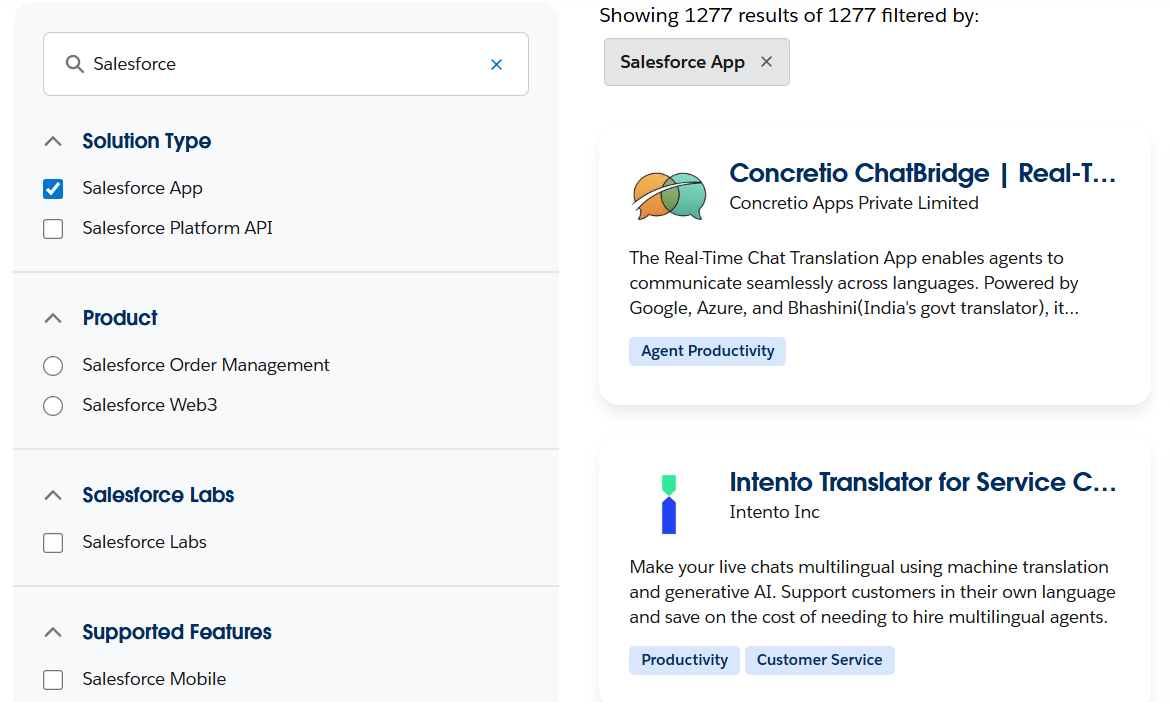
Use "Listing by Type" to include components, Bolt solutions, or Lightning Data tools.
Use Product Collections to filter by platform (Sales Cloud, Service Cloud, etc.).
Try Industry Collections for solutions built for your vertical.
Note: each app is tagged under only one category and up to two industries, so cross-check with a keyword search too.
Step 5: Review the App Listing
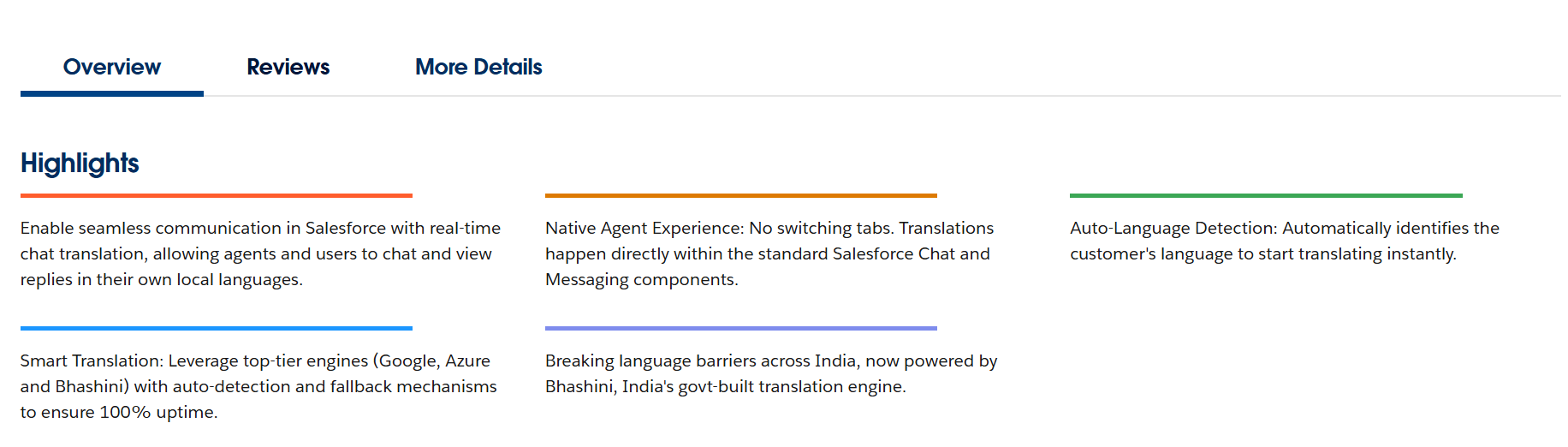
Check the Overview > Highlights section for a "Lightning Ready" label.
Check Overview > Additional Information for the latest release date; anything older than 6-12 months is worth a second look.
See if a demo or "Test Drive" option is available.
Step 6: Read Customer Reviews
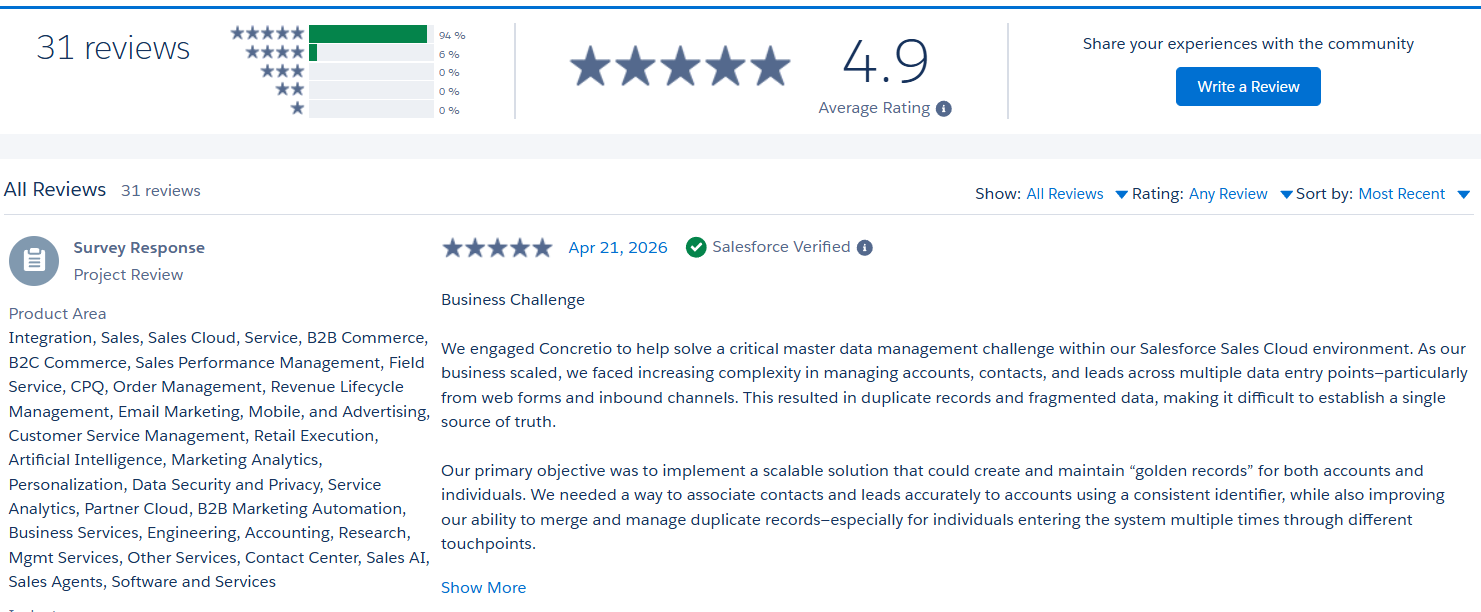
Open the Reviews tab on the listing page.
Favor apps with at least 10 reviews for a fair spread of opinions.
Watch for reviews all posted around the same date, and read both positive and critical ones, not just the top-rated.
Step 7: Check Documentation and Support
Open the Documents or Resources tab on the listing page.
Look for a published setup or customization guide; no guide at all is a red flag; an outdated one means more reliance on vendor support.
Check the Support tab for listed channels: email, chat, or phone.
Step 8: Check Pricing and Security
Open the Pricing tab to see the model per user, flat org fee, or bundled with another subscription. Pricing must be disclosed here.
Check Overview for the Security Reviewed badge to confirm it passed Salesforce's review.
For anything unclear, use Contact Publisher and ask: Can permission sets be adjusted? Does it respect object/field permissions? Does data leave Salesforce or get processed offshore?
Step 9: Install, Test, Then Roll Out
Select Get It Now, then choose your sandbox as the install destination, ideally one with realistic test data.
Get a few other users to test it, and gauge the vendor's support responsiveness.
Once confident, Get It Now again, select Production, then train your team properly.
Quick tips:
Sandboxes don't expire, so use them to test thoroughly.
Filters help, but a keyword search catches what filters miss.
Leave a review once you're done; it helps the next admin decide.
Common Mistakes to Avoid When Choosing an AppExchange App
Let's be honest about where things usually go wrong:
| Mistake | Why It Hurts | Quick Fix |
|---|---|---|
| Installing directly into Production | No safety net if something breaks | Always test in Sandbox first |
| Ignoring negative reviews | Misses real red flags | Read 2–3-star reviews carefully |
| Skipping compliance checks | Legal/security risk down the line | Confirm certifications upfront |
| Choosing based on price alone | Cheap apps can have costly gaps | Compare total cost of ownership |
| Not checking Salesforce integration compatibility | App conflicts with existing tools | Confirm integration compatibility before buying |
| Overloading the org with too many apps | Slower performance, harder maintenance | Stick to what solves your actual problem |
| Skipping the demo | Missing hidden UX or workflow issues | Always request a live walkthrough |
Conclusion
Finding the right app on AppExchange isn't about the flashiest listing or the most downloads; it's about knowing your problem, checking security and true cost, and testing before you commit.
Take your time. Read the reviews others skip. Ask in the Trailblazer community. Run it in a sandbox first. Do that, and you'll end up with the best Salesforce apps that actually make your team's life easier, not another tool gathering dust in your org.
With roughly 5,000 solutions and counting apps, components, Bolt solutions, and more AppExchange has something for almost every problem. Your job is just finding the right one, the right way.
Need a hand getting there? Salesforce AppExchange development services and a good Salesforce consultant can turn that search into a smooth, well-supported rollout.
Frequently Asked Questions
-
Browsing is free. Some apps and solutions on the platform are free too, but many have paid pricing models that vary by app, and every listing is required to disclose its pricing.
-
Apps are full applications that add new functionality. Components are smaller building blocks you drop into pages. Bolt solutions are pre-built templates designed for specific industries. Flow solutions are ready-made automations.
-
Mostly, yes, but favor apps with at least 10 reviews for a fair spread, and be cautious if a batch of reviews all cluster around the same date, which can (though not always) indicate coordinated posting.
-
On the app's listing page, go to Overview > Additional Information and check the latest release date. Anything untouched for 6-12 months or more is worth a second look.
-
No. Always install and test in a sandbox first. Sandboxes don't expire, so you get plenty of time to test the app properly before rolling it out to your whole team.
Related Reading


Let’s Talk

Drop us a note, we’re happy to take the conversation forward 👇🏻