

How to Mask Sensitive Data in Salesforce Production Without Code
Key takeaways:
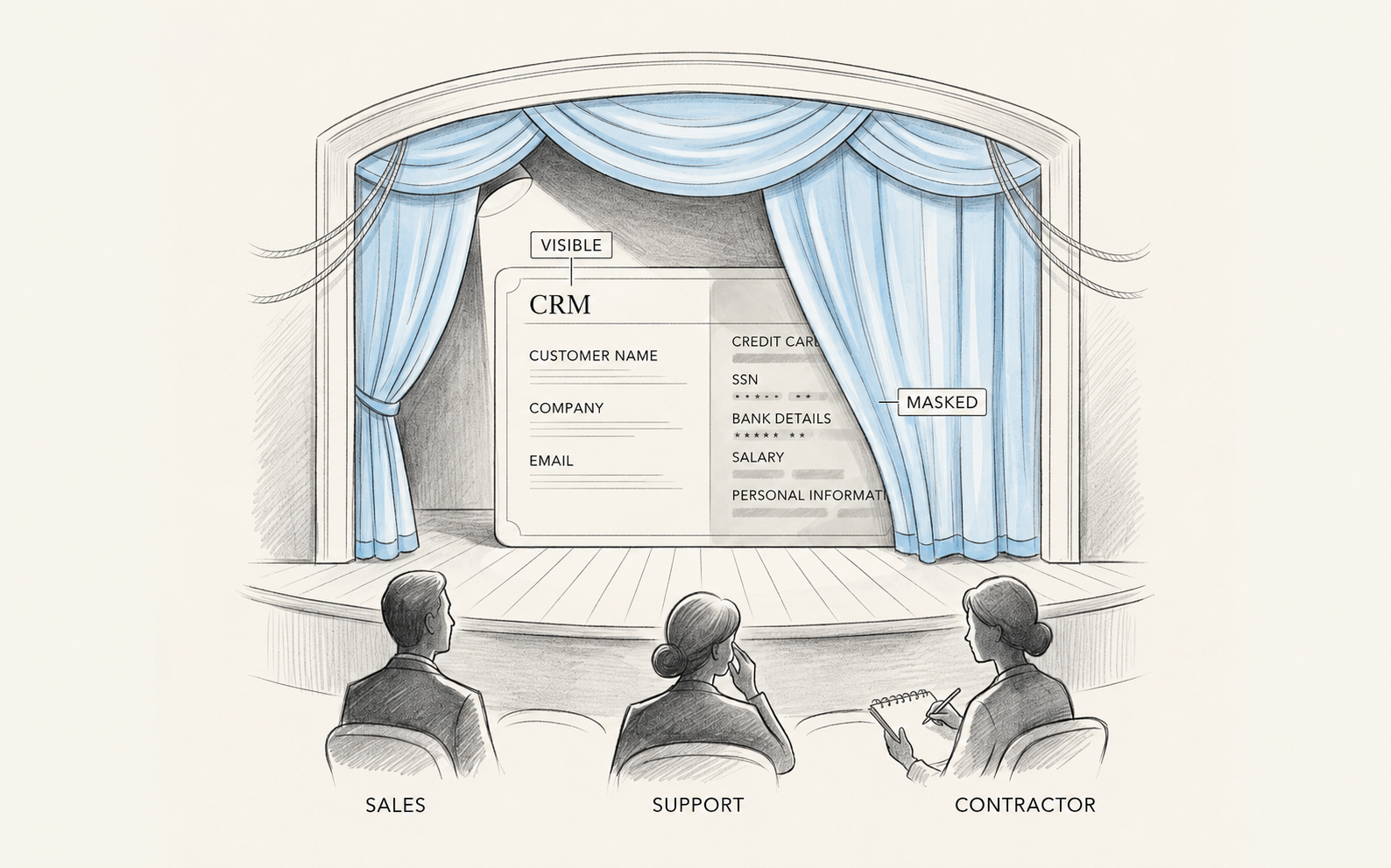
Production masking protects real-time access to live data; sandbox masking only protects copies.
A field masked in one Salesforce layer can still be exposed in another. A modern masking app can cover every layer.
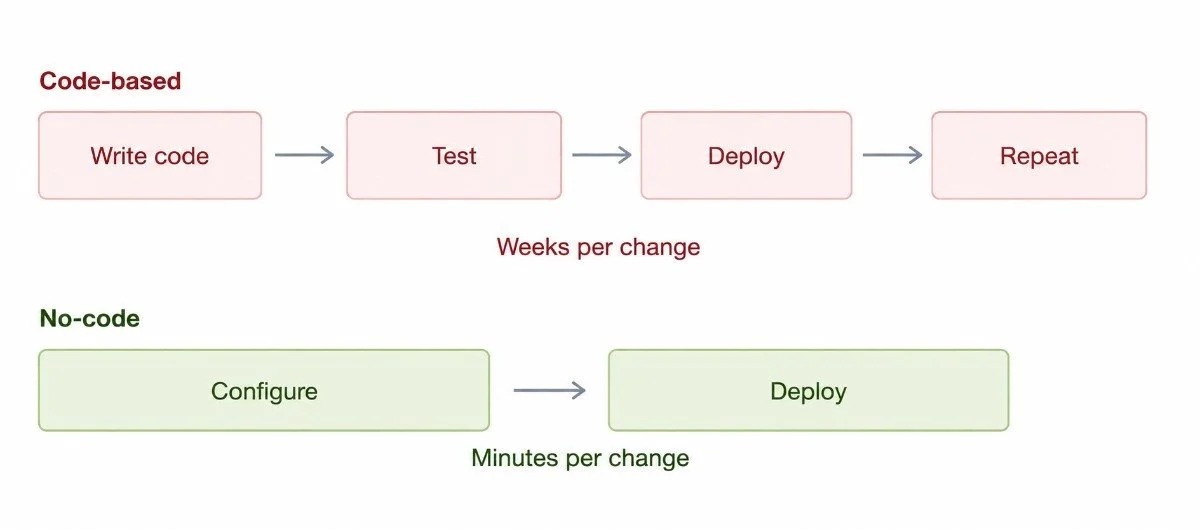
No-code Salesforce data masking tools turn a multi-week development cycle into a same-day configuration task.
Here's a question that comes up in almost every Salesforce data security conversation: how do you protect sensitive fields in production without pulling a developer off their real work to write custom Apex code?
It's a fair concern. Production is where the real risk lives. Real customer names, real financial details, and real sensitive data that’s visible to whoever has access to the record. And unlike sandboxes, you can't just wipe production data. You need a way to control what different users see, without breaking the app for the people who actually need full access.
The good news is that sensitive data masking in Salesforce production doesn't require a single line of code anymore. This guide walks through exactly how that works, why it matters, and how a Salesforce data masking app makes the whole process manageable.
Why Production Masking Is Different From Sandbox Masking
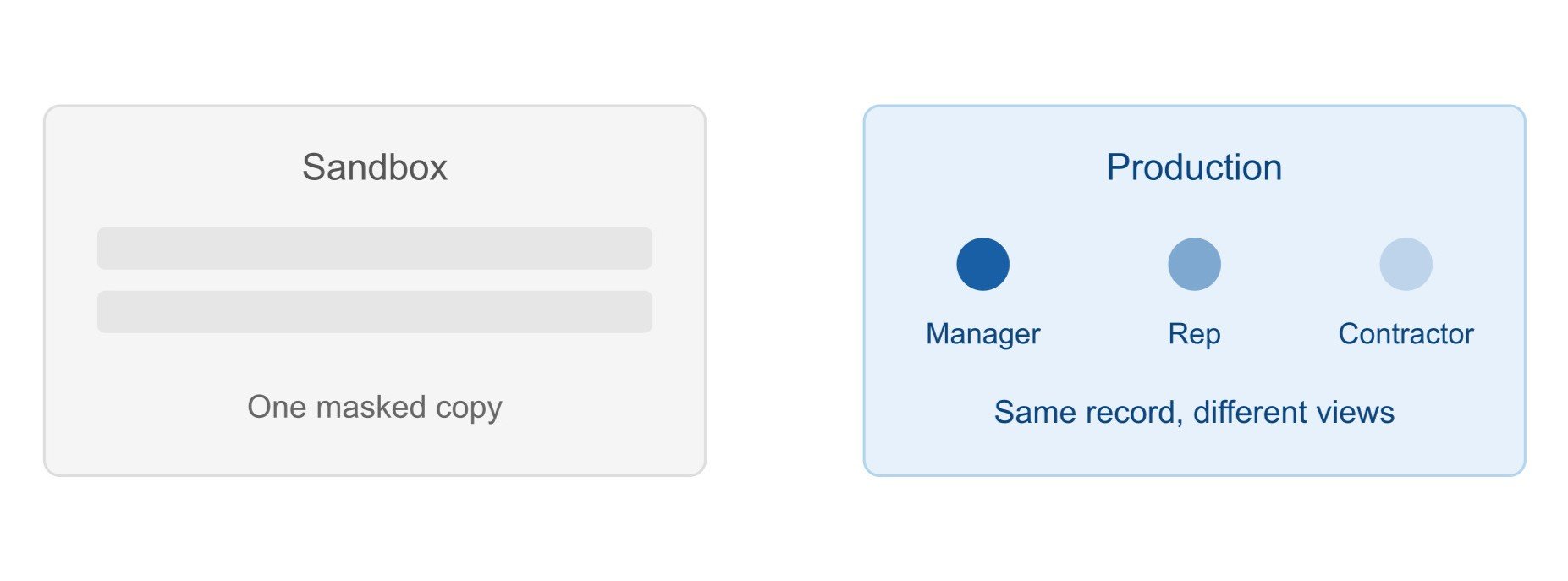
Most people's first exposure to Salesforce data masking is through sandboxes. When you refresh a sandbox, it pulls a full copy of production data, and you mask it before anyone touches it. That's what native Salesforce security provides, but it isn’t always enough. Sure, it’s an important piece of Salesforce data protection, but it only solves half the problem.
Production is where your real users live every day. Sales reps, support agents, contractors, partners, they're all logging into the same live org, often looking at the same records. Not everyone needs the same visibility. A finance manager might need to see full salary details. A support rep helping with a shipping issue definitely doesn't. Masking sandboxes doesn't touch this problem at all, because the issue isn't a copy of your data. It's who can see the real thing, right now, in production.
“Sandbox masking protects copies of your data. Production masking protects access to the real sensitive data. Both matter, but they solve different problems.”
Why Code-Based Masking Doesn't Scale
Traditionally, controlling sensitive field visibility in production meant one of two things: a complex permission set or custom Apex code that intercepted field access and masked values based on user context. Both approaches have real downsides.
Permission sets get complicated fast, especially once you're juggling multiple personas, multiple objects, and loads of sensitive fields
Misconfigurations can expose sensitive data, making it easy for fields that should be hidden to become visible to the wrong users.
Custom code, on the other hand, means every change goes through a development cycle. Someone has to write it, test it, deploy it, and maintain it.
If your masking rules need to change next quarter, that's another development cycle.
Neither approach is sustainable for teams that need Salesforce PII protection to keep pace with a growing org. This is exactly why no-code masking tools have become the more practical choice for most teams.
How No-Code Sensitive Data Masking in Salesforce Actually Works
Here's the process that the top Salesforce data masking solutions like Contour follow, without requiring a developer to touch Apex code for production-level data masking.
1. Step one is discovery: Before you can mask anything, you need to know where sensitive data lives. A good Salesforce data masker like Contour scans your org automatically, checking every object and field for information like social security numbers, financial details, or health data. You don't manually inspect every object because the scan does that for you.
2. Step two is configuration: Once sensitive fields are identified, you decide how each one should be masked and who should see it. This typically happens through simple, click-based configuration screens. No code, no scripting. You choose masking rules per field, and you decide which profiles, page layouts, and Lightning pages the rule applies to.
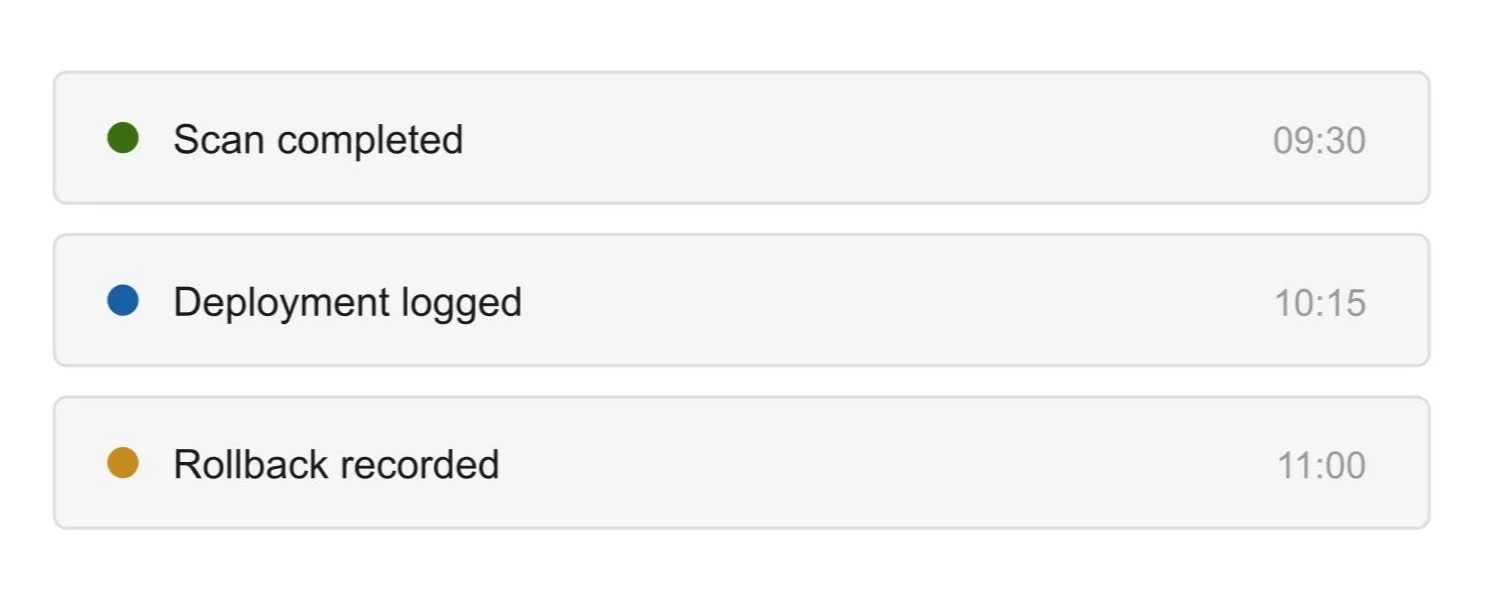
3. Step three is deployment: Once your configuration is set, you deploy it to your live org. Contour, the Salesforce data masking app, handles this with real-time logs so you can watch exactly what's happening, plus a record of every change made. You don’t need to guess what has changed, and there are no undocumented changes sitting in someone's memory.
4. Step four is rollback: If something doesn't look right after deployment, you need a way to undo it without a support ticket or a rushed patch. Contour is a solid masking tool that lets you reverse a deployment with a single click and restore fields to exactly how they were before.
Controlling Visibility Across Every Layer of Salesforce
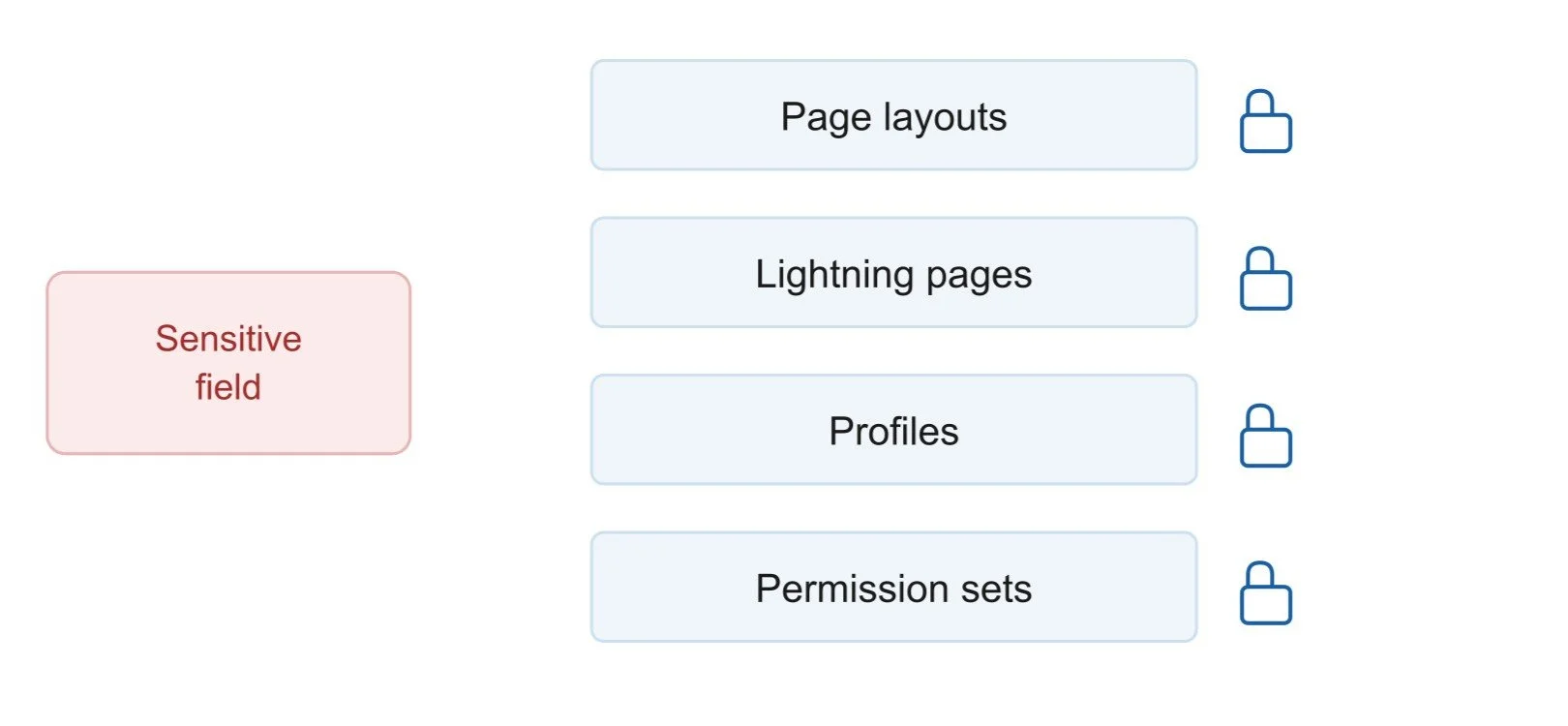
One detail that trips up a lot of teams: masking a field in one place doesn't mean it's masked everywhere. Salesforce shows data through multiple layers like Page Layouts, Lightning Pages, or Profiles, and a field can be hidden in one of these while still fully visible in another.
This is where a lot of manual masking efforts fall apart. Someone masks a field on a page layout, feels confident it's protected, and doesn't realize the same field is still exposed through a Lightning component or an unrelated permission set. Real Salesforce data security means applying masking consistently across all four layers at once, not patching one and hoping the rest line up.
Applying Masking Rules in Bulk, Not Field by Field
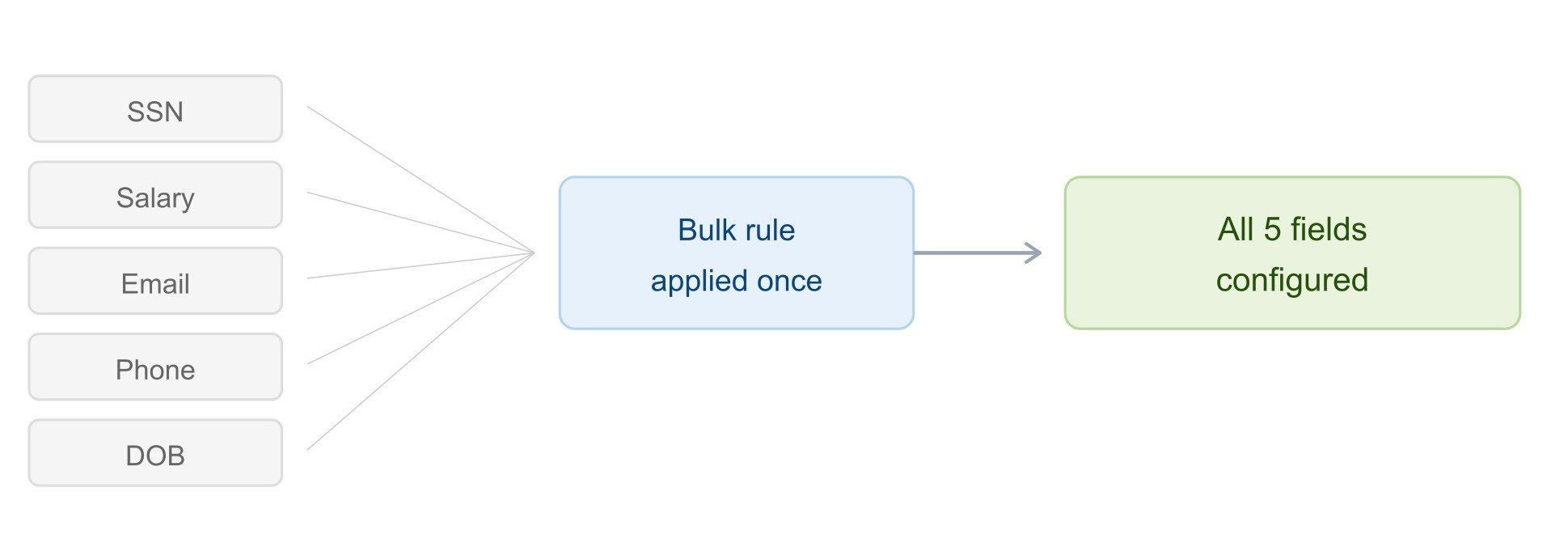
If your org has more than a handful of sensitive fields, and most do, configuring each one individually gets old fast. This is where bulk configuration becomes genuinely useful.
Rather than clicking through each field one at a time, you can group fields by object and apply shared settings across all of them in a single action, or group fields by data type across different objects and apply consistent rules together. What would take days of repetitive clicking shrinks down to a task you can finish in an afternoon.
Why Documentation Matters as Much as the Masking Itself
Masking sensitive data is only half the job. The other half is being able to prove you did it clearly, and without scrambling through old emails or spreadsheets when someone asks.
This is where a proper audit trail becomes essential to real Salesforce sensitive data protection. Every scan should be logged. Every configuration change should be tracked. Every deployment should generate a record showing exactly what changed, across which layouts, profiles, and permission sets. If you ever need to roll something back, that action should be recorded too.
When this documentation happens automatically as part of the masking tool itself, you're not creating extra work for your team, but you're getting compliance-ready records as a natural byproduct of doing your job.
If you want to go deeper on how masking approaches differ depending on the environment you're protecting, our breakdown of static vs. dynamic data masking covers exactly when each approach makes sense and why most organizations end up needing both.
What to Look For in a No-Code Salesforce Data Masking App
If you're evaluating tools, a few things matter more than others.
Look for a solution that scans automatically rather than relying on you to manually identify every sensitive field.
Look for one that applies masking across all UI layers, not just profiles, not just page layouts, but all of them together.
Look for bulk configuration so you're not stuck doing repetitive manual work.
Lastly, look for built-in deployment logs, audit trails, and rollback capability, since those are what actually make an audit or compliance review painless.
In a Nutshell
You don't need a developer, a custom Apex class, or a multi-week build to protect sensitive data in your Salesforce production org. Modern Salesforce data masking tools handle discovery, configuration, deployment, and rollback entirely through clicks, no code required.
The best sensitive data masking approach is the one your team can actually maintain, not just set up once and forget about.
If you've been putting off production masking because it sounded like a development project, it's worth another look. The no-code path is faster to implement, easier to maintain, and gives you the audit trail you'll need the next time someone asks how your sensitive data is actually protected.
Ready to secure your production environment? Explore how a dedicated Salesforce data masking app can streamline your compliance efforts and protect your most sensitive information with a robust, no-code solution. If you need any help, let’s connect with our Salesforce Consultants.
Frequently Asked Questions
-
Yes. Modern Salesforce data masking apps handle scanning, configuration, deployment, and rollback entirely through click-based interfaces. No Apex or custom development is required.
-
Sandbox masking protects copies of your data used for testing and development. Production masking controls who can see sensitive fields in your live org, based on their role, profile, or permission set, while the underlying data stays intact for authorized users.
-
A well-built, platform-native Salesforce data masking solution is designed to operate within Salesforce without introducing meaningful performance overhead. Since masking rules are applied through configuration rather than heavy custom code, most orgs see no noticeable slowdown.
-
A good Salesforce data masker scans your entire org automatically and flags sensitive fields such as PII, financial details, and health data. So you don't have to manually review every object.
-
Yes. Reliable masking tools include a rollback feature that reverses a deployment with a single click, restoring fields to their exact pre-deployment state along with a record of the change.
Related Reading

Let’s Talk

Drop us a note, we’re happy to take the conversation forward 👇🏻
