Static vs. Dynamic Data Masking: Which One Does Your Salesforce Org Actually Need?
Key Summary:
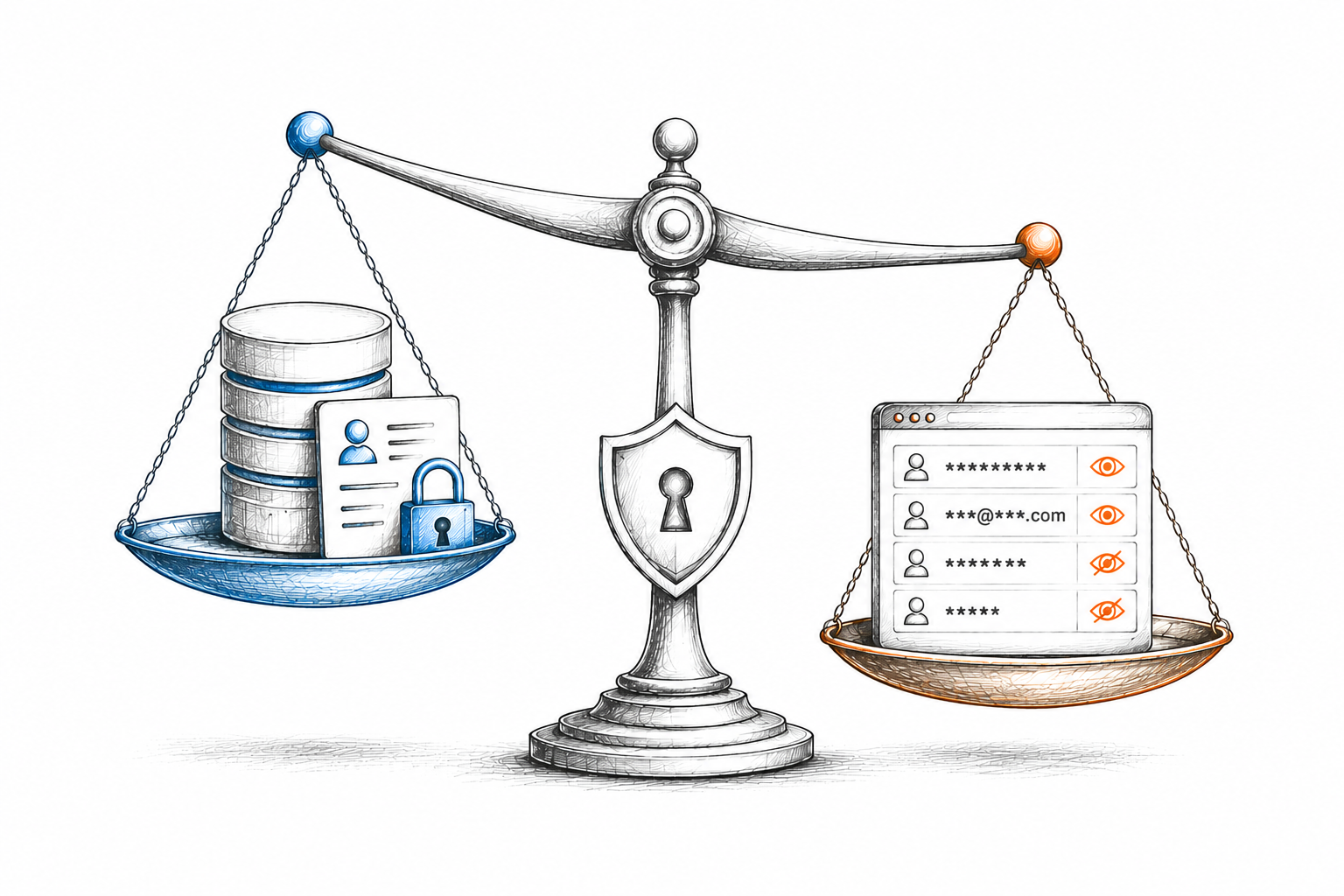
Static masking permanently alters data copies (ideal for sandboxes), while dynamic masking adapts visibility in real-time based on user permissions (ideal for production).
Choose static masking for consistent test data in development environments; use dynamic masking for fine-grained access control in your live production org.
The most secure approach often involves using the best of both methods.
If you're thinking about implementing a Salesforce data masking solution, you've probably come across two terms: static data masking and dynamic data masking. If you're like most people, these two terms probably sound very similar at first glance. But they're actually quite different. And choosing between them can have a huge impact on how your Salesforce data security actually works.
The good news? This guide will help you understand what each one does and which approach makes sense for your organization.
What Is Static Data Masking?
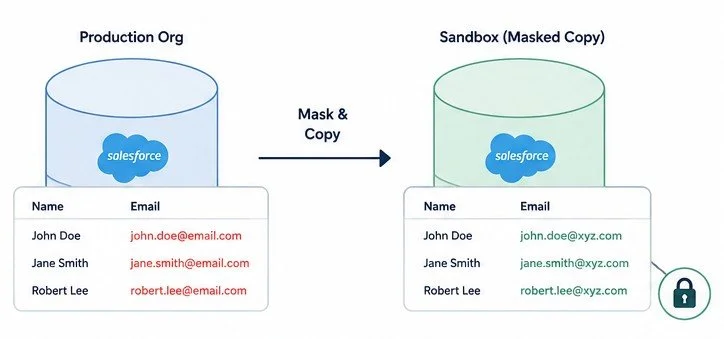
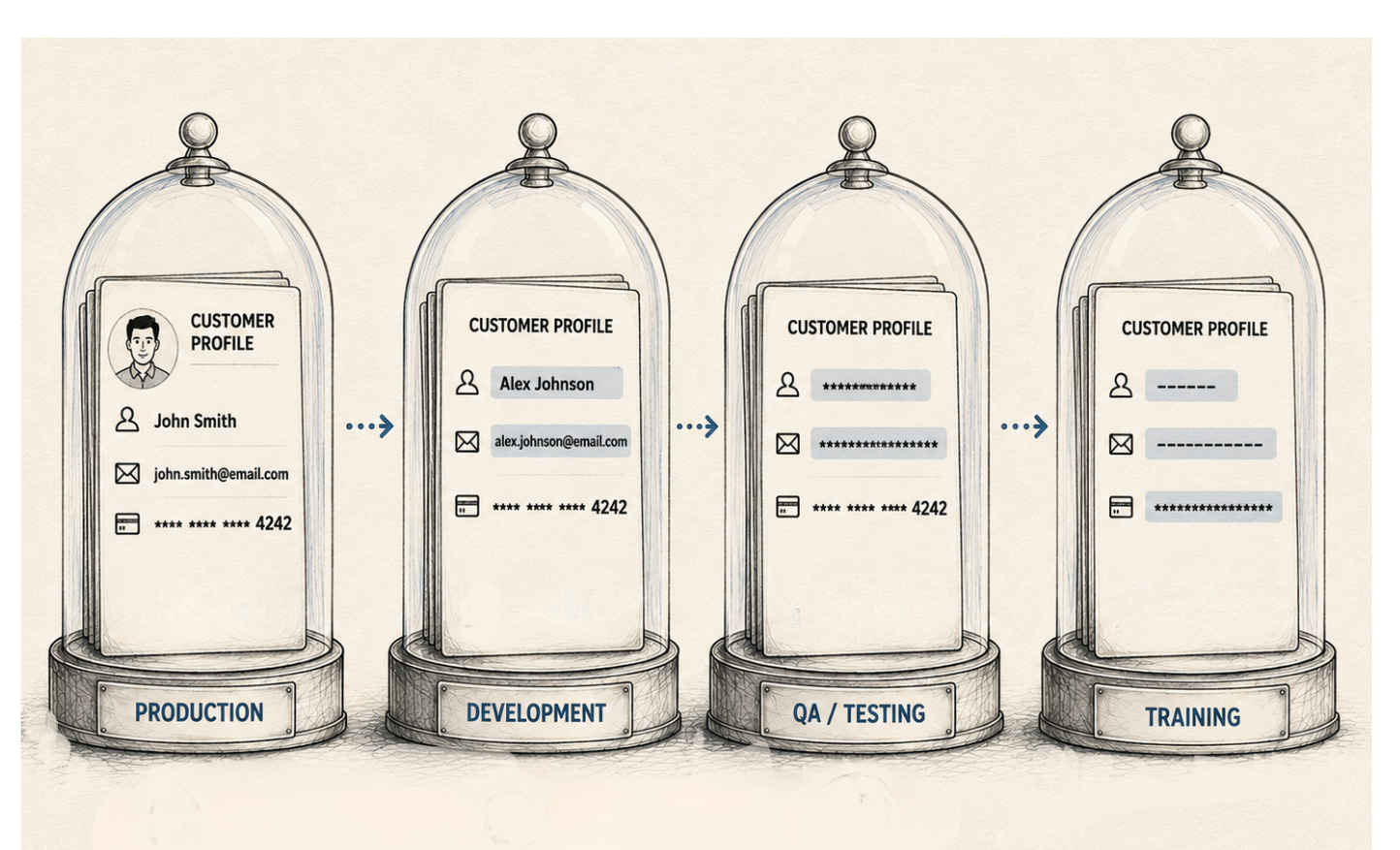
Let's start with static data masking. Static data masking works like this: you create a copy of your production data. Then you run a masking process that replaces sensitive data with fake but realistic data. It permanently alters data at rest.
This is why it's called "static." The data is masked once, and it stays masked. When you use this masked data for testing or development, users see the same fake values every time. That's actually a benefit in certain use cases, but not for everyone. Static data masking is what most traditional Salesforce data masking solutions do.
What Is Dynamic Data Masking?
Now let's talk about dynamic data masking. This approach is different.
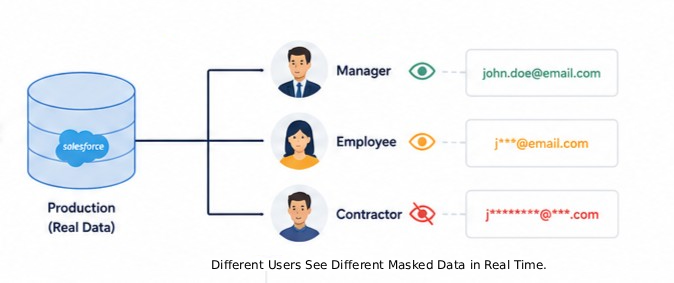
Dynamic masking doesn't create a separate masked copy of your data. Instead, it masks data in real time, on the fly, as users access it. So a user logs into Salesforce. They open a record. The system checks their profile and permissions. And based on what they're allowed to see, certain sensitive fields are masked right there in front of them. If another user with different permissions opens the same record, they might see different masked values.
This means the masking happens in the moment. It's dynamic. It changes based on who's looking at the data and what access level they have. Different users can see different masked values for the same field. That's the key difference.
Dynamic data masking for Salesforce users means the masking adapts based on the user's role, profile, and permissions - all in real time.
Static vs. Dynamic Data Masking: How They Actually Work
To really understand the difference, let's walk through an example. Say you have a Contact record with a sensitive email address. In static data masking, that email gets replaced during the masking process. The masked email is stored in the sandbox. Every time someone accesses that contact in the sandbox, they see the same masked email. Forever.
In dynamic data masking, the real email is still stored in the record. But when a user accesses it, the system applies masking rules based on that user's access level. A sales manager might see the full email. A team member might see a partial email. An external contractor might see no email at all. The same record, same field, but different masked values depending on who's viewing it.
See the difference? Static masking creates fixed masked data. Dynamic masking adapts in real time.
When to Use Static Data Masking
Static data masking works really well for certain situations.
1. If your main concern is sandbox data security, static data masking is perfect. You refresh your sandbox. The refresh includes masked data by default. No sensitive information enters the sandbox. Developers and QA teams get realistic test data without ever seeing real customer information. That's secure and practical.
2. Static data masking is simpler to implement. You're not masking on every single data access. You mask once, store it, and you're done. A Salesforce data masking app that uses the static approach can be faster and less resource-intensive.
When to Use Dynamic Data Masking
Dynamic data masking in Salesforce shines in different scenarios.
1. If you need fine-grained access control in a production Salesforce org, dynamic data masking is your answer. Think about when an executive needs to see full customer details. A sales rep needs to see some details, but not financial data. A contractor needs to see almost nothing. With dynamic Salesforce data masking, you can mask differently for each user based on their role. No complex permission sets needed. The masking does the work.
2. Dynamically masking data in Salesforce is more flexible. Rules change? You update the masking rules, and the change applies immediately to all users. No need to refresh data or redeploy masked snapshots. Just update the rules, and they take effect.
3. If storage is a concern, dynamic data masking is more efficient. You're not creating multiple masked copies of your data. You're storing real data once and masking it according to different user access. That saves space.
4. If you need audit trails and compliance proof, a dynamic data masking app makes that easier. Every masked record is created during the masking run. You can point to that run and say: "Here's when we masked this data. Here's what we masked. Here's the full audit trail." That level of documentation is valuable for Salesforce PII protection and compliance requirements.
How to Choose Your Approach to Mask Sensitive Data in Salesforce
So how do you decide which approach to use? Here are some practical questions to ask yourself.
First: Where is your biggest pain point? Are you worried about sandbox data exposure? Or are you worried about production access control? If it's sandboxes, static data masking is probably your answer. If it's production, dynamic data masking is worth serious consideration.
Second: How often does your access control change? If user roles and permissions are fairly stable, static data masking is fine. If they change frequently, dynamic masking means you don't have to re-mask and redeploy data every time.
Third: How much test data do you need? If you have many sandboxes that all need fresh masked copies, static data masking gets expensive in terms of storage. Dynamic masking avoids that problem.
Fourth: What are your compliance requirements? Both approaches can satisfy regulatory requirements, but they track things differently. Understand what your auditor or compliance officer needs to see.
Where Does a Salesforce Data Masking App Like Contour Fit In?
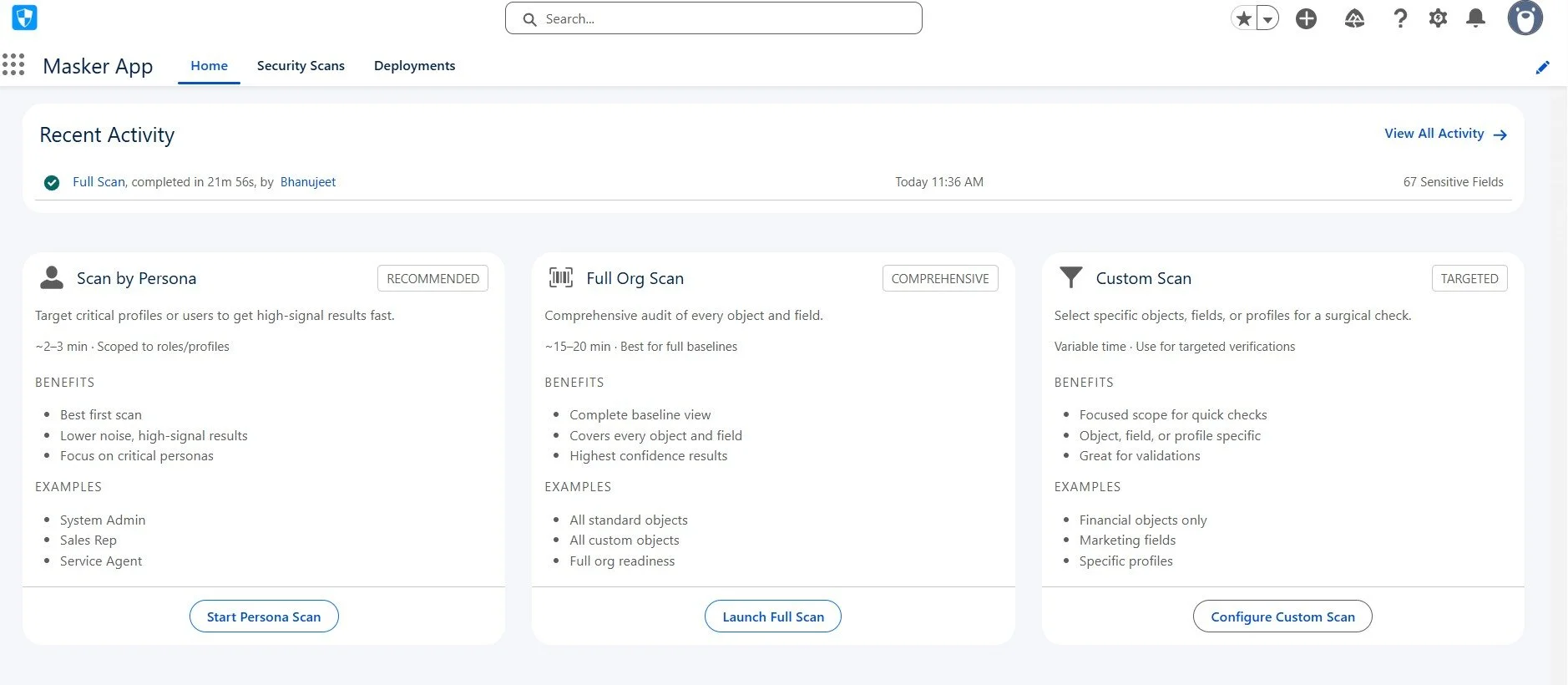
When it comes to actually implementing data masking in your Salesforce org, you need a tool that handles the complexity for you. This is where a purpose-built Salesforce data masking app like Contour comes into the picture.
Contour is built specifically for Salesforce environments. It doesn't just mask data, but it automates the entire masking lifecycle, from discovering where sensitive data lives in the first place, all the way to deploying masking rules and rolling them back if something needs to change.
Which Masking Approach Does Contour Support?
Contour primarily operates at the UI layer of Salesforce to control field visibility through Page Layouts, Lightning Pages, Profiles, and Permission Sets. This aligns more with dynamic masking behavior: different users see different levels of field visibility based on their role and permissions, controlled by the masking rules you configure. Rather than only creating separate masked data copies, Contour controls access to the actual data fields in real time based on who's logged in.
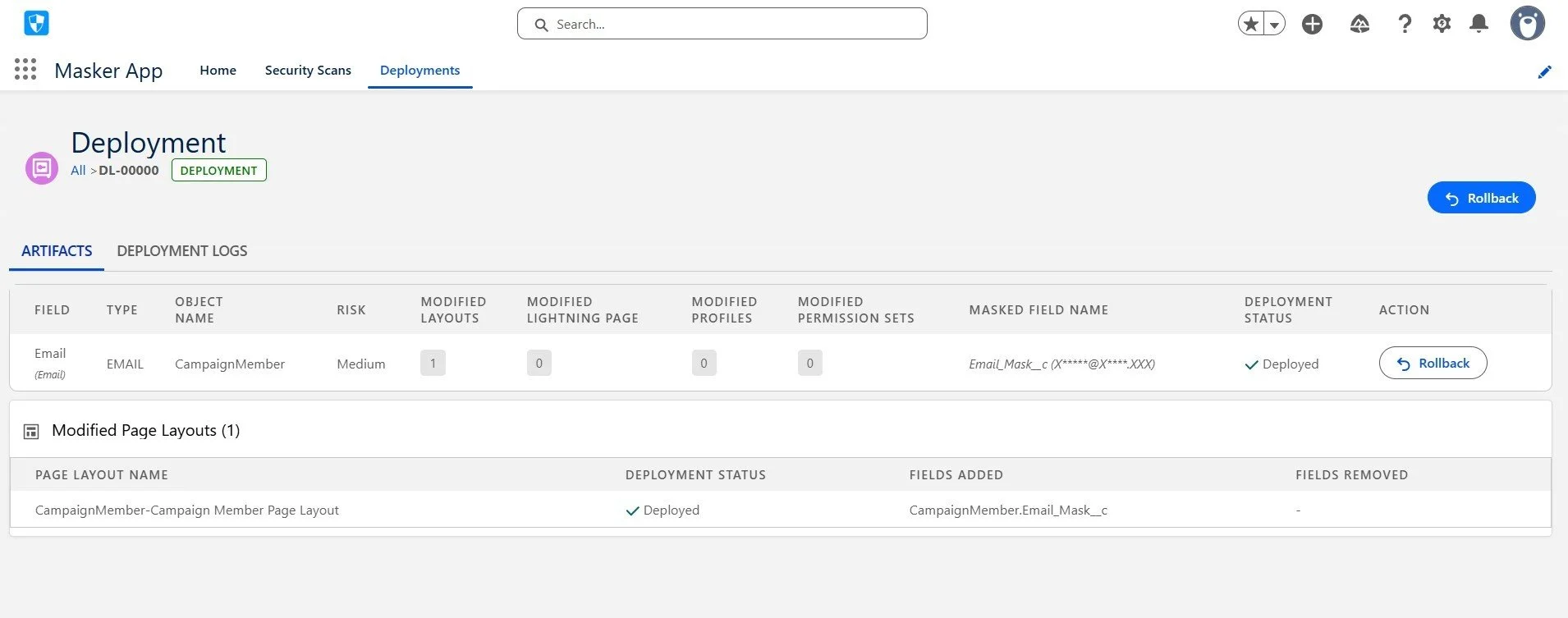
This makes it particularly well-suited for production org masking. It is one of the hardest problems to solve manually. If your organization needs to ensure that contractors, junior staff, or external pa
Final Thoughts
Static data masking and dynamic data masking solve different problems. Static is better for data at rest, protecting copies of your data. Dynamic is better for data in use, protecting access to real data.
Your choice depends on where your main security concern is. If it's only unmasked sandboxes, go static. If it's production access control, go dynamic. If it's both, use both.
Talk to a Salesforce consulting partner; they can guide your choice and help you set up the right data masking strategy.
The best approach to masking sensitive data in Salesforce isn't always one or the other. It's usually both, working together to protect your data at every level.
When you're evaluating which Salesforce data masking app or solution to implement, ask yourself whether you need it for sandbox or production. The answer will tell you a lot about whether they're the right fit for what you actually need.
Related Reading
Let’s Talk

Drop us a note, we’re happy to take the conversation forward 👇🏻