How to Choose the Right Salesforce Data Masking Tool
Key Summary:
Not all data masking tools are built the same; choosing the wrong one leaves you vulnerable.
Choose a tool that masks production data, not just sandboxes.
The best Salesforce data masking app controls sensitive data visibility at every layer, not just one.
If you're managing a Salesforce environment, you're probably dealing with sensitive data. Customer information. Financial records. Personal health details. The list goes on. And if you're like most organizations, you're wondering how to keep that data secure without making your team's job impossible.
That's where Salesforce data masking comes in. However, not all data masking solutions are created equal. Some are built for sandboxes. Some work for production. Some focus on speed. Others focus on control.
Choosing the wrong Salesforce data masking tool can leave you with gaps in your security, wasted time, or worse, compliance violations.
This guide will help you figure out which Salesforce data masking app is right for your organization.
Why You Need a Salesforce Data Masking Tool
Why do you even need Salesforce data masking in the first place?
Think about your org. You probably have multiple sandboxes. QA teams are testing there. Contractors might be accessing them too. Here’s the problem: those sandboxes are typically exact copies of the production environment. However, whether it is a sandbox or a production environment, they contain real customer data, real financial information, and real sensitive data.
That’s a security risk. Your contractors don’t need to see real customer names and addresses. Your every team member doesn’t need access to actual payment card details. That’s where data masking for Salesforce becomes critical.
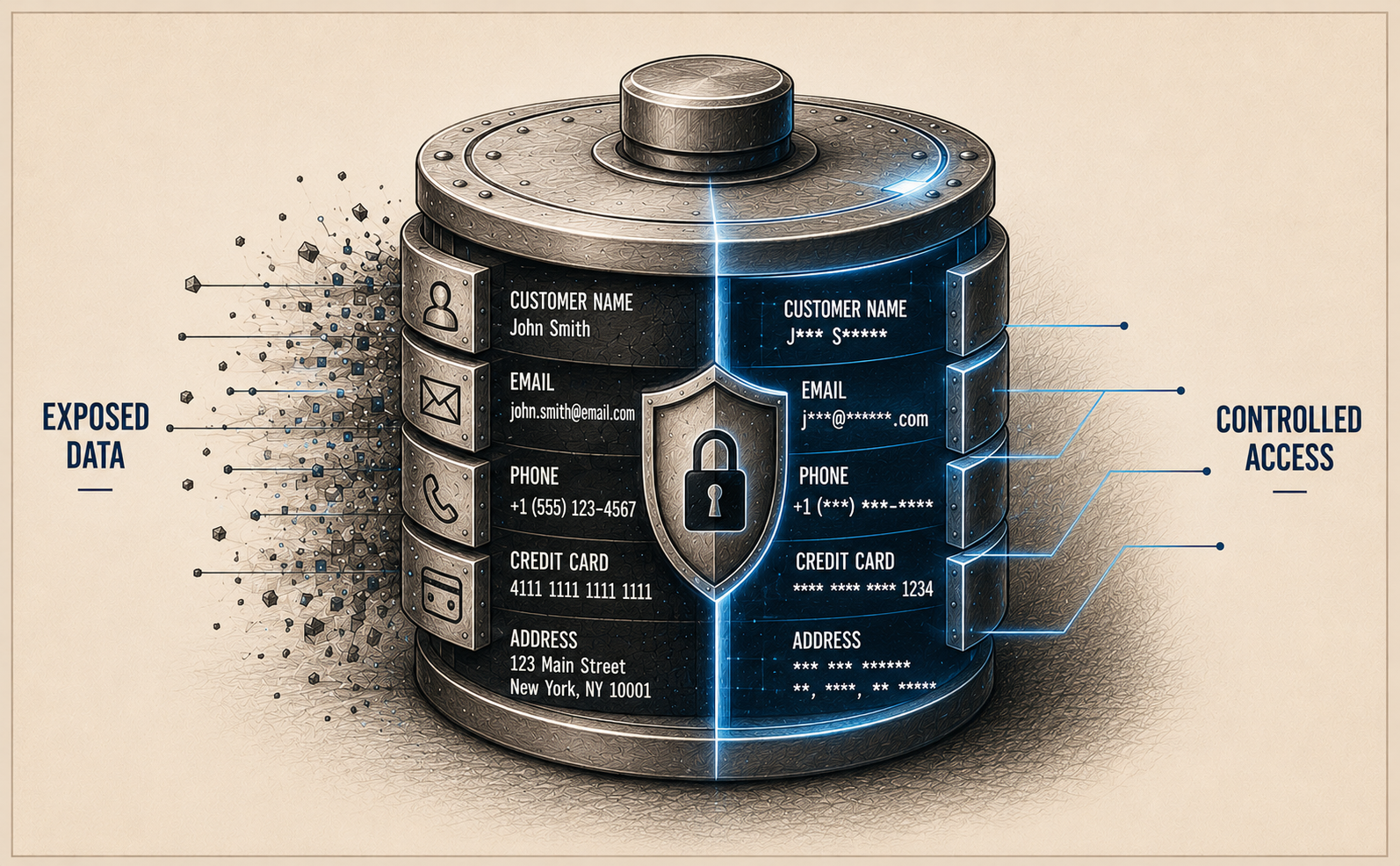
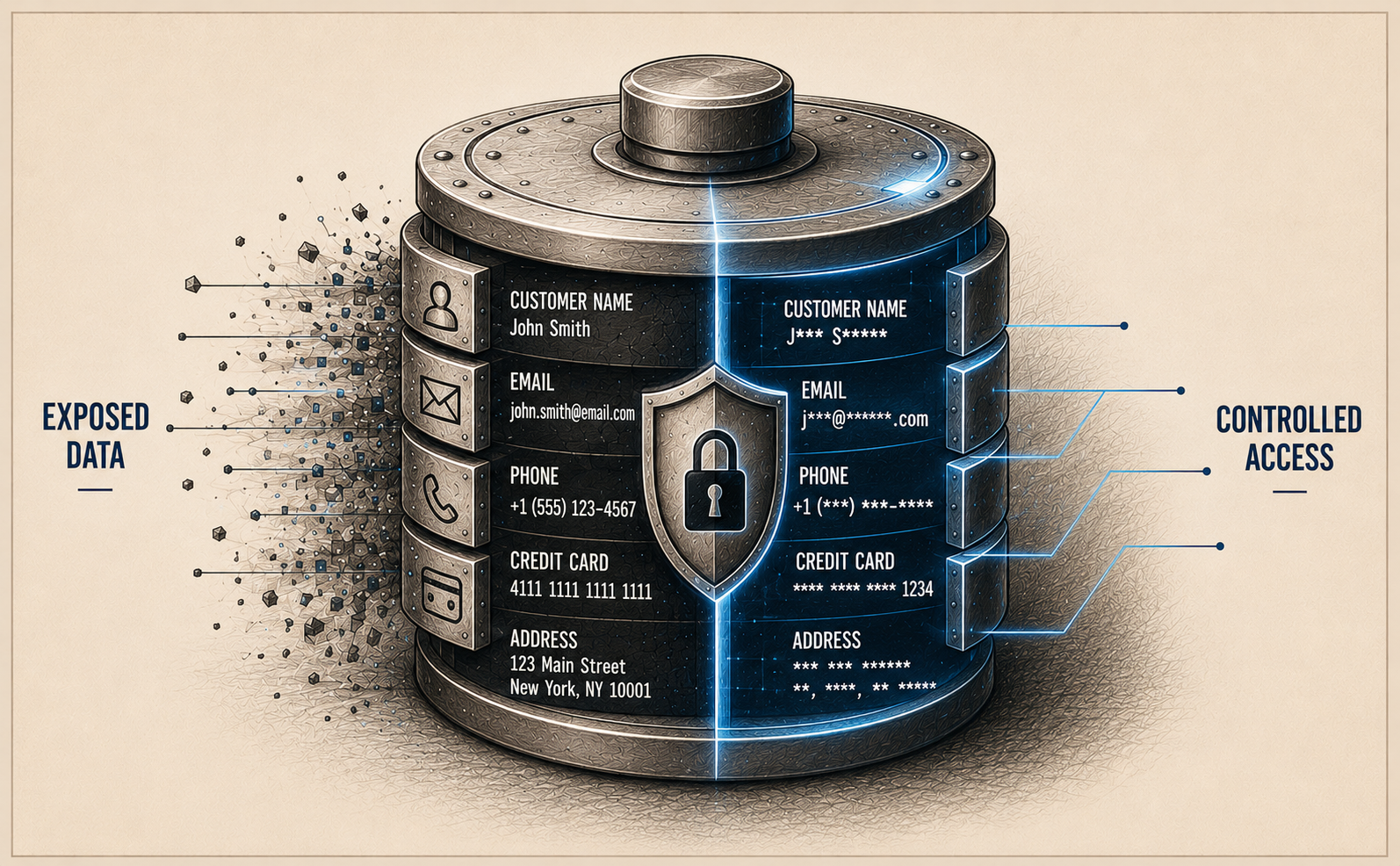
A Salesforce sensitive data masking solution automatically hides or obfuscates sensitive information in your test and production environments. So when a sandbox refreshes, sensitive fields are masked before anyone gets access. Your team gets realistic test data to work with. Your sensitive data stays protected. Everyone wins.
How to Choose the Right Salesforce Data Masking App
Here are a few things to know and keep in mind when choosing the right Salesforce data masking tool.
1. Understand Your Primary Use Case
The first question to ask yourself is simple: where is your main pain point?
Are you mainly concerned about sandbox data exposure? Or is the problem that sensitive fields are visible to the wrong people in your production org? Are you managing tons of data migrations between orgs? Or are you running a complex release pipeline with DevOps tools?
Your answer matters because it shapes which Salesforce data masking tool makes the most sense. Some tools are only sandbox-first, whereas others focus on production org masking. Getting clear on your priority helps you narrow down your options significantly.
2. Consider Your Scale and Complexity
How many objects are we talking about? How many sensitive fields? How many users, profiles, and permission sets? How often are you refreshing sandboxes?
Scale matters. Take a look at how scalable your masking app really is. A tool that works fine for a small org with 50 sensitive fields might struggle when you're managing 500 fields across a complex, multi-org environment. Conversely, a heavy-duty enterprise platform might be total overkill if your needs are simpler.
When evaluating a Salesforce sensitive data protection tool, know if it handles your volume well. Check how fast it works. Check if it slows down your system during execution. For high-volume orgs doing frequent sandbox refreshes, speed and performance are non-negotiable.
3. Go with Production Data Masking, Not Just Sandbox Masking
Here's something critical that many organizations overlook: do you need to mask data in your production org, or just in sandboxes?
Most Salesforce data masking solutions focus exclusively on sandboxes. They refresh your sandbox data and mask it during the process. That's useful, but it only solves half the problem.
The other half is your production environment. Real users in your production org might have access to sensitive fields they shouldn't see. Contractors might log in and view customer data they have no business touching. Different user personas need different visibility levels. Internal teams might need restricted views while external partners get even more limited access. Simply masking sandboxes doesn't address any of that.
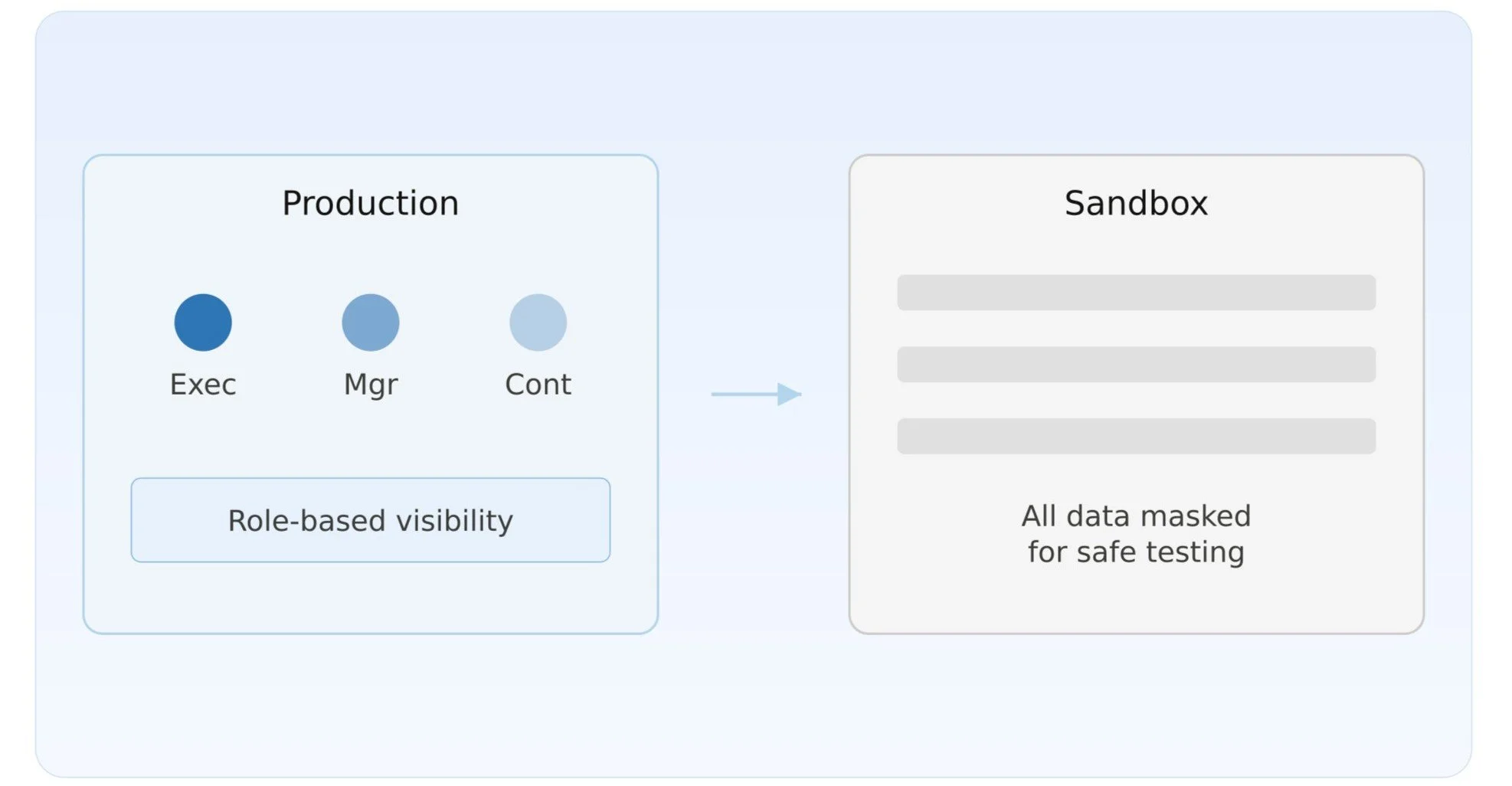
A Salesforce data masking tool that works on production data is a game-changer. It lets you control exactly which sensitive fields are visible to which users. A field could be fully visible to executives, partially visible to managers, and completely hidden from contractors, all at the same time, based on user role or profile.
“Production data masking is essential for organizations with strict data governance requirements, multiple user personas, and sensitive information that needs fine-grained access control.”
When evaluating a Salesforce data masking tool, ask yourself: Do you need it for production data, or just sandboxes? Can it control which fields different users see in the live org? Can it mask sensitive data at the UI layer for real employees, contractors, and partners? If you need production masking capabilities, make absolutely sure the tool you choose actually supports it.
4. Check for Control at Every Layer
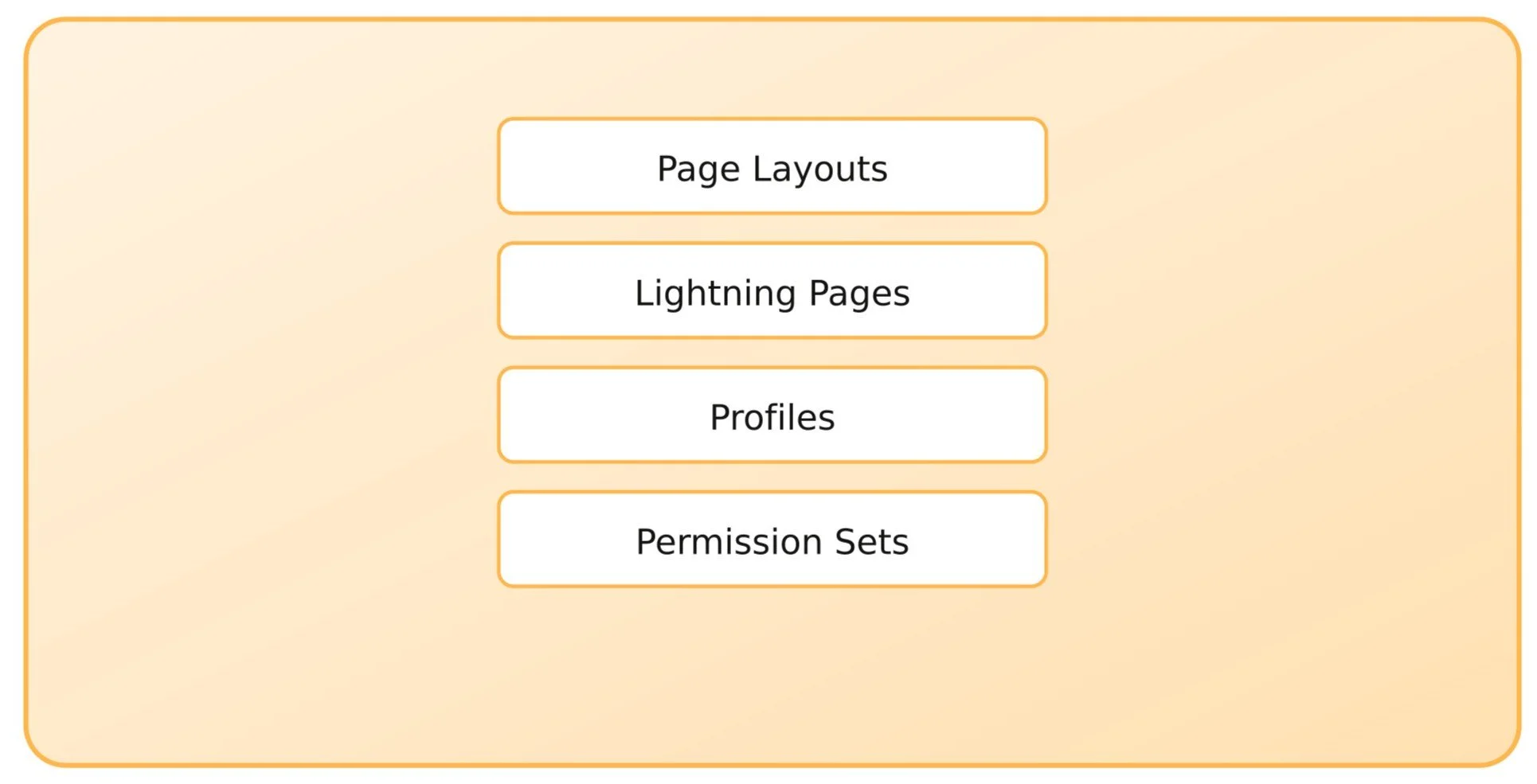
Data masking doesn’t just happen at the database level. That's what people often ignore. In Salesforce, sensitive information lives at multiple layers. Page Layouts. Lightning Pages. Profiles. Permission Sets.
Some Salesforce data masking tools only hide data at one layer. That means a field might be masked in one place but still visible in another. That's not good enough. You want a solution that gives you Salesforce sensitive data protection across every surface where data appears.
When you're evaluating Salesforce data masking apps, ask: Does it control visibility through page layouts? Can it modify Lightning Pages? Does it respect profiles and permission sets? The more layers it controls, the more reliable your masking becomes.
5. Look for Automation and Efficiency
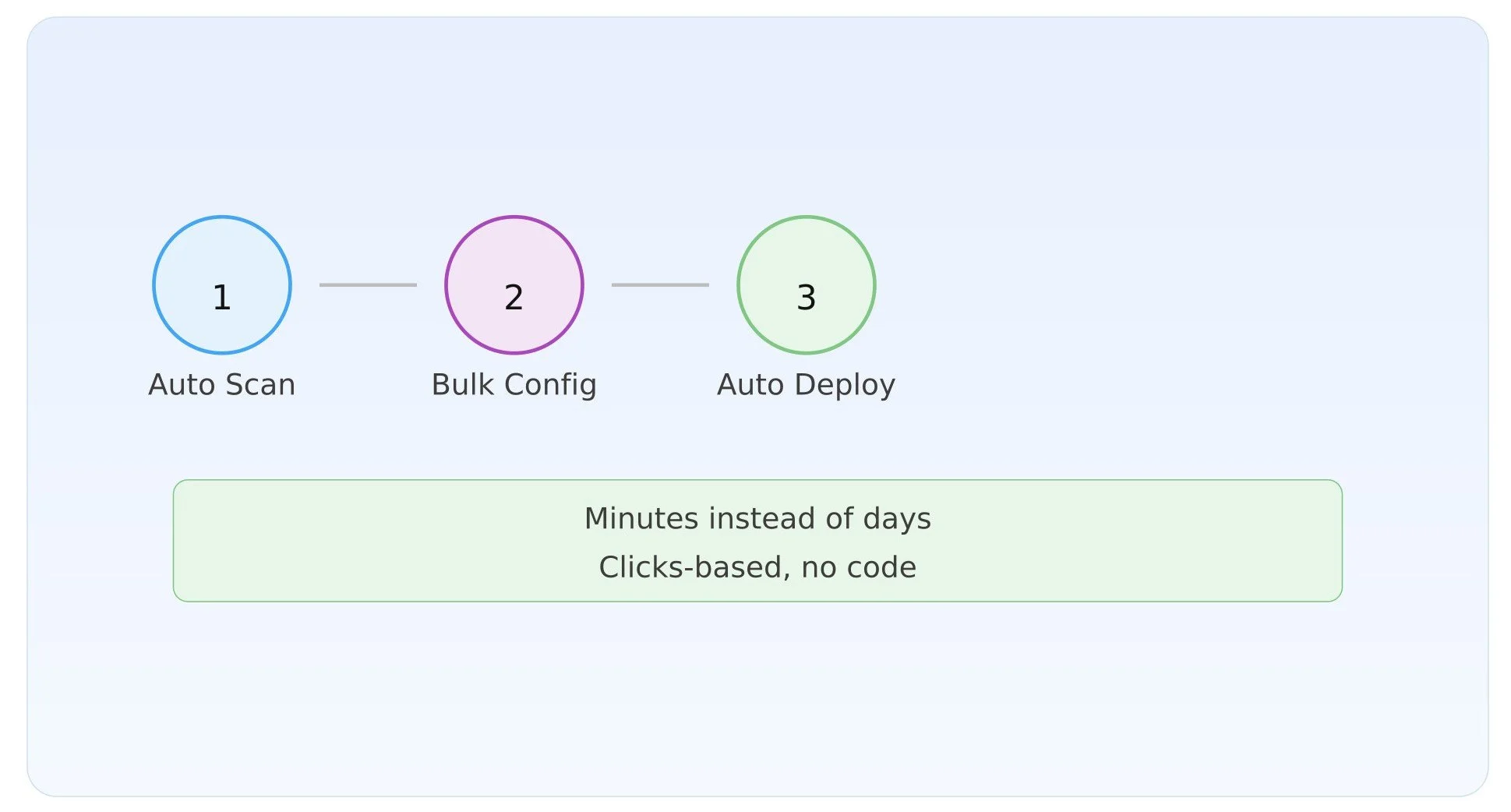
Manual data masking is slow. Click through fields one by one. Configure profiles individually. Deploy changes manually. Track rollbacks with spreadsheets. That approach doesn't scale.
A good Salesforce data masking solution should automate as much as possible. Can it scan your org automatically? Does it detect sensitive fields for you? Can you configure multiple fields at once? Is deployment automated? Can you roll back changes easily?
The more automation, the less time your team spends on repetitive tasks. And the faster you can respond to security issues or compliance requirements.
6. Verify Compliance and Audit Trail
Compliance matters. GDPR. CCPA. HIPAA. PCI-DSS. Whatever regulations apply to your industry, you need to prove that you're protecting sensitive data appropriately.
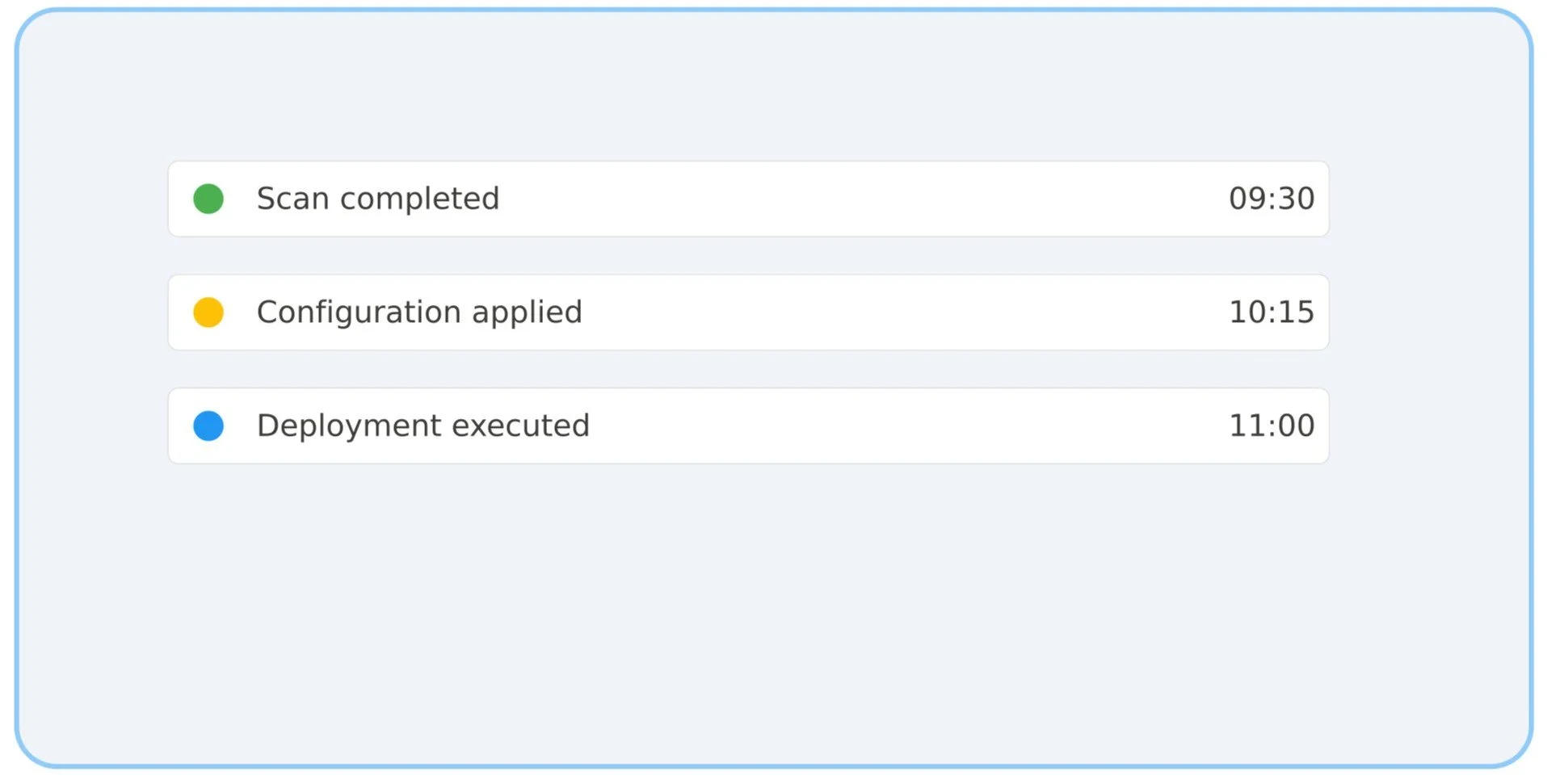
That means you need an audit trail. Every scan. Every configuration change. Every deployment. Every rollback. A Salesforce PII masking tool worth its salt should create records automatically, giving you proof of what was done, when it was done, and who did it.
When evaluating options, ask: Does this tool generate audit logs? Can I prove compliance with our regulators? Is there a dashboard or report I can use to demonstrate our data security posture?
7. Assess Setup Complexity and Support
Some data masking tools require you to write code. Others are clicks-based, no Apex required. Some come with expert setup support. Others expect you to figure it out yourself.
This depends on your team. If you have experienced Salesforce developers or hire a Salesforce consulting partner, then technical complexity might not be a barrier. If you don't, you probably want something straightforward.
Don't underestimate the value of good support. Data masking is a critical infrastructure. When something goes wrong, you want to be able to get help fast.
8. Native vs. External Platforms
Some Salesforce data masking apps are built entirely inside Salesforce, native code, no external dependencies. Others use external platforms to process data.
Native apps keep your data inside your Salesforce org. No data leaves. No external servers involved. That appeals to organizations with strict data residency requirements. External platforms can sometimes offer more features, but they require data to move outside your org.
Neither approach is inherently better. It depends on your data governance requirements and your comfort level.
9. Get a Demo Before You Commit
Reading about a Salesforce data masking tool is one thing. Seeing it work is another.
Get a demo to see how things work. Ask to know about the features, how the scanning works, how the configuration works, and what rollback looks like. Watch for ease of use. Watch for clarity. Watch for whether you actually understand what's happening. If a demo feels confusing or overly complicated, that's a red flag. Good tools are intuitive.
Final Thoughts
Choosing the right Salesforce data masking tool comes down to understanding your specific needs, your scale, your compliance requirements, and your team's capabilities.
Remember: data masking isn't optional anymore. Between growing privacy regulations, increasing cyber threats, and contractor access to sandboxes, it's a foundational part of modern Salesforce data security. The question isn't whether you need it. The question is which Salesforce data masking solution gets you there most efficiently, reliably, and cost-effectively.
Take your time. Ask the right questions. Get a demo. And choose the tool that lets you sleep at night knowing your sensitive data is actually protected.
If you've decided that native, production-level data masking with one-click rollback is essential for your compliance and peace of mind, then it's time to explore Contour. Contour is a native Salesforce data masking app built for every Salesforce org out there and scales well.
Ready to see it in action? Book a demo today.
Further Reading:
Best Salesforce Data Masking Tools in 2026 (Comparison Guide)
Integration guide: How to integrate Salesforce Sales Cloud with Marketing Cloud
A Practical Guide to Implementing Agentforce in SFMC
Salesforce Headless 360 Explained: Agentic Everything, API-First CRM
Frequently Asked Questions
-
Data masking replaces sensitive information with fictitious but realistic data. So users see dummy values instead of real ones. Encryption scrambles data so only authorized users can decrypt it. For Salesforce, masking is better for both sandbox and production environments. Encryption is good when you need to protect data in transit or at rest.
-
Not necessarily. A Salesforce data masking tool like Contour handles both production and sandbox environments in one platform. If you need masking in both places, look for a tool that explicitly supports production field-level masking with UI-layer control. This saves you from managing multiple tools and keeps your audit trail unified.
-
A well-designed Salesforce data masking tool has minimal performance impact. Native Salesforce apps (built in Apex) execute within your org's resources. External platforms process data outside your org. The biggest performance consideration is sandbox refresh time. Some tools mask during refresh, which can add 10-30% to the refresh duration depending on data volume.
Related Reading


Let’s Talk

Drop us a note, we’re happy to take the conversation forward 👇🏻