
Key takeaways:
A single data masking strategy helps meet requirements across GDPR, CCPA, and HIPAA by restricting sensitive data visibility based on user roles.
Masking complements field-level security and Salesforce Shield by controlling what authorized users see without altering underlying records.
Masking secures live Salesforce orgs in real time and protects personal data in test environments during sandbox refreshes.
Most Salesforce orgs hold personal data that falls under more than one law. A single customer record might include an EU resident's email address, a California consumer's purchase history, and a patient's insurance details. Each law has its own rules, its own penalties, and its own vocabulary.
Underneath the legal language, though, these data privacy regulations share one simple idea: limit who can see sensitive data, and limit how much of it they see. That is why data masking for compliance has become a standard part of how Salesforce teams prepare for audits and reviews.
This guide explains how Salesforce data masking supports GDPR compliance, CCPA compliance, and HIPAA compliance. It also shows how masking fits alongside Salesforce field-level security and Salesforce Shield.
Why These Three Regulations Matter for Salesforce Orgs
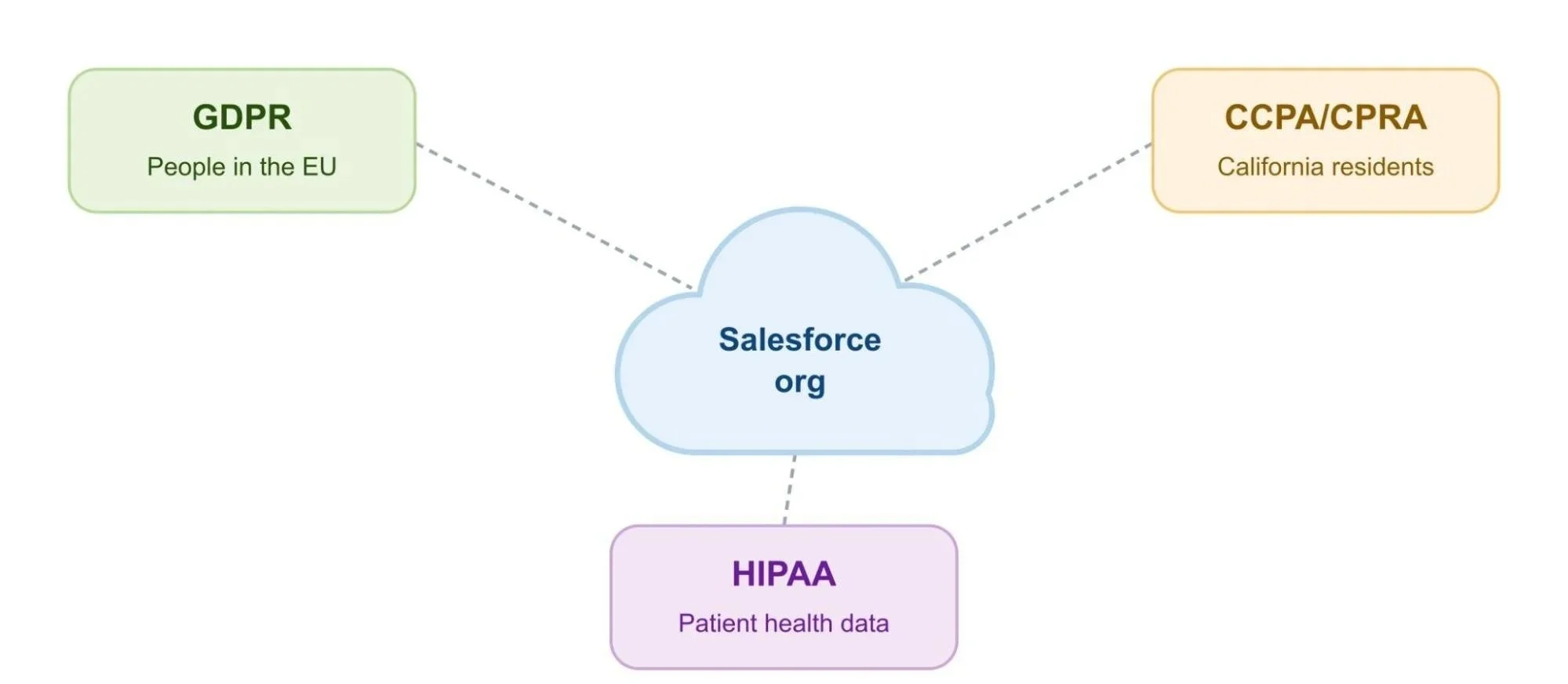
A single org can be subject to all three data privacy regulations at once, depending on who your customers, employees, and patients are.
GDPR: covers personal data of people in the EU. GDPR compliance can apply even if your company is based elsewhere, as long as you offer goods or services to people in the EU or monitor their behavior.
CCPA/CPRA: covers personal information of California residents. CCPA compliance applies to businesses that meet certain thresholds, such as annual revenue or the amount of consumer data they handle.
HIPAA: covers protected health information (PHI) held by covered entities, such as providers and insurers, and by the business associates who work for them. Salesforce HIPAA compliance depends on how your org is configured and used, not on the platform alone.
Salesforce makes this overlap easy to miss. The same Contact record, case, or custom object can carry data that triggers more than one of these laws.
What Data Masking Does (and Doesn't Do)
Salesforce data masking hides or replaces sensitive values so that only people with a real need see the real data. Everyone else sees a masked or partial value, or nothing at all. The record itself stays intact, and the people who need the full value keep it.
It helps to see how masking sits next to the other controls you may already use.
Salesforce field-level security: decides whether a user can see or edit a field at all. It works like an on-and-off switch for each field and profile.
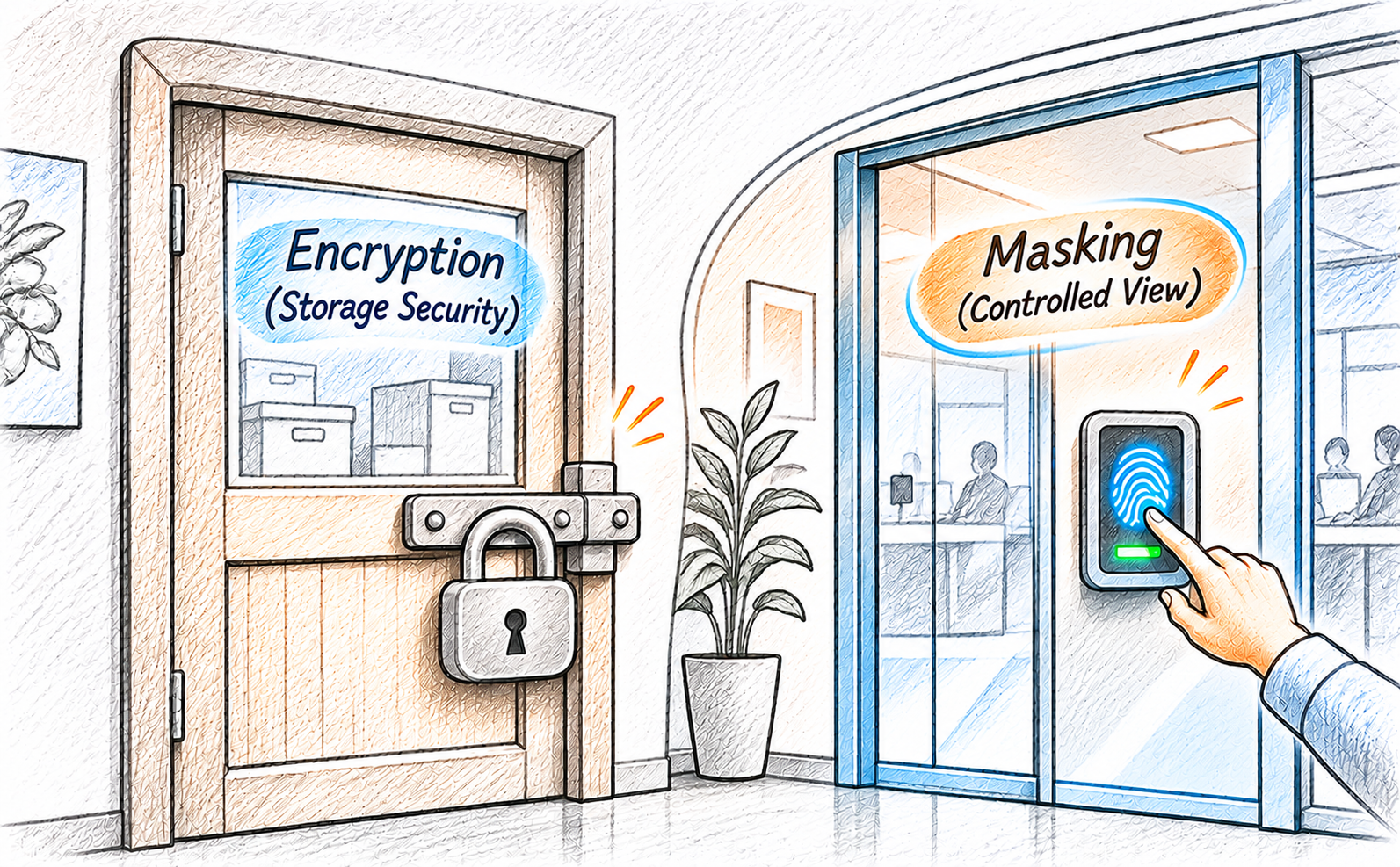
Salesforce Shield: a set of tools that includes Platform Encryption, Event Monitoring, and Field Audit Trail. Encryption protects data at rest, and the monitoring tools record activity. Neither is designed to show different authorized users different portions of the same value.
Salesforce data masking: controls how much of a value each user sees, based on role. A support agent might see the last four digits of an account number while a finance user sees the full number.
These controls work best together. Field-level security decides who gets in, Shield protects stored data and records activity, and masking limits what authorized users actually see. Strong sensitive data protection usually needs all three.
How Data Masking Supports GDPR Compliance
GDPR is built around principles, and several of them line up directly with what masking does.
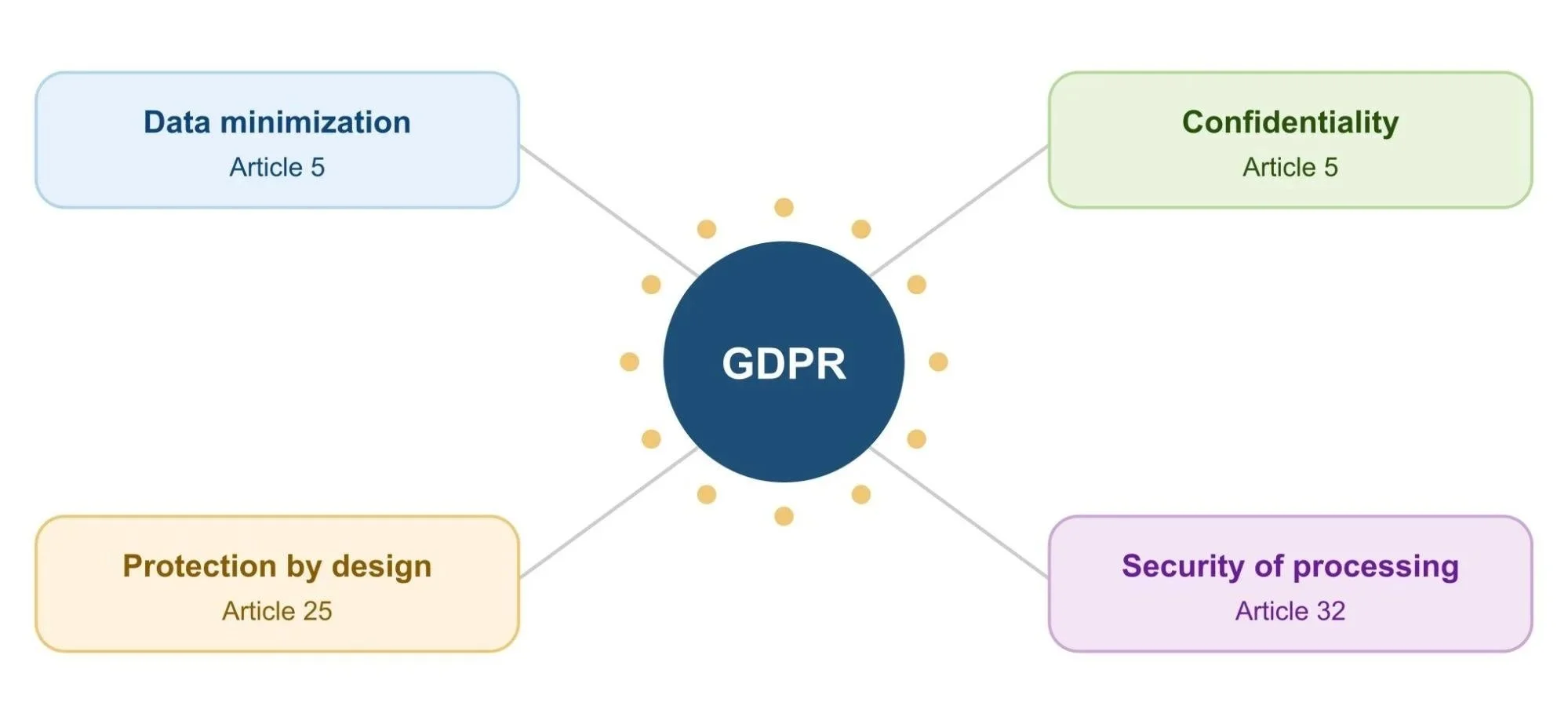
Data minimization (Article 5): collect and expose only what is needed. Masking limits how much personal data each user sees in daily work.
Integrity and confidentiality (Article 5): personal data must be protected against unauthorized access. Masking adds a layer between a sensitive field and a user who does not need it.
Data protection by design and by default (Article 25): protection should be built in, not added later. Applying masking rules as a standard setting supports this.
Security of processing (Article 32): organizations must use appropriate technical measures. GDPR gives pseudonymisation and encryption as examples, and properly applied masking can also count as pseudonymisation.
Sandboxes matter here too. A sandbox refresh can copy real EU personal data into test environments where developers and contractors work. Masking those copies keeps personal data out of places it does not need to be, which is a practical step toward GDPR compliance.
Keep one point in mind. Pseudonymised data is still personal data under GDPR. Masking reduces risk, but it does not remove your obligations.
How Data Masking Supports CCPA Compliance
California's privacy law, as updated by the CPRA, expects businesses to protect the personal information they hold and to limit how it is used.
Reasonable security: businesses are expected to maintain reasonable security procedures for personal information. Masking is one practical control you can point to.
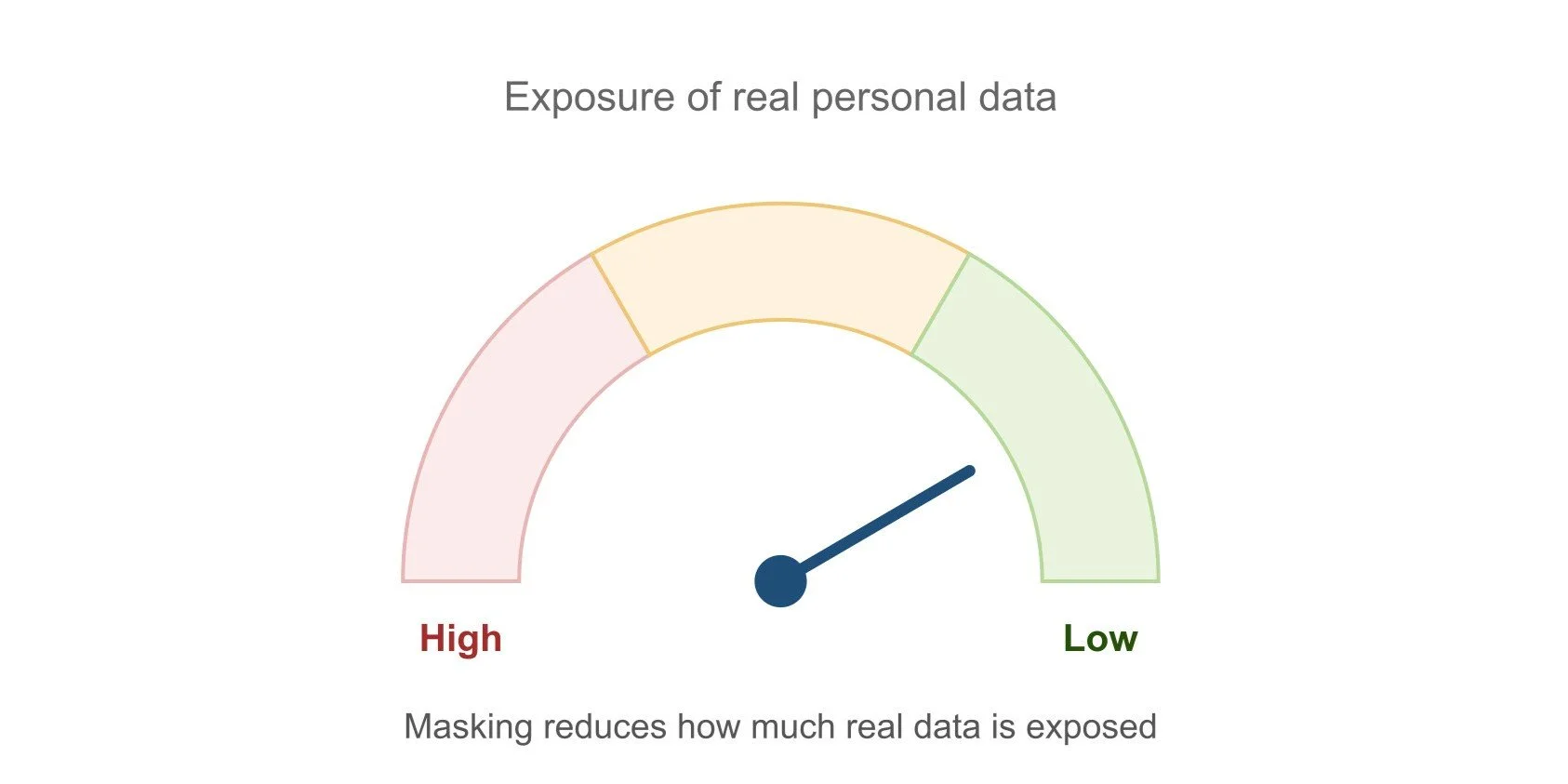
Breach exposure: California law allows consumers to sue after certain data breaches involving nonencrypted and nonredacted personal information, if the business failed to maintain reasonable security. Reducing how much real personal data is exposed lowers that risk. Whether a particular masking method counts as redaction under the law is a question for your legal team.
Limited internal access: masking narrows what employees and contractors can see, which supports the idea that personal information should be accessed only as needed.
Data minimization: the CPRA added expectations that collection and use be reasonable and proportionate. Masking helps keep everyday use of data within that boundary.
For CCPA compliance, the useful point is that masking works where problems actually happen: a user opening a record they should not see in full.
How Data Masking Supports Salesforce HIPAA Compliance
HIPAA is specific about protecting PHI, and masking fits several of its expectations.
Minimum necessary: HIPAA expects organizations to limit the use and disclosure of PHI to what is needed for a task. Role-based masking puts that idea into practice on Salesforce screens.
Access controls: the Security Rule expects technical safeguards that restrict access to electronic PHI. Masking adds a finer level of control than record-level access alone.
Operational workflows: support, billing, and care coordination teams can keep working while sensitive clinical or insurance fields stay masked.
Non-production data: QA and development teams can test with realistic data without seeing real patient information.
A few cautions apply. Masking is not the same as HIPAA de-identification, which follows formal methods defined in the rule. Salesforce HIPAA compliance also depends on having a business associate agreement with Salesforce for the services you use, along with your own policies and training. Masking is one control within that larger picture.
Learn more about How to Pass a Salesforce Security Audit and Compliance

GDPR vs. CCPA vs. HIPAA at a Glance
Here is a quick comparison between all the regulations.
| Regulation | What it protects | Key expectation | How masking helps |
|---|---|---|---|
| GDPR | Personal data of people in the EU | Minimize data, build in protection, secure processing | Limits how much each user sees, supports pseudonymisation, protects sandbox copies |
| CCPA/CPRA | Personal information of California residents | Reasonable security and limited use | Reduces exposure of real values and narrows internal and contractor access |
| HIPAA | Protected health information (PHI) | Minimum necessary use and access controls | Role-based visibility of PHI and safer test data for QA and development |
Where Masking Fits in Salesforce: Production and Sandboxes
Most orgs need masking in two places, and the two work differently.
Sandboxes: masked copies of production data, created once during a refresh. Developers and testers get realistic data without real personal information.
Production: role-based masking applied in real time. The real data stays real for the people who need it, while everyone else sees masked values based on their role.
Many organizations use both approaches together. This is also where Salesforce data masking differs from Shield encryption. Encryption protects the stored data, while masking shapes what people actually see in the live org and in test copies.
Implementing Masking With a Salesforce Data Masking App
A Salesforce data masking app turns these ideas into a repeatable process. Here is how that looks with a masking app like Contour.
1. Scan. Run a full Salesforce org scan to find sensitive fields across every supported object, or use a custom scan or Persona-Based Scan for a narrower view. Each scan is logged.
2. Configure. Set masking rules per field, and use mass configuration to apply shared settings in bulk by object or by data type.
3. Cover every layer. Rules can be applied across page layouts, Lightning pages, profiles, and permission sets, so a masked field stays masked wherever it appears.
4. Deploy. Deploy your masking across different fields and data. Each deployment is recorded to help you know what changed.
5. Roll back or adjust. Reverse a masked field in one click if needed. Each rollback creates its own record.
6. Monitor. Get a dedicated dashboard to monitor all your scans, configurations, deployments, and rollbacks in one place.
The record of activity is useful during audits and reviews, because it lets you show what was protected and when.
Common Mistakes When Using Masking for Compliance
Treating masking as the whole program. It is one control among several.
Masking only one layer. A field hidden on a page layout can still appear somewhere else.
Skipping sandboxes. Test environments often hold full copies of real data.
Assuming masked means anonymous. Masked data can still be personal data.
Keeping no audit trail. Without records, proving protection becomes guesswork.
Setting it once and never reviewing. Orgs and regulations both change.
Final Thoughts
GDPR, CCPA, and HIPAA are different laws with different details, but they lean on the same core principle: limit who can see sensitive data and how much of it they see. That is why one Salesforce data masking strategy can support all three, and why data masking for compliance keeps showing up in audit preparation.
Masking is still just one control. It works best alongside Salesforce field-level security, Shield where it fits, clear policies, and regular reviews. A Salesforce data masking app like Contour makes the masking part practical by automating discovery, applying rules across every layer, and keeping a record of what was done. The best place to begin is a single scan, which will show you what personal data your org actually holds.
Frequently Asked Questions
-
No. Masking supports GDPR principles such as data minimization and security of processing, but GDPR compliance also requires a lawful basis for processing, processes for data subject rights, and more.
-
It can be. If a person can still be identified from the masked data, alone or with other information, it generally remains personal data. Masking lowers risk but does not automatically remove GDPR obligations.
-
California law allows lawsuits after certain breaches of nonencrypted and nonredacted personal information when reasonable security was missing. Masking reduces how much real data is exposed, but confirm with legal counsel whether a method counts as redaction.
-
No. De-identification follows specific methods defined by HIPAA. Masking limits who sees PHI in daily work, which supports minimum necessary access, but it does not by itself make data de-identified.
-
Yes, because they do different jobs. Field-level security controls access to fields, Shield protects stored data and records activity, and masking controls how much of a value each user sees. Together they give stronger sensitive data protection.
Related Readings
Let's Talk

Drop us a note, we’re happy to take the conversation forward 👇🏻