

HubSpot Vibe Coding: Build Custom Apps Faster with AI
Key takeaways:
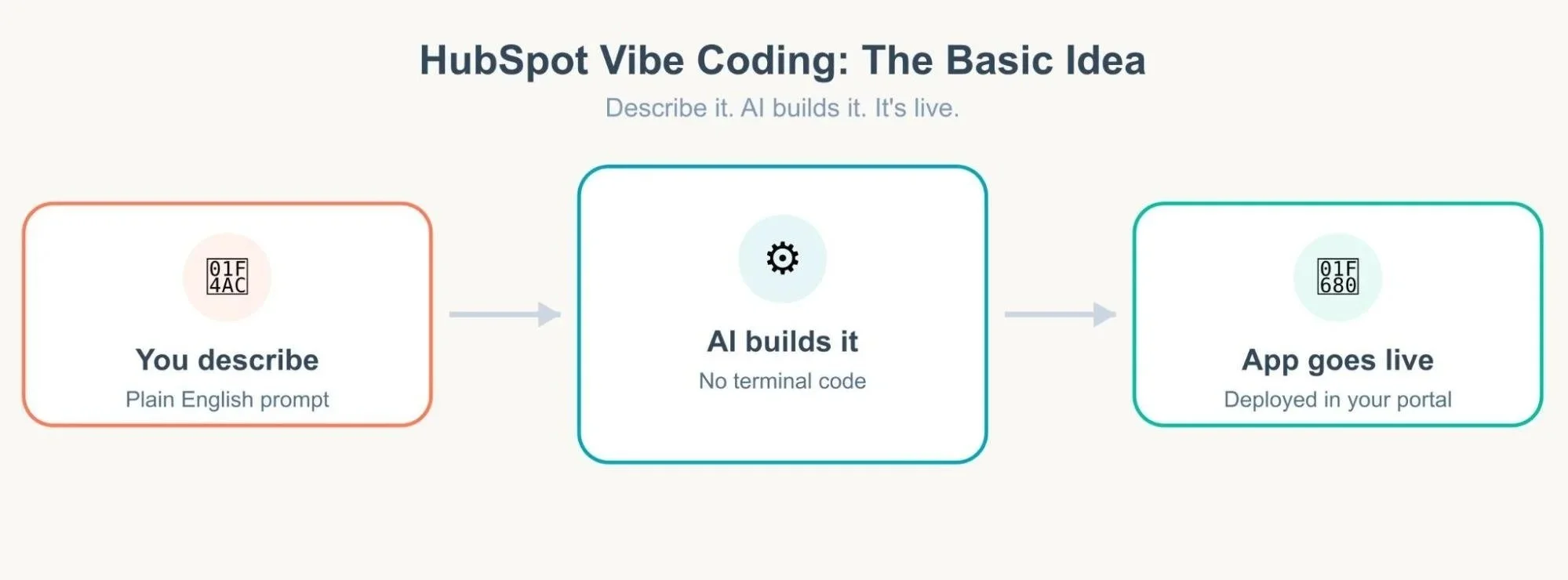
HubSpot Vibe Coding lets you build apps by describing them in plain English. No terminal, no local setup, no manual coding required.
HubCode apps come in two forms. App Cards for record-level context and Full Apps for standalone tools, both pulling live CRM data.
Vibe coding speeds up prototyping for everyone, letting developers and admins ship small tools while freeing up some time for complex work.
HubSpot has introduced a new way to create apps that doesn't involve writing code line by line, setting up a local environment, or waiting weeks for engineering resources. It's called HubSpot Vibe Coding, and it's changing the way teams build custom apps within their CRM. If you've ever wanted a custom tool inside HubSpot but didn't have a developer free to build it, this one's for you.
Basically, you describe what you want to build using natural language prompts, and AI does the heavy lifting: no terminal, no complicated setup, no steep learning curve. Let's break down what it actually means, how it works, and why it matters for anyone who uses HubSpot.
What Is HubSpot Vibe Coding?
Vibe coding, as a concept, isn't unique to HubSpot. It's a broader trend where you describe your goal to an AI assistant in natural language, and it writes the functional code for you. Instead of typing out every function and configuration file yourself, you act more like a guide. You explain what you need, review what comes back, and refine it until it's right.
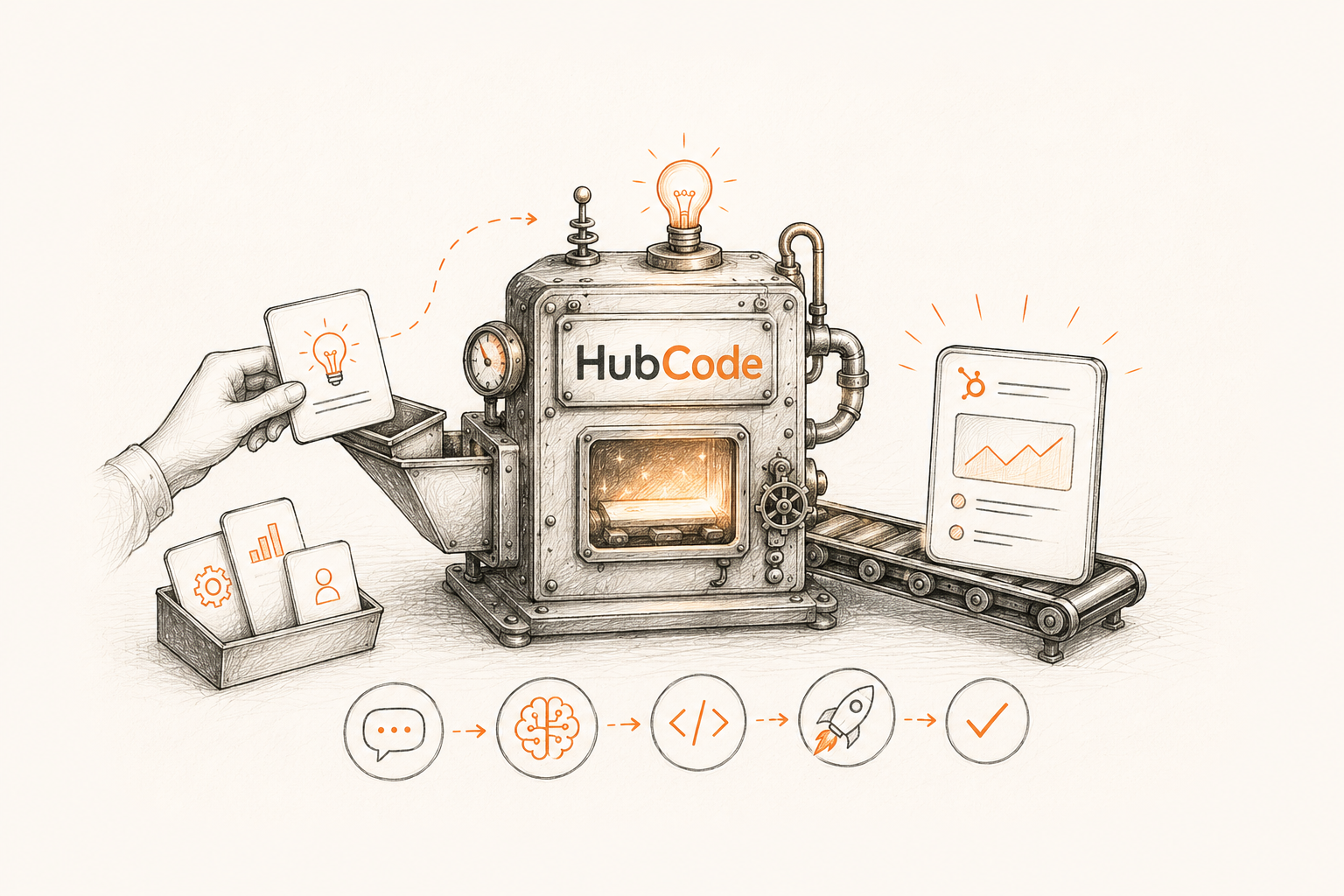
HubSpot took this idea and built it directly into its ecosystem through a tool called HubCode. HubCode allows users to build and test real, working applications built inside HubSpot, created by simply chatting with an AI about what you want. This is HubSpot AI custom app development in its most practical form, turning an idea into a working app without a traditional dev cycle.
How HubSpot Vibe Coding Actually Works
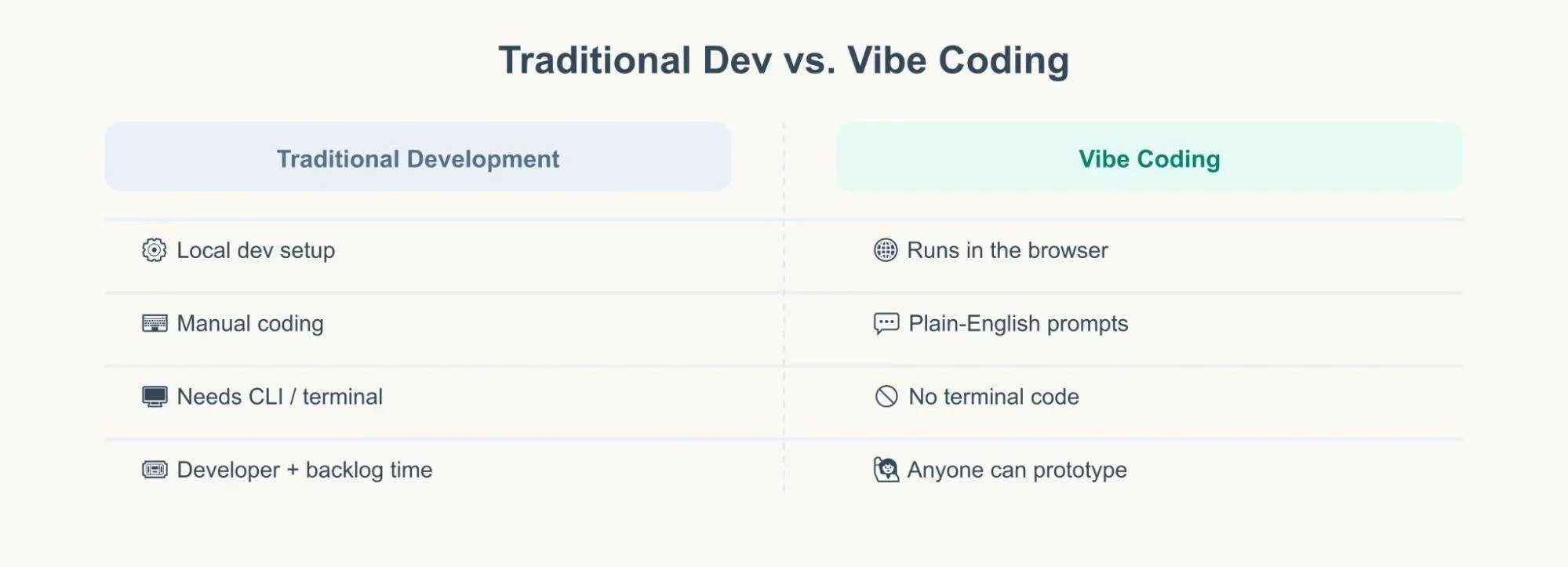
Here's the part people find hardest to believe at first: there's genuinely no terminal code involved. You don't install Node.js, you don't run command-line scripts, and you don't manage local project files. Everything happens in the browser, through a conversational interface.
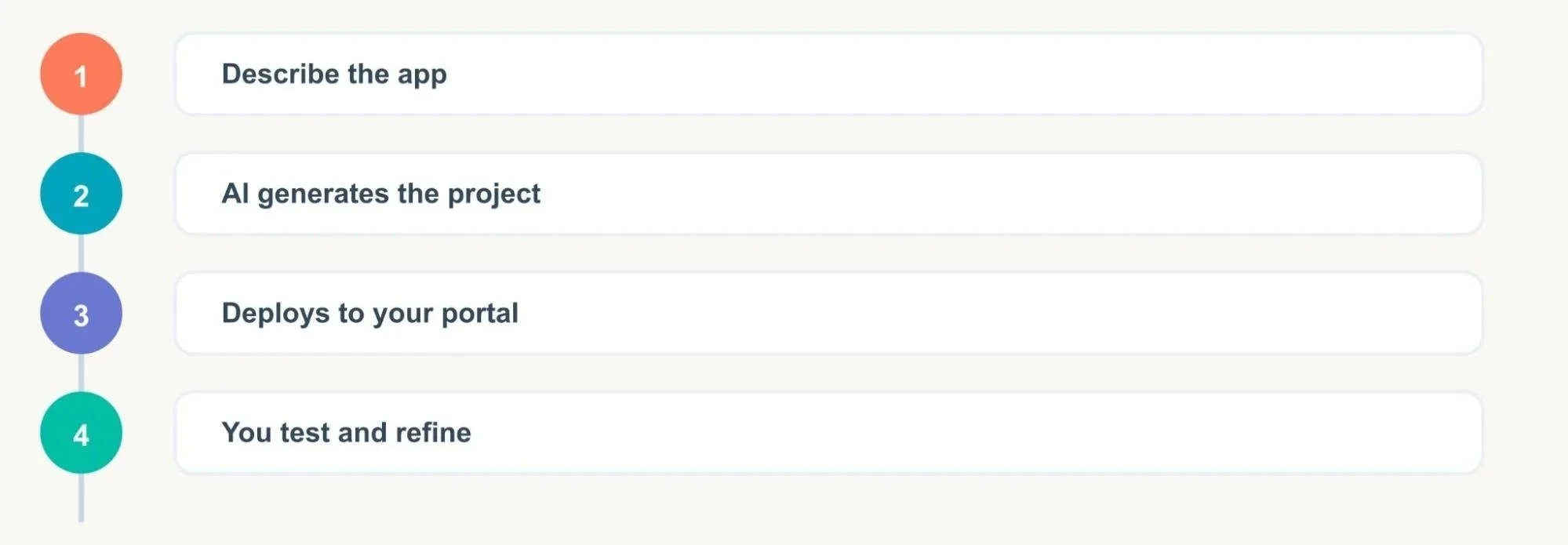
The basic flow looks like this:
You describe the app you want. This can be a single sentence or a detailed spec, whatever level of detail you're comfortable with.
The AI generates the project. It writes the underlying code, sets up the configuration, and structures the app so it works properly inside HubSpot.
It deploys directly to your portal. No manual upload steps. The app shows up ready to use.
You test, give feedback, and refine. If something's off, you just say so, and the AI adjusts the app accordingly.
You can even paste in a screenshot or a rough design mockup as part of your prompt, and the AI will use that as a visual reference while building. If you've never tried this kind of multimodal building before, it genuinely feels like a shortcut you didn't know existed.
Building HubSpot Apps with AI: What You Can Actually Create
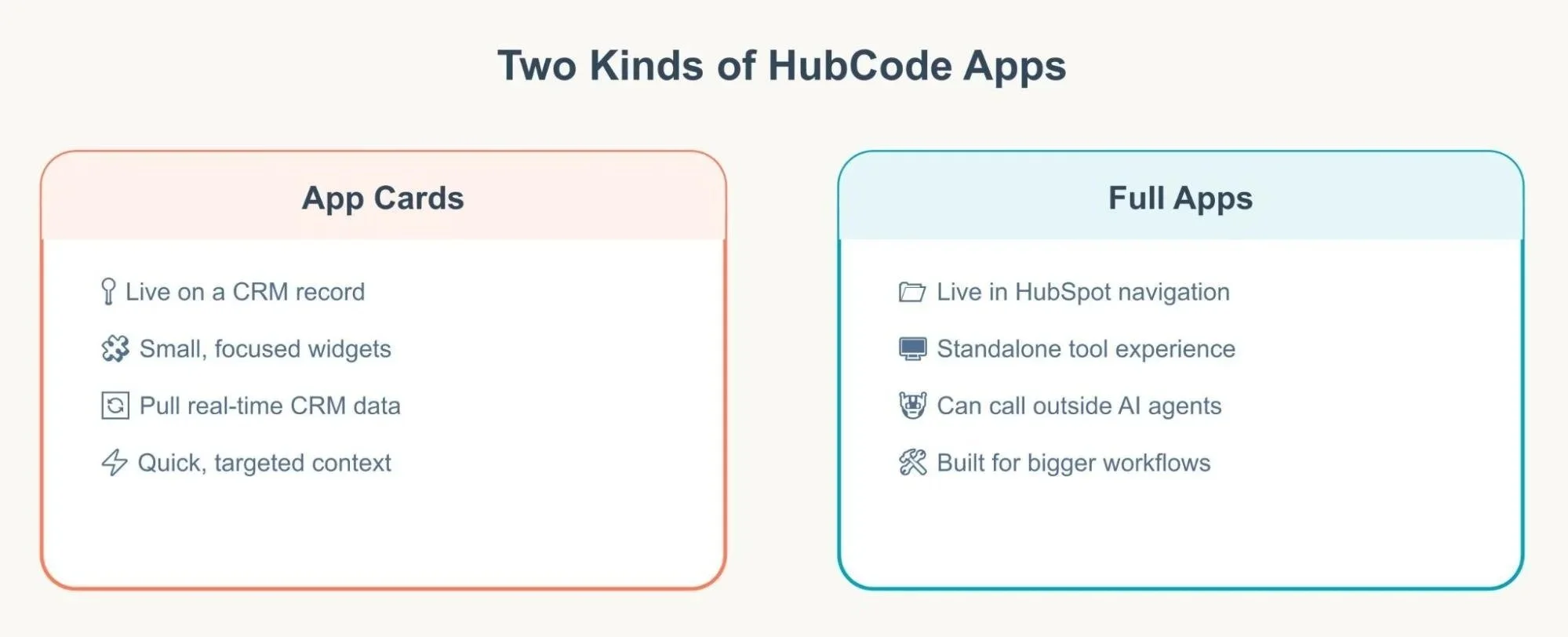
So what does building HubSpot apps with AI look like in practice? There are two main types of apps you can create:
App cards: these show up directly on HubSpot records like companies, contacts, deals, or tickets. Think of a small custom widget that pulls in extra context exactly where your sales or support team needs it.
Full apps: these live in the HubSpot navigation, functioning more like a standalone tool built right into your portal.
Both types can pull real data from your HubSpot account, company details, contact information, deal stages, custom properties, basically anything stored in your portal. That means the apps you build aren't just static widgets; they're genuinely connected to your live CRM data.
“One especially useful feature is that HubCode apps can tap into external AI agents through the agent.ai network, which hosts thousands of publicly available agents. So instead of building every capability from scratch, your app can call on an existing agent to handle a specific task. It could be like pulling relevant research, summarizing information, or connecting to another data source and blend that into your HubSpot workflow. ”
Building a Custom App Card Step by Step: A Real Example
It's more useful to understand what really goes down when you start building. We'll look at a practical example: a sales rep needs an app card for displaying recent YouTube videos pertaining to a particular company on the company record in HubSpot. Here's how that build actually plays out:
1. Describe the idea in plain English. The rep types something like: "Retrieve and show YouTube videos by searching on the company description." That's all you need. No technical requirements, no wireframe - just a clear description of the result.
2. HubCode pulls the relevant HubSpot data. It identifies that the app needs to read the company description field from the HubSpot record it will be attached to.
3. The AI connects that data to an outside agent. In this case, HubCode passes the company description to an agent on the agent.ai network that specializes in searching YouTube. This is where HubSpot Vibe Coding becomes more powerful than basic no-code tools. Your app isn't limited to what's built into HubSpot itself.
4. The results get embedded directly into the app card. The returned videos are directly displayed on the company record, such that the representative can access them without navigating away from HubSpot.
5. The rep tests it on a real record. The videos may not be relevant enough, or the design needs some adjustments, so they just give a description of what's needed, for example, "make it more specific to the industry," or "replace title links with thumbnails," and HubCode recreates the app card accordingly.
6. Deploy, and it's live. Once it looks right, the app card is deployed straight to the portal. No packaging, no manual install step, no waiting on a release cycle.
What's notable here is what's missing from this process: no code editor, no configuration files to touch by hand, and no terminal commands at any point. The entire build happens through back-and-forth conversation. That's the practical difference between hearing about vibe coding and actually watching one get built.
Why HubSpot Development Is Changing
Traditional HubSpot development usually meant setting up a local environment, learning the HubSpot CLI, writing custom code by hand, and testing everything before deployment. That's a real barrier for marketing, sales, or ops teams who have a clear idea of what they need but don't have coding backgrounds.
Vibe coding flips that model. Instead of translating your idea into technical requirements for a developer, you describe the outcome you want, and the AI translates that into working software. This doesn't mean developers become irrelevant but it means more people across a company can prototype, build, and ship small tools on their own, while developers focus on more complex or business-critical work.
For teams that have been stuck waiting on a backlog of internal tool requests, this is a meaningful shift. A sales ops person could build a custom app card that shows relevant account history without filing a ticket and waiting weeks.
Getting Started with HubCode
If you're curious about trying this yourself, the process is straightforward. HubCode currently runs through the agent.ai platform, and access has been rolling out gradually since its introduction. You describe your app idea, and from there, the tool guides you through generating and deploying it.
A few practical tips if you're just starting out with HubCode:
Start small. Build a simple app card before attempting a full multi-feature app. It helps you understand how the AI interprets your instructions.
Be specific in your prompts. The clearer your description, the closer the first draft will be to what you actually want.
Use screenshots when you can. If you have a rough design in mind, pasting in a visual reference often saves several rounds of back-and-forth.
Review before you rely on it. Just like any AI-generated output, it's worth checking the logic and testing thoroughly, especially for anything customer-facing or tied to important data.
Is HubCode Right for Your Team?
Not every use case needs vibe coding, and it's not meant to replace thoughtful, well-architected software for complex business systems. But for internal tools, quick prototypes, and CRM extensions that used to sit on a developer's to-do list for weeks, it's a genuinely useful shortcut.
If your team has ever said "we need a small tool for this, but we don't have the dev time," this is exactly the gap HubSpot Vibe Coding is built to fill. It lowers the barrier to building inside HubSpot, speeds up the path from idea to working app, and gives both technical and non-technical team members a faster way to solve real problems.
Final Thoughts
HubSpot Vibe Coding represents a real shift in how custom apps get built inside a CRM. By combining natural language prompts with AI-generated code, HubCode apps let you go from an idea to a deployed tool without touching a terminal or waiting on a long development queue. Whether you're a marketer who needs a quick app card, an ops person automating a manual process, or a developer looking to speed up your workflow, it's worth exploring what building HubSpot apps with AI can do for your team.
The tools for building inside HubSpot are getting simpler, faster, and more accessible, and this is just the beginning of what that shift looks like.
Need expert help with complex HubSpot custom development? Our team of certified HubSpot developers can take your custom ideas from concept to reality, ensuring they are secure, scalable, and fully integrated with your tech stack.
Further Reading:Migrating Your CRM to HubSpot: HubSpot Migration Guide
Generate Shareable Health Reports in HubSpot: Know How To Do It
From 'Cold' to 'Closed' Faster: The HubSpot Prospecting Agent Advantage
From Audit to Action: Turning Your HubSpot Report Into Results
HubSpot AEO: The Star of Spring ’26 Updates
Frequently Asked Questions
-
Yes. HubCode is currently in private beta and runs on the agent.ai platform, where it's listed as free to try. You'll need to apply for access at hubcode.com rather than find it inside your HubSpot portal. Pricing could change as it moves out of beta.
-
No, you don't need to worry about having any coding experience, as the AI will write the code based on your description written in simple English. However, developers can still review and edit it for more control.
-
Yes, both app cards and full apps can access actual data from your portal, including company information, deal stage, custom fields, etc.
-
Yes, but you must always review any logic created by AI before implementing it into any customer-facing application or any that is based on important data.
Related Reading
Let’s Talk

Drop us a note, we’re happy to take the conversation forward 👇🏻
