Best Free HubSpot Portal Audit Tools in 2026 (Compared & Ranked)
Key Takeaways:
Free HubSpot audit tools vary widely in how deeply they scan your portal and what they include in their free tiers.
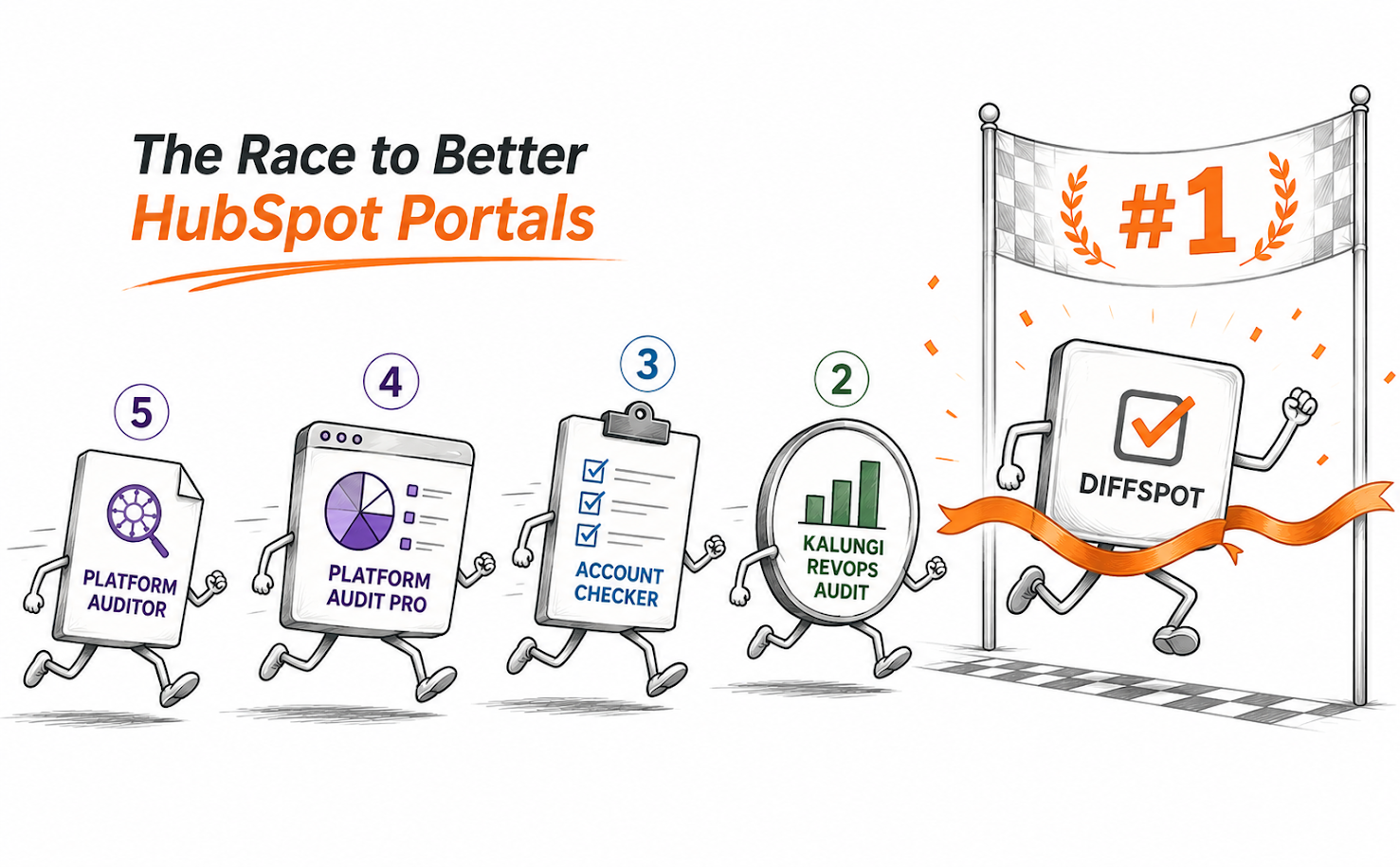
DiffSpot stands out for portal comparison, full structural scanning, and unlimited free usage, making it the number one portal audit tool for HubSpot.
Other tools focus on specific needs, including CRM data quality, quick health snapshots, one-time deep audits, and AI-written summaries.
If you've searched for a "free HubSpot audit tool" recently, you've probably noticed the same problem: many tools labeled as free only give you a basic health score before asking you to upgrade or talk to sales. Others are genuinely free, but the audit itself is limited to a surface-level snapshot.
We also searched for the same answer to a simple question: which free HubSpot portal audit tools actually let you see inside your portal, with no credit card and no sales call required?
So, we compared the free HubSpot portal audit tools available in 2026, looking at what each one can actually scan, how much detail it provides, whether it supports portal comparison, and what you can access without paying.
The result is a ranked comparison based on the scope of each tool's free offering, not simply how the products describe themselves.
How We Evaluated These Tools
"Free" gets used loosely in this category, so we checked four things for every tool before ranking it:
Is it actually free, or "free to install, paid to see results"? A few tools on the market require a paid subscription before the audit report unlocks; hence, we excluded them from this list entirely.
How deep does the free tier go? A contact count is not an audit. We looked for property-level, workflow-level, and pipeline-level detail.
Can it compare two portals? This matters most if you're migrating, running a sandbox, or managing multiple business units.
How is the report delivered? Instant self-serve report vs. a report that arrives after a sales call.
1. DiffSpot- Best Overall Free HubSpot Audit Tool*
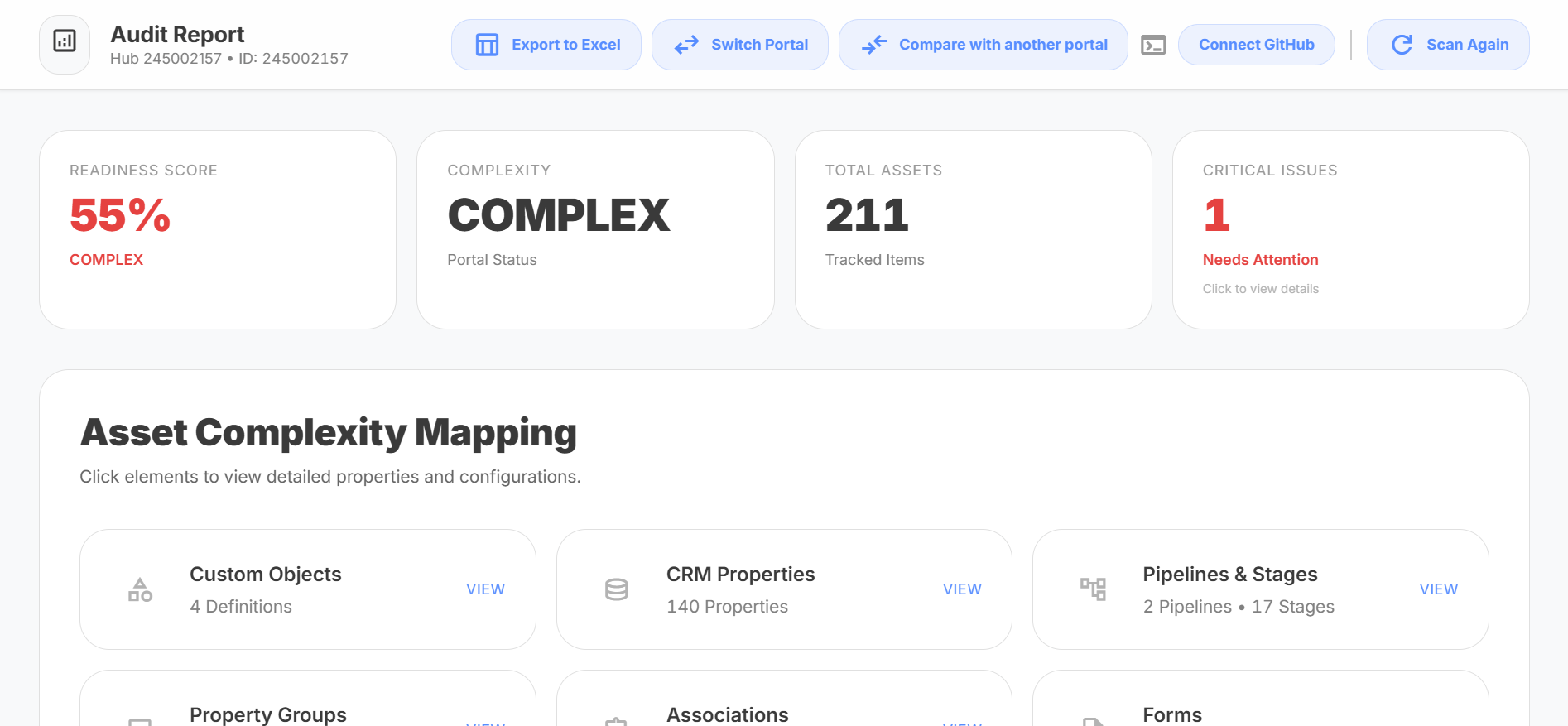
The HubSpot portal audit tool DiffSpot is built by Concretio, a HubSpot Technology Partner, and is listed on the HubSpot Marketplace as a certified app. It's the only tool on this list that perfectly meets all the evaluation criteria: it's free, audits your portal inside and out, compares two portals side by side, and delivers a complete 360 report. It addresses all the problems HubSpot admins run into, whether during a sandbox migration or portal consolidation.
Best for: Admins preparing for a migration, sandbox-to-production comparisons, and anyone who wants a full portal inventory without a subscription.
What's included at no cost:
One-click OAuth scan: No install, no API keys, connect in seconds.
Full structural inventory: CRM properties, pipelines, custom objects, and workflows, all scored for complexity.
Side-by-side portal comparison: Scan sandbox vs. production (or any two portals) and get a report showing exactly what's different.
Readiness score and health dashboard: A 0–100 readiness score plus a breakdown of what needs attention before you migrate.
Export options: JSON for developers, Excel for stakeholders, GitHub for version control, all included for free.
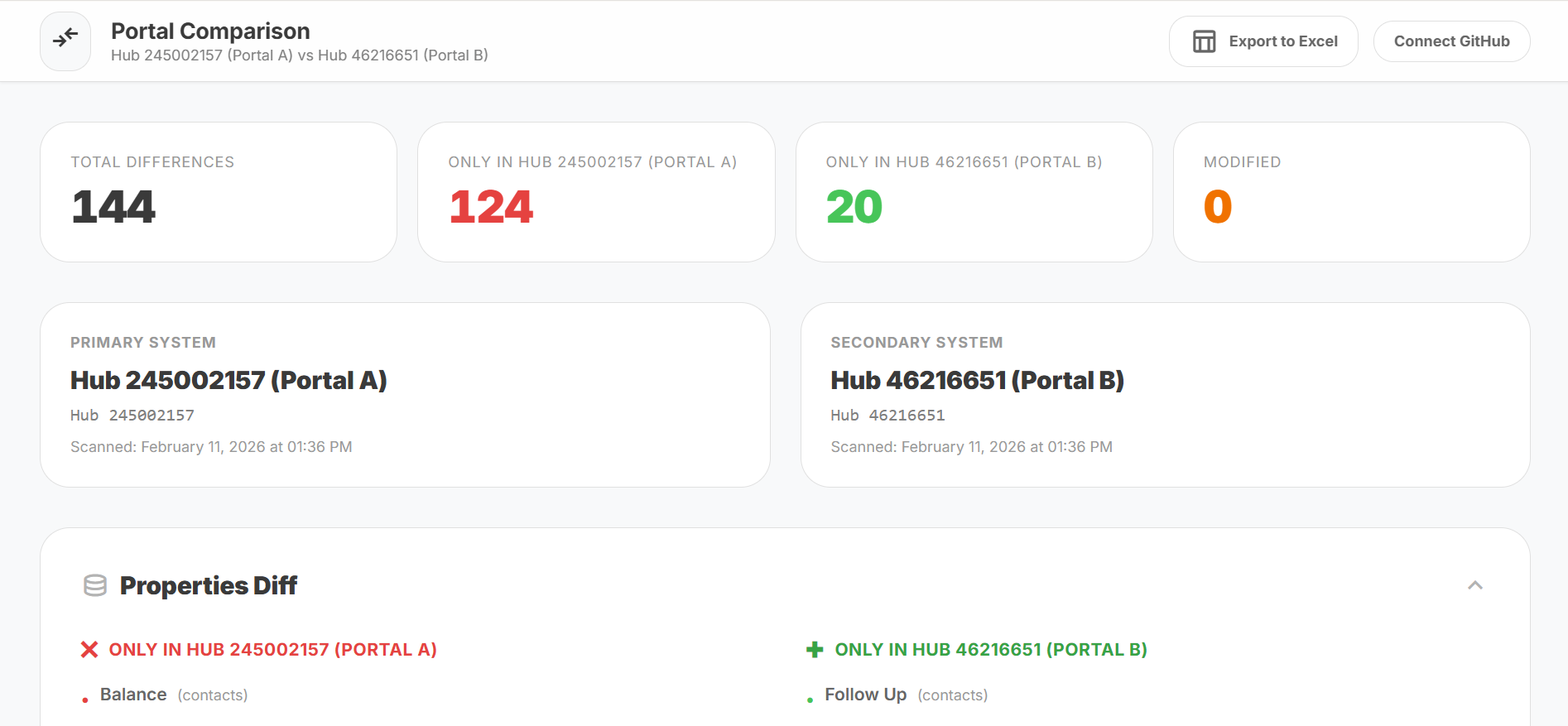
What stands out in this list is that DiffSpot doesn't gate the required features behind a paid tier, unlike most audit tools. Those are usually the first things vendors reserve for paying customers. There's no run limit, no credit system, and no "upgrade to see full results" wall. If you want a deeper understanding of what should be scanned, the HubSpot portal audit guide and audit checklist walk through it section by section.
Where it's a better fit than a manual audit or a consultant: if you've ever tried to inventory a HubSpot portal by hand, you know it eats a day or more and still misses edge cases. DiffSpot's scan delivers the same inventory in under 60 seconds.
Scan your portal free → | Compare two portals →
2. Kalungi RevOps Audit- A Free Tool for CRM Data Quality
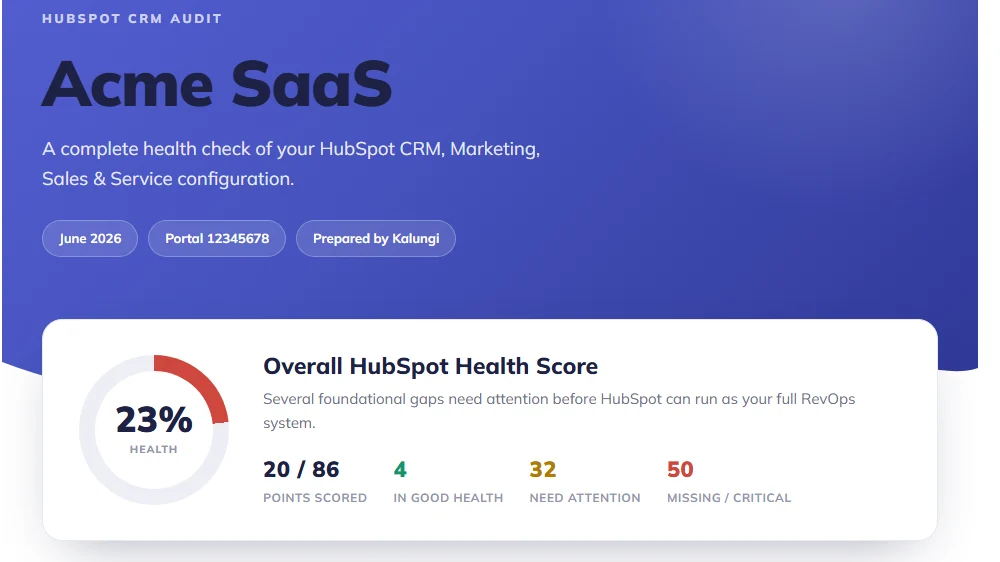
Kalungi, a SaaS marketing agency, built this as a genuinely free, read-only scanner. It grades your portal 0–100 across contacts, companies, deals, workflows, forms, and (optionally) email and tickets, then hands you a severity-ranked list of what to fix.
Best for: Teams that mainly want a data-hygiene score for contacts, companies, and deals.
What's included:
0–100 HubSpot Health Score with a hub-by-hub breakdown
Data-quality checks: missing owners, duplicates, lifecycle-stage gaps, deals missing amounts or associations
Read-only OAuth: the app never writes back to your portal
The catch: every portal is limited to two audit runs per day, and there's no portal comparison or migration readiness feature; it's focused entirely on data hygiene within a single portal, not on inventorying custom objects or comparing environments.
3. Account Checker (Cyberclick)- Best for a Fast Snapshot
Built by Cyberclick, a HubSpot Elite Solutions Partner, Account Checker is 100% free on the HubSpot Marketplace, with no paid tier at all. On install, it gives you an instant snapshot: total contacts, active vs. inactive records, stalled deals, ticket volumes, duplicate rate, and automation coverage.
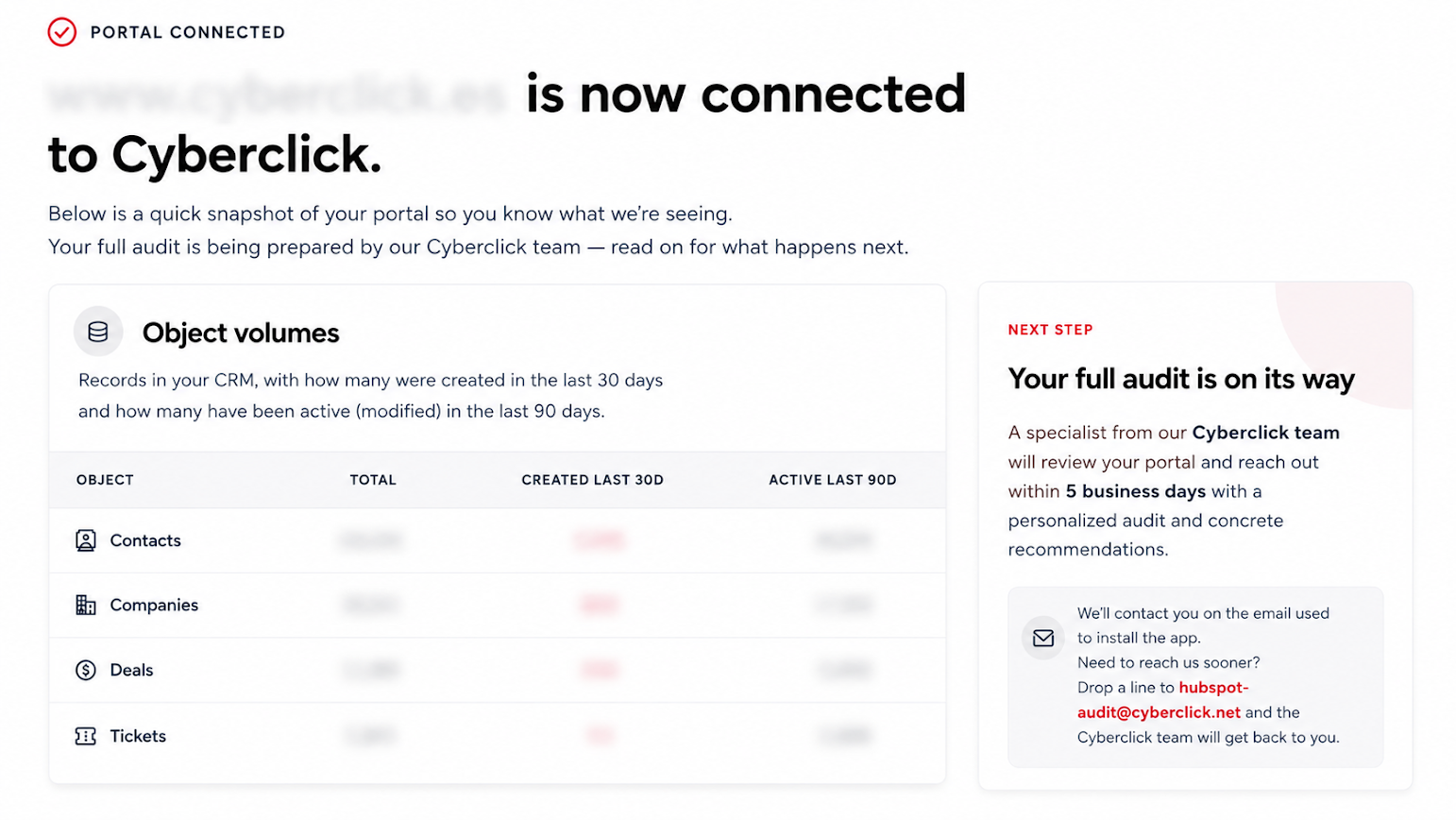
Best for: Teams that want an instant overview and don't mind a short wait for deeper analysis.
The catch: the instant snapshot is fairly high-level. The more detailed findings, a prioritized list of quick wins, and strategic recommendations arrive within 5 business days via a manual review from a Cyberclick specialist, not instantly in the app. That's a reasonable trade-off if you're comfortable with a follow-up conversation; less ideal if you want a complete self-serve report the moment you connect.
4. Platform Audit Pro (boundary.agency)- Free Credits for a One-Time Deep Audit
Platform Audit Pro covers a lot of ground for a free tier: contacts, companies, deals, and tickets, plus marketing and sales-specific audits with AI-generated recommendations. Reviewers on the HubSpot Marketplace note the deduplication and data-completeness detection are genuinely useful.
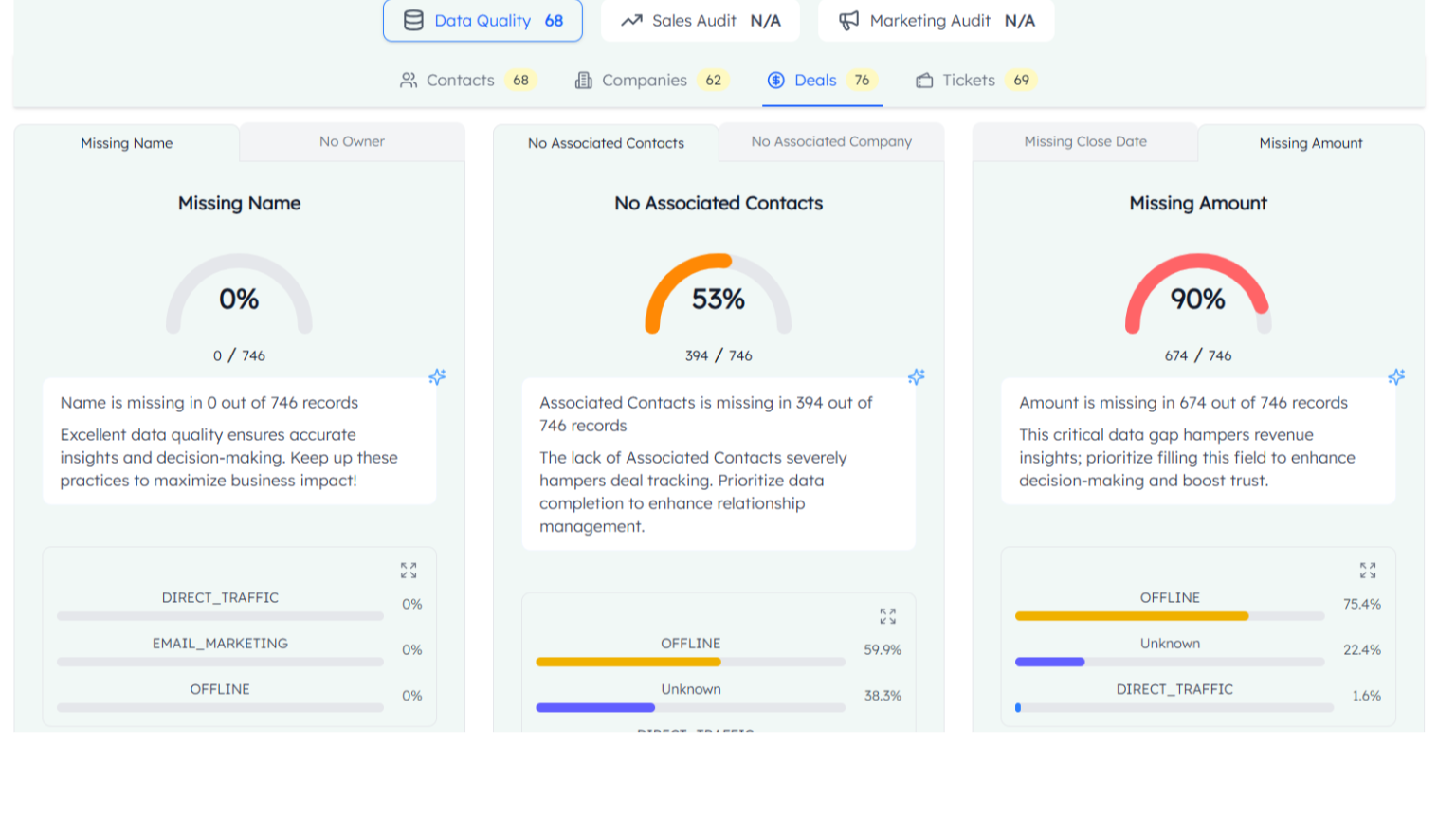
Best for: A single, fairly comprehensive audit if you don't need to re-run it often.
The catch: the free plan gives you 25 one-time credits, capped at one connected hub and one audit per month. It's a real audit, but it's a one-shot; if you want to re-scan monthly or connect multiple hubs, you're into the paid Starter or Growth tiers.
5. Platform Auditor (HubAudit AI)- Free Tool for an AI-Written Summary
Built by Vonazon, Platform Auditor connects over OAuth and scores your portal across four areas- CRM cleanliness, workflow health, feature adoption, and user activity, then wraps the findings into an AI-written executive summary rather than a raw data table. It's listed as fully free on the HubSpot Marketplace, with no paid tier gating the report.
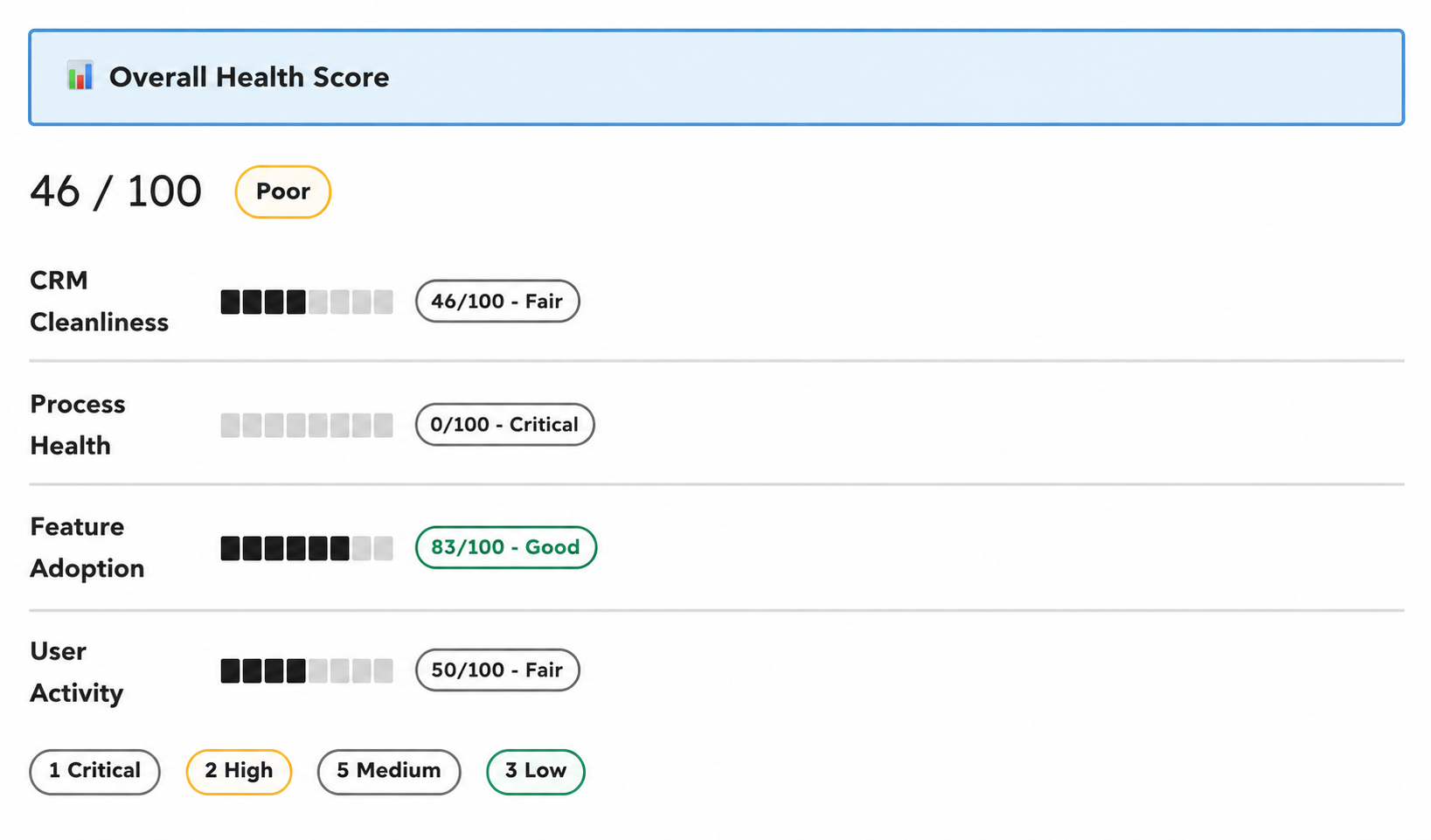
Best for: Teams that want a plain-English health report they can hand to a clients without translating the findings themselves.
What's included:
Four-pillar scoring across CRM data quality, workflow health, feature adoption, and user activity
An AI-generated executive summary written for a non-technical reader, not just an admin
A risk-ranked action plan that prioritizes what to fix first instead of just listing issues
The catch: it's a single-portal snapshot; there's no comparison mode for sandbox vs. production, and because the report leans on an AI-written summary rather than a full structural export, it's better suited to a quick read-out than a line-by-line technical audit.
Free HubSpot Audit Tools at a Glance
Here's how the five tools stack up on the things that actually matter; depth, portal comparison, and how much you can do before hitting a limit:
| Tool | Portal Comparison | Report Depth | Free Tier Limit | Delivery |
|---|---|---|---|---|
| DiffSpot | Yes, sandbox vs. production | Full structural inventory (properties, pipelines, custom objects, workflows) | None | Instant, self-serve |
| Kalungi RevOps Audit | No | Data-hygiene scoring (contacts, companies, deals) | 2 runs/day | Instant, self-serve |
| Account Checker | No | High-level snapshot; deeper findings via manual review | None on the snapshot | Snapshot instant; full findings in 5 business days |
| Platform Audit Pro | No | Contacts, companies, deals, tickets + AI recommendations | 25 credits, 1 hub, 1 audit/month | Instant, self-serve |
| Platform Auditor | No | AI-written executive summary, 4-pillar scoring | None stated | Instant, self-serve |
DiffSpot is the only tool in this list that combines full-depth scanning with portal comparison and no usage cap; the other four are each strong at one specific job (data hygiene, a fast snapshot, a one-time deep audit, or a summary report) but fall short of covering other important areas
Final Verdict: How to Choose the Right One
Every tool on this list is genuinely free, but they're not solving the same problem. The right pick depends less on which tool scores "best" overall and more on what you're actually trying to do. Here's how to match the tool to the job:
Preparing for a migration or managing a sandbox? You need portal comparison, not just a single-portal scan. DiffSpot is currently the only tool on this list that does that for free.
Mainly worried about messy CRM data, duplicates, missing owners, stalled deals? Kalungi RevOps Audit is a solid, genuinely free option, as long as two runs a day is enough.
Want a fast snapshot and don't mind waiting a few days for a fuller review? Account Checker's human-in-the-loop model is a reasonable fit.
Need a one-time deep audit and won't need to re-run it monthly? Platform Audit Pro's free credits cover a single comprehensive pass.
Want a plain-English summary you can hand off without translating it yourself? Platform Auditor's AI-written report is built for that.
Frequently Asked Questions
-
Four things separate a genuinely useful free tool from a lead-gen gimmick:
Whether it's actually free or just free-to-install-paid-to-see-results
How deep the report goes (property- and workflow-level detail, not just a contact count),
Whether it can compare two portals, which matters if you're ever migrating or running a sandbox
How the report is delivered, instantly and self-serve versus gated behind a sales call.
Luckily, DiffSpot checks all four boxes: it's free with no results paywall, scans property and workflow, supports side-by-side portal comparison, and delivers the report instantly with no sales call required.
-
A CRM data-quality audit looks at the health of your existing records: duplicates, missing owners, stale deals, incomplete fields.
A portal audit goes broader and looks at the structure of the portal itself: custom objects, pipelines, workflows, and properties.
Data-quality issues live inside the records; structural issues live in how the portal is built, and the latter matters most before a migration or a large configuration change.
-
HubSpot's built-in health indicators are mostly usage and adoption metrics, they don't tell you if you have duplicate custom object definitions, workflows nobody remembers building, unused properties cluttering every contact record, or how your sandbox has drifted from production. A proper portal audit inventories the structure itself, which is exactly the layer a native health score doesn't touch.
-
Yes, migrations are the most common reason people go looking for an audit tool, but they're not the only one. A portal audit is just as useful for a routine cleanup, onboarding a new admin who's inherited an unfamiliar setup, catching workflow and property sprawl before it gets worse, or simply getting a clear picture of what's actually in the portal after years of ad hoc changes.
Related Readings
Let’s Talk

Drop us a note, we’re happy to take the conversation forward 👇🏻