
Key Takeaways:
HubSpot Onboarding vs. Implementation: Onboarding handles initial setup, enablement & Implementation covers custom workflows, deeper technical needs.
Costs/Options: Direct onboarding involves one-time setup fees ($1,500–$7,000). Certified Solutions Partners can waive standard fees for custom packages.
Hub Focus: Deliverables vary: Marketing Hub focuses on leads, automation; Sales Hub on pipelines, sequences; Service Hub on ticketing, SLAs.
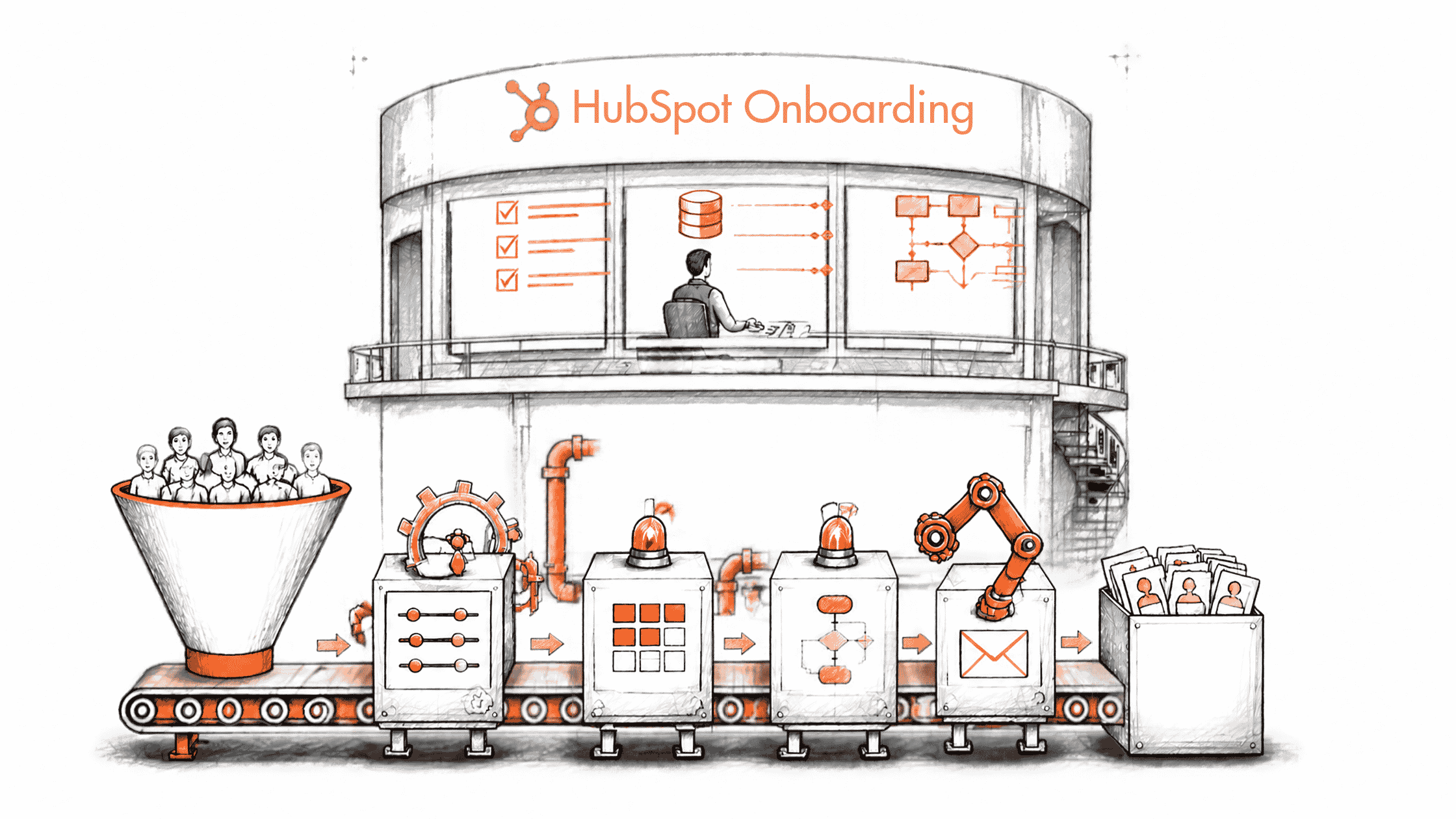
Congratulations on getting started with one of the best solutions after CRMs for your business. This high-performance CRM software is no less than machinery that acts exactly like a modern, automated manufacturing assembly line connected to a central factory control room.
However, to leverage the powerful features of such an incredible tool. It requires HubSpot onboarding services or, say, guidance.
Business savvy like yours can drive growth with great insights and work systematically, a bit like a factory line transforms raw materials into finished products without dropping a single part.
The HubSpot CRM onboarding consulting service lets your organization bring more out of HS CRM and guides your potential customers through your business process without losing track of them.
Let’s discuss onboarding services for HubSpot, along with its challenges, mistakes, costs to your business, and choosing the right partner for your business.
What Is HubSpot Onboarding Service?
HubSpot onboarding services help businesses configure their HubSpot environment, align the platform with their business processes, prepare their data, and train employees to use the system effectively.
Typical HubSpot Setup and Onboarding Services scope includes user permissions, CRM configuration, data preparation, process mapping, automation, integrations, reporting, and user training. The exact scope depends on the HubSpot Hub, subscription tier, business requirements, and whether onboarding is delivered by HubSpot or a Solutions Partner (HubSpot done for you).
HubSpot Onboarding vs. Implementation vs. Migration
This section will help you differentiate HubSpot Implementation Services, migration, and onboarding for HS.
| Comparison factor | HubSpot Onboarding | HubSpot Implementation Services | HubSpot Migration |
|---|---|---|---|
| Definition | Initial setup and guidance to help a business start using HubSpot. | Technical configuration and customization of HubSpot around business requirements. | Transfer of CRM data, records, activities, and relevant assets from another platform to HubSpot. |
| Primary objective | Establish a functional HubSpot environment and help users understand the platform. | Build workflows, pipelines, integrations, reporting, and business processes. | Move existing business data while maintaining accuracy and data relationships. |
| Typical activities | Account setup, user configuration, basic properties, platform training, and initial process guidance. | CRM architecture, custom properties, automation, integrations, dashboards, and process configuration. | Data mapping, cleansing, deduplication, field mapping, record imports, and migration validation. |
| Technical complexity | Low to moderate | Moderate to high | Moderate to very high |
| Typical duration | A few weeks, depending on the onboarding program. | Several weeks to several months. | A few days to several weeks, depending on data complexity. |
| When you need it | When purchasing HubSpot for the first time. | When HubSpot must support specific sales, marketing, or service operations. | When replacing an existing CRM or consolidating multiple systems. |
| Expected outcome | A configured starting environment and trained users. | A business-ready HubSpot system aligned with operational requirements. | Accurate and validated data in the new HubSpot environment. |
Who Provides HubSpot Onboarding Services: HubSpot or a Partner?
Both HubSpot and HubSpot solution partner agencies provide HS onboarding services. You can choose one option as per your company's needs.
| Comparison factor | HubSpot's Onboarding Team | HubSpot Solutions Partner (DFY) |
|---|---|---|
| Who builds the system? | HubSpot specialists guide customers through setup and configuration. | Partner consultants can plan, configure, customize, and implement the system. |
| Cost | Published one-time onboarding fee, depending on the product and subscription tier. | Custom project fee based on scope, complexity, and deliverables. |
| Timeline | Follows HubSpot's onboarding program and objectives. | Agreed project timeline based on business requirements and implementation scope. |
| Training | Product guidance, onboarding sessions, and recommendations for users. | Customized role-based training, workshops, documentation, and adoption support, depending on the agreement. |
| Custom integrations | Guidance on standard integrations and technical considerations. | Can design and develop custom integrations, subject to technical capability and scope. |
| Onboarding fee waiver | Not applicable to its own standard onboarding fee. | Eligible Solutions Partners can waive HubSpot's standard onboarding requirement when they provide replacement onboarding services. |
| Post-go-live support | Depends on the purchased service and applicable support arrangements. | Can include ongoing administration, optimization, troubleshooting, and managed services under a separate agreement. |
| Best suited for | Businesses needing product guidance and a relatively straightforward initial setup. | Businesses require customization, complex integrations, migration, or hands-on implementation. |
When is HubSpot's Own Onboarding Sufficient?
| Business requirement | Is HubSpot's onboarding sufficient? | Why? |
|---|---|---|
| Basic account and user setup | Yes, generally | Standard setup and user guidance are covered. |
| Basic CRM configuration | Yes, generally | HubSpot provides guidance on configuring the CRM for business processes. |
| Standard integrations | Yes, generally | Standard native and App Marketplace integrations are included in relevant onboarding guidance. |
| Basic sales or marketing workflows | Often | HubSpot provides guidance on standard automation and processes. |
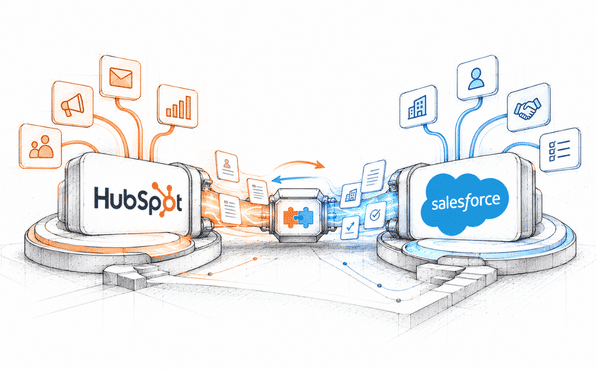
| Complex Salesforce integration | Not necessarily | Advanced field mapping, custom logic, and synchronization requirements may need HS Done for You expertise. |
| Multiple CRM migrations | Usually not by itself | Data mapping, cleansing, transformation, and migration validation can require additional technical work. |
| Custom business processes | Not necessarily | Complex process design and hands-on configuration may exceed standard onboarding. |
| Enterprise-wide implementation | Usually requires additional planning | Multiple teams, portals, business units, governance, and integrations may need specialized implementation support. |
Direct onboarding through HubSpot offers adequate support for organizations seeking foundational platform setup, administrative direction, and core product enablement.
Conversely, engaging a Solutions Partner becomes essential when organizations require bespoke CRM architecture, advanced technical integrations, complex multi-platform data migrations, or cross-functional operational deployment.
Is HubSpot Onboarding Mandatory, and What Does It Cost?
The listed costs reflect mandatory single-payment setup charges in U.S. dollars rather than ongoing platform subscription rates. Neither Free nor Starter tiers mandate an initial onboarding expense on standard pricing schedules.
HubSpot's official onboarding fees by hub and subscription tier
| HubSpot Hub | Free | Starter | Professional | Enterprise |
|---|---|---|---|---|
| HubSpot Marketing Hub onboarding | $0 | $0 | $3,000 | $7,000 |
| Sales Hub | $0 | $0 | $1,500 | $3,500 |
| Service Hub | $0 | $0 | $1,500 | $3,500 |
Marketing Hub pricing, Sales Hub pricing, Service Hub pricing
Note: Mandatory onboarding fees for Professional and Enterprise tiers represent single setup payments listed on HubSpot's official pricing schedules rather than recurring monthly platform costs. Overall software expenditure varies depending on user seats, contact tiers, account add-ons, and portal requirements.
HubSpot Onboarding Cost: HubSpot Direct vs. Partner-led Onboarding
| Cost component | HubSpot-led onboarding | Partner-led onboarding |
|---|---|---|
| Professional HubSpot Marketing Hub onboarding | $3,000 | $0 if an eligible partner waives the requirement |
| External implementation fee | Not included in this comparison | $5,000 (illustrative project quote) |
| Custom implementation work | Additional services may be required | Included only if specified in the partner's scope |
| Total onboarding/implementation cost | $3,000 | $5,000 |
| Primary value | Official HubSpot onboarding guidance | Partner-led delivery and potentially broader implementation scope |
Example: An organization subscribing to Marketing Hub Professional might incur a $3,000 fee for standard platform onboarding directly through HubSpot. Alternatively, partnering with a certified Solutions Partner for a $5,000 tailored implementation package allows the business to bypass the mandatory internal onboarding fee.
While the partner-led engagement requires a $2,000 premium in this scenario, it typically delivers deeper technical configuration, system customization, and operational alignment. These numbers serve as illustrative examples rather than fixed market pricing or a direct equivalent comparison.
HubSpot policies permit accredited Solutions Partners to waive official onboarding fees provided they execute comprehensive replacement onboarding services.
Factors that Influence HubSpot Partner Onboarding Costs
All the factors discussed in this section could be helped by Concret.io to manage in some cases. You can connect and discuss your point with one of our professionals.
| Cost factor | How it affects pricing |
|---|---|
| Number of Hubs | Implementing Marketing, Sales, and Service Hubs together increases configuration and coordination requirements. |
| Subscription tier | Professional and Enterprise environments may require more sophisticated configuration and governance. |
| Data volume | Large databases, historical records, and duplicate records increase migration and validation work. |
| Integrations | Connecting Salesforce, ERP, e-commerce, and third-party applications adds development and testing requirements. |
| Customization | Custom objects, properties, pipelines, workflows, and business logic increase implementation effort. |
| Training requirements | More users, teams, and role-specific training sessions increase delivery time. |
| Reporting requirements | Custom dashboards, attribution models, and cross-functional reporting require additional planning. |
| Post-go-live support | Ongoing administration, troubleshooting, optimization, and managed services can add recurring costs. |
Not sure what your HubSpot setup requires? Get a scoped quote from our HubSpot implementation team
What's Included in Onboarding, by Hub
Specific onboarding deliverables depend on the selected HubSpot hub/ HubSpot onboarding services for Marketing Hub and Service Hub. Implementation for Marketing Hub generally emphasizes form creation, email campaign setup, database segmentation, and lead automation.
Conversely, HubSpot Sales Hub onboarding centers on pipeline architecture, deal tracking, and representative enablement, whereas Service Hub implementation concentrates on ticket routing, helpdesk setup, and customer satisfaction tracking.
Marketing Hub
Marketing Hub implementation typically encompasses primary portal setup, form creation, email campaign architecture, contact database segmentation, and lifecycle stage mapping. Depending on subscription tiers and project scope, engagements may also extend to lead scoring models, automated workflows, multi-touch attribution, and custom analytics reporting.
Marketing Hub onboarding deliverables
Here are clear HubSpot Marketing Hub onboarding deliverables along with business outcomes and HS onboarding areas. Check them for a better understanding.
| Onboarding area | Activities and deliverables | Business outcome |
|---|---|---|
| Account configuration | Configure users, permissions, account settings, and marketing preferences. | A properly configured marketing environment. |
| Lead capture | Set up forms, landing pages, and lead capture paths. | Consistent lead collection. |
| Email marketing | Configure email settings, templates, and campaign foundations. | A structured email marketing process. |
| Contact segmentation | Configure lists, contact properties, and segmentation criteria. | More relevant audience targeting. |
| Lifecycle stages | Define subscriber, lead, MQL, SQL, opportunity, and customer stages as appropriate. | Consistent lead lifecycle management. |
| Lead scoring | Establish lead qualification criteria and scoring rules where supported by the subscription. | Better lead prioritization. |
| Marketing automation | Configure workflows for lead nurturing, follow-ups, and internal notifications. | Reduced manual marketing tasks. |
| Attribution and reporting | Configure campaign tracking and relevant marketing performance reports. | Better visibility into marketing performance. |
| Data and CRM alignment | Review contact data and relevant CRM integration requirements. | More consistent marketing and sales data. |

The official onboarding scope for Marketing Hub encompasses data usage, lead generation mechanisms, contact database segmentation, email campaign setup, performance analytics, automated lead nurturing, and CRM record imports.
Sales Hub
Sales Hub implementation centers on aligning platform configuration with operational sales workflows. Depending on product tiers and requirements, scope typically encompasses deal pipeline architecture, sales automation sequences, lead assignment protocols, revenue forecasting, performance analytics, and quote generation setups.
HubSpot Sales Hub Onboarding Deliverables
Check out the areas, including activities, deliverables, and what the company outcome should be when having HubSpot Sales Hub onboarding.
| Onboarding area | Activities and deliverables | Business outcome |
|---|---|---|
| Sales process mapping | Define the sales process and deal stages. | A consistent sales methodology. |
| Pipeline configuration | Configure deal pipelines and stages according to the sales process. | Better deal visibility. |
| CRM customization | Configure properties and CRM settings for sales operations. | A CRM aligned with sales requirements. |
| Sales productivity | Configure productivity tools and relevant sales resources. | Improved sales team efficiency. |
| Sequences and automation | Configure appropriate prospecting and follow-up processes. | More consistent sales engagement. |
| Lead and deal routing | Establish assignment rules and team routing where supported. | Faster lead distribution. |
| Forecasting and reporting | Configure baseline reporting and relevant custom reports. | Improved pipeline visibility and forecasting. |
| Quotes | Configure quote-related processes and templates where supported by the subscription. | More consistent sales documentation. |
| Team enablement | Configure user access and provide role-based training. | Better adoption of Sales Hub. |
The official onboarding scope for Sales Hub encompasses platform configuration, sales productivity features, baseline process automation, system integrations, data transfer direction, and performance analytics setup.
Service Hub
HubSpot Service Hub implementation centers on aligning customer service operations with the platform, encompassing ticket routing architecture, helpdesk configuration, knowledge base deployment, SLA definitions, customer communication channels, feedback survey setups, and service performance analytics.
HubSpot Service Hub Onboarding Deliverables
This table will help you know what HubSpot Service Hub onboarding areas, activities deliverable and what the business outcome with it.
| Onboarding area | Activities and deliverables | Business outcome |
|---|---|---|
| Ticket management | Configure ticket pipelines and stages. | Structured customer issue management. |
| Help desk | Configure relevant help desk and support channels. | Centralized support operations. |
| Ticket routing | Establish assignment and ticket automation rules. | Faster issue distribution. |
| Knowledge base | Set up a knowledge base and organize support content. | Improved customer self-service. |
| SLAs | Configure applicable service-level targets and processes. | Better visibility into support commitments. |
| Customer communication | Configure standardized email and chat responses. | More consistent customer interactions. |
| Customer feedback | Set up relevant customer experience measurement and surveys. | Better understanding of customer satisfaction. |
| Reporting | Configure productivity, ticket resolution, and service dashboards. | Improved support performance monitoring. |
| Team management | Configure team processes, support playbooks, and relevant permissions. | More consistent service delivery. |
The official onboarding scope for Service Hub encompasses ticket pipeline configuration, helpdesk channel setup, conversational tools, self-service content architecture, process routing, feedback surveys, and performance dashboards.
HubSpot Premier Onboarding Including Advanced: What HubSpot Sells for Enterprise Environments and Who Needs It
Organizations navigating multi-portal architectures, complex system integrations, or multi-divisional operations often require specialized enablement strategies. For these complex enterprise environments, you get high-touch Advanced and HubSpot Premier onboarding tracks designed to support sophisticated CRM infrastructure and cross-functional teams.
Standard vs. Advanced and Premier onboarding
This table will help you understand the difference between Advanced, Standard, and HubSpot Premier onboarding.
| Comparison factor | Standard HubSpot Onboarding | Advanced Onboarding | Premier Onboarding |
|---|---|---|---|
| Primary audience | New Professional and Enterprise customers. | Customers with more sophisticated setup requirements. | Customers require more extensive technical and strategic guidance. |
| Main objective | Establish the initial HubSpot environment. | Address more complex implementation requirements. | Support broader business and technical transformation objectives. |
| Account configuration | Included | Included | Included |
| Business process guidance | Standard process guidance | Advanced process consultation | Deeper business strategy and process consulting |
| Data migration | Basic migration/import guidance where applicable | Additional migration advisory | CRM migration and import consulting |
| Custom integrations | Limited to standard onboarding guidance | Technical integration advisory | Custom integration and technology-stack consulting |
| Multiple portals/business units | Not the primary focus | Relevant complex use cases | Portal consolidation and multiple-business-unit planning |
| Project management | Standard onboarding interactions | Higher-touch guidance | More frequent engagement and stakeholder coordination |
| Documentation | Standard onboarding resources | Depends on package | Deliverable documentation and rollout planning |
| Duration | Depends on the onboarding plan | Up to 120 days for the published advanced service | Up to 120 days for the published HubSpot Premier onboarding |
Note: Advanced and Premier tracks represent specialized, high-touch enablement programs built for enterprise environments, rather than standard onboarding packages.
B2B vs B2C Onboarding: What Changes
Operational requirements vary significantly between commercial models, directly impacting platform enablement. B2B onboarding typically prioritizes lead qualification protocols, account-based management, pipeline architecture, and native CRM synchronization (such as Salesforce).
Conversely, B2C and e-commerce implementations focus on storefront integrations, granular customer segmentation, transactional data mapping, and automated lifecycle marketing.
B2B vs. B2C HubSpot Onboarding
| Comparison factor | B2B HubSpot Onboarding | B2C and E-commerce HubSpot Onboarding |
|---|---|---|
| Primary focus | Lead generation, qualification, account management, and revenue operations. | Customer acquisition, purchase conversion, retention, and repeat purchases. |
| CRM structure | Contacts, companies, deals, and associated records. | Contacts, customer profiles, transactions, and relevant commerce data. |
| Lead management | Lead capture, qualification, scoring, and routing. | Customer segmentation and purchase-intent identification. |
| Sales process | Multi-stage sales pipelines and opportunity management. | Shorter purchase journeys and order-related processes. |
| Automation | Lead nurturing, sales follow-ups, internal notifications, and deal updates. | Abandoned-cart campaigns, purchase follow-ups, and customer lifecycle automation. |
| Integrations | Salesforce, ERP, marketing platforms, and business applications. | E-commerce platforms, payment systems, order management, and customer data platforms. |
| Segmentation | Industry, company size, account type, role, and buying stage. | Purchase history, product preferences, customer value, and engagement. |
| Reporting | Lead-to-opportunity conversion, pipeline performance, and revenue attribution. | Conversion rates, repeat purchases, customer lifetime value, and campaign performance. |
| Key success metric | Qualified pipeline and revenue contribution. | Conversion, retention, repeat purchases, and customer lifetime value. |
How Does HubSpot Onboarding Work, Step by Step
Executing a structured enablement framework ensures your organization deploys HubSpot through an aligned sequence, spanning early technical discovery to full portal launch and post-go-live optimization.
Below is an overview of our recommended partner-led implementation methodology. Projected timeframes serve as illustrative benchmarks rather than fixed platform mandates.
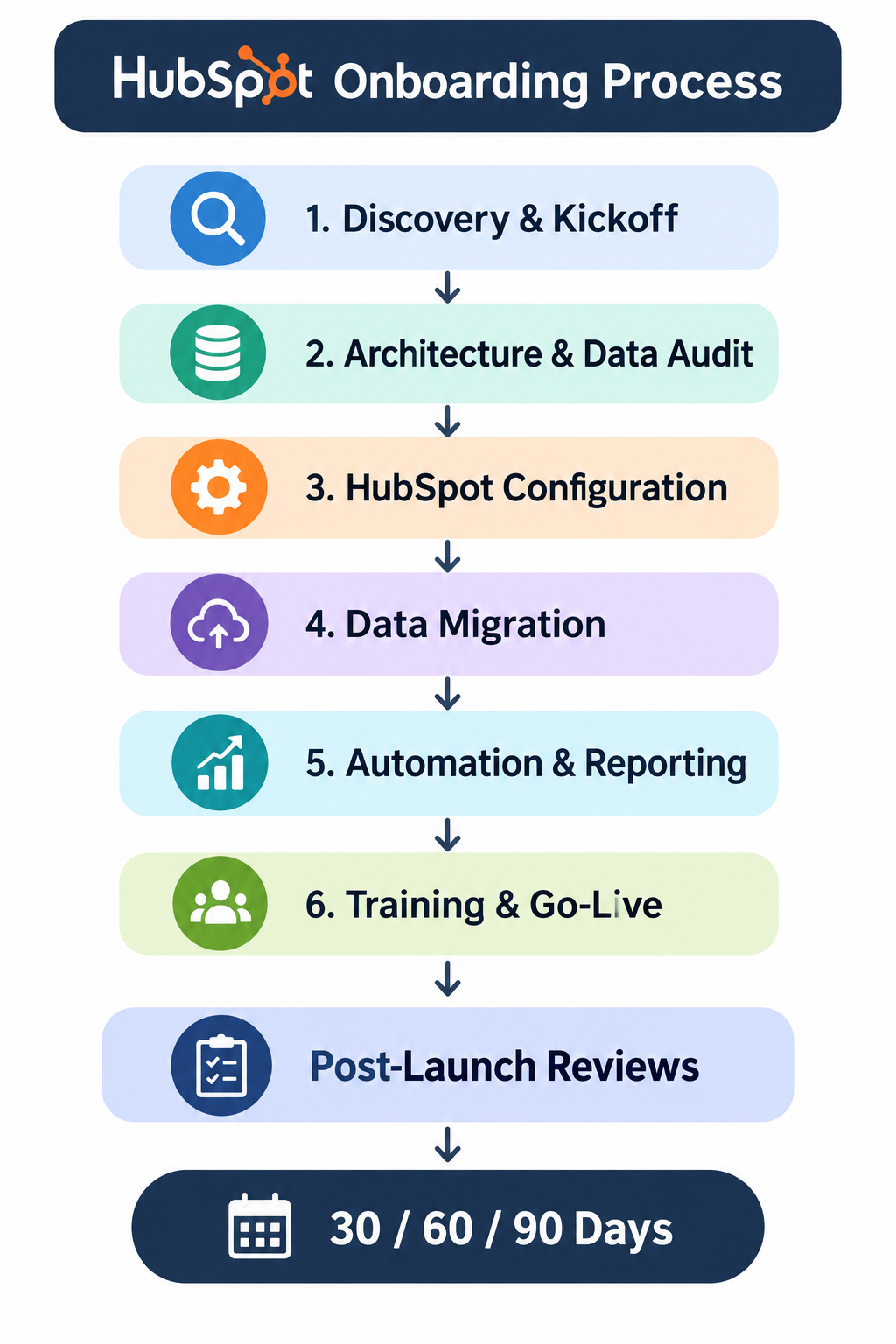
1. Discovery and Kickoff
Understand business goals, stakeholders, existing systems, and implementation requirements. Deliverables: Project scope, objectives, stakeholder map, and implementation plan.
Timeline: 2 to 3 business days.
2. Architecture and Data Audit
Review CRM structure, properties, data quality, integrations, and business processes. Deliverables: CRM architecture, data audit, and integration requirements.
Timeline: 3 to 5 business days.
3. HubSpot Configuration
Configure users, permissions, pipelines, properties, lifecycle stages, and account settings. Deliverables: Configured HubSpot environment.
Timeline: 5 to 10 business days.
4. Data Migration
Clean, map, import, and validate relevant records and relationships. Deliverables: Migrated and validated CRM data. Timeline: 3–10 business days.
5. Automation and Reporting
Build agreed workflows, routing rules, integrations, dashboards, and reports. Deliverables: Test the automation and reporting environment.
Timeline: 5 to 10 business days.
6. Training and go-live
Conduct user training, quality assurance, final testing, and launch preparation. Deliverables: Trained users, QA sign-off, and go-live approval.
Timeline: 3 to 5 business days.
Typical rollout timelines span roughly 3 to 8 weeks, contingent upon prompt platform permissions, team participation, and data scope. Enterprise-level deployments featuring extensive customization may require extended delivery schedules.
Post-Implementation Review Schedule
| Review milestone | What to evaluate | Key activities |
|---|---|---|
| 30-day review | Initial adoption and system performance. | Review user adoption, data accuracy, workflow execution, and early issues. |
| 60-day review | Process efficiency and automation performance. | Identify workflow gaps, review lead routing, examine reporting accuracy, and optimize processes. |
| 90-day review | Business outcomes and long-term improvements. | Assess KPIs, evaluate adoption, identify additional automation opportunities, and create an optimization roadmap. |
HubSpot Onboarding Checklist
This comprehensive HubSpot onboarding checklist will help you make an informed decision before you decide to choose HS onboarding services for your organization.
| Checklist item | What needs to be completed | Status |
|---|---|---|
| User access and permissions | Add users, assign roles, and configure appropriate permissions. | ☐ |
| CRM properties | Review standard properties and create required custom properties. | ☐ |
| Lifecycle stages | Define lifecycle stages and establish consistent qualification criteria. | ☐ |
| Sales pipelines | Configure deal pipelines, stages, and associated properties. | ☐ |
| Data import and deduplication | Clean existing records, map fields, remove duplicates, and validate imports. | ☐ |
| Tracking and forms | Install tracking code, configure forms, and verify lead capture. | ☐ |
| Email authentication | Configure and verify SPF, DKIM, and DMARC according to the sending domain's requirements. | ☐ |
| Integrations | Connect and test required third-party applications and CRM integrations. | ☐ |
| Workflow automation | Configure and test agreed workflows, notifications, and assignment rules. | ☐ |
| Lead scoring | Establish qualification criteria and scoring rules where supported. | ☐ |
| Dashboards and reporting | Configure dashboards, reports, and relevant performance metrics. | ☐ |
| User training | Train relevant teams on their roles, workflows, and daily HubSpot activities. | ☐ |
| Quality assurance | Test forms, integrations, automation, permissions, and reporting. | ☐ |
| Go-live approval | Obtain stakeholder approval and launch the configured environment. | ☐ |
| Post-launch review | Schedule 30, 60, and 90-day performance and optimization reviews. | ☐ |
Common HubSpot Onboarding Mistakes
| Common Mistake | Recommended solution |
|---|---|
| Skipping data cleanup | Audit, standardize, deduplicate, and validate data before migration. |
| Over-customizing too early | Start with essential business processes and introduce customization incrementally. |
| No internal HubSpot administrator | Assign a dedicated CRM administrator or operational owner. |
| Insufficient user training | Provide role-based training, documentation, and practical exercises. |
| No post-launch review | Schedule 30-, 60-, and 90-day reviews with measurable performance indicators. |
How to Choose the Best HubSpot Onboarding Service Providers B2B and B2C
Selecting the best HubSpot onboarding service providers B2B and B2C extends well beyond evaluating certified tier levels.
Organizations must systematically assess technical expertise, domain familiarity, specialized onboarding accreditations, defined operational scope, dedicated project staffing, and long-term post-implementation support.
HubSpot onboarding partner evaluation criteria for B2B and B2C
| Evaluation criterion | What to look for | Why it matters |
|---|---|---|
| HubSpot partner status | Verify the company's current Solutions Partner status. | Establishes its relationship with the HubSpot ecosystem. |
| Partner tier | Review its current tier and relevant experience. | Provides additional context about its partner standing. |
| Onboarding accreditation | Check for HubSpot Onboarding Accreditation where relevant. | Demonstrates experience with Professional and Enterprise onboarding. |
| Industry experience | Look for experience in your industry and business model. | Helps ensure the partner understands your operational requirements. |
| Technical expertise | Evaluate CRM configuration, integrations, migration, and automation capabilities. | Reduces implementation risks. |
| Defined project scope | Request a documented scope, deliverables, exclusions, and timeline. | Prevents misunderstandings and unexpected costs. |
| Dedicated implementation team | Identify the project manager, technical consultants, and implementation specialists. | Establishes accountability. |
| Training and documentation | Confirm whether role-based training and technical documentation are included. | Supports long-term adoption and internal ownership. |
| Post-go-live support | Check the availability and cost of ongoing maintenance and optimization. | Helps maintain system performance after launch. |
| Client references | Review relevant case studies, testimonials, and verified customer reviews. | Provides evidence of previous delivery experience. |
Questions to Ask Before Hiring HubSpot Onboarding Partners
| Question | What a satisfactory answer should establish |
|---|---|
| Have you implemented HubSpot for businesses similar to ours? | Relevant industry and operational experience. |
| Which HubSpot Hubs and subscription tiers do you specialize in? | Product-specific technical expertise. |
| Who will manage our onboarding project? | A named project owner and accountable delivery team. |
| What exactly is included in your implementation scope? | Clearly defined deliverables and exclusions. |
| Can you migrate data from our existing CRM? | Data mapping, migration, and validation capabilities. |
| Can you build custom integrations? | Relevant API, integration, and development expertise. |
| Can you waive HubSpot's standard onboarding fee? | Confirmation of eligibility and the process for replacing HubSpot onboarding. |
| What training will our employees receive? | A clear user enablement plan. |
| What happens after go-live? | Defined support arrangements and optimization options. |
| Can you share relevant customer references? | Evidence of successful implementation projects. |
Red flags when selecting a HubSpot onboarding partner
| Red flag | Why you should be cautious |
|---|---|
| Guarantees of implementation without understanding requirements | Suggests inadequate discovery and project planning. |
| Unclear pricing and project scope | Can result in unexpected charges and scope disputes. |
| No relevant HubSpot implementation experience | Increases the risk of configuration and integration problems. |
| No data migration or QA process | Can lead to inaccurate or incomplete CRM records. |
| Promises every integration without technical validation | Integrations have different technical and operational requirements. |
| No named project manager | Creates accountability and communication problems. |
| No training or documentation | Makes long-term system ownership difficult. |
| No post-go-live support options | Leaves the customer without a clear optimization or troubleshooting plan. |
Where to verify a HubSpot Onboarding Partner
| Platform | What to verify | Best use |
|---|---|---|
| HubSpot Solutions Directory | Partner status, services, industry specialization, certifications, accreditations, and customer reviews. | Verify official HubSpot ecosystem credentials. |
| Clutch | Client testimonials, project descriptions, service focus, and company reviews. | Evaluate implementation experience and client feedback. |
| G2 | Customer reviews and feedback about software and service providers where available. | Gather additional customer perspectives. |
HubSpot's Solutions Directory allows customers to evaluate providers by service specialization, industry, geography, certifications, accreditations, and reviews.
Remember; do not choose a provider based on its partner tier alone. Evaluate the actual people delivering the project, their technical experience, the proposed scope, and the quality of their previous implementations.
Frequently Asked Questions
-
The core areas HS Marketing Hub includes are as follows:
Account and technical setup.
Lead capture and conversion.
Email marketing and automation.
Analytics and content strategy.
-
The difference comes down to enablement versus building. Onboarding teaches your team how you can use HubSpot (do it with me), on the other side the implementation builds and customizes the platform for an organization (do it for me).
-
The meaning of Premier onboarding in HubSpot is a high-level, intensive implementation and strategic consulting package that is designed for Enterprise tier or complex organizations.
-
Yes, we offer you 30 days of post-launch support including with the HubSpot onboarding services as well.
-
A certified Solutions Partner like Concret.io is an alternative to purchasing directly from HubSpot. This alternative allows expert consultants to plan and execute your implementation. Furthermore, accredited partners are often permitted to waive HubSpot’s standard onboarding fee, substituting it with their own tailored project agreement.
Bottom Line
The right HubSpot onboarding services depend on your business's exact requirements, its technical environment, and long-term CRM goals.
If we get to see HubSpot’s own onboarding, it is suitable for businesses needing initial platform guidance, while a qualified Solutions Partner can provide you with broader HubSpot Implementation Services, customization, as well as integration services.
Looking for one of the best HubSpot onboarding partners who understands your business processes?
Book a free scoping call with our team to discuss your requirements and implementation objectives, right away.
Related Readings
Let's Talk

Drop us a note, we’re happy to take the conversation forward 👇🏻