

Overcoming the "Infinite Loop" and Stalling in Enterprise AI Agents
Key takeaways:
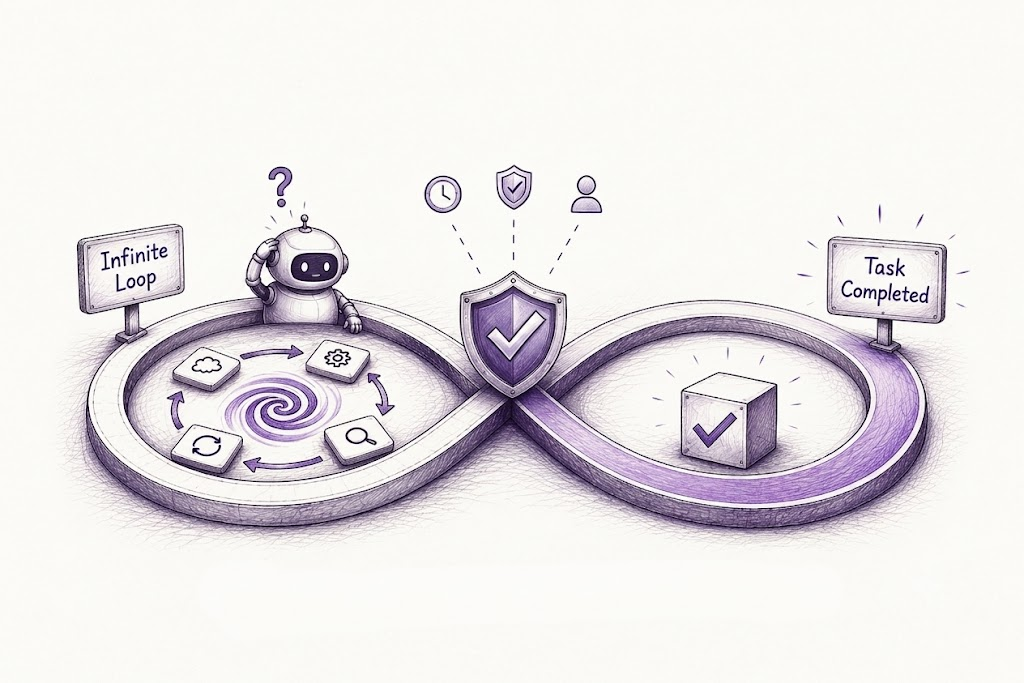
Most infinite loops trace back to one root cause: the agent was never given a clear way to know when it's "done."
Fixing stalls takes a mix of architectural guardrails, smarter prompting, and real observability, not just a better model.
The most reliable agents aren't the smartest ones; they're the ones designed to fail safely and escalate to a human when unsure.
If you've deployed an AI agent into a real business workflow, you've probably seen it happen. The agent starts strong, calls a tool, checks the result, calls the tool again and again and again. Or worse, it just stops with no error, no output, nothing.
This is one of the most common and most frustrating problems in enterprise AI agents today. It doesn't show up much in demos because demos are short and predictable. But once you put an agent into a messy, real-world environment with APIs that sometimes fail, data that’s sometimes incomplete and tasks that don’t have a clean finish line, these agents can get stuck in recursive execution paths or simply freeze halfway through a task. Let's talk about why this happens, and more importantly, how to fix it.
Why AI Agents Get Stuck in an Infinite Loop
Before jumping to solutions, it helps to understand the root causes. Most "infinite loop" and stalling issues trace back to a handful of recurring problems.
1. The agent doesn't know when it's "done."
A lot of agent frameworks are built around a loop: think, act, observe, repeat. If there's no clear success condition, the agent has no signal to stop. It just keeps thinking it needs to do "one more thing." This is one of the most common LLM reasoning failures. The model isn't wrong about what to do next; it's wrong about whether it should stop at all.
2. Tool calls fail silently or return unexpected formats.
If an API returns an error, a partial response, or data in a slightly different format than expected, the agent may misinterpret it as "still working" and retry the same action repeatedly. Multiply this across a multi-step workflow, and you get a loop that looks intentional but is actually just confusion dressed up as persistence.
3. Context window overload.
As an agent accumulates history, like tool outputs, intermediate reasoning, and previous attempts, it can lose track of what it has already tried. It ends up repeating steps because it genuinely forgot it already did them. This is especially common in long-running enterprise tasks like document processing, multi-system data reconciliation, or customer service escalations.
4. Ambiguous or conflicting instructions.
When a prompt gives an agent two goals that quietly contradict each other (say, "resolve the ticket" and "don't take any action without approval"), the agent can freeze, unsure which instruction takes priority. This isn't a bug in the model; it's a gap in how the task was designed.
5. No fallback for the unexpected.
Enterprise environments are unpredictable. Systems go down, permissions get denied, data doesn't match expectations. If the agent's logic only accounts for the "happy path," anything outside that path can cause it to stall completely.
Diagnosing which of these is happening in your system is really a job of agentic workflow debugging. Tracing through logs, replaying the agent's decision path, and figuring out exactly where the reasoning broke down. It's tedious, but skipping this step means you're guessing at fixes instead of solving the actual problem.
Solving Infinite Loops and the Stalling Problem in AI Agents
Once you know why an agent is looping or stalling, the fix usually falls into one of a few categories. Most production-grade systems end up combining several of these.
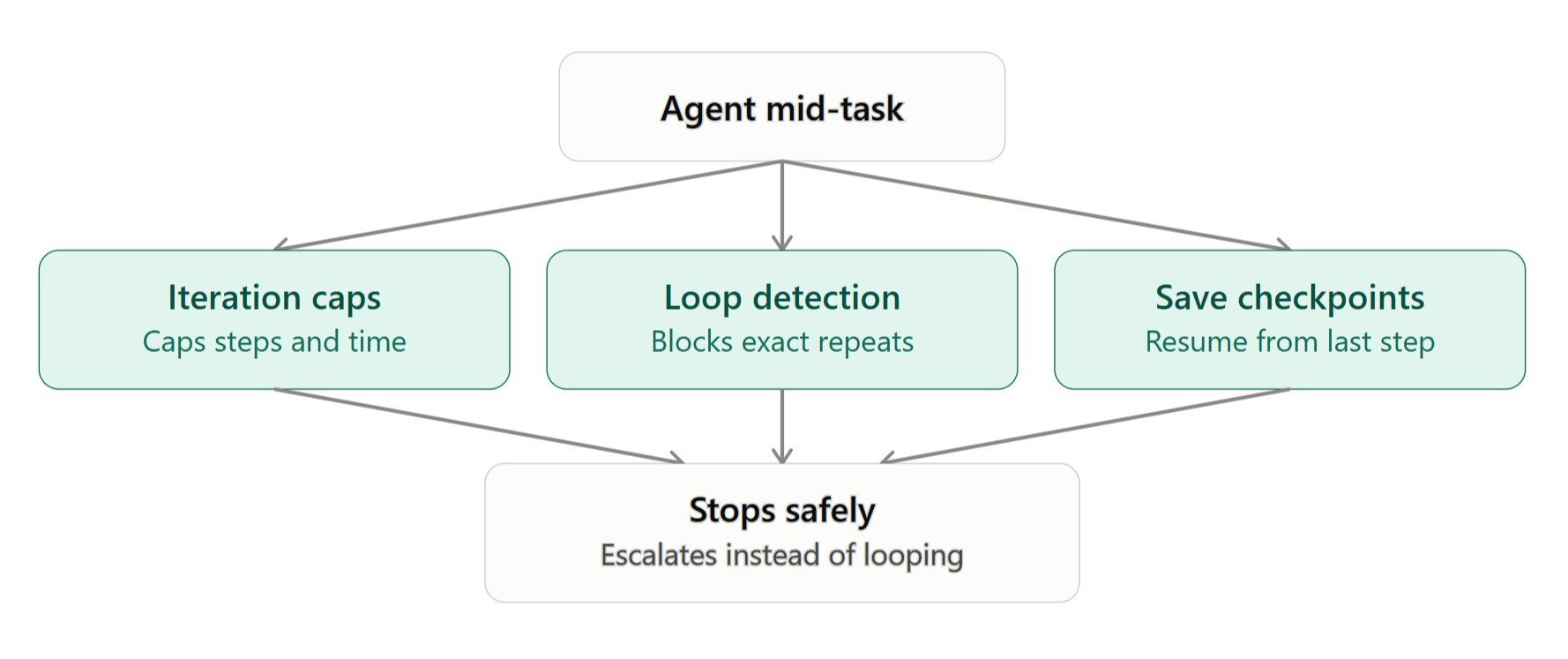
1. Architectural Guardrails
These are the structural safety nets that stop a loop before it spirals out of control.
Iteration caps and timeouts. Set a hard limit on how many steps or how much time an agent can spend on a task. When the limit is reached, the agent should hand off to a human or return a clear "unable to complete" message rather than failing silently.
Loop detection logic. Track the agent's recent actions and compare them. If it's about to repeat an action it already tried with the same inputs and got the same result, block it and force a different path.
State checkpoints. Break long tasks into smaller stages with saved progress. This way, if something goes wrong, the agent (or a person) can pick up from the last good checkpoint instead of starting over or getting lost in a full history.
2. Better Prompting and Reasoning Design
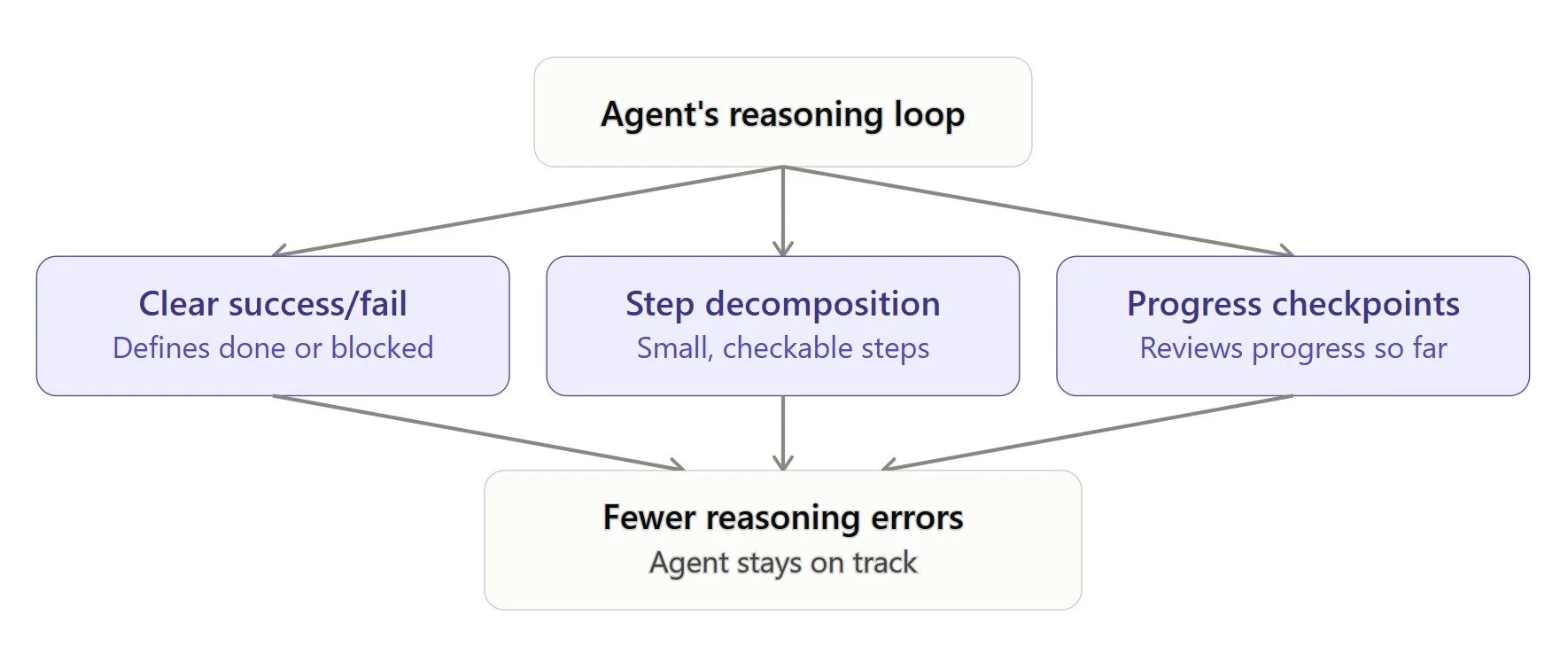
Some of the fix lives in how you talk to the model, not just how you build around it.
Explicit success and failure conditions. Spell out exactly what "done" looks like, and just as importantly, what "I can't do this" looks like. Giving the agent permission to fail gracefully is often the single biggest fix for stalling.
Step decomposition. Instead of asking an agent to "handle the customer refund end-to-end," break it into smaller, verifiable sub-tasks. Smaller steps are easier for the model to reason about correctly, which cuts down on a lot of common LLM reasoning failures.
Self-reflection checkpoints. Have the agent briefly summarize what's been done and what's left before continuing. This forces it to check its own progress against the goal, rather than blindly continuing a pattern.
3. Monitoring, Debugging, and Observability
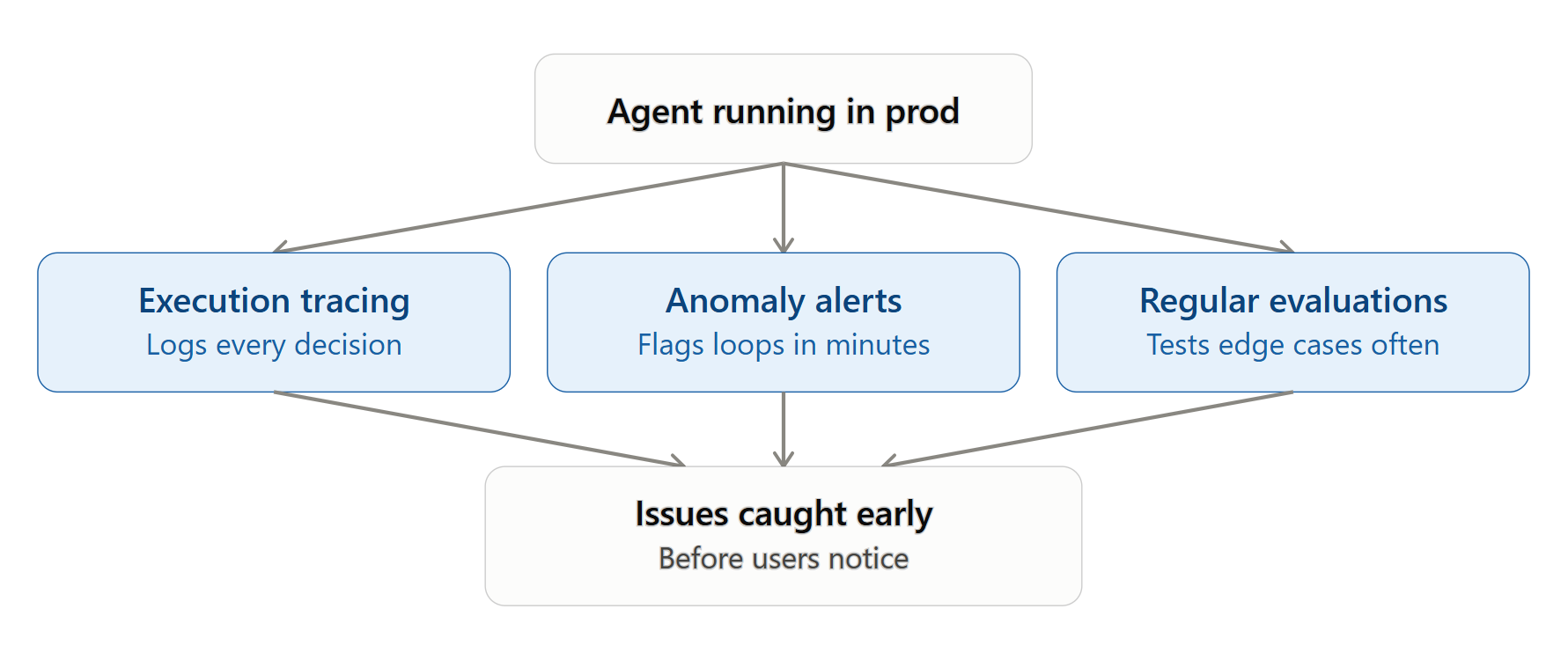
You can't fix what you can't see. Enterprise teams that get this right treat agentic workflow debugging as an ongoing discipline, not a one-time fix.
Full execution tracing. Log every decision, tool call, and observation the agent makes. When something goes wrong, you want to replay exactly what happened.
Anomaly alerts. Set up alerts for repeated tool calls, unusually long task durations, or dead-end states, so your team knows about a stuck agent in minutes, not after a customer complains.
Regular evaluation runs. Test agents against edge cases regularly, not just before launch. Production AI agent optimization is an ongoing process. The data, tools, and user behavior an agent encounters will shift over time, and your monitoring needs to keep pace.
4. Human-in-the-Loop Escalation
Not every problem needs to be solved by the agent alone. Sometimes the smartest fix is knowing when to ask for help.
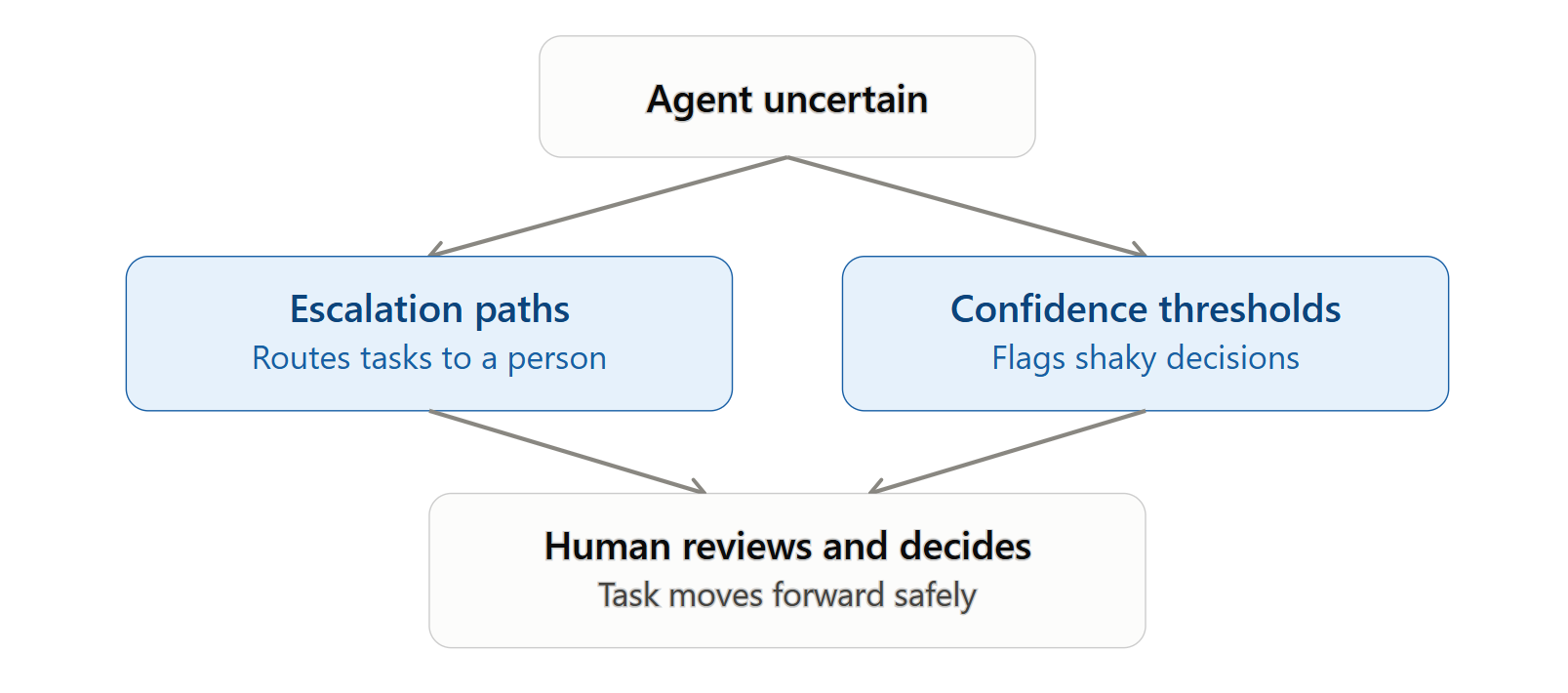
Clear escalation paths. If an agent hits an iteration cap, an unexpected error, or a low-confidence decision, it should be able to flag a human reviewer instead of guessing or looping.
Confidence thresholds. Have the agent estimate how sure it is about a decision. Below a certain threshold, route the task to a person rather than letting the agent push forward on shaky ground.
5. Testing Before You Scale
A lot of infinite loop issues never show up in testing because test environments are too clean. Before rolling an agent out enterprise-wide, it’s better to test it with messy, incomplete, and contradictory data. Simulate API failures on purpose. Give it ambiguous instructions and see what it does. This kind of adversarial testing catches most looping and stalling bugs before they ever reach a real user.
When It's Time to Bring in Experts for Help
If your team is building agents in-house and keeps running into the same looping or stalling issues without a clear root cause, it might be worth bringing in specialists. The teams of experienced AI agent development services have usually seen these failure patterns dozens of times across different industries, and they know how to build the guardrails, monitoring, and escalation logic into the architecture from day one rather than bolting it on after something breaks in production.
Similarly, if you're trying to automate an entire workflow (not just a single task) and want it to actually hold up under real business conditions, working with an AI automation agency can save months of trial and error. They tend to bring battle-tested frameworks for exactly this kind of reliability engineering, so you're not reinventing loop detection and fallback logic from scratch.
In a Nutshell
Infinite loops and silent stalls aren't signs that AI agents are fundamentally unreliable, but they're signs that the surrounding system wasn't built to handle the real world's messiness. Give your agents clear stopping conditions, structural guardrails, good observability, and a way to ask for help when they're unsure, and most of these issues disappear. The agents that succeed in enterprise settings aren't necessarily the "smartest" ones. They're the ones built to fail safely, recover quickly, and know exactly when to stop.
Frequently Asked Questions
-
A looping agent keeps repeating actions without progress. A stalled agent stops entirely, often because it hit an ambiguous instruction or an error case it wasn't built to handle.
-
It helps a lot, but it's rarely the whole fix. Explicit success/failure conditions and step decomposition reduce reasoning failures, but you still need architectural guardrails like iteration caps and loop detection as a safety net.
-
You can debug through agentic workflow debugging. Do this by reviewing execution traces, replaying the agent's decisions step by step, and pinpointing exactly where its reasoning or tool calls went wrong, rather than guessing at a fix.
-
No, it shows up across customer service bots, data reconciliation agents, document processing pipelines, and any multi-step workflow where the agent has to handle real-world unpredictability rather than a clean, scripted path.
Related Reading

Let’s Talk

Drop us a note, we’re happy to take the conversation forward 👇🏻

The org chart didn't break because of remote work. It broke when three forces converged: AI agents joined the workforce, the contractor-employee line dissolved, and skills replaced job titles as the unit of hiring.