Migrating HubSpot Legacy CRM Cards to the New React App Cards
Key takeaways:
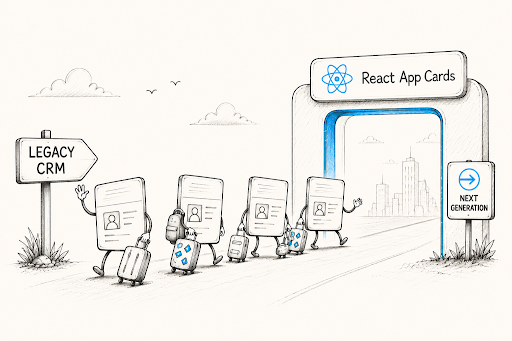
Legacy CRM Cards sunset on October 31, 2026, requiring a migration to React-based App Cards.
New React-based App Cards offer greater interactivity, flexibility, and improved developer tools compared to static legacy cards.
Migration paths include a complete React redesign or using HubSpot's official Legacy CRM Card Converter.
If you're using HubSpot and relying on Classic CRM Cards to display custom data in your CRM records, you've probably heard the news that those legacy cards are on their way out. HubSpot has officially announced the Legacy CRM Cards Sunset, with a hard deadline of October 31, 2026. After that date, any apps still running Classic CRM Cards will stop working as expected.
The good news? The new React-based App Cards are genuinely better, more flexible, more interactive, and more future-proof. In this guide, you’ll walk through everything you need to know about HubSpot legacy CRM cards migration: what's changing, why it matters, and how to get it done.
What Are HubSpot Legacy CRM Cards, and Why Are They Being Retired?
Classic CRM Cards (also called Legacy CRM Cards) have been part of HubSpot's ecosystem for over a decade. They allowed developers to pull data from external apps and display it in the right sidebar of CRM records like Contacts, Companies, Deals, and Tickets. You could also add limited interactions via iframes and webhooks.
But here's the catch: they were static. These cards lived only in the right sidebar, worked with just a handful of standard CRM objects, and didn't offer the kind of rich, dynamic interactivity that modern businesses need. That's exactly why HubSpot is pushing everyone toward the new interactive App Cards built with React.
According to HubSpot's official deprecation announcement, this shift is "driven by newer UI extension capabilities, which have shown significant developer interest and engagement, indicating a future-ready pathway."
Overall, the old way was fine for its time, but the new way is simply much more powerful.
Key Dates You Need to Know
Before we get into the migration steps, let's lock in the critical timeline:
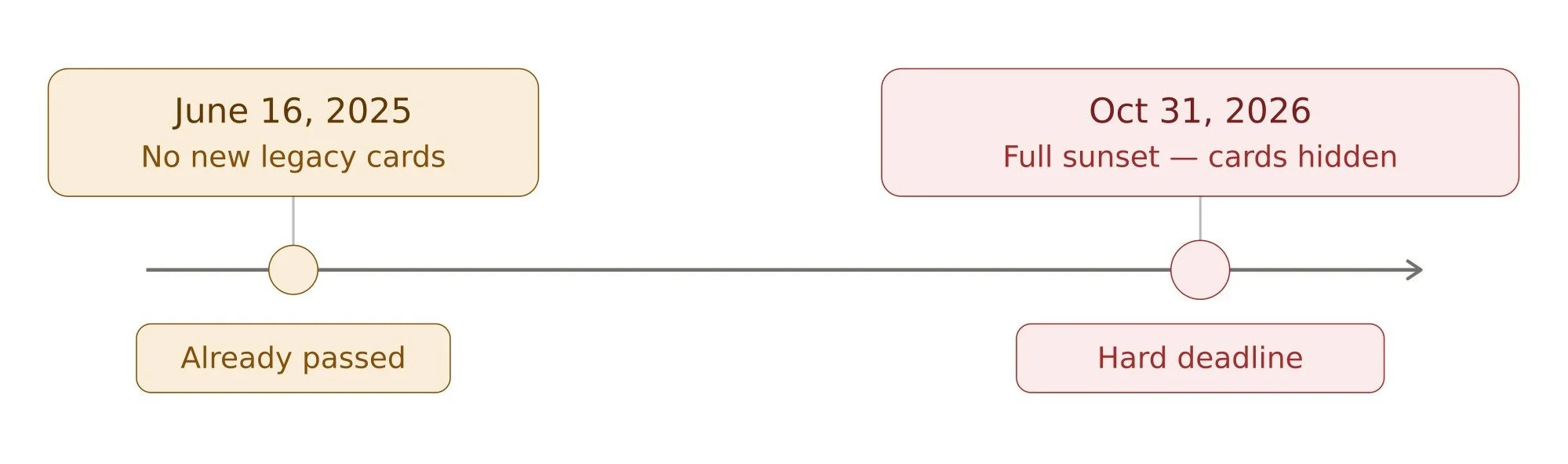
June 16, 2025: New apps can no longer include Classic CRM Cards when applying for a HubSpot App Marketplace listing or certification. Developers are also no longer able to add new Legacy CRM Cards to the HubSpot UI.
October 31, 2026: The full Legacy CRM Cards Sunset takes effect. All existing Classic CRM Cards will be automatically hidden from customer views. If you haven't migrated by then, your custom cards simply won't show up anymore.
Existing apps in the App Marketplace that already include Classic CRM Cards are not immediately affected, but they must complete their HubSpot app cards migration by the October 2026 deadline.
Two Paths to Migrate HubSpot Classic CRM Cards
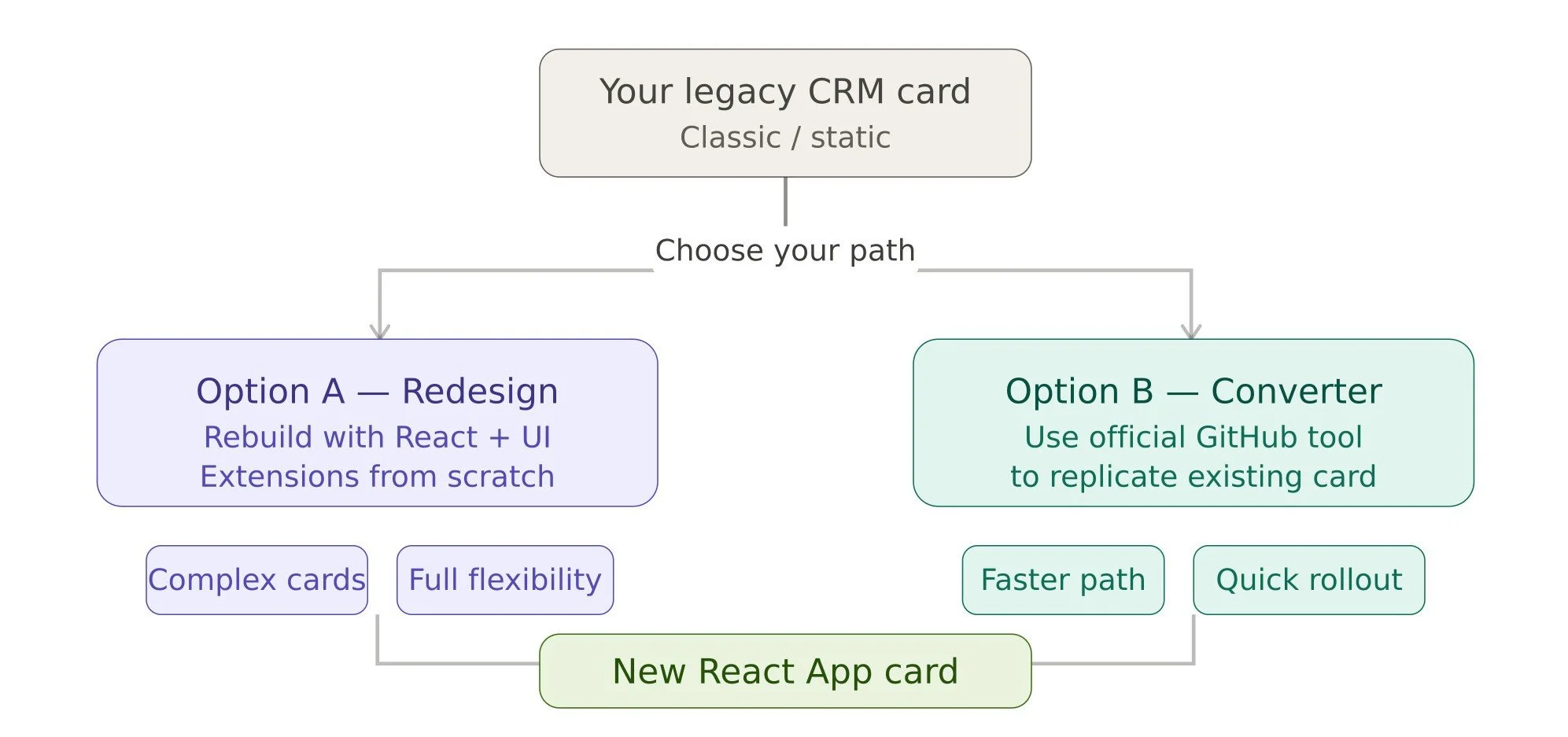
When it comes to migrating HubSpot legacy cards to app cards, there are two main approaches depending on how much you want to invest in the upgrade:
Option A: Redesign From Scratch
This is the more thorough route. You rebuild your card using React and HubSpot's UI Extensions framework, taking full advantage of everything the new platform offers. If your legacy card was complex or you want to improve the experience for your users, this is the path to take. HubSpot even provides Figma resources to help with the design side of things.
Option B: Use the Legacy CRM Card Converter
If you want a faster migration that closely replicates your existing card's behavior, HubSpot has released an official tool for exactly that: the Legacy CRM Card Converter. It's hosted on GitHub and provides an example implementation plus guidance for converting Classic CRM Cards into modern App Cards.
A couple of things to note about this path: action requests will now use JSON instead of URL-encoded bodies, and card titles will be static. These are minor differences, but worth reviewing in the README before you start.
Step-by-Step: How to Migrate Legacy CRM Cards
Here's a practical breakdown of the HubSpot legacy CRM cards migration process:
Step 1: Migrate Your App to the Developer Projects Framework
If your app isn't already on the new developer platform, that's your first move. Run hs project migrate in the HubSpot CLI to bring your app into the project's framework. This is a prerequisite for everything else.
If you're starting fresh, follow HubSpot's developer platform quickstart guide to set up your project correctly from the beginning.
Step 2: Build a Replacement App Card
Once your app is project-based, create your new UI extension App Card using either Option A (redesign) or Option B (converter) described above.
As a best practice, develop and test your App Card in a separate testing app before deploying it to production. This is important because once view swapping has been initiated, it cannot be reversed.
Step 3: Swap the Legacy Card with the App Card in all Customer Views
This is where things get really smooth. As of April 21, 2026, HubSpot introduced the Legacy CRM Card View Swapping Tool, which lets developers replace Legacy CRM Cards in their customers' existing CRM views.
Here's how it works: you call the Migrate Views API endpoint once your replacement card is ready. HubSpot then processes the view updates asynchronously across all app installs, automatically replacing the legacy card with your new App Card in the same view locations.
The result? Your customers see the new card in the right place, and they don't have to do anything themselves. That's a huge win for HubSpot custom integration teams who manage apps across many accounts.
Step 4: Clean Up
After the migration runs successfully, you can safely remove the legacy card from your source code. If you leave it in, HubSpot will automatically hide it on October 31, 2026 anyway, but it's cleaner to remove it yourself once you've confirmed the new card is working properly. Also, it’s best to remove the unused legacy cards since they are of no use anymore.
A Note on Ticket Support
If your legacy CRM card supports tickets, there's one important thing to keep in mind: legacy cards automatically appear in the helpdesk sidebar for ticket records. When you migrate to App Cards, you'll want to explicitly configure the placement for the helpdesk view so that functionality isn't lost.
Make sure your HubSpot developers and consultants account for this when planning the migration, especially if customer support workflows depend on those cards being visible in the helpdesk.
What's Better About the New React App Cards?
If you're wondering whether the migration is worth the effort, the answer is a clear yes. Here's what the new HubSpot React cards bring to the table:
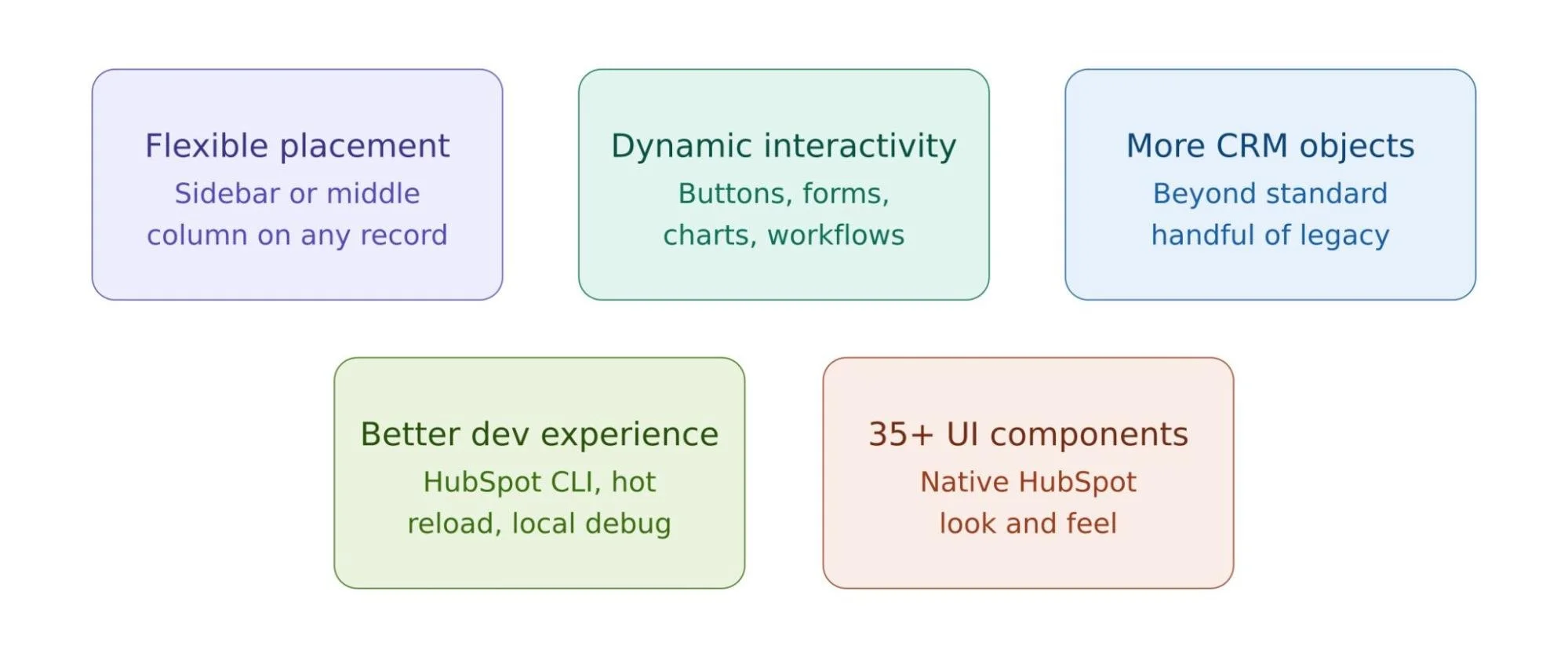
More placement options: Unlike Classic CRM Cards that were stuck in the right sidebar, the new App Cards can appear in the middle column tab or the sidebar of any record page. This gives you much more flexibility in how you present information.
Dynamic interactivity: The new cards are built with React, which means you can create fully interactive experiences right inside the HubSpot CRM. No more static displays.
Access to more CRM objects: The new framework works with a wider range of CRM objects, not just the standard handful that legacy cards supported.
Better developer experience: With HubSpot's CLI, you can develop locally with hot module reload, debug in real time, and manage deployments cleanly through the developer projects framework.
A library of 35+ UI components: HubSpot's UI Extensions SDK gives you a growing set of ready-made components that look and feel native to HubSpot. So your custom cards blend seamlessly with the rest of the interface.
Resources to Help You Along the Way
HubSpot has put together a solid set of tools and documentation for this transition. Here are the most useful ones:
HubSpot is also updating the Developer Changelog regularly with new migration support resources, so it's worth subscribing if you haven't already.
Working With HubSpot Experts To Handle Migration
If your legacy cards are complex, the converter tool or a clean rebuild with React could feel complicated. It would be worth bringing in experienced HubSpot developers or HubSpot consultants who know the UI Extensions framework well. Getting the migration right the first time is important, especially since view swapping is a one-way process.
Whether you're handling it internally or working with HubSpot app development specialists, the key is not to wait. October 2026 may sound far off, but testing, staging, and deploying across all your app installs take time.
Final Thoughts
The legacy CRM cards replacement is one of the more significant shifts in HubSpot's developer platform in recent years, but it's a change in the right direction. The new React-based App Cards are more powerful, more flexible, and better aligned with where HubSpot is heading as a platform.
Whether you're a brand managing a custom HubSpot integration or a development team that builds apps for the HubSpot marketplace, the migration path is clearer now than it's ever been. The tools are there, the documentation is solid, and HubSpot has even built automated replacement functionality to make the transition easier.
Need help navigating the migration? Concretio’s expert team offers comprehensive HubSpot development services to ensure your transition to React App Cards is seamless and future-proof. Contact us today to get started.
Frequently Asked Questions
-
Your Classic CRM Cards will be automatically hidden from all customer views. They won't be deleted, but they'll stop appearing, breaking any workflows that depend on them.
-
No. Once you call the Migrate Views API, HubSpot handles the swap automatically across all installs. Your customers will see the new App Card in the same location. No action is needed on their end.
-
The hs-release-app-cards feature flag applies to all App Cards in your app at once, not individual cards. Plan your migration to cover all legacy cards in the same app together.
-
Yes. It's an official HubSpot example hosted on their GitHub repository. It's the recommended fast-track option for teams that want to replicate existing card behavior without a full redesign.
Related Reading

Let’s Talk

Drop us a note, we’re happy to take the conversation forward 👇🏻