Day 3 of Dreamforce 2026 was no short of action. After two packed days of Agentforce, Data 360, Sales, and Service announcements, Salesforce still had plenty more to show.
Day three shifted the spotlight to Marketing Cloud and Slack, showing how AI is moving beyond individual agents and into the way teams market, sell, collaborate, and get work done.
The Dreamforce 2026 Marketing Cloud keynote focused on multiplying marketers with agents that can build, optimize, and act on campaigns.
The Dreamforce 26 Slack keynote took a broader view, positioning Slack as the front door to Salesforce and a multiplayer interface for the AI-powered workplace.
Before we dive into Day 3, here’s where you can catch up on the key announcements from the first two days:
Marketing Cloud Is Built to Multiply Marketers
The Dreamforce Day 3 Marketing Cloud keynote started with a simple shift in how people discover brands.
Customers are no longer relying only on websites, emails, or traditional search. They are asking AI for answers, recommendations, and product comparisons. That means marketers now have to think about two audiences: humans and AI.
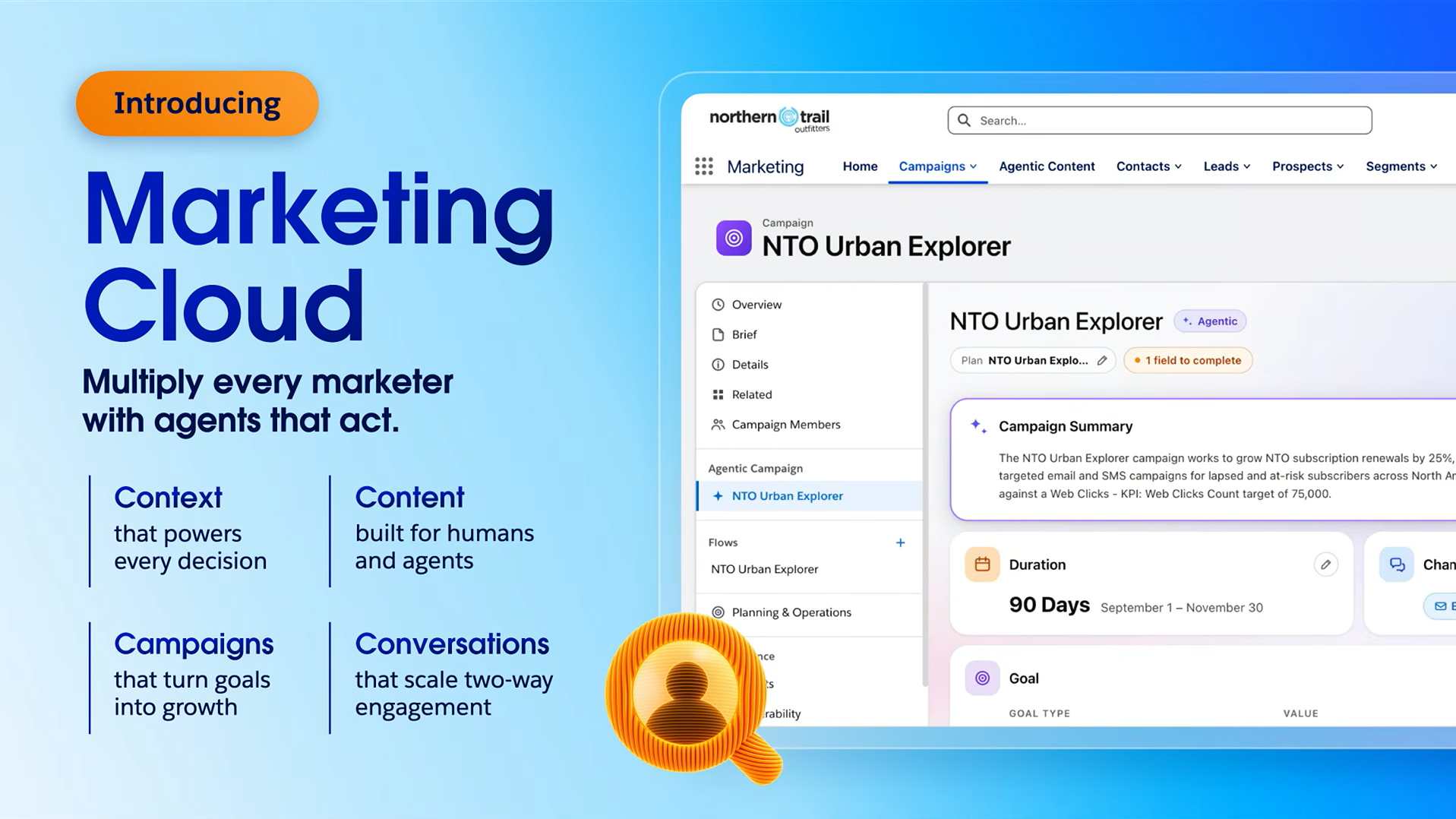
Salesforce's approach is to give marketers AI agents that can act on their strategy rather than simply help them complete individual tasks. These agents can use customer and brand context, create content, manage campaigns, and respond to buying signals.
The Marketing Cloud keynote broke this down into three growth imperatives:
Shape what AI says about your brand
Build campaigns that improve automatically
Turn buying signals into pipeline
1. Shape What AI Says About Your Brand
The first chapter focused on a problem that is becoming increasingly important for marketers: what does AI say about your brand when customers ask about your category?
To answer this question, Salesforce introduced Palmata, an AEO solution from Contentful that helps marketers understand how their brand appears in AI-generated answers and identify ways to improve that visibility.
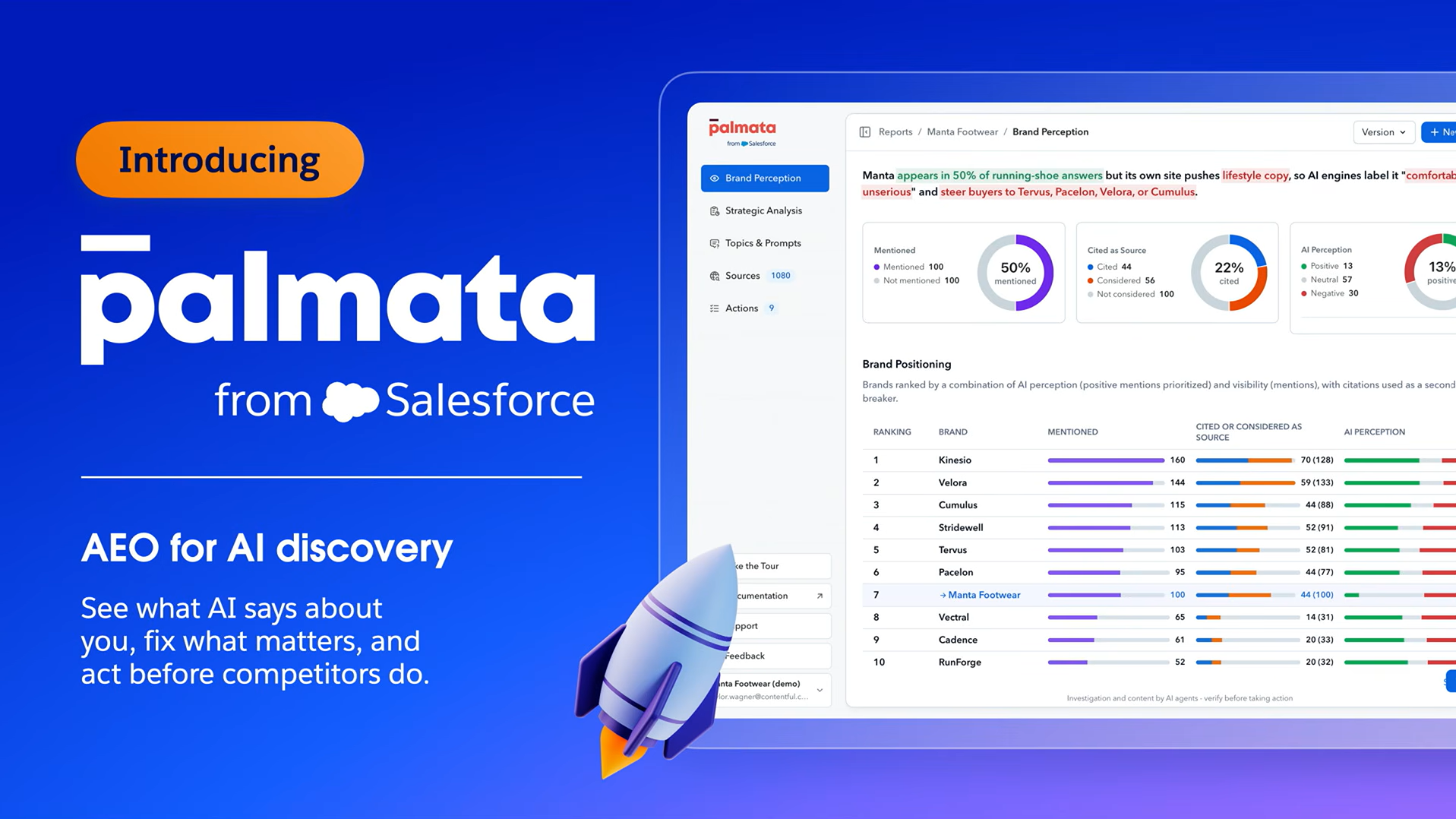
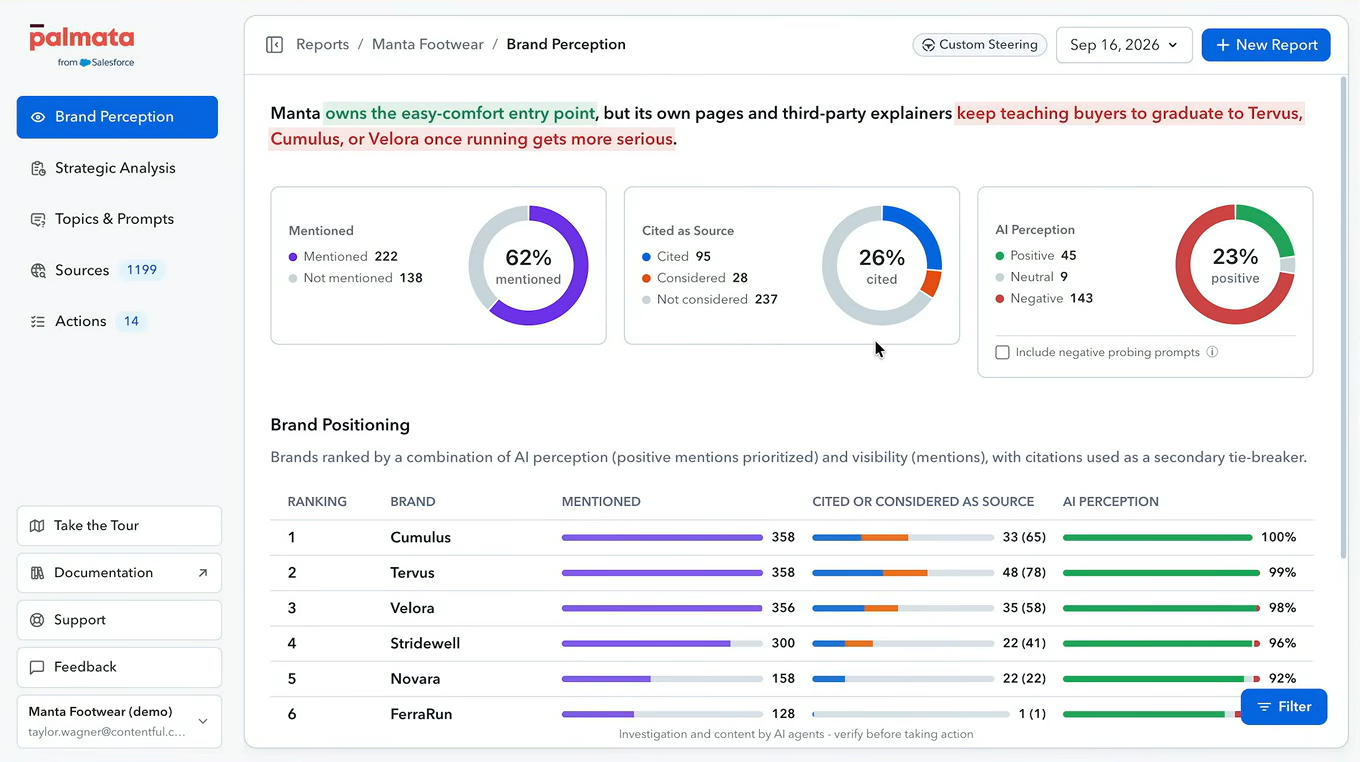
In the keynote demo, a footwear brand used Palmata to analyze how often it was mentioned, cited, and positively represented across AI answers. The tool also looked beyond the brand's own website, identifying external sources such as news articles, competitor pages, and Reddit discussions that could influence how AI perceives the brand.
The interesting part was what came next.
Palmata didn't just show the problem. It recommended specific content changes and simulated their potential impact. The marketer could then connect Palmata and Contentful through MCP and use an AI assistant to make the recommended content change, publish it, and measure the result.
This is where Salesforce's Contentful integration becomes important. A headless content system can provide structured content that can be reused across websites, mobile experiences, campaigns, social channels, and AI-driven experiences.
The bigger shift is clear: marketing is no longer only about controlling the channels you own. It is also about understanding how your brand appears wherever customers ask AI for answers.
2. Build Campaigns That Improve Automatically
The second chapter moved from discovery to execution.
Traditional campaigns often require marketers to define audiences, channels, journeys, content, timing, and decision rules before anything goes live. Salesforce's new Campaign Agent is designed to change that model.
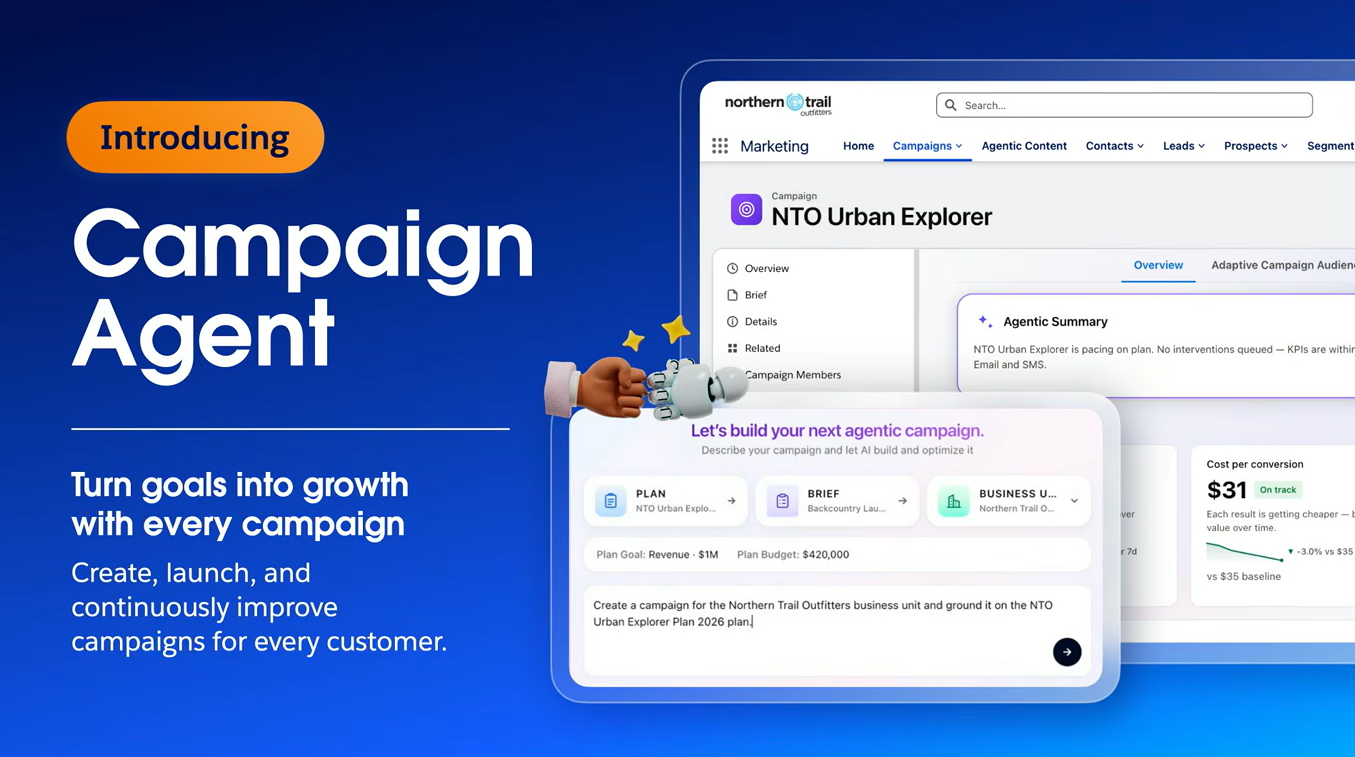
Instead of building every step manually, marketers provide the agent with a marketing plan, campaign brief, goal, brand guidelines, and other instructions. The agent can then assemble the campaign around that goal.
With three key capabilities, Campaign Assembly, Agentic Content, and Campaign Prioritization, Campaign Agent can build the campaign, create channel-ready content, decide which campaign should reach each customer, and continue optimizing the campaign after launch.
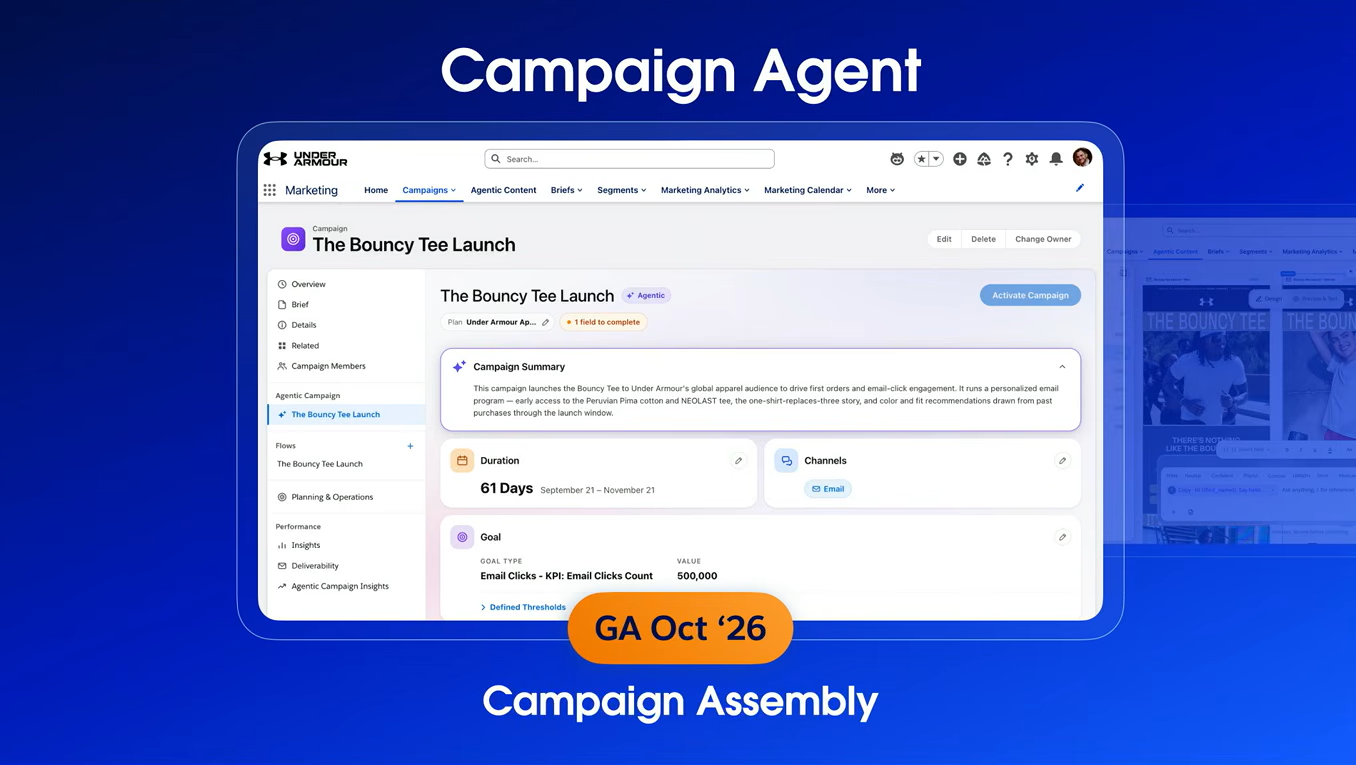
Campaign Assembly
Campaign Agent uses the marketing plan, campaign brief, goals, audience eligibility, channels, and timing to assemble the campaign instead of requiring marketers to manually build every step.
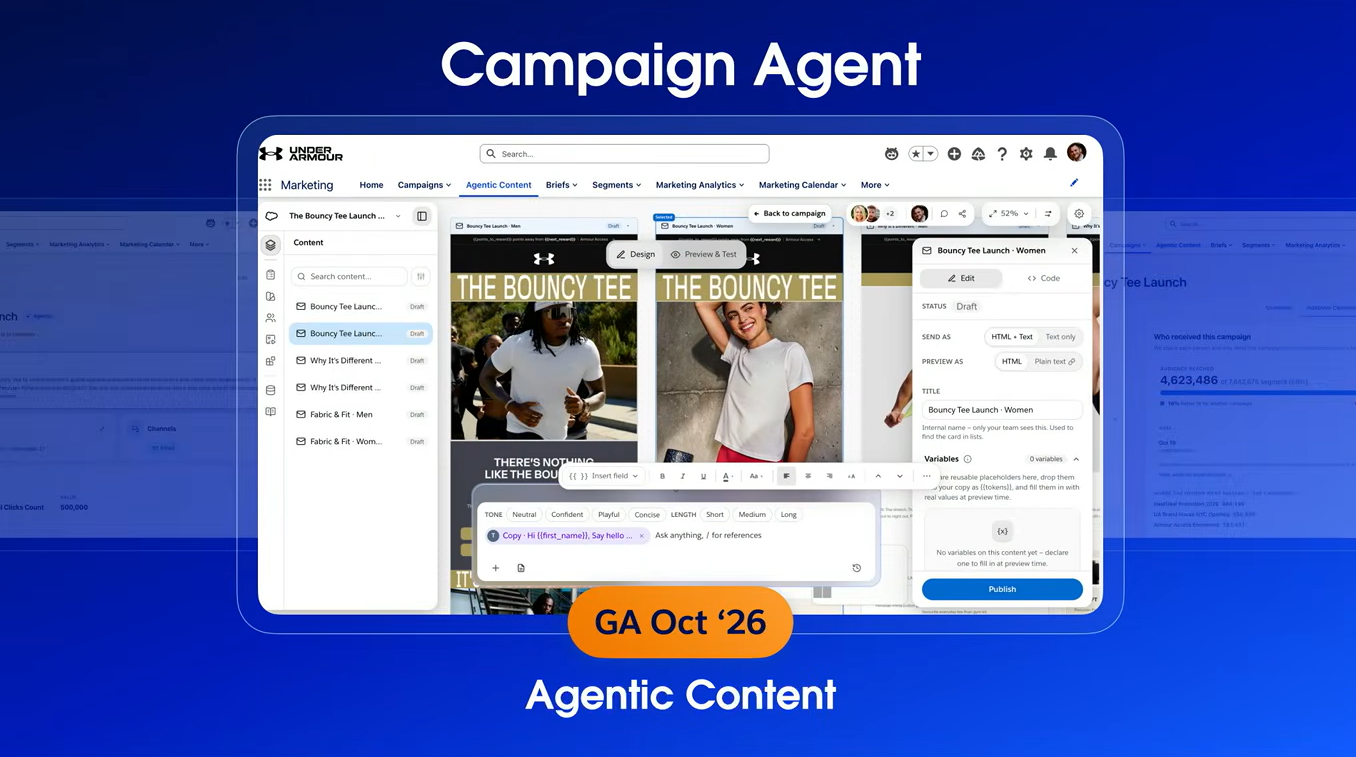
Agentic Content
The agent can generate channel-ready content using the campaign context and brand guidelines. Marketers can also use existing content as a foundation, personalize it, create variations, and translate it for different markets.
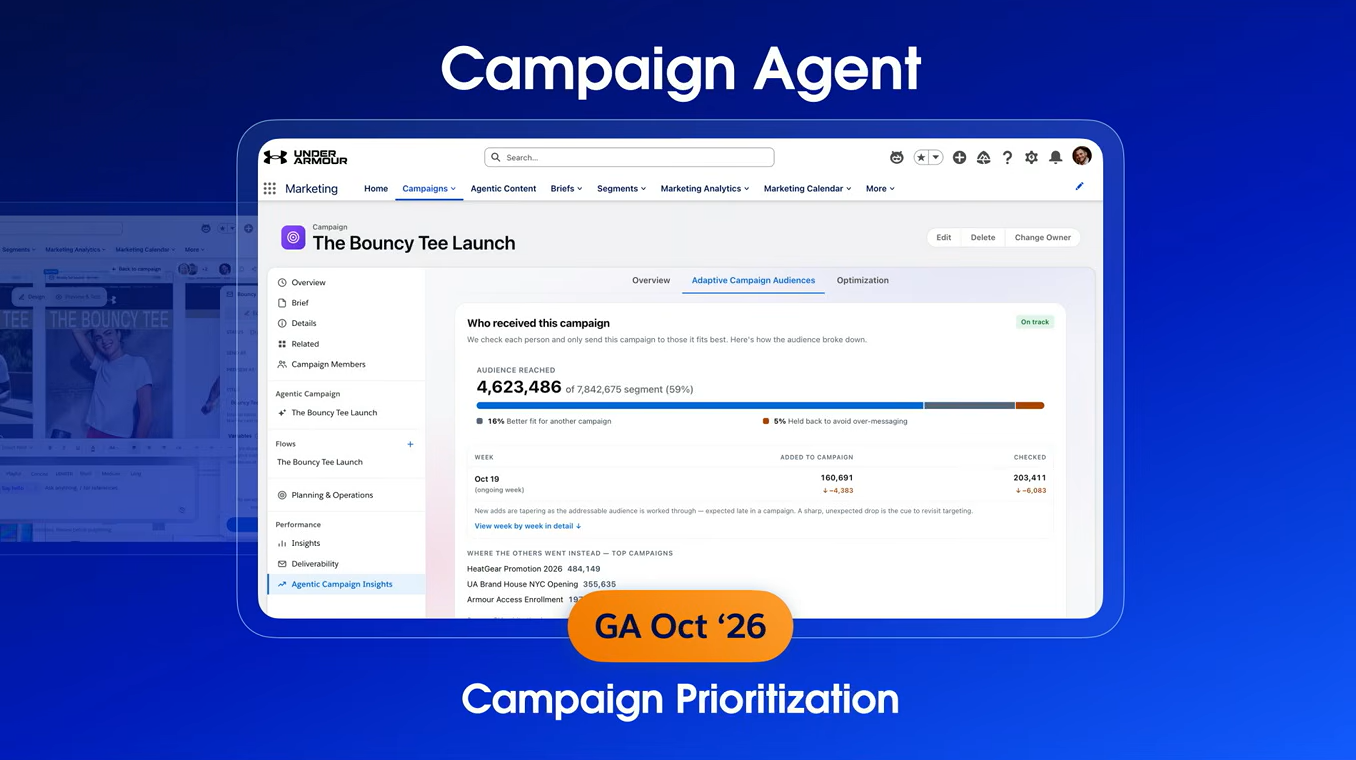
Campaign Prioritization
This is where the campaign keeps working after launch. Instead of simply sending to everyone who qualifies, the agent considers each customer's context across campaigns and prioritizes the campaign that is most relevant to them. It can also optimize content based on what is performing toward the campaign goal.
The keynote demonstrated this with Under Armour.
A marketer started with a brief for a new product campaign. Campaign Agent used that context to build the campaign, generate channel-ready content, create localized variations, and prepare the campaign for launch.
But the more interesting part came after launch.
The marketer did not have to build a complicated step-by-step journey covering every possible customer response. Instead, the agent continued working toward the campaign's defined goal.
It could test different content, learn from customer responses, and adjust what it showed. With adaptive campaign audiences, it could also consider a customer's eligibility across multiple campaigns and prioritize the campaign that best matched their current context.
3. Turn Buying Signals Into Pipeline
The third chapter focused on B2B marketing.
Generating demand is one thing. Recognizing buying intent and acting on it at the right moment is another.
Salesforce introduced three capabilities to help marketers turn those signals into pipeline:
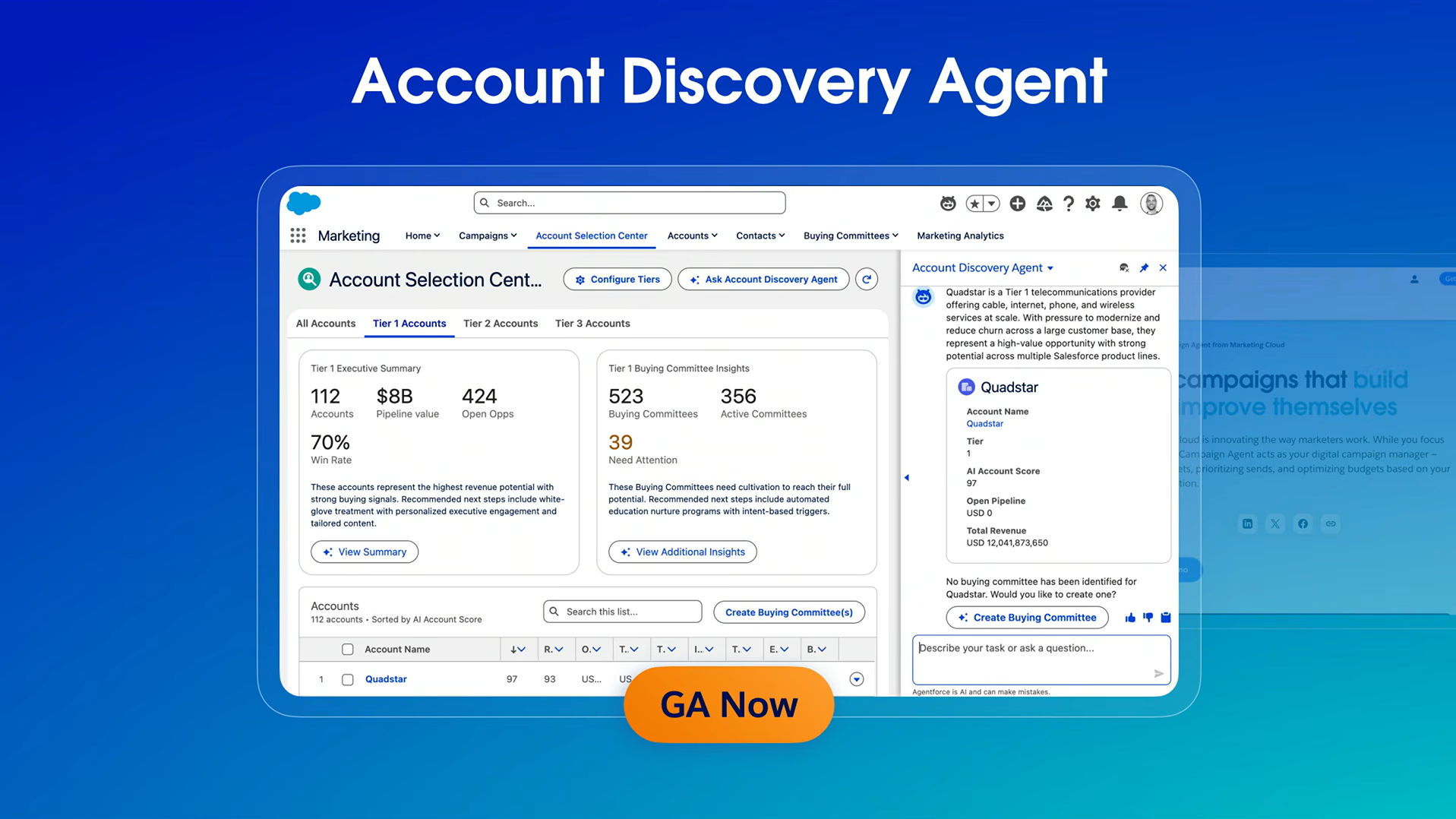
Account Discovery Agent: Identifies accounts worth focusing on by bringing together account information and intent signals. It can also identify gaps in the buying committee and suggest the right buyers to add.
Piper: An inbound pipeline generation agent that works 24/7 to engage website visitors, answer questions, qualify leads, and book meetings when buying intent appears.
Hunter: Works in the background to gather account, contact, campaign, and intent data, giving sales teams the context they need to follow up.
The keynote demo showed how these capabilities work together.
A prospect engaged with a campaign and visited the website. Piper responded immediately, answered her questions, and booked a meeting with a Salesforce representative.
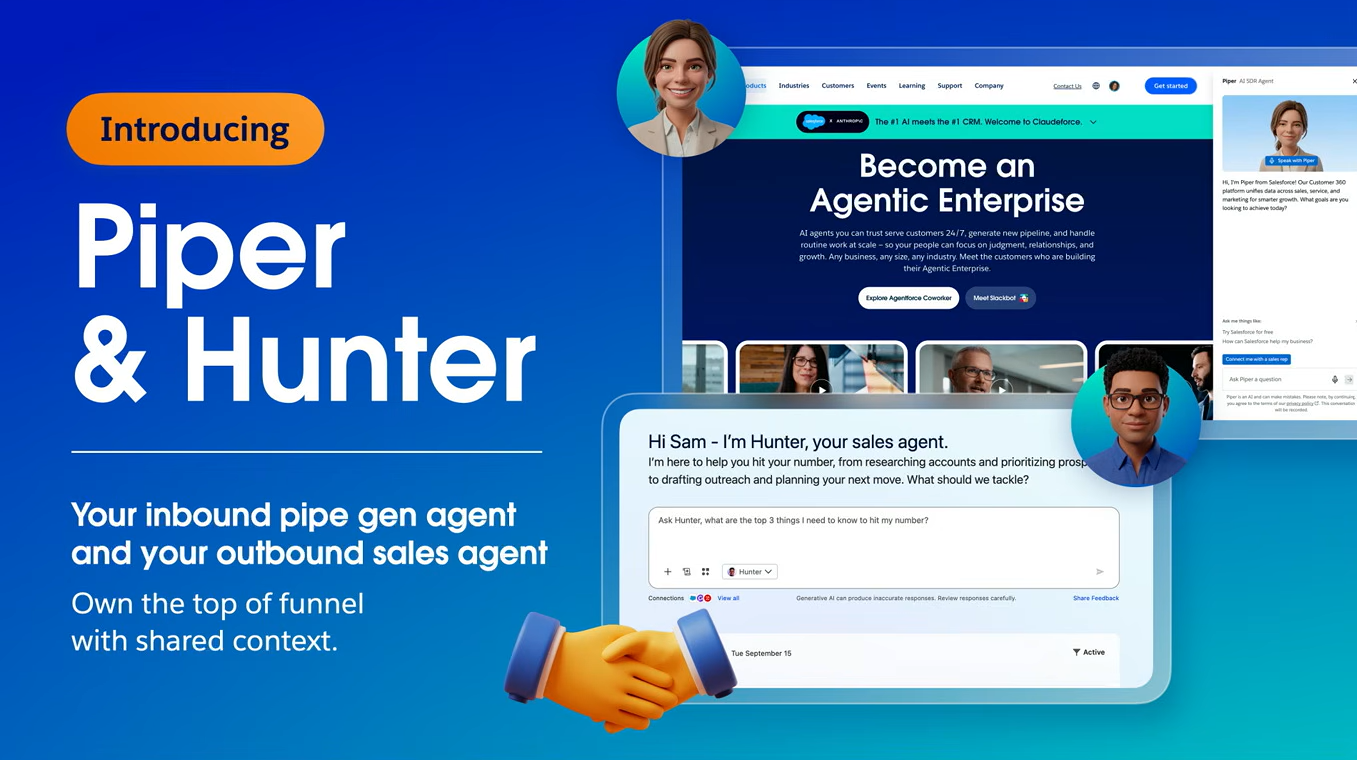
At the same time, Hunter prepared the sales team for that conversation with a meeting brief, follow-up email, and relevant account context. It could even create the opportunity record for the sales rep.
The result is a more connected path from buying signal to marketing engagement to sales follow-up and pipeline.
Slack Is Becoming the Front Door to Salesforce
Day 3 of Dreamforce started with the Slack keynote. Slack is no longer just where teams send messages and share updates. Salesforce called it the fastest-growing product in its portfolio, and the Dreamforce day 3 keynote showed why the company is putting so much focus on it.
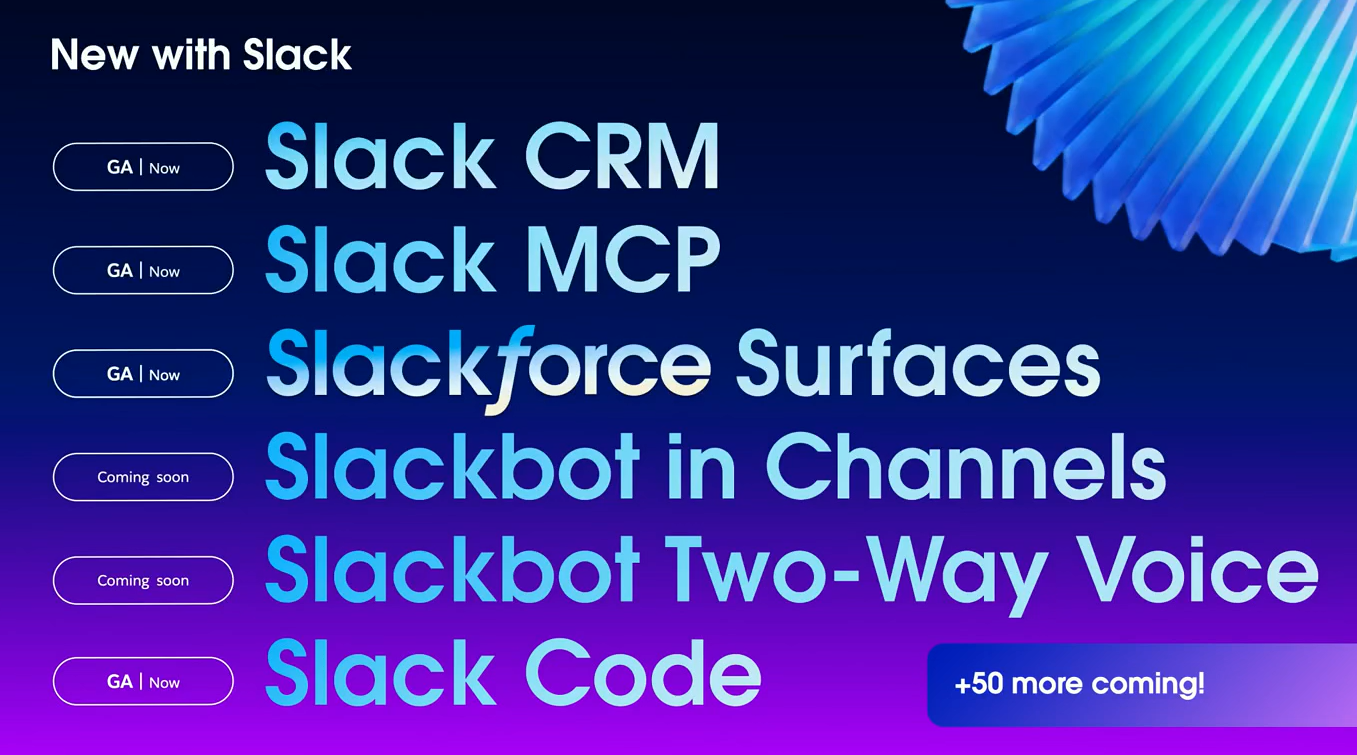
The vision is bigger than chat. Salesforce is turning Slack into a place where employees can access CRM data, work with AI agents, build applications, and collaborate with their teams without leaving the flow of work.
The keynote centered on three areas:
Slackforce: Bring Salesforce into the flow of work
Slackbot: Bring AI to every employee
Slack Code: Turn everyone into a builder
1. Slackforce Brings Salesforce Into the Flow of Work
The first chapter focused on making Salesforce accessible directly from Slack.
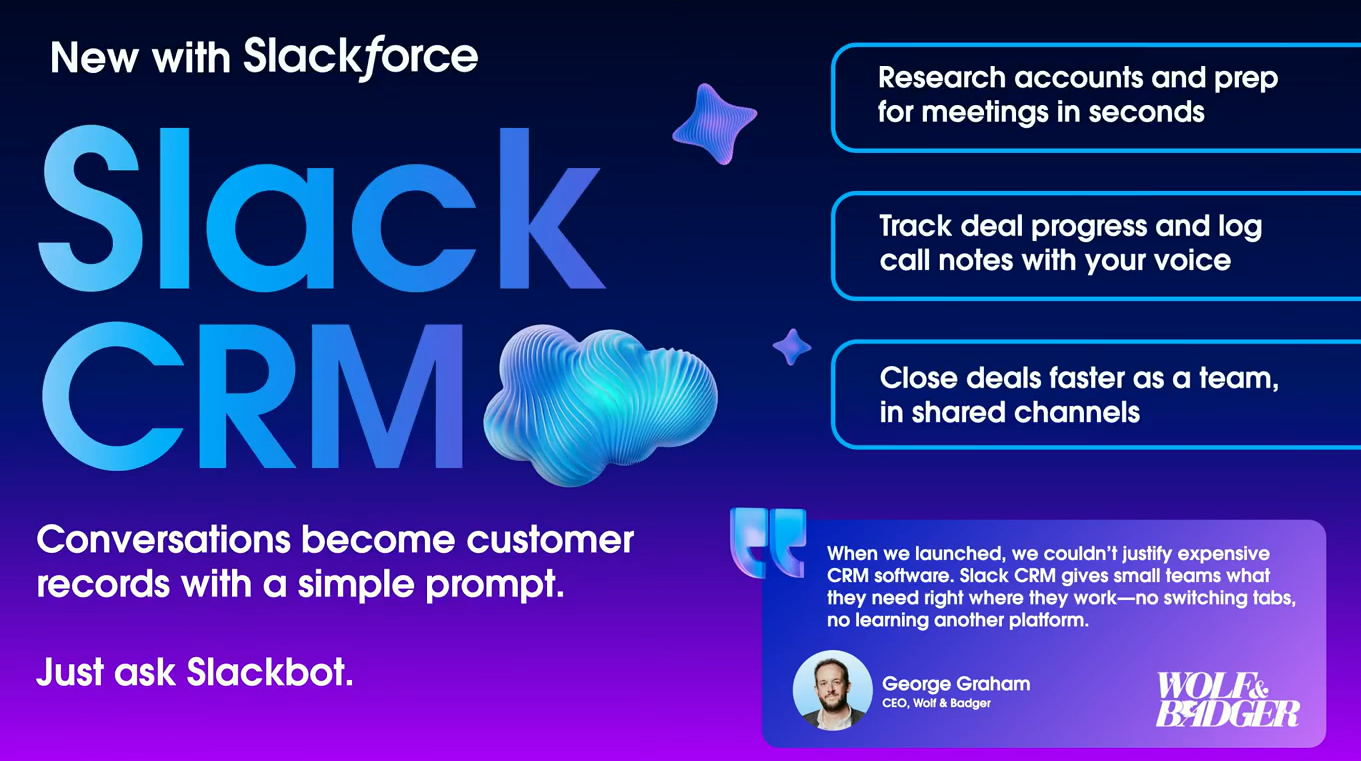
Salesforce introduced Slack CRM, a native CRM experience built inside Slack. The idea is simple: instead of moving between Slack and Salesforce, teams can work with CRM data through a conversational, AI-first interface.
Slack then takes this further with MCP connections to Salesforce products including Sales Cloud, Service Cloud, Agentforce, Data 360, and Tableau.
With Slackbot acting as an MCP client, employees can simply ask Slackbot to perform Salesforce tasks.
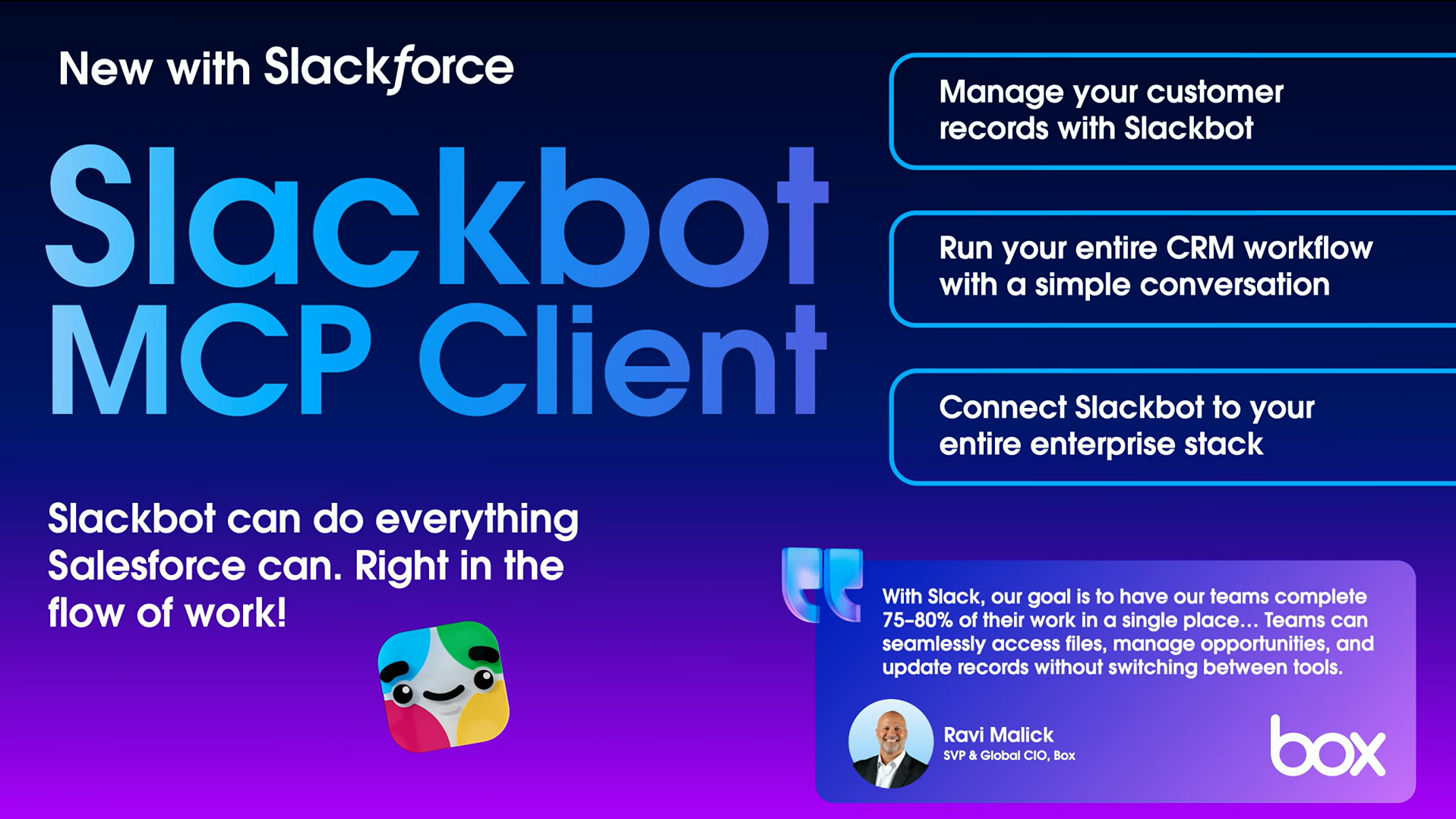
The keynote highlighted three pieces:
Slack CRM: Native CRM capabilities inside Slack.
Slackbot + MCP: Ask Slackbot to access and act on Salesforce data and workflows.
Slackforce Surfaces: Build dynamic, interactive interfaces inside Slack using connected enterprise data.
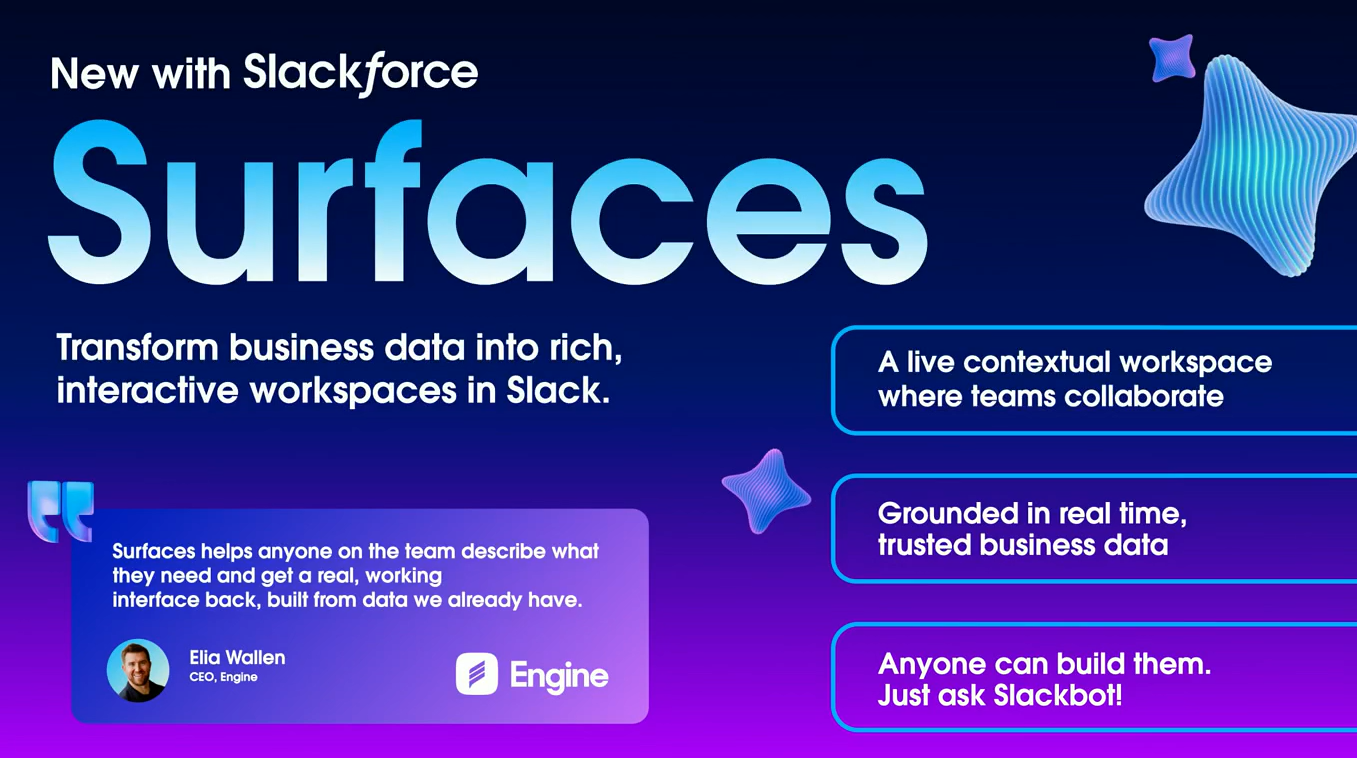
The Surfaces demo showed where this can go.
A team could ask Slackbot to build an account health dashboard using Salesforce data, Slack conversations, and other connected systems. The resulting interface is live, collaborative, and actionable inside the channel.
The bigger idea is that Slack becomes the conversational layer over Salesforce and the rest of the enterprise stack.
Salesforce said that 90% of its sellers now use Salesforce through Slackbot without leaving their flow of work.
2. Slackbot Brings AI to Every Employee
The second chapter focused on Slackbot, which Salesforce described as its fastest-growing feature.
The goal isn't just to give employees another AI chatbot. Slackbot can understand business context, access connected systems, create work, and take action.
From the Dramforce 2026 day 3 keynotes, three updates stood out:
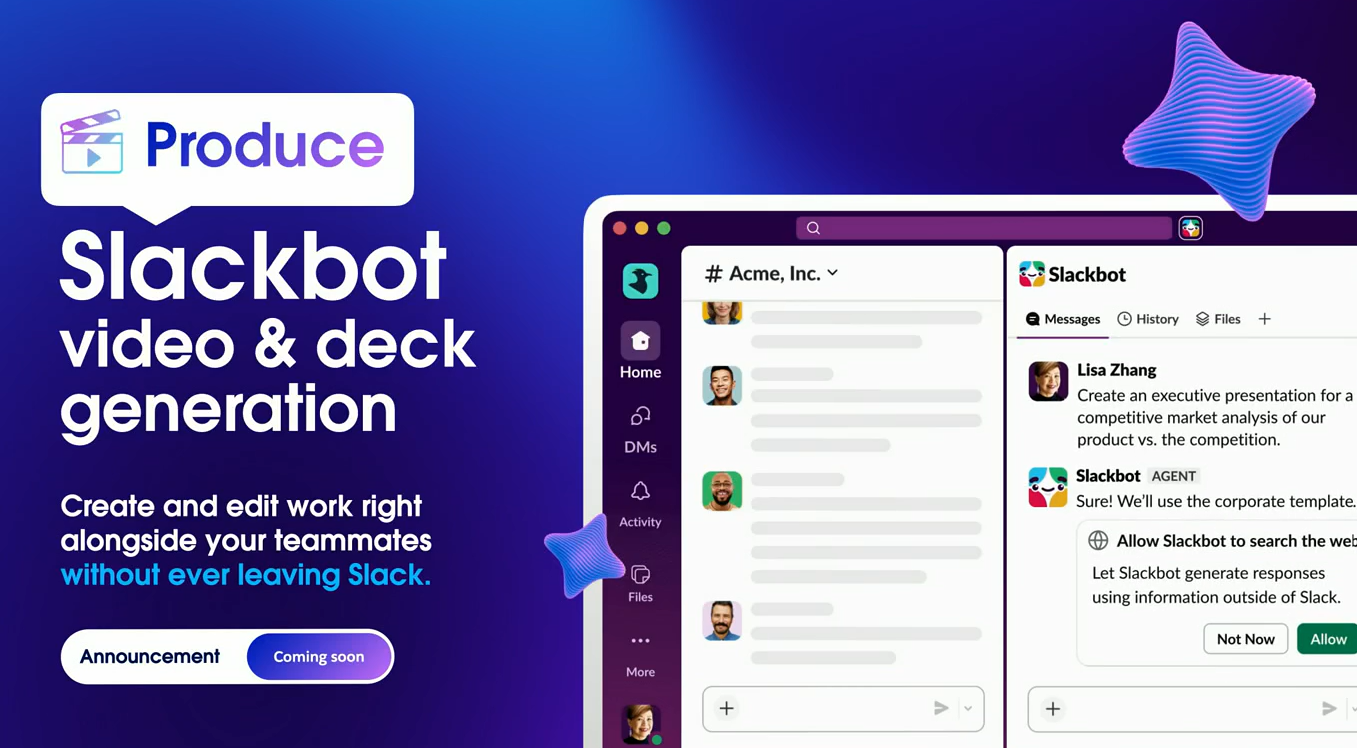
Slackbot Video and Deck Generation: Slackbot can turn business context into presentations, documents, and eventually videos.
Slackbot Two-Way Voice: Employees can talk to Slackbot naturally and ask it to perform actions.
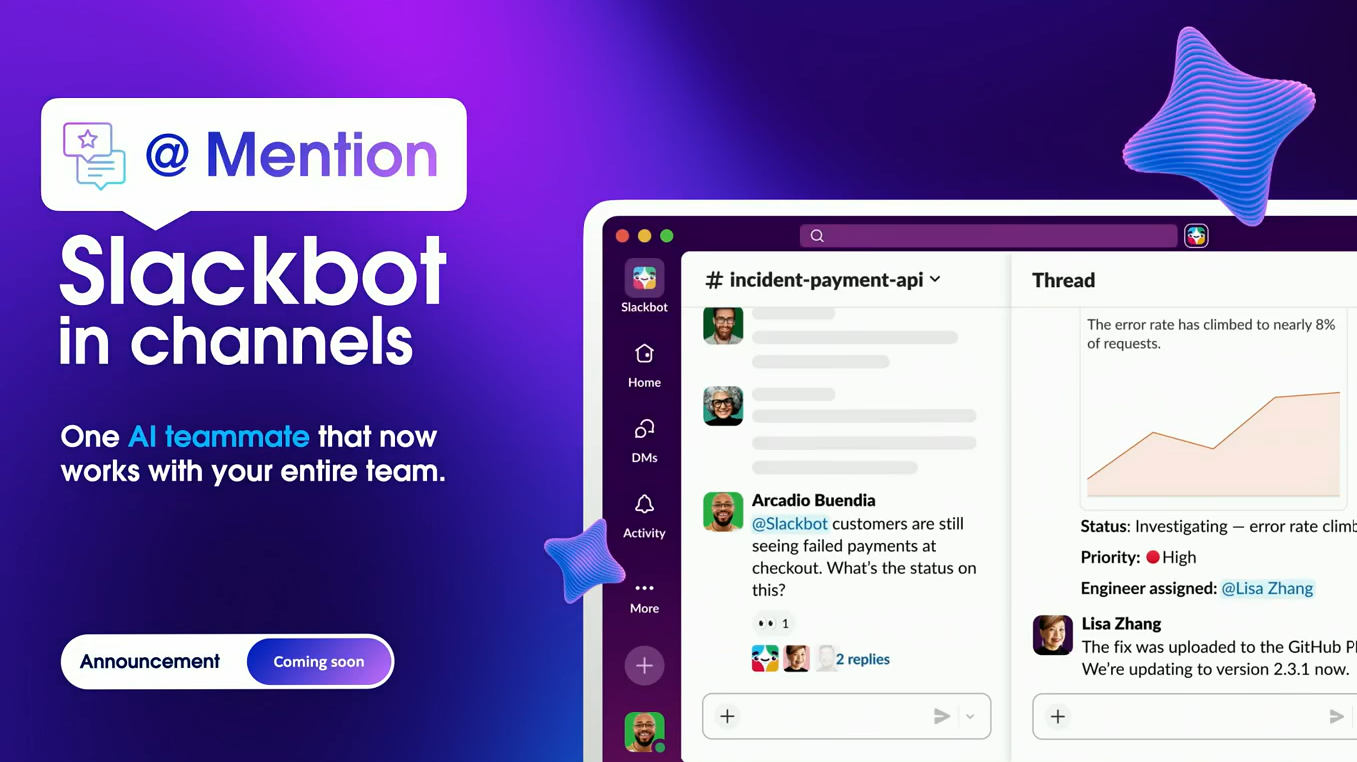
That last point connects to one of the keynote's biggest ideas: AI should become multiplayer.
Instead of one employee asking AI a question in a private chat, Slackbot can participate in a team channel. Everyone can see the interaction, add context, and learn from how others use AI.
The keynote also showed Slackbot preparing a sales meeting brief by combining Salesforce records, Slack conversations, files, and other connected systems.
After the meeting, the same interaction could be used to update the deal, plan next steps, and prepare for pricing negotiations.
The result is a shift from AI as a personal assistant to AI working alongside the entire team.
3. Slack Code Turns Everyone Into a Builder
The final chapter focused on development.
Slack Code launched just a few weeks before Dreamforce and brings coding agents into Slack, turning software development from a largely individual activity into a multiplayer experience.
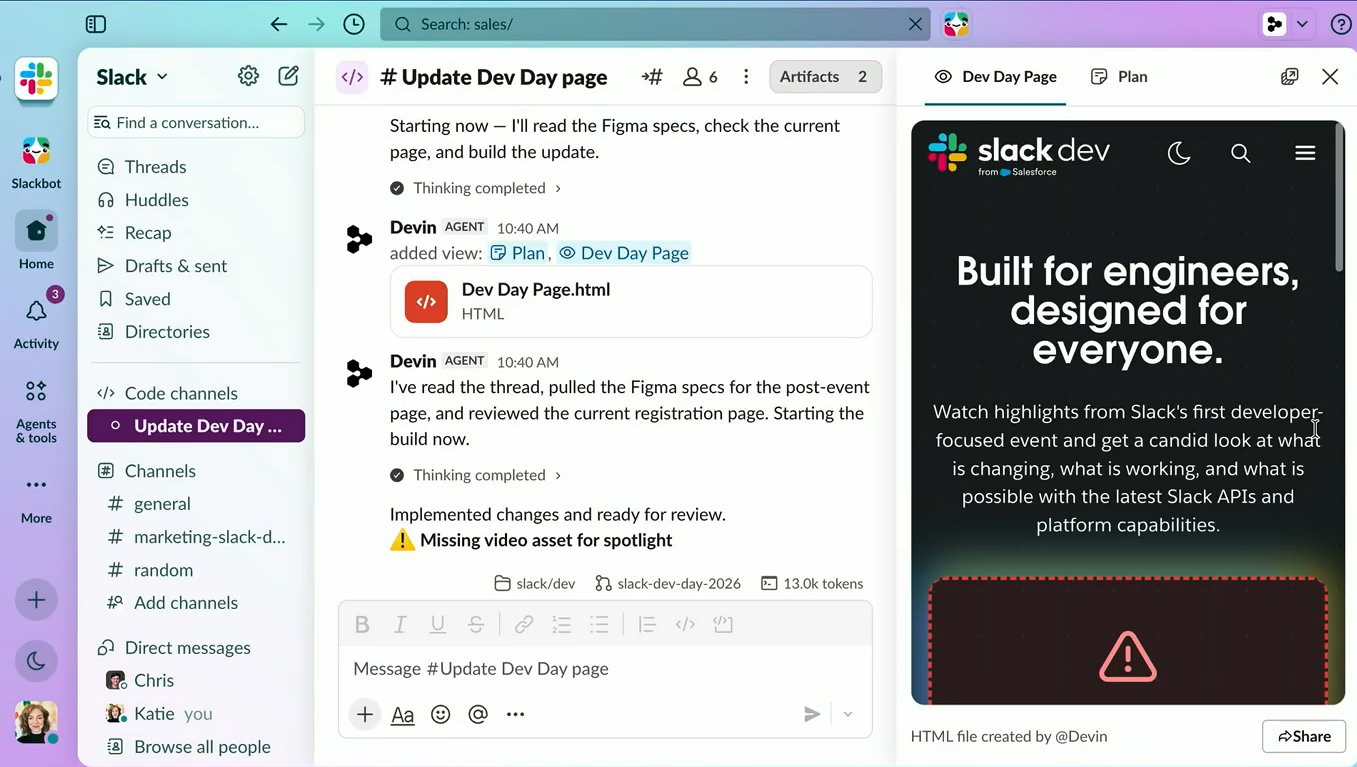
Salesforce has partnered with Anthropic, OpenAI, GitHub, Vercel, and Cognition to bring coding agents into Slack. Inside that channel, teams can:
Give instructions in plain language
Preview the application
Review code changes
Ask engineers for feedback
Let the agent make updates
Create a pull request
The important part is that not everyone needs to know how to code. Designers, marketers, product managers, and other team members can participate by explaining what they want in plain language, while engineers can review the actual code.
Slack Code also keeps the conversation, decisions, and code-related context searchable for the wider organization. This means the development process does not disappear into separate tools or private conversations. The team can see what was requested, what the agent built, and how the final change came together.
Dreamforce 2026 Day 3 Wrap Up
Day 3 of Dreamforce showed a clear shift in how Salesforce is thinking about AI at work.
The Marketing Cloud keynote focused on agents that can help marketers understand how AI sees their brand, build and optimize campaigns, and turn buying signals into pipeline.
The Slack keynote showed how that same agentic approach can extend across the workplace, bringing Salesforce data, AI, collaboration, and coding into one shared environment.
Across both keynotes, the message was consistent: AI is moving beyond answering questions and assisting with tasks. It is becoming part of how teams plan, create, collaborate, and get work done.
More from Dreamforce 2026
Dreamforce 2026 Announcement: AIforce, Claudeforce, Koa & AI Updates
AIforce: Salesforce's Big Dreamforce 2026 Announcement
Dreamforce 2026 Day 2: Main Highlights
The Complete Guide to Dreamforce 2026: Dates, Keynotes, and Event Strategy
Dreamforce 2026: Dates, Agenda & Complete Guide
Related Readings

Let’s Talk

Drop us a note, we’re happy to take the conversation forward 👇🏻