Day one laid out Salesforce’s vision for the Agentic Enterprise, with AIforce, Koa, and a new approach to how users interact with CRM. Day two shifted the focus toward how that vision is being applied in the real world, with customer stories, product updates, and ROI taking center stage.
There were several keynotes and sessions throughout the day, but we’re focusing on the ones with the biggest product and business takeaways. These include the Agentforce, Data 360, Sales, and Service keynotes.
If you missed the Dreamforce main keynote on Day 1, catch up on the biggest announcements and product updates before diving into Day 2.
Agentforce Keynote: The Whole Session Was About ROI
The Agentforce keynote had a very clear focus: how businesses can turn agents into measurable business value.
Mark Wakeland, EVP and GM of Agentforce, framed the keynote around a simple ROI equation. Businesses can generate ROI by either increasing revenue or reducing costs, while execution speed and focus determine how quickly they can get there.
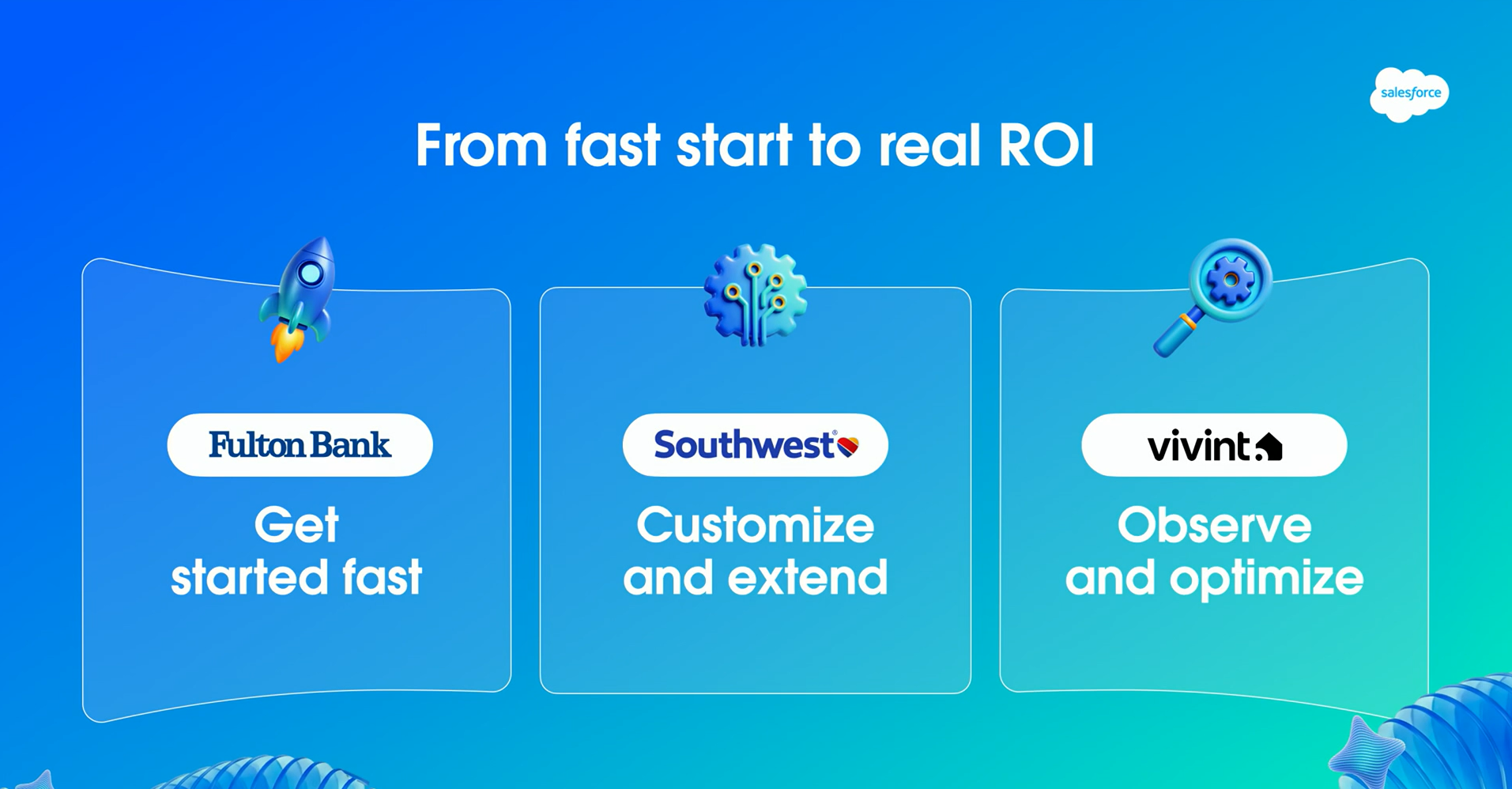
Salesforce presented a three-step agentic ROI playbook:
Get started fast
Customize and extend
Observe and optimize
Each chapter introduced new Agentforce capabilities and a customer example showing how those capabilities are being used in production.
1. Get Started Fast With Agentforce Coworker
The first step is about getting an agent into production quickly. Salesforce introduced Agentforce Coworker, an autonomous AI teammate that understands business context, takes action, and works across the applications and surfaces employees already use.
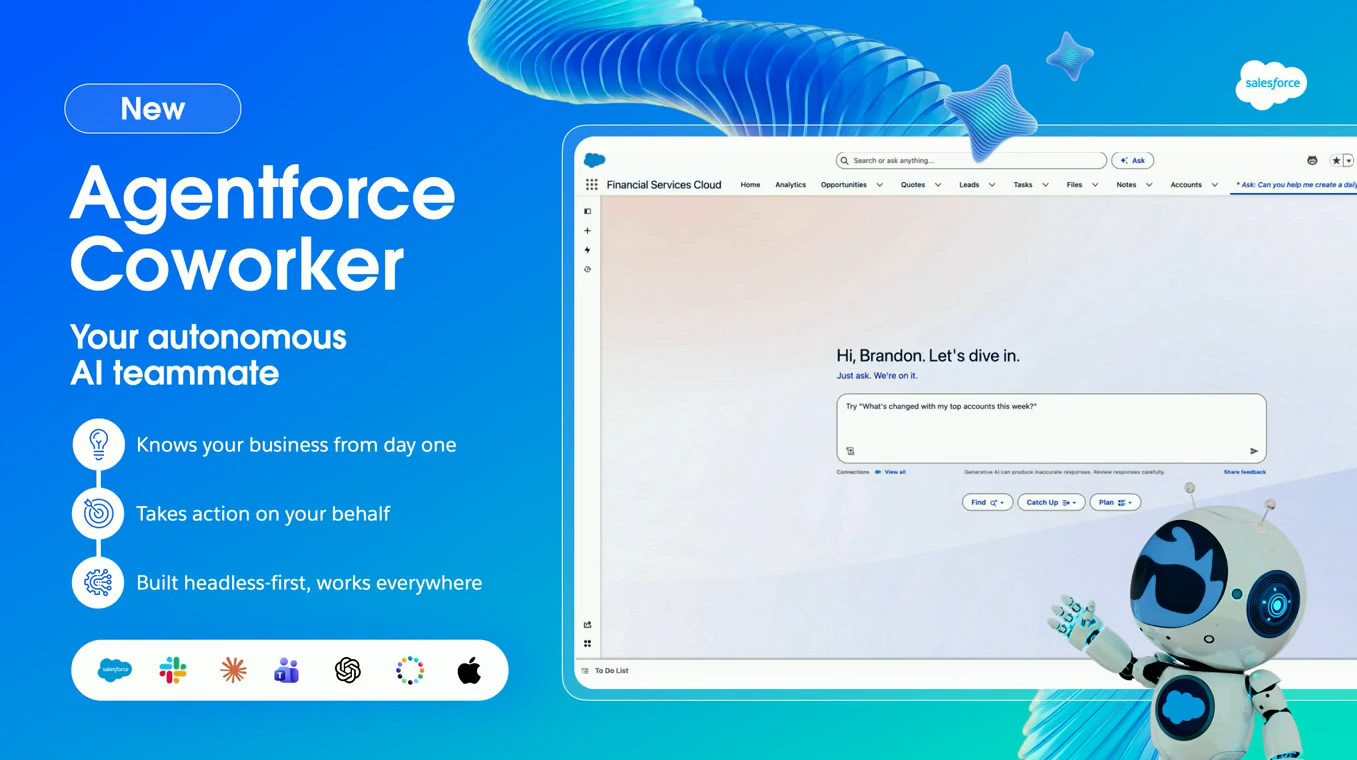
The idea is to move beyond an AI assistant that simply answers questions. Coworker can work alongside employees and handle tasks based on the company's data, processes, and business context.
Salesforce also introduced preconfigured agents for specific use cases, including Hunter for outbound sales prospecting, Casey for customer success, and Marshall for back-office work. These agents are designed to be ready to deploy with enterprise data and Salesforce trust controls in place.
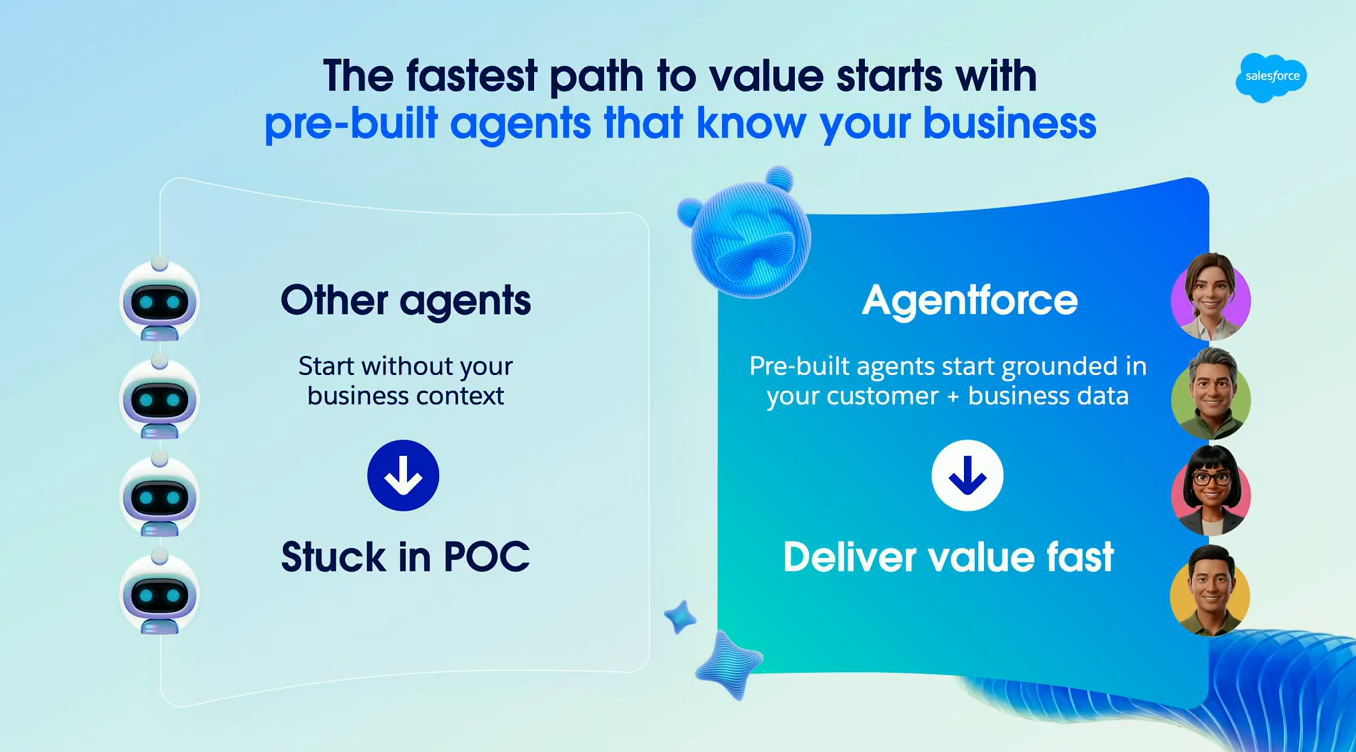
Fulton Bank showed what this can look like in practice. The bank went from first hearing about Agentforce to running it in about an hour, with power users working with it within a week. Within six weeks, more than 3,000 employees were being augmented by Agentforce.
Salesforce also highlighted Agentforce Skills, which let teams package a repeatable set of instructions and processes into a reusable skill. Fulton Bank, for example, created a skill for end-of-quarter team reviews and opportunity coaching.
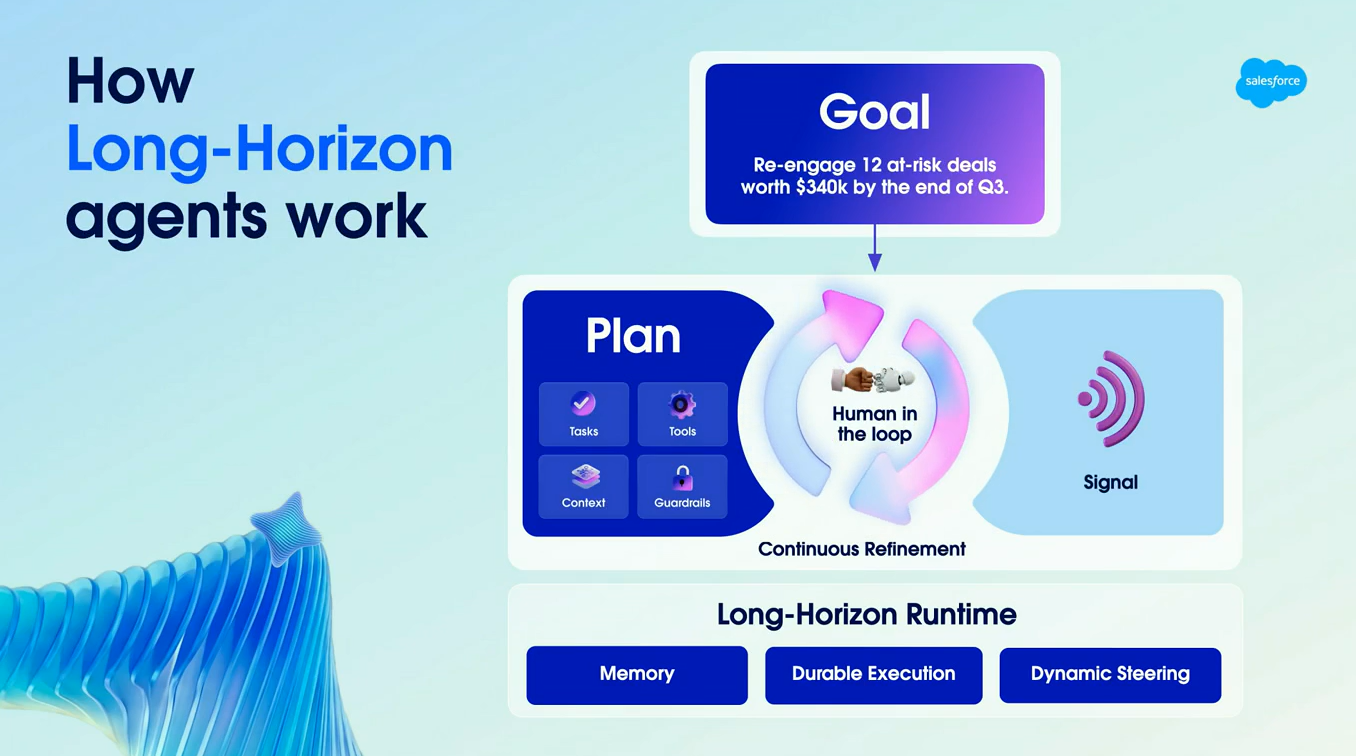
Another major update was Long Horizon Runtime. It allows agents to work toward goals that take days, weeks, or even months. The agent can remember where it left off, use the right tools, adapt as new information arrives, and keep humans involved when approvals are required.
2. Customize and Extend With Agent Script
Once an agent is running, the next step is making it work with the specific processes of the business.
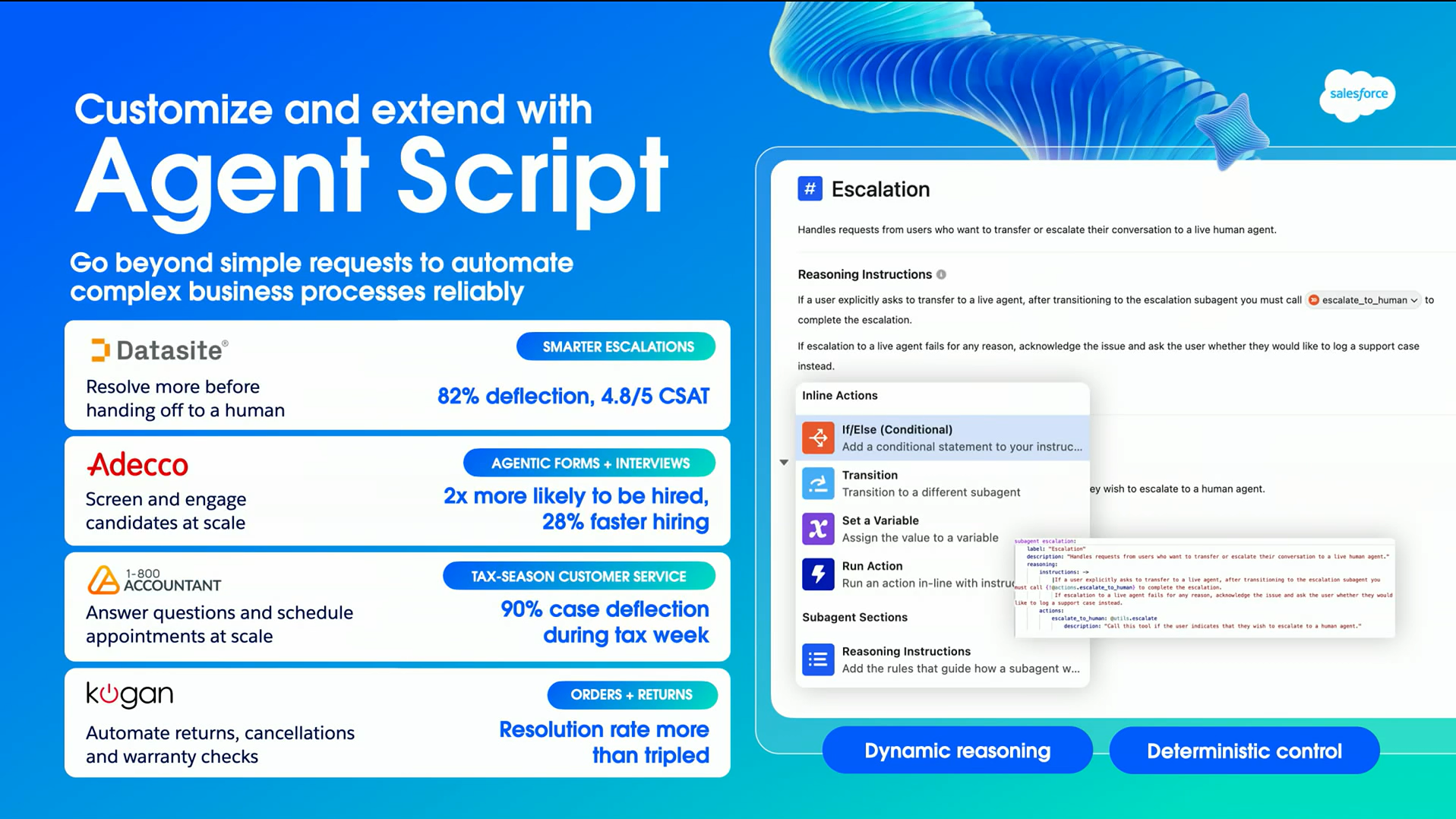
Salesforce introduced Agent Script, a framework that combines the flexibility of large language models with more predictable business rules and operating procedures. This gives businesses more control over how agents behave while still allowing them to handle changing conversations and situations.
Southwest Airlines demonstrated this with its customer service agents. Its name-change workflow can validate documents, take actions through MuleSoft, create cases, and handle the process through an agent rather than simply answering questions.
Southwest is also using multiple specialized agents together. Instead of exposing customers to separate agents for different tasks, a super agent can orchestrate these specialized agents behind a single customer experience.
3. Observe and Optimize in Real Time
The final step is making sure agents continue to improve after deployment.
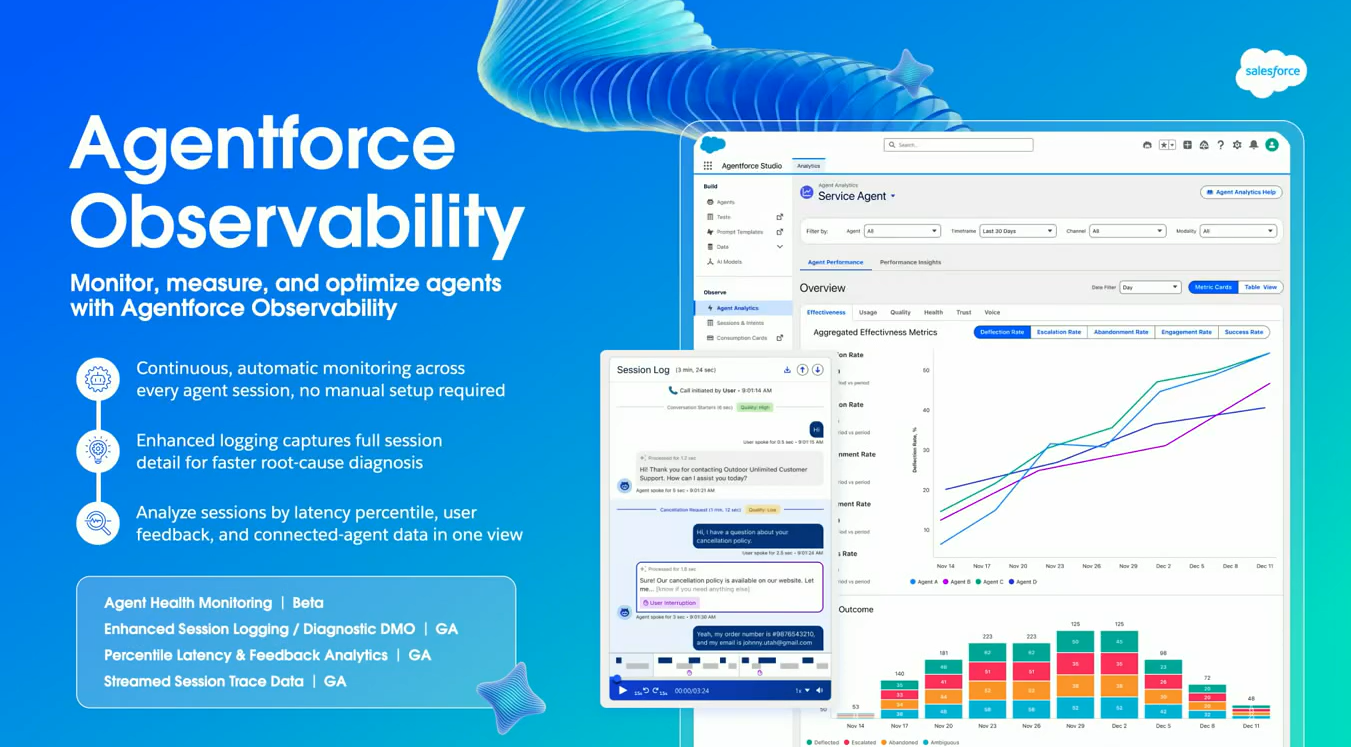
Salesforce introduced Agentforce Observability, which gives teams visibility into agent conversations, behavior, and performance across channels. A notable update is that observability is now unmetered, removing usage charges for the observability capabilities.
Vivint is using observability to identify patterns in how customers interact with its agent, Ava. For example, analyzing conversations helped the team identify a recurring request around rebooting devices and add that capability to the agent.
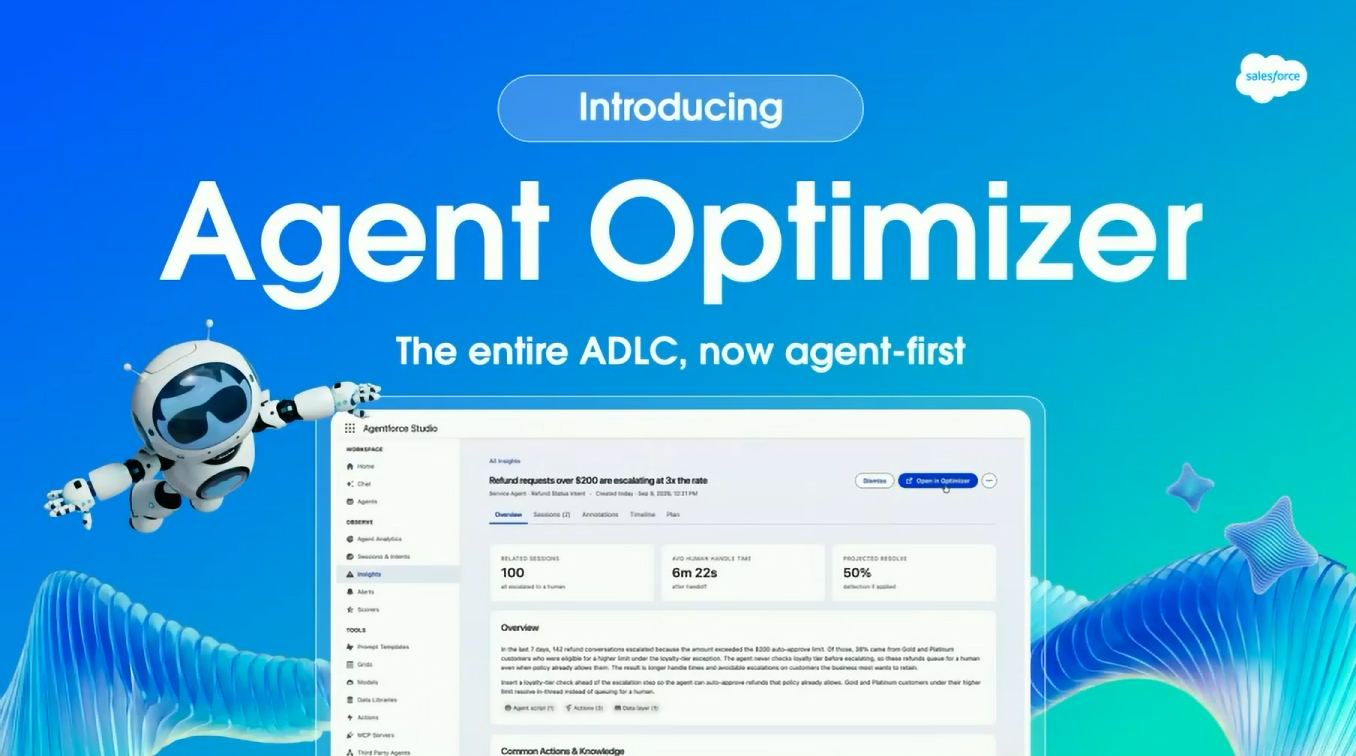
Salesforce then previewed Agent Optimizer, calling it the future of Agentforce. Instead of teams manually searching through agent interactions to find problems, Agent Optimizer can identify high-impact patterns, explain potential root causes, suggest improvements, create tests, and preview changes before they are deployed.
The three chapters showed a clear progression: deploy an agent quickly, customize it for real business processes, and continuously improve it using real-world performance data. That was Salesforce's core argument for turning Agentforce from an AI initiative into a measurable ROI program.
Data 360 Keynote: From Data to Trusted Context
Salesforce made several major Data 360 announcements at Dreamforce, all pointing toward a broader shift from simply managing enterprise data to building trusted context for AI agents.
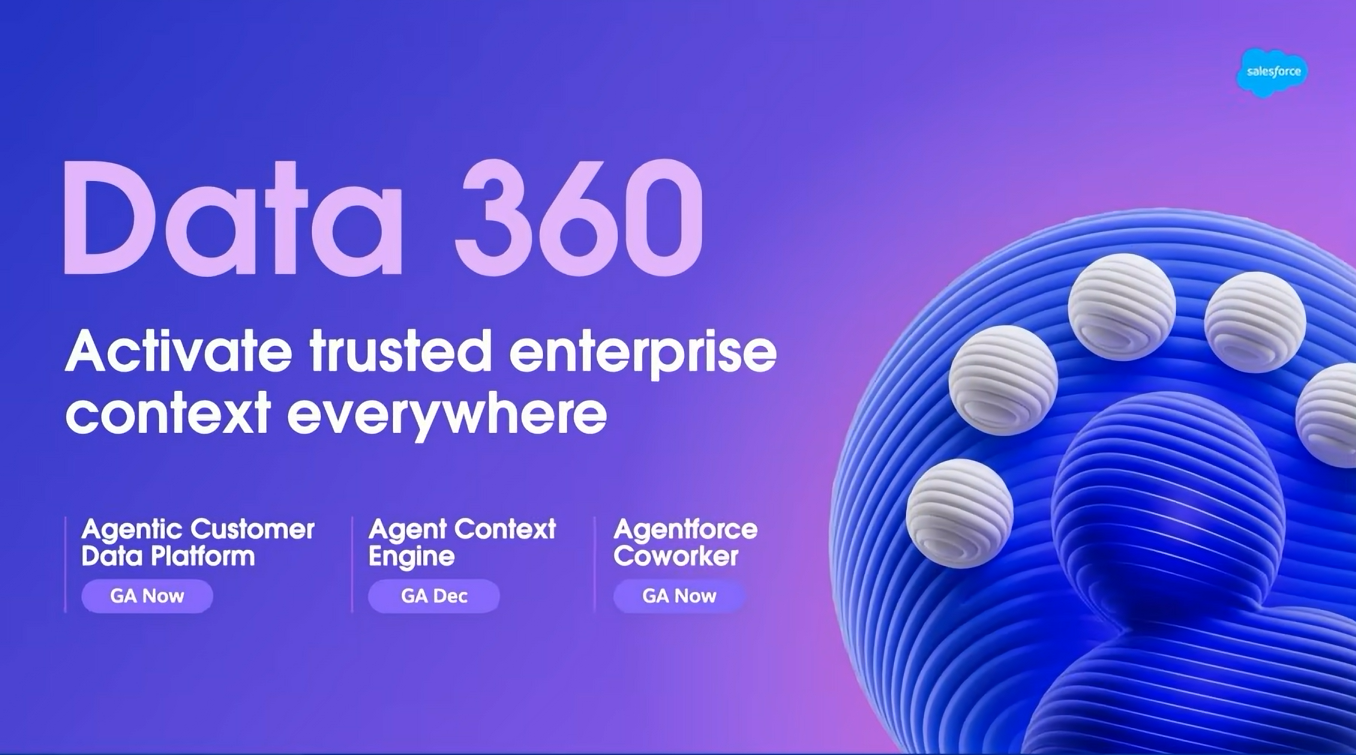
Among the biggest updates were the Agentic Customer Data Platform going GA, Data 360 becoming headless and agentic, and the introduction of Agent Context Engine. Salesforce also highlighted 200+ innovations from the last quarter, showing how Data 360 is evolving into the context layer for both Agentforce and other AI systems.
1. Agentic Customer Data Platform: Data 360 Is Now Headless and Agentic
Salesforce announced that its Agentic Customer Data Platform is now generally available, bringing agents directly into Data 360 workflows.
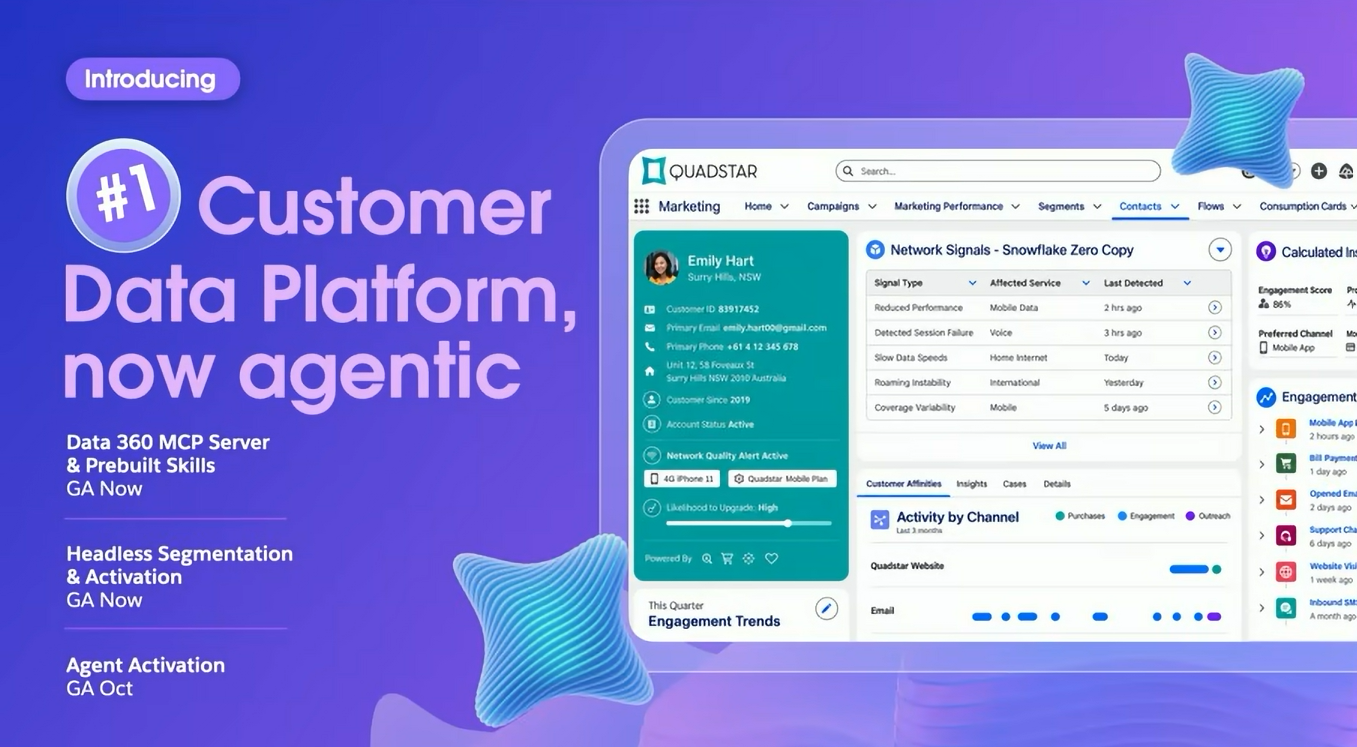
Instead of working with Data 360 only through its own interface, users can now access its capabilities through:
APIs
MCP servers
Agentforce Skills
External AI tools and agents
During the demo, an AI agent connected to Data 360 could inspect the existing setup, map data sources, perform identity resolution, and create unified customer profiles based on natural-language instructions.
Salesforce also highlighted 200+ innovations delivered in the last quarter, including:
Expanded zero-copy capabilities and Private Connect
MDM-based unification
Predictions and data enrichments
Expanded audience activation through Identity Boost
New metadata capabilities
The bigger change is how Salesforce is positioning Data 360. It is no longer just a place to unify customer data. It is becoming a data foundation that agents can access and operate on.
2. Agent Context Engine Connects the Context
The next announcement addressed a problem that comes with having more agents: agent silos.
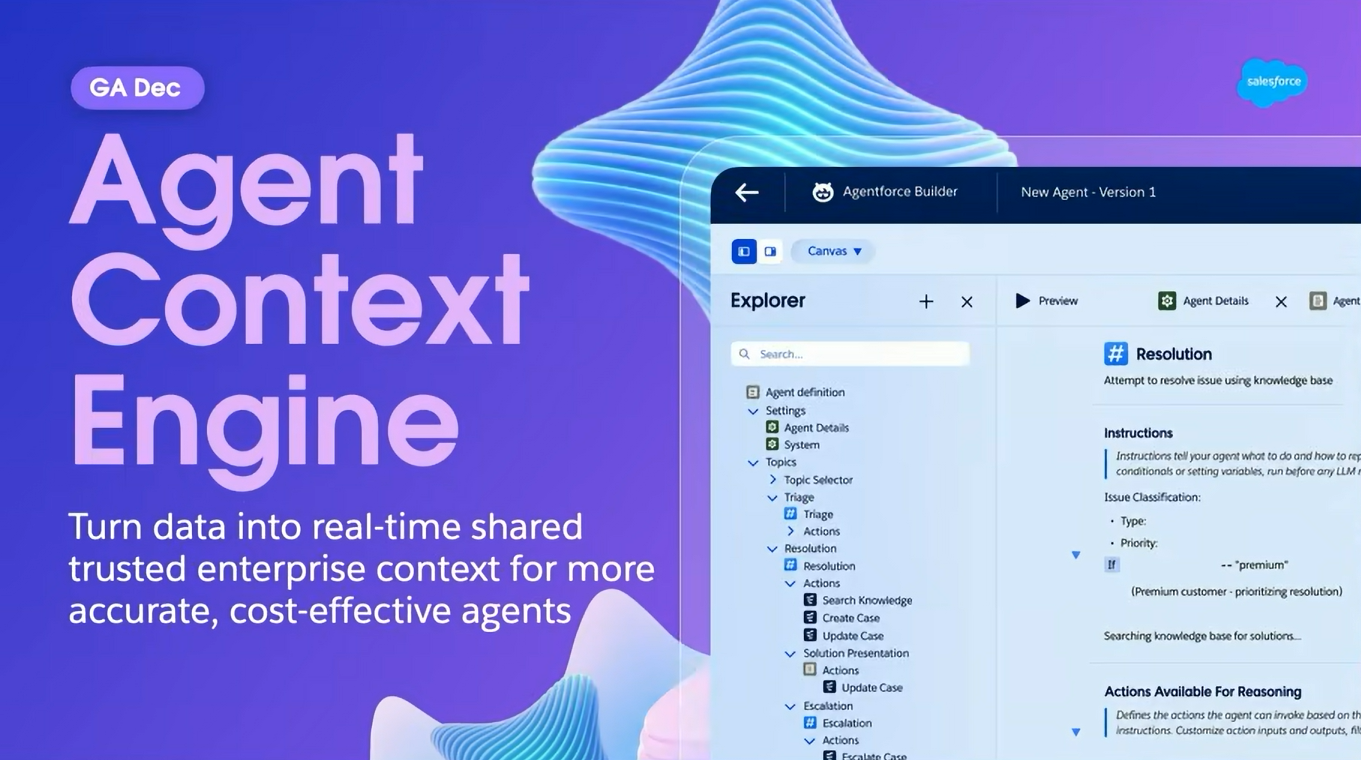
Every agent can potentially have its own memory, context, and understanding of a customer. Agent Context Engine is designed to create a shared context layer that can work across:
Data → Agents → Applications → Humans
The engine brings together five important elements:
Enterprise data to establish what is true
Data access to retrieve the information an agent needs
Semantics to understand what the data means
Memory from previous interactions
Governance to control how that context is shared
One of the key concepts Salesforce demonstrated was dynamic context.
Instead of giving an agent everything known about a customer, Agent Context Engine can provide the minimum context needed for the task. That context can then be reused across different agents and channels.
For example, information learned during one customer interaction can be available to another agent or a human service representative later, without the customer having to repeat the same information.
3. Agentforce Coworker Puts Context to Work
The final piece was Agentforce Coworker, which Salesforce said had been generally available for 35 days.
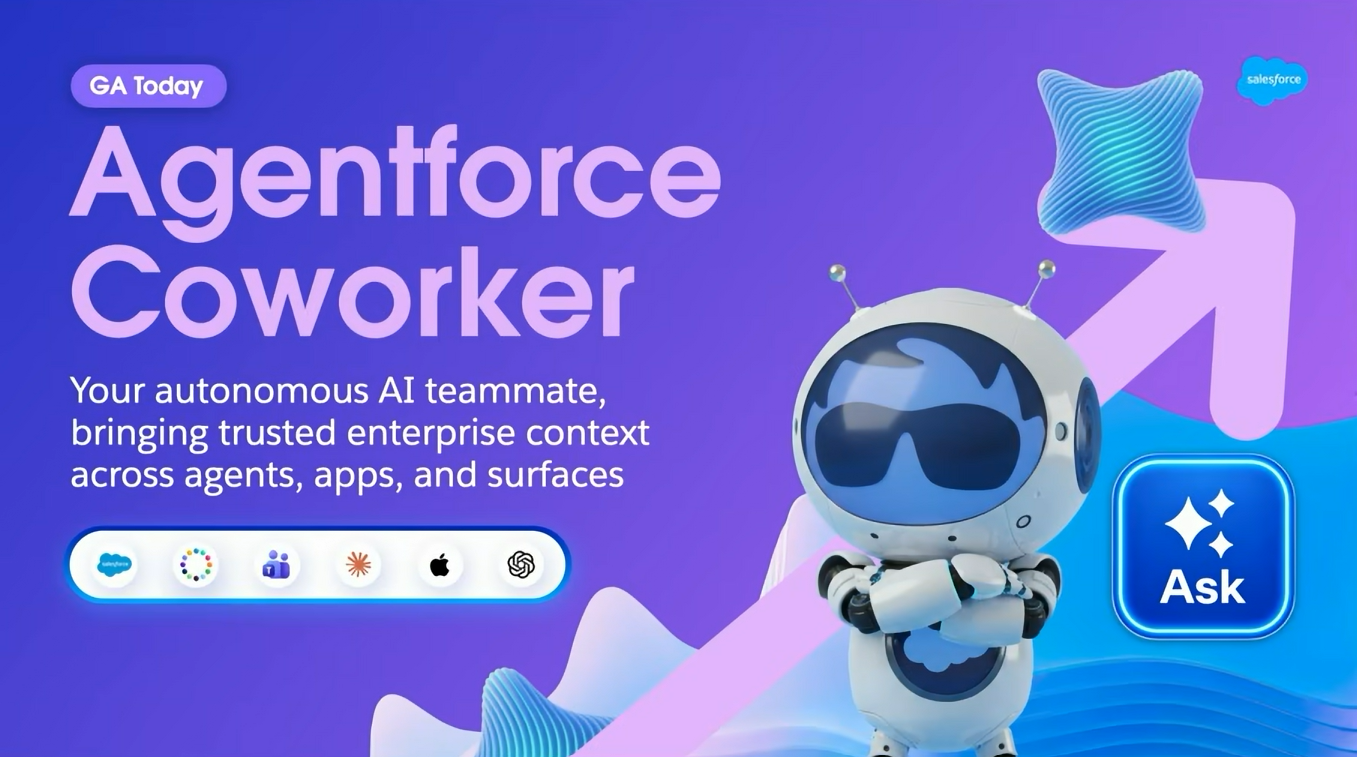
Coworker acts as an autonomous AI teammate that works across Salesforce and external interfaces. Users don't need to know which specific agent should handle a task. They can simply describe what they want to accomplish.
In the demo, Coworker helped a sales user:
Identify the accounts and opportunities needing attention
Prepare for an upcoming customer meeting
Surface an open customer case
Draft an email
Update an opportunity's forecast
All of this happened through a single interaction.
Sales Cloud Keynote: Putting Sales on Autopilot
The Sales Cloud keynote focused on one question: what happens when sellers have the right truth, context, and actions available wherever they work?
Salesforce structured the keynote around three chapters, moving from automating CRM data to autonomous revenue-generating agents and finally to bringing those agents into the tools sellers already use.
1. Truth and Context Put CRM on Autopilot
The first step is getting the right information into the CRM without making sellers do the data entry themselves.
Salesforce introduced Momentum, which automatically captures information and puts it into the CRM. Instead of relying on sellers to manually update records after every interaction, Momentum helps keep CRM data current as work happens.
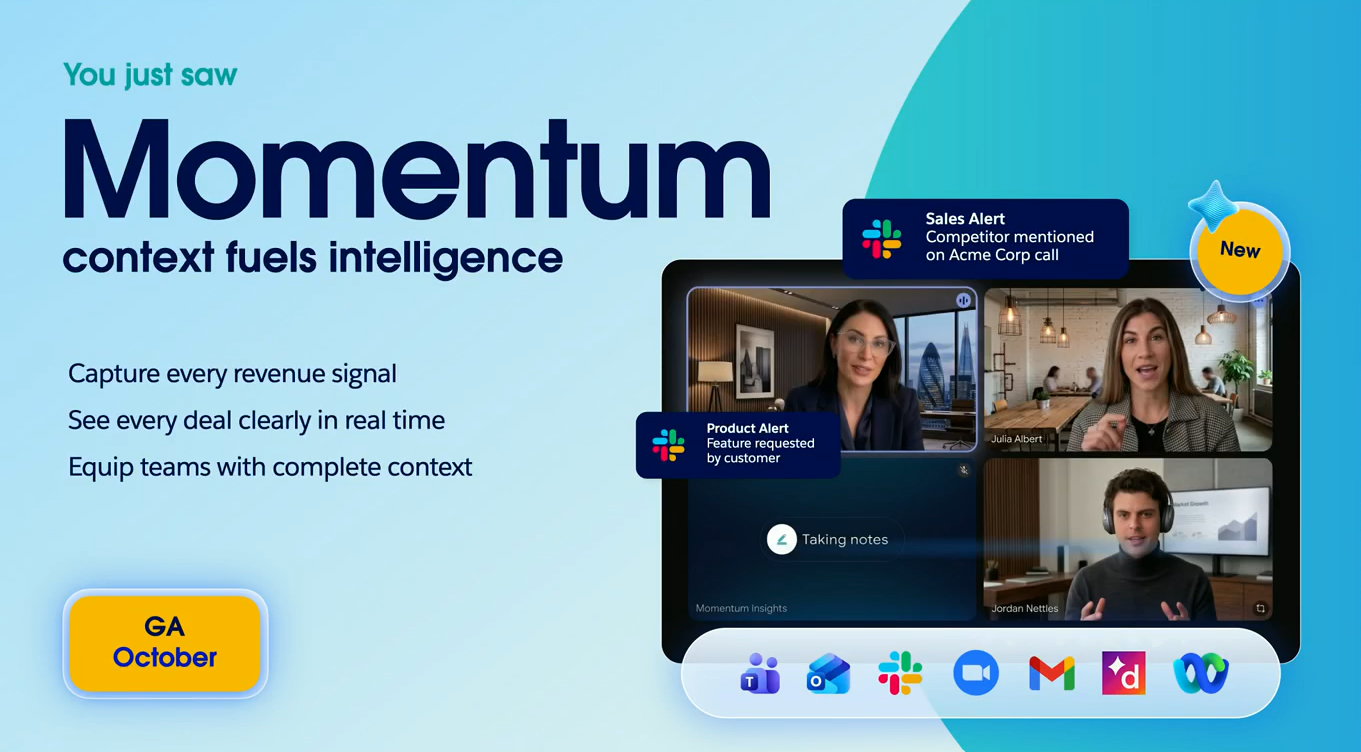
The idea is simple: Truth → Context → Action
When CRM automatically captures what is happening, agents have better information to work with. That creates the foundation for the next step: letting agents act on behalf of sellers.
2. Give Agents a Goal and Let Them Run
The second chapter shifted from reactive AI to proactive sales agents focused on revenue growth.
Salesforce highlighted two agents:
Hunter for outbound sales
Piper for inbound sales
Rather than waiting for a seller to ask a question, these agents can be given a goal and allowed to work toward it.
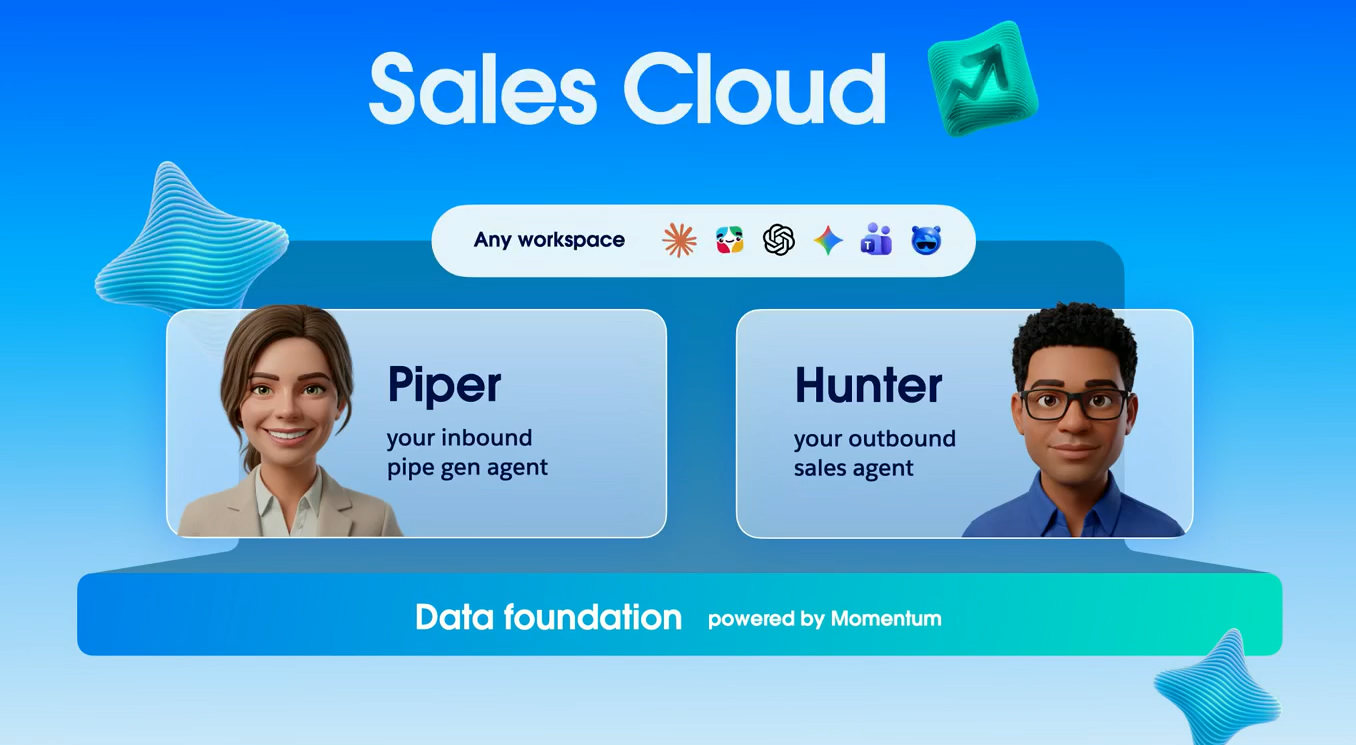
Hunter, for example, is designed to support outbound prospecting. It can work with sales data and take action toward an assigned objective instead of simply responding to individual prompts.
A notable Hunter update is its built-in access to leading sales data vendors, giving the agent access to external prospecting data. Salesforce said this capability is expected to roll out later this year.
The shift here is from: “Ask the agent what to do.” to “Give the agent a goal and let it work.”
That is a significant change in how Salesforce is positioning AI for sales teams.
3. Meet Sellers Where They Already Work
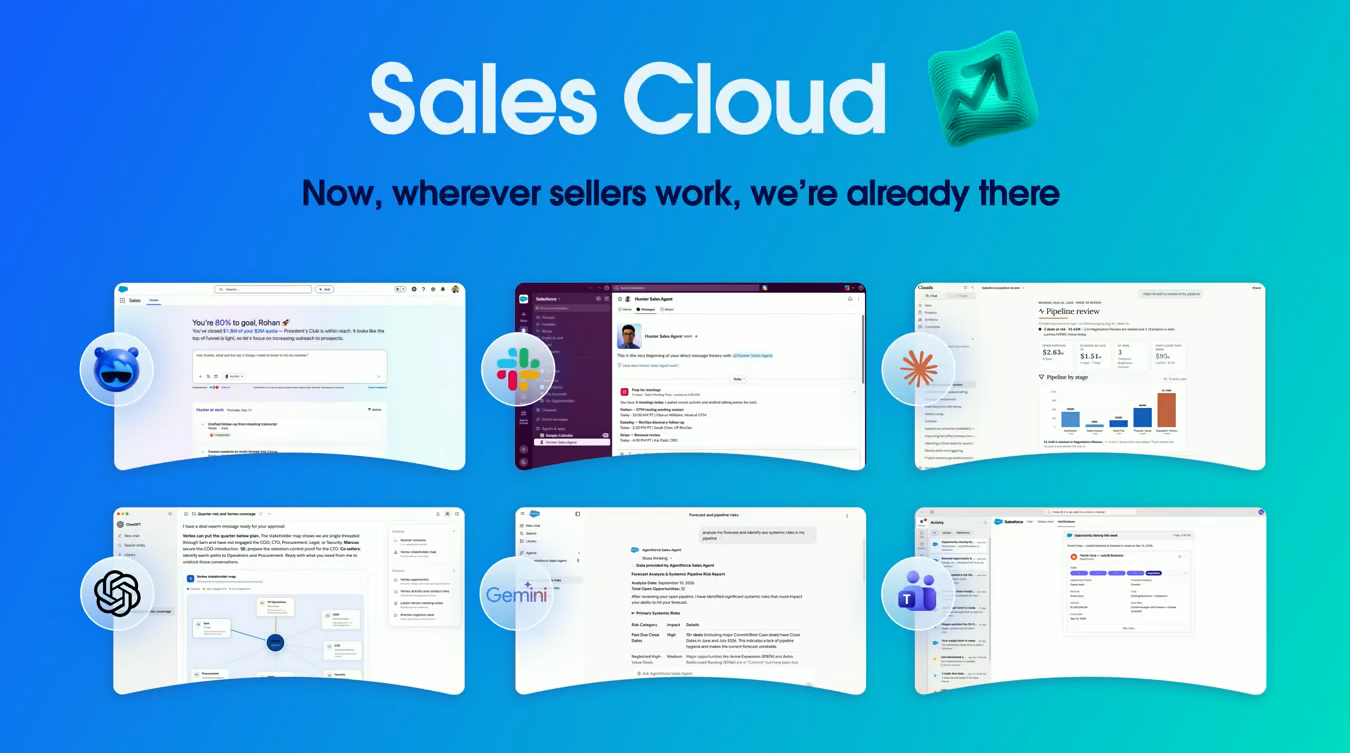
The final chapter focused on removing another barrier: where the work happens. Salesforce is bringing Sales Cloud experiences into the tools sellers already use, including:
Microsoft Teams
Slack
ChatGPT
Gemini
Claude
The important part is that sellers are not getting a different version of the agent in each tool. Salesforce's pitch is the same agent, the same truth, and the same context wherever sellers work.
The Claude integration was also demonstrated through ClaudeForce, where sellers can access Salesforce capabilities through Claude. The demo showed 37 sales skills available through the experience, bringing Salesforce CRM and AI capabilities together in the seller's existing workflow.
Max Edition Brings It Together
Salesforce also positioned Sales Cloud Max Edition as the package for the capabilities demonstrated throughout the keynote.
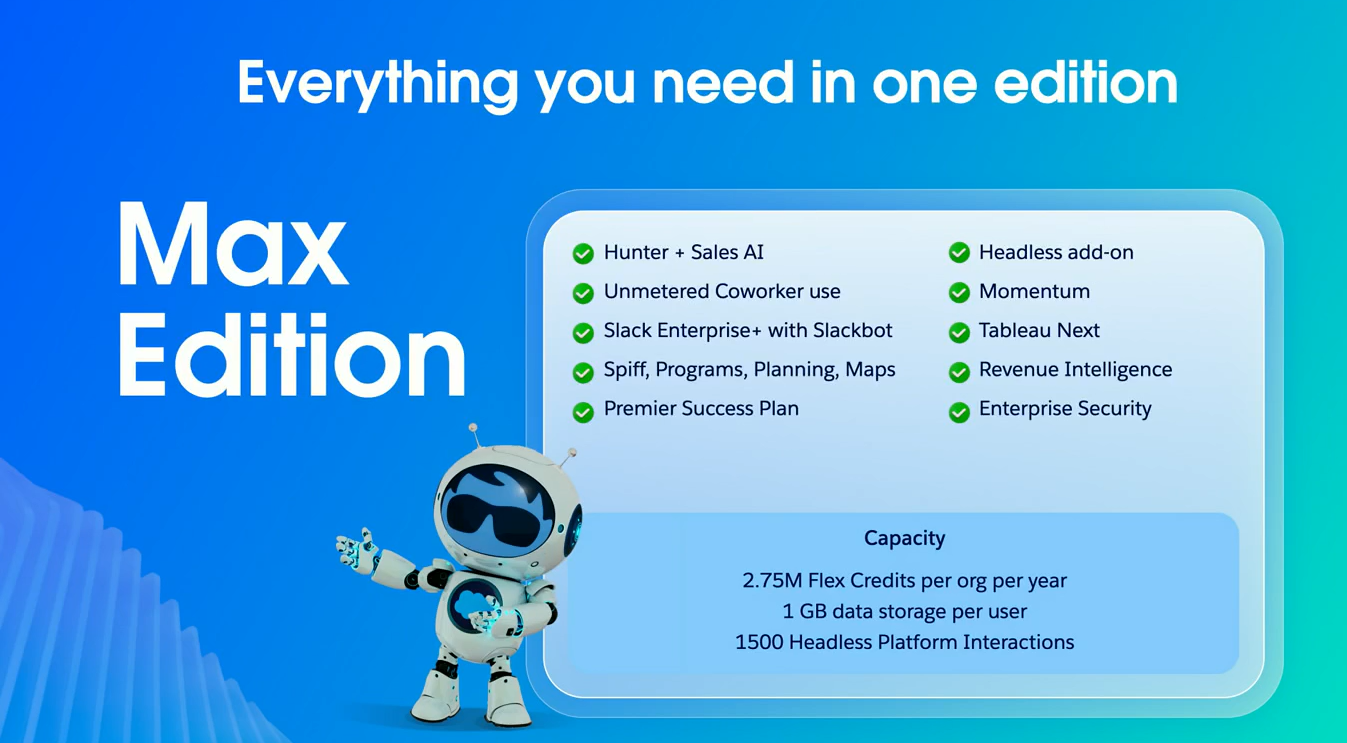
The keynote's demos showed how Salesforce is combining automated CRM capture, proactive sales agents, and access to those agents across the tools sellers already use.
The overall direction is clear: Capture the truth automatically. Give agents the context they need. Give them goals to act on. And let sellers work with those agents wherever they already work.
Service Cloud Keynote: Delivering a Connected Customer Experience
Customers do not care which department handles their request. They expect the same context and experience whether they are interacting with an AI agent, a service rep, or another part of the business. Salesforce used its Service Cloud keynote to show how it is bringing those experiences together.
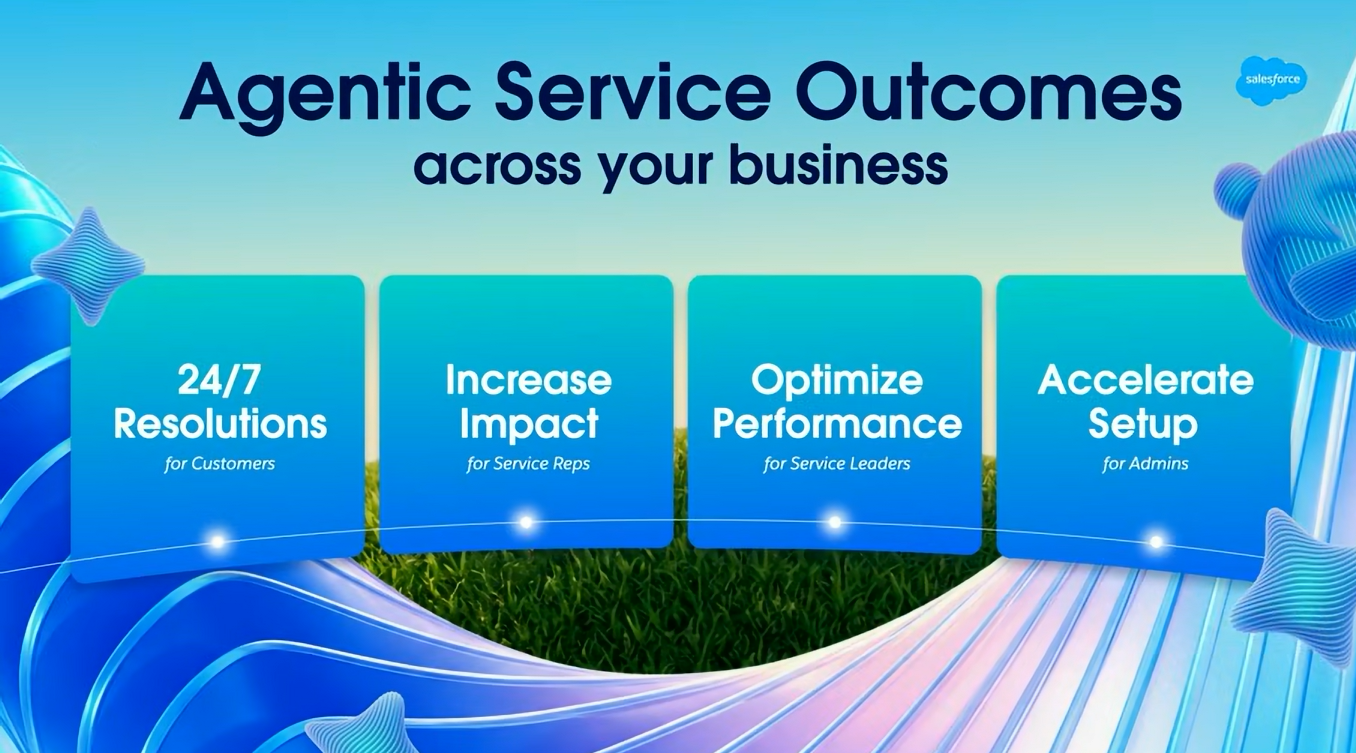
The keynote broke this down into four areas:
24/7 resolution for customers
Increase impact for service reps
Optimize performance for service leaders
Accelerate setup for admins
24/7 Resolution for Customers
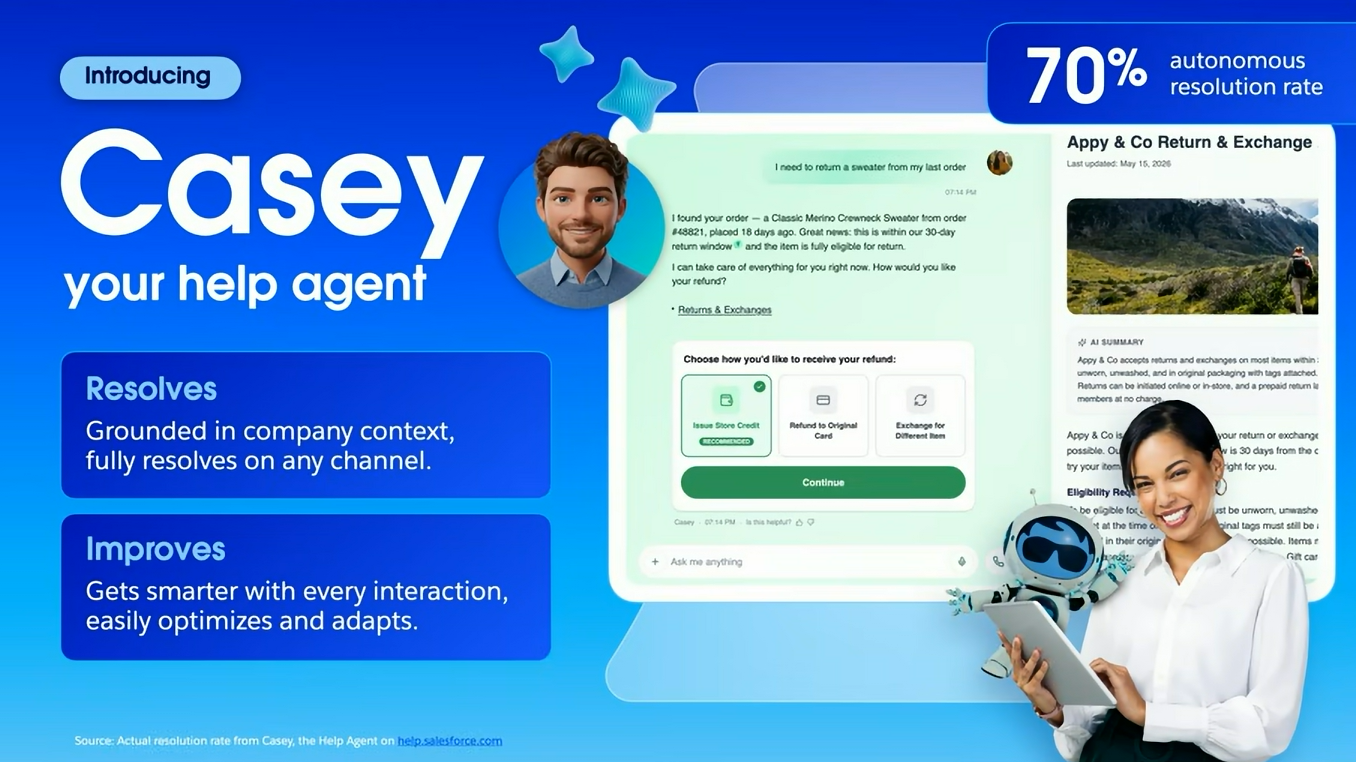
Salesforce introduced Casey, the Help Agent, an out-of-the-box Agentforce agent built specifically for customer service. Casey connects to company knowledge, customer context, and existing workflows to resolve customer issues across channels, including voice.
Casey can handle actions such as updating an account and can hand a customer to a human service rep with the full context when human judgment is needed. Salesforce also introduced outcome-based pricing, allowing customers to pay per resolution rather than managing multiple usage meters.
Increase the Impact of Service Reps
When AI handles routine requests, service reps can focus on conversations that need empathy, judgment, and relationship building.
Salesforce demonstrated this through Service Rep Assistant and the new Service Rep Agentic Console, which brings the information and actions reps need into one experience.
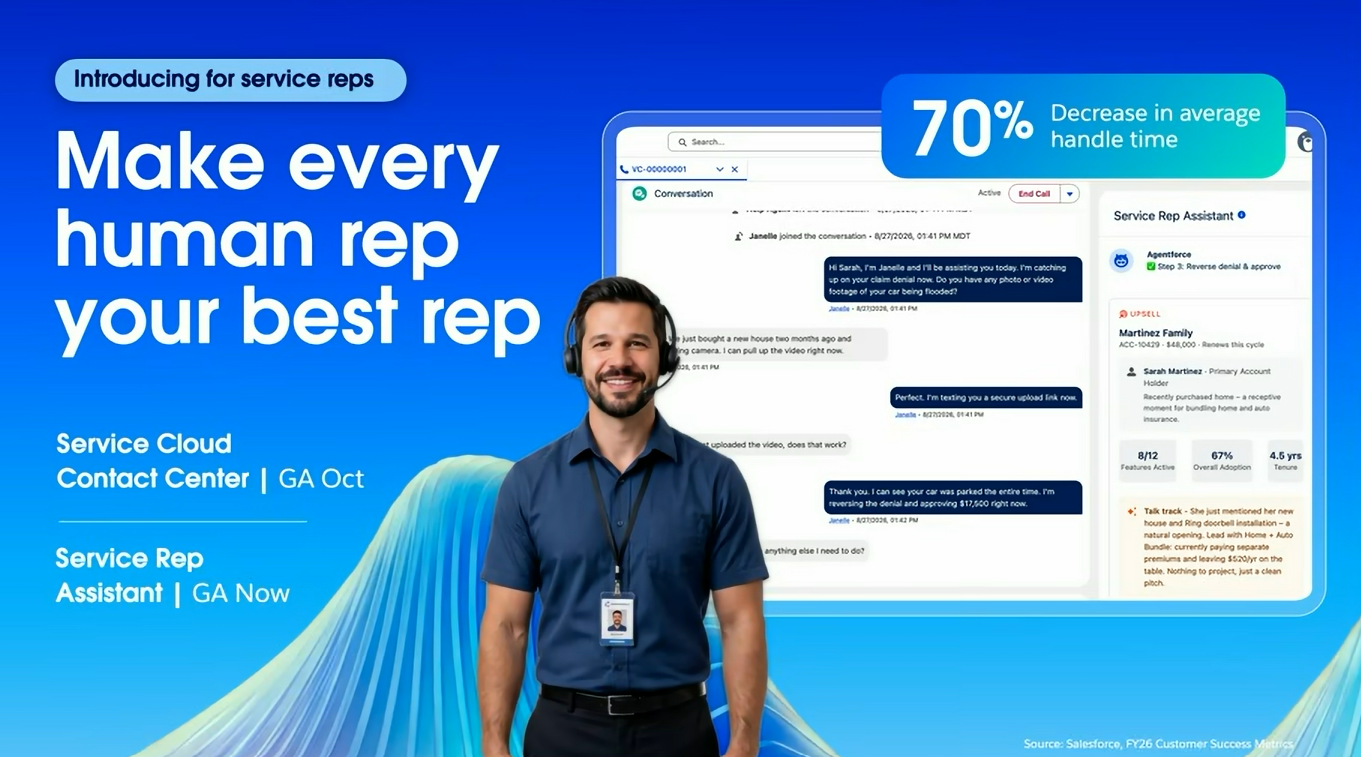
The console can:
Prioritize work based on factors such as customer lifetime value and retention risk.
Surface AI approvals when an agent needs human authorization.
Give reps conversation summaries and customer details during escalations.
Help reps take action without making customers repeat information.
The CVS Caremark example showed this approach in practice. AI handles routine requests such as refills, order status, and drug prices, while reps supported by Agentforce can focus on more complex conversations.
Optimize Performance for Service Leaders
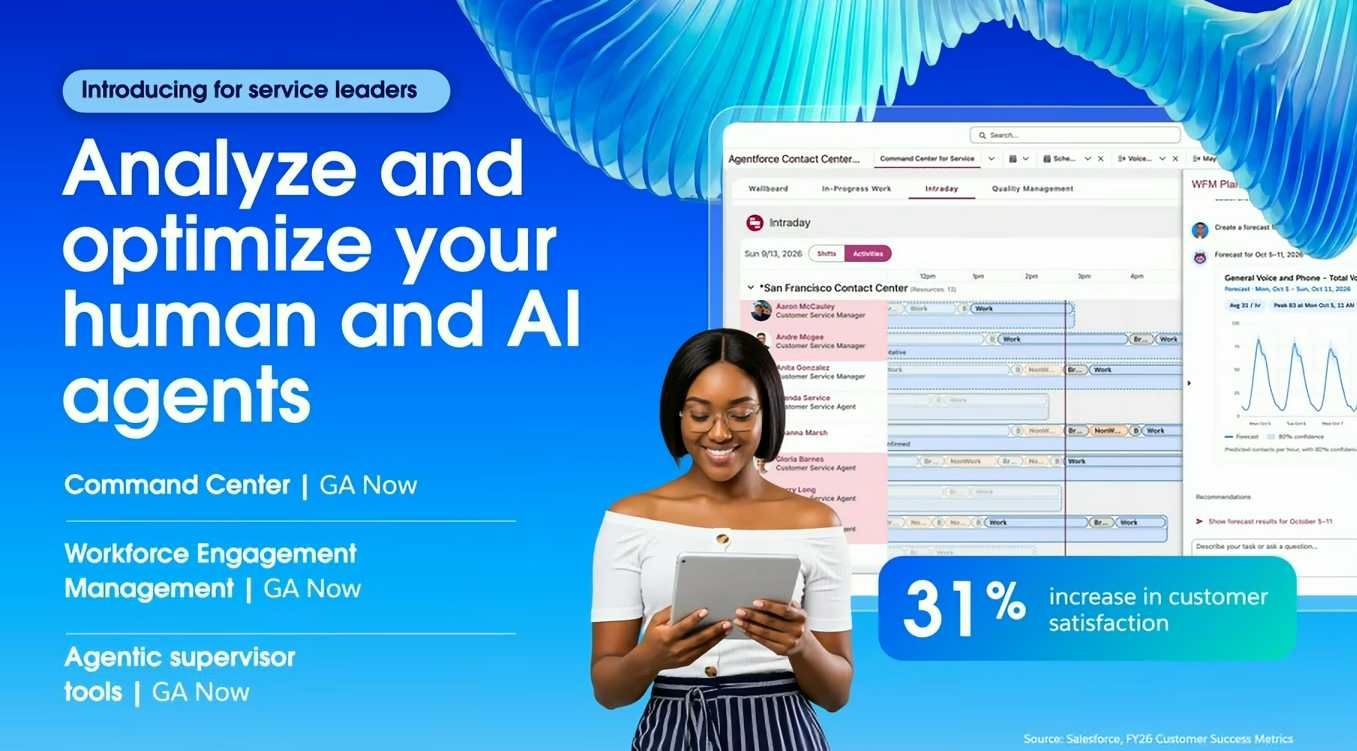
Service leaders now have a different workforce to manage, with humans and AI agents working side by side. Salesforce introduced new hybrid workforce management capabilities to give leaders visibility across both.
The Service Command Center provides real-time visibility into conversations, performance, staffing, and activity. Agentforce can also help with workforce planning by using historical demand data to:
Forecast contact center volume.
Plan capacity for human reps and AI agents.
Create shifts and schedules.
Adjust activities as demand changes during the day.
Salesforce highlighted Canada Goose, where AI agents handle routine requests during peak periods, allowing human style experts to focus on more personalized customer interactions.
Accelerate Setup for Admins
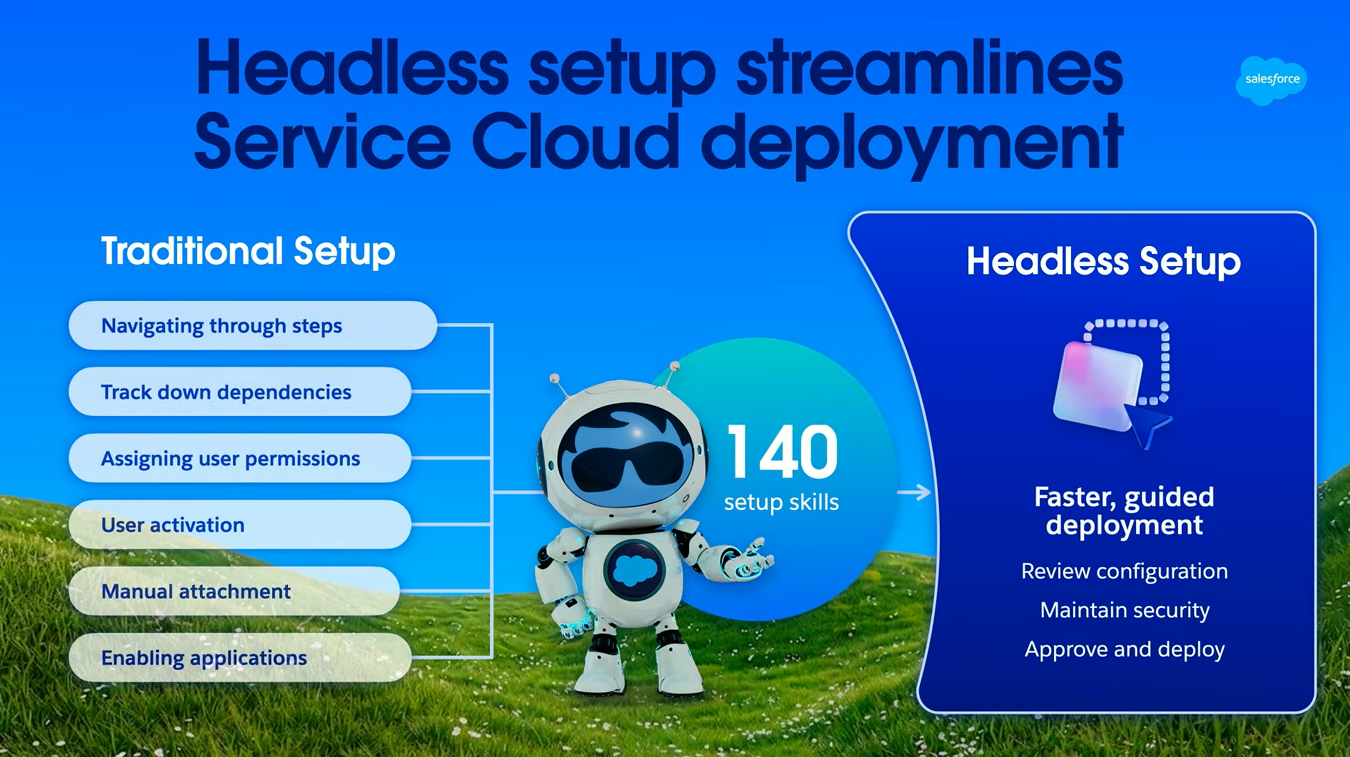
The final piece is getting all of this running without making admins work through complex setup processes. Salesforce has simplified traditional in-app setup and made the agentic contact center easier to configure.
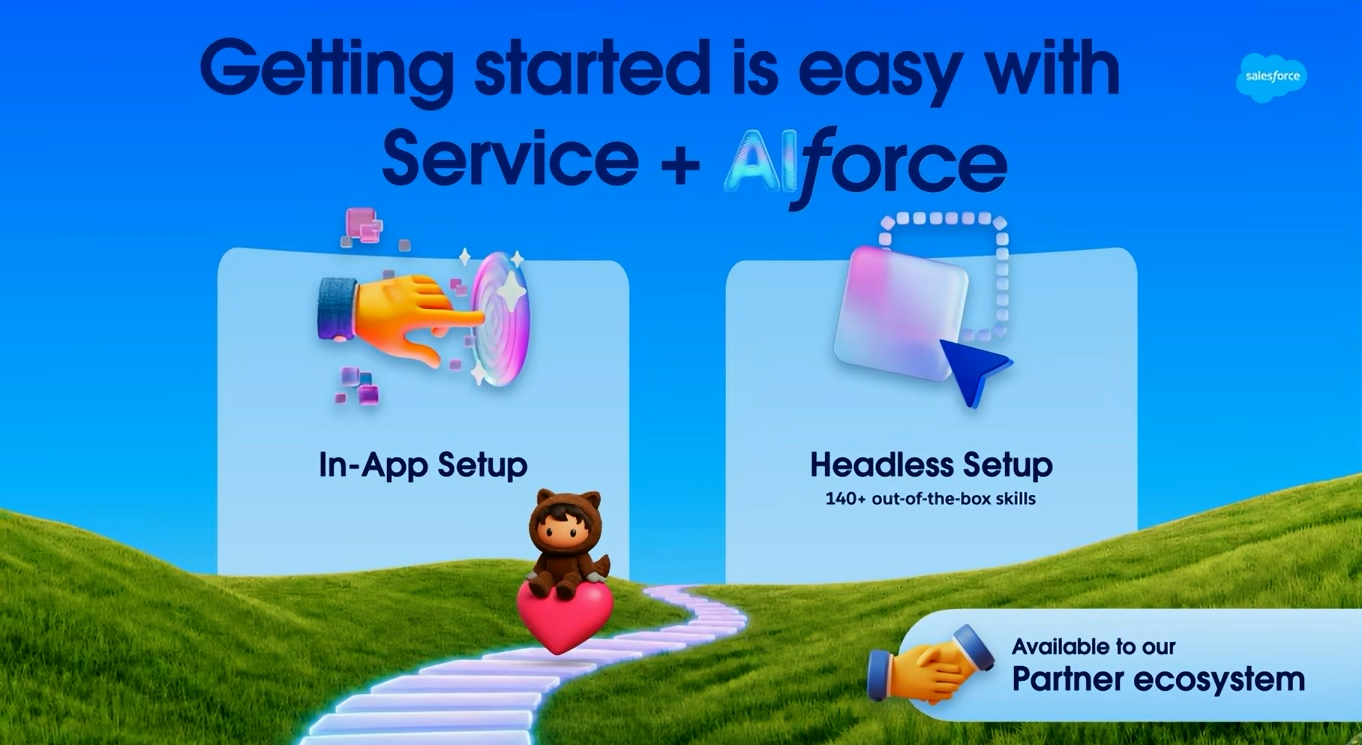
The bigger change comes with AIforce, which turns setup into a headless, conversational experience. Instead of navigating through multiple screens, dependencies, prerequisites, and manual configuration steps, admins can describe what they want to build and let an AI agent guide the setup.
Salesforce demonstrated how setup instructions and metadata API calls can be packaged into a skill that an AI agent can execute. Partners can also combine these skills with their industry expertise to help customers configure Service Cloud faster.
Overall, Salesforce is bringing customers, service reps, leaders, and admins into the same connected Service Cloud experience, with AI handling more of the work while humans stay focused where their judgment and relationships matter.
Final Takeaways from Dreamforce Day 2
Day two covered a lot of product updates, but a few themes stood out across the keynotes.
Agentforce is moving toward measurable ROI, with agents that can get started quickly, take on more complex work, and continuously improve.
Data 360 is becoming the context layer for AI, connecting enterprise data, memory, semantics, and governance so agents can work with better context.
Sales and Service Cloud are bringing AI directly into existing workflows, with proactive sales agents, customer-facing service agents, and humans working together in the same experience.
Setup and management are becoming more conversational, with Salesforce using AI to simplify configuration, workforce planning, and optimization.
That wraps up the biggest announcements and product updates from Dreamforce 2026 Day 2.
Related Readings

Let’s Talk

Drop us a note, we’re happy to take the conversation forward 👇🏻