

AI Voice Agent Implementation for Your Business: A Complete Guide
Key takeaways:
Implementation decides success, not the technology. A reliable rollout follows seven crucial steps.
Start small and focused. Pick one high-volume, repetitive, low-risk use case, set metrics and capture a baseline first, and expand only after you’ve proven results.
The implementation costs vary widely by approach, and integration, testing, and ongoing tuning often take more effort than the voice AI itself.
Most businesses that struggle with voice automation didn't choose bad technology. They skipped steps: they never defined the problem, left their data messy, or connected the agent to nothing useful. That is why AI voice agent implementation matters more than the tool itself. A well-planned rollout turns a clever demo into a system that answers calls, books appointments, and updates your records reliably.
This guide walks through the full process of voice AI implementation, from deciding whether it's worth doing to going live and improving the agent over time. You'll see where AI voice agents for business deliver the most value, what each step involves, what it costs, and what usually goes wrong.
Why Should Your Business Implement an AI Voice Agent?
The phone is still where many customers go when something matters, and it's where many businesses fall short. Calls go unanswered after hours, queues build up at peak times, and staff spend the day on questions they've answered a thousand times. An AI voice agent addresses these problems directly. Analysts see the shift too: Gartner estimates conversational AI will cut contact center agent labor costs by $80 billion in 2026.
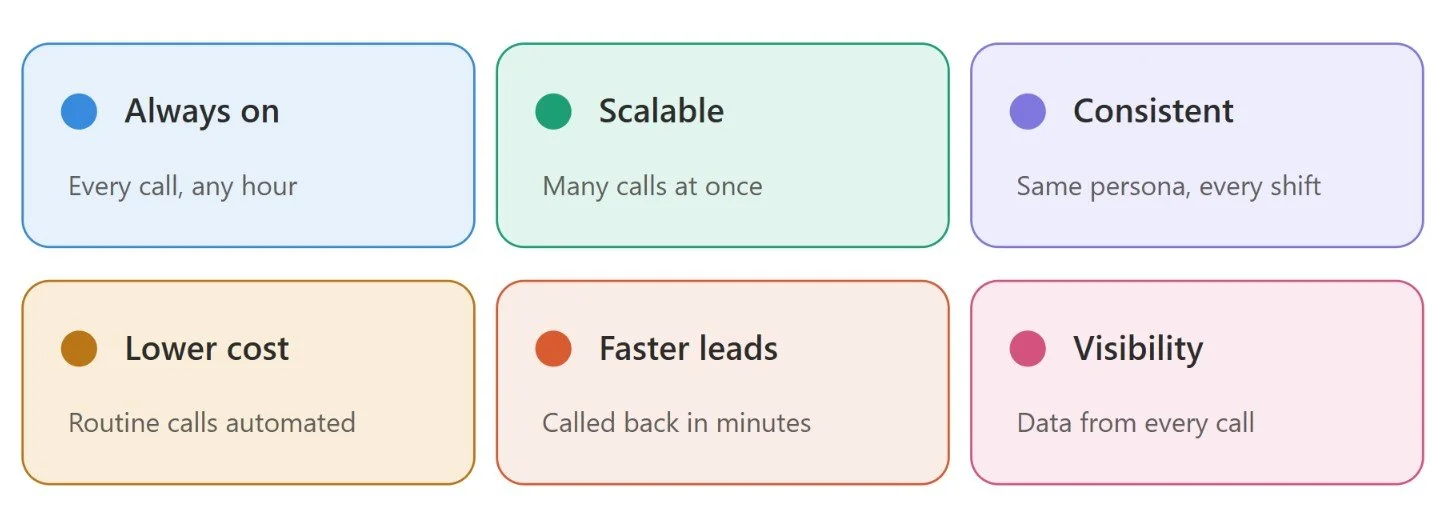
Always-on availability. An agent picks up every call, at any hour, with no queue.
Scale without extra headcount. It can handle many conversations at once, so a spike in demand doesn't mean a spike in wait time.
Consistent service. The same persona and approved answers apply to every caller, regardless of shift or location.
Lower cost on routine calls. AI voice automation takes over repetitive requests, so people can focus on complex or sensitive conversations.
Faster response to leads. A new prospect can get a call within minutes instead of the next day.
Better visibility. Every call produces a transcript, an intent, and an outcome, which most phone systems never capture.
An AI voice assistant for business is not about replacing your team. It takes the routine load off them so they spend their time where judgment and empathy matter.
Common Business Use Cases for AI Voice Agents
The best use cases share a few things in common, such as high call volume, repetitive requests, and clear answers. These are the AI voice agent use cases businesses start with most often.
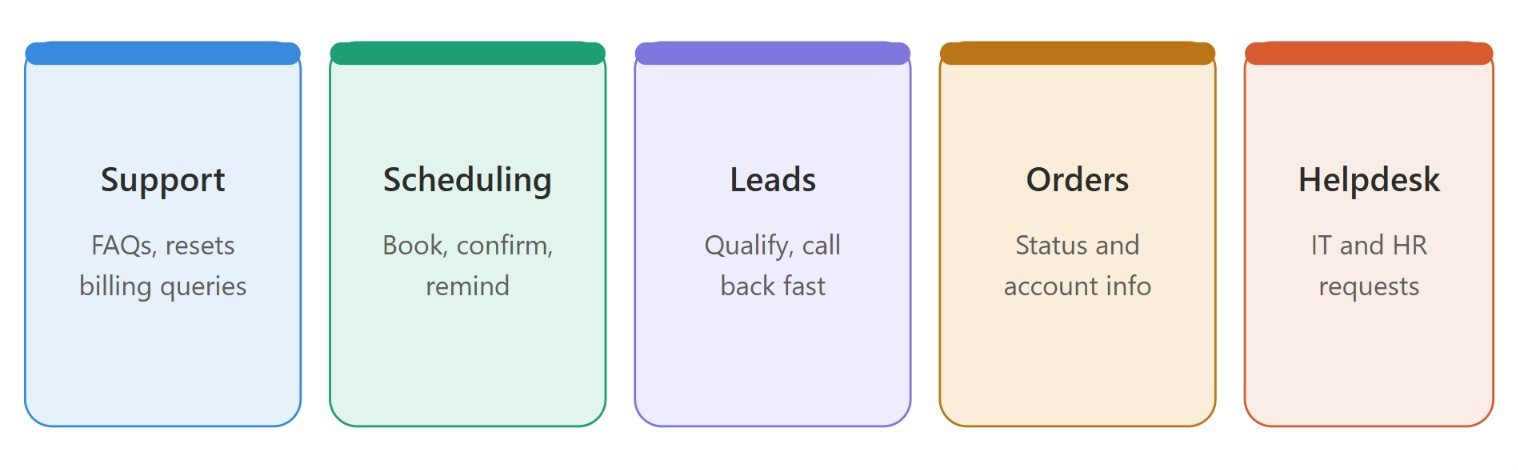
Customer support and FAQs. Opening hours, order status, password resets, policy questions, and simple billing queries.
Appointment scheduling and reminders. Booking, confirming, and rescheduling in one call, plus follow-up calls that staff rarely have time to make.
Lead qualification and outbound calls. Calling new leads quickly, asking qualifying questions, and booking meetings for sales reps.
Order and account inquiries. Checking delivery status, updating details, or answering account questions using live system data.
Internal helpdesk. IT and HR requests, such as password resets or leave policy questions, handled by voice.
Industries that benefit most include healthcare, HR recruitment, home services, retail, financial services, and any appointment-driven business. If you're unsure where to start, review a few weeks of call recordings. The most common, most repetitive call types are your best candidates.
How to Implement an AI Voice Agent for Your Business
A reliable rollout follows seven steps. Skipping any of them tends to show up later as a problem in production.
Step 1: Identify Your Business Requirements
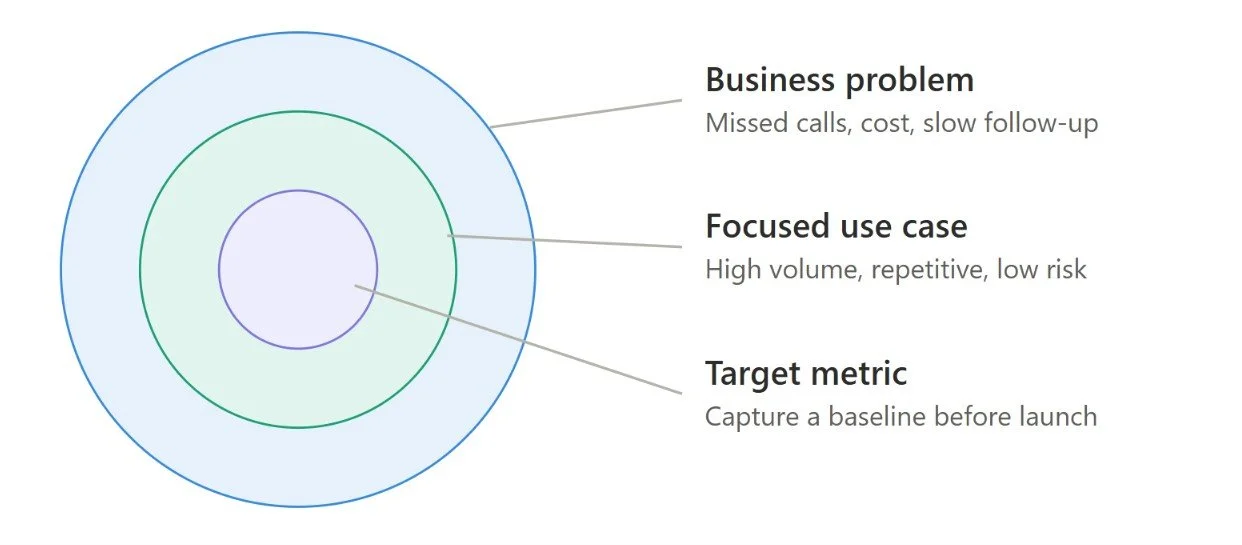
Start with the problem, not the technology. Are you losing calls after hours, spending too much on routine support, or following up with leads too slowly? Pick one problem and set measurable targets for it, such as containment rate, first-call resolution, abandonment rate, or bookings.
Then choose a focused first use case: high volume, repetitive, and low risk. Review recordings and transcripts to see what callers actually ask, and fix any broken processes before you automate them, because automation makes a confusing workflow faster, not better. Finally, capture a baseline before launch so you can prove the improvement afterward.
Step 2: Choose the Right AI Voice Agent Solution
Once you know what you need, decide how to get it. Choosing the right AI voice agent solution or platform can either make the implementation successful or break it. Evaluate the options on the same criteria:
Conversational quality: how well it understands natural speech, accents, and interruptions
Integrations: CRM, help desk, and scheduling software
Scalability, analytics, security, and data handling
Human handoff and customization options
Total cost of ownership against expected business benefits
If you want custom behavior in your voice agent without building a team from scratch, specialist AI voice agent development services can take on the design, integration, and compliance work.
Step 3: Design the Conversation Flow
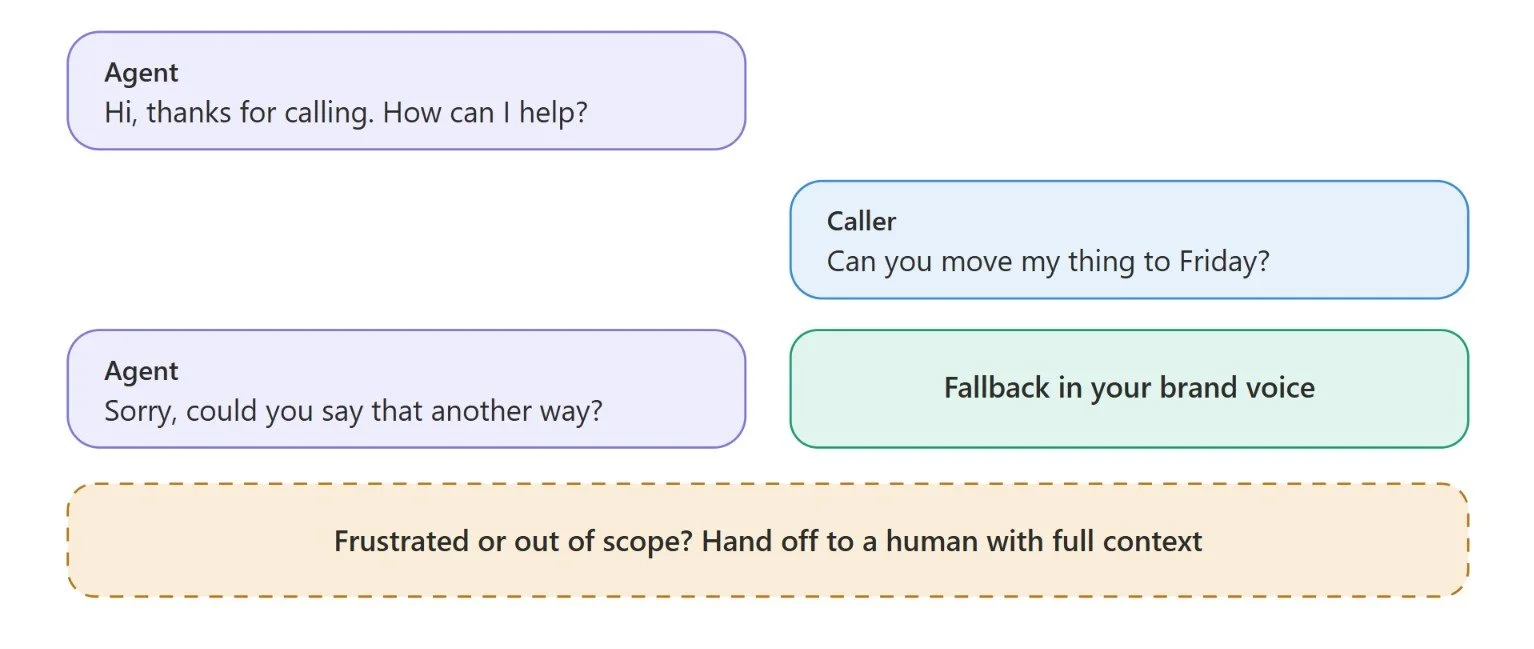
This is where your agent gets its personality. Define a persona and tone that match your brand, and write the greetings, fallbacks, and sign-offs in that voice. A generic “Sorry, I didn't understand” feels very different from a fallback written in your brand's style.
Ground the agent's answers in approved content, such as help articles and policies, so it doesn't improvise. Then map the main call flows and the edge cases: what happens when the caller changes their mind, asks something out of scope, or becomes frustrated? Decide in advance which situations trigger a handoff to a human. Good conversation design is invisible when it works and obvious when it doesn't.
Step 4: Integrate the Agent With Your Business Systems
An agent that can only talk isn't solving much. The value comes when it can act: look up an order, book a slot, update a record, or open a ticket during the call. That means connecting it to your telephony setup and to your CRM, help desk, and calendar, with real-time lookups and write-backs.
Integration is usually the hardest part of voice AI implementation, particularly with older systems. You can hire AI developers with real conversational AI experience to help you with integration. The gap between a demo and a live production system is mostly in integration and tuning. Also, set up access permissions carefully so the agent can see and change only what it needs to.
Step 5: Configure Security and Compliance
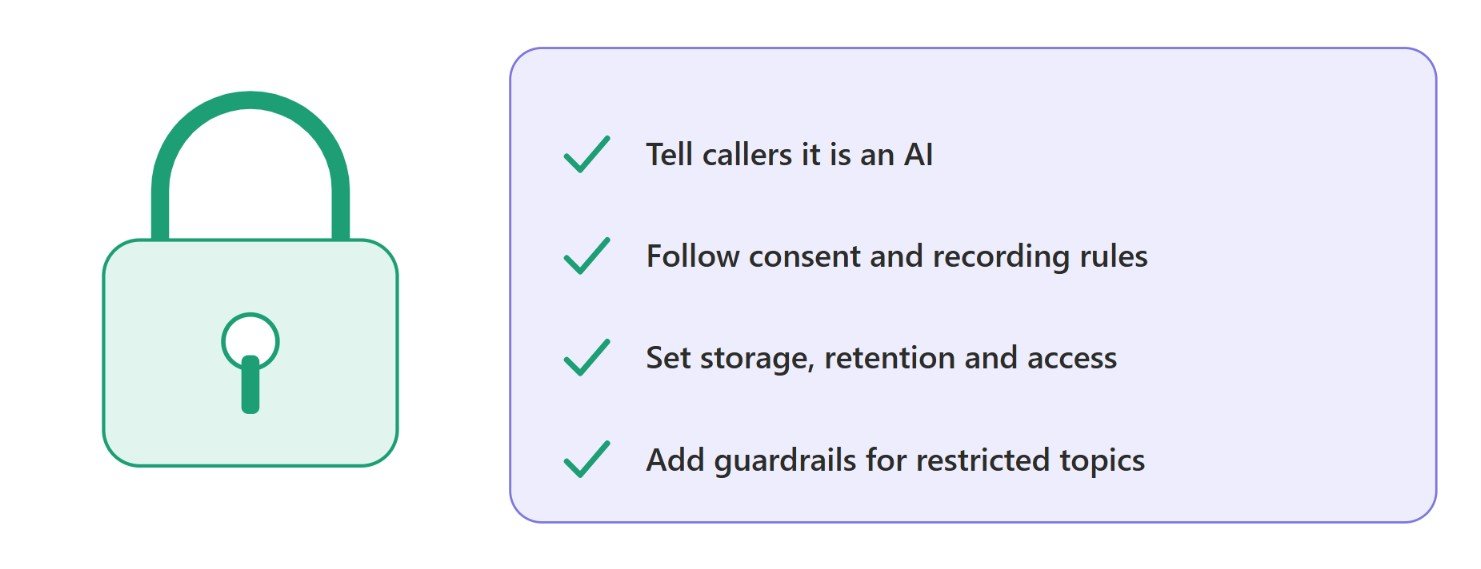
Treat compliance as part of the build, not a final check. Callers should be told they are speaking with an AI, and many regions now require it. Follow the consent and call-recording rules that apply to your callers' locations, and be clear about what data you store, for how long, and who can access it.
Add guardrails too that include topics the agent must never discuss, claims it must not make, and any required compliance language. Regulated sectors such as healthcare and finance carry extra obligations, such as protecting health data or financial data, so involve your legal or compliance team early.
Step 6: Test the AI Voice Agent Before Launch
Demos run on clean, scripted calls. Real callers talk over the agent, mumble, change their minds, and call from noisy streets. Test with real recordings, a range of accents, background noise and interruptions, and deliberately try to break the agent with edge cases.
Check latency and accuracy, and confirm every integration works as expected. Test run on a small bunch of real calls before opening it up. A pilot gives you real data and exposes problems while the stakes are still low.
Step 7: Deploy and Continuously Optimize
Launch in phases. Start with limited hours or a single call type, watch the results closely and expand as confidence grows. Prepare your team so they know what the agent handles, how handoffs work and what to do when a call reaches them, and let customers know what to expect.
Launch is the start of the work, not the end. Review real calls and transcripts regularly, track your core metrics against the baseline and update prompts, content and flows as your business changes. Without that routine, accuracy and brand voice slowly drift.
How Much Does AI Voice Agent Implementation Cost?
There is no single price, and published estimates vary widely. The biggest factor is the approach you choose. One 2026 analysis found that costs can differ by five to ten times depending on whether you use an off-the-shelf platform, a hybrid of cloud services and custom work, or a fully custom build.
For ready-made platforms, pricing is usually based on usage. The all-in cost of a production voice agent at roughly $0.07 to $0.49 per minute depends on provider, volume, voice quality, integrations, and pricing structure. Remember that the advertised rate often leaves out telephony, premium voices, and setup fees.
For custom builds, the range is much wider. One estimate places a custom agent at about $3K to $12K for a small business build and $20K to $120K at enterprise scale. A common thread is that integration with your CRM or booking system can account for roughly 40 to 60 percent of the engineering effort, not the voice AI itself.
The main cost drivers are:
Call volume and expected minutes per month
Number and depth of integrations
Customization of voice, persona and flows
Compliance and security requirements
Ongoing tuning, monitoring and support
Also budget for what pricing pages skip: setup and integration work, testing, ongoing optimization and the internal time your team will spend. To estimate return, compare total cost against the benefits you expect, such as fewer missed calls, lower handling costs and faster lead response. Treat these figures as rough guides and request quotes based on your own call volume and scope.
Common Challenges in AI Voice Agent Implementation
Knowing the common challenges in advance makes the AI voice agent implementation much easier to handle.
Legacy system integration. Older CRMs and phone systems often lack modern connections, which adds time and cost.
Accuracy on real callers. Strong accents, background noise, and specialist vocabulary can reduce recognition quality, so test on your own audience.
Latency under load. An agent that responds quickly in a demo can slow down at real call volume.
Messy data and unclear knowledge sources. The agent can only be as accurate as the information it can reach.
Team resistance. Staff may worry about their roles. Involve them early and explain how the agent supports their work.
Compliance and privacy. Consent, recording, and data handling rules vary by region and industry.
Over-scoping. Trying to automate every call type on day one is the quickest way to stall a project.
Many of these are easier to avoid with experienced help. Teams that lack the skills often bring in partners offering AI voice agent development services for the integration and compliance-heavy parts, or hire AI developers who have already shipped production voice systems.
Best Practices for Successful AI Voice Agent Implementation
The businesses that get the most from AI voice agents for business tend to follow the same best practices.
Start small and prove value. Begin with one focused use case, show results, then expand.
Define success before you build. Set metrics and capture a baseline so improvement is measurable.
Keep humans in the loop. Send emotional, complex or high-stakes calls to people, with full context passed along.
Ground the agent in approved content. Answers drawn from trusted sources are more accurate and more on-brand.
Test against messy reality. Use real recordings, noise, accents, and interruptions, not just scripts.
Be transparent. Tell callers they are speaking with an AI, and follow consent and recording rules.
Review calls regularly. Listen to real conversations, not only dashboards, to catch drift in tone and accuracy.
Treat launch as the beginning. Plan for continuous improvement as products, policies, and customer needs change.
Conclusion
Successful AI voice agent implementation is less about choosing the most advanced technology and more about disciplined execution. Define the problem, pick a focused first use case, design the conversation carefully, integrate properly, build in security and compliance, test against real conditions, and keep improving after launch.
If you're ready to begin, map your top call types, choose one high-volume, low-risk use case, and plan a small pilot. Measure it honestly, learn from it, and expand with proof. That approach turns voice AI implementation from a risky experiment into a dependable part of how your business talks to customers.
Frequently Asked Questions
-
It depends on scope. A focused pilot on a ready-made platform can go live in a few weeks, while custom builds with deep integrations with CRM and other platforms usually take longer. Starting with one narrow use case keeps timelines short.
-
Not always. Ready-made platforms need little coding for simple use cases. For custom behavior or complex integrations, you may want AI voice agent development services or help from developers experienced in conversational AI.
-
Start with high-volume, repetitive, low-risk calls, such as after-hours coverage, appointment scheduling, order status, or lead qualification. Review your call recordings to find the most common request types, then pick one to pilot.
-
No. It handles routine calls so your team can focus on complex, sensitive, or high-value conversations. A good setup hands off to a human smoothly, passing the full conversation context along so callers never repeat themselves.
-
It can be, if built properly. Tell callers they’re speaking with an AI, follow consent and call-recording rules, set clear data storage and access policies, and add guardrails for restricted topics. Regulated industries need extra care when it comes to compliance.
-
Compare results against a pre-launch baseline. Track containment rate, first-call resolution, abandonment rate, customer satisfaction, and bookings, and regularly review real calls to check accuracy, latency, and tone.
Related Readings
Let's Talk
Drop us a note, we’re happy to take the conversation forward 👇🏻

