
Updated on: Nov 10, 2026
Selecting between Salesforce vs HubSpot extends far beyond a standard CRM software selection. This strategic choice dictates how your enterprise handles data architectures, orchestrates sales and marketing automation, drives service delivery, and scales long-term operations.
While both platforms deliver robust CRM engines, revenue automation, digital marketing, customer service infrastructure, and cutting-edge AI capabilities, their operational philosophies diverge significantly across system customization, deployment complexity, pricing frameworks, and organizational scalability.
Salesforce serves as a powerful solution for organizations demanding deep workflow customization, multi-layered relational data processing, and enterprise-wide CRM architecture. Conversely, HubSpot stands out as an exceptional choice for dynamic teams prioritizing intuitive user experience, unified go-to-market workflows, and rapid system implementation.
Ultimately, identifying the ideal platform hinges on your unique business processes, technical architecture, budgetary parameters, and overarching growth trajectory.
In this in-depth comparison, we will evaluate HubSpot vs Salesforce across core CRM functionality, marketing automation, sales enablement, service management, pricing structures, autonomous AI features, and ecosystem integrations, highlighting when to select a single system or adopt a hybrid strategy.
Salesforce vs. HubSpot: Quick Comparison
Here is a comprehensive table for HubSpot vs Salesforce; with this, you can make an informed decision about which platform could fit your business.
| Criteria | Salesforce | HubSpot |
|---|---|---|
| Best suited for | Businesses with complex CRM and operational requirements | Businesses prioritizing connected marketing, sales, and service workflows |
| CRM | Highly configurable CRM with extensive customization options | Unified CRM with an approachable interface |
| Marketing | Marketing Cloud Next, Marketing Cloud Engagement, Account Engagement, and other marketing products | Marketing Hub |
| Sales | Sales Cloud | Sales Hub |
| Customer service | Service Cloud | Service Hub |
| AI | Agentforce, Salesforce AI capabilities, and Data 360-supported workflows | Breeze AI, AI agents, and HubSpot Credits |
| Customization | Extensive configuration and development options | Configuration and customization within HubSpot's product framework |
| Automation | Salesforce Flow, platform automation, and product-specific tools | HubSpot workflows and product-specific automation |
| Integration | AppExchange, APIs, Salesforce platform capabilities, and integration solutions | HubSpot App Marketplace, APIs, and connected applications |
| Implementation | May require specialized configuration, development, and integration | Often simpler for standard workflows; complex implementations still require planning |
| Pricing | Edition, user, product, usage, and add-on dependent | Product, seat, contact, usage, and add-on dependent |
Note: Neither solution holds absolute dominance. Organizations navigating intricate operational structures may find Salesforce indispensable, whereas dynamic teams prioritizing unified go-to-market execution and streamlined administration often thrive with HubSpot.
Understanding Salesforce Platform Architecture
Salesforce serves as a robust enterprise cloud application infrastructure, empowering organizations to govern end-to-end customer relationships, scale revenue operations, drive digital marketing campaigns, streamline customer support, and execute complex business logic.
Its vast product ecosystem features Sales Cloud, Service Cloud, Marketing Cloud, Data Cloud foundations, autonomous Agentforce AI capabilities, and specialized industry-tailored platforms.
This system is particularly essential for large-scale enterprises demanding deep workflow customization, multi-layered relational data models, sophisticated platform automation, and enterprise-grade system integrations.
Why Enterprise Teams Implement Salesforce CRM
Deep platform customization: Architect custom objects, specialized fields, automated flows, and intricate operational models.
Advanced sales automation: Optimize lead routing, pipeline forecasting, opportunity stages, and revenue execution.
Enterprise system integration: Connect disparate software tools and enterprise databases seamlessly.
Omni-channel service delivery: Scale case management, resolution routing, and service team workflows.
Cutting-edge AI features: Deploy Agentforce autonomous agents and predictive analytics across core business operations.
Long-term scalability: Expand system capabilities as enterprise operational requirements increase over time.
However, the immense flexibility of the Salesforce platform introduces critical implementation parameters.
Organizations must carefully analyze system architecture, integration strategy, governance, security, and technical overhead prior to initial rollout.
Executing a deployment without strategic guidance risks incurring substantial technical debt, data fragmentation, and inflated ongoing maintenance expenses.
Explore HubSpot Customer Platform
HubSpot provides a unified customer platform designed to seamlessly connect CRM data, inbound marketing engines, sales enablement, customer support, content management, and operations management.
Its centralized Smart CRM foundation underpins shared lead records across all functional product hubs.
This system is an exceptional choice for fast-growing companies seeking to align go-to-market teams around connected prospect data without encountering massive custom software development hurdles.
Why Companies Select HubSpot
Unified CRM core providing consistent customer context.
Inbound marketing automation and multi-channel campaign engines.
Intuitive sales deal tracking and pipeline management.
Streamlined customer support channels and ticketing systems.
Breeze AI tools driving automated operational workflows.
Pre-built marketplace connectors for external applications.
While HubSpot scales effectively into the mid-market segment, overall platform viability remains contingent upon business process complexity, custom object demands, and integration dependencies.
Decision-makers should rigorously evaluate subscription tier parameters prior to selecting their operational stack.
Salesforce vs HubSpot Pricing: Evaluating Real CRM Investment
Evaluating subscription expenditure forms a pivotal component when comparing Salesforce vs HubSpot cost parameters.
Simply assessing base monthly platform fees fails to reflect the complete financial impact of deployment.
Your comprehensive cost structure generally encompasses:
Core platform licensing and subscription tiers.
User seat expansions and add-on products.
Marketing contact tiers and usage consumption.
Legacy data extraction and migration overhead.
Custom object and workflow configuration.
Middleware API integration engineering.
System onboarding and implementation consulting.
User training resources and administrative maintenance.
Salesforce Pricing Structures
Salesforce structures pricing flexibly depending on specific product selections and operational scale.
Starter Suite subscriptions open at $25 per user monthly, whereas Pro Suite starts at $100 per user per month.
Sales Cloud introduces advanced enterprise tiers offering deeper operational capabilities.
Marketing Cloud expenditure is tailored around individual solution packages, feature tiers, and organizational throughput.
To illustrate, Marketing Cloud Growth starts at $1,500 per month, while Advanced tiers begin at $3,250 monthly on an annual agreement.
These enterprise solutions represent distinct architectures compared to standard per-seat CRM licensing models.
HubSpot Pricing
HubSpot combines foundational free features with specialized premium hubs.
Financial commitments vary by chosen hub, tier level, paid seats, marketing contact volume, and credit usage.
Marketing Hub, Sales Hub, and Service Hub feature individual tier pricing.
Enrolling in Professional or Enterprise levels frequently mandates required onboarding service fees.
Organizations must confirm current license caps, contact thresholds, and potential usage surcharges prior to contract sign-off.
Why Implementation Cost Matters
Base platform licensing reflects only a portion of the total financial commitment.
For instance, an enterprise choosing Salesforce may require complex relational objects, sophisticated sales automation, third-party integrations, and data migration.
Conversely, another business might only necessitate baseline CRM setups and simplified workflows.
Consequently, deployment complexity and consulting effort vary dramatically between organizations.
Ultimately, the most cost-effective platform is the one that satisfies core functional requirements without driving unnecessary licensing bloat, complex development, or high maintenance overhead.
Estimating Salesforce Implementation Investments
Concret guides organizations through scoping Salesforce functional requirements, customization demands, integration architectures, and deployment schedules.
Learn more about Salesforce implementation consulting services
Salesforce vs HubSpot: Marketing Automation Comparison
Marketing automation capabilities determine how effectively organizations capture leads, nurture prospects, personalize buyer journeys, and align revenue teams.
While both software vendors deliver advanced marketing capabilities, their core system architectures and implementation demands diverge.
Salesforce Marketing Cloud Infrastructure
Salesforce delivers specialized digital marketing applications, including Marketing Cloud Growth, Account Engagement (Pardot) and Engagement.
These tailored engines accommodate highly distinct go-to-market strategies.
Marketing leaders leverage Salesforce technologies for:
Complex, multi-channel customer journey orchestration.
Enterprise campaign and workflow automation.
Advanced, data-driven audience segmentation.
Multi-brand global campaign management.
Dynamic web and email content personalization.
Zero-Copy marketing data platform integration.
AI-powered optimization and campaign insights.
Salesforce Marketing Cloud offers unmatched scale for enterprises processing huge volumes of customer interaction data across disparate systems.
However, selecting the appropriate marketing application is essential before budgeting for license costs or technical setup.
HubSpot Marketing Hub Infrastructure
HubSpot Marketing Hub unifies marketing tools directly within its core CRM.
Its comprehensive functionality includes:
Drag-and-drop email campaign editors.
Visual workflow automation tools.
Integrated lead forms and landing page creation.
Inbound marketing and campaign tracking.
Active contact and list segmentation.
Multi-channel attribution and web analytics.
Generative Breeze AI content assistance.
HubSpot provides a highly effective solution for dynamic mid-market teams seeking fast execution and tightly coupled marketing and sales operations.
HubSpot vs Salesforce Marketing Cloud: Which should you choose?
| Requirement | Platform to evaluate |
|---|---|
| Connected marketing and sales workflows | HubSpot Marketing Hub |
| Complex enterprise marketing operations | Salesforce Marketing Cloud products |
| Existing Salesforce CRM architecture | Salesforce marketing ecosystem |
| Marketing automation with simpler administration | HubSpot |
| Advanced data integration and customization | Salesforce ecosystem |
Selecting the optimal solution hinges directly upon your strategic marketing objectives, underlying customer data structures, software integration dependencies, and internal technical proficiency.
For enterprises currently operating within the Salesforce ecosystem, thoroughly assessing appropriate Marketing Cloud applications and data integration frameworks prevents unwarranted system complexity and technical overhead.
Also Read: HubSpot Marketing Hub vs Salesforce Marketing Cloud vs Pardot
Salesforce vs HubSpot: Sales Enablement & Pipeline Automation
Both Salesforce Sales Cloud and HubSpot Sales Hub empower revenue teams to govern prospect records, track sales pipelines, automate engagement activities, and scale end-to-end customer relationships.
However, operational divergence becomes pronounced when business models demand intricate workflow customization, multi-layered relational structures, or multi-channel forecasting capabilities.
Salesforce Sales Cloud Capability Framework
Salesforce Sales Cloud provides a robust foundation for revenue operations, driving key operational capabilities such as:
Enterprise lead routing and account management architecture.
Granular deal tracking and opportunity milestone execution.
Multi-tier pipeline forecasting and predictive analytics.
Multi-stage pipeline management and stage gates.
Advanced revenue process automation via Salesforce Flow.
Custom object modeling for unique commercial workflows.
Seamless system integration across enterprise software stacks.
Salesforce represents an indispensable choice for complex sales organizations requiring deep operational flexibility, multi-layered data models, and tight integration with core business databases.
HubSpot Sales Hub Architecture
HubSpot Sales Hub seamlessly unifies commercial engagement activities directly within its central Smart CRM foundation.
Its comprehensive feature suite includes:
Intuitive deal tracking and sales pipeline management.
Automated revenue process and outreach workflows.
Integrated email communications and meeting scheduling.
Targeted prospect engagement and lead generation.
Real-time sales performance analytics and reporting.
Breeze AI-powered operational execution and task management.
HubSpot provides a highly effective solution for dynamic organizations prioritizing unified prospect data and streamlined go-to-market workflows within a single interface.
HubSpot vs Salesforce Sales Engine: Which Should You Implement?
Deploy Salesforce when your organizational requirements demand deep operational flexibility, intricate custom object models, multi-layered automation, and enterprise system integrations.
Conversely, adopt HubSpot when revenue teams value connected customer context, intuitive user experience, and low administrative overhead.
However, decision-makers must rigorously audit underlying revenue workflows prior to platform deployment; automating poorly structured sales operations merely amplifies technical debt and organizational inefficiencies.
Salesforce and HubSpot: Customer Service Management
Customer service solutions empower organizations to govern support tickets, optimize client touchpoints, automate resolution workflows, and elevate overall customer satisfaction metrics.
Salesforce Service Cloud Infrastructure
Salesforce Service Cloud powers enterprise service operations through core functional capabilities, including:
Enterprise case management and routing protocols.
Advanced service delivery process automation.
Scalable customer support resolution workflows.
Centralized knowledge base and documentation management.
Real-time service performance and team analytics.
Omni-channel engagement and interaction dispatch.
Enterprise system and database integrations.
Evaluating Service Cloud becomes essential when your enterprise operates intricate support models, manages multi-tiered service teams, or requires deep platform customization.
HubSpot Service Hub Architecture
HubSpot Service Hub seamlessly unifies service management directly within its central Smart CRM foundation.
Its core feature suite includes the following:
Streamlined ticket tracking and pipeline organization.
Automated customer support resolution paths.
Integrated help center and knowledge repositories.
Customer feedback collection and satisfaction surveying.
Comprehensive service metrics and operational reporting.
Support flow and communication automation.
Breeze AI-driven service assistance tools.
HubSpot provides a highly effective solution when organizations seek to align service reps with commercial context across sales and marketing teams.

Which Customer Service Platform Should You Choose?
Determining the ideal platform hinges upon your operational support complexity, channel coverage requirements, workflow automation scope, reporting demands, and technical integration architecture.
Organizations navigating highly intricate support environments should thoroughly audit Salesforce Service Cloud for its extensive configuration flexibility and platform capabilities.
Conversely, enterprises prioritizing unified customer context and streamlined platform administration often find HubSpot Service Hub to be the optimal choice.
What Are the AI Capabilities of Salesforce vs. HubSpot
Artificial intelligence holds the potential to significantly optimize sales workflows, digital marketing strategies, service resolution, and overall revenue operations.
However, committing to an enterprise platform based solely on superficial AI feature lists frequently introduces unnecessary financial expenditure and system bloat.
Salesforce Enterprise AI and Agentforce Framework
Salesforce embeds advanced AI capabilities and autonomous Agentforce architectures directly throughout its cloud infrastructure.
Depending on your chosen edition and overall architecture, organizations can leverage these tools to scale commercial engagement, optimize support ticketing, automate campaign management, drive deep data analytics, and execute complex business logic.
These solutions deliver maximum value when autonomous agents must execute within multi-layered relational structures and legacy enterprise databases.
Nevertheless, decision-makers should rigorously audit subscription licensing models, data governance protocols, platform readiness, and consumption metrics prior to full-scale deployment.
HubSpot Breeze AI Foundation
HubSpot integrates Breeze AI functionality across its entire customer platform ecosystem.
Its functional suite delivers generative content creation, deal prospecting assistance, service desk automation, automated contact enrichment, and specialized AI agents.
This setup empowers internal teams to streamline daily task execution within a single unified CRM interface.
However, total feature accessibility remains closely tied to specific subscription tiers, hub add-ons, and credit consumption thresholds.
Evaluating the Right CRM AI Solution
Prior to platform selection, organizations must rigorously evaluate:
Specific operational workflows targeted for AI automation.
Underlying customer data requirements and field quality.
Data security boundaries and administrative governance.
Human oversight and review checkpoints.
Licensing structures and usage-based cost parameters.
Technical integration dependencies across existing software stacks.
Note: Successful AI deployment must stem from defined strategic objectives rather than vendor software checklists.
Salesforce vs. HubSpot: Customization and Integration
Platform customization and integration architectures dictate how effectively your CRM infrastructure aligns with existing enterprise operational models.
Salesforce Customization Capabilities
Salesforce delivers extensive platform flexibility via custom object modeling, tailored fields, automated Salesforce Flows, Apex development frameworks, and robust API endpoints.
This structural agility empowers enterprises to execute highly intricate business logic and connect core CRM functions with external operational databases.
However, deploying extensive system modifications mandates rigorous strategic planning.
Executing configurations without clear architecture, thorough documentation, test protocols, and ongoing administrative governance risks accumulating severe technical debt while inflating long-term system maintenance costs.
HubSpot Customization Capabilities
HubSpot provides system flexibility via custom CRM properties, deal pipelines, automated workflows, standard APIs, and core platform capabilities.
This platform serves as an effective choice when core business processes align naturally with its out-of-the-box data structures and native automation engine.
However, decision-makers must rigorously confirm that specific technical parameters can be executed within their chosen subscription tier prior to deployment.
Salesforce and HubSpot Hybrid Integration Architecture
Organizations frequently unite Salesforce and HubSpot architectures to seamlessly bridge digital marketing engines with core enterprise sales data.
A typical hybrid bi-directional workflow operates as follows:
HubSpot captures inbound prospects and executes early-stage lead nurturing.
Sales-qualified prospects automatically sync to the primary Salesforce environment.
Salesforce orchestrates opportunity pipelines, complex deal stages, and commercial logic.
Closed revenue data and deal milestones synchronize back into HubSpot.
Go-to-market teams maintain unified visibility across connected customer interactions.
However, implementing a dual-system strategy introduces critical operational oversight requirements.
Enterprise architects must carefully govern system-of-record status, custom field mapping, synchronization timing, deduplication protocols, error handling, and routine data audits.
Note: A successful CRM integration strategy should streamline operational alignment and maintain data integrity not add unnecessary architectural friction or data fragmentation.
Salesforce vs. HubSpot: Pros and Cons
Salesforce Platform Advantages
Unmatched operational flexibility: Deploy extensive custom objects, tailored fields, and programmatic development.
Complex process orchestration: Govern sophisticated sales pipelines, multi-tiered accounts, and enterprise service management.
Enterprise system connectivity: Integrate deeply with external software stacks, ERPs, and central data warehouses.
Advanced workflow automation: Build intricate business logic using powerful Salesforce Flow tools.
Comprehensive product ecosystem: Leverage specialized cloud applications tailored for diverse industry verticals.
Enterprise AI capabilities: Utilize Agentforce autonomous features and predictive intelligence across operational hubs.
Salesforce Implementation Considerations
Implementation complexity: Initial deployment and ongoing configuration often necessitate dedicated administrative expertise.
Technical debt risk: Uncontrolled platform customization can inflate ongoing system governance and maintenance overhead.
Licensing investment: Per-seat pricing tiers, product add-ons, and usage metrics can increase annual spend.
Integration management: Legacy data extraction and middleware engineering demand structured planning.
Administrative overhead: Sustained end-user training and system oversight are essential for long-term ROI.
HubSpot Platform Advantages
Unified customer database: Align marketing, commercial sales, and customer service around connected prospect data.
Intuitive user interface: Streamline internal onboarding with an approachable, user-friendly operational layout.
Low-friction evaluation: Access foundational free CRM tiers to test core feature functionality early on.
Centralized buyer history: Maintain complete operational visibility across customer interactions in a single view.
Streamlined revenue automation: Execute inbound campaign workflows and commercial outreach efficiently.
Embedded AI functionality: Leverage Breeze AI tools directly within daily go-to-market workflows.
HubSpot Implementation Considerations
Tier-gated capabilities: Unlocking advanced operational tools mandates upgrading to higher platform subscription levels.
Scaling cost factors: Expanding marketing contact volumes, paid user seats, and credit usage directly impacts total spend.
Custom integration work: Connecting legacy software systems beyond marketplace apps can require specialized developer effort.
Framework boundaries: System design and data modeling must fit within HubSpot's standard product architecture.
Salesforce vs. HubSpot: Pros and Cons
| Aspect | Salesforce | HubSpot |
|---|---|---|
| Pros |
|
|
| Cons |
|
|
Salesforce vs HubSpot: Which CRM Engine Should Your Business Deploy?
Selecting the optimal customer platform mandates a rigorous audit of operational workflows, underlying data architectures, and long-term organizational expansion trajectories.
Deploy Salesforce Infrastructure When Your Enterprise Requires:
Sophisticated commercial deal execution and omni-channel customer service management.
Deep system configuration, specialized fields, and Apex programmatic capabilities.
Enterprise database integration and middleware API connectivity.
Advanced revenue logic automation using powerful Salesforce Flow tools.
Multi-layered custom object modeling for intricate business operations.
Access to a broader ecosystem of enterprise applications and industry-tailored clouds.
Adopt HubSpot Customer Platform When Your Organization Demands:
Tightly coupled inbound campaign tools and unified commercial operations.
Intuitive user interface for rapid internal onboarding and high team adoption.
Centralized Smart CRM foundation delivering complete prospect context.
Low-friction visual workflows and product-specific automation engines.
Streamlined system administration without complex software development hurdles.
Strategic alignment between digital marketing execution and sales pipeline outreach.
Evaluate a Hybrid Dual-System Architecture When:
Go-to-market marketing teams and enterprise sales reps operate under distinct operational frameworks.
Your technical infrastructure already maintains active deployments across both vendor ecosystems.
HubSpot powers inbound lead generation while Salesforce governs complex opportunity pipelines and support resolution.
Decommissioning either core application introduces severe operational friction and data disruption.
While a hybrid strategy connects best-of-breed software, maintaining system-of-record status, synchronization timing, and data integrity mandates rigorous administrative governance.
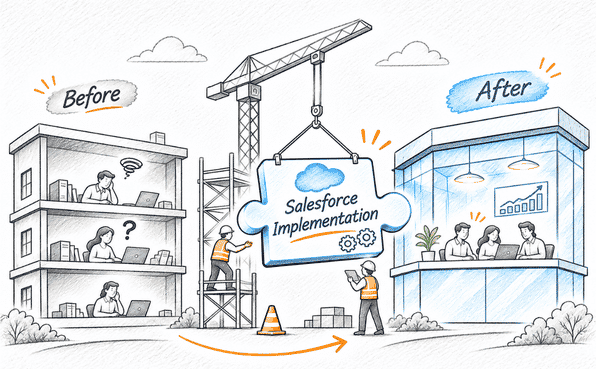
Salesforce Implementation Strategy: Maximizing Platform ROI
Procuring enterprise licenses does not inherently transform revenue ops, elevate service resolution metrics, or drive commercial growth.
Platform capabilities must be engineered specifically around your unique business requirements.
Executing a successful Salesforce rollout typically encompasses the following operational phases:
1. Business Process Assessment & Discovery
Audit end-to-end commercial workflows across marketing, lead routing, sales pipelines, and customer support.
Pinpoint operational inefficiencies and refine core logic prior to initiating system setup.
2. CRM Data Architecture & Object Modeling
Establish custom object structures, relational fields, user permissions, and governance frameworks.
A well-architected foundation prevents technical debt accumulation, duplicate records, and data fragmentation.
3. Salesforce Configuration & Custom Development
Build automated Salesforce Flows, real-time reporting dashboards, and tailored business logic aligned with commercial goals.
4. Legacy Data Extraction & Migration
Cleanse, map, validate, and transfer historical prospect records from existing databases.
Data quality issues must be resolved before migration to protect baseline system integrity.
5. Enterprise System Integration Engineering
Connect core CRM functions with external software stacks, ERP platforms, and third-party tools.
Integration designs must guarantee security, error-handling protocols, routine audits, and continuous data flow.
6. Quality Assurance Testing & Deployment
Validate end-to-end automation, security boundaries, and data accuracy across sandbox environments prior to production rollout.
7. User Enablement & Continuous Optimization
Drive internal user adoption through targeted training and measure operational post-launch performance.
CRM deployment represents an ongoing strategic evolution rather than an isolated software installation.
Real-Life Example and Concret.io Case Study for Personalized Education with Salesforce + HubSpot Automation
Read our case study and learn how Concretio’s expertise can help you as you explore HubSpot CRM vs. Salesforce CRM comparison in detail. Read and go through the Concretio case study to improve the experience you need.
Frequently Asked Questions
-
Gartner live reviews suggest that the biggest competitor of SF CRM is HubSpot, and the list also includes other competitors such as Microsoft, Oracle, SAP, Zoho, SugarAI, and Zendesk. If you dig further, you will find that HS is the one that stands out, as suggested by live user reviews. They say it is easy to use UI, way to integrate with external AI agents, and more.
-
Genuinely, it is not completely replacing SF; there is both yin and yang with HubSpot, as it is winning a growing share of mid-market and calling companies that are migrating away from Salesforce due to the lower costs and easier usability, but there is a fall-off as well in HS; it is because it depends upon your business’s exact requirements. So, in the end, you need to decide what your business needs.
-
Deploying a dual-system strategy allows organizations to run digital marketing engines through HubSpot while executing sales pipeline management and service workflows within Salesforce. Nevertheless, maintaining a hybrid architecture mandates strict data ownership protocols, seamless synchronization timing, robust integration engineering, and continuous operational governance.
-
Yes, somehow, as SF is significantly bigger than HubSpot in terms of overall revenue and global market share. SF reports its revenue at approximately $41.5 billion annually and holds around 20.7 of the global CRM market. On the other hand, HS generates $3.1 billion in trailing twelve-month revenue. But HubSpot has a large number of individual paying accounts (288,706+), and SF has 150,000+.
-
HubSpot serves as an exceptional choice for emerging companies seeking an intuitive customer platform with unified go-to-market workflows. Alternatively, evaluating Salesforce Starter Suite delivers a viable entry point for organizations planning to scale their system capabilities alongside long-term enterprise expansion.
-
The reason many organizations leave HubSpot is because of steep pricing jumps, a go-broad-product strategy that has diluted specialized performance, as well as a shift toward the modern artificial intelligence native point solution.
Bottom Line
Both enterprise solutions scale revenue operations effectively, yet platform suitability remains tied to your operational requirements.
Salesforce proves indispensable for organizations requiring deep custom object customization, complex sales process orchestration, multi-system integration, and a highly configurable enterprise architecture.
Conversely, HubSpot excels for dynamic teams prioritizing connected go-to-market workflows, intuitive user experience, rapid deployment, and low administrative overhead.
Ultimately, platform selection extends beyond comparing software feature checklists.
Your strategic objective is identifying the platform that matches your operational models, integrates seamlessly across technical stacks, fits budget parameters, and maintains long-term administrative scalability.
For enterprises evaluating platform options or planning a rollout, Concret provides expert guidance to audit functional requirements and formulate a tailored implementation roadmap.
Ready to evaluate Salesforce for your enterprise? Partner with Concret.io to streamline your CRM customization, integration, and deployment strategy.

Let's Talk

Drop a note with your queries to move forward with the conversation 👇🏻