HubSpot vs Salesforce CRM (2026): Pricing, Features, and Industry Key Differences
Key Takeaways:
HubSpot vs. Salesforce CRM pricing: Compare subscription fees, onboarding, implementation, and ongoing admin costs, not just license prices.
HubSpot vs. Salesforce features: HubSpot offers connected sales and marketing tools, while Salesforce provides deeper customization, data modeling, and automation capabilities.
Choose based on your business needs: Consider your team size, workflow complexity, integration requirements, and resources for managing the CRM as your business grows.
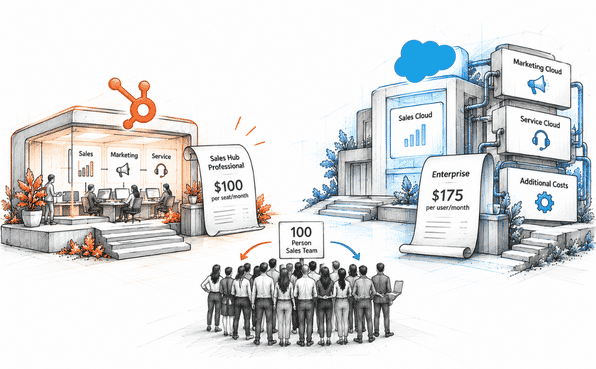
In August 2025, Salesforce increased the prices of its Enterprise and Unlimited plans by 6%. Enterprise Sales Cloud went from $165 to $175 per user per month, while HubSpot Sales Hub Professional remained at $100 per seat per month.
For a 100-person sales team, that means $210,000 per year for Salesforce Enterprise compared with $120,000 for HubSpot Sales Hub Professional, a difference of $90,000 annually, before adding marketing or service tools.
This HubSpot vs. Salesforce CRM comparison explores their 2026 pricing, features, and additional costs to help you understand what each platform offers and what you may pay beyond the subscription price.
The 30-second answer
Answer these three questions to see which CRM likely fits your team:
How many people are on your team? Under 500 → HubSpot usually costs less and sets up faster.
Do you have a CRM admin, or plan to hire one? No admin → HubSpot. Have an admin → either platform can work.
Is marketing automation a core need? Yes → HubSpot includes it in every paid plan. Salesforce sells it as a separate product, Marketing Cloud, starting at $1,250 a month.
Market position in 2026
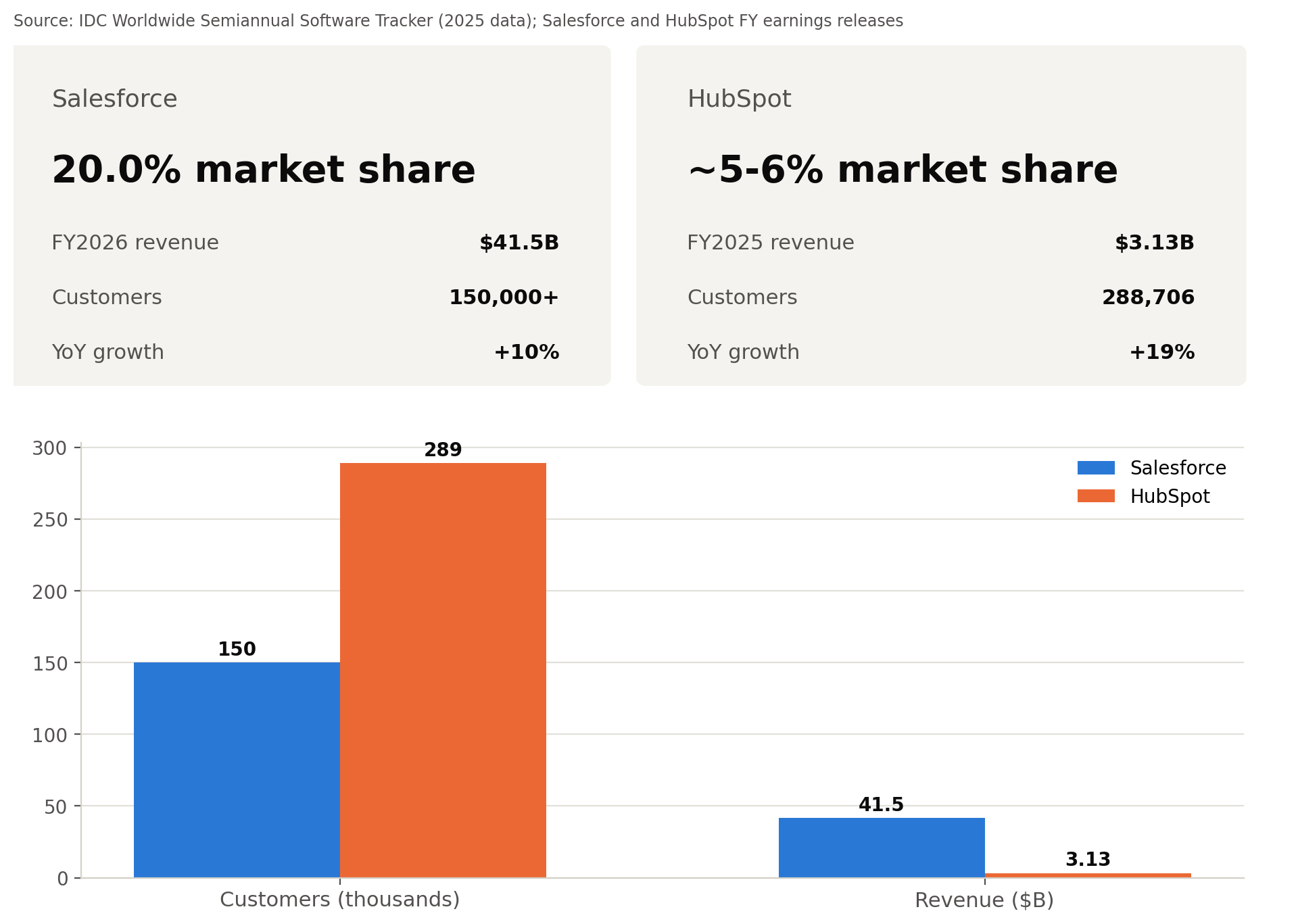
Salesforce remains the largest CRM vendor by revenue. IDC's most recent tracker (2025 data) puts its global CRM market share at 20.0%, down slightly from 20.7% the year before, still more than four times its nearest competitor, Oracle, at 4.1%. Salesforce closed fiscal 2026 with $41.5 billion in revenue, up 10% year-over-year, and serves over 150,000 customers worldwide.
HubSpot is smaller but growing faster. Full-year 2025 revenue reached $3.13 billion, up 19% year-over-year, with 288,706 paying customers across more than 135 countries.
The company-size gap is the real story: HubSpot has close to double Salesforce's customer count on about 7% of its revenue, a sign that HubSpot's base skews toward smaller companies, while Salesforce's skews toward larger accounts with bigger contracts.
For an earlier look at the platforms, read our HubSpot vs. Salesforce CRM comparison from 2024 to explore how their features and capabilities compared at the time.
HubSpot vs. Salesforce CRM Pricing: What You'll Actually Pay
HubSpot (2026 list prices)
| Tier | Price | Included |
|---|---|---|
| Free | $0 | CRM, forms, basic email, unlimited users |
| Starter | $20/seat/mo monthly billing (from $7/seat/mo annual) | Branding removed, meeting scheduling, simple automation |
| Sales Hub Professional | $100/seat/mo monthly billing ($90 annual), plus $1,500 one-time onboarding | Sales automation, forecasting, custom reporting |
| Sales Hub Enterprise | $150/seat/mo, plus $3,500 one-time onboarding | Custom objects, advanced permissions, sandboxes |
| Marketing Hub Professional | $890/mo monthly billing ($800 annual), 3 seats, plus $3,000 one-time onboarding | Marketing automation, A/B testing, SEO tools |
| Marketing Hub Enterprise | $3,600/mo (annual only), 5 seats, plus $7,000 one-time onboarding | Revenue attribution, predictive lead scoring |
Sources: HubSpot Sales Hub pricing, HubSpot Marketing Hub pricing guide, Zeeg HubSpot pricing breakdown
Salesforce (2026 list prices, post-August 2025 increase)
| Edition | Price | Included |
|---|---|---|
| Starter Suite | $25/user/mo | Basic CRM across sales, service, marketing; Slack Free plan included |
| Pro Suite | $100/user/mo | Forecasting, quoting, campaigns |
| Enterprise | $175/user/mo | Advanced pipeline, custom workflows |
| Unlimited | $350/user/mo | Premier Success Plan, Full Sandbox, Sales Engagement, predictive AI |
| Agentforce 1 | $550/user/mo | Unlimited plus unmetered employee Agentforce usage, Slack Enterprise+, Tableau Next, Spiff, Sales Planning, Maps, org-level credits |
For the Salesforce table, just make the sources
Sources: Salesforce Sales pricing, Twelverays Salesforce pricing guide
Cost by team size (HubSpot Sales Hub Professional vs. Salesforce Enterprise, annualized)
| Team size | HubSpot ($100, monthly billing) | HubSpot ($90, annual billing) | Salesforce ($175) | Gap vs. $100 | Gap vs. $90 |
|---|---|---|---|---|---|
| 10 | $12,000 | $10,800 | $21,000 | $9,000 | $10,200 |
| 25 | $30,000 | $27,000 | $52,500 | $22,500 | $25,500 |
| 50 | $60,000 | $54,000 | $105,000 | $45,000 | $51,000 |
| 100 | $120,000 | $108,000 | $210,000 | $90,000 | $102,000 |
"Author's calculation: price per seat × 12 × number of seats, using the list prices above. Onboarding fees and add-ons not included."
These figures cover CRM/sales tools only. Marketing, service, and add-ons are priced separately on both platforms.
HubSpot vs. Salesforce CRM Total Cost of Ownership: Hidden Costs to Budget For
Understanding HubSpot vs. Salesforce CRM total cost of ownership means looking past the subscription price to setup, admin support, and contract terms; implementation costs especially can shift the total by a wide margin.
Admin support. Salesforce Enterprise deployments typically need a dedicated admin, commonly 75,000–110,000/year fully loaded, or a consultant retainer for smaller teams.
Implementation. Salesforce Enterprise setup runs 25,000–75,000 through a partner, more for Unlimited plans. HubSpot's onboarding is lighter, around $3,000 for Marketing Hub Professional, $6,000 for Enterprise.
Contract terms. Salesforce contracts typically renew annually and need 30+ days' notice to change, worth flagging ahead of renewal.
Add-ons. Salesforce CPQ, Agentforce customization, and data enrichment add to the base license. On HubSpot, extra Professional/Enterprise seats run 100–150/month each as the team grows.
HubSpot vs. Salesforce CRM Features Comparison: Where the Two Platforms Differ Most
When comparing HubSpot vs. Salesforce CRM, the key differences go beyond basic features. Their approaches to data management, automation, reporting, and customization can affect how easily a business manages its daily operations and scales over time.
1. Reports and Dashboards: How Much Can You Actually Analyze?
Salesforce CRM supports detailed reports using report types, filters, and data groupings. Teams can analyze opportunities, forecasts, and customer activities while customizing dashboards around their business requirements.
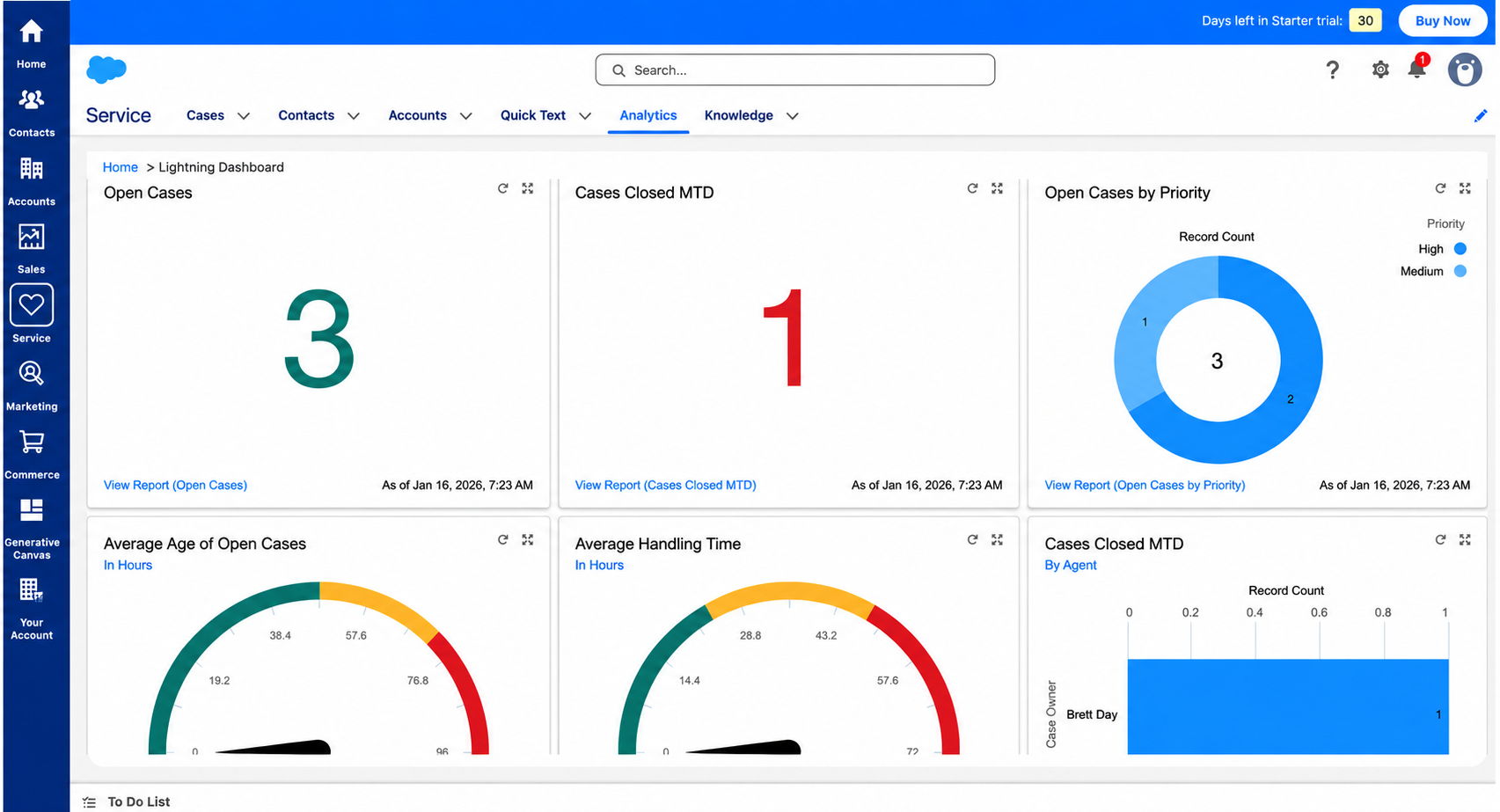
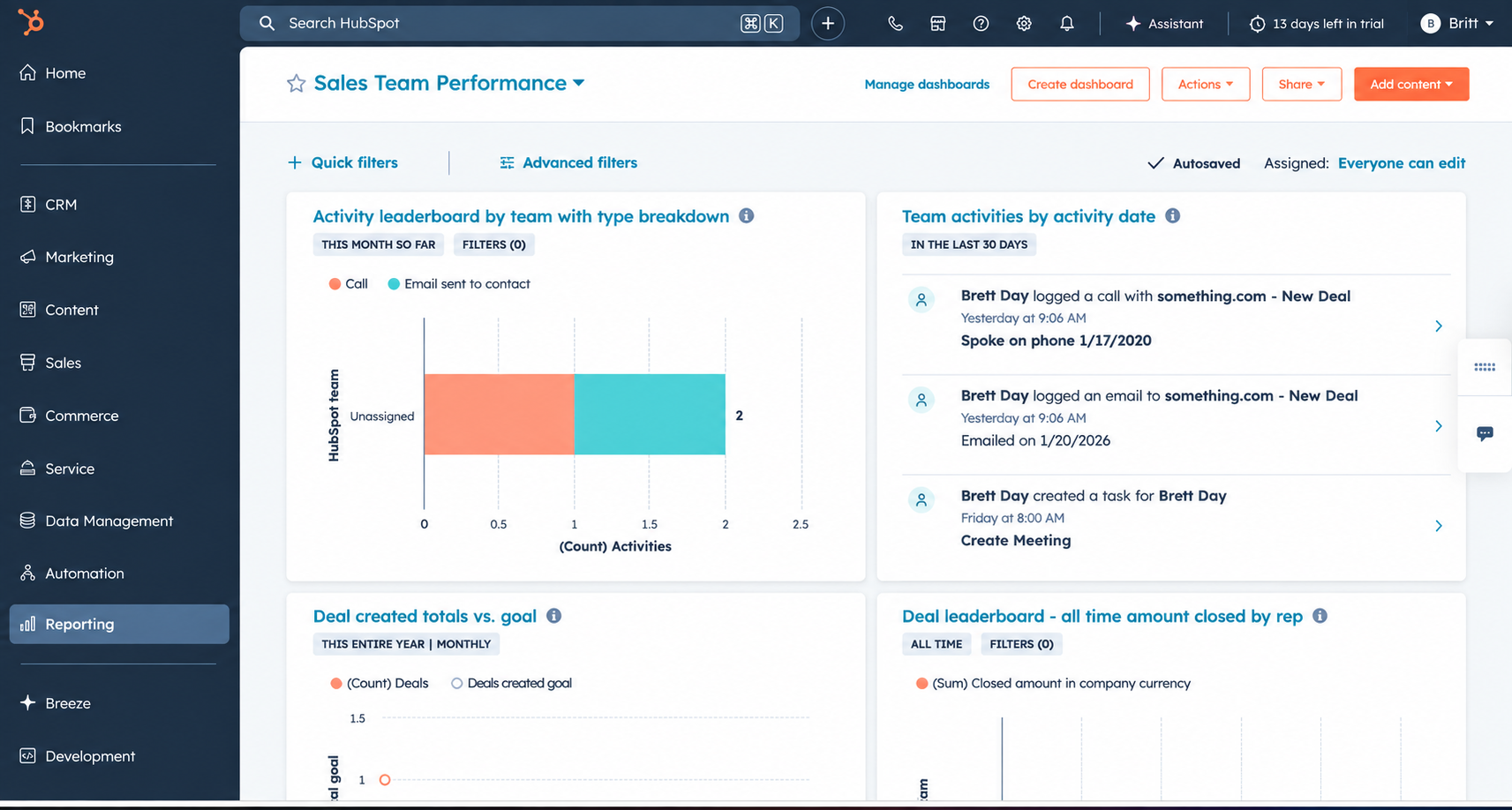
HubSpot CRM provides reporting tools to track deals, sales activities, marketing performance, and team results. Its dashboards bring important metrics together, making reports easier to create and understand.
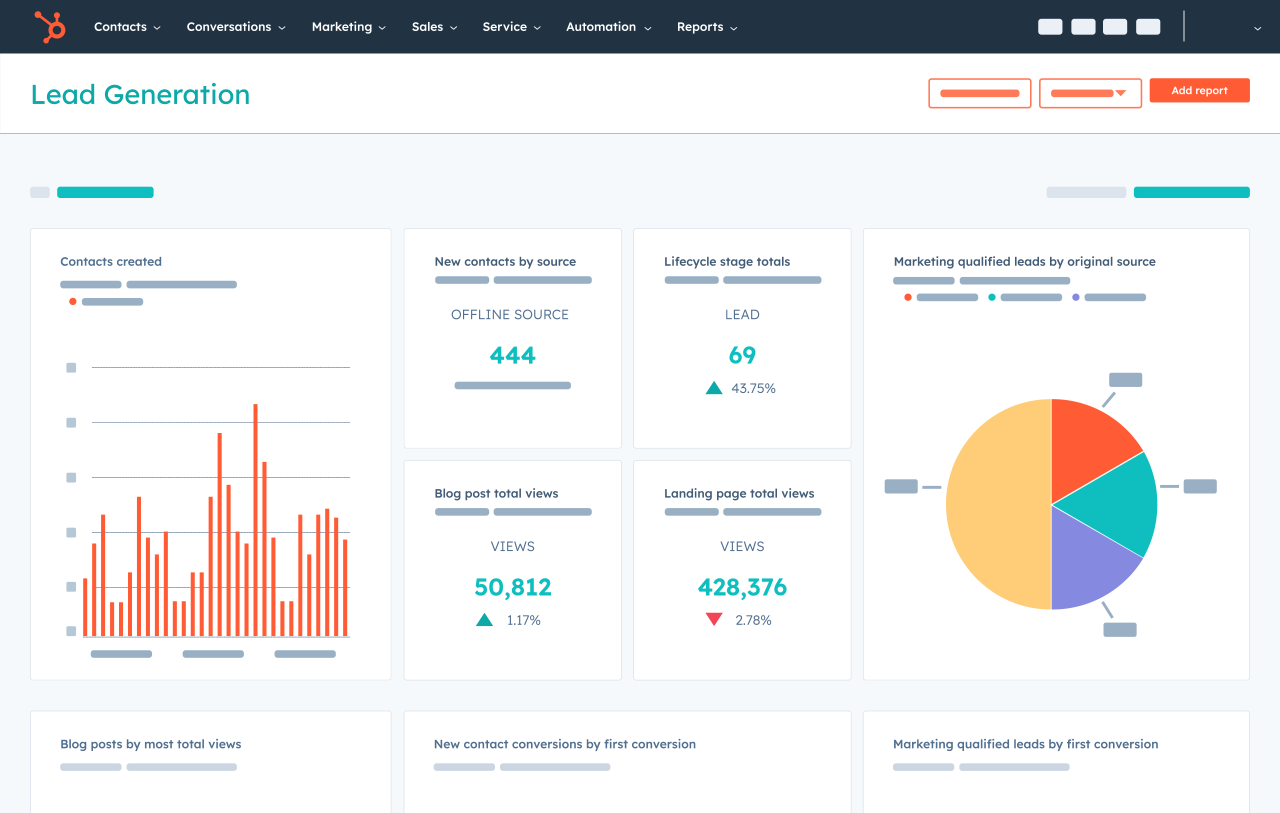
Key difference: HubSpot offers a more straightforward reporting experience, while Salesforce provides greater flexibility for complex reporting needs.
2. Contact and Lead Management: How Is Customer Data Organized?
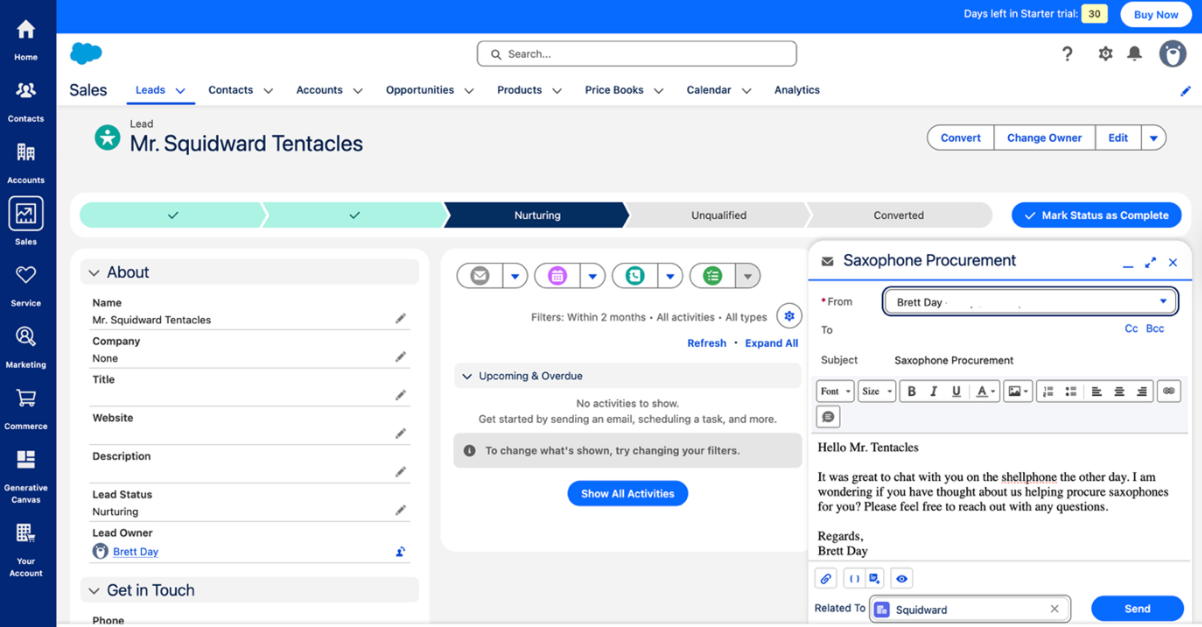
Salesforce CRM uses standard objects such as Leads, Contacts, Accounts, and Opportunities. Businesses can configure fields and relationships to match their sales processes. Qualified leads can also be converted into account, contact, and opportunity records.
HubSpot CRM organizes customer information into records such as contacts, companies, deals, and tickets. Users can associate these records and use properties to track details like lead source, lifecycle stage, and customer status.
q
Key difference: Both platforms manage customer relationships, but Salesforce offers more control over its object structure and record relationships.
3. Integrations: How Do the CRMs Connect With Other Systems?
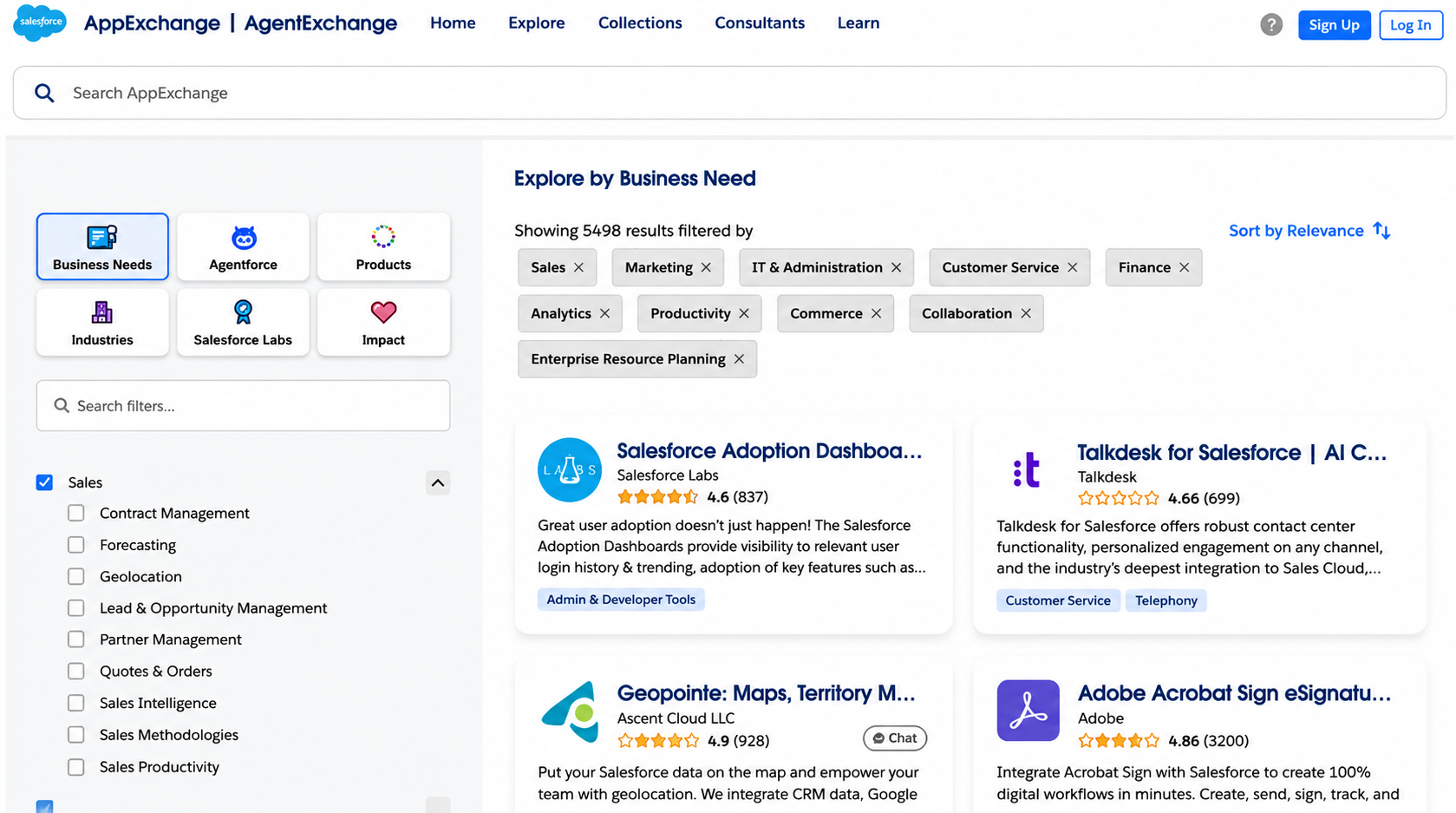
Salesforce CRM offers third-party apps through AppExchange and supports REST, SOAP, and Bulk APIs. Businesses can use prebuilt connectors or develop custom integrations with data transformations, synchronization logic, and automated workflows.
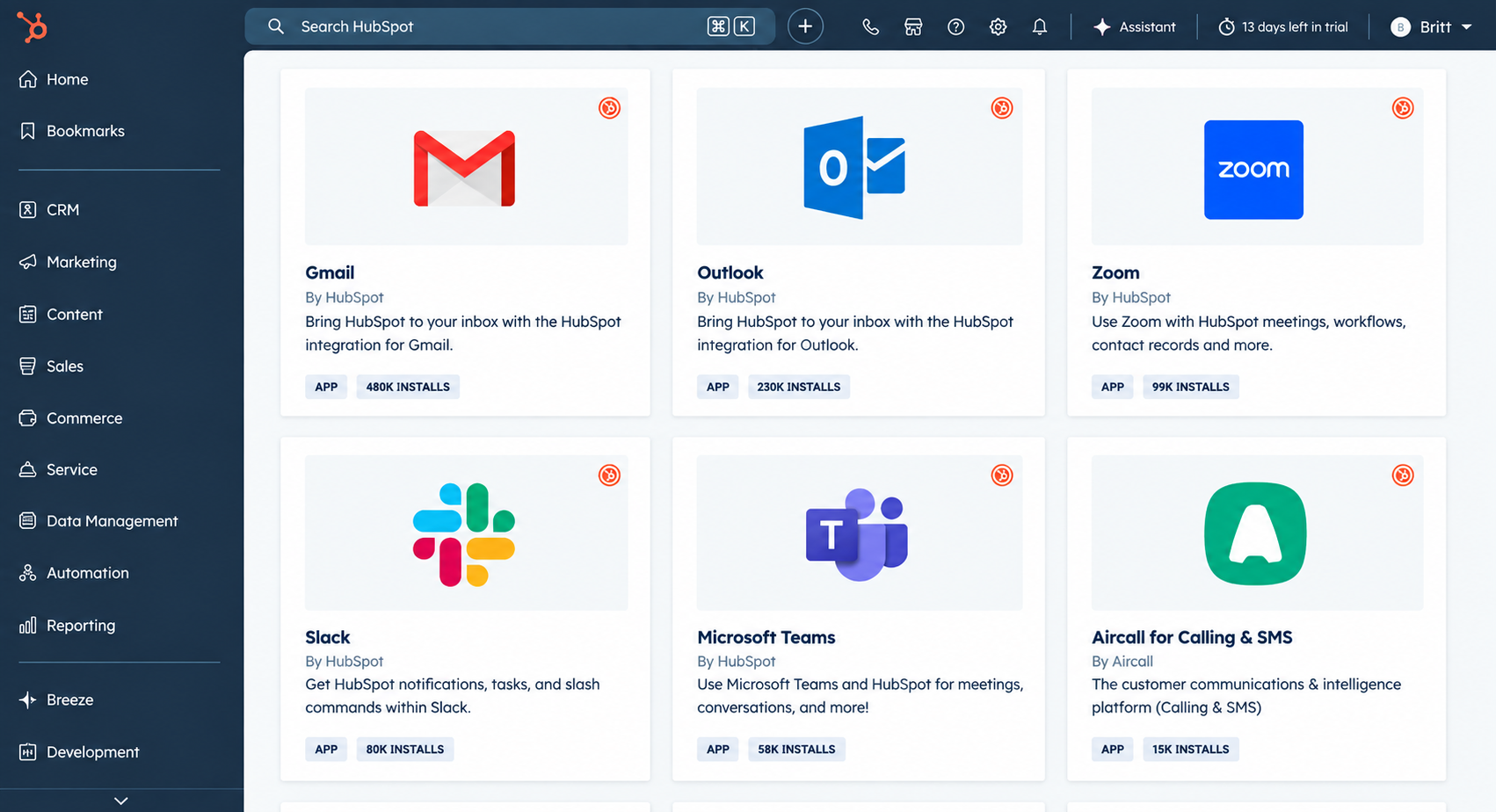
HubSpot CRM supports integrations through its App Marketplace, APIs, and prebuilt connectors. Its Salesforce integration syncs supported records using field mappings, sync rules, and inclusion criteria. Developers can also use APIs and webhooks to connect external applications.
4. Marketing Tools: How Do HubSpot and Salesforce Handle Campaigns?
Salesforce keeps marketing separate. Campaign management and audience segmentation run through Salesforce Marketing Cloud, a standalone product that's powerful, but it's worth asking whether you need two logins to get there.
HubSpot builds marketing directly into the CRM: contact segmentation, email campaigns, and automated workflows are available without connecting a separate product, though the depth depends on your tier.
Edge: HubSpot
5. Customization: How Much Control Do You Have Over the Data Model?
Both platforms let you go beyond standard records; the question is how far, and what it takes to get there.
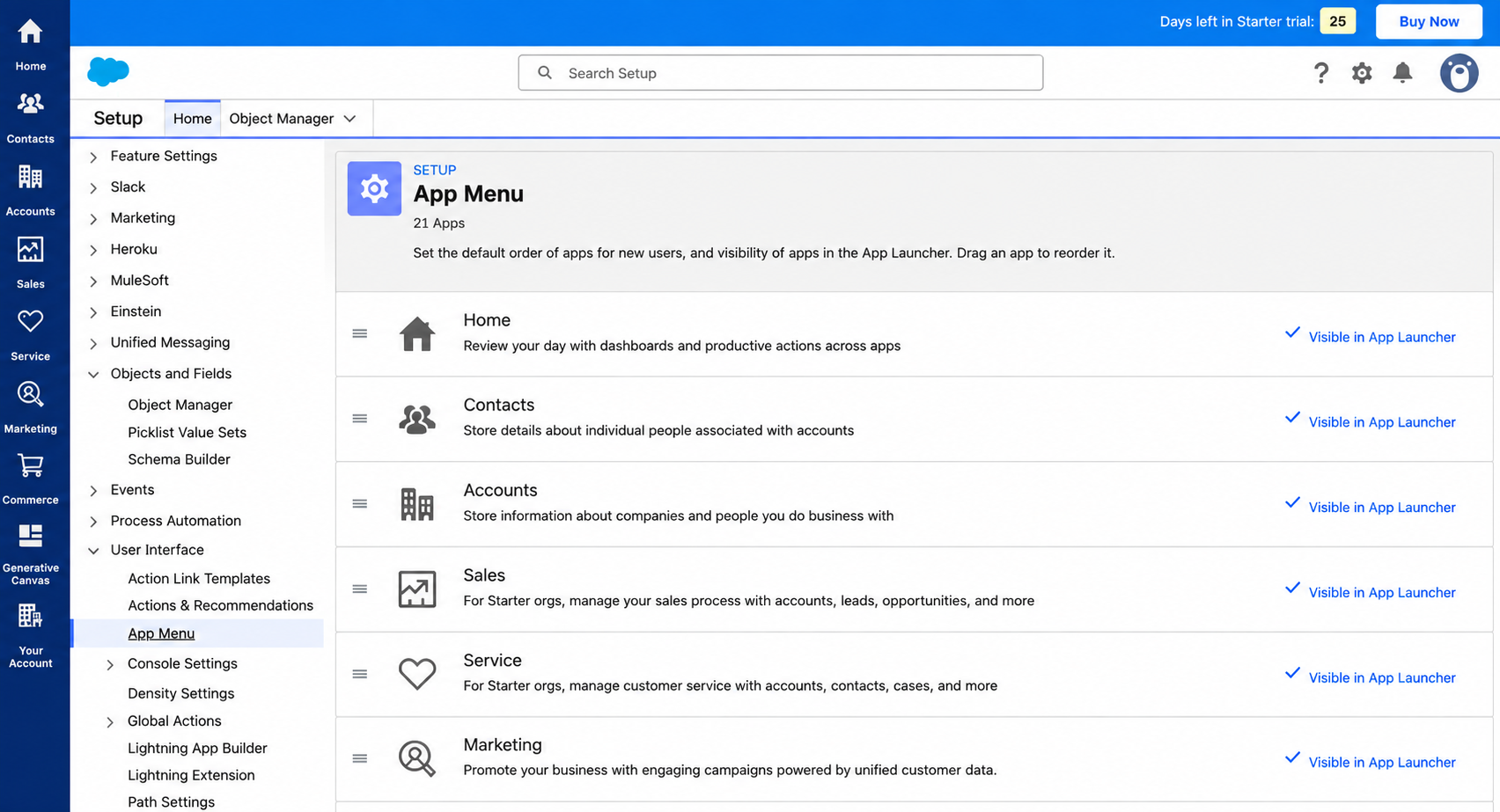
Salesforce goes further: custom objects, record relationships, page layouts, and permissions, with Apex code available when the built-in tools aren't enough. A manufacturing company, for example, could model equipment, service contracts, and maintenance records all tied back to the customer account.
HubSpot supports custom properties on every tier, with custom objects unlocked at Enterprise, enough to track things like subscriptions or shipments alongside standard CRM data.
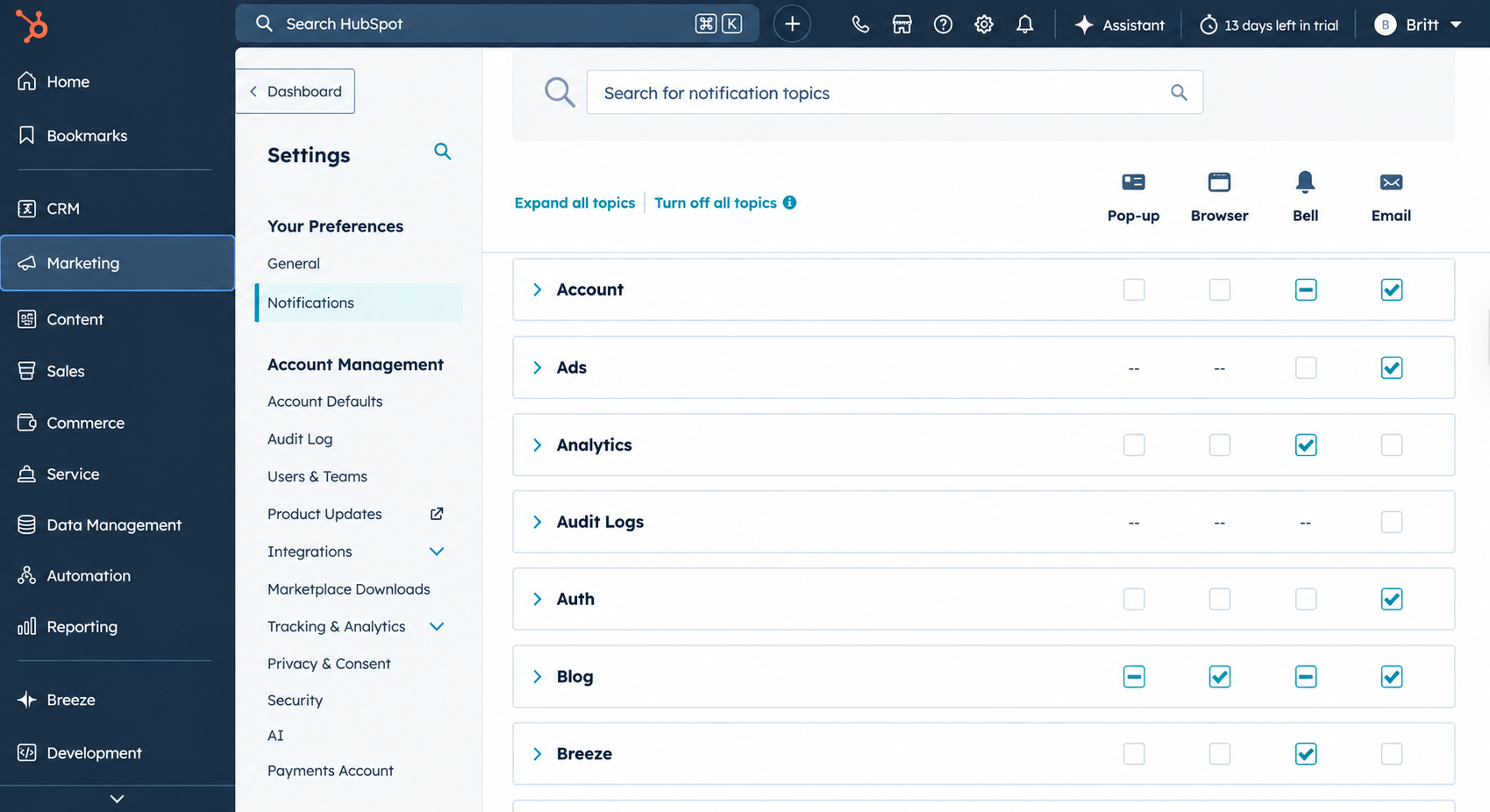
6. Workflow Automation: How Are Repetitive Tasks Handled?
Salesforce uses Flow Builder flows that respond to record changes and guide multi-step processes based on defined conditions, with Apex available for custom logic beyond declarative configuration.
HubSpot uses workflows: enrollment triggers (a form submission, a property change) fire actions, such as updating records, assigning owners, or sending notifications, all through a visual builder.
Edge: Salesforce for complex logic, HubSpot for speed of setup
Want to explore HubSpot’s capabilities in more detail? Read our complete guide to [HubSpot CRM features] to learn how its tools support contact management, sales automation, reporting, and customer relationships.
HubSpot Breeze vs. Salesforce Agentforce: AI Tools Compared
HubSpot Breeze AI and Salesforce Agentforce take different approaches to AI, one built for speed, the other for scale.
| HubSpot Breeze | Salesforce Agentforce | |
|---|---|---|
| Best fit | Startups, SMBs, and mid-market teams wanting immediate, native CRM utility | Large enterprises with complex business logic and dedicated admins |
| Architecture | Built natively into an all-in-one unified database across marketing, sales, and service | Operates across modular clouds, Slack, and Data Cloud using the Atlas Reasoning Engine |
| Core components | Breeze Assistant, Breeze Agents (Customer, Prospecting, Content), and Breeze Intelligence | Agent Builder, prebuilt service/sales agents, and the AgentExchange marketplace |
Curious about HubSpot’s AI capabilities? Explore our complete guide to HubSpot Breeze AI.
HubSpot vs. Salesforce CRM: Onboarding Requirements
Both platforms may require additional setup support, especially on higher-tier plans, but their onboarding costs work differently.
Salesforce: Salesforce does not list a fixed onboarding fee. Businesses can manage setup internally, hire a certified administrator, or work with an authorized implementation partner. Costs and timelines depend on the complexity of the implementation.
HubSpot: Professional and Enterprise plans may include a mandatory one-time onboarding fee. For example, HubSpot Marketing Hub onboarding is listed at $3,000 for Professional and $6,000 for Enterprise.
HubSpot lists onboarding fees for certain plans, while Salesforce implementation costs vary based on the support and services a business needs.
HubSpot vs. Salesforce CRM Migration: What Changes When You Switch?
Migrating between HubSpot and Salesforce involves more than exporting and importing customer records. Each platform organizes data differently, so businesses need to review their data model, automation, integrations, and reporting before switching.
Moving from Salesforce to HubSpot
Data remodeling. Multi-layered account hierarchies and custom objects need to be converted into HubSpot's company and contact association model.
Activity translation. Salesforce tasks, events, and email messages map into HubSpot engagements, notes, calls, and meetings, though historical fidelity is often partial.
Process redesign. Workflows, reports, and pipelines get rebuilt using HubSpot's no-code builder rather than copied over, since Salesforce's custom code doesn't transfer directly.
Moving from HubSpot to Salesforce
Custom architecture setup. Custom objects, account hierarchies, and relationship objects need to be provisioned to hold the broader data model Salesforce supports.
Data mapping and cleansing. Contacts, company data, deal stages, and email histories get exported into custom-configured Salesforce fields.
Ecosystem integration. Marketing, analytics, and CPQ tools that come bundled inside HubSpot need to be connected separately in Salesforce, since they aren't native there.
Which CRM Is Better for Small Businesses vs. Enterprise Businesses?
The difference becomes clearer when you look at how a business’s CRM needs change as it grows. Company size matters, but factors such as sales complexity, automation requirements, integrations, and the amount of customization needed can matter just as much.
Early-Stage Businesses: HubSpot for Simplicity and Speed
For startups and small teams, a CRM should help the team sell without creating another system to manage.
Easy to Get Started: HubSpot offers a clean interface and a relatively short learning curve, helping small teams get up and running quickly.
Lower Entry Cost: HubSpot Free and Starter options allow smaller teams to begin without a large upfront investment.
Sales and Marketing in One Place: Sales, marketing, and service tools work within the same ecosystem, reducing the need to connect multiple platforms.
Less Administrative Work: Straightforward sales processes can often be managed without a large dedicated CRM administration team.
Good Fit for: Startups, B2B SaaS companies, agencies, consulting firms, education businesses, and marketing-led companies.
Salesforce Starter Suite can also be considered by smaller teams that want to begin within the Salesforce ecosystem and potentially expand as their requirements grow.
Growing Businesses: Choose Based on Complexity
As a business grows, CRM requirements often become more sophisticated. Sales automation, integrations, reporting, and process customization may become more important than simply keeping the CRM easy to use.
More Sales Automation: HubSpot Professional can support businesses that need more advanced sales and marketing automation.
Increasing Process Complexity: Businesses with multiple products, sales teams, or more complex workflows should evaluate how much customization they require.
Existing Technology Stack: Integration requirements should be considered before choosing a CRM, particularly when the business already relies on multiple business systems.
Cost of Ownership: The total cost includes not only software licenses but also implementation, administration, integrations, and ongoing maintenance.
Good Fit for: Scaling startups, mid-sized businesses, SaaS companies, professional services firms, and businesses expanding their sales operations.
At this stage, there is no universal choice. A growing business should evaluate whether it prioritizes faster adoption and simpler administration or greater flexibility and customization.
Large and Enterprise Businesses: Salesforce for Complex Operations
As organizations become larger and their operations become more complex, the CRM may need to support multiple teams, regions, products, systems, and approval processes.
Deep Customization: Salesforce can support custom objects, workflows, permissions, and complex data structures.
Complex Sales Operations: Multiple business units, territories, products, and approval processes can be configured around specific organizational requirements.
Extensive Ecosystem: AppExchange and integration capabilities allow businesses to connect CRM data with broader enterprise systems.
Advanced Data and AI: Salesforce capabilities such as Data Cloud and Agentforce extend CRM functionality into data-driven and AI-assisted workflows.
Dedicated Resources: Larger implementations typically require CRM administrators, RevOps teams, developers, or implementation partners to manage the platform effectively.
Good Fit for: Large technology companies, manufacturing, financial services, telecommunications, healthcare organizations, and other businesses with complex operations.
The Key Difference
The real dividing line is not simply company size. A 50-person company with a highly complex sales operation may need more customization than a 500-person company with a straightforward sales process.
The better question is what does your business need from its CRM?
If the priority is quick adoption, ease of use, and lower administrative overhead, HubSpot may be a natural fit. If the priority is deep customization, complex processes, and the ability to support sophisticated enterprise operations, Salesforce may be more appropriate.
Conclusion
HubSpot vs. Salesforce CRM isn’t just a platform choice; it’s a decision about how your business operates, adapts, and scales. HubSpot delivers a connected CRM experience across sales and marketing, while Salesforce offers greater control over data models, workflows, and complex processes. Beyond pricing, consider customization, integrations, implementation, and ongoing support to find the right fit for your business.
Ready to choose your CRM? Explore our HubSpot vs. Salesforce CRM comparison to evaluate the features, pricing, and capabilities that align with your business goals.
Frequently Asked Questions
-
HubSpot Sales Hub provides sales tools within HubSpot’s connected CRM platform. Salesforce Sales Cloud offers sales management capabilities within Salesforce’s broader ecosystem, with customization and automation options that vary by edition.
-
Both platforms provide reporting and dashboards, but their capabilities vary by product and edition. Compare the reports, forecasting, data relationships, and customization your team needs rather than relying on feature names alone.
-
Yes. Small businesses can use Salesforce through offerings such as Starter Suite, which provides CRM capabilities for managing customer relationships and sales activities. As a business grows, it can assess whether additional Salesforce products and customization are needed.
-
Agentforce is Salesforce’s AI agent platform, designed to support tasks and workflows across the Salesforce ecosystem. HubSpot Breeze is HubSpot’s AI offering, with capabilities that include AI assistants and agents for sales, marketing, and customer service. Their features and availability depend on the products and plans a business uses.
-
The right CRM depends on your business requirements. HubSpot may fit teams looking for connected sales and marketing tools with streamlined CRM operations. Salesforce may suit businesses that need extensive customization, complex data models, and specialized workflows. Compare pricing, integrations, implementation effort, and ongoing administration before deciding.
Related Readings
Let’s Talk

Drop us a note, we’re happy to take the conversation forward 👇🏻