
key takeaways:
Salesforce implementation involves planning, configuration, customization, data migration, integrations, testing, and employee adoption.
Implementation costs and timelines depend on project complexity, business requirements, Salesforce products, and available resources.
Clear requirements, quality data, proper testing, and ongoing support help businesses achieve successful Salesforce implementation.
Salesforce is recognized as the world’s No. 1 CRM platform for a reason. With more than 150,000 companies worldwide using it, it has become a go-to choice for businesses across industries.
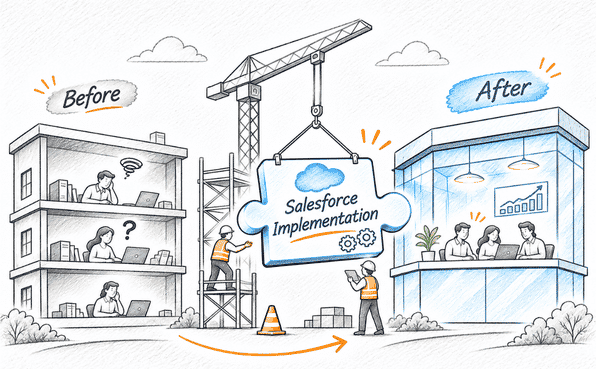
But implementing Salesforce is more than buying a license, setting up the CRM and adding customer records. It takes careful planning, aligning the platform with your business processes, configuring the right features, migrating existing data, connecting your other systems, and, just as important, getting your employees ready to use it.
Skip any of these steps and you could end up with messy workflows, disconnected data, unexpected costs, and worst of all, a new system that nobody uses.
If you’re planning to implement Salesforce from scratch or move over from another CRM, this guide covers what you need to know to get it right.
What Is Salesforce Implementation?
Salesforce implementation is the process of setting Salesforce up around how your business actually runs. That includes choosing the products your teams will use, such as Sales Cloud, Service Cloud, Marketing Cloud, Commerce Cloud, or Data 360, and everything around them: customizing features, moving in your existing data, connecting other applications, and building the workflows people rely on every day.
It isn’t only a technical exercise. Someone has to understand how each team works today, where the friction is, and what Salesforce should change about it.
What’s included depends on the project, but most implementations draw from this list:
Configuration: objects, fields, page layouts, and user permissions, using standard features
Customization: custom objects, Apex classes, or Lightning Web Components when standard features fall short
Data migration: moving customer records, sales history, and other business data into Salesforce
Integration: linking Salesforce with ERP, marketing, or support tools
Automation: using Salesforce Flow for approvals, notifications, and repetitive tasks
Testing and deployment: checking that everything works, then moving it to production
This is the work a Salesforce partner typically handles as part of Salesforce implementation services. If you have similar requirements, feel free to reach out.
What Makes Salesforce Implementation Different from Setup?
Setup vs. Implementation
People use “setup” and “implementation” as if they mean the same thing. They don’t.
Setup is the basic groundwork: creating the org, adding users, assigning profiles. A competent admin can finish it in an afternoon. Implementation goes further: it is a process of shaping Salesforce around how your teams actually sell, serve, and report, and it takes weeks or months, not hours. Stop at setup, and you’ll likely end up with an expensive contact list.
Configuration vs. Customization
You’ll hear these two terms a lot, and the difference shows up in your budget.
Configuration means using Salesforce’s built-in point-and-click tools: custom fields, Flows, validation rules, dashboards. It’s quicker to build and easier to maintain.
Customization means writing code, such as Apex or Lightning Web Components, for things the standard tools can’t do.
As a Salesforce consulting and implementation partner, we always advise configuring first and writing code only when there’s no other way. Custom code is a long-term commitment. Your team has to test it, maintain it, and make sure it still works after each of Salesforce’s three major releases every year.
Why Do Businesses Implement Salesforce?
Most companies don’t start looking at Salesforce because they want a new tool. They start because the current way of working has stopped scaling. Customer details sit in one spreadsheet, deal updates live in someone’s inbox, and support tickets are tracked somewhere else entirely. At ten customers, that’s manageable. At a few hundred, it isn’t.
Salesforce replaces that patchwork with a single platform. Here’s what that usually looks like in practice.
1. One place for customer data
Salesforce brings customer information from different sources into one place. With this data, teams can access customer profiles, interaction history, purchase records, and other relevant information without switching between multiple systems. This gives sales, marketing, and service teams a more complete view of each customer.
2. Sales and marketing on the same page
Marketing can see which leads are engaging with campaigns in Marketing Cloud. Sales can use that activity in Sales Cloud to decide who to call first. Fewer leads fall through the gap between the two teams.
3. Automated Business Processes
Using Salesforce Flow and other automation capabilities, businesses can automate repetitive, time-consuming tasks such as assigning leads, sending notifications, and managing routine workflows. This reduces manual effort and allows employees to focus on more important activities.
4. Faster, more consistent support
By implementing Salesforce Service Cloud, support teams can manage customer cases, track service requests, access interaction history, and coordinate responses from one platform. This helps businesses respond to customer issues more efficiently and deliver more consistent support experiences.
5. Real-Time Reporting and Business Insights
Salesforce offers built-in reporting and dashboard capabilities that help businesses analyze their data and monitor key performance indicators (KPIs).
Teams can create reports to track sales performance, campaign results, customer service metrics, and other business activities.
Dashboards present these insights visually, helping managers identify trends, measure progress, and make informed decisions.
6. Scalability and AI Capabilities
Few businesses can run on one product forever, and Salesforce is built with that in mind. It’s highly configurable and connects with many third-party applications.
The AppExchange marketplace adds thousands of ready-made apps, and newer tools like Agentforce let companies build AI agents to handle routine tasks.
Want to know more? Read our guide: Everything You Must Know About AgentExchange.
Things to Consider Before Implementing Salesforce
Most of what decides a Salesforce project’s outcome gets settled before anyone configures a single field. As a Salesforce consulting partner, we see the same pattern again and again: the projects that run over budget are usually the ones that rushed past the questions below.
1. Define your goals and requirements
Before implementing Salesforce, start with a plain question: what problem are you trying to fix? Maybe leads get lost between teams, support agents can’t see past conversations, or customer data lives in five different places. Write it down.
Then talk to the departments who will use the system. They’ll tell you what actually slows them down, and those answers should shape the project. They also make it easier to say no when someone adds a “quick request” halfway through.
2. Choose the Right Salesforce Products
Salesforce isn't a single product. It offers multiple products designed for different business functions. Before implementation, identify which products align with your business requirements.
For example:
Sales Cloud: Helps sales teams manage leads, accounts, contacts, opportunities, and sales activities.
Service Cloud: Helps customer service teams manage cases, support requests, and service operations.
Marketing Cloud: Supports B2B and B2C marketing campaigns and customer engagement.
Data 360: Unifies customer data from different sources to provide a more complete view of customers.
Agentforce: Allows businesses to build AI agents that automate tasks and support business operations.
You don't necessarily need to implement every Salesforce product. Choose the ones that help you achieve your business goals, and plan the implementation by understanding the features you need and the resources required.
3. Look at your existing systems and data
Before you move anything, find out where your data lives today: spreadsheets, an old CRM, an ERP, email. Then check its condition. Duplicates, half-filled records, outdated entries, and inconsistent formats are common, and they follow you into Salesforce if you don’t deal with them first.
Also decide which tools will connect to Salesforce and which can stay as they are. That list becomes the basis for your migration and integration plan.
4. Check what needs customization or integration
Standard Salesforce tools cover more than most people expect. Before you plan any custom work, test your requirements against what’s available out of the box. Only some will need Apex, Lightning Web Components, or a third-party app.
The same goes for integrations. List the systems Salesforce needs to talk to, such as your ERP, payment gateway, marketing platform, or external databases. Doing this early prevents a lot of rework.
5. Set a realistic budget
The license is only one line in the budget. Add implementation work, any customization, integrations, data migration, and consulting fees.
If you plan to use AI or Data 360, include usage-based costs too, such as AI credits and data consumption. These are easy to miss and can add up.
6. Decide who’s on the team
Someone has to manage the project. Someone has to provide the business requirements and someone has to make technical decisions. And someone has to own adoption once the system is live. These can be different people, or a few people wearing several hats.
If your team doesn’t have Salesforce experience, a partner can take on architecture, development, integrations, and deployment while your people focus on the business side.
7. Plan for training and adoption from the start
A well-built system still fails if people don’t use it. Think early about how employees will work in Salesforce day to day, what training they’ll need, and who they can ask when they get stuck. It’s much easier to build that in from the start than to fix low adoption after launch.
That’s a lot to keep track of, and it’s the main reason many businesses bring in help. If you have Salesforce implementation experts working with you, most of this is handled by them, from scoping and data checks to integrations and training, so you don’t have to carry it all yourself. Just make sure you choose the right Salesforce partner for your project.

Salesforce Implementation Cost and Timeline Explained
One of the biggest concerns businesses have before implementing Salesforce is the investment involved. How much will the implementation cost? How long will it take to get the system up and running?
There is no fixed answer to either question, as the overall budget and timeline depend on various factors. A small implementation involving basic configurations may take less time and cost less than a large-scale project involving multiple Salesforce products, complex integrations, and custom development.
Let's look at the estimated costs and timelines and the factors that influence them.
How Much Does Salesforce Implementation Cost?
Salesforce implementation costs can vary significantly depending on the size of your business, the Salesforce products you choose, and the complexity of your requirements. A basic implementation involving a single Salesforce product and minimal customization will generally cost less than a large-scale project involving multiple products, complex integrations, and custom development.
To give you a general idea, here are some indicative implementation cost ranges based on project size and complexity:
| Implementation type | Estimated cost |
|---|---|
| Small business with basic requirements | $5,000–30,000 |
| Mid-sized business with moderate complexity | $25,000–150,000 |
| Large enterprise with complex requirements | $150,000–Several hundred thousand dollars |
Note: These are indicative market estimates, not fixed Salesforce prices. Actual costs vary based on project scope, implementation partner, location, and technical requirements. Salesforce licensing fees are generally separate.
What Does the Salesforce Implementation Budget Include?
Your implementation budget isn't limited to configuring Salesforce. It typically covers several activities required to get the platform ready for business use.
Consulting and Implementation Services: If Salesforce consulting partners are involved, their service fees will add to the overall cost. These services typically include requirement gathering, solution design, Salesforce configuration, project management, and deployment.
Data Migration: Extracting, cleaning, transforming, and importing existing business records into Salesforce.
Customization and Development: Building custom objects, fields, workflows, Apex code, Lightning Web Components, and other functionality.
System Integration: Connecting Salesforce with ERP systems, marketing platforms, accounting software, and other applications.
Training and User Adoption: Preparing employees to use Salesforce through role-based training and documentation.
Post-Implementation Support: Troubleshooting, maintenance, system monitoring, and ongoing improvements.
Additional Costs Businesses Should Consider
Apart from Salesforce implementation services, certain expenses may not be included in the initial project estimate. These can add to your overall investment.
Salesforce licenses and product subscriptions
Additional sandbox environments
AppExchange applications and third-party subscriptions
Additional data storage
Ongoing maintenance and enhancement costs
Agentforce credits and Data 360 consumption
To learn more about AI credits and how Agentforce is priced, check out our Agentforce pricing guide.
It's important to account for these expenses when preparing your Salesforce implementation budget rather than considering only the initial implementation quote.
What Factors Affect Salesforce Implementation Costs?
The final cost depends on how much work your project requires. Some of the major factors include:
Number of users: More users can mean additional licensing expenses and greater configuration and training requirements.
Salesforce products: Implementing multiple products, such as Sales Cloud, Service Cloud, Marketing Cloud, and Data 360, can increase the overall project scope.
Customization requirements: Complex business processes that require custom development can increase implementation effort.
Data quality and volume: Migrating large volumes of inconsistent or duplicate records requires additional cleaning and validation.
Integration complexity: Connecting multiple systems, especially those requiring custom APIs or middleware, can add development and testing costs.
Salesforce Implementation partner: Partner experience, location, team composition, and engagement model can influence service fees.
How Long Does Salesforce Implementation Take?
Just like the cost, the time required to implement Salesforce depends on the complexity of your project, the number of products being implemented, and your business requirements. A basic implementation with minimal customization may take a few weeks, while a large-scale implementation involving multiple products, complex integrations, and custom development can take several months.
Here's a general estimate of how long different Salesforce implementation projects may take:
| Implementation type | Estimated timeline |
|---|---|
| Basic implementation | 2–6 weeks |
| Medium-complexity implementation | 2–4 months |
| Complex implementation | 4–9+ months |
Note: These are indicative estimates. Actual timelines may vary depending on project scope, data readiness, resource availability, and technical complexity.
What Factors Affect Salesforce Implementation Timelines?
Several factors can influence how long it takes to complete a Salesforce implementation:
Business Requirements: Projects involving multiple departments, complex workflows, and extensive business logic generally require more planning and development time.
Customization: Custom features, Apex development, and advanced automation add to the development and testing effort.
Data Migration: Cleaning, transforming, and migrating large volumes of existing business data can extend the implementation timeline.
System Integrations: Connecting Salesforce with multiple third-party applications and testing data exchange between them can require additional time.
Testing and User Acceptance: Functional testing, integration testing, and UAT require sufficient time to identify and resolve issues before deployment.
Stakeholder Availability: Delays in feedback, approvals, and decision-making can slow down implementation.
A quick note: Before starting your Salesforce implementation, consider consulting an experienced Salesforce implementation partner. They can help document your requirements, define the project scope, and provide a realistic estimate of the expected cost and timeline.
Step-by-Step Salesforce Implementation Process
Once you’ve settled your goals, picked your products and pinned down requirements, the real work starts. Most implementations follow the same eight stages. Each one builds on the one before, so skipping ahead tends to cost you later.
1. Discovery and Requirement Gathering
In this phase, bring together everything discussed during the consideration stage to create a clear implementation plan.
Here, you must:
Identify the challenges your teams are currently facing.
Determine which business processes need to be optimized or automated.
Understand how each department will use Salesforce and what workflows they need.
Identify the features and functionality required by different teams.
Review existing systems and identify which applications need to integrate with Salesforce.
Separate essential requirements from nice-to-have features to prioritize the project scope.
Identify key stakeholders who will provide input and approve important decisions.
Define success criteria to measure whether the implementation meets your business goals.
Document these requirements to establish a clear project scope, prioritize implementation activities, and guide the solution design stage.
2. Solution Design and Architecture
With requirements locked, your technical team or a Salesforce implementation company turns them into a blueprint. They decide how your processes map to Salesforce objects, what standard features can handle, where custom development is unavoidable, and how data will move between systems.
Data structure, user access, security, automation logic and integrations all get decided here. Everything is documented so the build has something to follow.
3. Configuration and Customization
Now the build begins. The team sets up objects, fields, page layouts, validation rules, workflows and permissions to match the design. If standard features can’t cover a requirement, developers extend the platform with Apex or Lightning Web Components. Treat that as the exception, not the starting point.
4. Data Migration
Nobody wants to launch with an empty system, so your existing records need to move over. That means pulling data out of the old systems, cleaning it, reshaping it to fit Salesforce, mapping fields to objects and loading it in.
Then check the result for missing records, wrong field mappings and duplicates. Run a test migration first, so surprises show up before they reach production.
5. Integration with Existing Systems
Salesforce rarely replaces everything you already use, and it doesn’t need to. Your ERP might keep handling inventory and finance while Salesforce manages customers and sales activity.
The team decides which applications stay and connects them through APIs, middleware or ready-made connectors. The goal is for information to move between systems without anyone copying it over by hand.
6. Testing and Quality Assurance
Once the solution is built, migration and integrations are done, QA checks that everything works as intended: configured features, custom code, automation, integrations, and permissions. They also verify data accuracy and run through different business scenarios to catch problems early.
After the technical issues are fixed, real users take part in User Acceptance Testing (UAT). This is where you find out whether Salesforce fits how people actually work, and whether it meets the requirements from the discovery stage.
7. Deployment and Go-Live
This is the rollout. The approved solution moves to the production environment, the final settings are switched on and employees get access.
In this stage, the first few days matter. The team watches whether people can log in, whether workflows run properly and whether anything is disrupting daily operations. This helps resolve issues early as they come up.
8. Post-Implementation Support and Optimization
Just as pre-implementation planning is important, post-implementation support plays an equally important role in getting long-term value from Salesforce.
So go-live isn’t the finish line. Afterwards, the team keeps an eye on performance, fixes technical issues, collects user feedback and looks for improvements.
As your business changes, you’ll likely need new features, better workflows, more automation or changes to what you’ve already built.
Salesforce Implementation Best Practices
While implementation practices may vary from business to business, some core principles remain the same. Based on our experience with real-world Salesforce implementations, we're sharing some key best practices to help you get the most out of your project.
1. Start with standard features and avoid unnecessary customization
Salesforce’s built-in features cover most common business needs, so build custom only after you’ve confirmed the standard tools can’t do the job.
Too much custom code raises implementation costs, makes maintenance harder and complicates every future update. Standard functionality is easier to maintain and upgrade. Before you pay for development, explore what’s already available.
2. Treat data quality as an ongoing job
Data migration doesn’t end when the import finishes. Once people start adding and editing records, duplicates, missing fields and outdated entries creep back in.
Set clear rules for how data is entered, updated and accessed. Use validation rules to block bad entries, give important records to an owner and review your data on a regular schedule.
3. Roll it out in phases
Launching every product, feature and customization at once makes a project hard to manage. Break it into smaller phases based on business priorities instead. Start with the workflows your teams need most, then add more based on feedback and how the first rollout goes.
Phasing keeps costs in check and causes less disruption to daily work.
4. Document everything
Keep a record of your configurations, custom code, integrations, workflows and the reasoning behind important technical decisions. Good documentation helps admins and developers troubleshoot problems, handle future changes and onboard new people without reverse-engineering the system.
5. Lock down access
Not everyone needs to see or edit everything in Salesforce. That is why you must set up roles, profiles, permission sets and sharing rules so people can reach only the records and features their job requires. This is the principle of least privilege. It protects sensitive business data and lowers the risk of unauthorized access.
6. Monitor Performance and Review Regularly
Don't assume your Salesforce implementation will continue meeting business requirements without regular reviews. Monitor how the system performs, whether employees are using its features effectively, and whether existing workflows and automations are delivering the expected results.
Based on your findings:
Review user feedback to identify recurring issues.
Identify workflows, features, or automations that need improvement.
Make necessary adjustments as business requirements evolve.
Track improvements to check whether the changes are delivering the expected results.
Regular monitoring helps keep Salesforce efficient, relevant, and aligned with your business goals.
Common Salesforce Implementation Challenges and How to Overcome Them
Almost every Salesforce project hits a few bumps, and that’s normal. Across the many Salesforce implementations we’ve worked on, the same problems keep showing up. Here are the ones to watch for, and what to do about them.
1. Lack of Clear Requirements and Project Scope
One of the most common challenges is starting implementation without clearly defining business requirements. As the project progresses, new requirements emerge, additional features are requested, and the original project scope keeps expanding. This can increase implementation costs and delay deployment.
How to overcome it: Define clear project requirements and priorities before development begins. Document the agreed scope and evaluate new requests based on their business value, budget, and impact on the timeline before adding them to the project.
2. Poor Data Quality and Migration Issues
Migrating data from legacy systems can be more complicated than expected. Duplicate records, missing information, inconsistent formats, and incorrect field mappings can quietly lead to inaccurate data in Salesforce. These issues can affect reports, automation, and everyday business operations.
How to overcome it: Audit and clean existing data before migration. Establish proper field mappings, run test migrations, and validate imported records to identify errors before moving everything into the production environment.
3. Integration Complexity
Many businesses already use multiple applications to manage different operations before implementing Salesforce. Bringing these systems together can become challenging when applications use different data formats, lack compatible APIs, or require complex integration logic.
How to overcome it: Evaluate integration requirements early and select suitable APIs, middleware platforms, or connectors. Test data exchange between systems and establish proper error-handling mechanisms to maintain reliable integrations.
4. Excessive Customization and Technical Complexity
We have seen many businesses customize Salesforce to match their existing processes. A lot of the time, this backfires and makes the platform unnecessarily complex. Excessive custom code, overlapping automation, and poorly designed workflows can increase maintenance efforts and create problems during future updates.
How to overcome it: Prioritize standard Salesforce functionality and customize only where necessary. Follow established development practices, document custom components, and review existing automation to avoid duplication and unnecessary complexity.
5. Low User Adoption
People get comfortable with their existing tools. When Salesforce feels harder than the spreadsheet they’ve used for years, some employees will quietly keep using the old way. Others just find the new system confusing. Nothing breaks technically, but a CRM nobody uses has still failed.
How to overcome it: Involve employees from the start, so the change doesn’t feel forced on them. Give role-based training, and show how Salesforce makes their daily tasks easier. After launch, ask for feedback and fix the things that frustrate them. Ongoing support and refresher training help people settle in and keep using it.
6. Budget Overruns and Project Delays
Keep in mind that implementing Salesforce requires both time and money. Depending on the complexity of your requirements, unexpected technical challenges, additional customizations, or integration issues can push the project beyond its estimated timeline and budget. We have seen many businesses underestimate the time and resources required for implementation, only to face delays and additional expenses as the project progresses.
How to overcome it: Set a realistic budget and timeline based on your actual requirements. Account for licensing, development, integration, data migration, and training costs. Keep track of project milestones and maintain a contingency budget to accommodate unexpected expenses.
7. Insufficient Testing Before Deployment
From our experience on Salesforce projects, businesses sometimes rush testing to meet deadlines. And skipping proper testing or overlooking certain scenarios can leave errors in the build. These issues usually surface when users start using Salesforce for actual business operations.
How to overcome it: To fix this allocate sufficient time for functional testing, integration testing, and user acceptance testing (UAT). Test real business scenarios, resolve identified issues, and verify critical workflows before moving the solution into production.
DIY Salesforce Implementation vs. Hiring an Implementation Partner
When planning a Salesforce implementation, businesses generally have two options: manage the project using their in-house team or hire an experienced Salesforce implementation partner. Both approaches have their advantages, and the right choice depends on your business requirements, technical expertise, available resources, and project complexity.
DIY Salesforce Implementation
If your needs are basic and you have an experienced in-house team, you may be able to do it yourself. Salesforce’s built-in tools let admins set up objects, fields, page layouts, permissions, reports, dashboards and simple automation without writing code.
This works best for smaller projects with minimal customization, straightforward data migration and few integrations. It also saves you consulting fees.
Hiring a Salesforce Implementation Partner
If your requirements are complex, or nobody on your team has deep platform experience, a Salesforce implementation company or partner can take a lot of weight off. They cover everything from requirements gathering and architecture to configuration, customization, data migration, integration, testing, and deployment.
They can also help you choose the right products, avoid unnecessary customization, spot risks early, and fit the platform to your existing processes. Another advantage is support after launch. As your needs change, a partner can help maintain, optimize and extend your setup.
DIY vs. Hiring a Salesforce Implementation Partner: What's the Difference?
| Factor | DIY implementation | Salesforce Implementation expert |
|---|---|---|
| Project management | Managed by the internal team | Managed with partner support |
| Technical expertise | Depends on in-house skills | Access to Salesforce specialists |
| Customization | Limited by internal capabilities | Can handle complex requirements |
| Integrations | Managed by the internal team | Designed and implemented by specialists |
| Initial cost | No additional consulting fees | Includes professional service fees |
| Ongoing support | Handled internally | Can be provided by the partner |
Ultimately, the choice depends on your project's complexity, internal capabilities, and budget. If your requirements are straightforward and your team has the necessary expertise, DIY implementation may be sufficient. However, for projects involving multiple Salesforce products, complex integrations, or extensive customization, an experienced Salesforce implementation company can help you manage the process more effectively.
Conclusion
Salesforce can transform how businesses manage their operations, customer relationships, and day-to-day activities. However, getting the expected results requires more than choosing the right products. The way Salesforce is planned, configured, integrated, and adopted by employees determines how effectively it supports your business goals.
Before getting started, take the time to understand your requirements, evaluate your existing systems, set a realistic budget, and choose an implementation approach that fits your needs. If your project involves complex requirements or multiple Salesforce products, working with an experienced Salesforce consulting partner can help you avoid unnecessary complications.
At Concretio, we help businesses plan, implement, customize, and optimize Salesforce solutions tailored to their operations. From initial consultation and solution design to deployment and ongoing support, our team can help you get more value from your Salesforce investment.
Planning your Salesforce implementation? Talk to our experts to discuss your requirements and explore the right approach for your business.
Frequently Asked Questions
-
You can do it yourself if your needs are simple, your data is fairly clean, and someone on your team knows Salesforce. Once you need custom development, several integrations, or a complex migration, a partner usually saves time and rework. If you hire one, check their certifications and experience first.
-
While implementing Salesforce, a few surprise costs can come up. These include extra sandboxes, AppExchange apps, added data storage, usage-based AI credits, and ongoing admin time. Your own team’s hours in workshops, testing, and training also count. Include these in the budget upfront rather than relying only on the initial quote.
-
A phased rollout is usually safer. Launch the essential features first, gather feedback, then add more. This keeps the project manageable, controls costs, and limits disruption. A single big launch mainly suits small teams with simple requirements.
-
Not necessarily. Most businesses get better results by launching the core CRM first, then adding AI once their data is clean and processes are stable. AI agents depend on good data and clear permissions, so bringing AI in without that foundation can produce unreliable results. However, if your requirements revolve entirely around AI, then it makes sense to start there, as long as your data and permissions are ready first.
-
Yes. Implementing Salesforce doesn’t mean replacing all your previous tools. Many businesses keep their ERP, accounting, or marketing software and connect it to Salesforce through APIs, middleware, or ready-made connectors. Decide early which system owns which data, so information stays consistent across tools and nobody has to enter the same details twice.
Related Readings
Let's Talk

Drop us a note, we’re happy to take the conversation forward 👇🏻