Salesforce Marketing Cloud SMS Setup | Costs and Connector Options
Key Takeaways:
SFMC SMS bridges disconnected customer channels by unifying messaging history, automating cross-channel journeys & leveraging live CRM data.
Choose between Native MobileConnect (marketing journeys), Marketing Cloud Connect (CRM sync), Transactional Messaging API (event-driven alerts), or 3rd-party connectors (1:1 sales/service text) as needed.
Starts at $10 per 1,000 credits plus licensing & number fees; select short codes for high-volume promotional campaigns or long codes (10DLC) for lower-volume, conversational interactions.
You already have customer data, journeys, and automation inside Salesforce. But can you turn the same data into timely SMS without adding another disconnected messaging stack?
The fragmented customer communication across disconnected channels in a Salesforce environment could lead to various operational and financial impacts for your business. This includes loss of customer trust and satisfaction, lower conversion rates, revenue leakage, operational inefficiencies, and wasted time.
Salesforce Marketing Cloud SMS bridges the gap between disconnected customer channels by acting as an immediate, high-engagement anchor. It synchronizes data, automates cross-channel workflows, and unifies messaging history within a single CRM platform.
In this blog post, we will discuss Salesforce SMS Marketing, including its price, setup, and connector options.
How to Set Up SMS in Salesforce Marketing Cloud
The right way to set up SMS in the Salesforce Marketing Cloud depends on your SF edition, country, messaging requirements, and available MobileConnect features. However, the overall setup process for Short Messaging Service (SMS) in SF follows a predictable structure.
1. Confirm your Marketing Cloud and SMS requirements
You must determine before you configure anything:
Target geographic regions for message dispatch
Nature of content, specifically promotional versus transactional
Anticipated monthly dispatch volume
Requirement for inbound recipient responses
Necessity of interactive bidirectional communication
System triggers originating from Salesforce or external software systems
Specific CRM data fields required to drive message customization
This decision affects your sending number, consent model, and Salesforce SMS integration architecture, and potentially your costs.
2. Set up your SMS code or sending number
SFMC supports you with different sender configurations, and this includes short code and long code in Marketing Cloud, depending on the market and account configuration.
The choice should be based on your:
Message volume
Use case
Geography
Whether you will need two-way communication.
Note: Do not choose a sending number simply because it is the easiest option to provision. The sender configuration can affect the customer experience and compliance requirements.
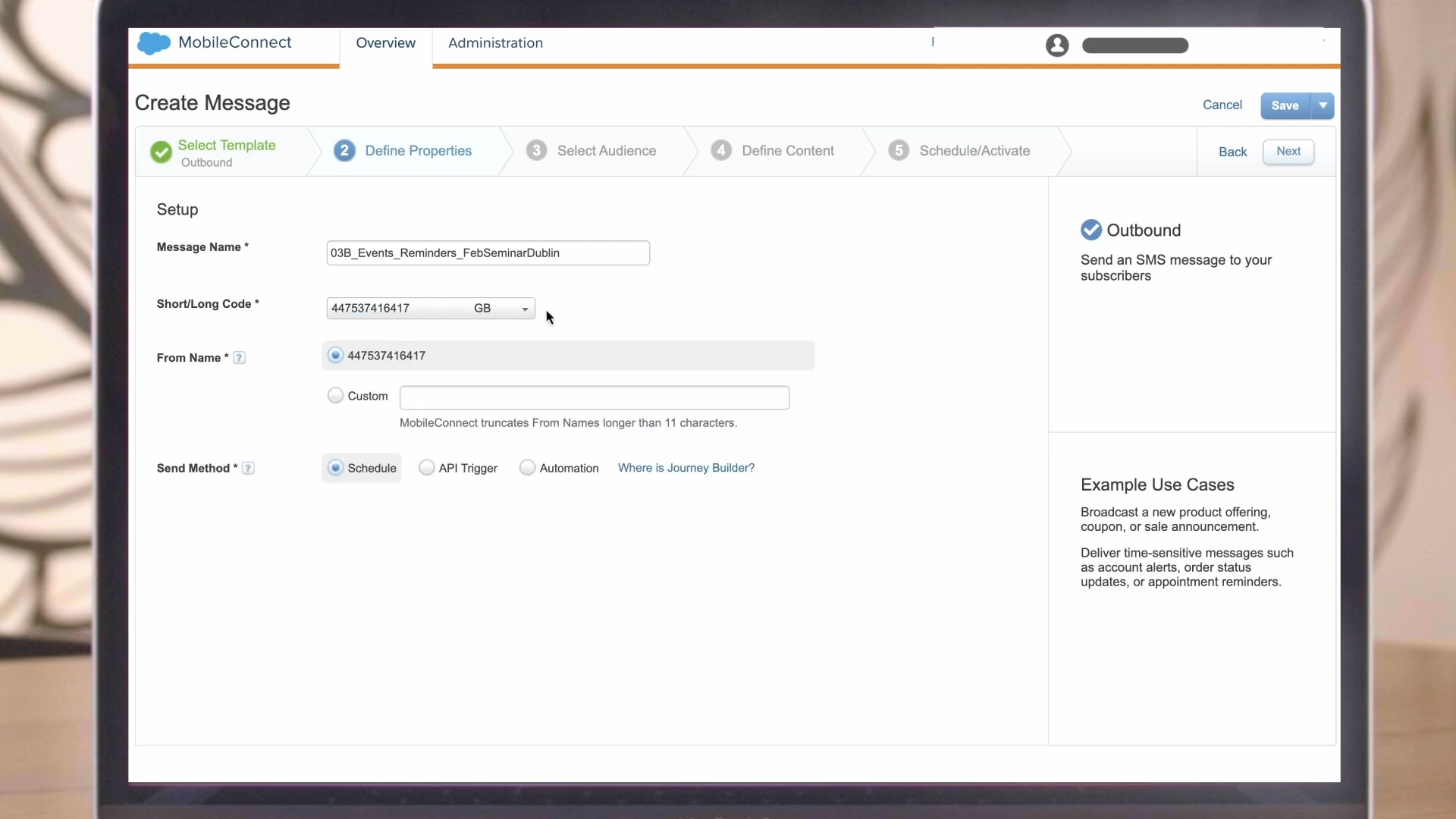
3. Configure keywords and opt-in/opt-out
The keywords are an important part of MobileConnect.
Example:
Customer: Text JOIN to your short code.
Business: You are subscribed to Example Alert. Reply STOP to opt out.
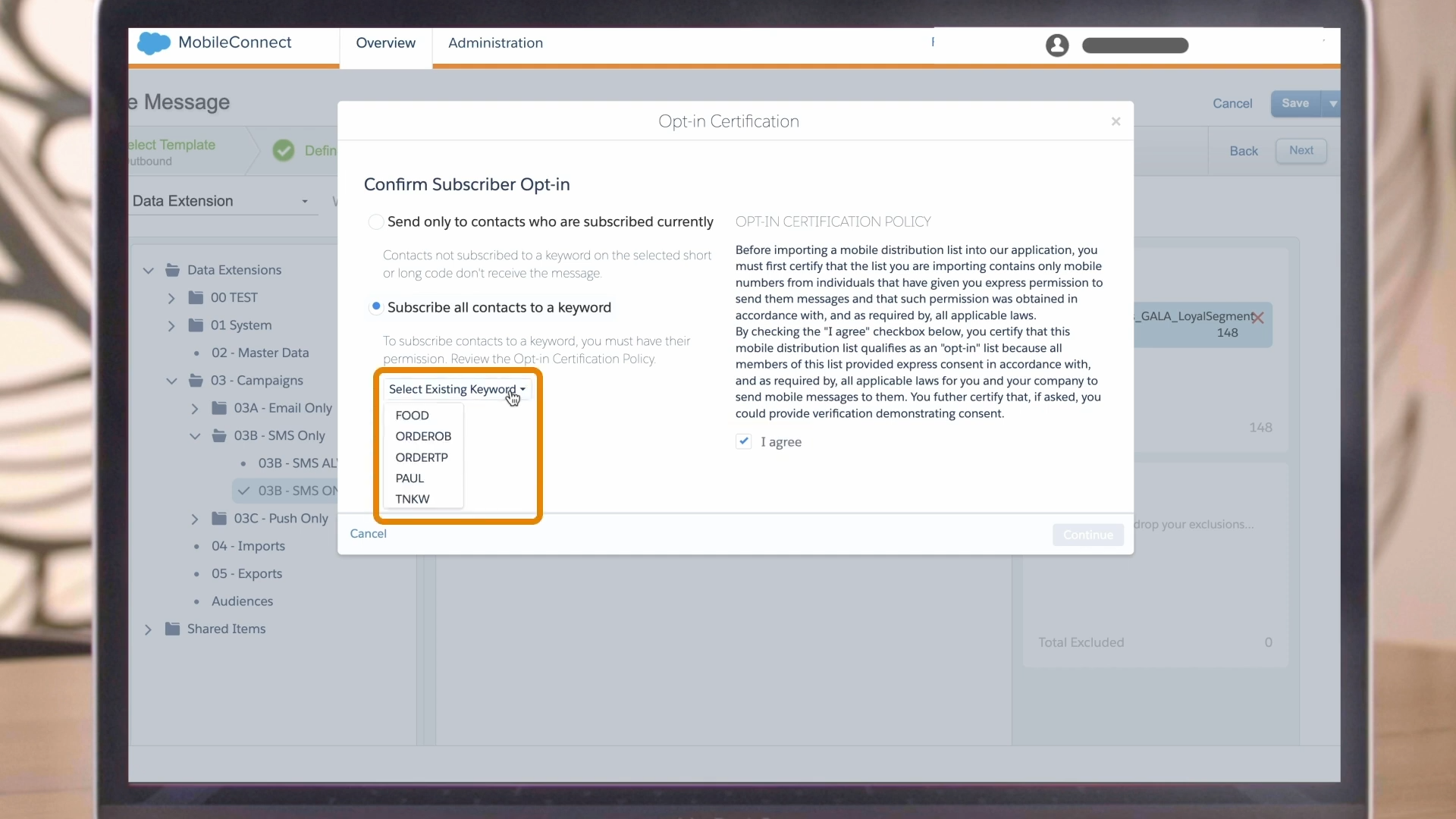
SF supports both single and double opt-in workflows in MobileConnect. Its documentation also notes that contacts must maintain a subscribed status for the relevant short code and keyword to receive outbound SMS.
You need to make sure your opt-in workflow satisfies the requirements applicable to your market for the campaign where the consent is collected through a website or application.
4. Create and send SMS through MobileConnect/Journey Builder
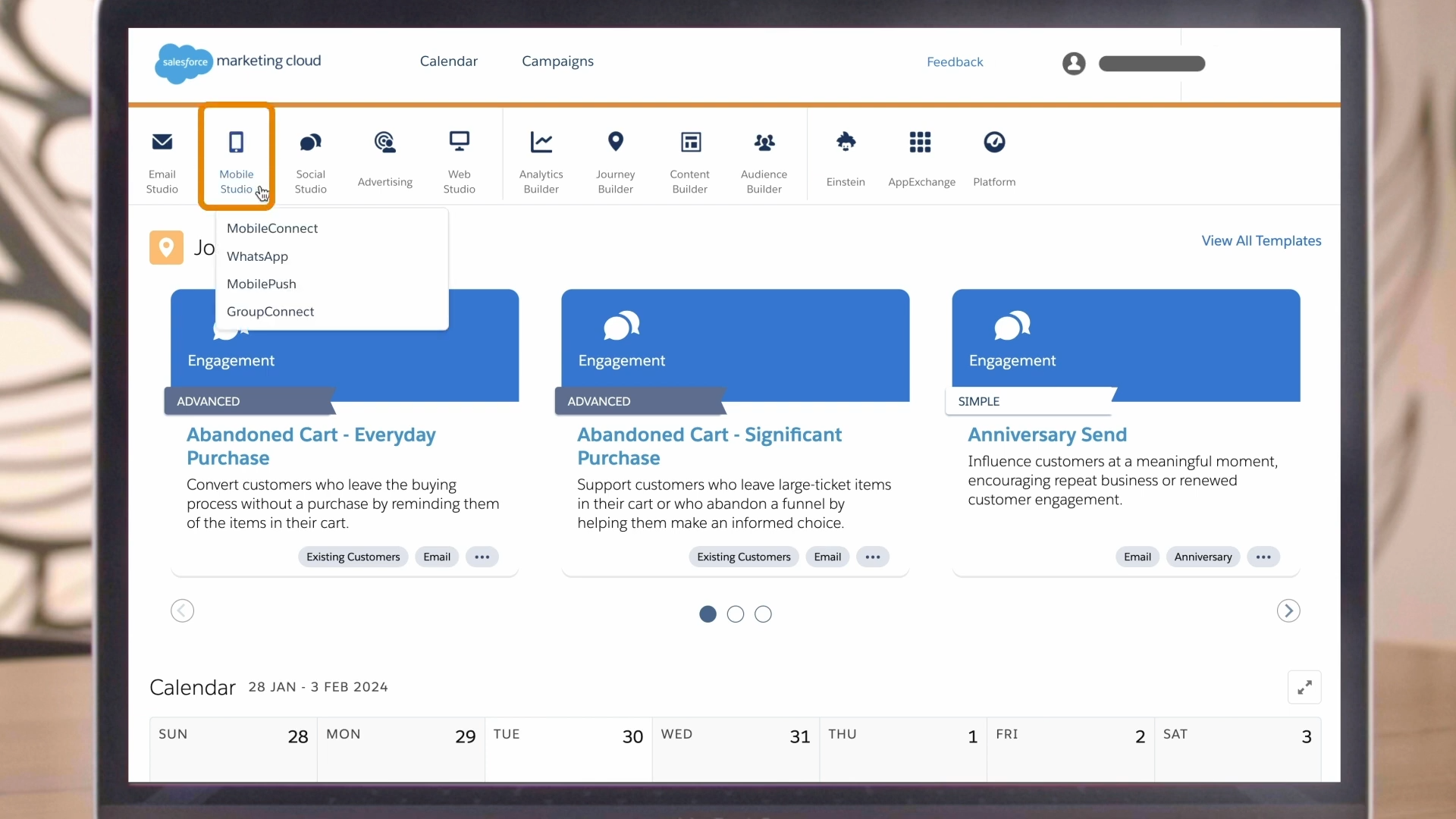
Within MobileConnect, you can create SMS messages using the available templates and configure:
Sending code
Audience
Message content
Opt-out availability
Send method
Delivery schedule.
Automation
API triggering
SFDC currently supports scheduled sends, Application Programming Interface-triggered sends, and automation-based sends for MobileConnect SMS.
5. Test and monitor the campaign
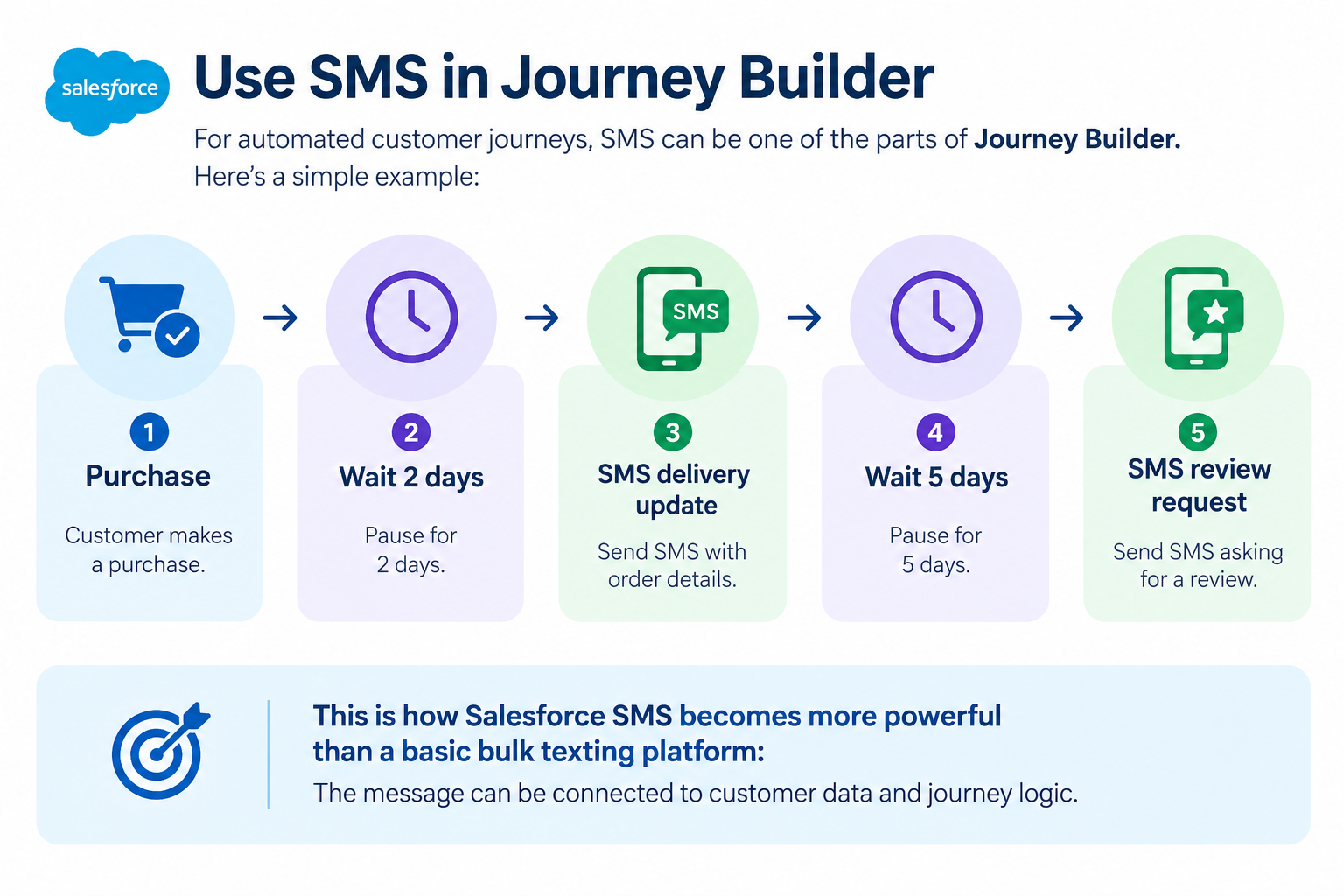
For the automated customer journeys, SMS can be used as one of the parts of Journey Builder. Here is an example for your clarity:
Purchase -> Wait 2 days -> SMS delivery update -> Wait 5 days -> SMS review request
This is the way Salesforce SMS becomes more powerful than a basic bulk texting platform: the message can be connected to customer data and journey logic.
6. Test Before Launching
Before you send to your complete audience, you should test the following:
Personalization
Links
Character length
Opt-out behavior
Country codes
Timing
Delivery
Keyword responses
Error handling
The best part you will like about SF is getting access to the Short Messaging Service data. It further distinguishes events like delivered, undelivered, clicked, subscribed, and unsubscribed.
Watch video
Salesforce Marketing Cloud SMS Setup: What Does It Cost?
A crucial aspect of Salesforce Marketing Cloud SMS pricing is recognizing that a standardized, single rate does not exist for every business using the platform.
Your aggregate expenses vary based on your edition, credit allocation, dedicated number setup, dispatch scale, target region, technical deployment, and connected external tools.
While base rates begin at $10 USD per thousand credits alongside code provisioning fees, exact financial commitments require validation against your specific enterprise contract and geographic footprint.
What Determines the Total Cost?
You can think of the overall cost as several components:
The cost for the total SMS = Marketing Cloud licensing + SMS usage + sender/code costs + implementation/integration.
The areas for the potential cost include the following:
Subscription for the Marketing Cloud
SMS credits
Both short- or long-code setup/lease
Volume for the additional messaging
Integration development
Third-party SF SMS connector
Consulting or implementation services
https://www.salesforce.com/marketing/salesforce-message-credits/?bc=OTH&utm
Salesforce Marketing Cloud SMS Total Cost of Ownership
Selecting the absolute lowest unit rate per text does not automatically deliver the most economical overall investment.
Consider an enterprise currently running Marketing Cloud Engagement: deploying built-in SMS capabilities often makes immediate financial sense because contact records, multi-channel journeys, and orchestration systems are completely unified inside their CRM setup.
On the other hand, an organization focusing mainly on direct conversational text exchanges for sales reps will often gain better efficiency using a tailored AppExchange messaging integration.
Ultimately, your team should assess the total cost of ownership rather than focusing exclusively on baseline messaging credit rates.
Understand Price In Simple Terms
The cost of Salesforce Marketing Cloud SMS, in short, depends on your Salesforce licensing, SMS usage, code requirements, geography, and integration architecture.
If you look at the current SFMC price, SF lists SMS credits separately from the core marketing capabilities.
The current public price page shows SMS starting at $10 per 1,000 credits, but customers should verify applicable pricing and requirements with SF before budgeting a production implementation.
Salesforce SMS Connector and Integration Options
You can find out various ways to connect Salesforce data with SMS, but the right way always depends on what you are trying to achieve.
Marketing Cloud Connect
Best for: Marketing Cloud Connect (MCC) is the best option for organizations that are seeking Salesforce CRM data and Marketing Cloud capabilities to work together.
If you think MCC is simply an SMS connector, you are wrong.
SF MCC plays an important role in connecting Salesforce CRM and Marketing Cloud capabilities so that customer and CRM information can participate in marketing processes.
For example
A business can use Salesforce CRM information to identify customers for a Marketing Cloud journey and then use MobileConnect to deliver the SMS.
If we understand the same with its architecture, it will be like:
Salesforce CRM -> Marketing Cloud Connect -> Marketing Cloud -> MobileConnect -> SMS.
Rather than the architecture as follows:
SF -> Marketing Cloud Connect -> SMS
This distinction matters a lot when you design your implementation.
Native MobileConnect
Best For: Native MobileConnect is one of the best options for marketing teams that run SMS campaigns and journeys inside Marketing Cloud.
MobileConnect is the natural choice when your SMS strategy is primarily connected to the following options:
Marketing Cloud Engagement
Journey Builder
Audience segmentation
SMS subscriptions
Campaign messaging
Native SMS reduces the need for another messaging platform if your company already operates its marketing workflows inside Marketing Cloud.
Transactional Messaging API
Best for: The transactional messaging API Marketing Cloud is the right option if your application triggers time-sensitive transactional SMS.
The SF Application Programming Interface (API) is designed for messages triggered by activity, which could include order confirmation or password reset. Salesforce requires a transactional SMS send definition, and each of them sends request references to the appropriate definition.
Example
A customer places an order -> e-commerce system generates event -> API request -> transactional SMS.
If you have different use cases, you could create separate send definitions, as this includes:
Order confirmation
Two-factor authentication
Delivery notification
Account alert
What separates traditional promotional messaging is having automated and immediate transactional messaging.
Third-party Salesforce SMS connectors
An external integration becomes a logical choice when your operational needs go beyond standard outbound marketing automation inside MobileConnect.
This includes scenarios requiring capabilities like:
Direct 1:1 sales rep communication
Real-time customer support interactions
Unified team message queues
Interactive dialog workflows
Automatic CRM timeline logging
Multi-channel messaging expansion
Custom conversational interaction logic
Ultimately, the key consideration extends past simply asking, "Can Salesforce send SMS?"
Rather, you should evaluate:
"How should SMS sit within our overall communication stack?
Short Code vs. Long Code in Salesforce Marketing Clouds
Choosing between a short code and long code is an important part when it comes to Salesforce SMS setup. With the table below, you can easily distinguish between long and short codes.
| Factor | Short Code | Long Code |
|---|---|---|
| Best for | High-volume campaigns | Lower-volume/conversational use cases |
| Number format | Short dedicated code | 10-digit number in the U.S. |
| Provisioning | Registration required | Registration requirements apply |
| Two-way SMS | Supported in applicable configurations | Depends on market/use case |
| Typical use | Marketing campaigns | More direct messaging |
Salesforce MobileConnect helps you with both short and long codes, but it depends on the configuration and availability, which depends on the market and account.
Which One Fits Your Business Best?
Your decision ought to depend on specific business requirements instead of assuming one path is universally superior.
Opt for a short code if:
Message dispatch volume is substantial
You deploy broad promotional initiatives
Interactive keyword processing is essential
Regional regulations allow for the setup
Evaluate a long code if:
A standard phone contact format is preferred
Overall outbound volume remains moderate
Direct bidirectional dialogue is needed
Target markets permit the specific arrangement
Salesforce Marketing Cloud SMS Examples
Crafting an effective messaging framework requires looking beyond basic dispatch mechanics. It demands aligning your strategy directly with the overarching customer journey.
Consider these practical enterprise operational scenarios:
1. Order Confirmation
Example:
Thank you for order #48291. We have received your purchase and will dispatch a status update upon shipment.
This represents a standard transactional deployment model.
2. Appointment Reminder
Example:
Reminder: Your upcoming consultation with ABC Clinic is scheduled for tomorrow at 10:00 AM. Reply HELP for support.
These dispatches originate directly from scheduling system triggers rather than outbound promotional broadcasts.
3. Event Reminder
Example:
Your event begins tomorrow at 6:00 PM. Access entry passes and details here: example.com/ticket
Marketing Cloud leverages CRM contact attributes and journey timing parameters to deliver tailored event communications.
4. Promotional Campaign
Example:
Seasonal sale: Enjoy a 20% discount on select items this weekend. Explore options: example.com/sale
This operates as commercial messaging and must align with regional consent standards and regulatory guidelines.
5. Customer Re-Engagement
Example:
We miss your presence. Take advantage of a 15% discount on your next order: example.com/offer
Such initiatives fit seamlessly into automated win-back workflows governed by audience activity records.
6. Application-Triggered Alert
External software platforms can initiate immediate time-sensitive SMS dispatches following specific system events.
For instance:
Password reset request -> API call -> Instant SMS notification
This architectural pattern represents a prime use case for the Transactional Messaging API in Marketing Cloud instead of standard promotional journeys.
Salesforce SMS Rules and Compliance You Need to Know
Deploying SMS marketing requires far more than importing contact numbers and initiating immediate broadcasts.
Your enterprise must establish clear consent frameworks, subscription structures, and opt-out workflows prior to sending.
Official MobileConnect documentation mandates that promotional Salesforce text messaging go strictly to subscribers who explicitly opt in, while establishing detailed guidelines for opt-out mechanisms and clear sender identifier configuration.
Guide: https://help.salesforce.com/s/articleView?id=005317769&type=1
Key SMS Rules to Consider
Get Appropriate Consent
Ensure your audience clearly understands:
The identity of the business dispatcher
The specific program they are joining
The nature of incoming text communications
The anticipated recurring message cadence
The process for revoking permission
Because compliance expectations differ by jurisdiction and use case, incorporate regulatory adherence directly into your system design process.
Make Opt-Out Easy
Standard unsubscription keywords typically include:
STOP
QUIT
CANCEL
END
UNSUBSCRIBE
Salesforce explicitly identifies these system terms as default opt-out keywords within MobileConnect keyword management settings.
Don't Ignore HELP
Every corporate SMS strategy must give recipients a straightforward path to access user support.
Salesforce provides built-in HELP response handling alongside administrative tools to manage sender codes, keyword triggers, and opt-out preferences.
Consider U.S. Specific Requirements
Deploying SMS initiatives within the United States market necessitates strict adherence to established consent frameworks and carrier-mandated dispatch standards. Enterprises must confirm that target contacts have explicitly granted permission and that all outbound dispatches align with regional compliance guidelines.
Prior to initiating any commercial broadcast, thoroughly validate your subscription logic, keyword unsubscription workflows, sender code provisioning, and operational transmission practices tailored specifically to domestic standards. Avoid assuming that sender configurations suited for international jurisdictions will seamlessly fulfill U.S. regulatory expectations.
https://help.salesforce.com/s/articleView?id=000380723&type=1
Be Careful With Sender IDs
Utilizing an alphanumeric sender label instead of a two-way numeric code prevents contacts from sending standard keyword replies like STOP or HELP. Salesforce advises establishing an alternative opt-out pathway whenever inbound text capability is missing.
Salesforce Marketing Cloud SMS vs. Third-Party SMS Integration: Which Should You Choose?
No, there isn’t a universally best Salesforce SMS setup. If you want to make the right choice, it depends on your existing technology stack and the job SMS needs to perform.
| Your requirement | Best starting point |
|---|---|
| Marketing campaigns | MobileConnect |
| SMS inside customer journeys | MobileConnect + Journey Builder |
| Salesforce CRM data + Marketing Cloud | Marketing Cloud Connect + Marketing Cloud |
| Application-triggered SMS | Transactional Messaging API in SFMC |
| Sales-team texting | Consider a specialized Salesforce SMS connector |
| Service conversations | Consider a conversational/SMS service solution |
| High-volume marketing SMS | Evaluate MobileConnect + appropriate sending code |
MobileConnect vs. Marketing Cloud Connect vs. Transactional Messaging API
| Salesforce capability | Primary purpose |
|---|---|
| MobileConnect | Create, send, automate, and manage SMS |
| Marketing Cloud Connect | Connect Salesforce CRM data and Marketing Cloud capabilities |
| Transactional Messaging API | Send automated, event-driven transactional SMS |
| Third-party SMS connector | Add specialized SMS, sales, service, or conversational capabilities |
You can avoid unnecessary complexity and integration cost when you understand the distinction before you implement.
Frequently Asked Questions
-
Yes, Salesforce Marketing Cloud natively supports SMS marketing and messaging.
-
The cost of SFMC SMS depends on Salesforce licensing, SMS usage, code requirements, geography, and integration architecture. Its SMS starts at $10 per 1,000 credits, but customers should verify applicable pricing and requirements with SF.
-
To send SMS from Salesforce Marketing Cloud Engagement. It requires you to have MobileConnect, the native module for SMS and MMS messaging, or Journey Builder.
-
Both SFMC MobileConnect and Marketing Cloud Connect serve completely different purposes within the SF ecosystem.
MobileConnect is a tool within Mobile Studio; it allows you to build, send, receive, and track SMS and MMS text messages to mobile subscribers.
Marketing Cloud Connect is a managed package and API integration. It links SFMC with CRM systems like Sales Cloud or Service Cloud.
-
The core difference lies in their length, speed, and use cases.
Short code: a 5- to 6-digit number built for high-volume, bulk Application-to-Person (A2P) messaging such as marketing campaigns, 2FA/OTP, and urgent alerts. It supports you with high message throughput (up to 40+ messages per second), takes weeks or months to approve through mobile carriers, and costs significantly more.
Long Code (10DLC or Standard Number): It is a 10-digit standard phone number built for two-way conversational, or person-to-person style communication such as customer service, appointment reminders, and order updates. It comes with a slower sending speed (roughly 1 message per send); it is much cheaper and takes less time to register.
-
Yes, Salesforce allows you to send transactional messages (SMS) through its platform.
The Bottom Line
Salesforce Marketing Cloud SMS is powered primarily by MobileConnect; it is more critical for modern businesses as it bridges the gap between deep CRM data and high-urgency mobile engagement.
Now, you know how important Salesforce text messaging is, its cost, and how SMS marketing works, along with the examples.
Are You Ready to Elevate Your Salesforce SMS Strategy? Navigating setup requirements, carrier compliance, and connector architectures can be complex.
Partner with the experts at Concret.io to seamlessly integrate Salesforce Marketing Cloud SMS and optimize your cross-channel customer journeys. Contact Concret.io today for tailored consulting and implementation support.
Resources
https://help.salesforce.com/s/articleView?id=mktg.mc_moc_mobileconnect.htm&type=5
https://help.salesforce.com/s/articleView?id=mktg.mc_moc_create_messages.htm&type=5
https://help.salesforce.com/s/articleView?id=mktg.mc_co_marketing_cloud_connect.htm&type=5
https://help.salesforce.com/s/articleView?id=mktg.mc_co_connect_to_marketing_cloud.htm&type=5
https://help.salesforce.com/s/articleView?id=mktg.mc_moc_mobileconnect_enablement_guides.htm&type=5
https://www.salesforce.com/marketing/pricing/
Related Readings


Let's Talk

Drop us a note, we’re happy to take the conversation forward 👇🏻