Preparing Your AgentExchange App for Salesforce Automatic Upgrades
Key Takeaways:
Automatic Upgrades help eligible AppExchange apps stay current by delivering new features, bug fixes, and security updates with minimal manual effort.
Thorough testing, backward compatibility, and sandbox validation are essential to ensure smooth Automatic Upgrades and avoid disrupting subscriber orgs.
A well-planned Salesforce AppExchange development strategy aligned with Salesforce's release cycle reduces upgrade risks and improves long-term package reliability.
What if your customers never had to think about upgrading your AgentExchange app again? No reminder emails. No release announcements. No waiting for admins to install the latest version. Every eligible customer simply wakes up with your newest release.
Sounds perfect until you realize one overlooked change could reach every customer just as quickly. That's exactly why Salesforce introduced Automatic Upgrades for AgentExchange apps. As Salesforce AppExchange development continues to evolve, this capability simplifies software delivery while raising the standard for package quality, compatibility, and release management.
It also demands a much higher standard from app publishers. Is your app truly upgrade-ready? Which packages qualify, and what changes could unexpectedly break customer orgs?
This guide describes how automatic upgrades work and the core practices that help every release ship with confidence.
What Are Automatic Upgrades for AgentExchange Apps?
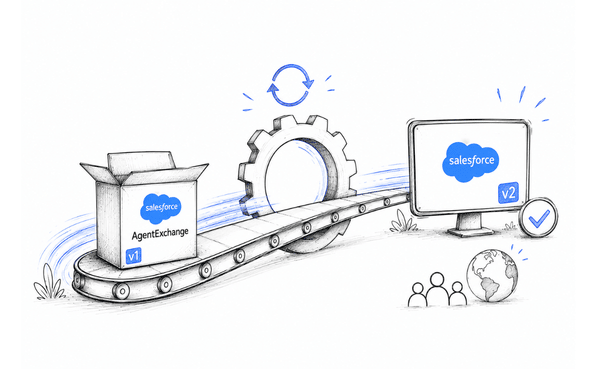
Automatic Upgrades for AgentExchange apps are a new feature introduced in eligible Salesforce AppExchange managed packages that allow their customers to receive newer versions of AgentExchange applications automatically without the need for manual installations. This enables them to benefit from the company’s latest version. It also allows publishers to introduce security changes, bug fixes, and new features most effectively.
Automatic Upgrades vs. Manual Upgrades
| Manual Upgrades | Automatic Upgrades |
|---|---|
| Customers decide when to install updates. | Salesforce schedules and delivers eligible updates. |
| Different customers may run different package versions. | More customers remain on the latest supported version. |
| Publishers often remind customers to upgrade. | Upgrade adoption happens with minimal customer effort. |
| Slower rollout of fixes and enhancements. | Faster delivery of new features and security updates. |
Which Apps Can Receive Automatic Upgrades?
Not every AgentExchange app qualifies for Automatic Upgrades. To be eligible, your app should:
Be published as a managed package.
Meet Salesforce's upgrade compatibility requirements.
Comply with Salesforce packaging and validation standards.
Support seamless upgrades without disrupting existing customer implementations.
How Automatic Upgrades Operate within Salesforce
Automatic Upgrades correspond to Salesforce’s seasonal release schedule, which allows qualifying managed packages to obtain new features, security updates, and performance boosts automatically without the need for client installations.
The sandbox environment is the first to advance; hence, organizations have a chance to test their customizations and integrations before the whole organization’s rollout of upgrades.
Here's how the process works:
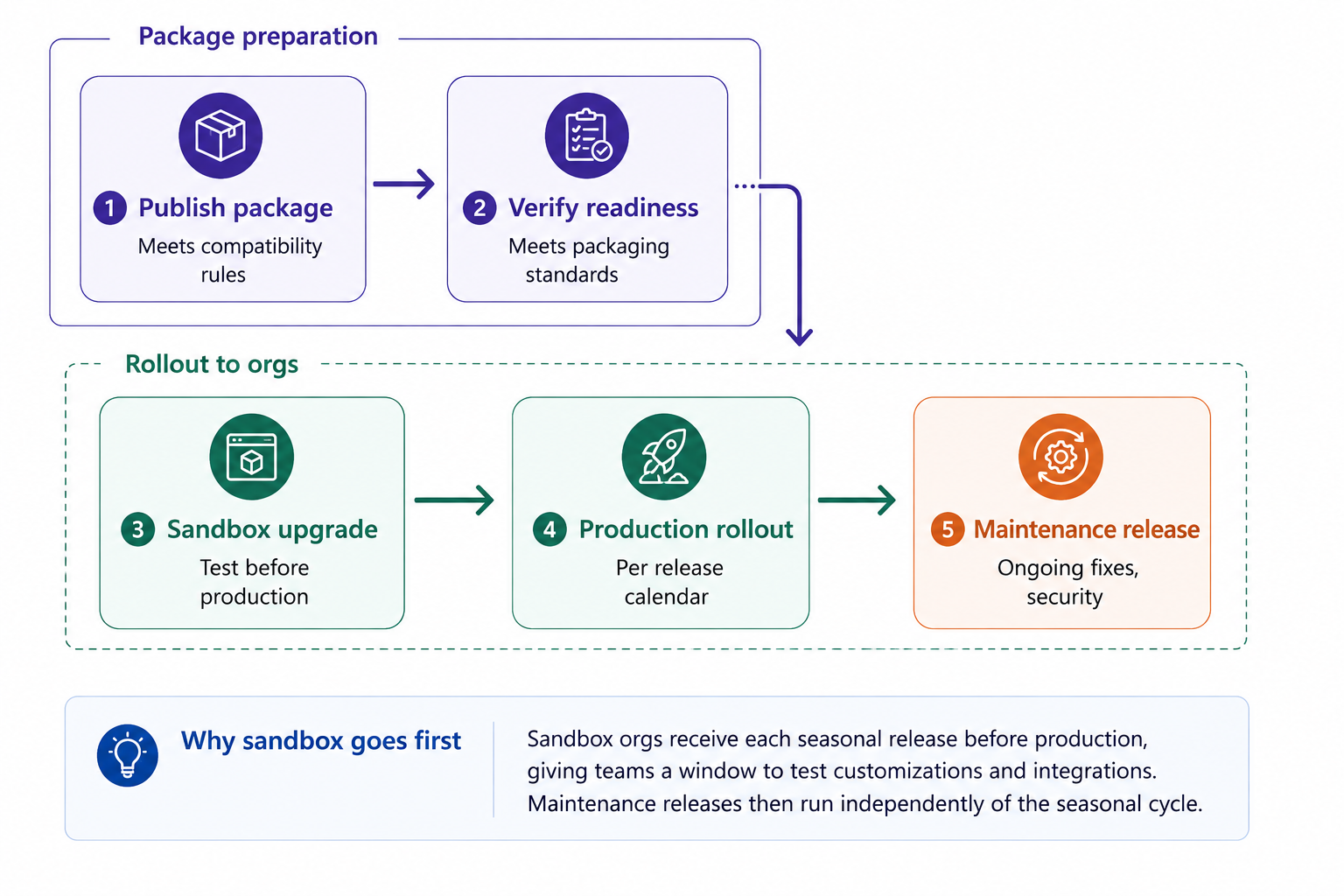
1. Publish a Compatible Package Version: Release a managed package version that meets Salesforce's upgrade and compatibility requirements.
2. Verify Upgrade Readiness: Ensure your package is eligible for Automatic Upgrades and follows Salesforce's packaging and release standards.
3. Sandbox Upgrades Begin: Salesforce upgrades sandbox environments first, allowing customers to test new features, customizations, and integrations before production.
4. Production Rollout: After the sandbox preview period, Salesforce automatically upgrades eligible production orgs according to the Salesforce release calendar.
5. Maintenance Releases: In addition to seasonal releases, Salesforce delivers maintenance updates when needed to improve security, stability, and overall performance.
8 Steps to Prepare Your AgentExchange App for Automatic Upgrades
Automatic Upgrades in AgentExchange lower the workload to keep customer orgs current, but they raise the bar for each package release. Only enable this feature once your app is stable, thoroughly tested, and aligned with the Salesforce release process.
Step 1: Upgrade to the Latest Production Release
Before selecting Automatic Upgrades for the appExchange app, make sure your package is already on the latest Salesforce production release. That gives a supported base for future automatic upgrades.
Checklist:
Upgrade production to the latest GA release.
Verify package compatibility.
Resolve any pending upgrade issues before enrolling.
Step 2: Build Automated Regression Test Suites
Seasonal releases in Salesforce can introduce platform changes that affect existing functionality. Automated regression testing helps identify issues early and ensures your package behaves consistently across Salesforce releases. Your test suite should cover:
Apex classes, triggers, and test methods.
Record-triggered and scheduled Flows.
Lightning Web Components (LWCs) and Aura components.
REST and SOAP API integrations.
Core package functionality and critical user workflows.
Step 3: Validate Your Package in Preview Sandboxes
Before rolling out the new release, Salesforce appExchange will deploy the upgrade to the sandbox, allowing publishers to test whether their package is compatible with it. Use this as your last chance to validate before rolling out the release.
Your validation should focus on:
Running Apex tests and checking code coverage.
Ensuring the functioning of Flow automation and orchestration.
Checking metadata compatibility for subscriber organizations.
Making sure that Named Credentials, Platform Events, and API integration work.
Installing and upgrading the package.
Step 4: Verify Upgrade Compatibility
Automatic Upgrades in agentExchange depend on a package that can safely transition from one version to the next. Check if the modifications made to your package are likely to affect the AppExchange Security Review, especially when adding new APIs or external integrations. Review for potential upgrade blockers such as:
Removed or renamed metadata components.
Breaking API or schema changes.
Unsupported package dependencies.
Changes that require manual customer intervention.
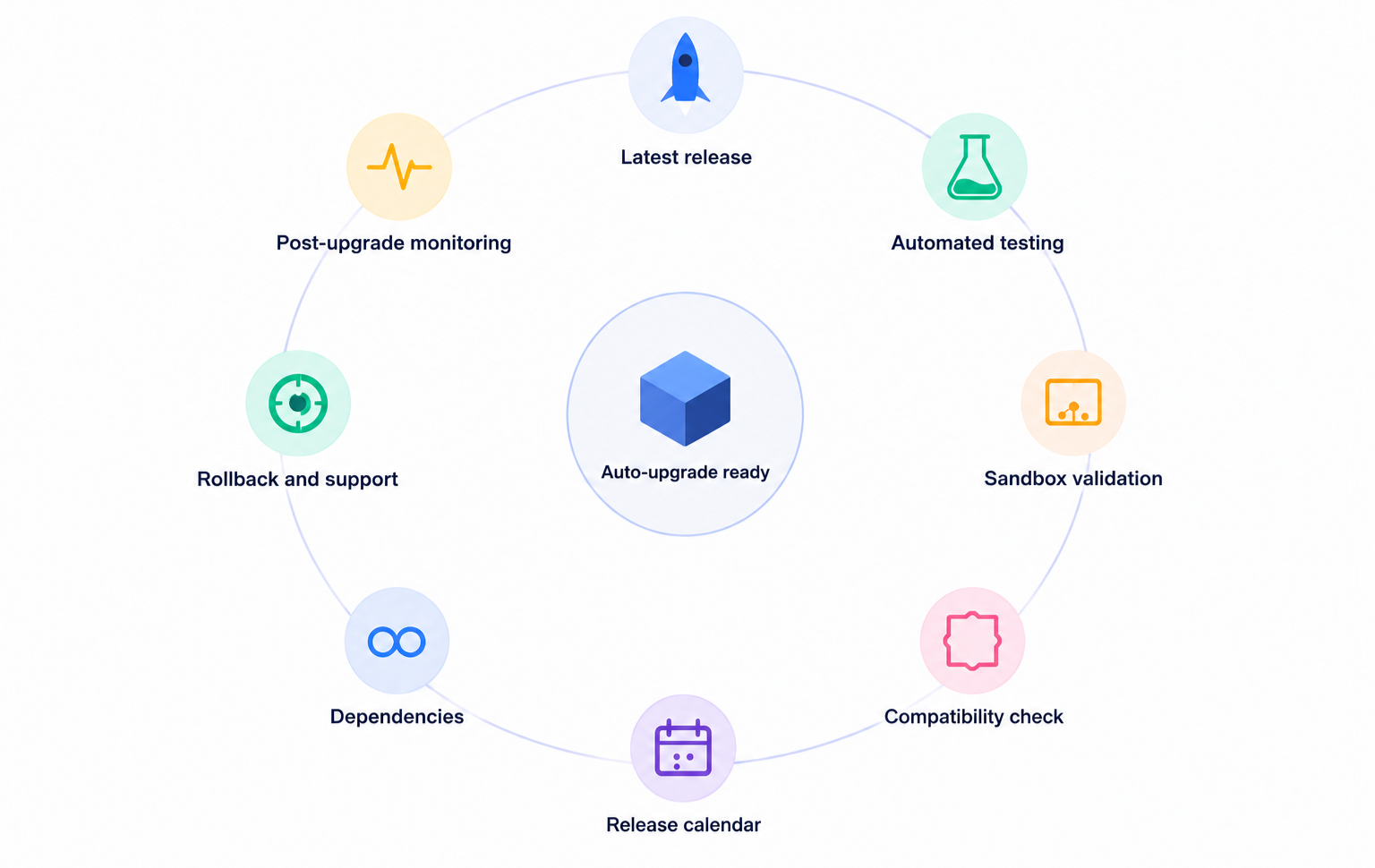
Step 5: Plan Around the Salesforce Release Calendar
Salesforce Automatic Upgrades are in line with the seasonal cycle of Salesforce releases. Checking the release schedule early will help your team prepare, test, and resolve issues with the platform upgrades before the actual upgrades to production take place.
Keep updated by monitoring:
Seasonal release notifications.
Preview schedules for sandbox.
Known issues and changes in releases.
Upcoming changes in the platform affecting your package.
Step 6: Review Package Dependencies and Integrations
Many upgrade issues originate outside the managed package itself. Validate every dependency to ensure the entire solution remains compatible after the platform upgrade.
Review dependencies such as:
Managed and unmanaged package dependencies.
External APIs and middleware connections.
Authentication using OAuth and Named Credentials.
Connected Apps and integration endpoints.
Step 7: Prepare a Rollback and Support Strategy
Releases that have gone through rigorous testing can still reveal edge cases in subscriber environments. A well-prepared response plan helps your team quickly overcome difficulties and reduce the impact on subscribers.
Ensure that your support plan consists of the following:
Roll back/upgrading expectations.
Release report and existing constraints.
Details about the beneficiary environment for troubleshooting.
Proper pathway for the complicated support case escalation.
Step 8: Monitor Post-Upgrade Health
Preparation doesn't end after deployment. Monitor package performance and customer feedback to identify issues early and maintain a reliable upgrade experience.
After each release, monitor:
Upgrade success and failure trends.
Customer support cases.
Package logs and exception reports.
Maintenance releases and performance improvements.
Common Mistakes That Can Disrupt Salesforce Automatic Upgrades
1. Skipping the Required Manual Upgrade Before Opting In
One of the more common mistakes is assuming that every org is automatically eligible for automatic upgrades. Salesforce says companies need to manually upgrade to the current Salesforce Industries release in production to join the automatic upgrade program.
2. Failing to Validate Changes in Sandbox Preview
Teams can get access to sandbox preview environments before production upgrades so they can test their customizations, integrations, and new features before they go live. Don’t skip this preview window, or you risk finding problems after the production upgrade.
3. Not Building Automated Test Suites for Customizations and Integrations
Salesforce specifically recommends building automated test suites for any integrations or customizations before automatic upgrades. If they don’t, organisations that rely on manual validation could miss compatibility issues that come with seasonal releases.
4. Ignore the Salesforce Release Calendar
Automatic upgrades follow the Salesforce seasonal release schedule and cannot be delayed. Teams that aren’t aware of release dates often lose out on opportunities to do testing before production goes live.
5. Not having all the information ready before you contact
Salesforce Support: When an upgrade issue occurs, Salesforce asks for some case information (for example, Org ID impacted, current version, package version to upgrade to, steps to reproduce, logins, upgrade window, and a technical contact). Not having this information may slow troubleshooting.
Conclusion
The success of Automatic Upgrades isn't measured by how quickly a new version reaches customers; it's measured by how seamlessly they experience it. If users never notice the upgrade because everything continues to work perfectly, you've done your job well. That's the standard every Salesforce AppExchange development team should aim for. Preparing today means fewer surprises tomorrow and more confidence with every release.
If you're evaluating your upgrade strategy, an experienced Salesforce consultant can help ensure your AppExchange app is ready before your next release, and a certified Salesforce partner can also help streamline release planning and package validation.
Frequently Asked Questions
-
Preview sandboxes receive Salesforce seasonal releases before production. This gives publishers time to validate managed packages, test integrations, and identify compatibility issues before production orgs are upgraded.
-
The biggest risk is introducing breaking changes that affect existing customer implementations. Thorough testing and backward-compatible package design help minimize these risks.
-
Regression testing is the process of verifying that a new version of your AgentExchange app doesn't break existing functionality after code changes or a Salesforce platform update. It helps ensure that features, Apex logic, Flows, Lightning components, integrations, and package upgrade paths continue to work as expected before the update is automatically deployed to subscriber orgs.
-
Yes. Regression testing should be part of every release cycle. Automated test suites help verify that existing functionality continues to work after platform updates and package changes.
-
Review the release notes before every seasonal Salesforce release (Spring, Summer, and Winter). This helps you identify platform changes that could affect your AgentExchange app and gives you time to prepare for upcoming upgrades.
-
No. Minor updates usually don't require a new AppExchange Security Review. However, releases with significant code changes or new functionality may require Salesforce to perform another review.
Related Readings
Let’s Talk

Drop us a note, we’re happy to take the conversation forward 👇🏻