

Salesforce Data Masking for Healthcare Organizations
Key takeaways:
Masking decides how much of a record someone sees, while access control only decides whether they can open it at all.
PHI spreads further than expected in Salesforce, showing up in support tickets, sandboxes, and integrations, not just obvious patient fields.
A process with a scan, configure, deploy, and monitor turns HIPAA compliance into an ongoing practice instead of a one-time effort.
Healthcare organizations store some of the most sensitive information that exists inside Salesforce. Patient names, medical histories, insurance details, and billing records all live in the same system that sales, support, and administrative teams use every day. That makes Salesforce data masking for healthcare a genuine necessity, not just a nice extra step.
This article explains what Salesforce data masking is, how HIPAA applies to your Salesforce org, why healthcare organizations need masking in the first place, how to actually set it up, and how the whole process supports HIPAA compliance in a practical way.
What Is Salesforce Data Masking?
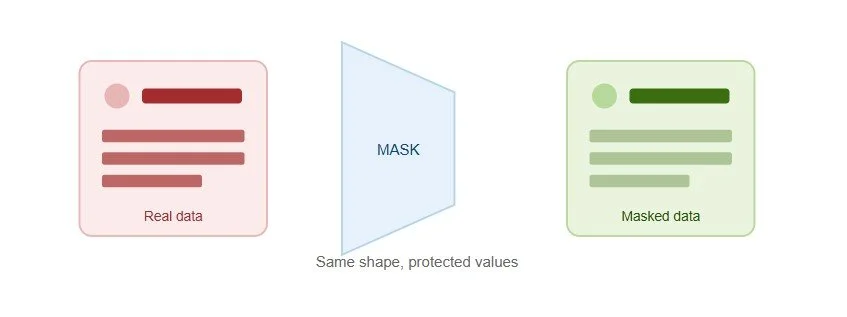
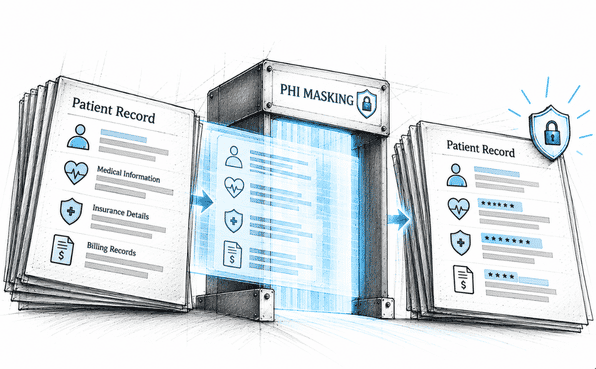
Salesforce data masking is the process of hiding or replacing sensitive information so that only people who truly need to see it can. Instead of showing a real patient's Social Security number, a masked field might show a realistic but fake value. Instead of a full medical record, a masked view might show only the parts a specific user actually needs for their job.
This is different from simply restricting access to a record. Restricting access decides whether someone can open a record at all. Masking decides how much of that record they actually see once it's open. A Salesforce data masking solution applies this kind of control automatically, across many fields and many users, instead of relying on someone manually adjusting settings every time.
For healthcare organizations, this distinction matters a lot. A billing coordinator might need to see a claim amount but not the patient's full clinical notes. A support agent might need to confirm an appointment date but not view lab results. Masking makes this kind of precise, role-based visibility possible without slowing anyone down.
What Is HIPAA and Why Does It Matter for Salesforce?
HIPAA, short for the Health Insurance Portability and Accountability Act, is the U.S. law that governs how healthcare organizations handle Protected Health Information, usually called PHI. PHI includes any information that can identify a patient and relates to their health, treatment, or payment for care.
Salesforce HIPAA compliance matters because many healthcare organizations use Salesforce to manage patient relationships, support tickets, billing workflows, and provider communication. If PHI sits inside Salesforce, HIPAA rules apply to that data, no matter which department is using it or what the record looks like on the surface.
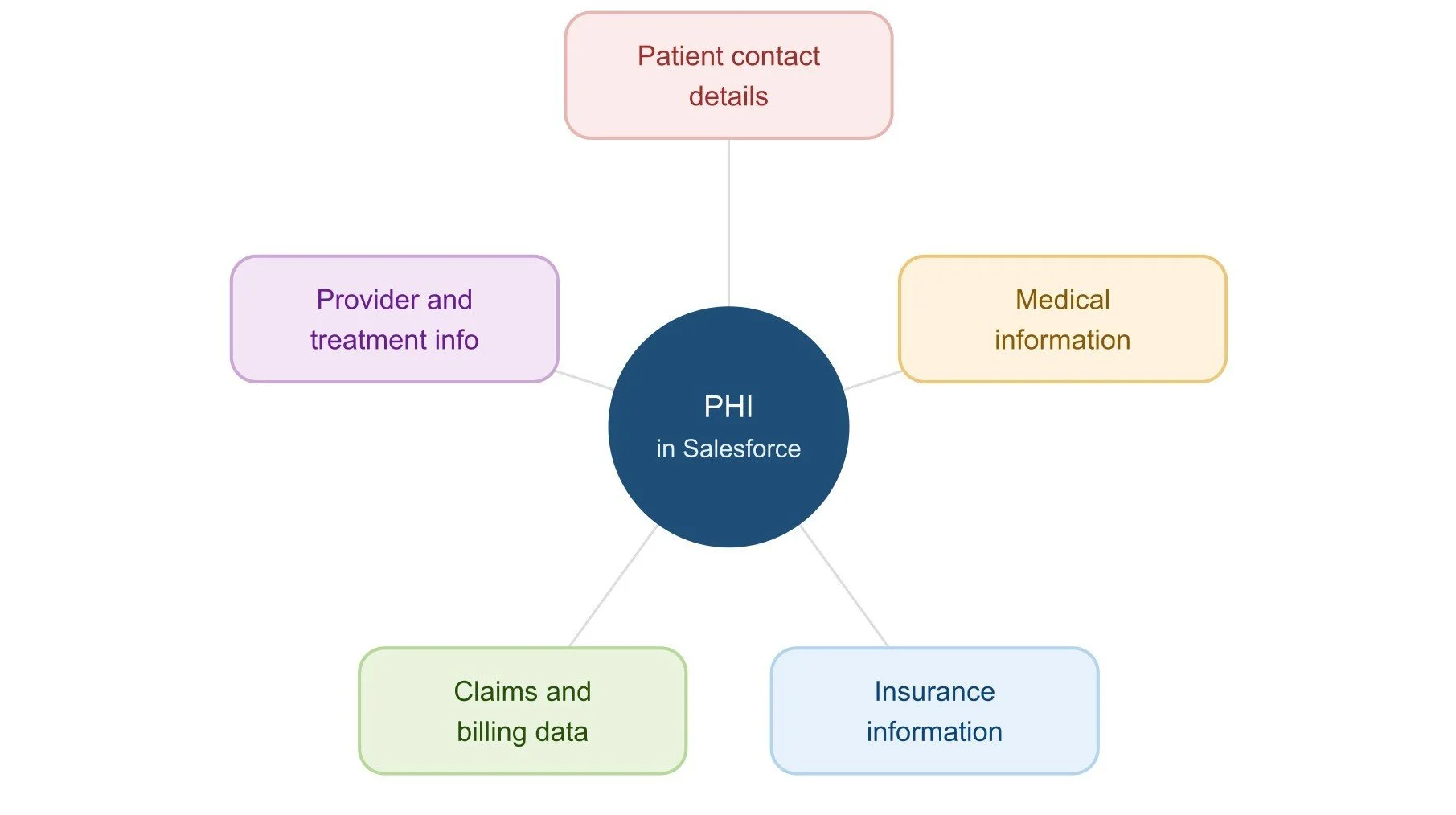
PHI can show up in more places inside Salesforce than people expect. Common examples include:
Patient names and contact details, including addresses, phone numbers, and email addresses
Medical information, such as diagnoses, treatment notes, and lab results
Insurance information, including policy numbers and coverage details
Claims and billing data, such as invoice amounts and payment history
Provider and treatment information, including which physician treated a patient and when
HIPAA's core focus is straightforward. It requires organizations to protect the confidentiality and security of PHI, which means limiting who can see it, controlling how it moves through systems, and being able to show that these protections are actually in place. A HIPAA-compliant Salesforce setup needs to reflect this at the field level, not just at the record or object level.
Why Healthcare Organizations Need Data Masking in Salesforce
Healthcare Salesforce orgs tend to have more people touching sensitive data than most other industries. Support teams, billing departments, care coordinators, developers, QA testers, and sometimes external partners all interact with the same underlying records. Without masking, most of these people see far more PHI than their actual job requires.
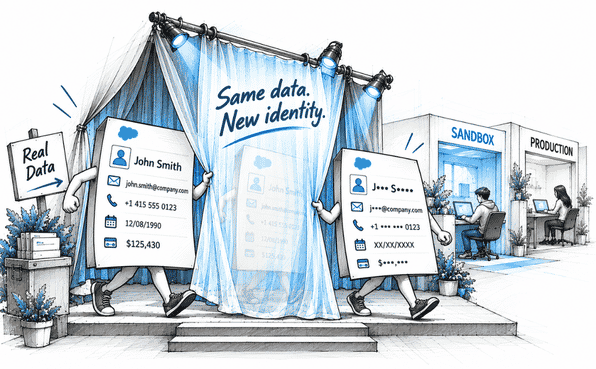
Sandboxes make this worse. Healthcare organizations often refresh sandboxes for testing and development, and those sandboxes typically contain full copies of production data. That means real patient names, real diagnoses, and real insurance details can end up sitting in a test environment accessed by developers who have no clinical reason to see any of it.
There's also the reality of how healthcare data spreads across a Salesforce org over time. New fields get added for new programs. Integrations pull in claims data from external systems. A support agent pastes a clinical note into a case description because it's convenient. None of this happens with bad intentions, but it does mean PHI ends up scattered across more objects and fields than anyone originally planned.
Protecting PHI in Salesforce is not just about locking down one object. It's about making sure sensitive fields are protected everywhere they appear, across every environment your teams actually use.
Salesforce sensitive data protection in healthcare organizations has to account for all of this. Manual permission set adjustments and one-time reviews simply cannot keep pace with how much healthcare data moves and multiplies inside a growing Salesforce org.
How to Protect Healthcare Data in Salesforce With Contour
This is where a dedicated Salesforce data masking tool like Contour becomes a practical solution. Here is how the process works, from discovery through deployment.
1. Scan your org to find PHI. Contour runs a full org scan that automatically goes through every supported object and field, flagging PHI like patient names, medical notes, and insurance details. You can also run a custom scan for specific objects, or a persona-based scan to see exactly which sensitive fields different roles can currently access.
2. Review what was found. Once the scan completes, every sensitive field is listed in one place with full details. This step turns a vague sense of where PHI might be into a clear, documented list your team can act on.
3. Configure masking rules. For each sensitive field, you decide how it should be masked and who should still see the real value. You can use Contour's mass configuration to help you group fields by object or by data type and apply rules in bulk, rather than configuring each field one at a time.
4. Apply rules across every layer. Masking needs to work consistently across Pages, Profiles, and Permission Sets. Contour applies your configuration across all of these at once, so a field masked in one place stays masked everywhere it appears.
5. Deploy with full visibility. When you deploy your masking configuration, real-time logs show exactly what's happening, and a deployment record is created automatically. It can capture every change made across layouts and profiles.
6. Roll back if needed. If something doesn't look right after deployment, you can reverse the change with a single click. The field returns to its exact previous state, and the rollback is logged just like the original deployment.
7. Monitor and repeat. Healthcare Salesforce orgs change constantly as new programs and integrations are added. Running scans regularly keeps your masking coverage aligned with what's actually in your org today, not what was there when you first set things up.
This process turns how to protect PHI in Salesforce from an abstract goal into a repeatable workflow your team can actually follow.
How Salesforce Data Masking Supports HIPAA Compliance
Data masking supports HIPAA compliance in several concrete ways, not just as a general security improvement.
Reducing unnecessary exposure of PHI. Masking limits how much sensitive information any single user sees, which directly reduces the amount of PHI exposed during normal daily work.
Supporting least-privilege access. Instead of relying only on broad profile settings, masking gives you a finer level of control that matches visibility to actual need.
Limiting sensitive data visibility in operational workflows. Support tickets, billing processes, and care coordination workflows can continue running smoothly while sensitive fields stay protected in the background.
Protecting data used by support, QA, development, and administrative teams. Each of these teams can work with realistic, functional data without ever needing to see the real PHI behind it.
Supporting internal security policies and access controls. Masking reinforces the access rules your organization already has in place, rather than replacing them.
Creating an additional layer of protection around sensitive fields. Even if a permission set is misconfigured or a user has broader access than intended, a masked field stays masked.
Together, these points make Salesforce PHI masking a practical, demonstrable part of a healthcare organization's compliance program, not just a policy statement sitting in a document nobody reads.
Final Thoughts
Healthcare organizations carry a level of responsibility that most other industries don't. Patient trust depends on PHI being handled carefully, and HIPAA requires proof that this handling is actually happening, not just claimed.
Salesforce data masking gives healthcare organizations a practical way to meet that responsibility. It reduces unnecessary exposure, supports least-privilege access, and protects sensitive fields across every team and environment that touches your Salesforce org. Using a purpose-built Salesforce data masking tool like Contour turns this from a manual, error-prone effort into a clear process, from the first scan all the way to deployment and ongoing monitoring.
If your organization hasn't taken a close look at how PHI moves through Salesforce recently, that's a reasonable place to start. A single scan will usually tell you more than you expect.
Frequently Asked Questions
-
Salesforce can support HIPAA-regulated organizations, but using Salesforce does not automatically make an organization HIPAA compliant. Compliance depends on proper configuration, security controls, policies, access management, and how the organization handles PHI.
-
Salesforce data masking is the process of hiding or replacing sensitive values so users without a need to see the original information only see a protected version. It helps reduce unnecessary exposure of sensitive data while allowing users to work with Salesforce records.
-
No. Data masking is one technical safeguard that can support HIPAA compliance. Organizations also need appropriate administrative, physical, and technical safeguards, along with access controls, policies, risk management, and ongoing monitoring.
-
Healthcare organizations should consider masking sensitive information such as patient identifiers, medical records, diagnoses, treatment details, insurance IDs, claims information, billing data, and other PHI that users do not need to access for their roles.
-
Encryption protects data by transforming it into an unreadable format, primarily to protect information at rest or during transmission. Data masking changes how sensitive values are displayed to users, helping limit unnecessary visibility while they work with Salesforce records.
Related Readings

Let’s Talk

Drop us a note, we’re happy to take the conversation forward 👇🏻
