Top Features to Look for in a Salesforce Chat Translator (Checklist)
Language barriers in customer support are more than just an inconvenience. They slow down conversations, frustrate customers, and put unnecessary pressure on your agents. If your business is operating across borders (or even just serving a multilingual local market), you've probably felt this pain firsthand.
That's where a Salesforce chat translator comes in. But here's the thing: not all chat translation apps are built the same. Some are clunky add-ons. Some pull you out of your workflow. And some simply can't keep up with the volume or accuracy your team needs.
So, what separates a great Salesforce chat translator from a mediocre one? We've put together this checklist of the top features to look for. Let's dive in.
1. Real-Time, Automatic Translation (Both Ways)
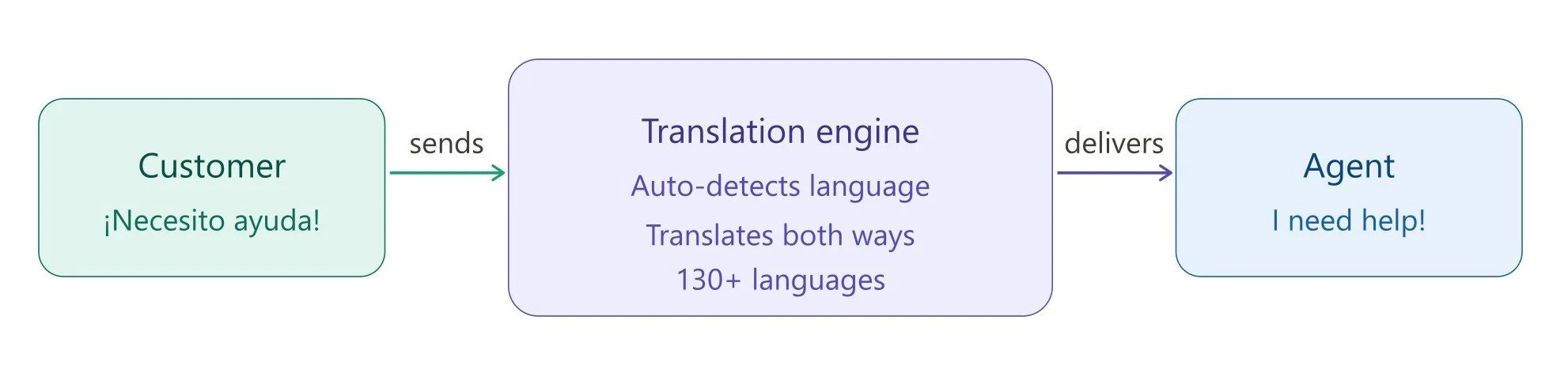
The number one feature to look at is automatic translation. The whole point of a Salesforce chat translator is to remove friction from conversations, and that only happens when translation is instant and automatic.
What to look for: Two-way, automatic translation that works in real time without requiring agents to take any extra steps.
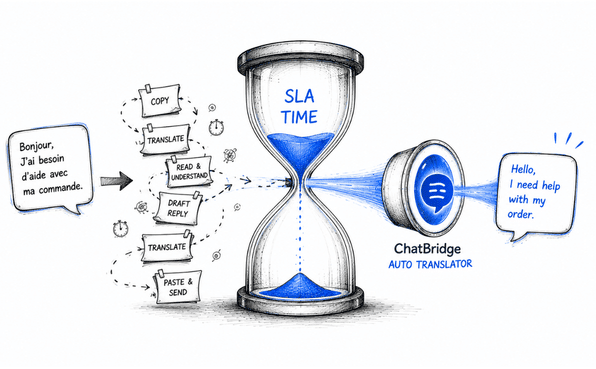
With a Salesforce chat translation app like ChatBridge, you get exactly that. An automatic translation solution that translates in real-time. When a customer sends a message in Spanish, Mandarin, Arabic, or any of the supported languages, the agent sees it instantly in their own language. And when the agent replies? ChatBridge translates their response back into the customer's language before it's delivered, all without any manual effort.
No copy-pasting. No switching tabs. No awkward delays while someone runs text through an external tool. The conversation just flows.
2. Wide Language Coverage
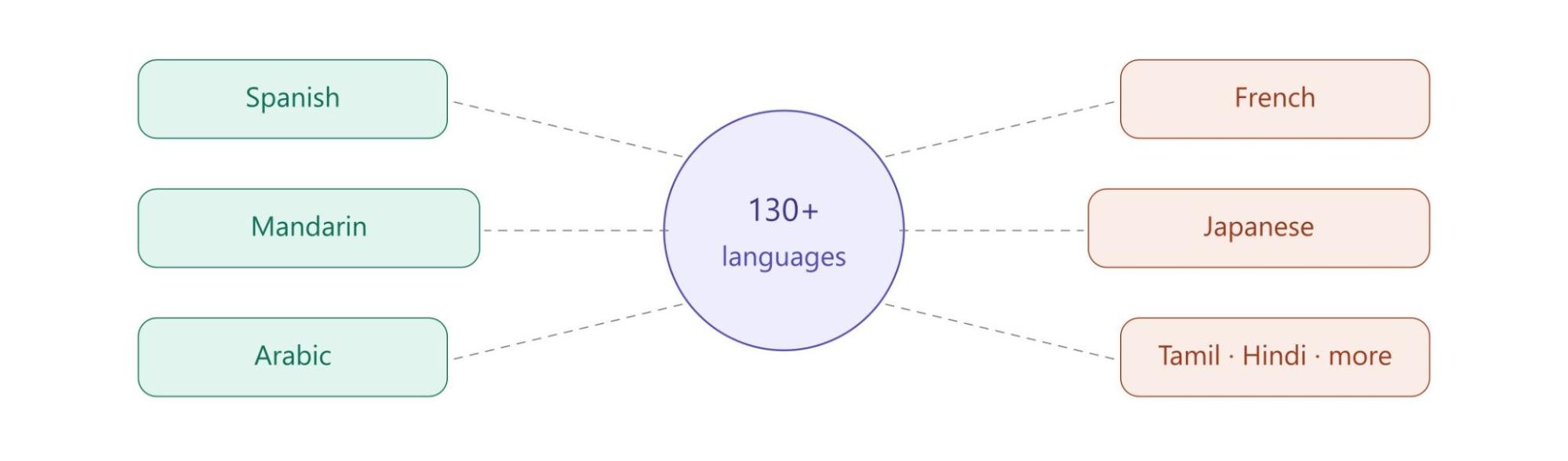
Your customers don't choose their language based on what's convenient for your support team. If you're serving a global audience or even a domestic one in a multilingual country like India, you need a Salesforce chat translation app that covers the languages your customers actually speak.
What to look for: A wide array of support languages that reflects your actual customer demographics, not just the top five most common ones.
Thanks to ChatBridge for supporting 130+ languages, making it genuinely useful for businesses with diverse customer bases and multilingual salesforce support. Whether your customers are writing in Tamil, French, Portuguese, or Japanese, your agents can respond confidently and accurately.
3. Native Salesforce Integration (No Workflow Disruption)
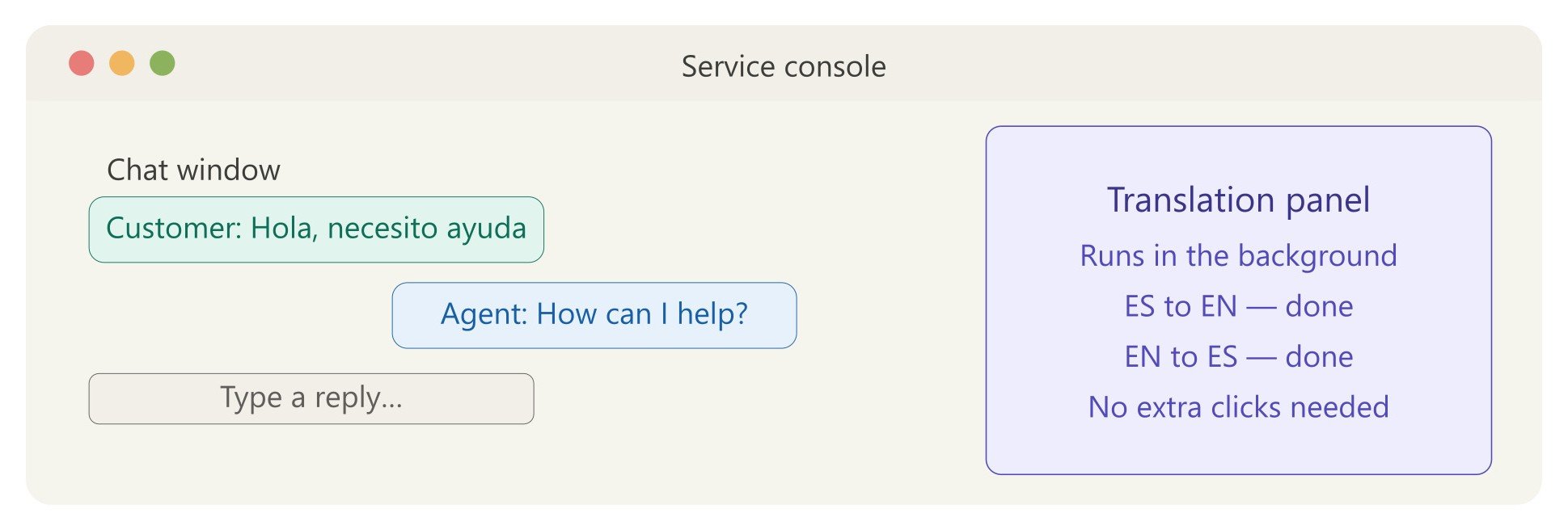
Here's something that often gets overlooked: how well does the translator actually fit inside Salesforce? Some tools require you to install complex integrations, set up external dashboards, or juggle multiple windows during a live chat. That's a productivity killer.
What to look for: A Salesforce chat translator that plugs directly into your existing Salesforce setup and feels like a natural part of the interface, not an external tool bolted on the side.
ChatBridge is built natively on the Salesforce platform. It appears right alongside the standard Messaging component in the Service Console.
Agents continue using Salesforce exactly as they always have. Translation happens quietly in the background. There's no learning curve, no new interface to master, and no reason to ever leave the Service Console window.
4. Flexible Translation Modes
Different teams have different workflows. Some agents might prefer translations to happen automatically every single time. Others might want the option to translate on demand, perhaps when they need to verify context or handle a particularly sensitive message.
What to look for: Options for both automatic translation and on-demand translation, giving agents control over how they interact with the tool.
ChatBridge gives agents the flexibility to choose. Real-time automatic translation is available for seamless, continuous conversations, but agents can also choose to translate on demand based on their specific needs.
This kind of flexibility isn't just a nice-to-have; it's what makes a tool actually usable across different teams, use cases, and industries.
5. Enterprise-Grade Translation Quality
Speed means nothing if the translations are inaccurate or awkward. For customer support, you need contextually appropriate translations, not just technically correct word-for-word substitutions.
What to look for: Translation backed by reputable, enterprise-level engines. Not bargain-bin machine translation that produces robotic or confusing output.
ChatBridge leverages leading enterprise translation engines to ensure high-quality translations. Because it's tapping into best-in-class engines rather than building its own from scratch, you get the accuracy and nuance that enterprise-grade customers expect.
6. Fallback Option for Reliability
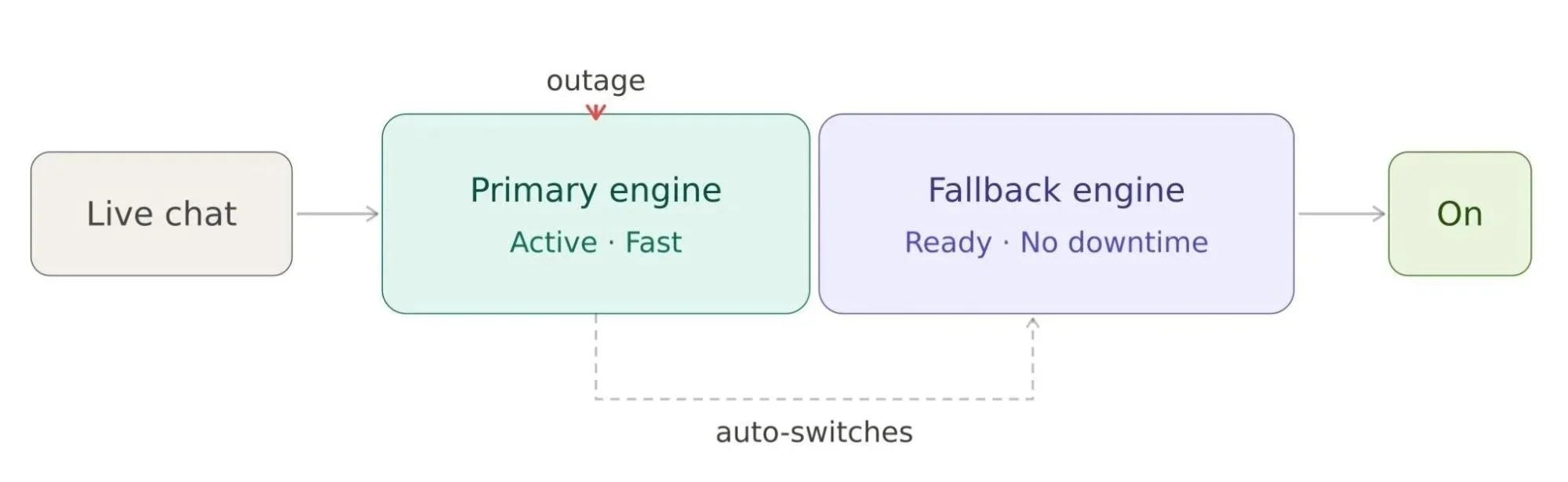
What happens if there's an agent's unavailability during translation? For a customer support team, downtime isn't an option. Conversations can't just stop because a service is temporarily unavailable.
What to look for: Fallback agent management to keep the conversation going so your team isn’t left stranded during an unavailability.
Thanks to the ChatBridge for having a fallback queue management to ensure service continuity. If one agent isn’t available for communication, admins can switch to other agents and keep the conversation going without missing a beat.
This might seem like a small detail, but for businesses running high-volume support operations, this kind of resilience is critical.
7. Translation Store to Save Costs
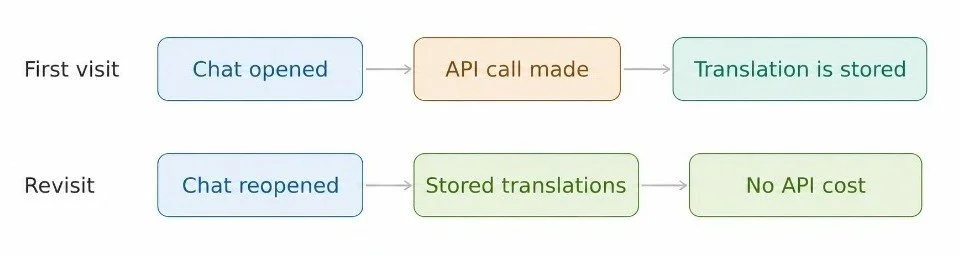
Here's something most people don't think about until they see their translation API bill: repeated translations cost money. If a supervisor reopens a chat to review the conversation, should you really be paying to translate everything again? Of course not.
What to look for: A translation data retention feature that stores translations for a specific period, eliminates redundant API calls, and automatically clears data after the set retention window.
ChatBridge handles this smartly with translation data retention. It stores translations for a configurable duration (set by the admin), so when agents or supervisors revisit the same chat, they're pulling from the built-in storage rather than triggering a new API call. Once the retention period is up, the data is automatically deleted.
This feature saves both cost and time, and it's the kind of thoughtful engineering that makes a real difference at scale.
8. Flexible Chat Session Duration
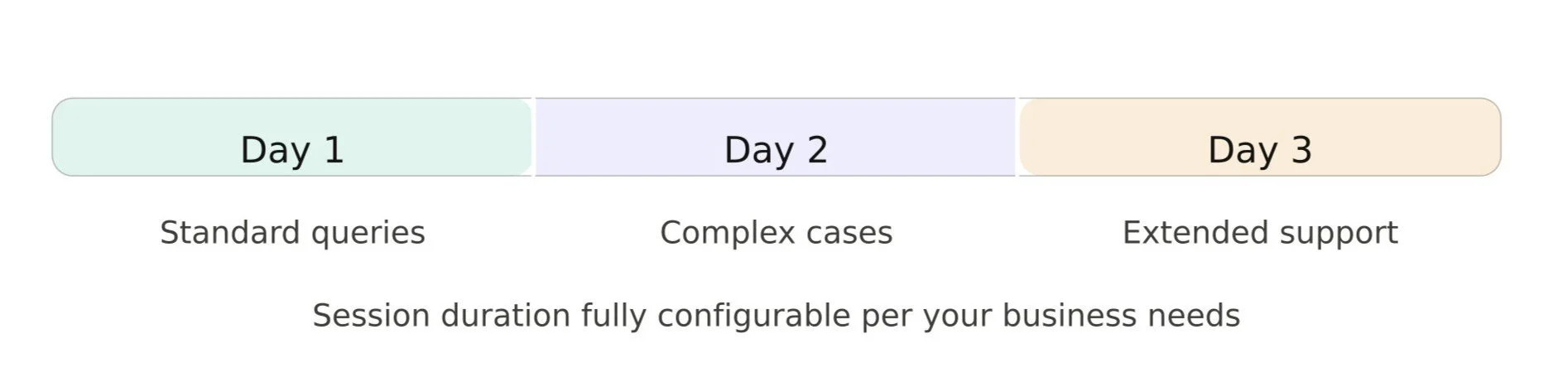
Not every support interaction wraps up in five minutes. Some cases take time because of multiple back-and-forths, escalations, or extended troubleshooting sessions. Your Salesforce translation app needs to support that reality.
What to look for: Configurable chat duration that matches your team's actual support workflows, not an arbitrary time limit that cuts conversations short.
ChatBridge allows chat sessions to remain open for as long as the workflow requires, whether that's one day, two days, or three. The control is entirely in your hands, based on your business requirements.
9. Strong Security and Data Privacy
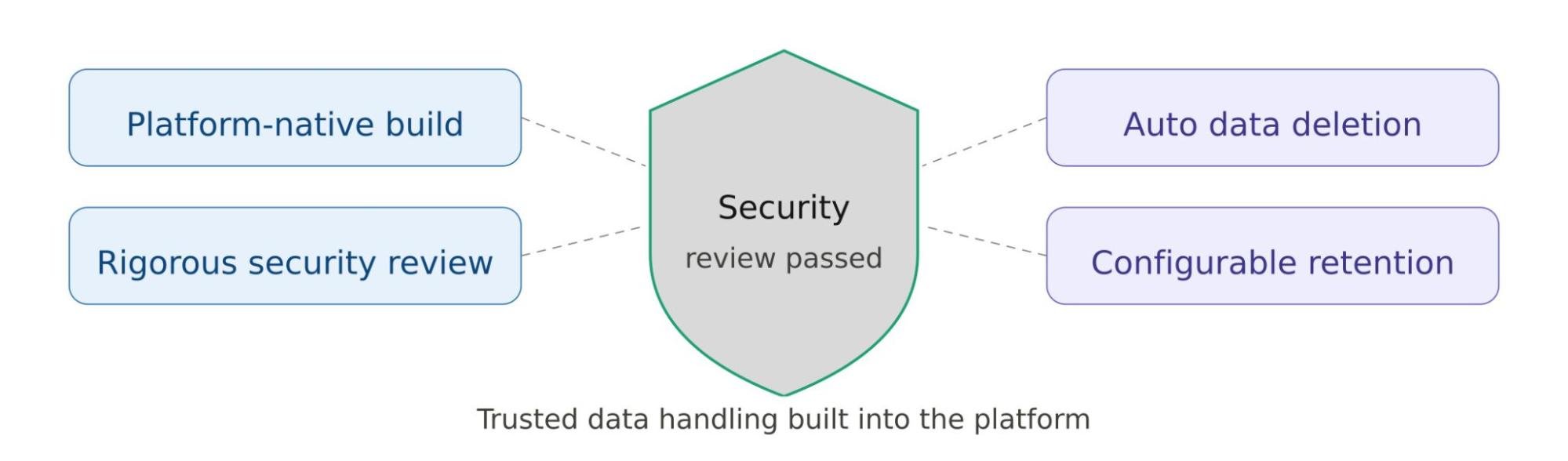
When you're managing multilingual Salesforce support, you're handling sensitive information. That data needs to be protected, both in transit and at rest.
What to look for: A Salesforce chat translator that has passed Salesforce's security review, handles data responsibly, and gives you control over how long translated content is retained.
ChatBridge is a native Salesforce chat translation app and has successfully passed Salesforce's rigorous Security Review. That's not a minor footnote. It means ChatBridge has been vetted against the same high security standards that enterprise Salesforce customers rely on every day. The translation data system also automatically deletes data after the configured retention period, so you're not sitting on customer information longer than necessary.
10. Single-Window Experience
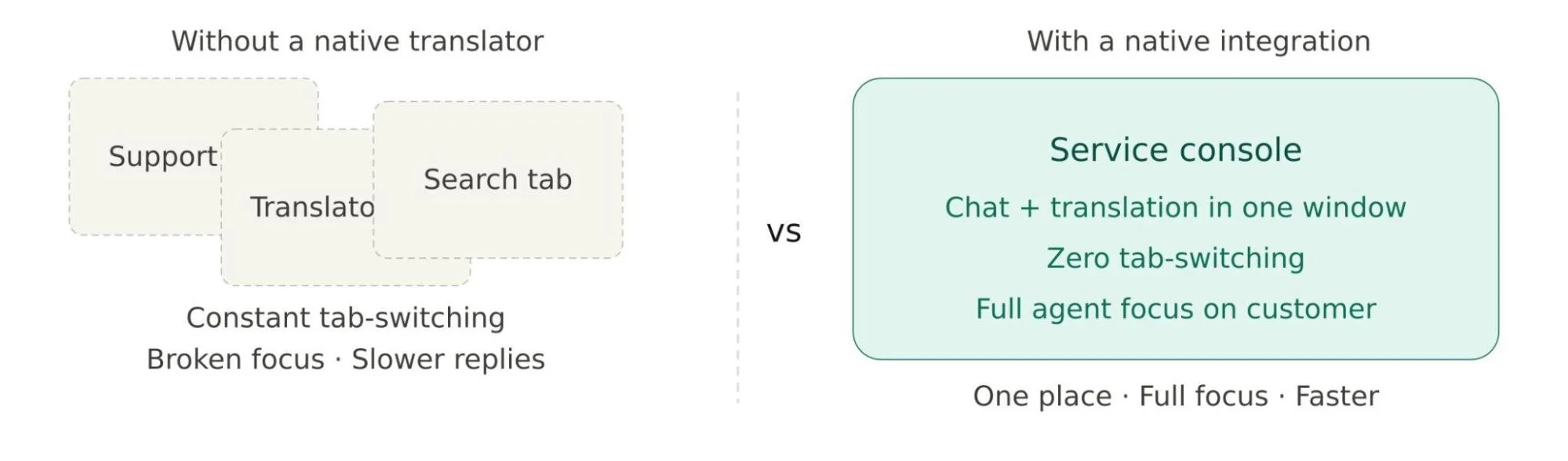
Multitasking during a live chat is stressful enough. The last thing your agents need is to be bouncing between Salesforce and some external translation dashboard or browser tab.
What to look for: A fully integrated, single-window experience where everything, like the conversation, the translation, and all the tools, lives in one place.
Multilingual Salesforce support by ChatBridge keeps everything inside a single window, i.e., the Salesforce Service Console. There's no external interface to monitor, no separate tool to log into, and no context-switching that pulls agents' attention away from the customer.
This might sound like a small quality-of-life improvement, but it adds up fast over the course of a busy support shift.
Final Thoughts
Choosing a Salesforce chat translation app isn't just about picking something that "works." It's about finding a solution that fits naturally into your team's workflow, supports the languages your customers actually speak, keeps your data secure, and scales with your business without racking up unnecessary costs.
That’s where ChatBridge ticks every box on this list. It's built for Salesforce Service Cloud, designed with both agents and administrators in mind, and engineered to handle the real-world complexity of global customer support.
If you're ready to stop letting language barriers hold your support team back, ChatBridge is worth a look. Your agents handle the conversations, and let ChatBridge handle the languages.
If you want to look at how it works, let’s connect with Certified Salesforce Partners.
Frequently Asked Questions
-
The native Salesforce translator, like Chatbridge, works inside the Salesforce Service Console. Agents never need to leave their window; translation happens automatically in the background without any extra steps or tab-switching.
-
No. An AppExchange-listed translation app, like Chatbridge, is designed for easy, click-based setup within Salesforce. Admins can configure language settings, agent preferences, and session rules without writing a single line of code.
-
The fallback queue system in Chatbridge kicks in automatically, so the conversation continues without interruption. Your customers won't even notice the switch; the chat stays live, and translation keeps running seamlessly.
Related Reading
Let’s Talk

Drop us a note, we’re happy to take the conversation forward 👇🏻