How to Implement 'Zero-Copy' Data Components in an LWR Portal
Key Summary:
Reduce Salesforce Data Storage Costs: Stream records directly into browser memory to bypass database caps and lower expenses.
Maintain Salesforce Data Residency Compliance: Access sensitive data on-screen without writing to disk, protecting GDPR and HIPAA alignment.
Deploy a Stateless Salesforce Integration: Use LWC components for LWR sites to deliver real-time metrics instead of relying on delayed batch syncs.
Building a customer portal usually means dealing with a lot of copied data. The old way to show outside database info was slow and messy: you had to set up sync pipelines, move files around, and copy everything over and over.
This old setup causes three big problems: users see old information, copying sensitive data creates privacy risks under GDPR or HIPAA, and storing the same files twice destroys your budget.
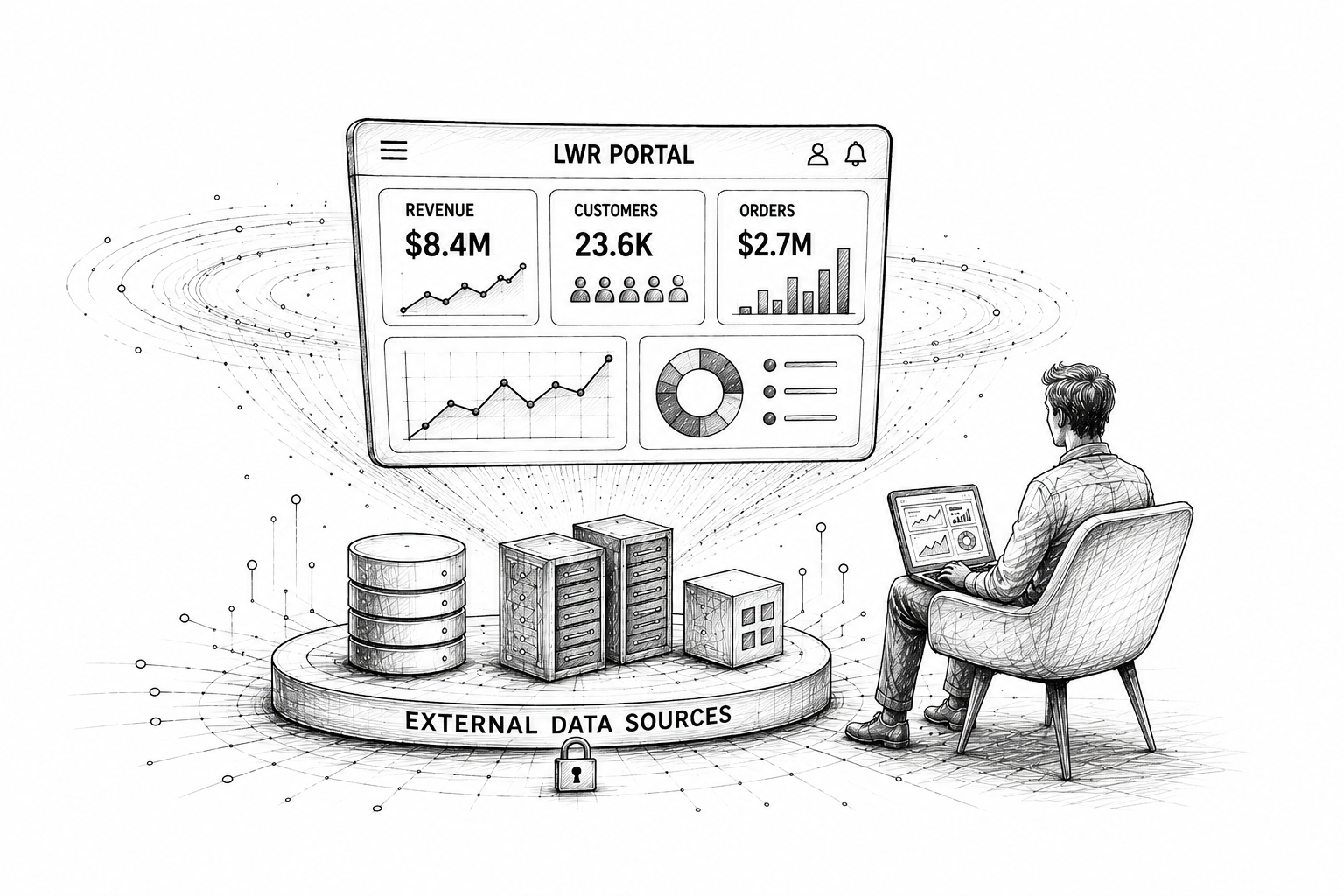
Lightning Web Runtime (LWR) fixes this so you can stop copying data back and forth. Instead, you can build Zero-Copy Data Components that bring real-time external data in Salesforce straight to the screen. It works just like a live video stream: the data shows up in the browser memory while the user looks at it, but nothing is ever saved to the database disk.
In this guide, we will show you how to build Zero-Copy data components in an LWR portal. We will walk through setting up Salesforce Named Credentials, writing a cacheable Apex methods framework, and building reactive LWC components for LWR sites for a clean, stateless Salesforce integration.
Understanding 'Zero-Copy' in the Salesforce Ecosystem
Moving customer data between different systems is usually a slow, expensive headache. Setting up a zero-copy architecture Salesforce pipeline fixes this. It lets your portal pull data straight from your outside systems, so you never have to copy files into regular Salesforce storage.
Now that tools like Salesforce Data Cloud focus on live data feeds, going zero-copy is a huge priority for teams who want to build faster, cleaner portal sites.
What Is Zero-Copy in Salesforce?
Instead of running scheduled background syncs to import external files, Salesforce pulls the data from your outside database in real time, right when a user opens the page.
The Simple Definition: Zero-Copy means "leave the data right where it lives" instead of moving or replicating it.
Why This Works So Well
Using data virtualization in Salesforce checks three huge boxes for development teams:
Ensures Salesforce Data Residency Compliance: Since external metrics sit in temporary browser memory and never touch the physical server disk, you don't have to worry about breaking strict privacy rules like HIPAA or GDPR.
Reduces Salesforce Data Storage Costs: CRM database space fills up fast. Keeping heavy historical tables out of the core database engine lets you stay under platform limits and easily reduce Salesforce data storage costs.
Guarantees Real-Time Accuracy: Because the page runs a live query directly against your source database, your users see fresh, up-to-the-minute numbers instead of old rows from a messy overnight batch sync.
Implementing Zero-Copy Data Components in LWR
To bring a Zero-Copy architecture to life, you must successfully configure three intersecting layers: Secure External Connectivity, a Stateless Pass-Through Backend, and a Reactive Client-Side UI Component.
Below is the absolute blueprint to implement this pattern, designed to fetch real-time data on demand without writing a single byte to the Salesforce operational database.
Step 1: Core System Prerequisites & Named Credential Setup
Before writing code, your environment must be explicitly configured to support modern data streaming, and a secure handshake must be established with your data lake.
Environment & Permission Checklist:
Template Requirement: This architecture strictly requires an Experience Cloud site built using a Lightning Web Runtime (LWR) template. Legacy Aura templates lack the lightweight execution footprint necessary for modern real-time streaming.
Enable Lightning Web Security (LWS): Navigate to Setup > Session Settings and ensure “Use Lightning Web Security for Lightning Web Components” is checked. LWS provides the mandatory cross-domain security sandbox for LWR components.
Portal Licensing: External users must hold a valid community license (e.g., Customer Community Plus or Partner Community) to access record-contextual data components.
Configuration Steps:
Go to Setup > Named Credentials and select the External Credentials tab. Click New.
Define an External Credential name (e.g., Data_Lake_Credential) and select your authentication protocol (e.g., OAuth 2.0 or Custom/API Key).
Under the Principals section, add a new principal name and define its access parameters.
Switch to the Named Credentials tab, click New, and configure the master routing profile:
Label: Data_Lake_Endpoint
URL: Enter your target data warehouse or external API root endpoint (e.g., [https://api.yourcompanydatalake.com](https://api.yourcompanydatalake.com)).
External Credential: Link it to the Data_Lake_Credential created in sub-step 2.
Create or update a Permission Set, and under External Credential Principal Access, grant your portal users access to this specific identity manager.
Step 2: Build the Stateless, Zero-Copy Apex Controller
To prevent data duplication, the backend Apex controller must act strictly as an in-memory pass-through. This is achieved by annotating the method with @AuraEnabled(cacheable=true).
Important Platform Rule: Marking an Apex method as cacheable=true strictly disables Database Manipulation Language (DML) operations (such as insert, update, or upsert). If your script attempts to write data to disk, the Salesforce runtime environment immediately throws an uncatchable exception, ensuring your zero-copy boundary is never bypassed.
Create an Apex class named ZeroCopyDataController:
public with sharing class ZeroCopyDataController {

    @AuraEnabled(cacheable=true)
    public static Map<String, Object> getLiveExternalMetrics(String accountId) {
        // Ensure context parameter is provided
        if (String.isBlank(accountId)) {
            throw new AuraHandledException('Context missing: Invalid Account ID.');
        }

        // Construct the transient HTTP request referencing the Named Credential
        HttpRequest req = new HttpRequest();
        req.setEndpoint('callout:Data_Lake_Endpoint/v2/telemetry?account='
            + EncodingUtil.urlEncode(accountId, 'UTF-8'));
        req.setMethod('GET');
        req.setHeader('Accept', 'application/json');
        req.setTimeout(10000); // Set a 10-second ceiling to prevent thread hangs

        try {
            Http http = new Http();
            HttpResponse res = http.send(req);

            if (res.getStatusCode() == 200) {
                // Deserialize the payload into volatile memory and hand it directly to the browser
                return (Map<String, Object>) JSON.deserializeUntyped(res.getBody());
            } else {
                throw new CalloutException(
                    'External data engine responded with code: ' + res.getStatusCode()
                );
            }
        } catch (Exception e) {
            throw new AuraHandledException(
                'Real-time synchronization failed: ' + e.getMessage()
            );
        }
    }
}
Step 3: Develop the Reactive UI Layer (Lightning Web Component)
Because you are streaming data straight to the user's viewport without storing it on the server, your client-side Lightning Web Component (LWC) must be entirely reactive and gracefully manage component lifecycles.
JavaScript Controller (zeroCopyTelemetry.js)
import { LightningElement, api, wire } from 'lwc';
import { refreshApex } from '@salesforce/apex';
import getLiveExternalMetrics from '@salesforce/apex/ZeroCopyDataController.getLiveExternalMetrics';

export default class ZeroCopyTelemetry extends LightningElement {
    @api recordId; // Injected automatically by the LWR record page container

    liveData;
    error;
    isLoading = true;
    wiredResponse;

    // Utilize the wire service to bind the stateless stream directly to the component layout
    @wire(getLiveExternalMetrics, { accountId: '$recordId' })
    wiredMetrics(response) {
        this.wiredResponse = response; // Cache a structural copy for manual refresh hooks
        const { error, data } = response;

        if (data) {
            this.liveData = data;
            this.error = undefined;
            this.isLoading = false;
        } else if (error) {
            this.error = error.body?.message || 'An unexpected telemetry error occurred.';
            this.liveData = undefined;
            this.isLoading = false;
        }
    }

    // Manual refresh function allowing the user to force-pull live metrics
    async handleRefresh() {
        this.isLoading = true;
        try {
            // Signals the framework to bypass client-side cache and invoke a fresh callout
            await refreshApex(this.wiredResponse);
        } catch (err) {
            this.error = 'Unable to refresh real-time metrics.';
        } finally {
            this.isLoading = false;
        }
    }
}
HTML Markup Template (zeroCopyTelemetry.html)
<template>
    <lightning-card title="Live Edge Telemetry" icon-name="standard:service_report">
        <lightning-button-icon
            icon-name="utility:refresh"
            slot="actions"
            alternative-text="Refresh Stream"
            onclick={handleRefresh}>
        </lightning-button-icon>

        <div class="slds-p-around_medium slds-is-relative">
            <!-- 1. Active Async Fetching State -->
            <template if:true={isLoading}>
                <lightning-spinner alternative-text="Querying data lake nodes..." size="medium"></lightning-spinner>
            </template>

            <!-- 2. System Outage/Error Boundary State -->
            <template if:true={error}>
                <div class="slds-scoped-notification slds-media slds-media_center slds-theme_error" role="status">
                    <div class="slds-media__figure">
                        <lightning-icon
                            icon-name="utility:error"
                            alternative-text="Error"
                            variant="inverse"
                            size="small">
                        </lightning-icon>
                    </div>
                    <div class="slds-media__body">
                        <p>{error}</p>
                    </div>
                </div>
            </template>

            <!-- 3. Active Render State: Fed directly from volatile client-side heap memory -->
            <template if:true={liveData}>
                <div class="slds-grid slds-gutters slds-wrap">
                    <div class="slds-col slds-size_1-of-1 slds-medium-size_1-of-2 slds-p-bottom_medium">
                        <span class="slds-text-title slds-text-color_weak">
                            Active Clusters
                        </span>
                        <div class="slds-text-heading_large slds-text-color_success">
                            {liveData.activeClusters}
                        </div>
                    </div>

                    <div class="slds-col slds-size_1-of-1 slds-medium-size_1-of-2 slds-p-bottom_medium">
                        <span class="slds-text-title slds-text-color_weak">
                            Throughput Speed
                        </span>
                        <div class="slds-text-heading_large">
                            {liveData.currentThroughput} Gb/s
                        </div>
                    </div>
                </div>
            </template>
        </div>
    </lightning-card>
</template>
Step 4: Configure Site Security Policies and Deploy to LWR
Lightning Web Runtime (LWR) templates execute within an incredibly locked-down browser framework governed by Content Security Policy (CSP) and Lightning Web Security (LWS). If you do not explicitly whitelist your data lake URL at the portal level, the browser will block the inbound connection immediately.
1. Open Portal Security Manager: Experience Builder.
Launch the Experience Builder for your LWR site. Click the gear icon in the left menu to open Settings, then choose Security & Privacy.
2. Add CSP Trusted Site Rule: Browser Handshake.
Scroll to Trusted Sites for Scripts. Click Add Trusted Site and define a descriptive reference name. Enter your external database API base URL ([https://api.yourcompanydatalake.com](https://api.yourcompanydatalake.com)) into the URL target. Ensure the checkbox for the connect-src directive is actively checked. This tells the browser it is allowed to read raw data streams from this source.
3. Place Component on Layout Canvas: Experience Layout.
Navigate to your portal's Record Detail page canvas. Locate your custom zeroCopyTelemetry component under the Custom Components panel and place it onto your layout grid.
4. Publish & Validate Site: Production Deploy.
Click Publish in the top-right corner of the interface. Log into the published LWR portal as an authenticated external user, navigate to the contextual page layout, and witness the data render in sub-second speed, all while your Salesforce storage parameters remain completely clean
Best Practices to Ensure Scalable Zero-Copy Data Handling in LWR
Transitioning to a stateless, virtualized architecture requires careful attention to browser limits and API performance. To ensure your components scale efficiently under heavy user traffic, implement these core safeguards:
Optimize Payload Volume: Request only the specific attributes your layout needs. Avoid loading massive, unfiltered JSON datasets into volatile browser memory to maintain optimal LWR portal performance optimization.
Guard Against Endpoint Timeouts: For external data lakes with high processing latency, swap standard synchronous callouts for Apex Continuations to handle long-running queries gracefully.
Isolate Access Permissions: Secure your endpoints using Salesforce Named Credentials API integration. Assign specific permission sets to map the External Credential Principal strictly to authorized community user profiles.
Conclusion
Ditching old, heavy ETL sync pipelines for a zero-copy architecture Salesforce design completely changes how you build customer portals. Instead of wasting money on duplicated storage and worrying about GDPR or HIPAA compliance slips, you leave your data exactly where it belongs.
By combining an LWR portal with secure Salesforce Named Credentials and a cacheable Apex methods framework, you get the best of both worlds: lightning-fast portal pages and live, accurate data.
Transform Your Portal Architecture
Want to build fast, secure pass-through components for your business? We modernize digital experiences with high-performance, stateless portal solutions. Explore our Salesforce Data Cloud consulting and data cloud services to upgrade your LWR experiences today.
Frequently Asked Questions
-
The LWC component will show an error message using its built-in error handling. Because no data is saved in Salesforce, the portal page stays safe, and the rest of the site functions normally.
-
No. Standard reports require data to be saved in Salesforce custom objects. For virtualized data, you should use real-time dashboards like Tableau or query the source directly.
-
Yes. Because LWC components for LWR sites are lightweight, they run perfectly on mobile devices. Just keep the data response small so it doesn't drain mobile memory.
-
There is no hard platform limit, but you should only pull what fits on the screen (usually under 100 rows). Let your external system handle the heavy filtering and pagination.
Related Reading

Let’s Talk

Drop us a note, we’re happy to take the conversation forward 👇🏻