How to Build AI Agents Faster with Workato Agent Studio and MCP Integration
Key Summary:
Workato Agent Studio and MCP integration speed up the development of enterprise AI agents (Genies) from weeks to days.
MCP (Model Context Protocol) is an open standard that enables AI agents to discover and use existing Workato workflows as tools without custom integration code.
The combination ensures enterprise readiness by providing a visual builder, built-in memory, governance controls, and full observability.
Building AI agents used to feel like assembling a car from spare parts. Doable, sure, but slow, messy, and painfully technical. That's changing fast. Workato Agent Studio, paired with Model Context Protocol (MCP) integration, is turning what once took weeks of engineering into something teams can actually ship in days. If you're serious about building enterprise AI agents, this is the combination you need to know about.
Let's break down what Workato Agent Studio is, why MCP matters, and how putting the two together gives your business a serious edge in AI automation.
What Is Workato Agent Studio?
Workato Agent Studio is Workato's dedicated environment for building AI agents. AI agents are autonomous, intelligent programs that can take action, make decisions, and complete multi-step tasks without a human holding their hand at every step. Workato calls these AI agents Genies.
Think of Agent Studio as a purpose-built workspace where business and technical teams come together to design, configure, deploy, and manage Genies. It sits right inside Workato's broader integration and automation platform.
What makes Agent Studio different from a generic AI tool? A few things:
Visual agent builder: Design agent logic with a drag-and-drop interface. No heavy coding required to get started.
Prebuilt connectors: Connect agents to hundreds of enterprise apps like Salesforce, ServiceNow, SAP, Workday, Slack, and more right out of the box.
Built-in memory and context: Agents can remember state across steps and sessions, which is essential for handling complex, multi-turn tasks.
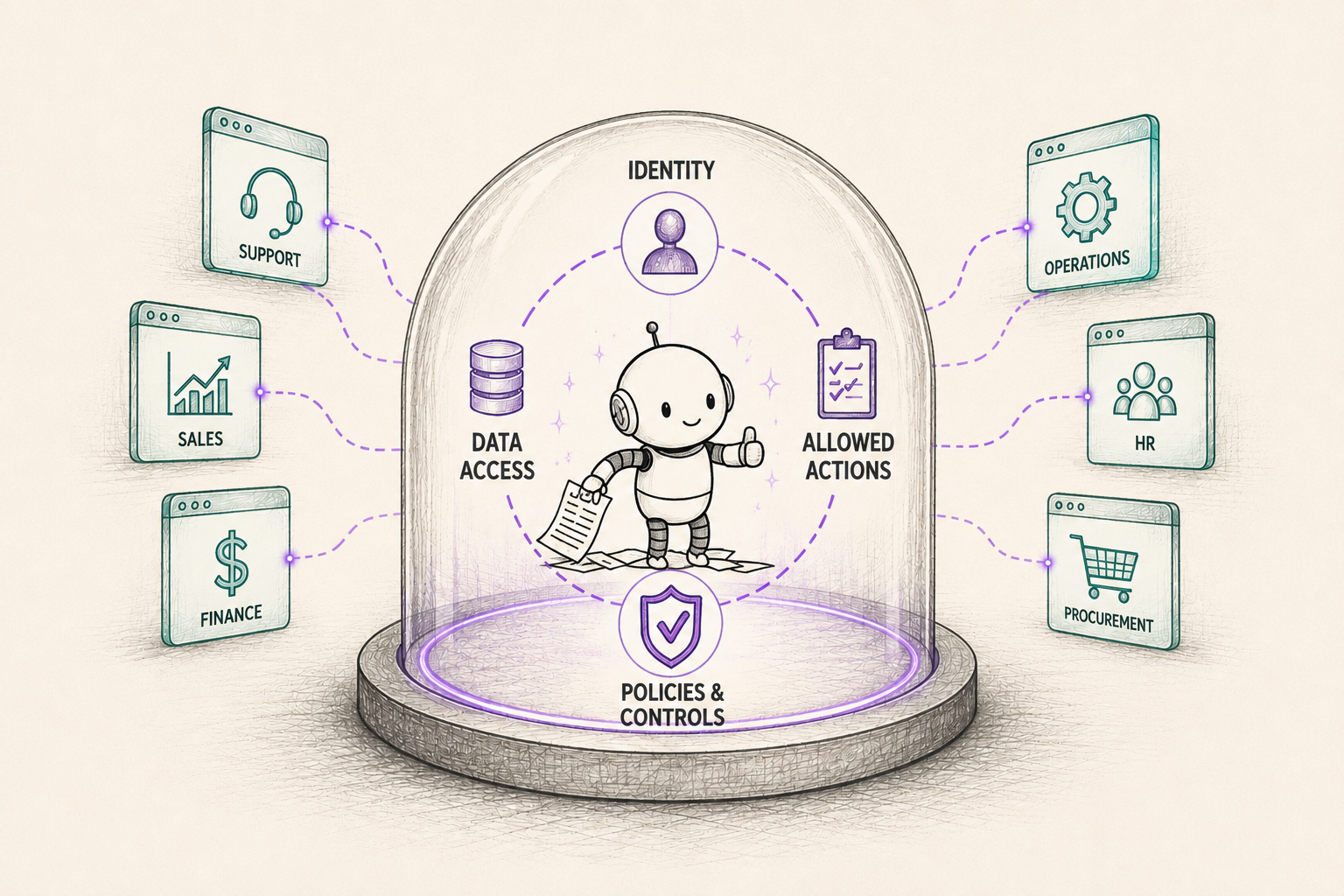
Governance controls: Set guardrails, permissions, and audit trails so your AI agents behave predictably and safely in production.
Native Workato integration: Agents can trigger and be triggered by existing Workato workflows, making AI automation a natural extension of what you've already built.
To sum up, Agent Studio lowers the barrier to AI agent development while keeping the reliability and management that enterprises actually need.
What's MCP and Why Should You Care?
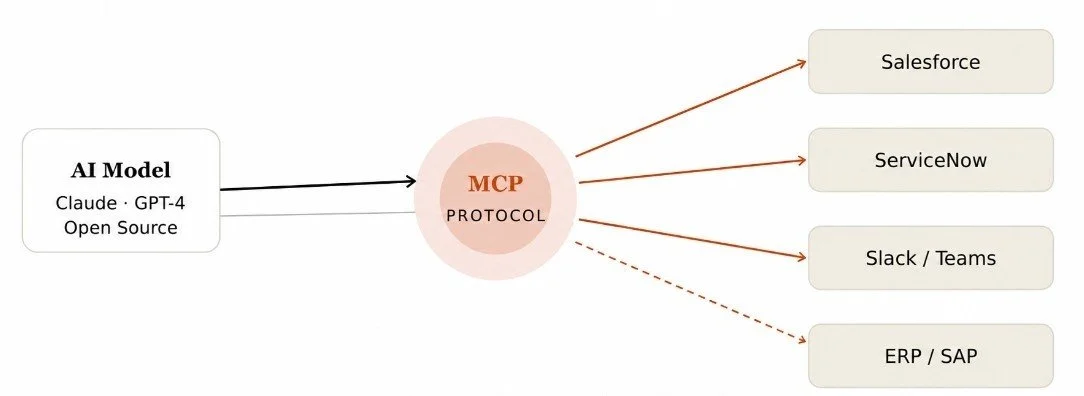
MCP stands for Model Context Protocol. It's an open standard, originally developed by Anthropic, that defines a clean, consistent way for AI models to interact with external tools and data sources.
Here's the problem MCP solves. Every time you want an AI agent to talk to a new tool, say, a CRM, a database, or a custom internal app, someone has to write custom integration code. That's time-consuming, fragile, and a maintenance nightmare. MCP replaces all that custom development with a standardized interface that any compatible tool can plug into.
With MCP, you define what tools are available (search, create record, send notification, query database, or whatever you need), and the AI model learns how to use them through the protocol. The agent can then dynamically choose the right tool for the right task, in the right order, without you hardcoding every possible path.
The practical payoff? Faster AI agent development, less duplicated code, and agents that can adapt to new tools without a full rebuild every time your tech stack evolves.
MCP With Workato: Why Both Work Better Together
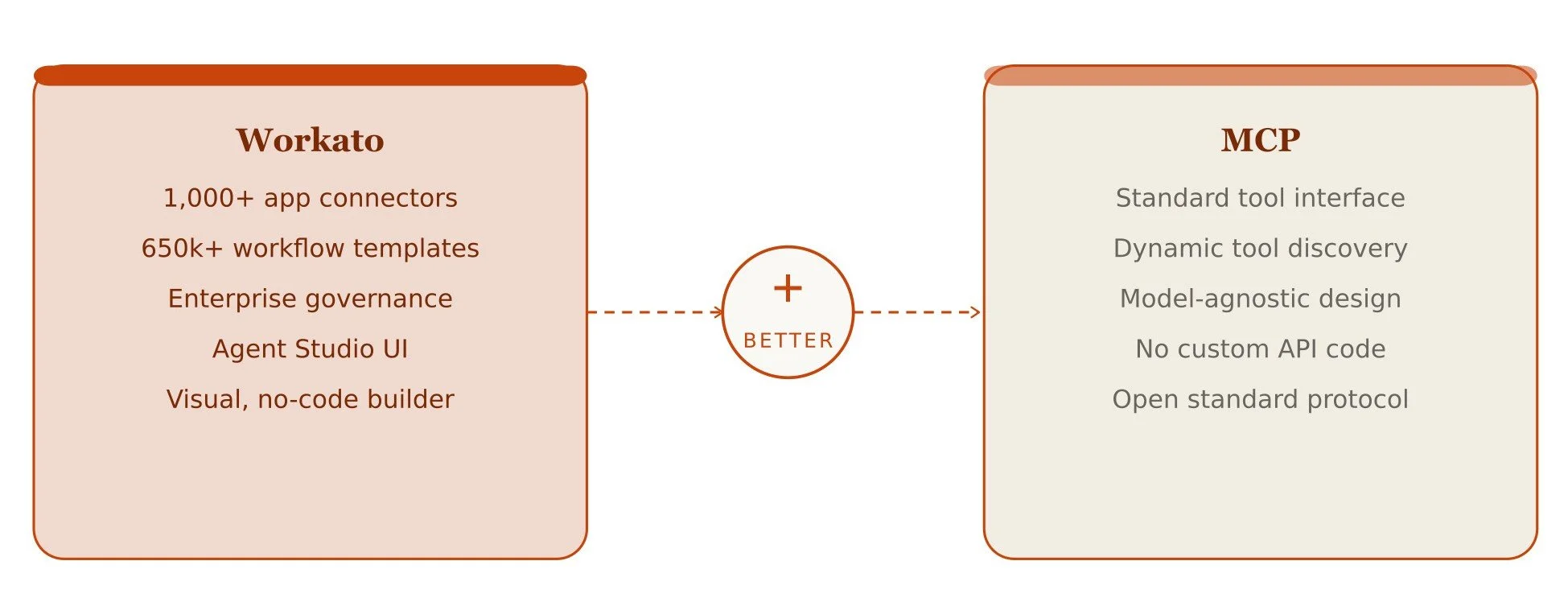
Workato's platform now supports MCP, which means you can expose any Workato recipe, connection, or action as an MCP-compatible tool for your agents to use, and that's a big deal. Here's why Workato and MCP are better together:
1. Your existing Workato workflows become agent tools
Say you have a Workato recipe that creates a ServiceNow support ticket whenever a customer emails in. With MCP integration, your AI agent can automatically call that recipe as a tool mid-conversation, based on what the customer tells it. Your existing AI workflow automation becomes directly accessible to agents.
2. Agents get real-time access to live data
Instead of working off static, pre-loaded context, your agents can query live systems through MCP-exposed tools. Need to pull the latest invoice status from your ERP? The agent calls the right Workato-connected tool, gets a real-time answer, and uses it to take the next step. That's a completely different class of intelligence.
3. Tool discovery is automatic
MCP enables something called dynamic tool discovery. The agent doesn't need to be manually told what every tool does. It reads the tool definitions from the MCP server and figures out when to use what. This makes building AI agents much faster because you're not writing exhaustive instructions for every possible scenario.
4. One protocol, many models
Because MCP is an open standard, you're not locked into a single AI model. Whether you're using Claude, GPT-4, or an open-source model, they can all consume the same MCP tool definitions. That gives your team real flexibility as the AI landscape continues to shift.
Building AI Agents With Workato Agent Studio - Step by Step
Here's what the building AI agents process looks like when you combine Workato Agent Studio with MCP integration step by step:
Step 1: Define Your Agent's Mission
Before you open Agent Studio, get clear on exactly what this agent is supposed to do. It could be something like "handle employee onboarding requests by provisioning system access, sending a welcome Slack message, and assigning training modules." The tighter the scope, the faster your build and the more reliable your agent in production.
Ask yourself: What triggers this agent? What does success look like? Where should it hand off to a human? Those answers become the backbone of your agent's configuration.
Step 2: Build Your Workato Recipes as Agent Skills
Here's where the magic of Workato with the MCP combination kicks in. Any Workato recipe can be turned into an MCP-callable skill for your agent.
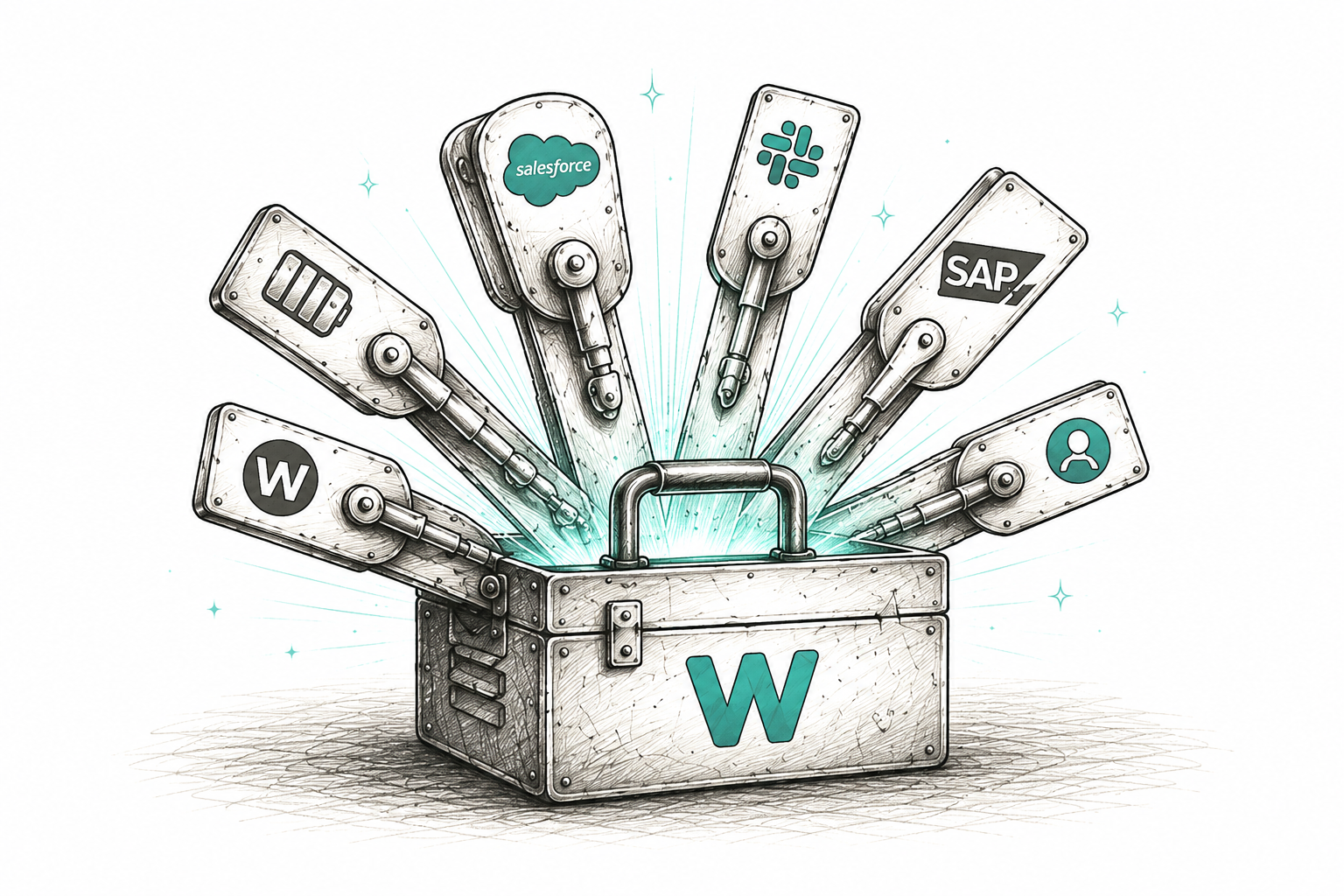
In Workato, you publish these recipes as Enterprise Skills: secure, governed, callable actions that follow MCP standards. Each skill has a clear description (so the agent knows what it does), defined inputs, and a predictable output. Think of them as the agent's hands. The things it can actually do in the real world, like "create a Jira ticket," "look up a Salesforce account," or "send a Slack notification."
Step 3: Provision Your MCP Server in Workato AI Hub
Once your skills are defined, you provision a managed MCP server inside Workato's AI Hub. This is the server that acts as the bridge between your Workato Genies and all those enterprise tools and workflows you just set up.
Workato handles all the infrastructure. There are no servers to spin up, no keys to rotate manually, and no infrastructure teams to loop in. Your MCP server is live and ready for an agent to connect to. Workato integration services infrastructure does the heavy lifting so your team can stay focused on building useful agent logic.
Step 4: Create and Configure Your Agent in Agent Studio
Now you head into Agent Studio. This is Workato's visual workspace for defining and configuring your AI agent. Here's what you're setting up:
1. Choose your AI model: Agent Studio is model-agnostic. You can use Claude, GPT-4, or other supported models. Because your tools are exposed via MCP, the model choice doesn't change your tool layer.
2. Write the system prompt: This is your agent's operating brief. Give it context about its role, the business rules it should follow, the tone it should take, and what it should never do without human approval.
3. Connect to your MCP server: Point the agent at the MCP server you provisioned in the previous step. The agent reads the tool definitions and automatically understands what skills are available to it and when to use them. That's dynamic tool discovery in action.
4. Set governance guardrails: Define escalation conditions (when to pause and wait for human approval), rate limits, and role-based access controls. This step is what separates a demo from a production-ready enterprise agent.
5. Configure memory and context: Decide how much context the agent should carry across steps or sessions. For multi-step processes like onboarding or approvals, this matters a lot.
Step 5: Test Agents Against Real Scenarios
Agent Studio has built-in testing tools. Run your agent through realistic cases, both the happy path and the edge cases that inevitably show up in real workflows. Watch which tools the agent selects, how it handles missing information, and when (or whether) it correctly escalates to a human.
Step 6: Deploy and Monitor with Full Observability
When you're ready to go live, deployment happens within the Workato platform. Every action your agent takes is automatically logged with full context: what tool was called, what input was passed, what the result was, and who (or what trigger) initiated the request.
That audit trail is what lets compliance, security, and operations teams stay comfortable with agents that have real permissions in real systems. AI agent orchestration at scale requires this level of visibility, and Workato bakes it in by default.
"The real advantage here isn't just speed, it's that you're building on governed infrastructure from day one. No shortcuts that become security problems later."
Altogether, this six-step process is something an experienced team of seasoned Workato implementation experts can move through in days, not months. That's genuinely different from how enterprise AI agent development used to work.
Real-World Use Cases of MCP Integrated Workato Agents
Here are some genuinely practical scenarios where Workato Agent Studio plus MCP integration starts to shine.
Customer Service Automation
An AI agent handles inbound support requests end-to-end. It reads the customer's message, queries the order management system via an MCP tool, checks the CRM for history, drafts a response, and, if needed, creates a ticket or triggers an escalation workflow. All in one conversation, with no human needed for routine cases. Real AI automation with real impact on service volumes.
Finance and Procurement Approvals
Enterprise AI agents can handle routine approval chains. With MCP, the agent talks to your ERP, your procurement system, and your comms tools through a single consistent interface.
IT Operations and Monitoring
Agents that monitor system health, triage alerts, run diagnostic workflows, and auto-remediate common issues, all while logging everything for compliance. The kind of AI agent orchestration that keeps infrastructure teams focused on complex problems rather than repetitive tickets.
Wrapping Up
AI agents are moving from experiment to enterprise infrastructure fast. The teams that will lead are the ones who pick smart platforms, focus on high-value use cases, and execute with discipline.
Workato Agent Studio gives you a proven platform built for enterprise workflows. MCP integration gives your agents a clean, scalable way to use every tool they need. Together, they make building AI agents feel more like thoughtful product work, which is exactly where you want to be.
Whether you're exploring your first agent deployment or scaling a program, this combination is worth a serious look. The infrastructure is ready. The question is whether your team is ready to move.
Frequently Asked Questions
-
Workato Agent Studio is used to design, build, and deploy enterprise AI agents. It gives teams a visual workspace to configure agent logic, connect tools, set guardrails, and manage agents, all within Workato's existing automation platform.
-
MCP provides a standard protocol that lets AI agents discover and use tools automatically, with no custom integration code needed per tool. This significantly cuts development time and makes it easy to add new capabilities as your tech stack grows.
-
Not necessarily. Workato Agent Studio's visual builder lets business analysts and integration developers configure most of the agent logic. However, working with experienced Workato implementation experts ensures faster setup, better governance, and a smoother path to production deployment.
-
Yes. Workato supports 1,000+ pre-built app connectors. Your existing Workato recipes can be exposed as MCP skills. That means your AI agents tap into live enterprise systems without rebuilding integrations from scratch.
Related Reading
Let’s Talk

Drop us a note, we’re happy to take the conversation forward 👇🏻