How to Integrate Google BigQuery with Salesforce Marketing Cloud for Real-Time Segments
Key Summary:
BigQuery and Salesforce Marketing Cloud integration enables real-time segmentation and personalized campaigns.
Reverse ETL tools and Salesforce Data Cloud simplify syncing BigQuery audiences into SFMC for activation.
Real-time audience data helps businesses improve engagement, retention, and marketing ROI across channels.
Modern marketing is no longer about sending the same campaign to everyone on a mailing list. Customers now expect personalized experiences that react instantly to their behavior. If someone abandons a cart, visits a pricing page, or stops using a product, marketers want to respond immediately. That is why many companies are integrating Google Cloud BigQuery with Salesforce Marketing Cloud (SFMC).
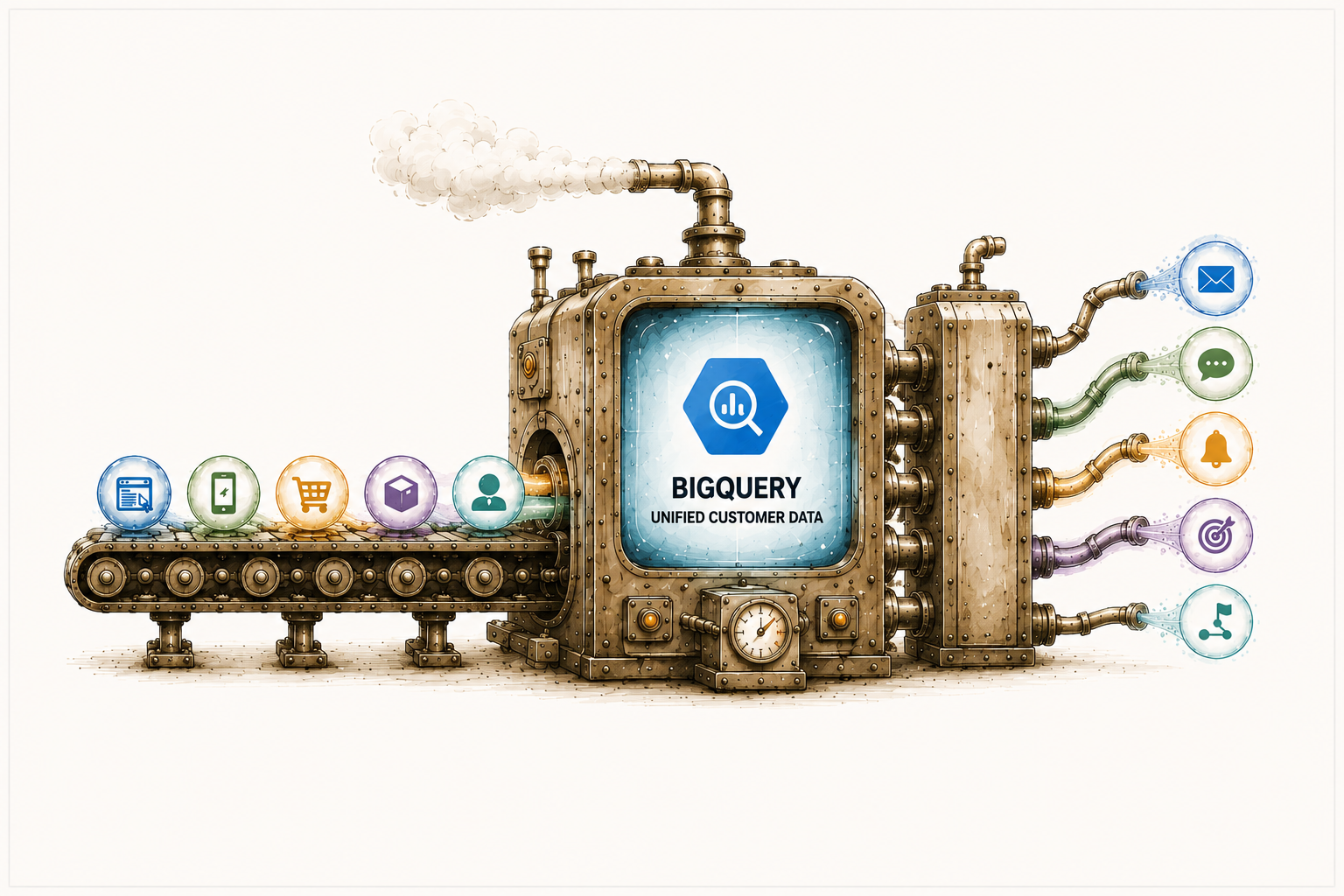
BigQuery gives businesses a powerful cloud data warehouse for analyzing massive amounts of customer data in real time. Salesforce Marketing Cloud helps activate that data across email, SMS, push notifications, customer journeys, and advertising campaigns.
When these two platforms work together, businesses can build real-time customer segments that update automatically based on customer behavior.
In this guide, you will learn how to integrate BigQuery with Salesforce Marketing Cloud for real-time segmentation, what architecture works best, and what best practices to use during implementation.
Why Businesses Integrate BigQuery with Salesforce Marketing Cloud
Most modern companies collect customer data from multiple channels. This includes websites, mobile apps, e-commerce stores, CRM systems, customer support platforms, and advertising tools. The problem is that this data often sits in separate systems.
BigQuery is commonly used as the central customer data warehouse because it can handle extremely large datasets and process queries very quickly. Many companies already store behavioral and transactional data in BigQuery, including:
Website activity
Product usage data
Customer purchases
Subscription events
Marketing attribution data
Mobile app events
AI prediction scores
Customer support interactions
However, Salesforce Marketing Cloud cannot automatically access and activate all this information unless the systems are connected properly.
This Salesforce integration service helps marketers create smarter campaigns using live customer data instead of outdated audience lists. The result is faster personalization, more accurate targeting, and better customer engagement.
Understanding Real-Time Segmentation
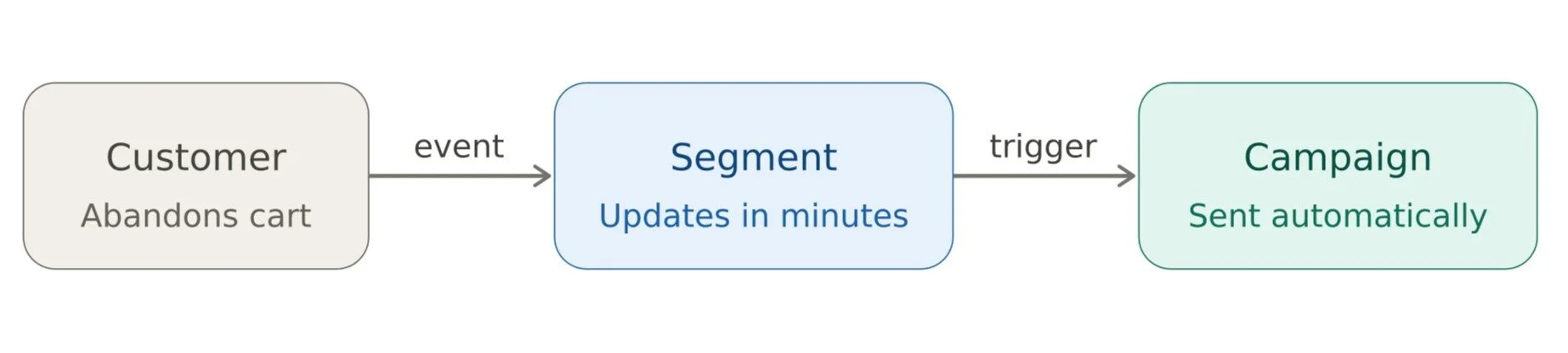
Before discussing the technical setup, it is important to understand what real-time segmentation actually means. A real-time segment updates automatically whenever customer behavior changes.
For example, if a customer:
Abandons a shopping cart.
Opens multiple pricing pages.
Uses a premium product feature.
Stops logging into an application.
Crosses a spending threshold.
The segment should update immediately or within minutes. This allows marketers to trigger campaigns automatically based on live customer activity. Instead of waiting for overnight batch processing, marketing teams can respond instantly.
Real-time segmentation is commonly used for:
Cart abandonment emails.
Upsell campaigns.
Churn prevention.
Product recommendations.
Loyalty rewards.
Trial conversion campaigns.
Dynamic advertising audiences.
This is one of the biggest reasons why businesses are investing heavily in BigQuery and Salesforce Marketing Cloud integrations.
Common Integration Architectures
There are several ways to connect BigQuery with Salesforce Marketing Cloud.
The best architecture depends on factors like:
Data volume
Real-time requirements
Budget
Technical expertise
Existing cloud infrastructure
Let’s look at the most common integration approaches.
Reverse ETL Architecture
This is currently one of the most popular approaches. In this setup, customer data lives inside BigQuery while reverse ETL tools push audience segments into Salesforce Marketing Cloud.
The process usually looks like this:
Customer events flow into BigQuery.
SQL models create audience segments.
Reverse ETL tools sync segments into SFMC.
Marketing Cloud activates campaigns.
These platforms help businesses move customer segments from BigQuery into SFMC Data Extensions without building custom pipelines manually. The biggest advantage is simplicity. Marketing teams can build audiences directly from warehouse data while engineering teams avoid maintaining complex custom integrations.
Salesforce Data Cloud and Zero Copy Integration
Salesforce is increasingly promoting Salesforce Data Cloud as the preferred architecture for enterprise customer data management.
Salesforce and Google Cloud now support zero-copy integration between BigQuery and Salesforce Data Cloud. This means companies can access live BigQuery data without constantly copying or moving it between systems. Instead of traditional ETL pipelines, Data Cloud can virtually access external customer data stored in BigQuery.
This architecture provides several advantages:
Reduced data duplication.
Faster audience updates.
Better governance.
Lower synchronization complexity.
Near real-time activation.
Salesforce describes zero-copy integration as a way to access external data directly while maintaining centralized governance and security controls. This becomes especially valuable for enterprises managing large-scale customer datasets across multiple business systems.
Streaming Data Pipelines for Real-Time Audiences
Some companies require even faster updates than reverse ETL can provide.
For example:
Fraud detection alerts.
Real-time e-commerce personalization.
Live product engagement triggers.
Instant recommendation engines.
In these situations, streaming architectures are commonly used. Technologies involved may include Google Pub/Sub, Apache Kafka, Dataflow, Cloud Functions, or Event-driven APIs.
Customer events stream continuously into BigQuery, where audience rules are evaluated in near real time. Segments are then synchronized with Salesforce Marketing Cloud for activation. This architecture is powerful but requires more engineering expertise.
Step-by-Step Guide to Integrating BigQuery with Salesforce Marketing Cloud
Now let’s walk through a practical integration process of BigQuery with Salesforce Marketing Cloud.
Step 1: Centralize Customer Data in BigQuery
The first step is organizing your customer data inside BigQuery.
Most companies create tables for:
Customer profiles
Purchases
Website activity
Product usage events
Email engagement
Subscription data
Mobile app interactions
It is extremely important to maintain consistent customer identifiers across systems. Examples include email address, customer ID, CRM ID, or Subscriber key. Without proper identity resolution, segmentation accuracy suffers significantly.
Step 2: Build Audience Segments Using SQL
Once customer data is organized, marketers or data teams create segmentation logic using SQL queries. For example, a high-value customer segment might look like this:
This identifies customers who spent more than $1,000 in the last 30 days. Businesses can create segments based on:
Purchase frequency
Product usage
Customer lifetime value
Churn risk
Geography
Engagement behavior
Subscription activity
Predictive AI scoring
Because BigQuery processes data quickly, these segments can update frequently.
Step 3: Sync Segments into Salesforce Marketing Cloud
The next step is pushing audience data into SFMC. There are multiple ways to accomplish this.
Using Reverse ETL Tools
This is the easiest and most scalable method for many organizations. Reverse ETL platforms connect directly to BigQuery and automatically sync audience records into SFMC Data Extensions.
The process usually includes:
Connecting BigQuery
Mapping customer fields
Defining sync schedules
Updating SFMC audiences automatically
This reduces engineering overhead significantly.
Using Salesforce Marketing Cloud APIs
Some organizations build custom integrations using Salesforce APIs.
The process generally involves:
Querying BigQuery
Formatting audience records
Calling SFMC REST APIs
Updating Data Extensions programmatically
This approach provides greater flexibility but requires developer resources. Large-scale implementations often use Salesforce Bulk APIs to reduce API consumption and improve performance. Community discussions also recommend avoiding standard REST APIs for massive sync workloads because of API limit concerns.
Using Middleware Platforms
Enterprise organizations sometimes use middleware tools like MuleSoft, Workato, or Boomi. These platforms help orchestrate workflows between BigQuery and Salesforce Marketing Cloud. Middleware becomes useful when businesses need:
Advanced transformations.
Error handling.
Governance.
Multi-system orchestration.
Enterprise compliance workflows.
Step 4: Create Data Extensions in SFMC
Inside Salesforce Marketing Cloud, customer segments are usually stored in Data Extensions. Data Extensions act like database tables inside SFMC. They are used for:
Audience targeting.
Journey enrollment.
Personalization.
Campaign activation.
Email segmentation.
Your synced BigQuery segments populate these Data Extensions automatically.
Step 5: Activate Real-Time Customer Journeys
Once segment data reaches SFMC, marketers can trigger automated journeys immediately. For example, if a customer abandons a shopping cart:
Customer event enters BigQuery
SQL model updates the audience
Segment syncs into SFMC
Journey Builder sends an email automatically
The same process can support churn prevention, loyalty campaigns, product upsells, trial conversion workflows, and dynamic advertising audiences. This is where real-time marketing becomes truly valuable.
Learn more about Implementing Agentforce in Salesforce Marketing Cloud.
How Salesforce Data Cloud Changes the Architecture
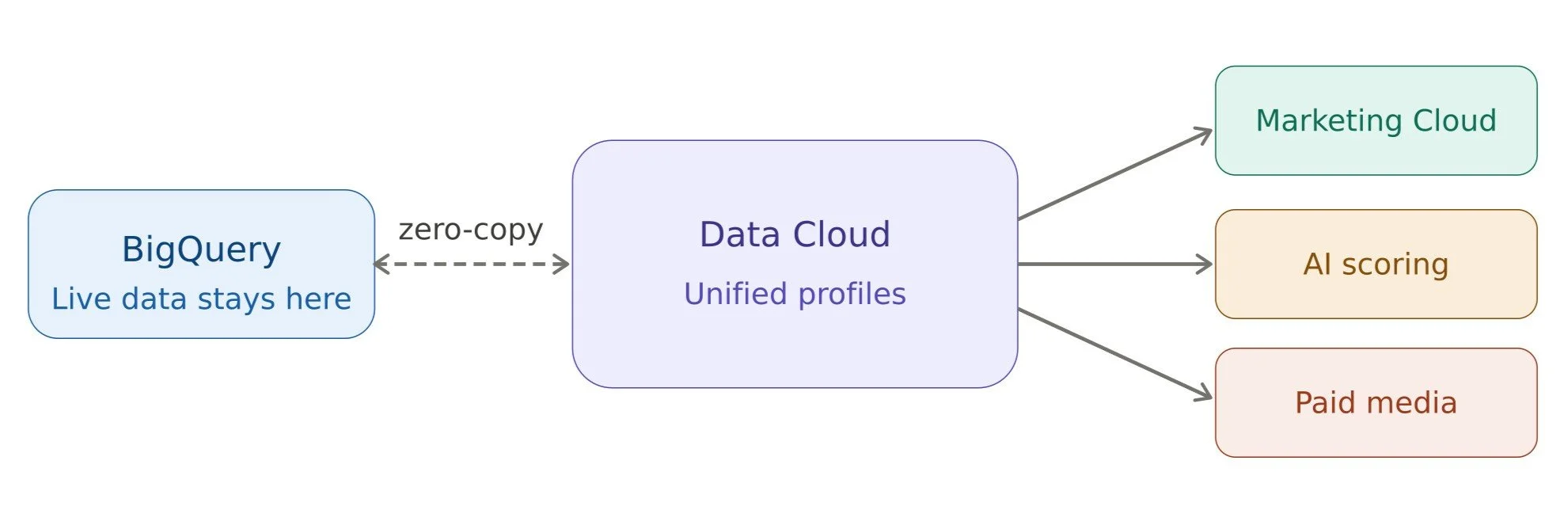
Salesforce Data Cloud is changing how many enterprises approach customer data integration. Instead of relying entirely on traditional ETL pipelines, Data Cloud allows businesses to create unified customer profiles using live data connections.
Salesforce’s zero-copy architecture with BigQuery helps organizations access external data directly without constant replication. This improves:
Real-time audience freshness
Governance
Scalability
AI readiness
Cross-cloud personalization
Many companies now use Data Cloud as the orchestration layer between BigQuery and Salesforce applications.
Real-World Use Cases of BigQuery and SFMC Integrations
1. Ecommerce companies commonly use BigQuery and SFMC integrations for cart abandonment campaigns and personalized product recommendations.
2. SaaS businesses use real-time segments to identify inactive users and trigger retention campaigns automatically.
3. Financial institutions use behavioral segmentation for fraud monitoring and personalized financial offers.
4. Media and streaming companies create dynamic audiences based on viewing behavior and subscription activity.
These Salesforce marketing platform integrations allow marketers to react instantly to customer behavior instead of relying on outdated batch processes.
Best Practices for Successful BigQuery Integration With Salesforce Marketing Cloud
Companies that succeed with BigQuery and SFMC integration usually follow a few important principles.
First, they maintain a unified customer ID across systems.
Second, they start with high-impact use cases instead of trying to rebuild the entire customer data ecosystem immediately.
Third, they focus on simple and maintainable architectures.
Many organizations begin with reverse ETL pipelines before moving toward advanced zero-copy architectures later. It is also important to monitor synchronization failures carefully.
Real-time segmentation systems require strong observability and alerting. Finally, businesses must prioritize customer data governance and security. This includes encryption, access controls, compliance management, and audit logging.
The Future of Real-Time Marketing Integration
The future of customer data architecture is moving toward:
Zero ETL systems.
Real-time personalization.
AI-powered segmentation.
Unified customer profiles.
Cross-platform activation.
Salesforce and Google Cloud continue expanding their partnership around BigQuery, Salesforce Data Cloud, and AI-powered customer experiences. As customer expectations continue increasing, businesses will need faster and smarter ways to activate customer data. Real-time segmentation is quickly becoming a standard requirement instead of a competitive advantage.
Wrapping Up
Integrating Google Cloud BigQuery with Salesforce Marketing Cloud gives businesses the ability to build highly personalized, real-time customer experiences. BigQuery provides scalable analytics and behavioral intelligence. Salesforce Marketing Cloud activates that intelligence across marketing channels.
For smaller teams, reverse ETL tools may provide enough functionality. For larger enterprises, Salesforce Data Cloud and zero-copy architectures are becoming increasingly attractive.
The right solution depends on your organization’s scale, technical expertise, budget, and real-time requirements. But one thing is clear: businesses that can activate customer data in real time will have a significant advantage in modern marketing. Ready to integrate BigQuery or other complex systems? Talk to our Salesforce Integration Service Experts.
Related Reading
Let’s Talk

Drop us a note, we’re happy to take the conversation forward 👇🏻