

Practices for Stable API Integrations in Marketing Automation Platforms
Key Summary:
API stability begins with a clear integration map and identifying points of failure.
Build technical resilience by using secure authentication, managing rate limits, and error handling.
Monitor for business impact and proactively manage API changes to ensure continuous compliance.
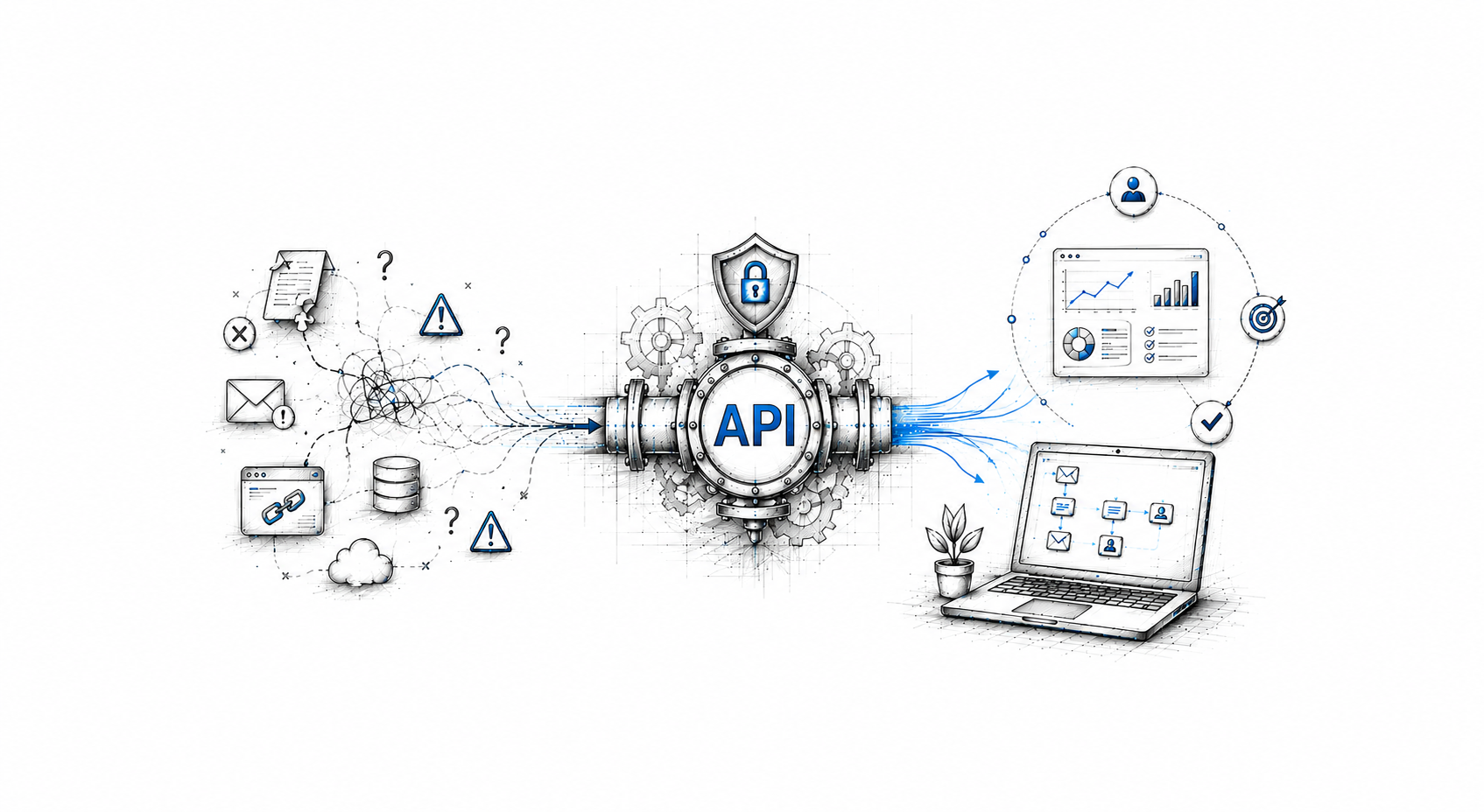
Think about if your biggest email campaign of the quarter fires, but it goes to the wrong segment. Why? Because a CRM sync quietly broke two days ago, and nobody noticed until the damage was done. Unsubscribers spike. Your sales team is responding to angry calls. Somewhere in a Slack thread, someone is asking, “Why didn't we catch this?"
The answer is almost always the same: unstable API connections running in the background, unmonitored and underestimated.
API integration best practices aren't just a concern for your engineering team. They're a revenue issue, a compliance issue, and if you've ever sat through an analysis after a botched campaign. This guide walks you through the most important things you can do to keep your marketing platform integration running smoothly, no matter what platform you're on.
8 Best Practices For Stable API Connections in Marketing Automation Platforms
Follow these tips and best practices for stable API integration connections:
1. Start With a Clear Picture of Your Integration Map
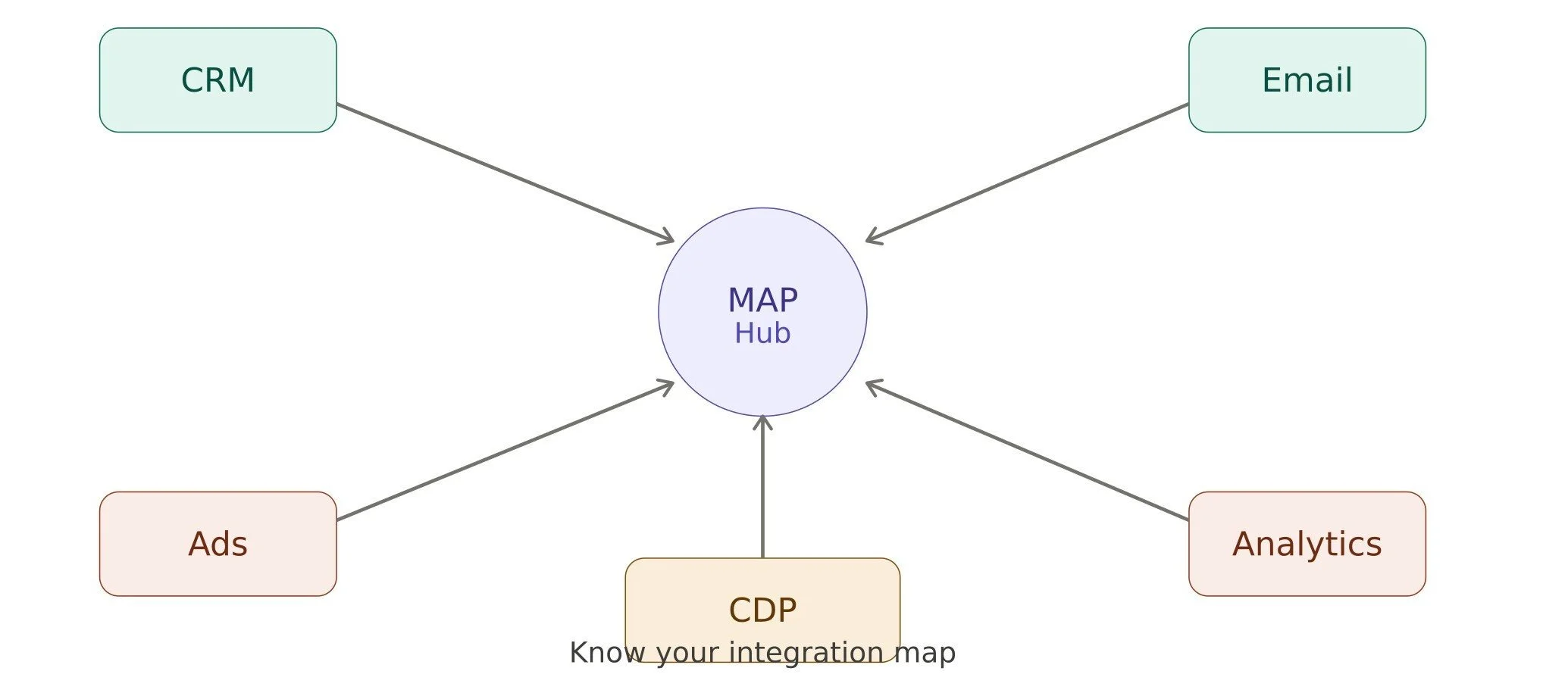
Before you can fix anything, you need to know what's connected to what. Most marketing teams are working with more integrations than they realize. CRM, email platform, ad networks, analytics tools, CDPs, and sometimes a data warehouse thrown in.
Sit down and map every API connection in your stack. Who owns each one? What happens if it breaks? Who owns each one? What happens if it breaks? Are there any single points of failure where one outage takes down multiple workflows?
This exercise alone tends to surface surprises. You'll find connections that nobody has touched in a year, authentication tokens that were set up manually by someone who left the company, and workflows that depend on a third-party tool that no longer officially supports its own API. A simple dependency map (even a spreadsheet) gives you visibility. And visibility is where stability starts.
2. Get Authentication Right From the Beginning
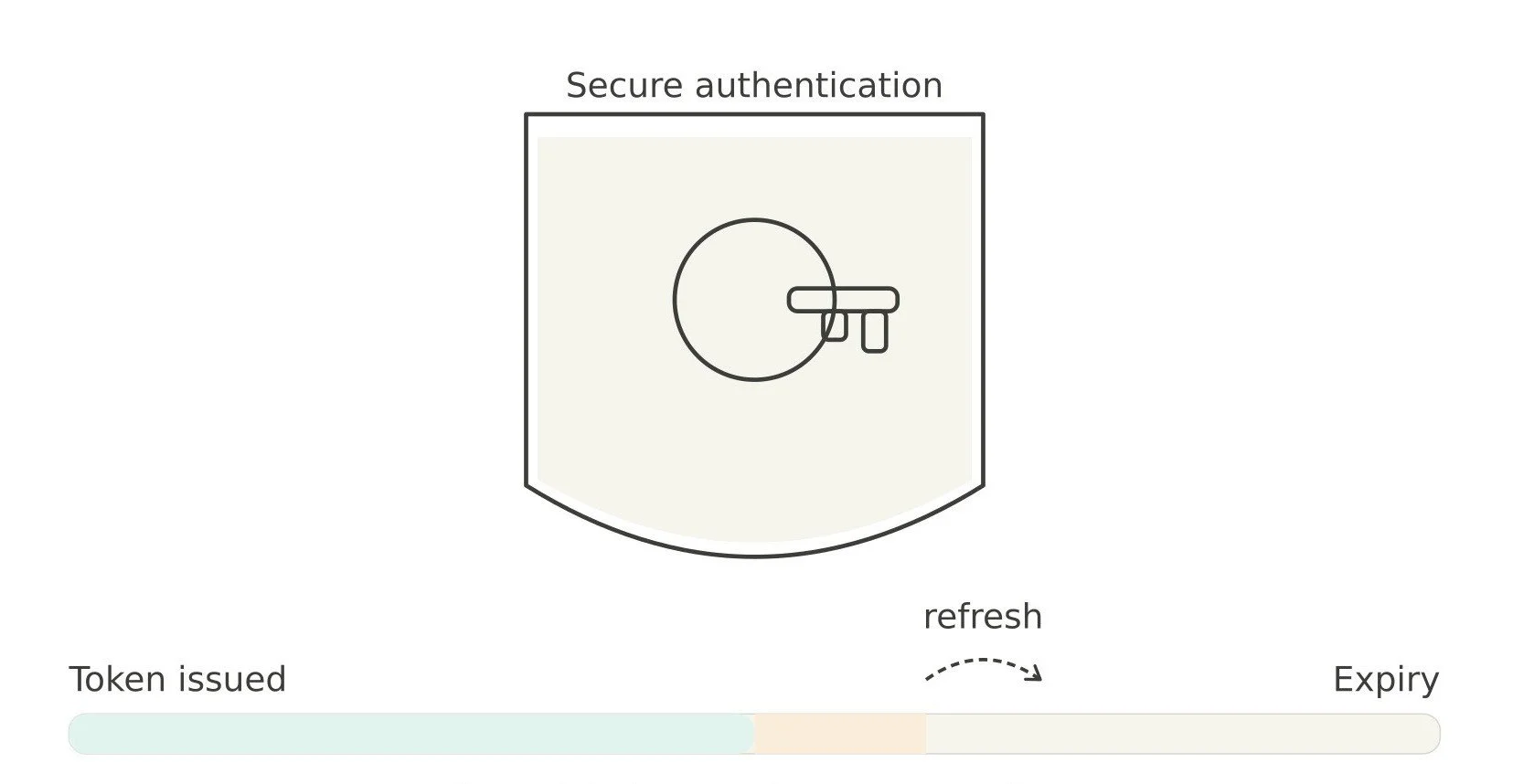
One of the most common causes of broken automations is expired credentials. A token runs out overnight, a long-running workflow hits an auth error, and suddenly your drip sequence is frozen, but your dashboard looks completely normal.
Here's what solid authentication looks like in practice:
Use OAuth 2.0 wherever the platform supports it. It's the most widely accepted standard and gives you a clean way to manage token lifecycles.
Build proactive token refresh logic so your system renews credentials before they expire, not after they cause a failure.
Store credentials securely. Hardcoded API keys in your codebase are an accident waiting to happen. Use a secrets manager or environment variables instead.
If you're running HubSpot marketing automation, this is especially worth paying attention to. HubSpot's OAuth flow has some nuances around refresh token handling that can trip up teams who haven't worked with it before. Particularly in long-running workflows that don't hit the API frequently enough to stay active. Learn how to detect unused workflows and assets in HubSpot. Getting authentication right from day one saves an enormous amount of troubleshooting time later.
3. Respect Rate Limits Before Without Slowing Campaigns
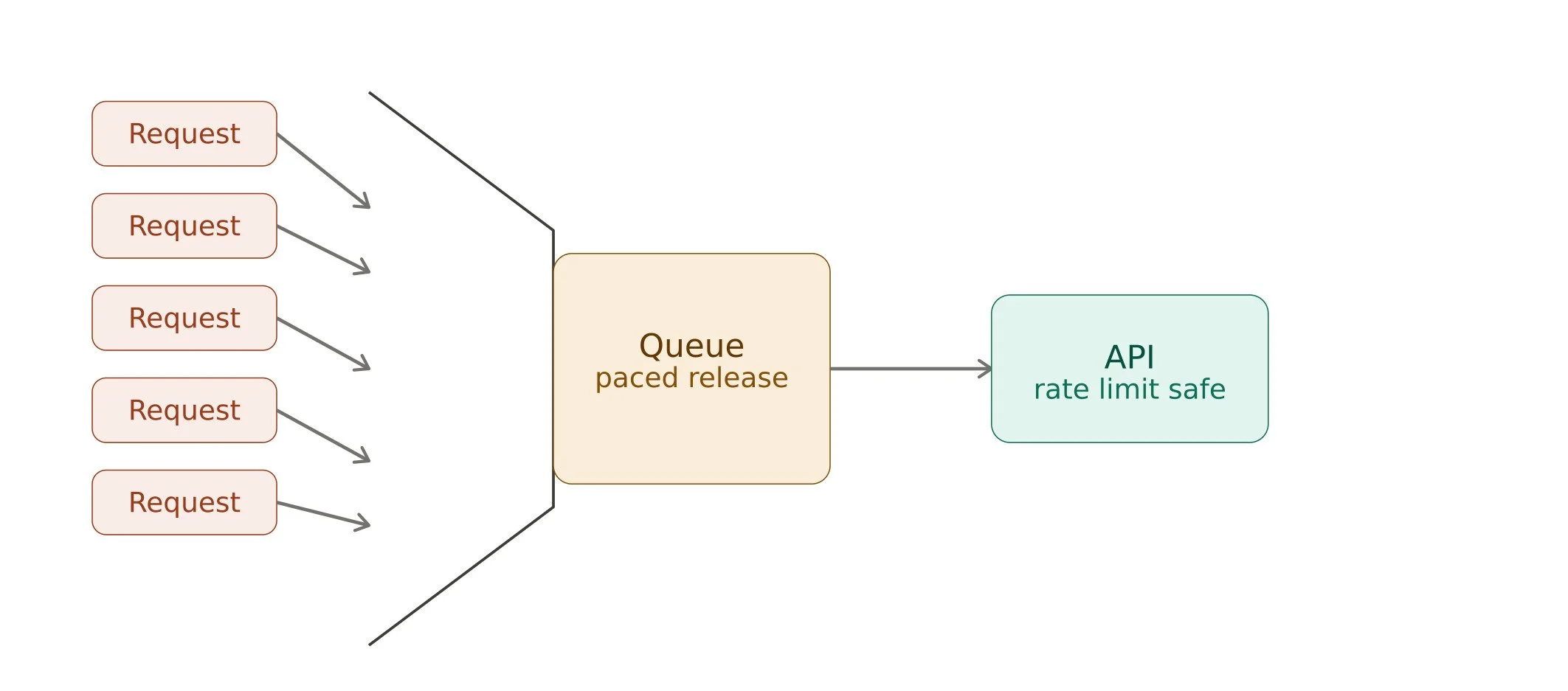
Rate limits are easy to ignore until they're not. Most marketing automation platforms enforce limits on how many API calls you can make per minute, per hour, or per day. When you hit those limits, requests either fail silently or queue up in ways you didn't plan for.
The bigger your campaigns, the more this matters. A bulk contact update before a major launch can eat through your daily limit before the campaign even starts, leaving your real-time triggers starved for capacity.
A few things that help:
Prioritize time-sensitive calls like behavioral triggers and opt-out syncs over bulk data operations.
Queue your requests so they're spread out over time rather than sent all at once.
Use batch endpoints wherever the platform offers them; they're almost always more efficient than individual calls.
Treating rate limits as a design constraint, not an afterthought, makes your marketing platform integrations far more resilient.
4. Build Error Handling That Understands Your Workflows
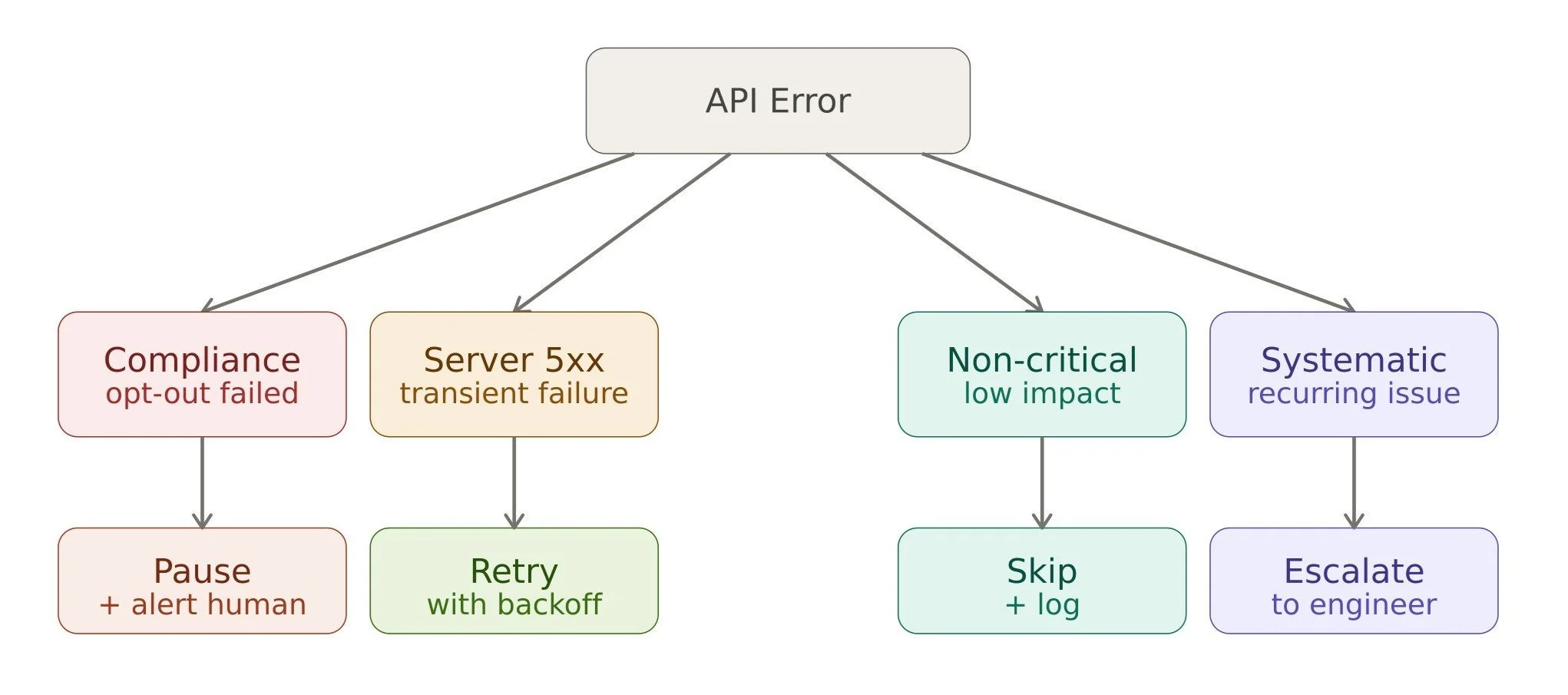
Generic retry logic doesn't cut it in a marketing context. Not all errors carry the same weight.
A failed API call that prevents a welcome email from sending is annoying. A failed API call that delays an opt-out sync is a potential GDPR violation. The response to each should be completely different.
When designing error handling for secure API connectivity, think in terms of workflow impact:
Pause and alert for anything that affects compliance or customer-facing communication.
Retry with backoff for transient server errors (5xx responses), where the issue is likely temporary.
Log and skip for non-critical failures where waiting would cause more harm than moving on.
Escalate to a human for anything that suggests a systematic problem rather than a one-off glitch.
Building this kind of context-aware error handling takes a little more work upfront, but it means your team is responding to the right problems at the right time, not chasing down false alarms while real issues go unnoticed.
5. Make Your Webhooks Bulletproof

Webhooks are the heartbeat of most marketing automation platforms. They're how your tools talk to each other in real time. A form submission triggers a workflow, a deal closes and updates a contact's lifecycle stage, a user clicks a link and starts a sequence.
When webhooks are unreliable, everything downstream suffers. Here's how to make them reliable:
Validate webhook signatures on every incoming request. Most platforms sign their payloads and use them.
Design your endpoints to be idempotent, meaning the same event delivered twice doesn't create duplicate records or fire duplicate actions.
Use a queue to buffer incoming webhooks so a spike in volume or a brief outage on your end doesn't mean lost events.
Stable API connections depend on webhooks that can handle the real-world retries, duplicates, out-of-order delivery, and the occasional flood of simultaneous events.
6. Monitor for Business Impact, Not Just Uptime
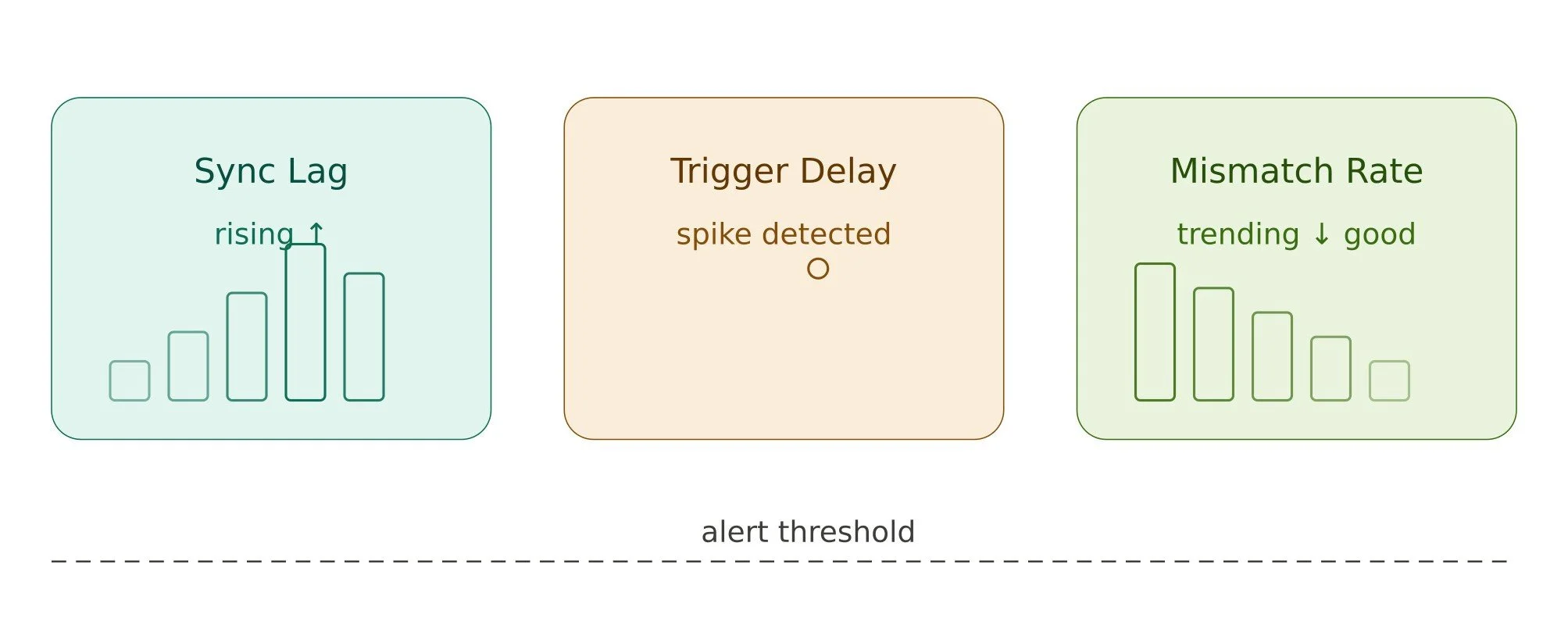
A green status page doesn't mean your marketing system is working. It just means your server is responding. Those are very different things.
What you actually want to monitor:
Sync lag: How long does it take for a contact update in your CRM to show up in your email platform?
Trigger delays: are time-sensitive automations firing when they should?
Record mismatch rates: are the same contacts showing different data in different tools?
Set alerts based on business thresholds. If a sync that normally runs in under a minute is suddenly taking 20 minutes, that's worth knowing, even if no errors are being thrown.
Connect your API health data to your campaign performance dashboards, where you can. When your deliverability drops or your open rates shift unexpectedly, the first question should always be: did something change in our integrations?
7. Stay Ahead of API Changes

Marketing platforms update their APIs regularly. Some changes are additive and harmless. Others are breaking changes that will quietly destroy integrations if you're not paying attention.
Every major platform publishes deprecation notices. But they don't always make it obvious when something is about to break. Teams that have been running on a stable setup for a year or two are often the most vulnerable, because nobody is watching closely anymore.
A few habits that help:
Pin your API versions in production so an upstream change doesn't hit you without warning.
Assign someone to read vendor changelogs; even just a monthly scan can catch problems early.
Build a lightweight change management process so your marketing team knows when an integration update is coming and what it might affect.
Teams using HubSpot implementation services often have this handled as part of the engagement. Even then, it's worth knowing internally who's responsible for tracking these updates over time.
8. Don't Let Compliance Fall Through the Cracks
Opt-outs and unsubscribes need to sync immediately. A contact who unsubscribes from your email platform needs to be suppressed across every connected channel, and that suppression needs to happen fast.
A delayed or failed sync in this area isn't just a nuisance. Depending on your region and audience, it could mean a GDPR or CCPA violation. Build these flows with extra redundancy and monitor them with extra care.
Similarly, keep audit logs for any changes to consent data. If you ever need to demonstrate compliance, you'll want a clean record of when data changed, what triggered the change, and how it was applied across systems. Learn more about the AI Governance in Salesforce to meet compliance.
Wrap-Up: Stability Is a Revenue Strategy
Stable API connections aren't glamorous. They don't show up in campaign reports or get celebrated in Quarterly Business Reviews. But when they break, everything breaks with them.
The good news is that most of what makes integrations unstable is predictable and preventable. Strong authentication, thoughtful error handling, proactive monitoring, and a clear picture of your tech stack go a long way.
Start with an audit of your current integrations this week. Map what you have, identify who owns each connection, and look for the places where a single failure would have the biggest impact. That's your starting point, and it's a better one than waiting for the next campaign crisis to show it to you.
If you’ve been using HubSpot and achieving this level of stability seems overwhelming, our certified experts specialize in HubSpot implementation services to ensure your systems never break when you need them most. Schedule a consultation today to review your integration map.
Frequently Asked Questions
-
At a minimum, do a full audit every quarter. Beyond that, trigger an immediate review anytime you add a new tool to your stack, a vendor announces API changes, or you notice unexpected drops in campaign performance. Don't wait for something to break.
-
Expired authentication tokens are the most frequent culprit, especially in workflows that run overnight or on a delay. The second most common cause is hitting rate limits during high-volume sends without any queuing in place. Both are preventable with the right setup.
-
Flag any failure that touches opt-out, unsubscribe, or consent data as high priority by default. Build your monitoring to alert immediately when these specific calls fail, not just when error rates cross a general threshold. Keep a dedicated audit log for all consent-related API activity, so you have a clear record if your compliance is ever questioned.
Related Reading



Let’s Talk

Drop us a note, we’re happy to take the conversation forward 👇🏻
