How to Detect Unused Properties, Workflows, and Assets in HubSpot

Key Summary:
HubSpot portals grow over time, often accumulating items no longer in use.
Manual audits are possible but time-consuming and resource-intensive.
Complete portal visibility is essential for effective cleanup and organization.
HubSpot portals don’t become complex overnight. They grow over time as teams create properties, build workflows, and launch campaigns.
What starts as a clean setup slowly turns into a system filled with assets created for different use cases and timelines.
But not everything in your portal is still being used.
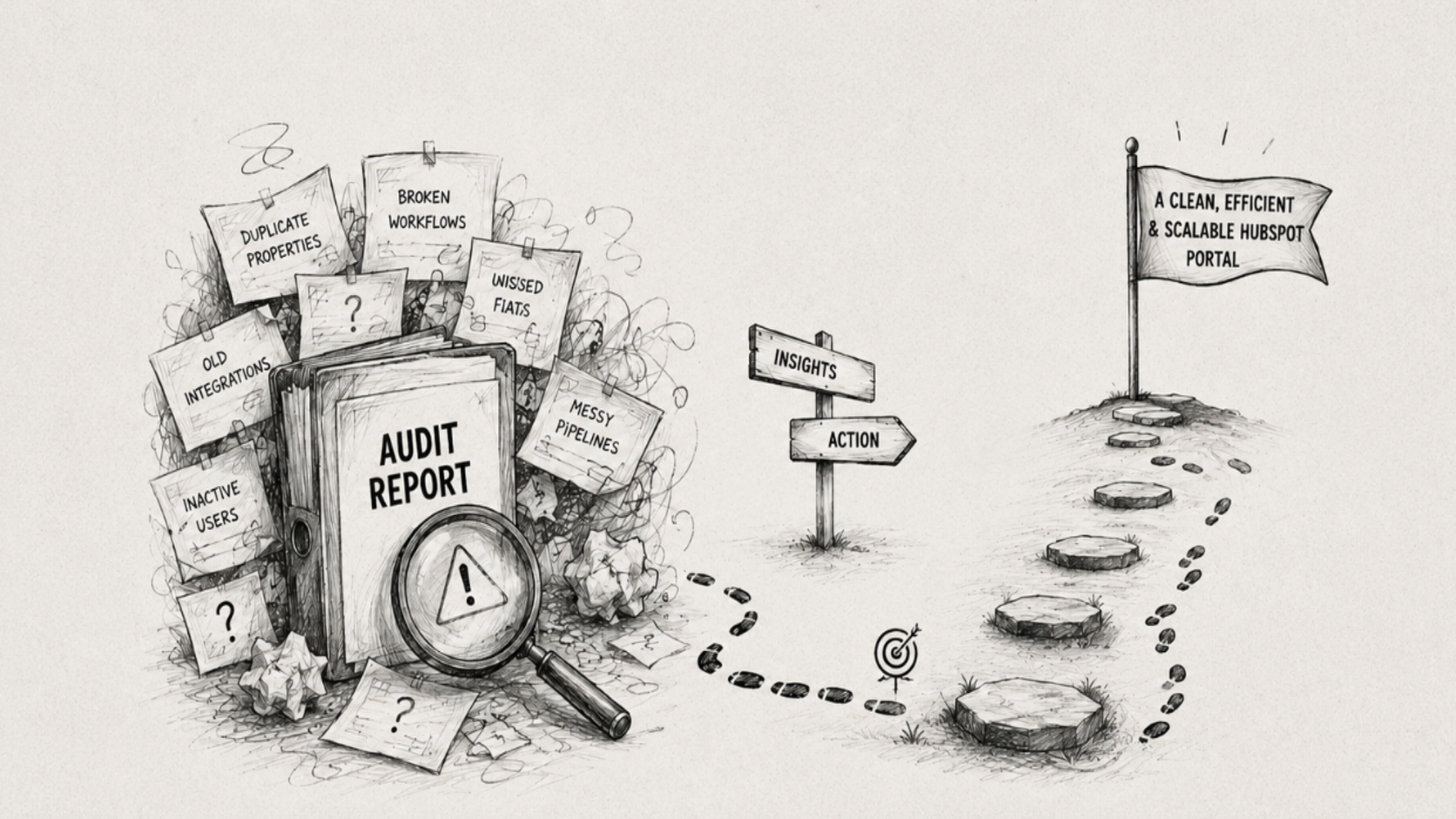
Old properties remain after campaigns end, workflows stay inactive, and pipelines evolve while older versions linger. Over time, these items quietly pile up, making the system harder to manage.
The real challenge isn’t just knowing what’s inactive, it’s getting a clear view of your system through a HubSpot portal audit so you can decide what still matters and what doesn’t.
What Are “Unused” Assets in HubSpot?
Unused assets are not always completely inactive or empty. In many cases, they still exist in the system but no longer contribute to your current processes, reporting, or campaigns.
This includes:
CRM properties
Workflows and automation
Pipelines and deal stages
Custom objects and associations
Forms, lists, and marketing assets
Unused metadata is any of these elements that:
Are no longer actively used
Have no dependencies
Were created for temporary use cases
Or have been replaced but never removed
For example, a property created for a past campaign may still hold data but is no longer referenced anywhere. A workflow might be turned off but never removed. Similarly, old pipelines or marketing resources may remain in the portal even though teams have moved on to newer processes.
In simple terms, an asset becomes “unused” when it is no longer relevant to how your business operates today.
This distinction matters because not everything inactive should be deleted. Some data may still be important for historical reporting or future reference.
The goal is not just to find inactive items, but to understand their relevance before deciding what to keep, archive, or remove.
Why Obsolete Portal Resources Become a Problem Over Time
Unused assets may seem harmless initially, but as they accumulate, they start affecting how your HubSpot portal operates.
Cluttered system
As properties, workflows, and assets pile up, it becomes harder to find what’s actually relevant, slowing down day-to-day work.Confusing automation
Old or forgotten workflows can create overlapping logic or unintended actions, making automation unreliable.Inaccurate reporting
Too many irrelevant components make it difficult to build clean reports or trust the data.Difficult maintenance
Even small updates take longer because it’s unclear what is actively in use and what isn’t.Poor user experience
New users struggle to understand the system, leading to slower onboarding and more errors.
Ways to Identify Unused Elements in HubSpot
HubSpot doesn’t provide a direct feature to flag inactive portal elements, but admins can still take a structured approach to understand what’s actively in use. By performing a HubSpot audit, reviewing activity history, and system references, you can map your portal and make informed decisions about what to archive or clean up.
Steps to identify potential unused elements:
Workflows and automation: Check for workflows that are inactive, haven’t triggered recently, or are missing active enrollment criteria. These may no longer serve a purpose.
CRM properties: Export property data and analyze usage. Properties rarely or never populated across contacts, companies, or deals are candidates for review.
Pipelines, deal stages, and custom objects: Look at the volume of records using each pipeline, stage, or object. Low or zero usage may indicate old configurations.
Forms, lists, and marketing assets: Examine the last modified date and whether they are referenced in campaigns, landing pages, or emails. Assets that are unreferenced may be redundant.
In short, to identify unused elements, you need complete visibility of your portal through the HubSpot audit. The steps outlined above can help achieve that, but doing it manually requires significant time and resources. Fortunately, there’s a quicker and easier way to audit HubSpot
Simplify Your HubSpot Portal Audit with DiffSpot
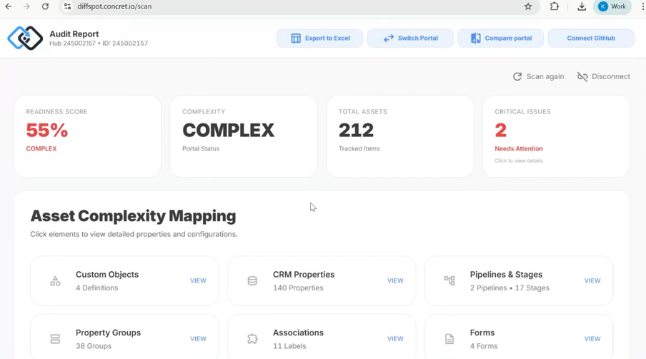
Manually reviewing CRM inventory can be time-consuming, especially in older portals with years of accumulated data. DiffSpot delivers complete visibility into your HubSpot portal, showing all existing elements in one centralized view.
This comprehensive overview allows admins to quickly understand what exists in their org. From there, you can evaluate which items are actively in use and which may no longer be relevant.
If you’re looking for a structured approach before diving in, following a HubSpot audit checklist can help ensure you cover all critical areas during your review.
Key advantages of DiffSpot:
Full Portal Visibility: See every property, workflow, pipeline, and marketing asset at a glance.
Simplified Auditing: Quickly map your portal and focus on what matters most.
Informed Decisions: Make strategic choices about archiving, cleaning, or retaining assets.
Efficiency Gains: Reduce the time and effort spent on manual checks.
By providing a complete picture of your environment, DiffSpot empowers admins to maintain a cleaner, more organized portal, ensuring that the system stays aligned with your current business processes.
What to Do After Identifying Inactive Assets
Once you’ve identified obsolete data, it’s important to handle it carefully to avoid disruptions.
Archive vs. Delete: Preserve items that may be needed for historical reporting or future reference. Only delete truly obsolete elements.
Check Dependencies: Ensure the asset isn’t referenced in workflows, reports, or integrations before removal. This prevents breaking automation or data pipelines.
Clean in Phases: Avoid removing everything at once. Start with non-critical items to minimize risk and monitor the impact.
Document Changes: Keep a record of what’s removed or archived. Documentation helps your team understand past actions and ensures transparency for future audits.
After performing a HubSpot CRM audit, following these steps helps keep your system organized, reduces clutter, and safeguards important data and processes.
Conclusion
You can’t clean what you can’t see. While HubSpot doesn’t provide a centralized view of all your system elements, gaining complete visibility is the first step toward a more organized and efficient portal.
Manual audits can help you out, but they are time-consuming. That’s where HubSpot portal audit tools like DiffSpot simplify the process, providing a clear overview of your portal in minutes. With this visibility, you can quickly identify items that are no longer in use and take informed action to maintain a healthy system.
Frequently Asked Questions
-
Regularly perform a HubSpot CRM audit, review new properties before creation, archive or remove outdated elements, and leverage HubSpot portal audit tools like DiffSpot to maintain visibility, ensuring your system stays organized, efficient, and aligned with current business processes.
-
Yes. Removing pipelines or stages with active records can disrupt ongoing sales processes. Always check for active deals, archive inactive pipelines first, and ensure no dependencies exist before deletion to prevent data loss or workflow errors.
-
HubSpot doesn’t provide native automation to detect inactive elements. However, HubSpot Audit Tools like DiffSpot can scan your portal and provide a complete overview. This visibility helps admins review and decide what’s relevant or obsolete.
-
Activity history helps, but it isn’t always sufficient. Some elements may appear inactive but are critical for reports, integrations, or seasonal campaigns. A complete portal review combined with activity data ensures an accurate assessment.
Related Reading