Key Takeaways:
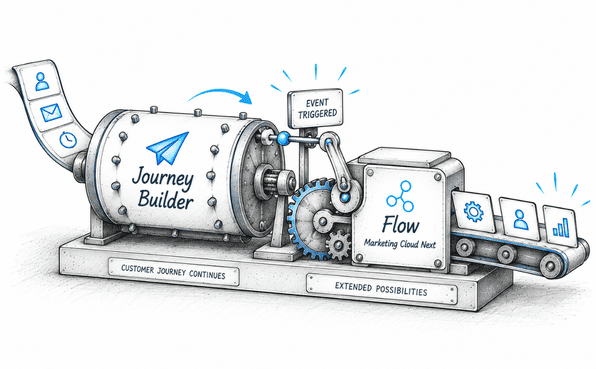
Journey Event-Triggered Flows connect Journey Builder journeys with Flow-based automation in Marketing Cloud Next.
Contact entry, exit, and goal completion events in Journey Builder can trigger a Flow.
Flows extend existing journeys by adding Salesforce-based logic and automation without requiring a complete journey rebuild.
Businesses using Salesforce Marketing Cloud don’t necessarily have to choose between their existing Journey Builder setup and newer Marketing Cloud Next capabilities.
Many organizations already have customer journeys running in Marketing Cloud Engagement, while newer automation capabilities are available through Flow Builder in Marketing Cloud Next. Salesforce has introduced Journey Event-Triggered Flows to help connect these two sides.
The idea is straightforward: an event that occurs in Journey Builder can trigger a Flow, allowing the Flow to continue processing the customer using Salesforce Platform and Marketing Cloud Next capabilities.
This creates a more flexible way to build customer experiences without requiring existing Journey Builder journeys to be completely rebuilt.
Journey Builder and Marketing Cloud Next: Where They Fit
Journey Builder remains the visual journey-orchestration tool in Marketing Cloud Engagement. Marketers can use it to create journeys that determine when customers enter, which activities they receive, how long they wait, and which path they follow.
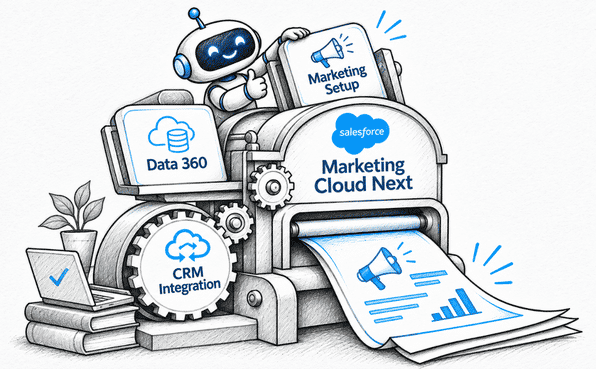
Marketing Cloud Next works differently. Here, Flow Builder is the primary visual automation tool for marketers to build processes that work with Salesforce CRM, Data 360, Agentforce Marketing, and other Salesforce Platform capabilities.
Salesforce's current product comparison identifies Journey Builder as the visual automation tool for Marketing Cloud Engagement and Flow Builder for Marketing Cloud Next.
For organizations using Marketing Cloud Engagement+, these capabilities can work together thanks to Journey Event-Triggered Flows.
What Is a Journey Event-Triggered Flow?
A Journey Event Triggered Flow is a Flow that responds to an event occurring in a Journey Builder journey.
Instead of starting when a Salesforce record changes or when another Flow event occurs, the Flow starts when something happens to a contact in Journey Builder.
Currently, Journey Builder provides three key events that can be used to trigger a Flow:
Contact Entered: Triggers the Flow when a contact enters the selected journey.
Contact Exited: Triggers the Flow when a contact exits the journey.
Contact Met Goal: Triggers the Flow when a contact meets the journey's configured goal criteria.
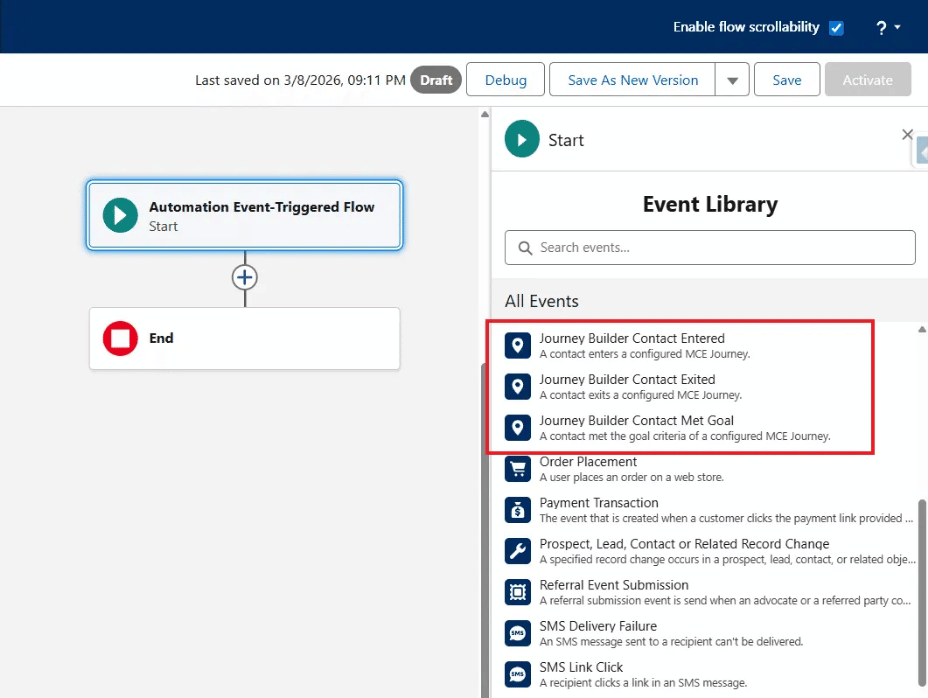
Image Source: Nobuyuki Watanabe’s Medium post
This gives marketers another way to respond to what happens inside a journey.
For example, a company could have a Journey Builder onboarding journey. Once a customer completes the journey goal, that event could trigger a Flow that performs additional processing or sends the customer into another marketing experience.
The important point is that the journey event becomes the starting point for Flow automation.
How the Journey Builder to Flow Connection Actually Works
Consider a customer who enters a product onboarding journey. The journey might handle the initial email communications and waits. At some point, the customer reaches the goal configured in Journey Builder.
That goal event can trigger a Flow. This allows marketers to trigger a Flow from Journey Builder when a specific journey event occurs. The Flow can then evaluate additional information, perform actions, apply business logic, or connect the customer with another marketing process.
The result is an experience that can move beyond what was configured inside the original Journey Builder journey.
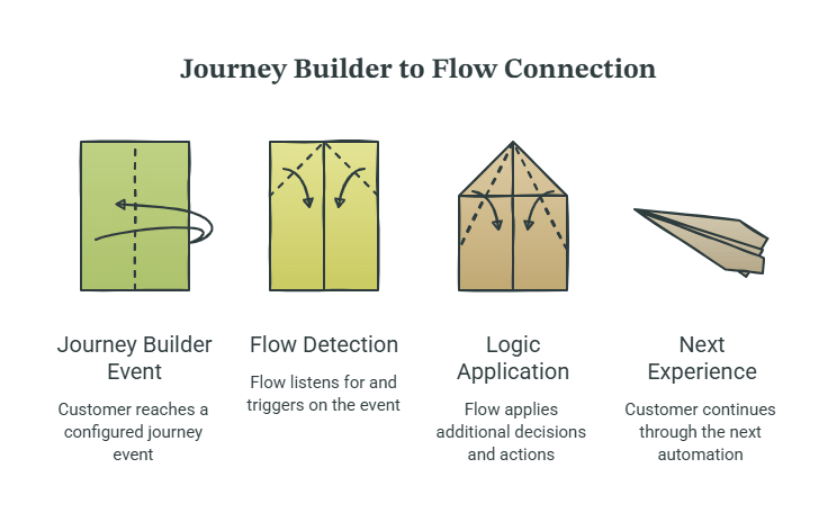
Stage 1. A Journey Builder event occurs
The process begins when a customer reaches one of the configured Journey Builder events.
For example- customer meets the goal criteria.
Stage 2. The Journey Event-Triggered Flow detects the event
The Flow has been configured to listen for and to trigger on that specific Journey event.
Once the event occurs, the Flow starts processing the relevant customer.
Stage 3. The Flow applies additional logic
The Flow can include decisions and actions based on the requirements of the use case.
For example, it could decide whether the customer should continue into another campaign based on their customer information or engagement state.
Stage 4. The customer continues through the next experience
The Flow performs the appropriate action. This is where the connection becomes powerful
In short: Journey Builder handles the journey experience, while Flow takes over when additional Salesforce-based automation is needed.
A Real-World Journey Event-Triggered Flow Example
Consider a company running a customer onboarding journey.
The Journey Builder journey could look like this:
Customer enters onboarding journey
↓
Welcome email
↓
Wait 3 days
↓
Product education email
↓
Wait 7 days
↓
Customer meets onboarding goal
Now suppose the company wants to do something more complex after the customer completes onboarding.
Rather than adding every piece of automation to Journey Builder, the company can configure a Journey Event-Triggered Flow using the Contact Met Goal event.
The process becomes:
Customer completes onboarding
↓
Journey Builder goal is met
↓
Journey Event-Triggered Flow starts
↓
Flow evaluates customer information
↓
Flow performs the required action
The action could involve additional Salesforce or marketing automation through a Marketing Cloud Next Flow.
This is particularly useful when the next step depends on information available through the broader Salesforce Platform or Data 360.
Connecting Journey Builder With Flow-Based Automation
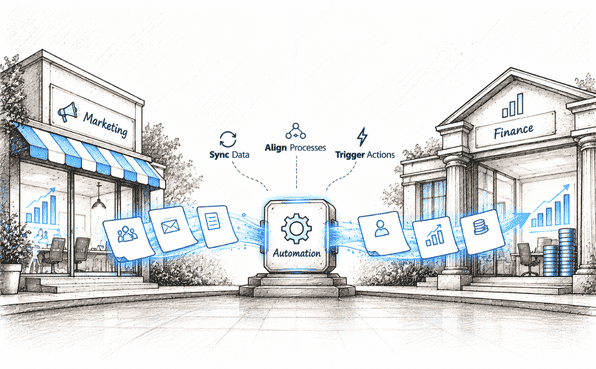
The bigger value of Journey Event-Triggered Flows is that they don't require marketers to treat Journey Builder and Flow as completely separate automation environments.
Salesforce's Marketing Cloud Engagement+ capabilities are designed to let organizations continue using existing Engagement assets while adding newer capabilities. Existing campaigns, data extensions, and journeys can remain available while teams introduce next-generation features.
What Should You Consider Before Implementing It?
Before connecting a Journey Builder journey to a Flow, start with the business process rather than the technology.
First, identify which Journey Builder event actually needs to trigger the Flow. An unnecessary connection can add complexity without improving the customer experience.
Next, check the data required by the Flow. Marketing Cloud Engagement+ uses Data 360 as part of the setup for connecting next-generation marketing capabilities, and Salesforce notes that organizations using Marketing Cloud Engagement alone need to configure Data 360 and bring their data extensions into it before connecting flows and journeys.
It's also important to test the complete path:
Journey event → Flow trigger → Flow logic → Final action
Don't test only the Flow independently. The value of this feature depends on the connection between the two systems working as expected.
Final Takeaways
Journey Event-Triggered Flows are less about replacing Journey Builder and more about extending what existing journeys can do.
Marketing Cloud Engagement continues to provide Journey Builder and other established engagement capabilities, while Marketing Cloud Next brings Flow-based automation and broader Salesforce Platform capabilities. Salesforce explicitly positions Engagement+ as a way to retain existing Engagement assets while adding next-generation capabilities.
Journey Event-Triggered Flows provide a practical connection between these environments.
A customer can move through an existing Journey Builder journey, reach an important event, and then trigger a Flow that handles the next part of the process.
That connection gives marketing teams a way to extend existing customer journeys while gradually taking advantage of the newer automation capabilities available through Marketing Cloud Next.
Frequently Asked Questions
-
It's a Flow that starts automatically when a specific event happens inside a Journey Builder journey, such as a contact entering, exiting, or meeting a goal in that journey. Instead of triggering off a Salesforce record change, the trigger is the journey event itself.
-
There are currently three Journey Builder events that can trigger a Flow: Contact Entered (when a contact enters the journey), Contact Exited (when a contact exits the journey), and Contact Met Goal (when a contact meets the journey's configured goal).
-
No. Journey Event-Triggered Flows are designed to extend existing journeys rather than replace them. The journey keeps running as configured, and the Flow simply takes over at the point where the chosen event fires.
-
Journey Builder is the visual journey-orchestration tool in Marketing Cloud Engagement, used to manage entry, activities, wait times, and paths. Flow Builder is the primary automation tool in Marketing Cloud Next, used to build processes that connect with Salesforce CRM, Data 360, Agentforce Marketing, and other Salesforce Platform capabilities.
-
This capability is available to organizations using Marketing Cloud Engagement+, which lets teams keep their existing Engagement assets (journeys, campaigns, data extensions) while layering on Marketing Cloud Next capabilities.
Related Readings
Let’s Talk

Drop us a note, we’re happy to take the conversation forward 👇🏻