Key Takeaways:
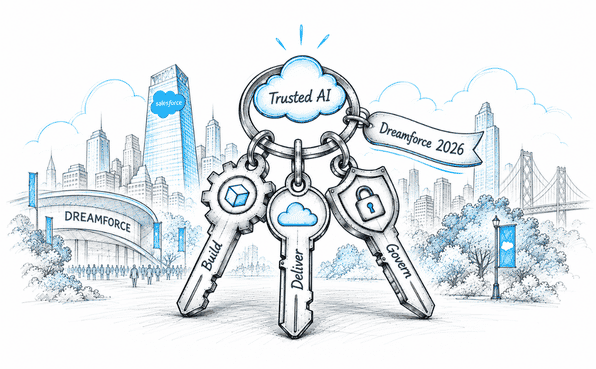
Salesforce admins are evolving into AI builders and governors, responsible for building, delivering, securing, and governing trusted AI.
Builder Central and AIforce give admins new ways to build applications and agents and deliver AI across different interfaces.
Security Center, Privacy Center, Transaction Security Policy Accelerator, and Agentic Identity strengthen security, privacy, and AI governance.
Yesterday (18th September) was the day for Salesforce Admins, as Dreamforce 2026 brought the Admin Keynote to the stage.
Salesforce admins are no longer just configuring CRM features. As organizations move toward the Agentic Enterprise, admins are becoming responsible for how AI is built, delivered, secured, and governed across the business.
That was the central message of the Dreamforce 2026 Admin Keynote, titled Bring the Agentic Enterprise to Life.
The keynote organized the admin story around three areas:
Build trusted AI
Deliver trusted AI everywhere
Govern trusted AI
Along the way, Salesforce introduced new tools for building applications and agents, expanding AI across different interfaces, and giving admins more ways to manage security, privacy, and risk.
Here are the key updates from the Dreamforce 2026 Admin Keynote.
1. Build Trusted AI
The first part of the keynote focused on giving admins faster ways to build applications and AI-powered experiences without losing the security and governance foundations already present in Salesforce.
During the Admin Keynote, two announcements stood out: Salesforce Quick Pages and Builder Central.
Salesforce Quick Pages
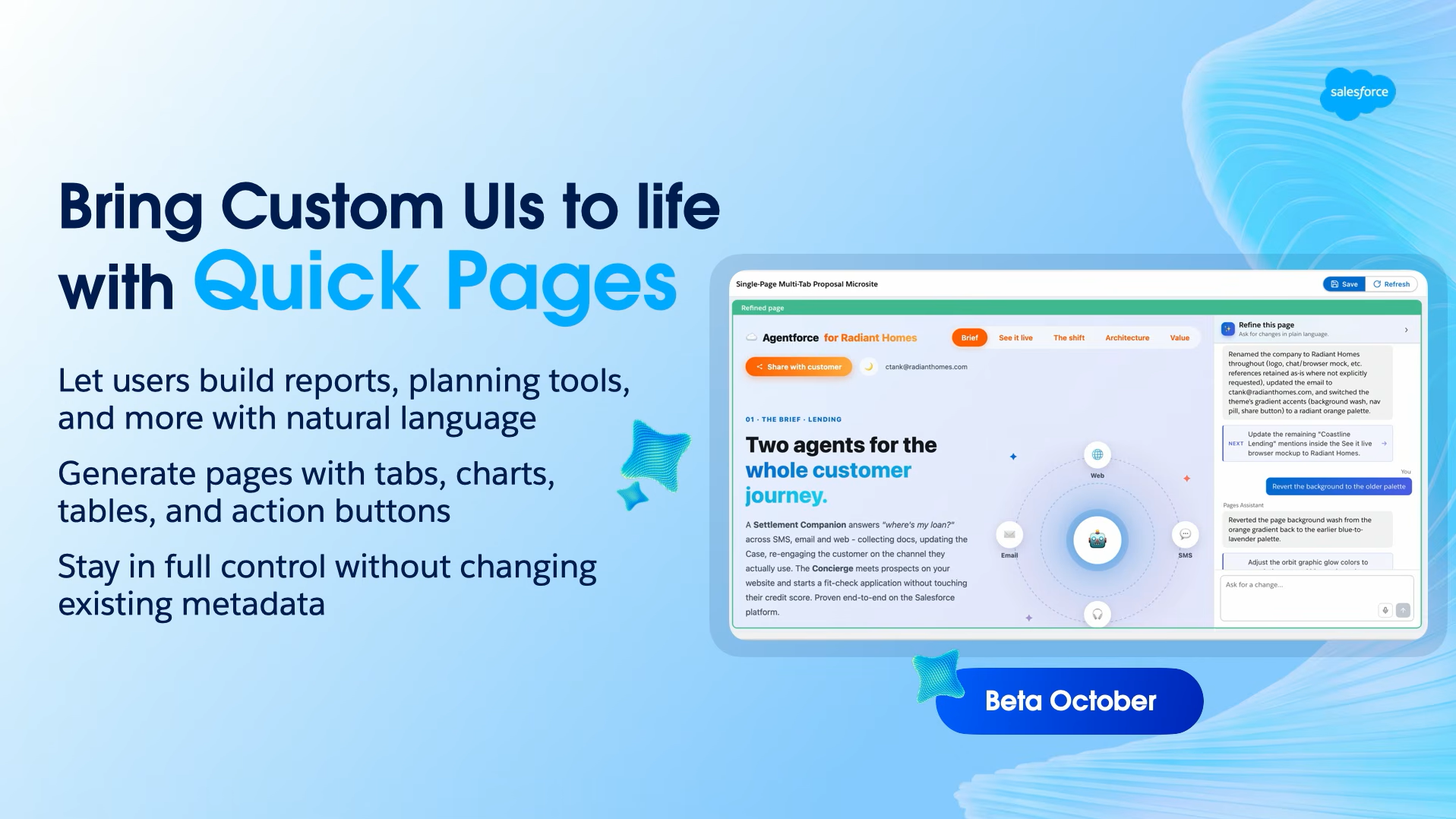
Quick Pages brings a new way to build rich, single-page React applications directly on top of existing Salesforce data.
The idea is to give admins and permissioned users more flexibility when a standard Salesforce page is not enough.
Instead of building an entire application from scratch, users can create custom experiences on top of their existing data while keeping the underlying Salesforce foundation in place.
This can be useful when teams need a focused interface for a specific workflow.
For example, a business could create a custom page that brings together the information an employee needs for a particular task rather than making them navigate through multiple Salesforce screens.
The important part for admins is that these experiences are still built around the organization's existing data and security model.
Builder Central
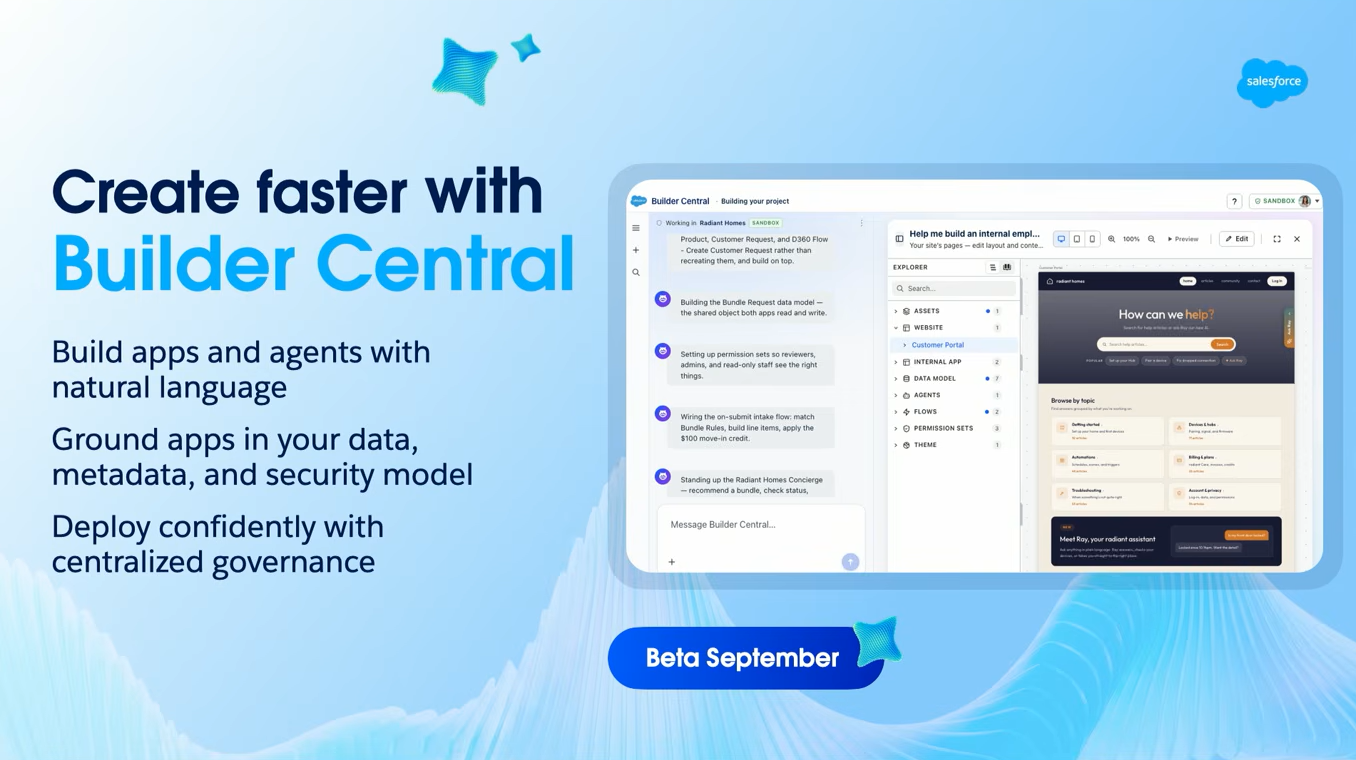
Builder Central is a new AI-powered, no-code experience for building applications, agents, and experiences.
Rather than moving between different tools, admins can start with a natural-language description of what they want to build and then refine, troubleshoot, and deploy from the same experience.
Builder Central is built on AIforce, connecting the building experience to existing Salesforce data, metadata, security, and governance.
Salesforce announced Builder Central as a beta release following Dreamforce. It will be available to customers with Agentforce enabled and is included at no additional cost within usage limits.
Builder Central is shipping as a beta, and Salesforce said it will be free in every org within reasonable usage limits.
For admins, the larger change is not simply another builder. It is the move toward describing the outcome in natural language and letting AI assist with the implementation.
2. Deliver Trusted AI Everywhere
Building an agent is only one part of the Agentic Enterprise. Employees may work in Salesforce, Slack, Claude, custom applications, or other interfaces. Salesforce's second theme was therefore about delivering trusted AI wherever users work.
This part of the keynote centered on AIforce and three major capabilities:
Agentforce Coworker
Headless Experience Layer
Salesforce in Claude
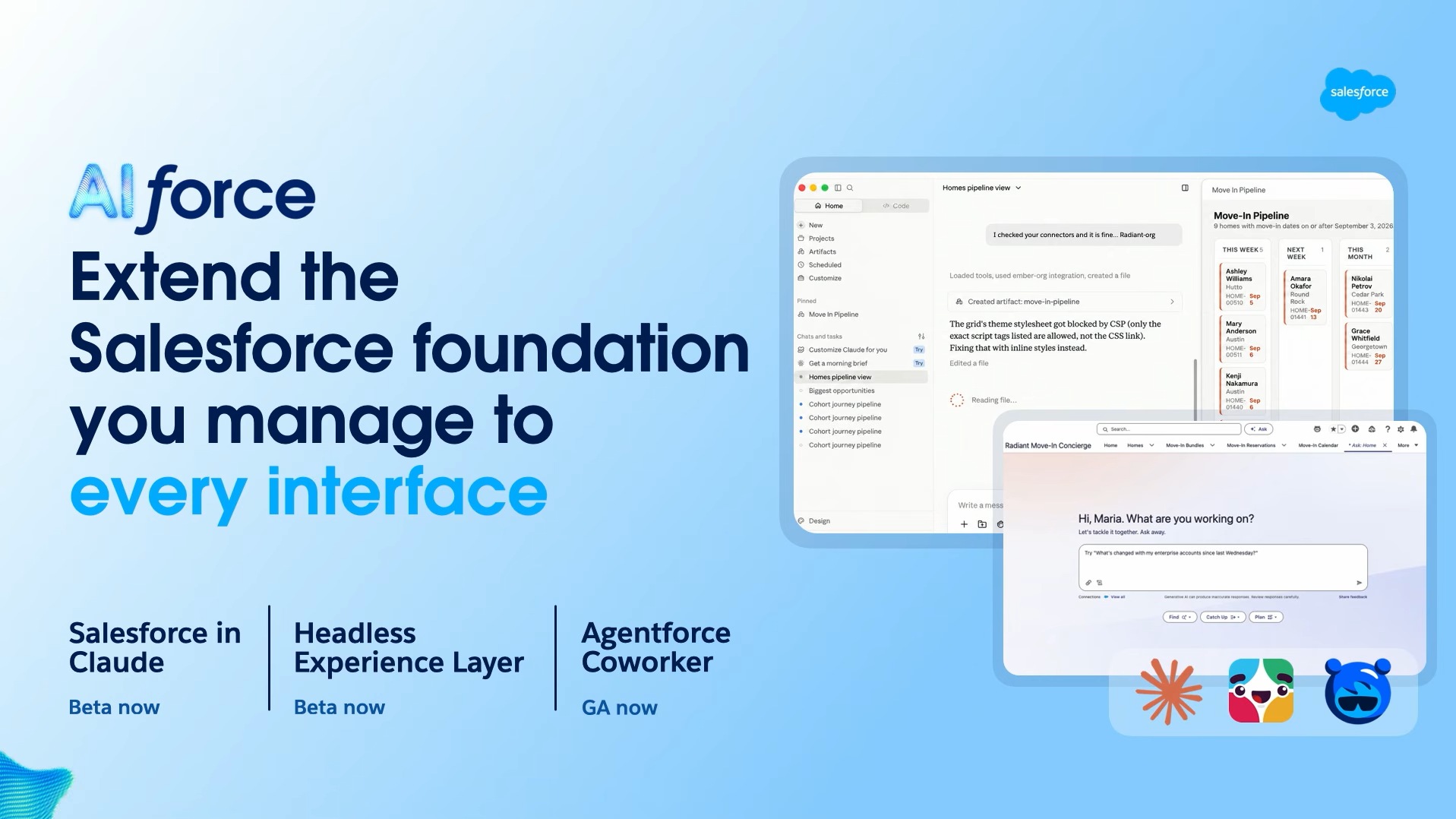
Agentforce Coworker
Agentforce Coworker brings an autonomous AI assistant directly into Salesforce Lightning.
Instead of requiring users to open a separate AI tool, they can interact with Coworker within the Salesforce interface they already use. It can reason through requests, orchestrate tasks, and work within the permissions of the logged-in user.
For admins, one of the biggest practical points is the setup experience. Salesforce says admins can configure Agentforce Coworker in under five minutes. The feature is designed to work with Salesforce's existing permissions and governance controls.
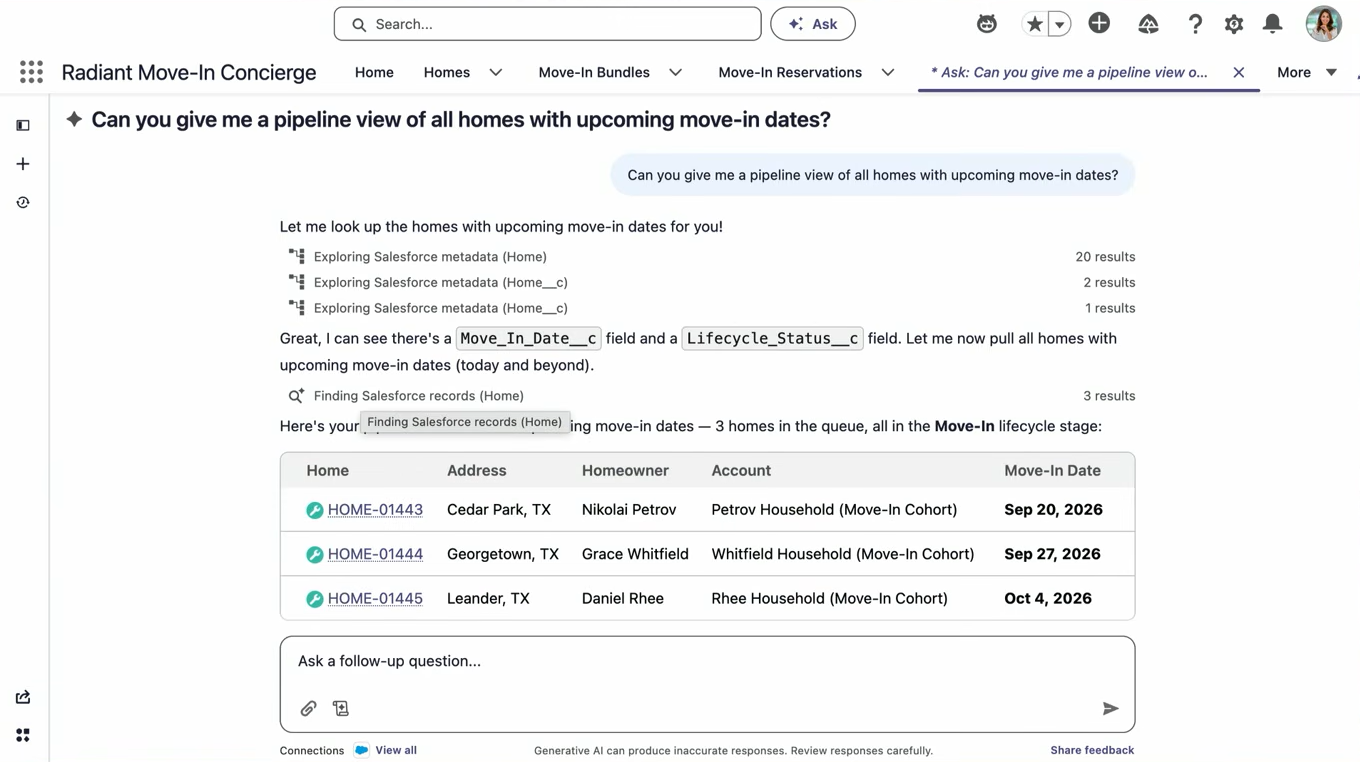
Salesforce also announced Agentforce Coworker as generally available, making this more than a future roadmap item.
The capability was also part of the broader Dreamforce Day 2 updates around Agentforce and its role in driving productivity.
Headless Experience Layer
The Headless Experience Layer changes how Salesforce functionality can be delivered across different interfaces.
Traditionally, admins build business processes inside Salesforce and expose them through Salesforce interfaces. The Headless Experience Layer allows them to create rich, interactive UI components that connect to Salesforce data, automation, and business logic.
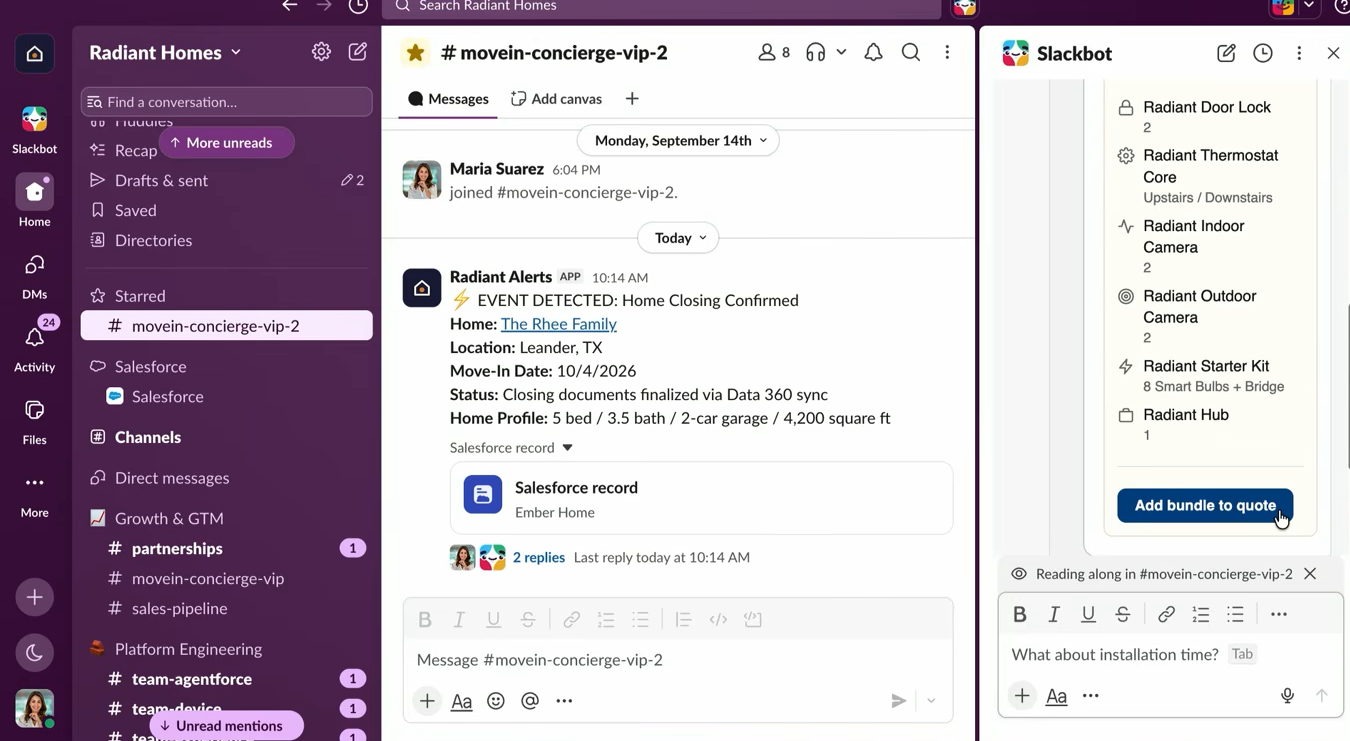
These components can then appear across different experiences instead of being tied to a single Salesforce interface.
That opens the door to experiences containing things such as:
Interactive forms
Buttons and actions
Charts
Data displays
Workflow components
Salesforce positions Headless Experience Layer as a way to bring richer experiences to agents and other interfaces without rebuilding the underlying business logic for each surface.
For admins, this means the work they already do in Salesforce can become the foundation for experiences outside the traditional Salesforce UI.
Salesforce in Claude
The third update was Salesforce in Claude, which brings Salesforce capabilities and business context into Anthropic's Claude. This was also one of the key announcements covered in the Dreamforce Main Keynote on Day 1.
The goal here is to let users interact with Salesforce data and functionality through Claude while continuing to use the validation, automation, permissions, and business logic already configured in Salesforce.
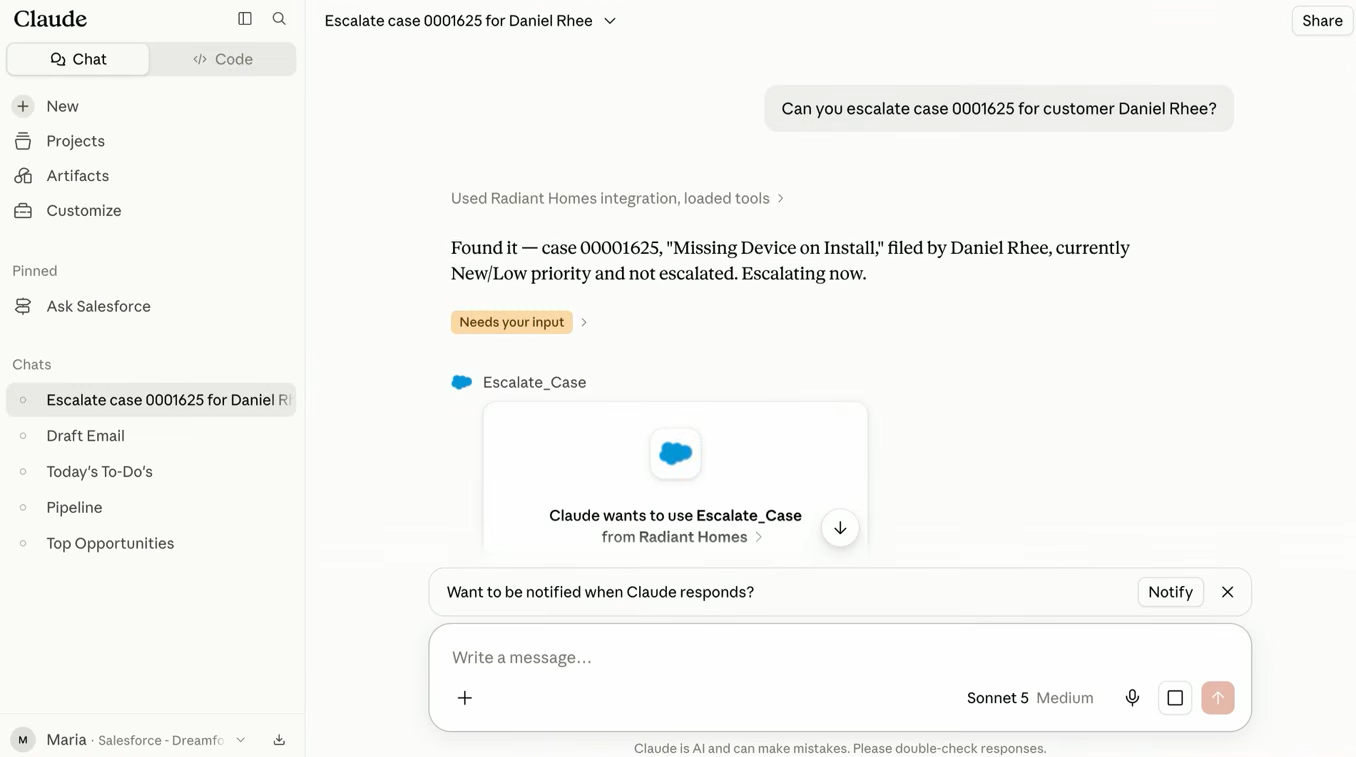
This is important because the future of enterprise AI is unlikely to revolve around one interface.
Users may start a task in Salesforce, continue it through Claude, collaborate around it in Slack, or access the same business process through another application.
Salesforce in Claude is designed to extend the Salesforce foundation into those experiences rather than forcing organizations to rebuild their business logic for every new AI interface.
MCP Servers Are Becoming Part of the Architecture
Another important thread running through the keynote was Model Context Protocol (MCP).
MCP provides a standard way for AI systems to connect with tools, data, and business capabilities.
For Salesforce admins, this matters because agents are increasingly expected to work across systems rather than operate inside one application.
Instead of creating a separate integration for every AI interface and every business capability, MCP can provide a standardized way for agents to discover and use available tools.
Salesforce's broader Dreamforce session lineup showed this direction clearly, with MCP servers appearing alongside agents, skills, and other components of the agentic architecture.
The admin role therefore starts extending beyond configuring Salesforce itself. Understanding which systems an agent can access, what actions it can perform, and what permissions it should have becomes part of the implementation conversation.
3. Govern Trusted AI
The third part of the keynote focused on something that becomes more important as AI becomes more capable: governance.
Salesforce presented three ways admins can stay ahead of AI-related risk:
Security Center Essentials
Privacy Center
Transaction Security Policy Accelerator
Security Center Essentials
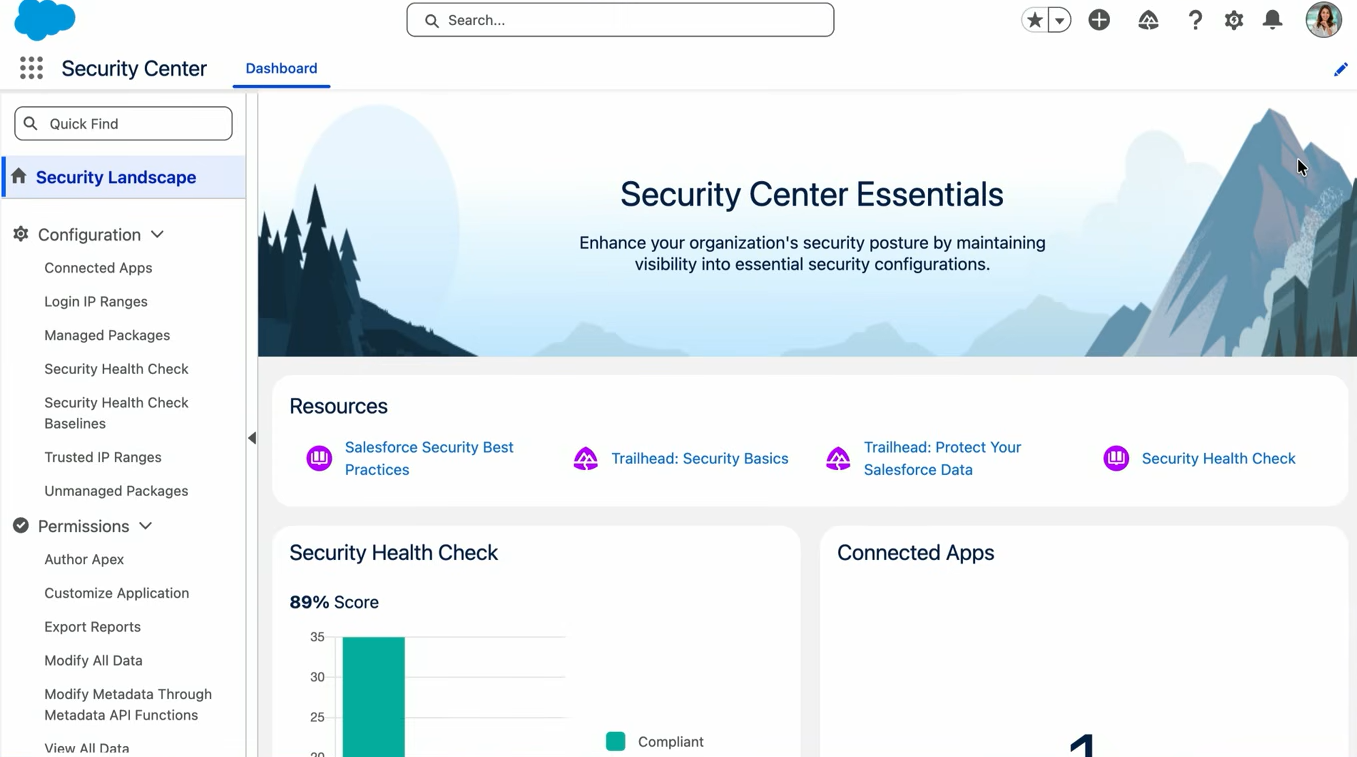
Security Center Essentials gives admins a centralized view of their Salesforce org's security posture.
Instead of manually checking different Setup pages to understand the health of an org, admins can use a single dashboard to see important security metrics and identify areas that need attention.
Salesforce describes Security Center Essentials as a centralized, no-cost dashboard and says it can be enabled by assigning the appropriate permission, without requiring a support case.
For admins, this makes security monitoring more accessible as AI adoption increases.
The more agents and automated processes an organization introduces, the more important it becomes to understand the security foundation those agents are operating on.
Privacy Center
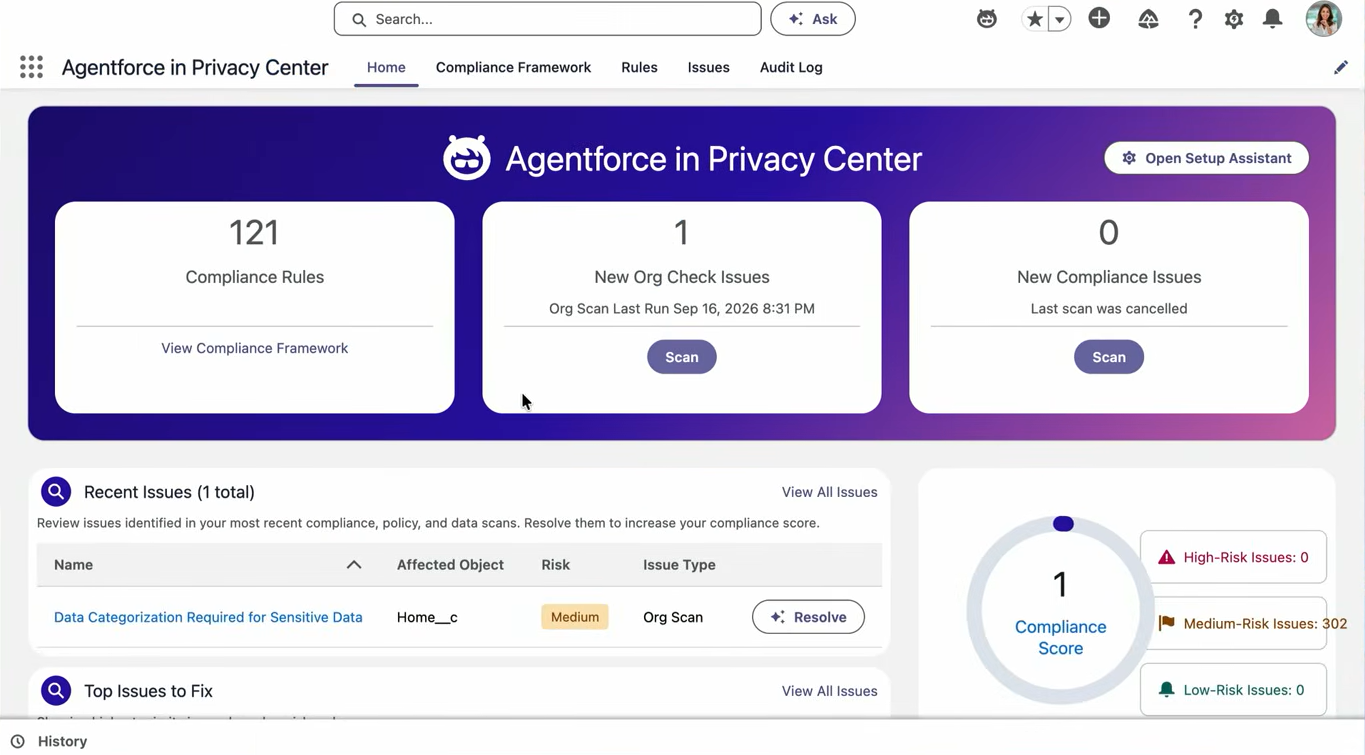
The next area was Privacy Center, which focuses on protecting data privacy as organizations use more AI and connect more data sources.
Salesforce also highlighted a new Compliance Agent within Privacy Center. The agent can scan an org for privacy risks and surface issues that admins can review and prioritize.
This is particularly relevant as Salesforce environments become connected to more data sources and AI experiences.
Privacy can no longer be treated as a separate activity that happens after implementation. Admins increasingly need to consider how data is collected, accessed, processed, and exposed across AI-powered workflows.
Transaction Security Policy Accelerator
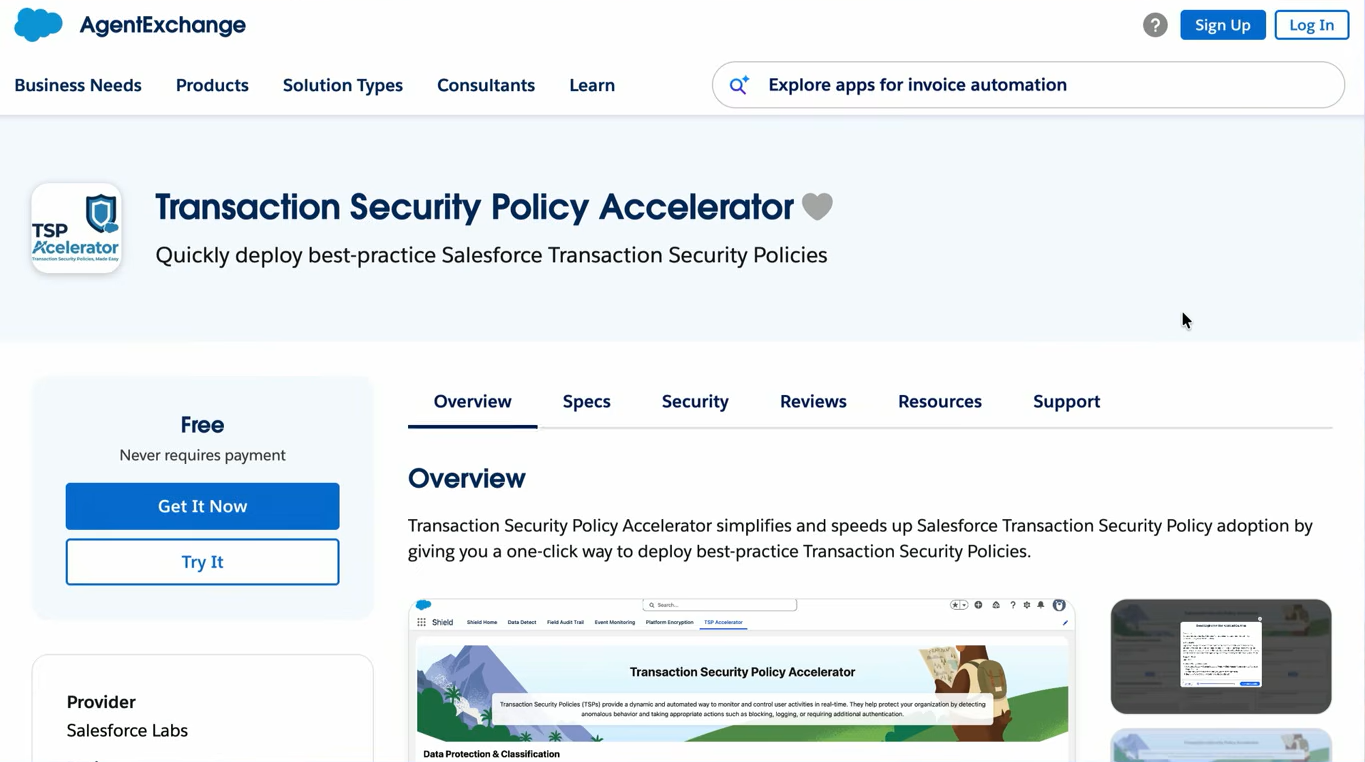
The third security update was the Transaction Security Policy Accelerator, which allows organizations to detect risky activities and respond to them in real time.
The challenge has traditionally been that admins had to build these policies themselves, including configuring conditions or writing Apex for more complex requirements.
The new Transaction Security Policy Accelerator provides prebuilt policies for common security scenarios. Admins can select the policies they need and deploy them rather than starting from scratch.
That changes the conversation from: "How do I build a security policy?" to: "Which security policies does my organization need?"
That is a much more practical starting point for admins who need to improve their security posture without building every control themselves.
Agentic Identity Adds Another Layer of Trust
As AI agents gain the ability to take action, organizations need to know not only what an agent did, but also who authorized it and what the agent was allowed to do.
This is where Agentic Identity comes in. Salesforce presented Agentic Identity as a way to treat agents as first-class identities, with mechanisms for attribution, authorization, and traceability.
One important concept is dual identity: tracking both the agent performing an action and the human who authorized it.
Salesforce's Dreamforce material also describes granular authorization and runtime guardrails designed to keep agents within appropriate permissions.
For admins, this could become an important part of managing agent access.
Traditional Salesforce security has largely been designed around human users, profiles, permission sets, roles, and sharing rules. As agents become active participants in business processes, admins also need to understand the identity and permissions assigned to those agents.
The Admin Keynote was one of several major sessions on Day 3. For coverage of the other announcements, including the latest Dreamforce Day 3 Slack and Marketing Cloud updates, check out our dedicated recap.
Conclusion
The Dreamforce 2026 Admin Keynote showed how the Salesforce admin role is evolving with the Agentic Enterprise.
Admins now have new tools to build applications and AI with Builder Central, deliver trusted experiences across different interfaces, and manage security, privacy, and governance from a more connected set of tools.
But the shift is not only about new technology. Admins still need to understand business processes, decide where AI can add value, control access, and define the right boundaries. As AI takes on more tasks, admins will play an important role in making sure these systems are useful, secure, and aligned with business needs.
Related Readings

Let’s Talk

Drop us a note, we’re happy to take the conversation forward 👇🏻