How to Configure a Salesforce Hosted MCP Server to Expose Apex Actions to External AI Agents
Key takeaways:
Expose your Salesforce Apex actions to any MCP-compatible AI agent by registering them in the MCP Tool Registry.
A Connected App with OAuth 2.0 Client Credentials is the secure, scalable way to authenticate external AI agents to your Salesforce MCP endpoint.
Write specific @InvocableMethod descriptions. Agents pick the right tool based on those labels.
AI agents are getting smarter, but only as smart as the data and actions they can access. If you're running business logic in Salesforce and want external AI agents (think Claude, GPT-based tools, or any LLM-powered platform) to actually do things inside your org, you need a clean bridge between those two worlds. That bridge is the Salesforce Hosted Model Context Protocol (MCP) Server.
In this guide, we'll walk through what an MCP Server actually is, why Apex actions are the best thing to expose through it, and exactly how to set up a Salesforce MCP Server to expose Apex actions to AI agents.
What Is a Salesforce MCP Server?
The Model Context Protocol (MCP) is an open standard that lets AI agents connect to external tools and data sources in a structured, predictable way. Instead of every AI vendor building custom integrations for every platform, MCP gives them one interface to rule them all.
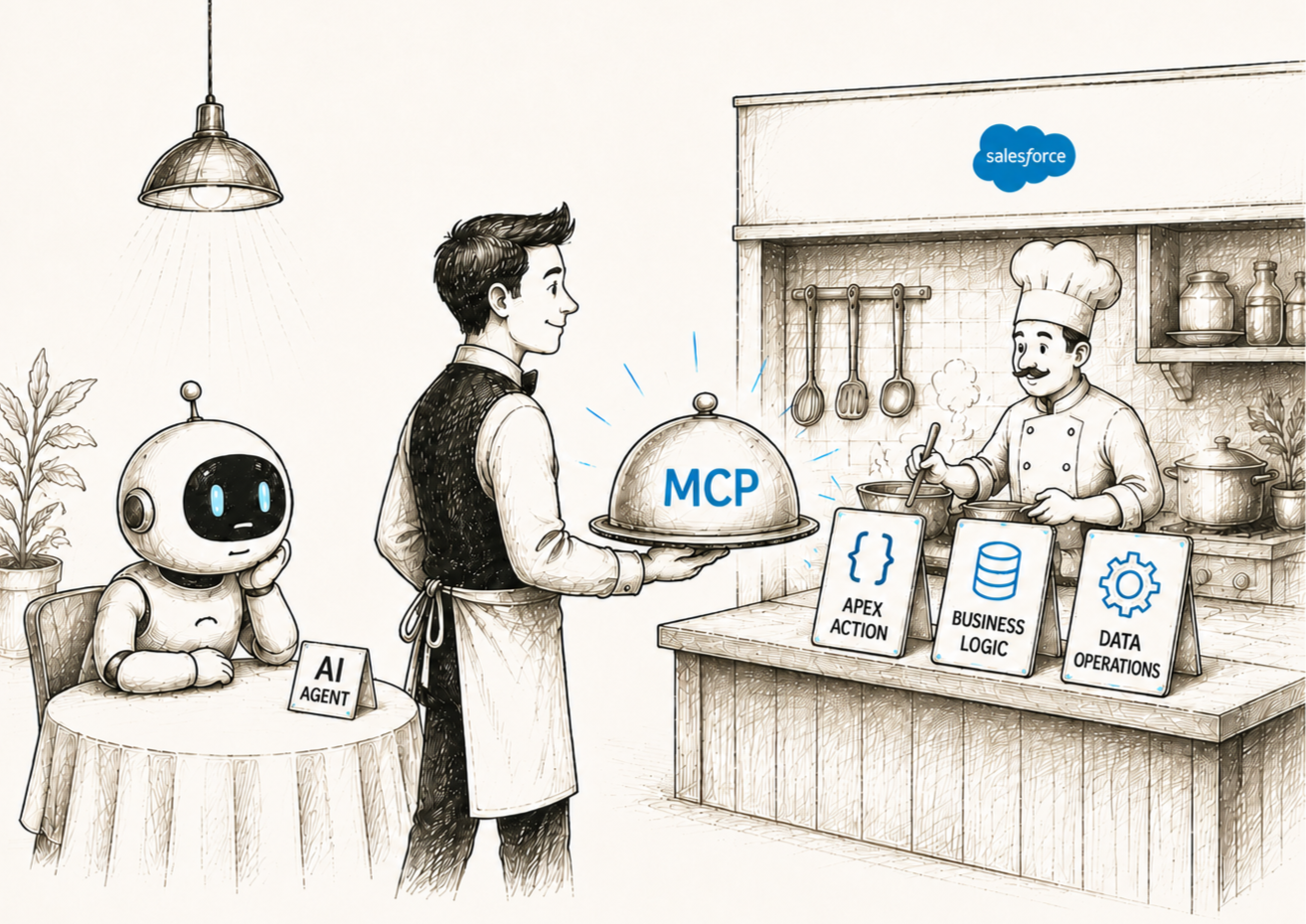
Salesforce built its own hosted MCP Server right into the platform. That means your Salesforce org can now act as a first-class MCP endpoint. Any AI agent that supports MCP can connect to your Salesforce org, discover what's available, and call actions on it.
“Think of your Salesforce org as a toolbox. The MCP Server is the label on the outside that tells AI agents exactly what's in the box and how to use it.”
This is a foundational piece of the Salesforce Agentforce ecosystem. Agentforce is Salesforce's vision for autonomous AI agents that can operate across your business. The MCP Server is what makes those agents interoperable with the broader Salesforce AI integration landscape, not just locked inside Salesforce's own walls.
Why Expose Apex Actions Specifically?
You might wonder: why Apex actions, and not just SOQL queries or REST API calls?
Apex actions are already the "orchestration layer" of Salesforce. They encapsulate business logic. They handle validation, DML operations, callouts, complex calculations, and more. When you expose an Apex action through MCP, you're giving an AI agent access to a pre-built, tested, governed piece of functionality. The agent doesn't need to figure out how to do the thing; it just calls the action.
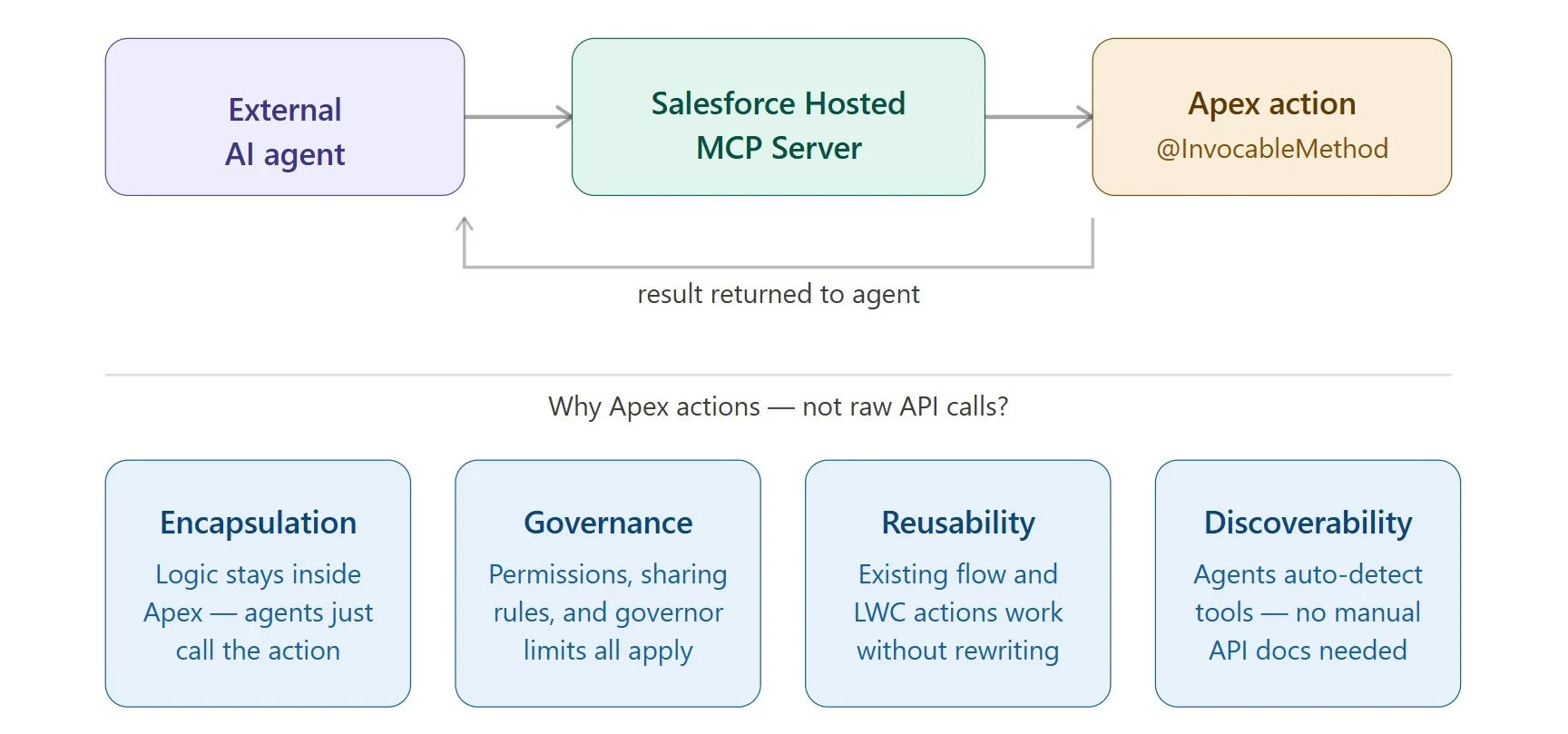
This is safer and smarter than raw data access for several reasons:
Encapsulation: Agents call the logic, not the raw data. You control what happens inside.
Governance: Apex actions respect Salesforce's permission model, sharing rules, and governor limits.
Reusability: Actions you've already built for flows or LWC can be repurposed for AI agent connectivity without rewriting anything.
Discoverability: MCP makes these actions self-describing. Agents can discover them dynamically without reading API documentation.
If you're working with Agentforce implementation experts, you might know the fastest path to reliable AI agent connectivity inside Salesforce runs through well-designed Apex actions exposed over MCP.
Step-by-Step: Configuring a Salesforce MCP Server That Connects AI Agents to Apex Actions
1. Enable the MCP Server Feature in Setup
Head to Setup → MCP Servers. Salesforce will provision an MCP endpoint specific to your org. The URL typically follows this pattern:
https://<your-org-domain>.salesforce.com/services/mcp/v1
Copy this URL. You'll need it when registering your Salesforce org as an MCP source in your external AI agent's configuration.
2. Set Up an External Client App for Agent Authentication
External AI agents need a secure way to authenticate to your Salesforce MCP Server. You must use an External Client App configured with OAuth 2.0.
Go to Setup → External Client Apps (or App Manager → New External Client App). Fill in the basic details, then configure the OAuth settings:
Enable OAuth Settings: Turn this setting on to expose OAuth capabilities.
Callback URL: Include client-specific callback URLs (Claude, Cursor, Postman, and ChatGPT).
OAuth Scopes: Add the required scopes: api, lightning, and mcp.
Client Credentials Flow: Enable this if your agent runs as a server-to-server process (allowing headless authentication with no user login prompt).
Please note: External Client Apps may take up to 30 minutes to become active after creation.
Save the app, then navigate to its OAuth policies to locate and note the Consumer Key and Consumer Secret. These are what your external AI agent will use to request an OAuth token before calling the MCP endpoint.
3. Prepare Your Apex Actions for MCP Exposure
This is where your actual business logic lives. For an Apex method to be exposed through the Salesforce MCP Server, it must be annotated with @InvocableMethod. Here’s the simple example:
global class AccountSummaryAction {

    @InvocableMethod(
        label='Get Account Summary'
        description='Returns key details for a given Account'
        callout=true
    )
    global static List<Result> getSummary(List<Request> requests) {

        // Your logic here
        List<Result> results = new List<Result>();

        for (Request req : requests) {
            Account acc = [
                SELECT Name, Industry, AnnualRevenue
                FROM Account
                WHERE Id = :req.accountId
            ];

            Result r = new Result();
            r.summary = acc.Name + ' | ' + acc.Industry;
            results.add(r);
        }

        return results;
    }

    global class Request {
        @InvocableVariable(required=true)
        global Id accountId;
    }

    global class Result {
        @InvocableVariable
        global String summary;
    }
}
Pay close attention to the label and description parameters in @InvocableMethod. These become the tool name and description that AI agents read when discovering what your MCP Server can do. Write them clearly; an agent's ability to pick the right tool depends on understanding these labels.
4. Register Apex Actions as MCP Tools
Having the Apex class ready isn't enough; you need to explicitly register it as an MCP tool inside Salesforce. Navigate to Setup → Einstein → Agentforce → MCP Tool Registry.
Click New MCP Tool and fill in:
Tool Name: A unique API name (e.g., Get_Account_Summary)
Tool Type: Select Apex Action
Apex Class: Point to your AccountSummaryAction class
Invocable Method: Select the specific method
Visibility: Choose which profiles or permission sets can invoke this tool
Save it. Salesforce now knows that this Apex action is an MCP-accessible tool. It automatically generates a JSON Schema description of the tool's inputs and outputs, which is exactly what AI agents need to understand how to call it.
5. Configure Permissions and Security
Security isn't optional here. Every AI agent call hits your Salesforce org with real data consequences, so let's be deliberate.
Permission Sets: Create a dedicated permission set for MCP agent access. Grant it the Apex class access and the object/field permissions the action needs and nothing more. The principle of least privilege matters a lot when AI agents are involved.
IP Restrictions: If your external AI agent runs from a known IP range (e.g., a cloud function with a static egress IP), add those IPs to your Connected App's trusted IP list. This significantly reduces exposure.
Rate Limiting: In the Connected App settings, configure API Rate Limiting to prevent runaway agent loops from hammering your org's governor limits.
Pro tip: Treat your MCP integration user like a service account, its own dedicated user profile, named clearly (e.g., MCP_Agent_Service), with only the permissions it needs. This makes auditing and troubleshooting much easier down the road.
6. Test the MCP Endpoint
Before connecting your external AI agent, verify the endpoint works. You can do this with a simple tool like Postman or curl.
First, get an OAuth token using the Client Credentials flow:
Step 1: Get an OAuth token
curl -X POST https://<your-domain>.salesforce.com/services/oauth2/token \
  -d "grant_type=client_credentials" \
  -d "client_id=<consumer-key>" \
  -d "client_secret=<consumer-secret>"
Step 2: Call the MCP tools/list endpoint
curl https://<your-domain>.salesforce.com/services/mcp/v1/tools \
  -H "Authorization: Bearer <access_token>"
The tools/list call should return a JSON array of all registered MCP tools, including your Apex action. If it shows up there, you're almost done.
7. Connect Your External AI Agent
Now comes the important part: plugging your external AI agent into the Salesforce MCP Server. Every MCP-compatible agent platform has a slightly different UI for adding MCP servers, but the pattern is always the same. You'll need to provide:
Server URL: Your org's MCP endpoint
Auth Type: OAuth 2.0 Client Credentials
Client ID & Secret: From your Connected App
Token URL: https://<your-domain>.salesforce.com/services/oauth2/token
Once connected, the agent will automatically call the tools/list endpoint to discover all available tools. Your registered Apex actions will appear as callable tools. The agent can now invoke them as part of its reasoning and planning process.
Common Configuration Mistakes to Avoid
A few things trip people up when setting this up for the first time:
Vague @InvocableMethod descriptions
If your method's description says something like "Runs the action," an AI agent won't know when to call it. Be specific: describe what the action does, when it's appropriate to use, and what data it needs. Good descriptions directly improve agent accuracy.
Overly broad permissions
Giving your MCP service user admin-level access is tempting when things aren't working, but it's a security risk. Narrow permissions down to exactly what the Apex action needs and nothing more.
Not handling bulk invocations
Apex's @InvocableMethod always takes a List input. Some developers write single-item logic and forget to handle the list properly, which causes silent failures when an agent sends batch requests.
Ignoring debug logs
During testing, enable Debug Logs for your MCP service user. When an agent call fails, the Apex debug log will tell you exactly where it broke. This saves hours of guessing.
When Should You Bring in Expert Help?
Configuring a Salesforce MCP Server is approachable if you already know your way around Salesforce Setup and have Apex experience. But there are scenarios where it makes sense to bring in Agentforce consulting services rather than going solo:
You're dealing with a complex multi-org architecture and need MCP tools to span multiple Salesforce environments.
Your Apex actions touch sensitive data, and you need a proper security review before exposing them to external agents.
You're integrating MCP with a custom-built AI agent that has non-standard auth requirements.
You need to build a library of MCP tools quickly as part of a larger Agentforce rollout.
Your team is new to MCP and needs a patterns and standards guide so every tool follows the same conventions.
Working with Agentforce implementation experts in these scenarios isn't just about getting the config right, but it's about building a foundation that scales as you add more agents and more tools over time.
Wrapping Up
The Salesforce MCP configuration process takes some time if you're methodical about it. The payoff is that any AI agent in the world that supports MCP can now call your Salesforce business logic, securely, reliably, and without you building custom integrations for each one.
Model Context Protocol is quickly becoming the standard for how AI agents talk to the outside world. By setting up a Salesforce Hosted MCP Server and exposing your Apex actions through it, you're not just solving today's integration problem, but you're positioning your org for the AI-agent ecosystem that's already arriving.
Related Reading