Agentforce Builder: Core Capabilities Explained
Key Takeaways:
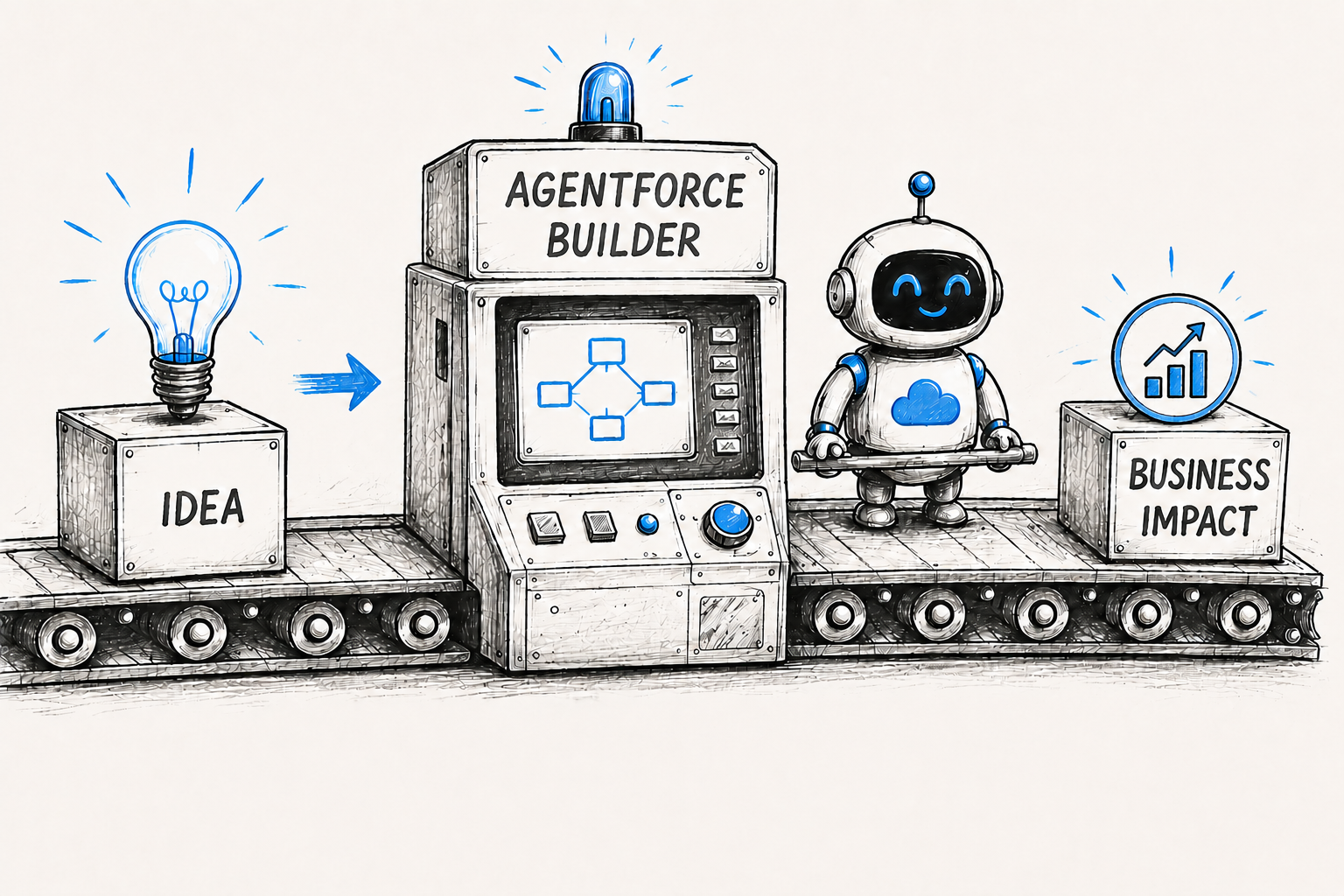
Agentforce Builder gives teams greater control over how Salesforce AI agents are built and managed.
Features like Agent Script, Agentforce Studio, and Agent Previews simplify AI agent development.
The new Builder makes it easier to create scalable, enterprise-ready AI agents with confidence.
On February 23, 2026, Salesforce made the new Agentforce Builder generally available with its Spring '26 release, introducing a redesigned environment for building enterprise-ready AI agents. The update wasn't just a new interface; it reflected a broader shift in how organizations develop, test, and manage autonomous AI.
The timing tracks with Salesforce's 2026 Connectivity Report, which surveyed 1,050 enterprise IT leaders. The report found that organizations already run an average of 12 AI agents, a number expected to grow by 67% over the next two years. Also, 86% of IT leaders believe poor governance will create more complexity than business value.
That's where Agentforce Builder comes in. If you've configured agents in the original Agent Builder, this guide helps you to explore why Salesforce rebuilt the Agent Builder, what's genuinely new, its core capabilities, how it compares with Einstein Copilot Studio, and how you can get started.
Salesforce's Agentforce Builder: Then and Now
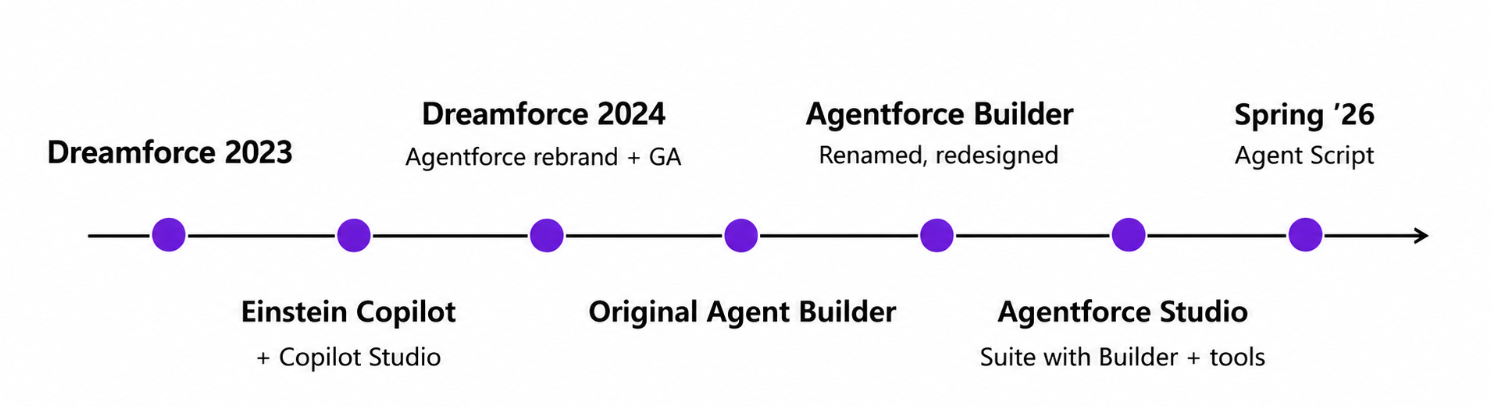
Agentforce has gone through three real shifts in under two years: a rebrand, a rebuild, and now a redesign. Here's how it got from a prompt-driven copilot tool to the graph-based builder admins use today.
1. Agentforce debuts at Dreamforce
Salesforce introduced Agentforce at Dreamforce 2024, shifting its AI strategy from conversational copilots to autonomous, action-taking agents. Existing Einstein Copilot agents were rebranded into Agentforce, with GA for Sales and Service landing that October.
The pitch: skip the "hit or miss" copilot experience and give agents the ability to reason, plan, and execute multi-step work using CRM and Data Cloud data grounded by Salesforce's Atlas Reasoning Engine.
2. The first generation of Agent Builder
The original Agent Builder was Salesforce's low-code tool for configuring agents. Admins defined a job to be done, wrote natural-language instructions inside topics (now called subagents), and pulled from a library of actions built from Flows, Apex, prompt templates, and MuleSoft connectors.
What it offered:
Natural-language topic and instruction authoring.
Standard and custom actions.
Basic visibility into an agent's plan of action.
Testing built into the builder itself.
It handled straightforward service and sales use cases fine. The cracks showed once agents took on more complex, multi-step work.
3. The shift to the new Agentforce Builder
Salesforce moved next-gen agent tooling into Agentforce Studio, a dedicated app in the App Launcher, no longer buried in Setup. That alone opened up who could build agents beyond admins with Setup access.
Alongside Studio came Agentforce Builder itself, plus three companion pieces:
Agent Script: for tighter, more predictable control over agent behavior
Agentforce Voice: for phone and voice channels
Intelligent Context: for grounding agents in unstructured data
Both the old and new builders currently coexist. Salesforce hasn't announced a sunset date for the original tool.
Why Salesforce Rebuilt Agentforce Builder Instead of Just Updating It
Salesforce didn't just update Agentforce Builder; it rebuilt it from the ground up. Instead of releasing another patch or small improvement, Salesforce introduced a completely new experience. Here's why Salesforce rebuilt Agentforce Builder.
1. Give Admins Greater Control Over Agent Behavior
The original Agent Builder leaned on prompts. The Atlas Reasoning Engine decided at runtime how an agent should respond.
Admins had little visibility; the new Agentforce Builder introduces Agent Script, giving teams direct control over topics, subagents, actions, and execution paths.
2. Move Beyond Prompt-Based Development
Agents took on bigger jobs; prompt engineering alone stopped being enough. Salesforce rebuilt the Builder around hybrid reasoning: natural-language instructions and deterministic logic, in the same Atlas Reasoning Engine.
Admins define exactly how an agent behaves; the LLM still handles the conversation.
3. Improve Transparency and Debugging
This is one of the biggest changes. Agent Previews simulate conversations against mock data. Trace view shows execution time and outcome for each reasoning step.
Add in-builder testing, and teams can validate behavior before it ever reaches production.
4. Support More Complex Enterprise Workflows
Modern agents run multi-step tasks, weigh conditions, and coordinate several actions at once. Prompt-only interpretation wasn't built for that kind of complexity.
Salesforce's answer is a graph-based authoring experience paired with Agent Script. Conditionals, variables, and sequential actions get defined directly, instead of being left to a prompt's interpretation.
5. Make Agent Development Accessible to More Users
The original Builder lived mostly inside Setup. The new one sits in Agentforce Studio. Canvas view handles low-code, visual editing.
Script view is for developers writing Agent Script directly. Both stay in sync, so everyone works from the same agent.
6. To Build Enterprise-Ready AI Agents with Confidence
Salesforce has been consistent on this: the goal is agents that are predictable, transparent, and governable, not just impressive in a demo.
Hybrid reasoning, Agent Script, Agent Previews, an embedded Agentforce assistant, and version-controlled agent files all serve one purpose: getting agents from experimentation into production with confidence.
What's Actually New in Agentforce Builder?
The new Agentforce Builder isn't just a visual refresh. It changes how teams design, test, debug, and deploy AI agents. Let's break down the key improvements and why they matter.
1. Agent Script: Build Complex Agent Logic Without Complex Code
Agent Script is a human-readable scripting language for defining topic transitions, action sequencing, variables, and conditional logic. It gives builders fine-grained control over agent behavior without requiring traditional programming expertise.
Why it matters
Keeps agent logic centralized instead of spreading it across multiple flows and configurations.
Makes debugging faster because the decision-making process is easier to read and review.
Simplifies collaboration by allowing admins, consultants, and developers to work from the same readable logic.
2. Canvas View: Understand Agent Flows at a Glance
The new Canvas automatically converts Agent Script into expandable visual blocks. Builders can use / to insert expressions and @ to reference topics, actions, variables, and other resources.
Why it matters
Provides an end-to-end view of the conversation without requiring multiple screen navigations.
Helps identify broken branches or missing steps before deployment.
Makes design reviews easier for both technical and non-technical stakeholders.
3. Agent Previews: Test Before Going Live
Agent Previews let you simulate conversations with mock data while exposing the agent's reasoning. Everything happens in a safe testing environment without affecting production.
Why it matters
Validates agent behavior before real users interact with it.
Reveals why an agent chose a response, making troubleshooting much easier.
Reduces deployment risk by catching issues earlier in the development cycle.
4. Unified Conversational Workspace
Drafting, testing, editing, and deployment now happen inside one workspace. Document editing, Canvas, and Agent Script remain synchronized throughout the development process.
Why it matters
Reduces context switching between multiple tools.
Speeds up iteration by allowing changes and testing in one place.
Creates a smoother development workflow from design to deployment.
5. Portable, JSON-Compiled Agents
Every completed agent compiles into a portable JSON file that can be version-controlled, shared across environments, and restored when needed.
Why it matters
Supports version control for easier change tracking.
Simplifies migration between sandbox and production environments.
Enables safer rollbacks if updates introduce unexpected behavior.
Improves governance for enterprise AI development.
Notably, Agentforce Builder itself carries no additional license cost. It's included with an Agentforce purchase, though usage of agents in production still consumes Agentforce credits based on your licensing model.
Einstein Copilot Studio vs. the New Agentforce Builder
Einstein Copilot Studio was the original 2023 tool for customizing Einstein Copilot, built around Prompt Builder, Skills Builder, and Model Builder. It's worth comparing directly against today's Agentforce Builder to see how far the tooling has come.
| Dimension | Einstein Copilot Studio (2023) | New Agentforce Builder |
|---|---|---|
| Purpose | Customize a single conversational copilot with skills and prompts. | Build and orchestrate full autonomous, multi-step agents. |
| Development Experience | Separate Prompt Builder, Skills Builder, and Model Builder tools. | Unified conversational workspace with canvas, doc-like, and script views. |
| Agent Configuration | Skills tied to individual prompts and actions. | Agent Script defines subagents, instructions, and transitions holistically. |
| Workflow Design | Largely prompt-driven, with limited sequencing control. | Graph-based, deterministic hybrid reasoning. |
| Testing | Manual validation of skills and prompts. | Built-in Agent Previews, batch testing, and reusable test cases. |
| Debugging | Limited visibility into copilot decision-making. | Reasoning summaries via Agent Previews. |
| Governance | Einstein Trust Layer data protection. | Einstein Trust Layer plus deterministic execution controls. |
| Best Use Cases | Single-purpose conversational assistants. | Complex, multi-topic autonomous agents across service, sales, and more. |
| Migration Considerations | Largely superseded; concepts carried into Agentforce. | No forced migration yet; legacy Agent Builder is still supported alongside it. |
You may still see the name Einstein Copilot Studio, but it's an older term. Today, most Salesforce organizations build AI agents with Agent Builder or Agentforce Builder.
Teams running simple, well-understood agents can stay on the original builder for now. Teams building complex, multi-step, governance-sensitive agents should evaluate the new Agentforce Builder directly.
Original Agent Builder vs. New Agentforce Builder
Rather than focusing on individual features, it's more useful to compare how each Builder approaches the overall development process. The table below shows the key differences between the original Agent Builder and the new Agentforce Builder.
| Capability | Original Agent Builder | New Agentforce Builder |
|---|---|---|
| Primary approach | Prompt- and topic-driven configuration. | Supports hybrid AI decision-making. |
| Workflow control | Limited customization and flexibility. | Works with agent scripts and graph-based workflow design. |
| Testing | Basic testing and validation tools. | Includes built-in agent previews and comprehensive test cases. |
| Debugging | Limited monitoring and performance insights. | Detailed trace logs and AI reasoning visibility for debugging. |
| Development | Primarily setup-based configuration. | Managed through the unified Agentforce Studio interface. |
| Best for | Designed for simple or existing AI agents. | Designed for complex, multi-step, and enterprise-grade AI agents. |
The shift isn't just about adding features. It's about moving from a configuration-driven builder to a more structured, testable, and scalable AI development environment.
Setting Up the New Agentforce Builder
Getting started involves a few prerequisites that are easy to overlook if you're used to the original setup flow.
Prerequisites:
Agentforce enabled in your org (requires Einstein Generative AI and, for most features, Data Cloud/Data 360 provisioning)
Appropriate Agentforce licensing or Flex Credit allocation for production usage
A sandbox environment for testing before production rollout is strongly recommended
Required permissions: Admins configuring agents typically need permissions such as Manage AI Agents, Manage Agentforce Employee Agents, or broader Customize Application access, depending on the agent type. End users interacting with an agent need separate, narrower permission sets scoped to that specific agent.
Licensing: Agentforce Builder itself has no separate license fee; it's included with an Agentforce purchase. Production agent usage is billed through consumption-based models (per-conversation or Flex Credits) or per-user add-ons, depending on your agreement.
Navigation and basic setup:
From Setup, confirm Agentforce is enabled under Einstein settings.
Open Agentforce Studio from the App Launcher.
Click New Agent to launch Agentforce Builder.
Choose a preconfigured template (Service Agent, Employee Agent, Campaign Agent, and others are available) or describe the agent's purpose in plain language.
Refine the generated subagents, instructions, and actions in Canvas view.
Run Agent Previews against mock data before activating.
Activate and monitor performance through Agentforce's observability tools.
Official limitations to note: There's currently no announced sunset date for the original Agent Builder, and Salesforce has indicated a tool to port classic agents to the new engine is still in planning, so expect some manual rebuilding work if you migrate existing agents today.
Conclusion
Agentforce Builder isn't a cosmetic update; it's Salesforce's answer to teams who wanted real control over their Salesforce AI agents, not just better prompts. Agent Script, Agentforce Studio, and hybrid reasoning give admins and developers an actual path from experimentation to production.
New to this? Salesforce's Agentforce Templates and its guide to build your first agent with Agentforce are the quickest way in. Already on the original Agent Builder? No rush; both tools run side by side for now. And if you'd rather not navigate the redesign alone, a
Salesforce consultant familiar with Agentforce Builder can help you decide what to migrate first.
Frequently Asked Questions
-
Agent Script is a human-readable scripting language introduced with the new Agentforce Builder. It lets admins define conditionals, loops, variables, and transitions to control agent behavior with more precision than natural-language prompts alone.
-
No. Agentforce Builder itself has no additional cost and is included with the purchase of Agentforce. Production agent usage is billed separately based on your Agentforce licensing model.
-
It's located inside Agentforce Studio, which you can open from the App Launcher, rather than being restricted to Setup.
-
Not yet. Salesforce has indicated a migration tool for porting classic agents to the new engine is still in the planning stage.
-
Hybrid reasoning is how the Atlas Reasoning Engine now blends deterministic business logic with LLM-driven conversation. Rules execute the same way every time, while the model handles the natural, flexible parts of the conversation.
Related Readings


Let’s Talk

Drop us a note, we’re happy to take the conversation forward 👇🏻