AMPscript vs SSJS: Key Differences in Salesforce Marketing Cloud
Key Takeaways:
AMPscript is best for personalization and dynamic content.
SSJS is better for APIs, JSON, and complex server-side logic.
Use both strategically based on your Marketing Cloud task.
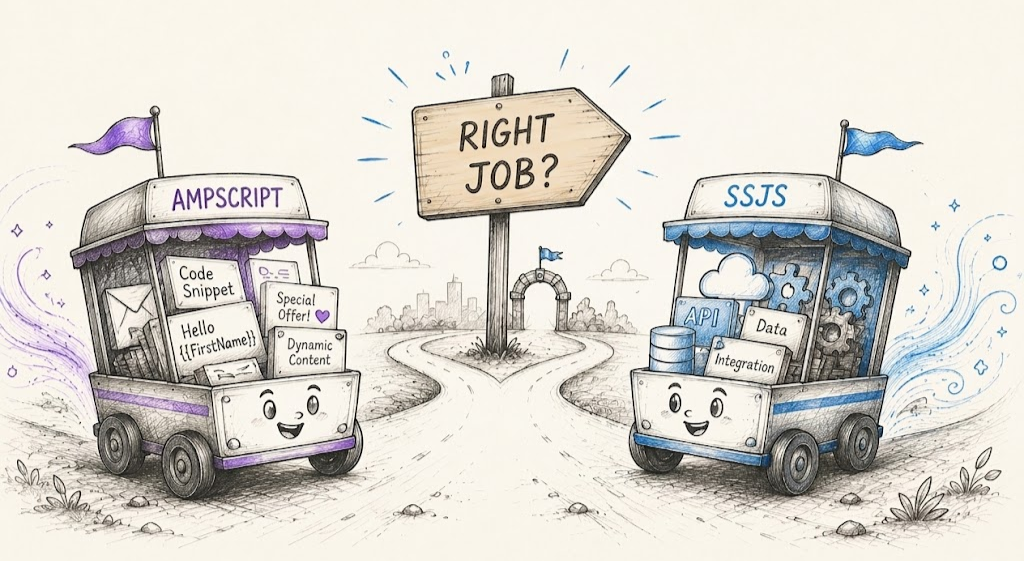
If AMPscript can retrieve data from different sources, modify Data Extensions, and personalize content, why does Salesforce Marketing Cloud also include SSJS?
It’s a question many Marketing Cloud users have when creating emails, CloudPages, or workflows. The answer lies in the functions for which both languages are intended. Even though both of them can deal with Marketing Cloud’s data, AMPscript is aimed at personalization while SSJS is aimed at complex processing, integration, and server-side logic application.
The best Marketing Cloud solutions don’t come from choosing one language over the other; they come from using the right language at the right moment. In this article we compare AMPscript vs SSJS to help you make your decision with confidence.
AMPscript vs SSJS: Key Differences Explained
AMPscript and SSJS both play a dynamic role, but they are distinct in terms of their syntax, execution, flexibility, and purpose within the Salesforce Marketing Cloud. By being aware of the differences between the two languages, you are able to choose the right one for your project’s needs.
| Comparison Category | AMPscript | SSJS |
|---|---|---|
| Primary Purpose | Personalizing content and dynamically managing messages. | Scripting and processing on the server side. |
| Language Type | Language adopted in Marketing Cloud. | Server-Side JavaScript (ECMAScript-based). |
| Best Use Case | Emails, SMS, Landing Pages, and CloudPages. | CloudPages, Script Activities, and Automation Studio. |
| Syntax | Simple and Marketing-focused. | Standard JavaScript syntax. |
| Runtime Libraries | Built-in AMPscript functions. | Core Library, Platform Library, WSProxy, and HTTP classes. |
| Data Handling | Subscriber-centric. | Object-oriented. |
| Performance Consideration | Fast; optimized for large-scale sends. | Higher execution overhead; may slow email send processing. |
| API Support | Minimal native support. | REST, SOAP, WSProxy, and HTTPRequest. |
| Debugging | Limited. | Better exception handling. |
| Error Handling | Basic script crashes on unhandled errors. | Advanced; supports try/catch statements. |
| Best Application | Dynamic user experience. | Integrations and backend automation. |
Although the comparison table points out the key variations, it is important to understand how they affect the implementation by taking a closer look. These examples below will illustrate how AMPscript and SSJS deal with Marketing Cloud scripting issues.
1. Execution Model
Both scripts return the same outcome, but AMPscript uses fewer lines of code, while SSJS requires some extra configuration but provides more options when it comes to personalization logic that can become complicated or require interaction with other server-side processes.
The following example compares how AMPscript and SSJS solve the same Marketing Cloud personalization task.
AMPscript
%%[
SET @firstName = AttributeValue("FirstName")
]%%

Hello %%=v(@firstName)=%%!
SSJS
1 <script runat="server">
2 Platform.Load("Core","1");

3 var firstName = Variable.GetValue("@FirstName");
4 Write("Hello " + firstName + "!");

5 </script>
2. Syntax and Programming Capabilities
Data Extension operations are performed in both languages but their interaction with data is what differentiates them. AMPscript puts out custom functions for quick turnaround in processing and updates; on the other hand SSJS puts forth need based solutions which may be more useful in larger-scale apps.
AMPscript
1 %%[
2 SET @email =
3 Lookup(
4     "Customers",
5     "Email",
6     "CustomerID",
7     @CustomerID
8 )
9 ]%%
SSJS
1 <script runat="server">
2 var de = DataExtension.Init("Customers");

3 var rows =
4     de.Rows.Lookup(
5         ["CustomerID"],
6         [customerId]
7     );
8 </script>
3. Integration Capabilities
What we see as the most prominent difference between AMPscript and SSJS is in the area of integration. SSJS has no equal in terms of built-in support it has for REST APIs, SOAP APIs, HTTP requests, and JSON processing. That is why it is the go-to language when Marketing Cloud has to interface with any other system.
1 var request = new Script.Util.HttpRequest(apiUrl);

2 request.method = "GET";

3 var response = request.send();
Typical case scenarios include:
Integrating with CRM and ERP systems
Making calls to external REST APIs
Handling JSON responses
Updating customer information
Creating backend processes
Developer Insights
While in AMPscript you can work with Marketing Cloud data, what SSJS has at its disposal is a full-scale set of commercial-grade tools. It is in the level of control that each language provides that we see the main difference.
4. Programming Capabilities
AMPscript is great for very easy and simple personalization; at the same time, SSJS has in its framework arrays, objects, reusable functions, loops, and exception handling.
AMPscript
1 %%[
2 IF @Tier == "Gold" THEN
3 ]%%
4 Premium Customer
5 %%[
6 ENDIF
7 ]%%
SSJS
1 if (tier === "Gold") {
2     Write("Premium Customer");
3 }
5. Error Handling and Maintainability
With the growth of Marketing Cloud, we see maintainability as a key issue. While AMPscript has limited what it can do in terms of debugged code, SSJS does better with its structured exception handling in the form of try and catch, which in turn makes errors at runtime easier to sort out.
SSJS Example
1 try {
2     // Process request
3 }
4 catch(error) {
5     Write(error.message);
6 }
AMPscript vs SSJS: Why They're Built for Different Marketing Cloud Scripting Tasks
One of the biggest misconceptions around AMPscript vs SSJS is that they are interchangeable. There is definitely some crossover, but each language was made for a different role in Salesforce Marketing Cloud. The right choice is less about the feature set and more about the task you’re trying to accomplish.
Why AMPscript Exists
AMPscript in Marketing Cloud was developed to make it easier to personalize content in Salesforce Marketing Cloud. Marketers and developers can use AMPscript to show content that is unique to subscribers, use conditional logic, and build customized customer experiences with little programming.
The usual responsibilities of an AMPscript resource are:
Personalize email and SMS content
Subscriber & Data Extension Values Display
Render dynamic content blocks
Apply conditional messaging based on subscriber attributes
Enable one-to-one customer interaction
Why SSJS Exists
Server-Side JavaScript (SSJS) expands the functionalities of Salesforce Marketing Cloud by providing support for advanced scripting needs. It is widely used in making API calls, JSON processing, backend processing, and implementing complicated logic in apps.
Some of the main responsibilities of SSJS are:
Integrating with external REST and SOAP APIs
Processing JSON or XML payloads
Implementing complex business logic
Creating advanced CloudPages applications
Automating backend processes using Script Activities
Why Salesforce Continues to Support Both
Instead of replacing AMPscript with SSJS, Salesforce continues to support both because each language is optimized for a different layer of the platform. Both AMPscript and SSJS both have the capabilities to do tasks in the Marketing Cloud, but they serve different purposes, so we will need to classify them on the basis of the categories. Here is a quick comparison given below:
Customer Experience Layer
        │
        ├── Personalized emails
        ├── Dynamic content
        └── Subscriber messaging
               ↓
           AMPscript

Backend Processing Layer
        │
        ├── API integrations
        ├── JSON processing
        ├── Business logic
        └── Automation workflows
               ↓
             SSJS
When Should You Use AMPscript in Marketing Cloud?
You can select AMPscript when your requirements can be managed by the functions available from Marketing Cloud. This is the fastest and easiest way to build a dynamic, data-driven experience.
Common Use Cases for AMPscript
| Requirement | Why AMPscript Is a Good Fit |
|---|---|
| Personalize email content | Display subscriber names, preferences, loyalty tiers, or other profile data. |
| Retrieve Data Extension records | Fetch customer information using functions like Lookup() or LookupRows(). |
| Display dynamic content | Show different content blocks based on subscriber attributes or segmentation. |
| Apply conditional logic | Use IF, ELSEIF, and ELSE statements to control what users see. |
| Personalize CloudPages | Render content dynamically using subscriber attributes or URL parameters. |
| Update or insert Data Extension records | Capture form submissions or update customer data using built-in data functions. |
Example: Display Personalized Content
1 %%[
2 SET @firstName = AttributeValue("FirstName")
3 ]%%

4 Hello %%=v(@firstName)=%%,
When Should You Use SSJS in Marketing Cloud?
If you've spent any time building in SFMC, you've probably hit a point where AMPscript just isn't enough. That's usually the signal to reach for SSJS once you need real API calls, JSON handling, multi-step logic, or anything resembling a proper server-side workflow.
1. External API Integration
Anytime Marketing Cloud needs to talk to an outside system, SSJS is really the only practical option.
1 var request = new Script.Util.HttpRequest(apiUrl);
2 request.method = "GET";
3 var response = request.send();
This is the pattern you'll lean on for CRM integrations, pulling data from third-party services, or generally exchanging data with anything living outside SFMC.
2. JSON Processing
Once an API hands you back a JSON payload, you need something that can actually parse it, and that's where SSJS earns its keep.
1 var data = Platform.Function.ParseJSON(response);Handy for working through API responses, structured customer records, or any data that needs to be reshaped on the fly.
3. Complex Business Logic
This is where SSJS starts feeling like actual JavaScript, not a marketing scripting language bolted onto an email tool:
1 if (customerTier === "Gold") {
2     // Apply business logic
3 }
If your logic involves arrays, objects, loops, or functions you want to reuse elsewhere, SSJS handles it in a way AMPscript simply can't.
4. CloudPage Processing
CloudPages are one of the clearest cases for SSJS, especially when a page has to take in a form submission, check it, transform it, and write it somewhere.
Form Submission
      ↓
     SSJS
      ↓
Validate Data
      ↓
Process / Transform
      ↓
Data Extension
5. Error Handling
Anything that touches an external API can fail networks drop, endpoints time out, responses come back malformed. SSJS gives you a proper way to catch that instead of letting it break your page:
1 try {
2     // API or data operation
3 }
4 catch (error) {
5     // Handle the failure
6 }
This makes SSJS a stronger fit for workflows where failure handling matters.
Conclusion
AMPscript versus SSJS isn't really a competition between two scripting languages; it's about knowing which one belongs at which layer of your build. As a general rule, AMPscript is the right call for straightforward content and data logic, while SSJS takes over once you're dealing with APIs, JSON, heavier processing, or anything that qualifies as a server-side workflow.
In a more complex Salesforce Marketing Cloud setup, though, the right tool often comes down to how the broader architecture is designed. This is usually where a Salesforce consultant adds value, helping map out that approach; while a Salesforce implementation service can put the right tools in place without turning the build into a bigger project than it needs to be.
Frequently Asked Questions
-
Not really; AMPscript wasn't built for that kind of outside-world communication, and its capabilities in this area are pretty limited. If your solution needs to talk to REST APIs, SOAP services, or any external platform, SSJS is the tool built to handle it.
-
SSJS can actually make HTTP requests, work with both REST and SOAP APIs, parse JSON, and support reusable functions none of which AMPscript does well. That combination is what makes it the go-to for connecting Marketing Cloud to outside systems and managing more involved data exchanges.
-
In practice, they're often used side by side rather than as alternatives, since each one covers a different part of the job. A typical pattern: SSJS handles the server-side work calling a REST API, validating a form submission, parsing a JSON response and then hands that processed data off to AMPscript, which takes care of rendering the personalized content in the email or CloudPage.
-
Yes. AMPscript includes functions for IF statements, FOR loops, and dynamic content generation. However, SSJS provides greater flexibility for building more advanced programming logic.
-
Not always. SQL Query Activities are optimized for processing large volumes of data in Automation Studio. SSJS is better suited for record-level operations, automation logic, and external integrations rather than bulk data transformations.
-
Use AMPscript when you need to handle dynamic content, subscriber data, Data Extension lookups, or simple conditional logic within Salesforce Marketing Cloud. It is usually the simpler choice for content-focused requirements.
-
Use SSJS when the requirement involves more advanced processing, such as parsing JSON or XML, working with arrays and objects, building interactive CloudPages, or integrating with external REST/SOAP APIs. It is particularly useful when the solution requires stronger error handling or more complex server-side logic.
Related Readings



Let’s Talk

Drop us a note, we’re happy to take the conversation forward 👇🏻