The Org Audit You Need Before Writing Your First Agent Script
Agent Script demos look great in a clean scratch org. Your production org is not a scratch org.
I've been digging into Agent Script since before its GA drop, and every official tutorial follows the same pattern: deterministic routing works, variable binding is clean, actions fire in guaranteed order. Flawless. What none of them show is what happens when that script meets an org with 15 years of automation crusted onto it. Triggers firing triggers. Process Builders that were auto-migrated to Flows but somehow still run alongside the originals, doubling your trigger volume. Validation rules that assume a human is on the other end of the form.
Here's the thing: Agent Script makes your agent's behavior predictable. It also makes your org's problems predictable. Every automation gap, every permission miss, every dirty record the agent touches will surface, and it'll surface fast.
So before you write a single line of script, run this audit.
The Five Errors That Break Agents
Sweep published an analysis of Agentforce failures that nails the five most common production errors. Worth reading in full. The short version: none of these are Agent Script problems. They're org problems. Agent Script just makes them impossible to ignore.
1. System.LimitException: Apex CPU time limit exceeded
Ten seconds of CPU time per transaction. Sounds like plenty, right? It isn't. Every trigger, Flow, and workflow rule on the objects your agent touches eats from that same 10-second budget. Now multiply by 50 concurrent agent conversations. One cascading automation chain, the kind that's been quietly running fine for years, can blow the entire budget before your agent's action even finishes.
2. Too many DML statements: 151
Admin-built Flows with DML inside loops are the usual culprit. Your agent calls a Flow action. That Flow updates a record. That update fires a trigger. That trigger calls another Flow. You hit 151 DML statements and the entire transaction rolls back.
3. INSUFFICIENT_ACCESS_ON_CROSS_REFERENCE_ENTITY
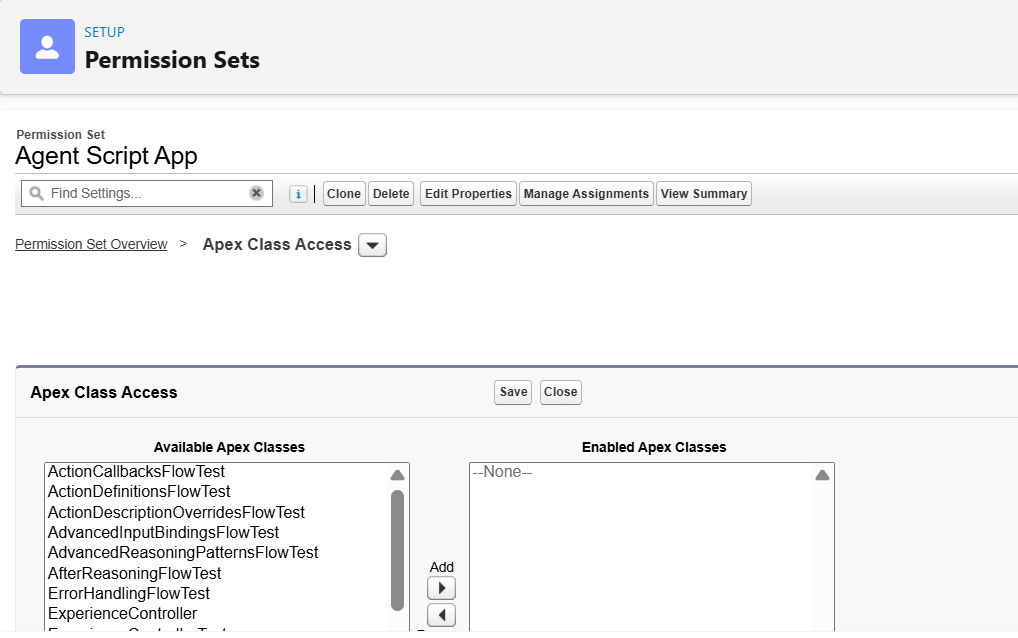
Permission errors. Service agents run under a dedicated Agent User. Employee agents run under the logged-in user's permissions. Experience Cloud agents run under the community user's permissions. Each model has different object, field, and record type access.
One of the Salesforce engineers building Agent Script described the gap bluntly: "When I was running these agents in simulate mode they kind of work and the moment I go switch to the live mode I got bunch of errors... I forgot that I had not given permission to a specific Apex class or a flow for that specific user."
4. FIELD_CUSTOM_VALIDATION_EXCEPTION
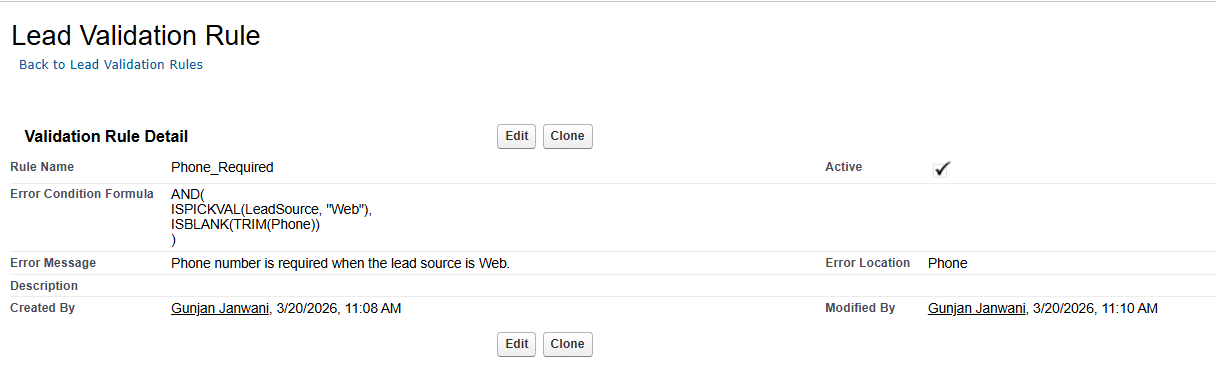
Validation rules assume a human context. "Phone is required when Lead Source = Web" makes sense when a rep is filling out a form. When an agent creates that record, there's no phone number. The validation fires. The transaction rolls back. The agent has no idea why.
5. Dirty data: confident hallucinations
This one is sneakier than the rest. Duplicate records, half-filled fields, formatting that's been inconsistent since 2019. The LLM won't tell you the data is bad. It'll pick the most plausible-looking record and give you a confident, wrong answer. RealFast.ai found that these fabricated-but-plausible answers can actually pass semantic-matching test assertions. Your tests say "pass." Your agent is still wrong.
The 10-Point Org Audit Checklist
I pulled this list from watching every official Agent Script video Salesforce has published: live build sessions, deployment walkthroughs, and the team's own AMA. These are the things that trip up teams in the first week.
1. Inventory every automation on every object the agent touches. Triggers, Flows, Process Builders (retired but may still run alongside auto-migrated Flows, doubling trigger volume), Workflow Rules, validation rules. If you don't know what's there, you can't predict what will break.
2. Test the governor limit math. How much CPU budget does a single agent action consume? Run the action in isolation, then run it while other automations are active. The delta tells you how close to the edge you are.
3. Create the Agent User with correct object and field permissions. Simulate mode masks permission gaps. Live mode does not. Test in live mode early, or discover this the hard way.
4. Grant Apex classes and Flows to the agent user explicitly. The simulate-to-live gap is the number one "it worked in testing" failure. Every Apex class and Flow the agent calls needs explicit permission grants.
5. Identify which permission model applies. Employee agents use the logged-in user's permissions. Service agents (unauthenticated) use a dedicated Agent User. Service agents on Experience Cloud use the community user's permissions. The Salesforce team's guidance: "Do not rely on instructions for security... LLMs are probabilistic. If they don't enforce then your things are... you're at risk."
6. Plan for action locality. Topics and actions belong to the specific agent, not the org. If you need the same order status action in two agents, you copy the definition. There's no shared library.
7. Plan your existing agent conversion strategy. You cannot open a classic Agentforce agent in the new builder. A conversion tool is coming at GA, but for now it's net new agents only.
8. Validate canvas output in script mode. The visual canvas has produced incorrect syntax in live demos, particularly around @utils.transition_to calls. Always check the script tab before publishing.
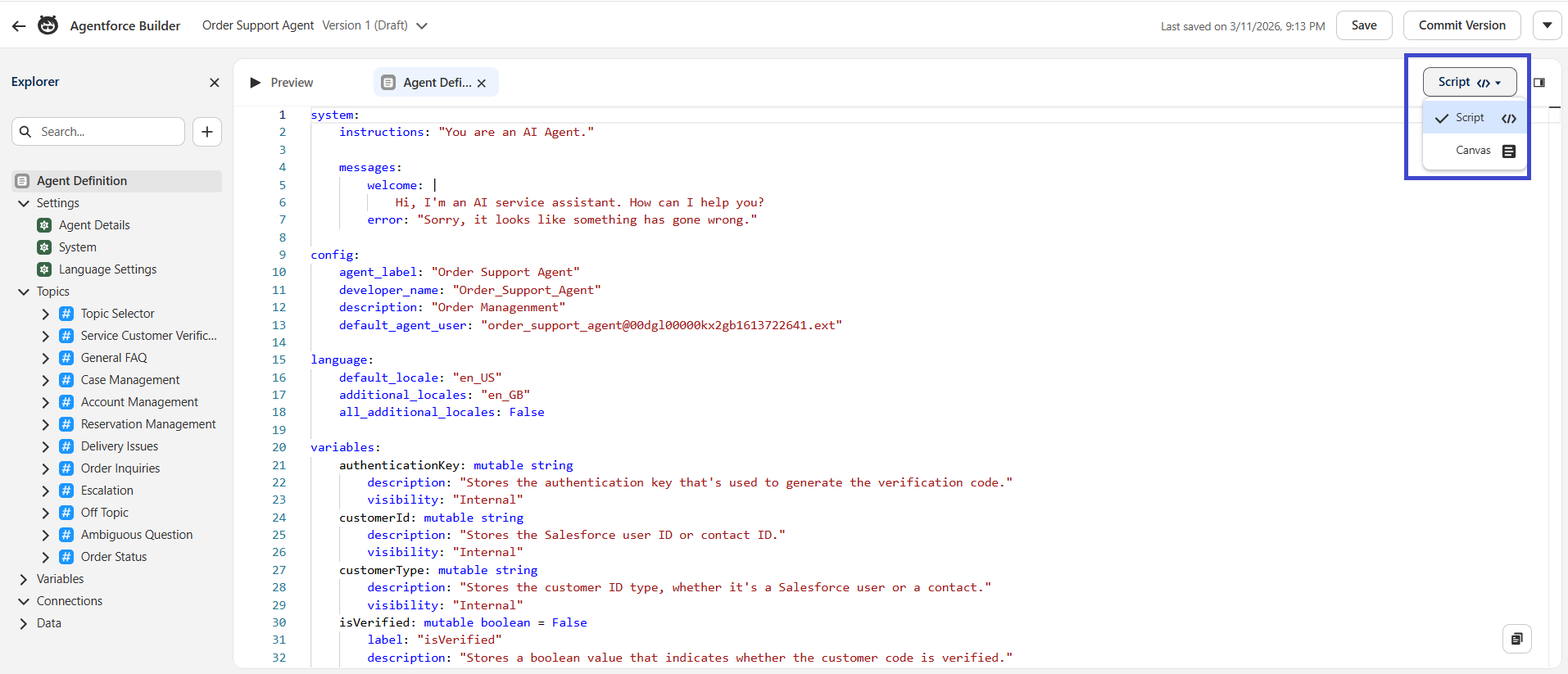
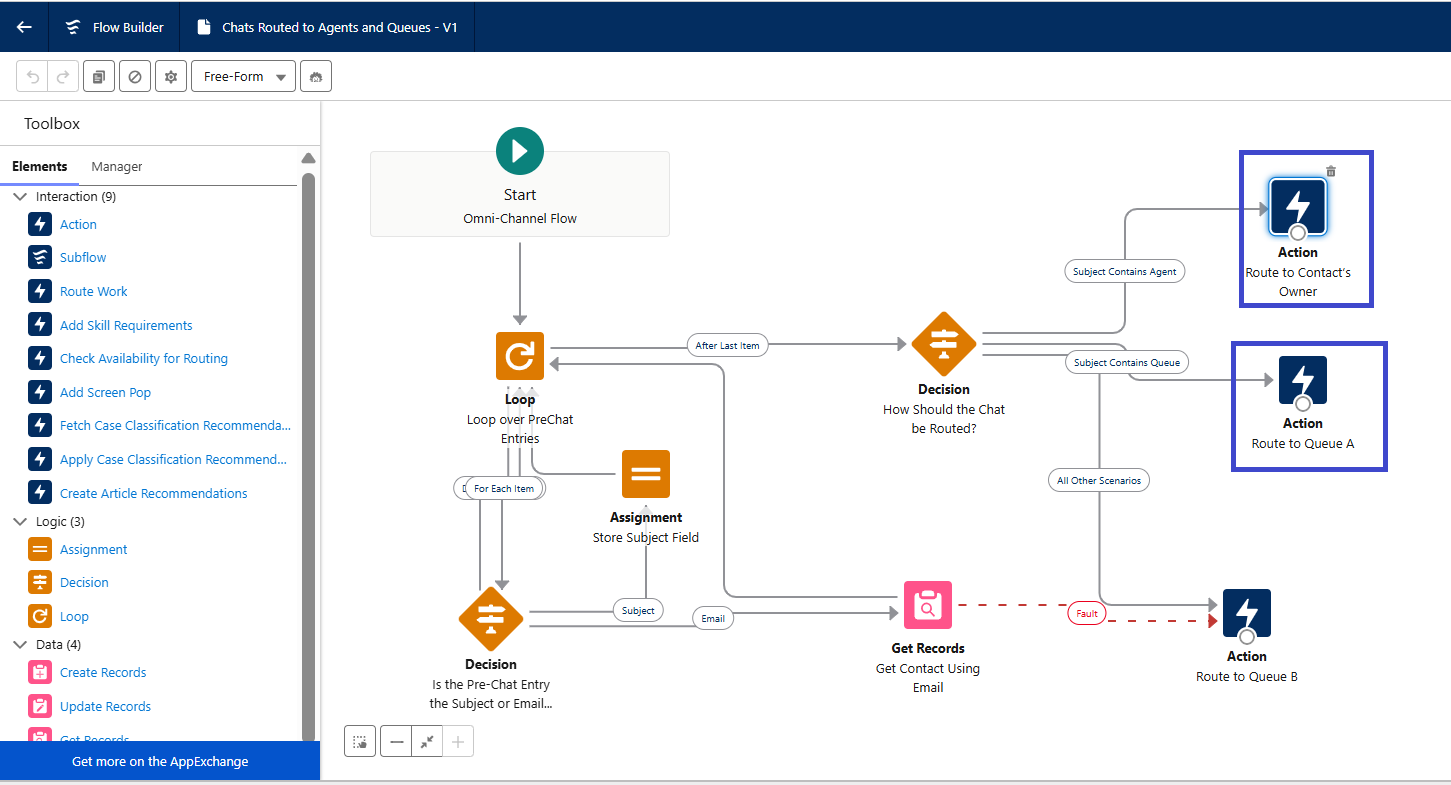
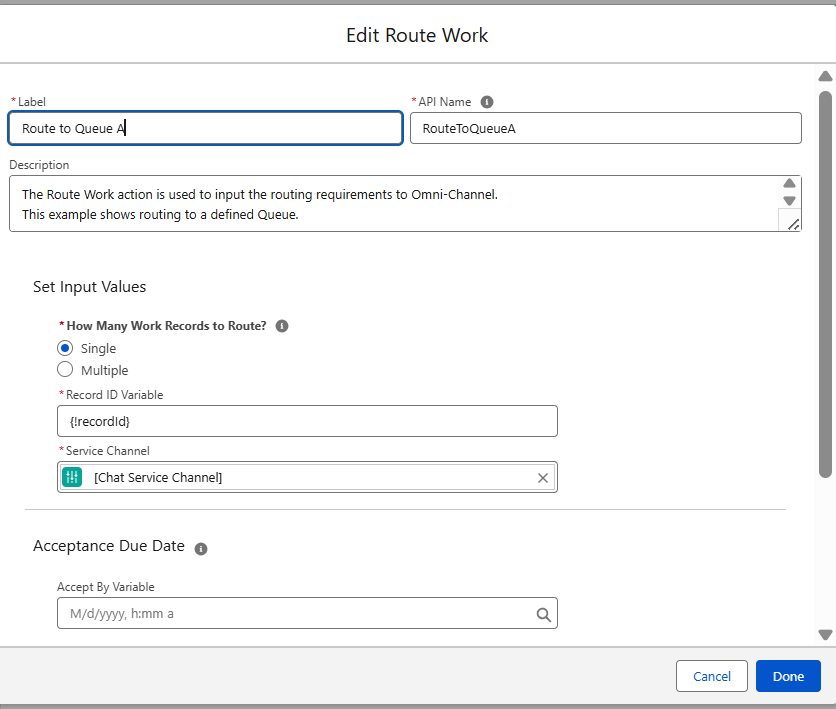
9. Use Omni-Channel Flow routing, not direct agent routing. The "Agent for Service Agent" routing option doesn't work with Agent Script agents. Use Omniflow routing. If you have an escalation topic, make sure you have an escalation flow configured, or remove the escalation topic entirely.
10. Plan your merge conflict strategy. Your entire agent lives in a single metadata file. Every topic, every action definition, every reasoning block. Great for readability. Painful for merge conflicts when multiple developers collaborate.
What Agent Script Can and Can't Do for You
No tutorial covers this part. I looked. Here's what Agent Script actually controls, and what it doesn't.
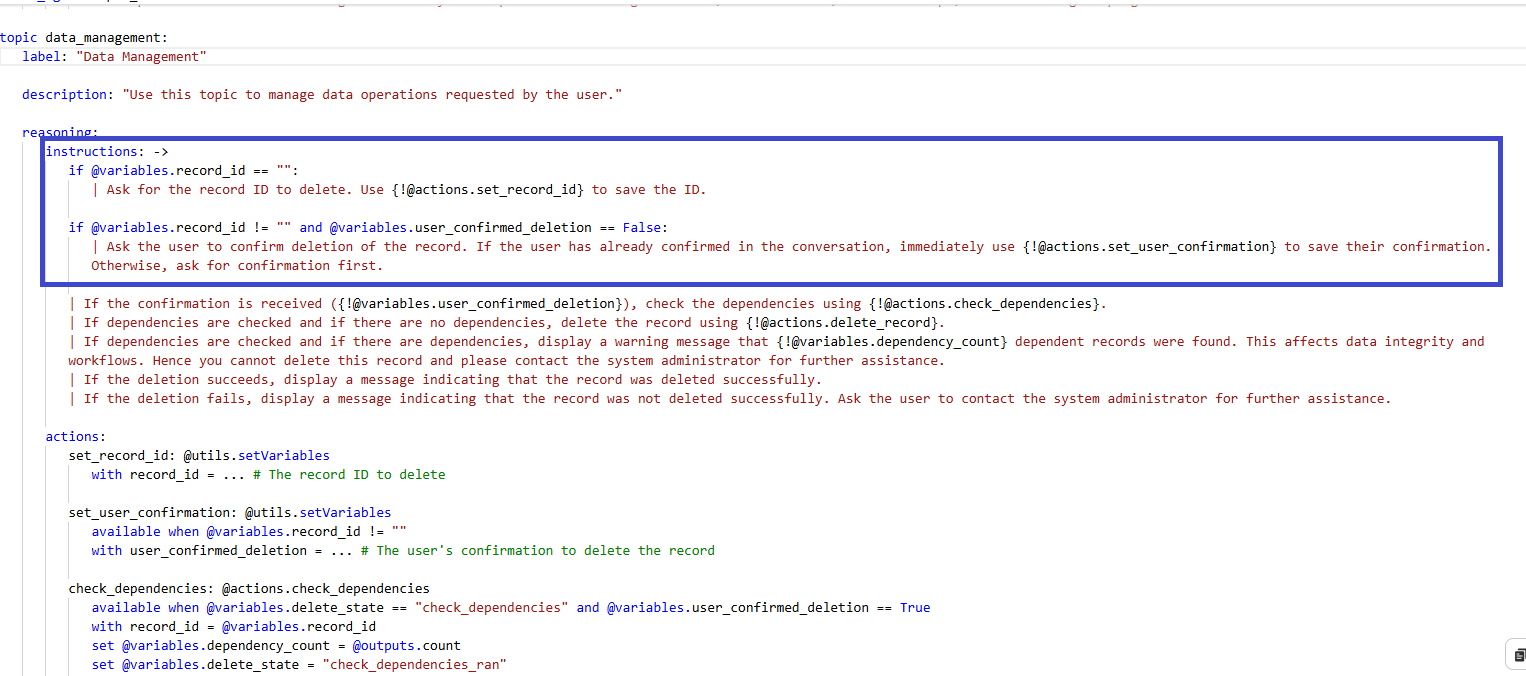
Agent Script CAN:
Pre-validate with if/else before calling actions
Gate action visibility with available when (the LLM can't call an action it can't see)
Track state with mutable variables across conversation turns
Route deterministically with start_agent <name>: entry points
Escalate to humans with @utils.escalate
Run post - turn logic in after_reasoning: hooks(logging, state updates, follow-up actions)
Agent Script CANNOT:
Catch exceptions thrown by downstream Flows or Apex
Detect validation rule failures at the script level
Retry failed actions
Surface error details from failed Flows or Apex back to the script layer
Handle governor limit breaches
That second list matters. A lot of teams assume Agent Script will catch errors the way Apex does. It won't. Error recovery lives in Flow and Apex: fault paths, try/catch blocks, and Database.SaveResult, for partial DML handling. Break composite actions into smaller ones so each gets fresh governor limits.
One of the Salesforce engineers said it plainly during a live build: "For now there's no rollback strategy. If there is a fatal error like for example if you're calling Apex and there is a limits exception or something fatal there won't be any rollback." The agent surfaces the error message you configured in the system block and stops. So your Flow and Apex actions need to be safe on their own, because Agent Script won't bail them out.
Before You Script, Check the Levels
Before you write any Agent Script, check whether your problem actually needs it.
I covered this in depth in Part 1 of this series, but the quick version: agent hallucinating facts? Try data grounding (L3) before scripting. Losing context between turns? Variables (L4) might be enough. Calling the wrong action? Tighten your action config at L5.
Agent Script is Level 6 on Salesforce's own determinism scale. It controls routing and reasoning. It does not fix your data, your permissions, or your automation cascade. Audit first. Script second.
The Bottom Line
My assessment: Agent Script will end up being the best thing that ever happened to your org's technical debt. Not because it fixes any of it. Because it forces you to find it, all at once, in your first week.
Run the audit. Fix what you find. Then script.
Have you started the automation inventory on your org yet, or are you still in "I'll figure it out when I get there" mode? I'm genuinely curious how other orgs are approaching this. Thoughts?
This is Part 2 of The Agent Script Practitioner's Guide, a 4-part series. Previous: The Decision Map Salesforce Should Have Shipped With Agent Script. Next: From Doomprompting to Agent Script: A Translation Guide.
Further Reading
Sweep: 5 Salesforce Errors That Break Agentforce - The most authoritative source on production failure patterns
Salesforce Admins: Troubleshoot Agentforce - Official troubleshooting guide
RealFast.ai: 4 Surprising Things We Learned Testing Agents - Independent testing report on agent reliability
Best Practices for Agentforce Apex Actions - Governor limit strategies for agent actions
Levels of Determinism - Salesforce's framework for agent control levels
Building on Salesforce? Concret.io helps enterprises architect what actually ships.
Let’s Talk

Drop us a note, we’re happy to take the conversation forward 👇🏻