Salesforce Connected App vs External Client App: What Actually Changed and When to Use Each
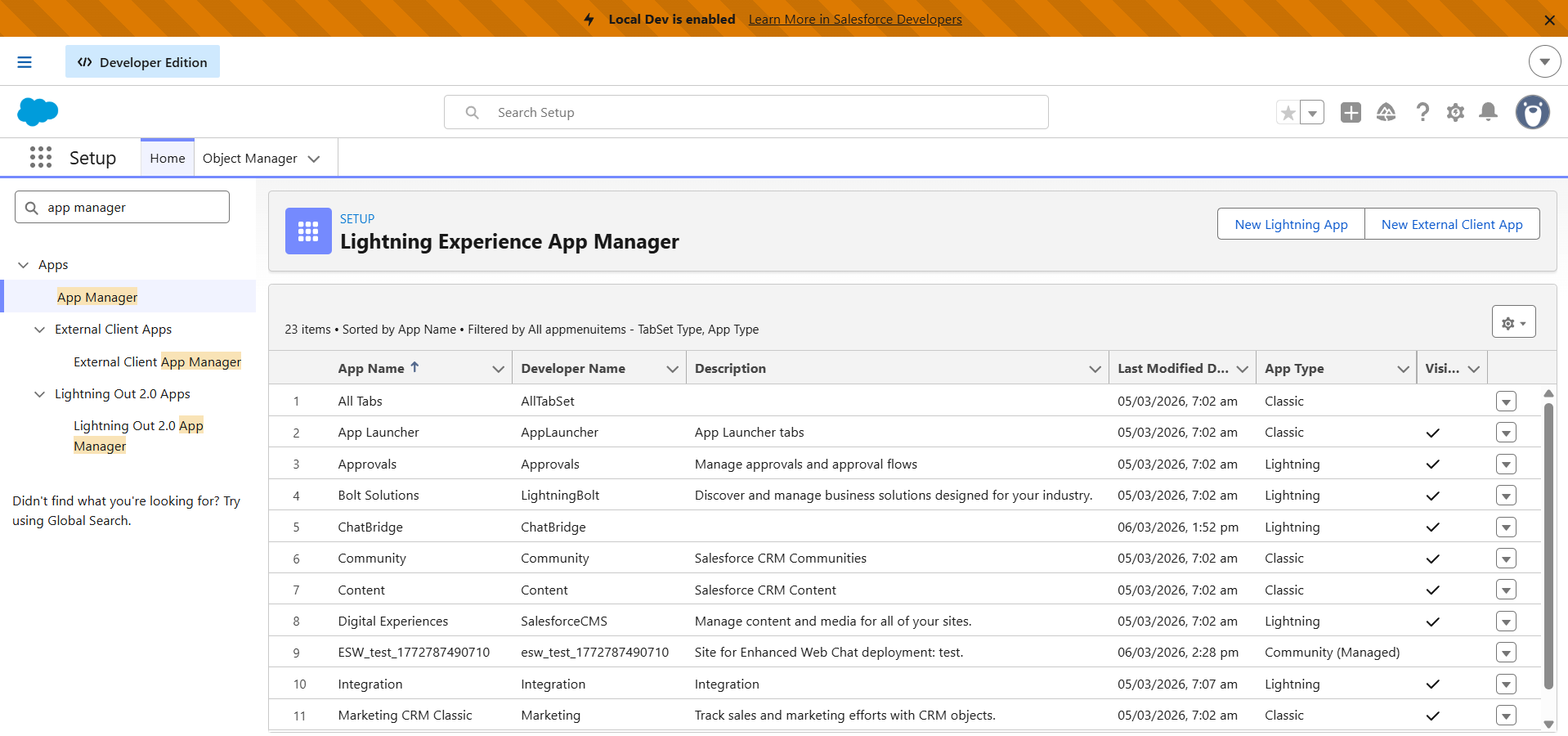
Last Tuesday, one of our developers opened a support case. He'd been trying to create a Connected App in a new sandbox for 20 minutes before realizing the button wasn't broken. Salesforce had removed it. Spring '26 killed Connected App creation by default across all orgs.
External Client Apps (ECAs) are what Salesforce wants you using instead. I've been migrating our AppExchange products from Connected Apps to ECAs since the Winter '26 announcement, and the short version is: ECAs are genuinely better in most ways, but they have one hard gap that will stop some migrations dead, and a few features still catching up.
1.1. No “New Connected App” button
What's the Difference Between Connected Apps and External Client Apps?
Connected Apps have been around for over a decade. You create one in Setup, tick some OAuth scopes, grab the consumer key, and paste it into whatever external system needs access. I've set up hundreds of these across client orgs. Most Salesforce developers could do it blindfolded.
ECAs do the same thing, but Salesforce rebuilt the framework from scratch. Three design changes matter:
Closed security posture. A Connected App was available to any org by default. An ECA must be explicitly installed in each org where it's used. No more "I didn't know that app had access."
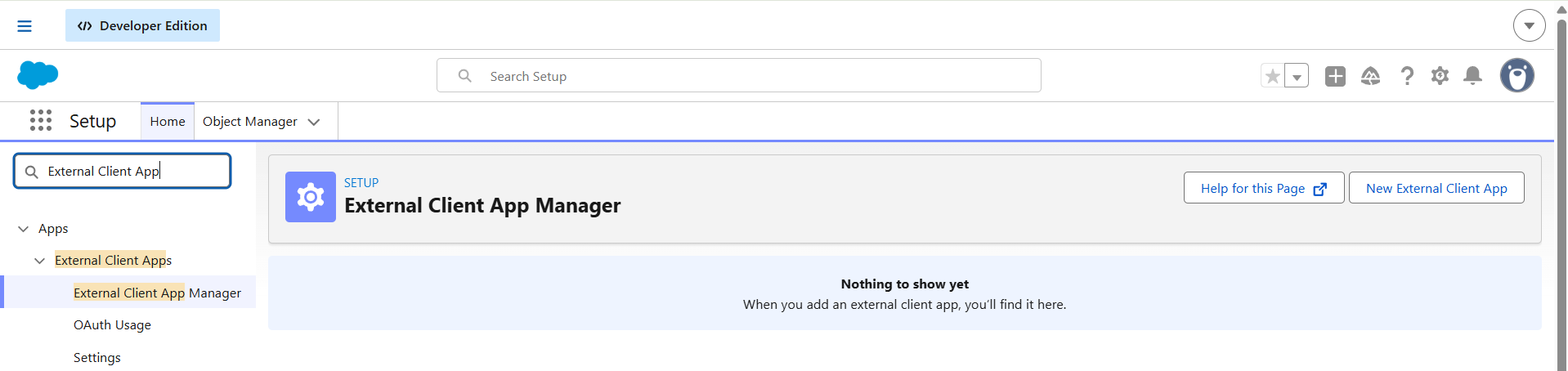
1.2. External Client App Manager
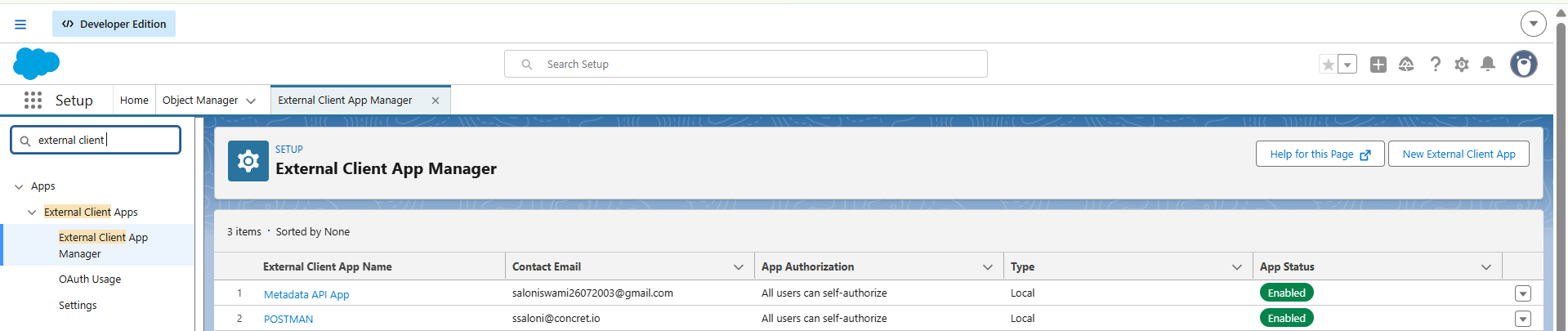
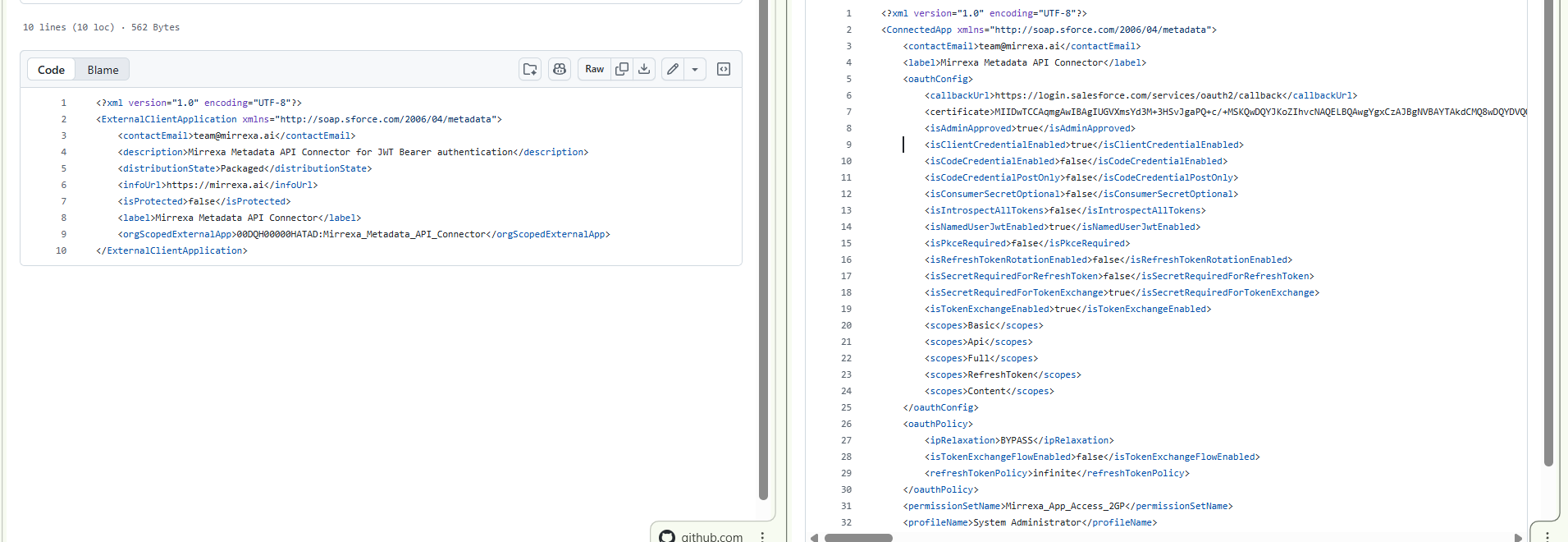
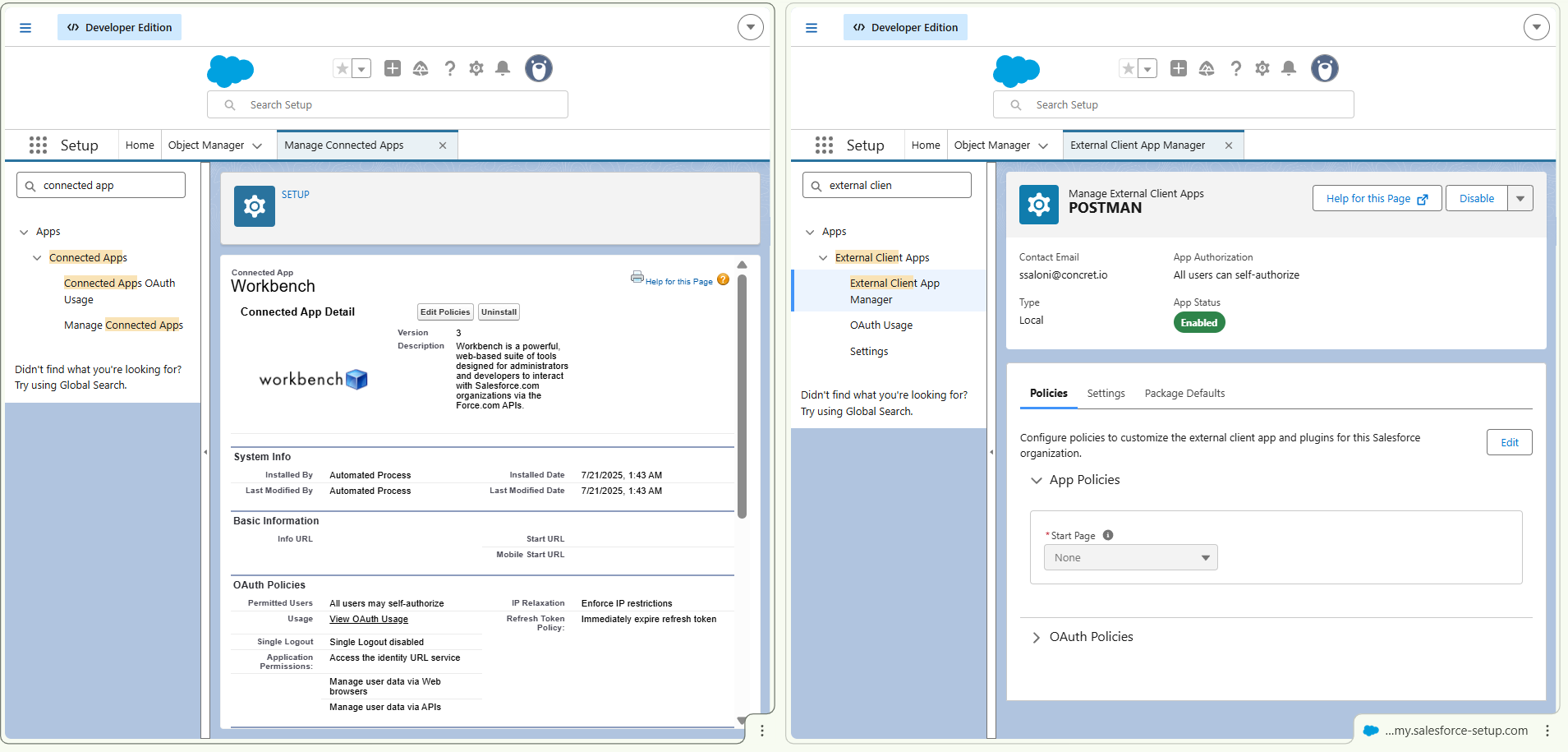
Developer/admin separation. Connected Apps mash developer settings and admin policies into one metadata file. ECAs split them, so a developer configures the OAuth settings and an admin controls who can use the app, independently.
1.3. Metadata Files
1.4. UI changes
2GP-native packaging. Connected Apps were designed for first-generation packaging. Packaging them with 2GP required manual workarounds and could take days. ECAs were built for 2GP from the start.
If you've never struggled with Connected App packaging in CI/CD pipelines, the third point won't mean much. If you have, it's the whole reason ECAs exist.
Are Connected Apps Deprecated in Salesforce?
Yes, with caveats.
Salesforce disabled the creation of new Connected Apps by default starting with the Spring '26 release. The timeline:
1.5. Connected App creation button before the release
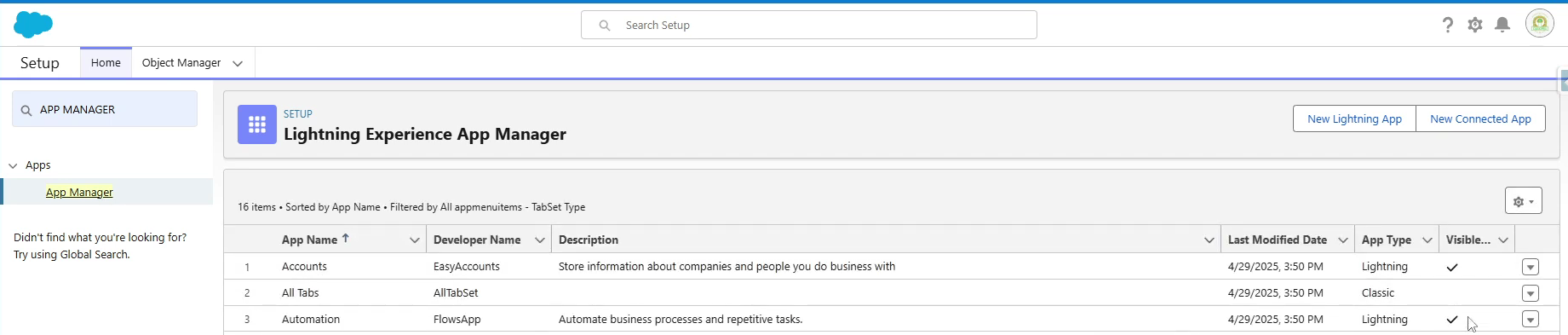
Winter '26 (Oct 2025): Connected App creation disabled on newly provisioned orgs.
Spring '26 (Mar 2026): Creation disabled on all orgs, including existing ones.
Future releases: Salesforce Support will stop granting creation exceptions entirely.
"Deprecated" here means Salesforce blocked creation, not deletion. Every Connected App you already have keeps running. Dataloader, Postman collections, your production integrations: all unaffected. I had three clients call in the first week of Spring '26 thinking their integrations were about to break. They weren't.
What changes: any new integration from here on out needs an ECA. And if you're an ISV still shipping Connected Apps inside a managed package, you're on borrowed time. We documented the full enforcement timeline and the support ticket workaround in our October 2025 security advisory.
The Full Comparison: Connected App vs External Client App
This is the table SalesforceBen started but didn't finish. Ten dimensions, including the gaps they missed.
| Dimension | Connected App | External Client App |
|---|---|---|
| Creation | Setup UI / Metadata API (blocked since Spring '26) | Setup UI / Metadata API (recommended path) |
| Security posture | Open by default (available to any org) | Closed by default (must be installed per org) |
| OAuth flows supported | All 11 flows including Username-Password | 10+ flows. Username-Password NOT supported. SAML Bearer added in recent releases. |
| Policy management | Combined (developer + admin in one file) | Separated (developer manages settings, admin manages policies) |
| Packaging | 1GP and 2GP (manual steps for 2GP) | 2GP only (native, no workarounds) |
| CI/CD compatibility | Limited Metadata API support | Full Metadata API portability |
| Sandbox cloning | Copied automatically | Only copied if packaged |
| API Access Control | Required (allowlist model) | Not needed (closed posture handles it) |
| Canvas App | Supported | Supported (added in Spring '26) |
| Push Notifications | Supported | Not supported |
| Mobile PIN / User Provisioning | Supported | Not supported |
Two things to notice. First, ECAs don't support the Username-Password OAuth flow. If your integration uses it, you can't migrate yet. Second, if you rely on push notifications through your Connected App, ECAs don't offer that. (Canvas Apps, which were previously a gap, were added to ECAs in Spring '26.)
Which OAuth Flows Does ECA Not Support?
I watched one of our developers burn an entire afternoon on this. He'd created an ECA, configured the OAuth settings, tested it in Postman, and got unsupported_grant_type back. Turns out his integration used the Username-Password flow, and ECAs simply don't support it.
1.6. OAuth Username-Password Flows
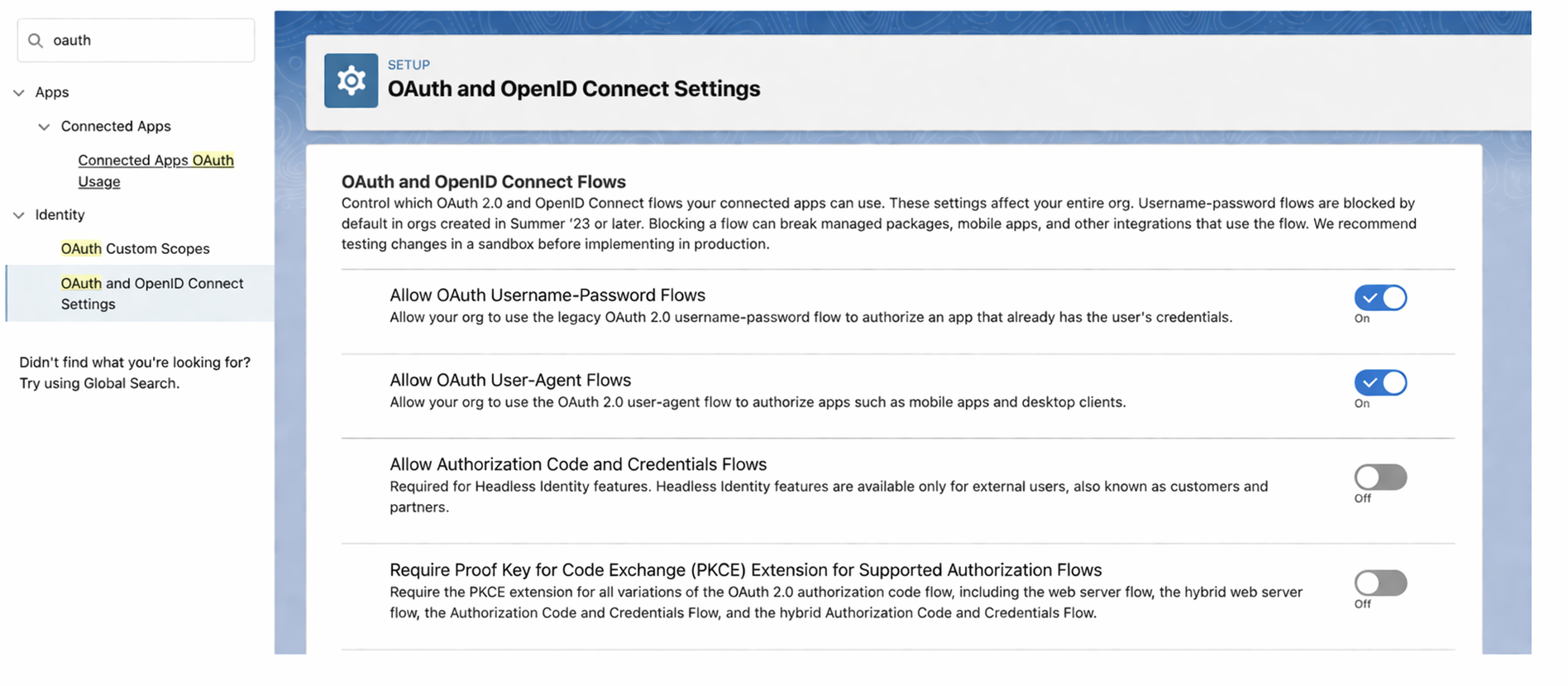
Username-Password Flow: Not available with ECAs. Salesforce's position is that this flow "is not a secure way of connecting as it exposes the username and password". Fair enough. But a lot of legacy server-to-server integrations still use it. If yours does, you're stuck with a Connected App. You can request a creation exception from Salesforce Support for now, but that exception has an expiry date.
What about SAML Bearer? Earlier documentation listed SAML Bearer Assertion Flow as unsupported for ECAs (and SalesforceBen's Aug 2025 comparison reflected that). Salesforce has since added SAML Bearer support to ECAs. If you were holding off on migration for this reason, recheck the current release notes for your org.
Web Server Flow, Client Credentials, JWT Bearer, Device Flow, Token Exchange, Refresh Token, SAML Bearer: all work in both Connected Apps and ECAs. The Username-Password flow is the only remaining hard blocker.
The pragmatic move: if your integration uses Username-Password, keep the Connected App for that one case and use ECAs for everything else. Running both in the same org is perfectly normal. Most of our production orgs will have a mix for the next year or two.
Should You Migrate Your Connected App to an ECA?
Not always. Here's the decision framework we use with our clients:
Scenario 1: New integration (no existing Connected App) Always use an ECA. There's no reason to create a Connected App for new work, and Salesforce won't let you without a support ticket anyway.
1.7. No existing App need to create a new
Scenario 2: Existing Connected App, working fine, no packaging needs Leave it. Existing Connected Apps continue to work. Migration for the sake of migration is wasted effort unless you need 2GP packaging or the closed security posture specifically.
Scenario 3: Connected App in a managed package (ISV/AppExchange) Migrate. The 2GP packaging benefits alone justify it. Connected App packaging with 2GP required manual steps that could take days and occasionally crashed. ECAs package cleanly. If you're an ISV shipping updates regularly, this is where the payoff is immediate.
1.8. Package installed

Scenario 4: Connected App using Username-Password flow Can't migrate yet. Stay on the Connected App. Monitor Salesforce release notes for ECA flow expansion. (Note: SAML Bearer was recently added to ECAs, so that's no longer a blocker.)
1.9.Username-Password flow
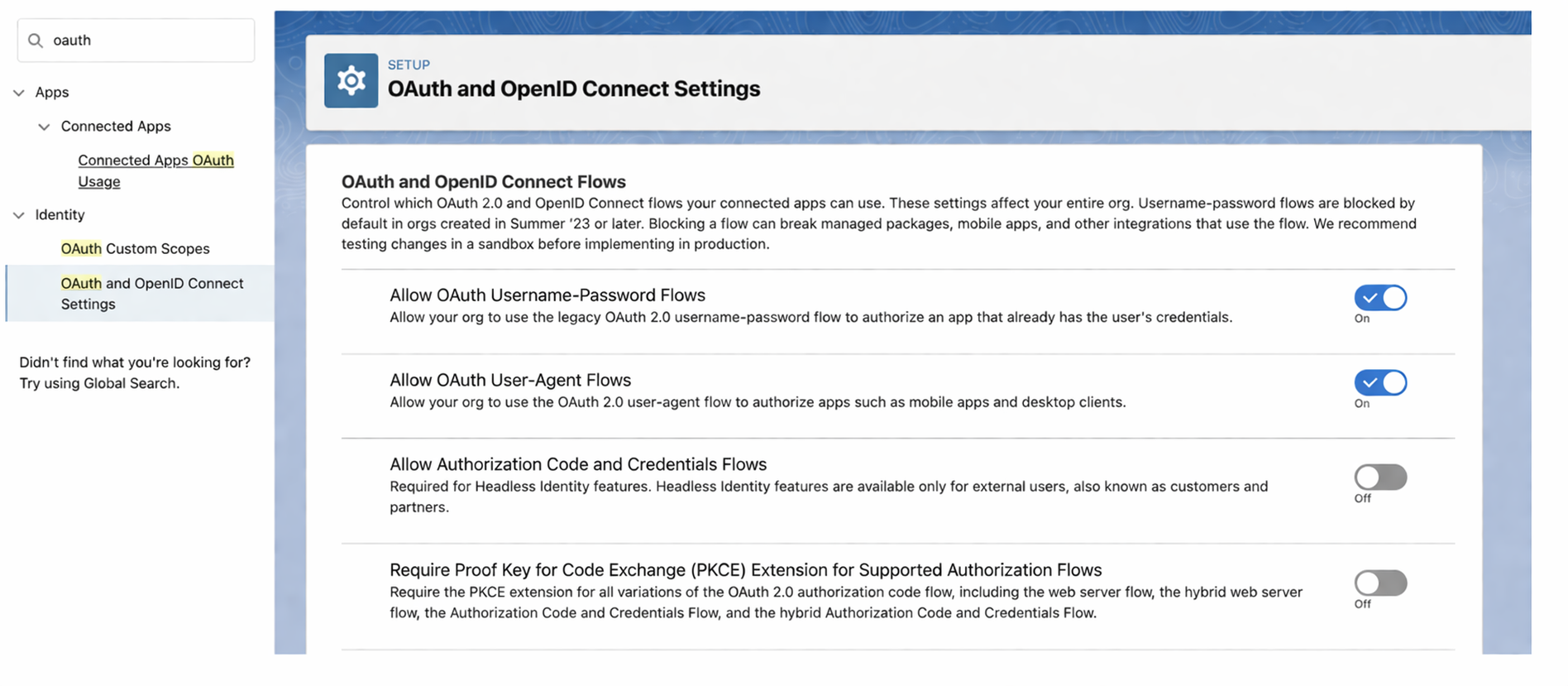
Quick checklist:
Does the integration use Username-Password flow? If yes, stay in CA.
Is the Connected App packaged in a managed package? If yes, plan migration.
Is the Connected App causing CI/CD deployment issues? If yes, migrate.
Is the Connected App stable and unpackaged? If yes, leave it.
Are you creating something new? Use an ECA.
What About ISVs and AppExchange Packages?
ISVs feel this transition more than anyone. Connected Apps in managed packages have a specific set of problems that ECAs solve:
The packaging problem. Connected Apps were designed for 1GP. Getting them into 2GP packages required workarounds. The Salesforce Developers team acknowledged that packaging connected apps could "take up to five days, consume significant server memory, and potentially crash". ECAs use the External Client Application metadata type that deploys cleanly with 2GP.
The subscriber org problem. When you install a Connected App via a managed package, it's available by default in the subscriber org. That's the open security posture. With ECAs, the app must be explicitly installed after package installation. More steps for the subscriber, but significantly better security.
The metadata portability problem. Connected App metadata had limited Metadata API support, which made CI/CD painful. ECAs have full metadata portability: you can source-control them, deploy them through pipelines, and track changes the same way you track Apex classes.
If you're an AppExchange partner evaluating this, we've migrated Connected Apps to ECAs for packaged products. The transition is straightforward once you understand the subscriber org installation step. We'll cover ISV-specific details in a dedicated post.
The Bottom Line
For new integrations, use ECAs. No debate. Closed security, clean 2GP packaging, sane metadata management. It's what Connected Apps should have been from the start.
For existing integrations, be pragmatic. If your Connected App works and you don't need to package it, leave it alone. If you're shipping a managed package, start the migration now before the support exceptions dry up. If your integration depends on Username-Password flow, you're waiting whether you want to or not.
We've been running mixed environments across our client orgs since October 2025. The transition is not as dramatic as the community panic suggested.
Migrating Connected Apps across multiple orgs or a managed package? Our AppExchange development team has handled this for ISV partners across 50+ orgs. Thoughts? Drop a comment.
Let’s Talk

Drop us a note, we’re happy to take the conversation forward 👇🏻