How to Ground Agentforce Service Agents Using Your Experience Cloud Knowledge Base
Key Summary:
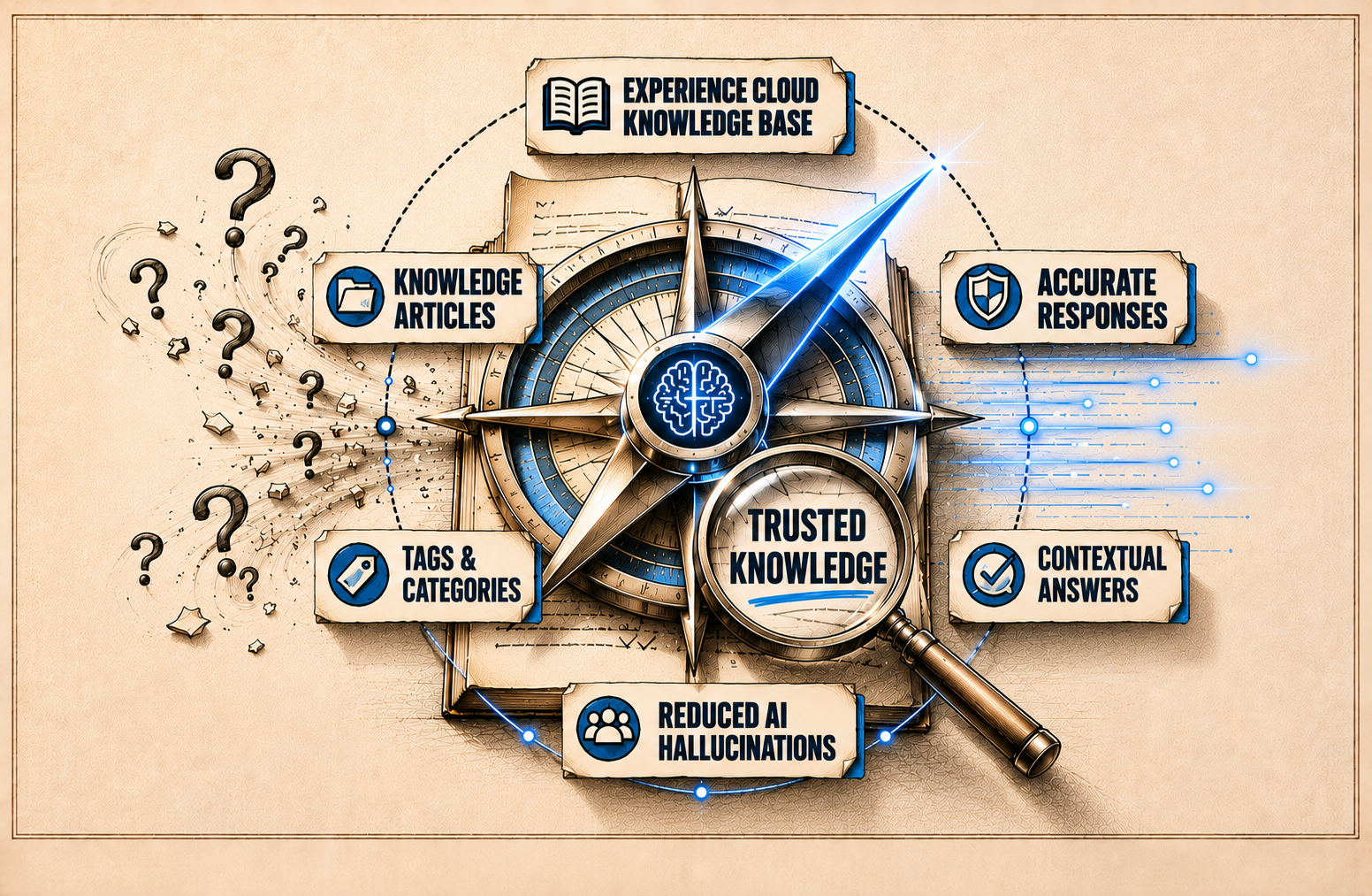
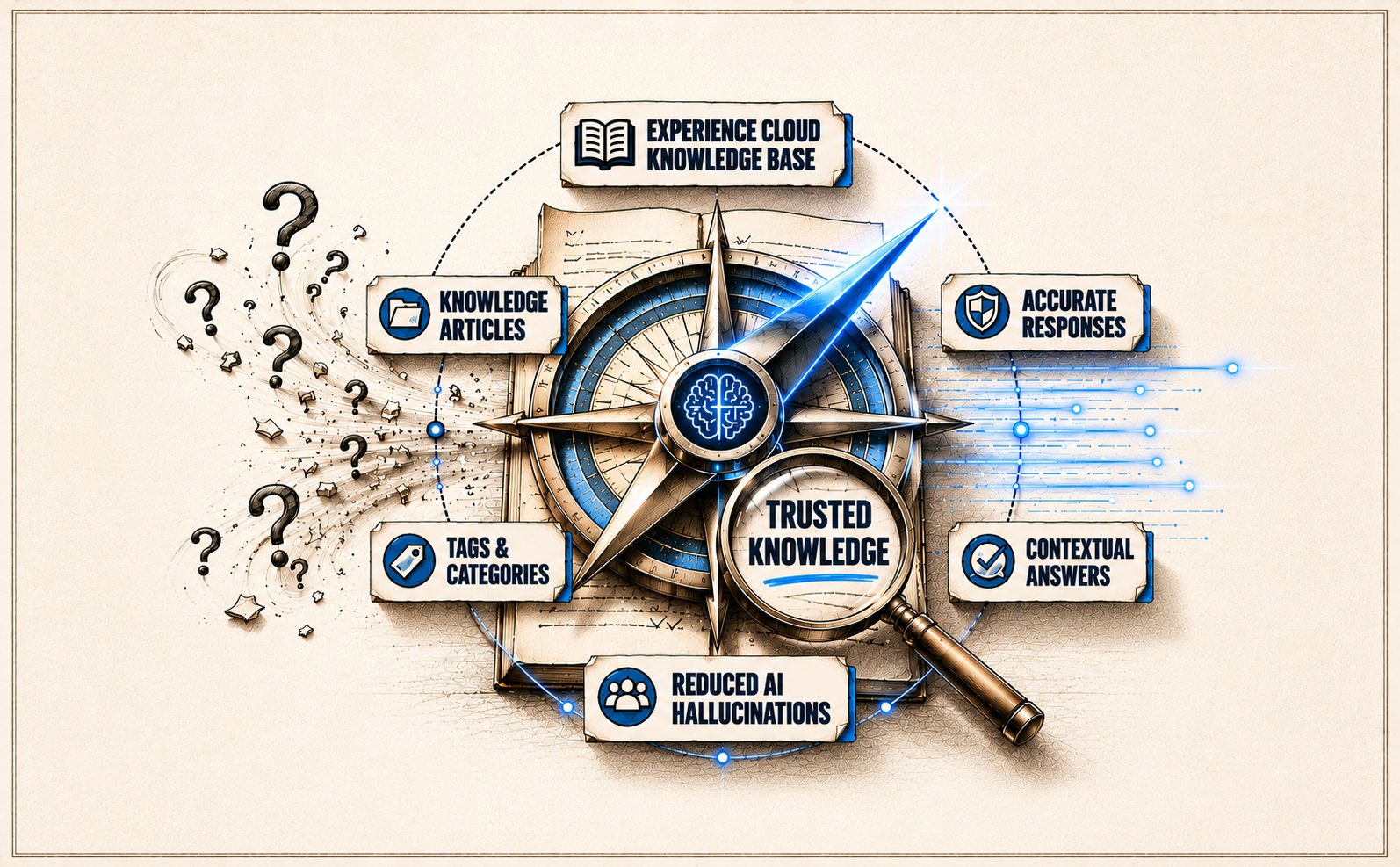
Grounding Agentforce with Experience Cloud Knowledge improves accurate AI customer support.
Well-structured Salesforce Knowledge articles enhance self-service and reduce AI hallucinations.
RAG-powered Agentforce helps AI agents deliver contextual support using trusted business data.
Today’s customers expect fast, accurate AI customer support, but they will not tolerate wrong answers. While Agentforce Service Agents can rapidly resolve customer queries, a single AI hallucination can instantly break customer trust. This is where Grounding in Agentforce becomes essential.
By linking Agentforce to your Experience Cloud Knowledge Base, businesses can Ground Agentforce Service Agents using trusted Salesforce Knowledge articles to deliver more accurate, contextual, and reliable responses. However, successful grounding is not just about setup; the real impact comes from how well your Knowledge Base is structured.
Here is a look at how grounding works, how to configure it, and best practices to optimize your content for better AI responses.
What Does Grounding Mean in Agentforce?
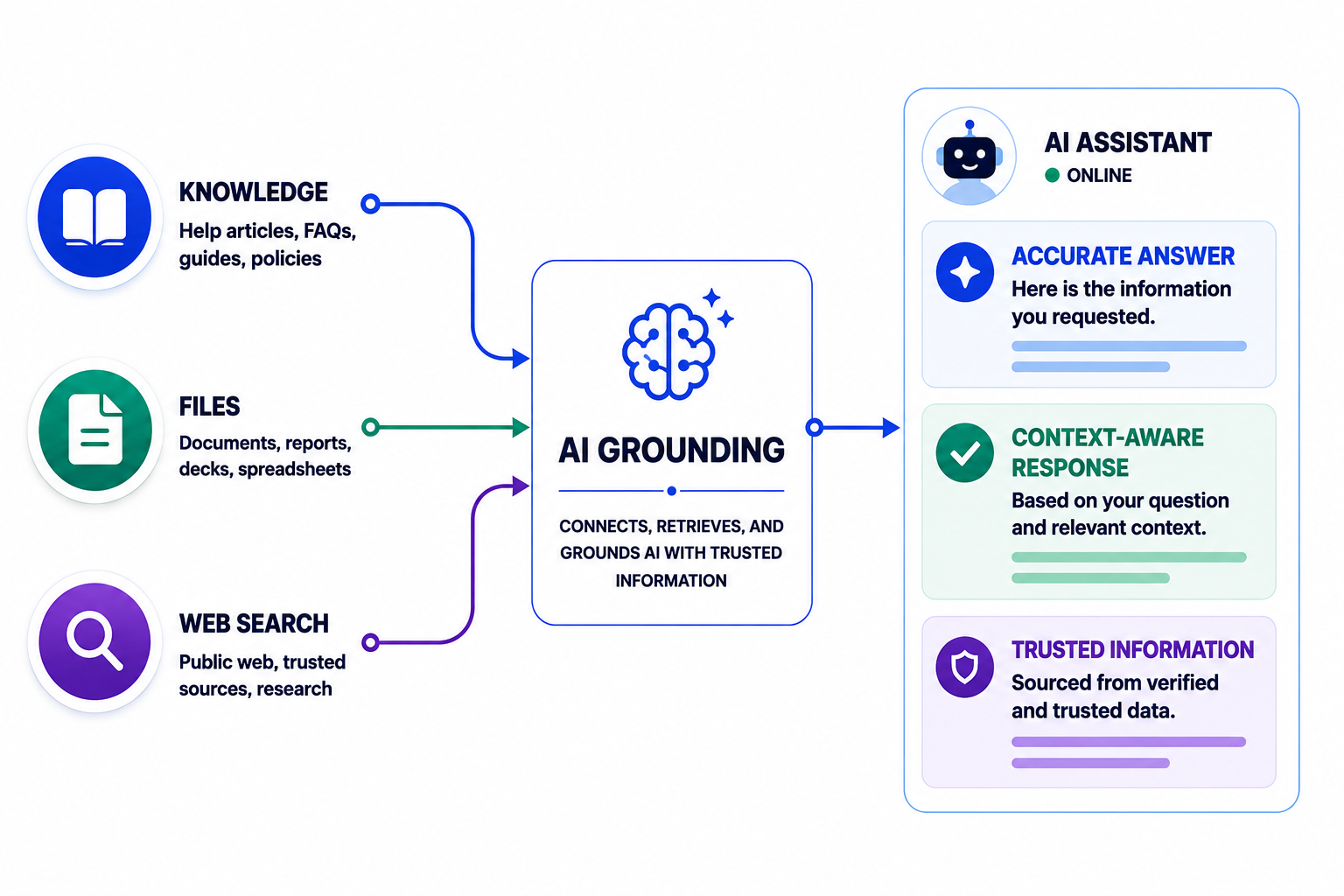
Grounding in Agentforce is the process of connecting AI agents with trusted business data and knowledge sources so they can deliver more accurate, context-aware, and reliable responses. While large language models (LLMs) are trained on broad internet-scale information, they often lack the organization-specific knowledge needed to answer technical or customer-related questions correctly.
By using Retrieval-Augmented Generation (RAG), Agentforce can pull relevant information directly from sources like Salesforce Knowledge, Experience Cloud, or internal documentation before generating a response. This allows AI agents to provide answers that are aligned with your business context, improve customer support accuracy, and reduce AI hallucinations.
How to Structure Your Knowledge Base for Accurate AI Responses
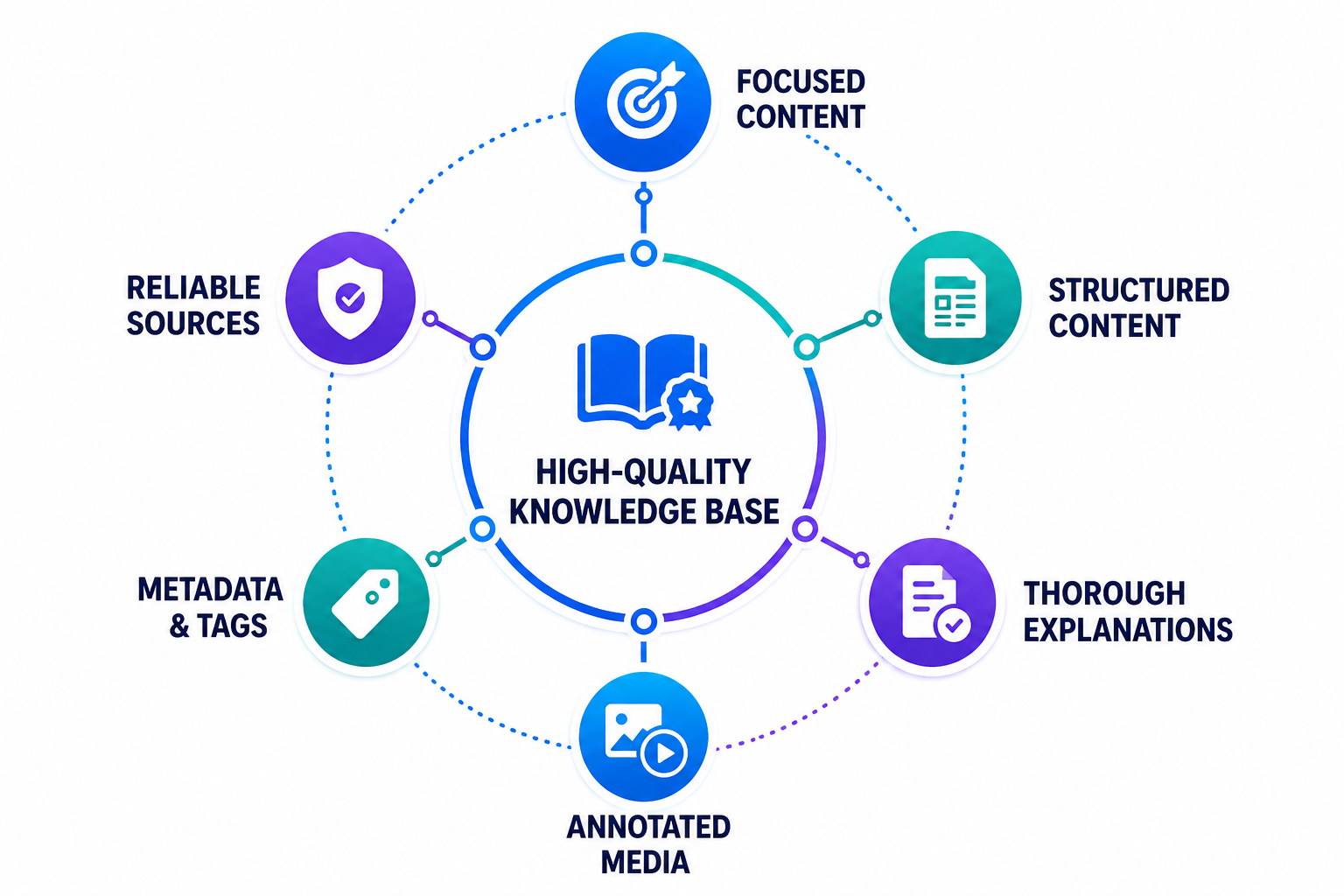
Accurate Agentforce responses and effective Agentforce self-service experiences rely entirely on a structured Knowledge Base. To maximize grounding efficiency, Salesforce Knowledge articles and Experience Cloud Knowledge content must be concise, well-organized, and easily searchable.
By leveraging metadata like tags and categories, Salesforce quickly isolates relevant content, while Unified Knowledge consolidates external data from Google Docs, SharePoint, and Confluence into a single, cohesive source of truth. To improve AI response accuracy, focus on these key elements:
1. Focused Content
Each article should cover a specific topic or issue instead of combining multiple subjects into one page. Focused articles help AI retrieve precise answers more effectively.
2. Structured Content
Use clear headings, subheadings, bullet points, and logical formatting to make information easier for both users and AI models to understand.
3. Thorough Explanations
Provide complete and contextual answers instead of short or vague responses. Well-explained content improves retrieval quality and reduces ambiguous AI outputs.
4. Annotated Media
Include screenshots, videos, diagrams, or walkthroughs wherever necessary. Properly labeled media can improve article usability and support complex troubleshooting scenarios.
5. Reliable Sources and Metadata
Use proper article categories, tags, keywords, and metadata to help Agentforce identify the most relevant knowledge articles during grounding.
Step-by-Step Guide to Ground Agentforce Using Experience Cloud Knowledge Base
Before configuring grounding, ensure that Salesforce Knowledge is enabled and your knowledge articles are properly published and accessible. Agentforce grounding officially supports Salesforce Knowledge articles configured through an Agentforce Data Library.
Prerequisites
Before getting started, make sure you have:
Salesforce Knowledge enabled
Published Knowledge articles
Agentforce Service Assistant configured
Required permissions assigned to service reps and the ServicePlanner User
Access to Legacy Agentforce Builder
Proper article categories, tags, and visibility settings configured
Step 1: Assign Knowledge Grounding Permissions
Begin by assigning the required Knowledge permissions to both the ServicePlanner User and service reps. These permissions allow Agentforce to access Salesforce Knowledge articles and display citations within generated service plans.
Salesforce recommends enabling:
Allow View Knowledge
Read
View All Records
View All Fields
The ServicePlanner User also requires:
Data category visibility access
Access to custom Knowledge record types
Standard Data Cloud User permission set
You can create separate custom permission sets, such as Agent Knowledge Access and Service Rep Knowledge Access, before assigning them to users.
Step 2: Open Agentforce Builder
After assigning the required permissions, the next step is accessing the Agentforce Builder to configure Knowledge grounding. Salesforce allows you to manage Data Libraries directly from the Service Assistant builder interface.
Follow these steps:
Go to Setup
Search for Agentforce Agents in the Quick Find box
Open the Agentforce Builder for Service Assistant
From the left sidebar, navigate to the Data tab
Access the Data Library section to create and manage Knowledge grounding configurations
Step 3: Create a New Data Library
Once you open the Data tab, create a new Agentforce Data Library to configure Knowledge grounding for Service Assistant. Salesforce officially supports the Knowledge data type for grounding Service Assistant responses.
Follow these steps:
Navigate to the Data Library section
Select + New Library
Optionally rename the Data Library
From the Data Type dropdown, select Knowledge
Proceed to configure the Knowledge data settings for grounding setup
Step 4: Configure Identifying Fields
Under Identifying Fields, Salesforce recommends selecting:
Title
Summary
Question
These fields help Service Assistant identify, sort, and retrieve Knowledge articles related to a case. Salesforce supports only TEXT and TEXT AREA field types and recommends avoiding Rich Text fields because HTML markup can reduce grounding quality.
Step 5: Configure Content Fields
Under Content Fields, select the fields that contain the primary Knowledge article content, such as:
Answer
Detail
Question
These fields are used by the Service Assistant to generate grounded service plan steps.
Step 6: Configure Knowledge Settings
Optionally configure the Knowledge Settings tab to:
Ground public Knowledge articles
Apply data category filters
Control article visibility
If your articles use data categories, ensure the ServicePlanner User has access to the assigned categories.
Step 7: Save and Build the Data Library
Keep the Content Processing Type set to Basic Content, then save the configuration. Salesforce will begin building the Agentforce Data Library, and the build time depends on the size of your Knowledge Base.
Step 8: Enable Show Sources
After the library build is complete, optionally enable Show Sources. This displays article citations within generated service plans and adds a Sources section linking directly to the referenced Knowledge articles.
Step 9: Activate the Agent
Once the Data Library setup is complete, activate the Service Assistant from the top-right corner of the Agentforce Builder. Salesforce notes that some default permission warnings can be safely ignored if the required grounding permissions are already assigned.
Step 10: Test Knowledge Grounding
After activating the agent, test the grounding configuration by generating a service plan from a case record. If grounding is configured correctly, Agentforce retrieves information from Salesforce Knowledge articles and displays citations within the generated plan.
During testing:
Open an existing case record or create a new case
Generate or redraft a service plan
Verify that citations appear beside the generated steps
Check the Sources section for referenced Knowledge articles
Salesforce also notes that Agentforce summarizes Knowledge content to generate concise responses instead of displaying exact article text.
Best Practices for Effective Agentforce Grounding
To improve grounding accuracy and deliver more reliable AI responses, businesses should follow a few key best practices while managing their Salesforce Knowledge Base and Agentforce configuration.
Maintain Well-Structured Knowledge Articles
Use clear headings, concise explanations, and properly organized content to help Agentforce retrieve relevant information more effectively.
Use Proper Metadata and Categories
Apply relevant tags, topics, and data categories to improve article discoverability and retrieval accuracy during grounding.
Keep Knowledge Content Updated
Regularly review and update outdated Knowledge articles to ensure Agentforce generates accurate and current responses.
Well-structured knowledge systems also support broader Salesforce marketing automation and customer engagement initiatives.
Avoid Duplicate or Conflicting Information
Duplicate articles and inconsistent information can reduce grounding quality and lead to inaccurate AI-generated responses.
Use Focused and Topic-Specific Articles
Keep each article centered around a single issue or topic instead of combining multiple subjects into one article.
Test Grounding Regularly
Continuously test generated service plans and AI responses to identify gaps, improve article quality, and optimize grounding performance.
Enable Citations for Transparency
Use the Show Sources option to display Knowledge article citations within generated service plans for better transparency and verification.
Conclusion
Grounding Agentforce Service Agents with your Experience Cloud Knowledge Base helps improve AI response accuracy, reduce hallucinations, and deliver more reliable AI for customer support experiences. By using well-structured Salesforce Knowledge articles and proper grounding configurations, businesses can create more reliable and contextual AI interactions.
Looking to optimize your Salesforce AI implementation? Explore professional Salesforce consulting services to streamline Agentforce grounding and enhance your customer support strategy.
Frequently Asked Questions
-
Yes, Agentforce Service Assistant can retrieve and use Salesforce Knowledge articles that are accessible through your Experience Cloud Knowledge Base.
-
An Agentforce Data Library is used to connect Salesforce Knowledge articles to Service Assistant for grounding and AI response generation.
-
Grounding helps reduce AI hallucinations and enables Agentforce Service Agents to provide more accurate, contextual, and reliable customer support responses.
-
No, Salesforce currently officially supports only Salesforce Knowledge articles for Service Assistant grounding.
Related Reading

Let’s Talk

Drop us a note, we’re happy to take the conversation forward 👇🏻