Why Are Developers Still Fighting Their Markdown Editors in 2025?
The irony isn't lost on me. We've built AI that writes code, deploys infrastructure, and debugs production systems, yet 71% of developers still struggle with basic documentation workflows, according to Stack Overflow's 2024 Developer Survey.
The problem isn't Markdown itself. It's a fragmented tooling ecosystem that forces developers to choose between convenience, cost, and context-switching.
Here's what I discovered after analyzing the current landscape, and why I decided to build an alternative.
If you prefer, watch the video below instead of reading.
What's Actually Wrong With Markdown Tooling?
Let me break down the current options developers face:
| Solution | Cost | Limitation |
|---|---|---|
| Typora | $14.99/year | Lives outside your IDE. Context switching kills productivity. |
| VS Code Split Pane | Free | Wastes 50% of screen real estate. Source view isn't writing view. |
| Obsidian | Free (personal) | Designed for note-taking, not technical documentation. |
| Other Extensions | Varies | Often buggy, incomplete, or paywall core features. |
The friction compounds. Studies from Microsoft Research show that context switches cost developers 23 minutes to regain focus. If you're alt-tabbing to Typora ten times a day, that's hours lost weekly.
Why Free? The Economics of Developer Tools in the AI Era
Here's my take: code itself has diminishing value.
In 2024, AI-assisted development crossed a threshold. Tools like GitHub Copilot, Cursor, and Claude can generate working code in seconds. The GitHub Copilot Research showed that developers complete tasks 55% faster with AI assistance.
This changes the economics fundamentally:
The barrier to building is no longer technical, it's recognizing problems worth solving
Developer tools that extract subscription revenue for solved problems create unnecessary friction
Companies resist paying for documentation tools, procurement processes for $15/year licenses often cost more than the license
My take: developers shouldn't pay a friction tax to edit text files. The tool should be invisible. The work should matter.
That's why this extension is free and MIT-licensed. If it saves you 10 minutes weekly, that's 8+ hours annually. If it improves your team's documentation quality, that compounds indefinitely.
What Does a Modern Markdown Editor Look Like?
The design philosophy is simple: write markdown the way humans think, focus on content, not syntax.
Full-Screen WYSIWYG Editing
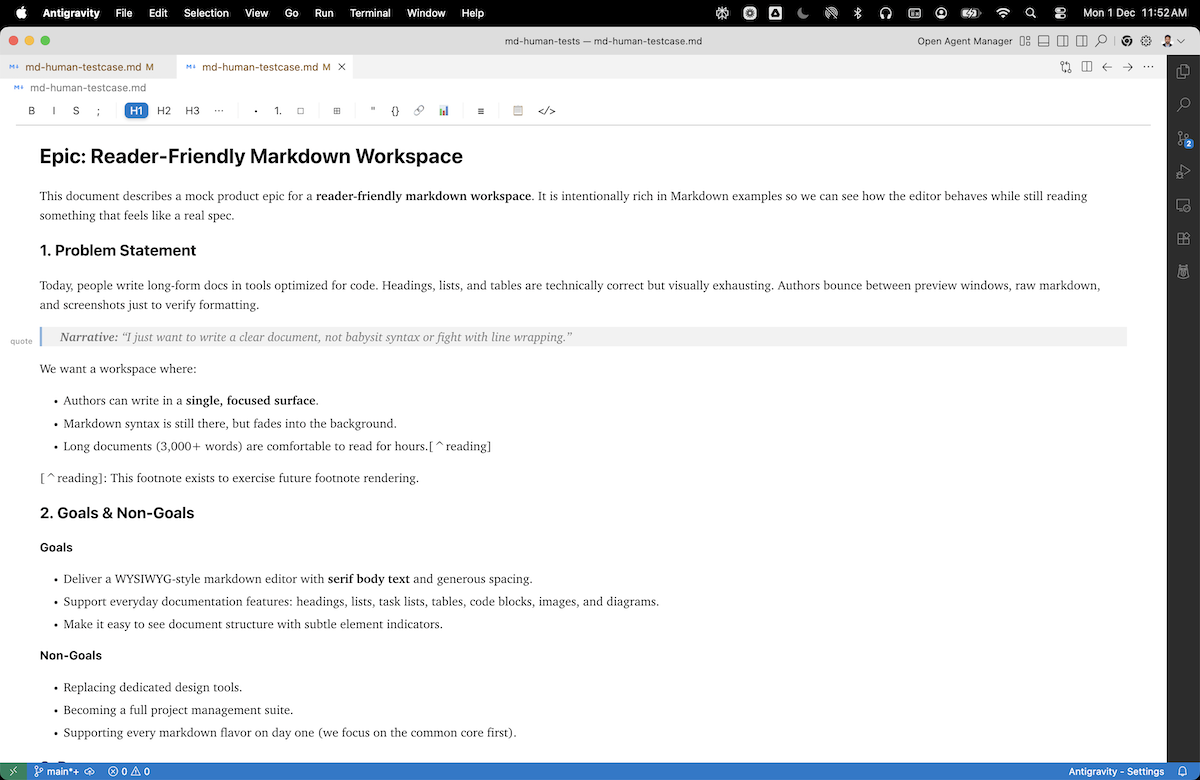
No split pane. Professional typography inspired by medium.com's reading experience. Full screen for content.
Visual Table Editing
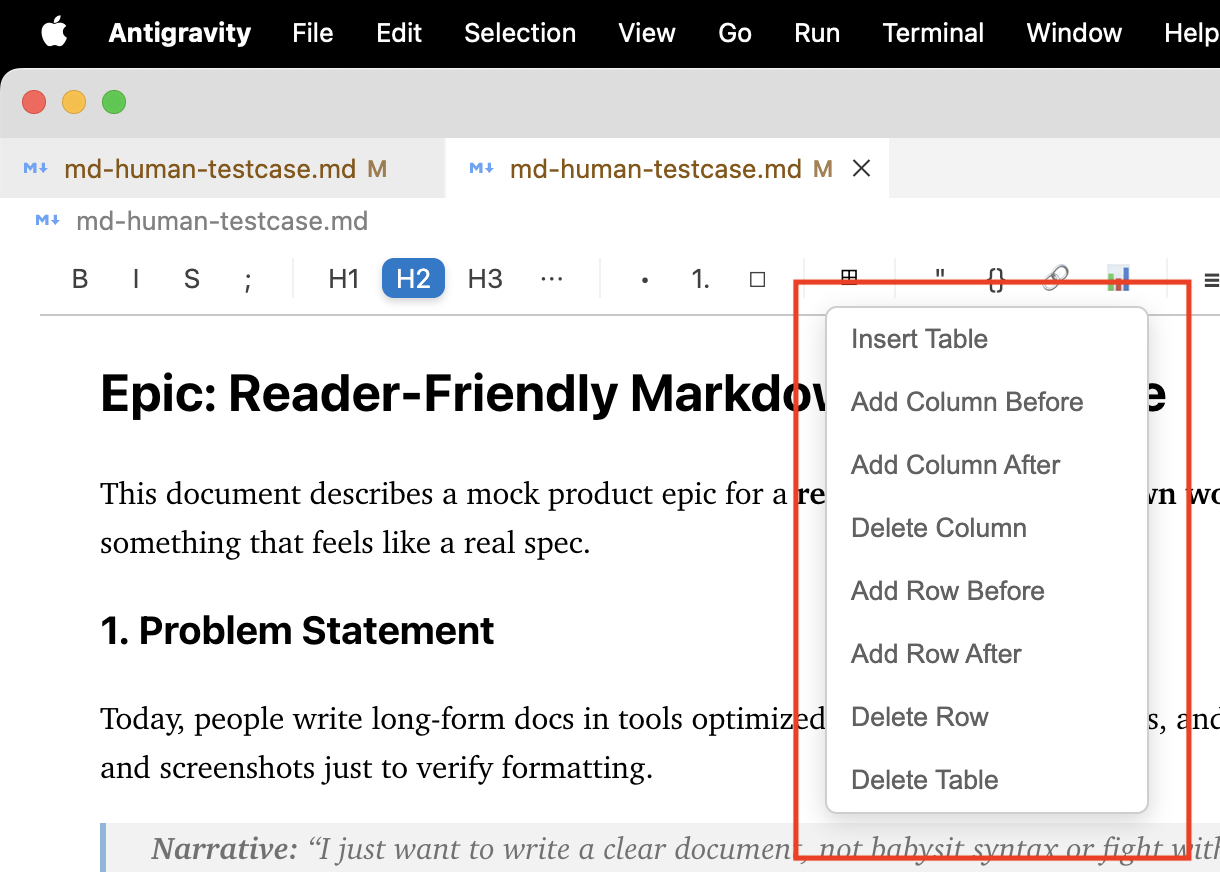
Right-click for table operations. Drag to resize columns. No more fighting with pipe characters.
Tables in Markdown are notoriously painful. According to The Markdown Guide, tables are one of the top reasons developers avoid Markdown for complex documentation.
Drag-and-Drop Image Handling
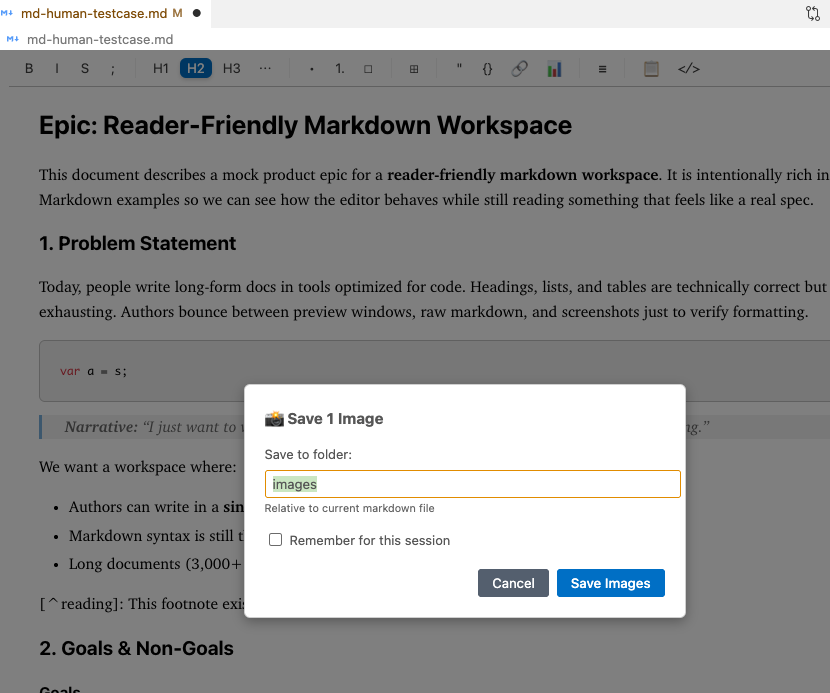
Cmd+V to paste screenshots directly. Relative paths handled automatically, no manual path juggling.
Rich Table Controls
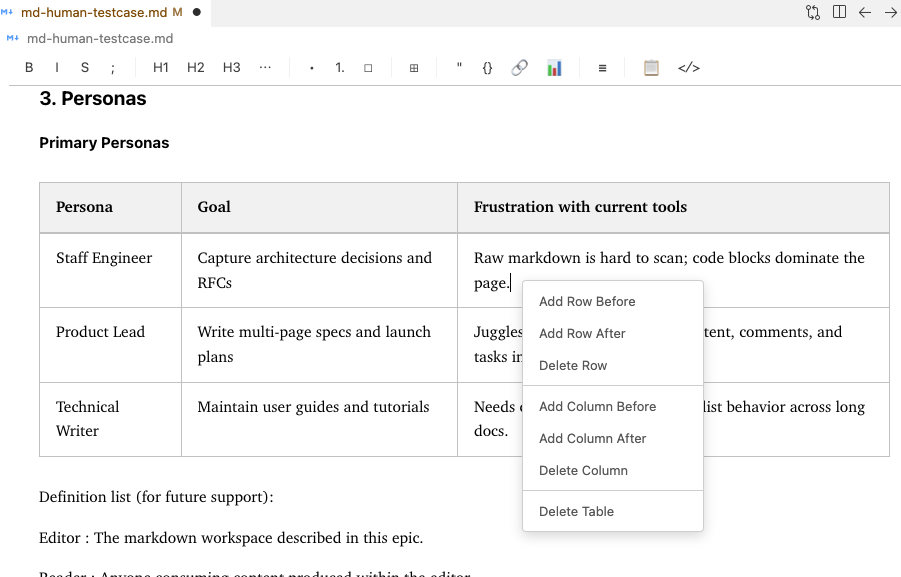
Add rows, delete columns, insert tables, all through visual controls.
Mermaid Diagram Support
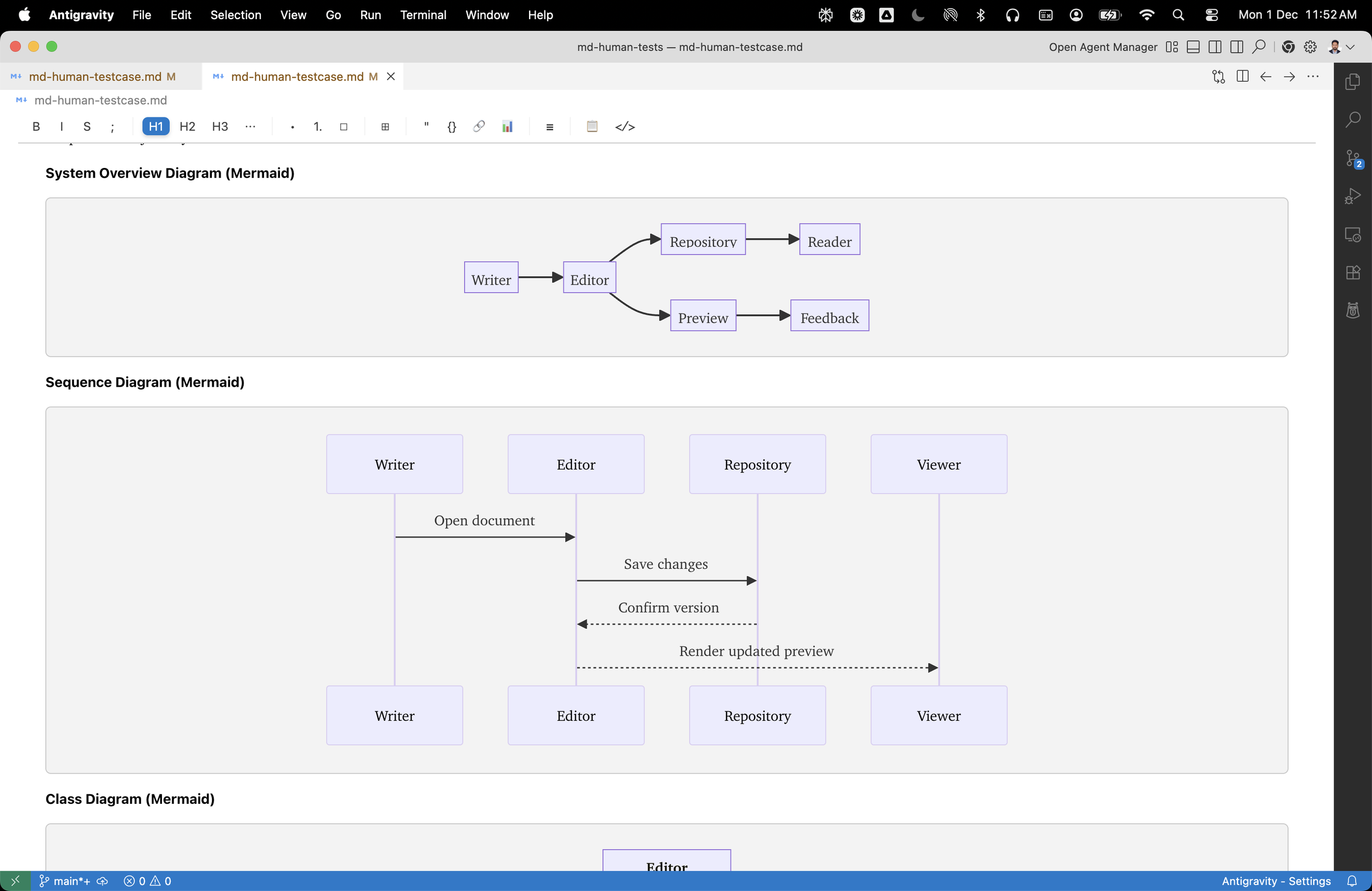
Flowcharts, sequence diagrams, class diagrams, rendered inline. No context switching to external tools.
Syntax-Highlighted Code Blocks
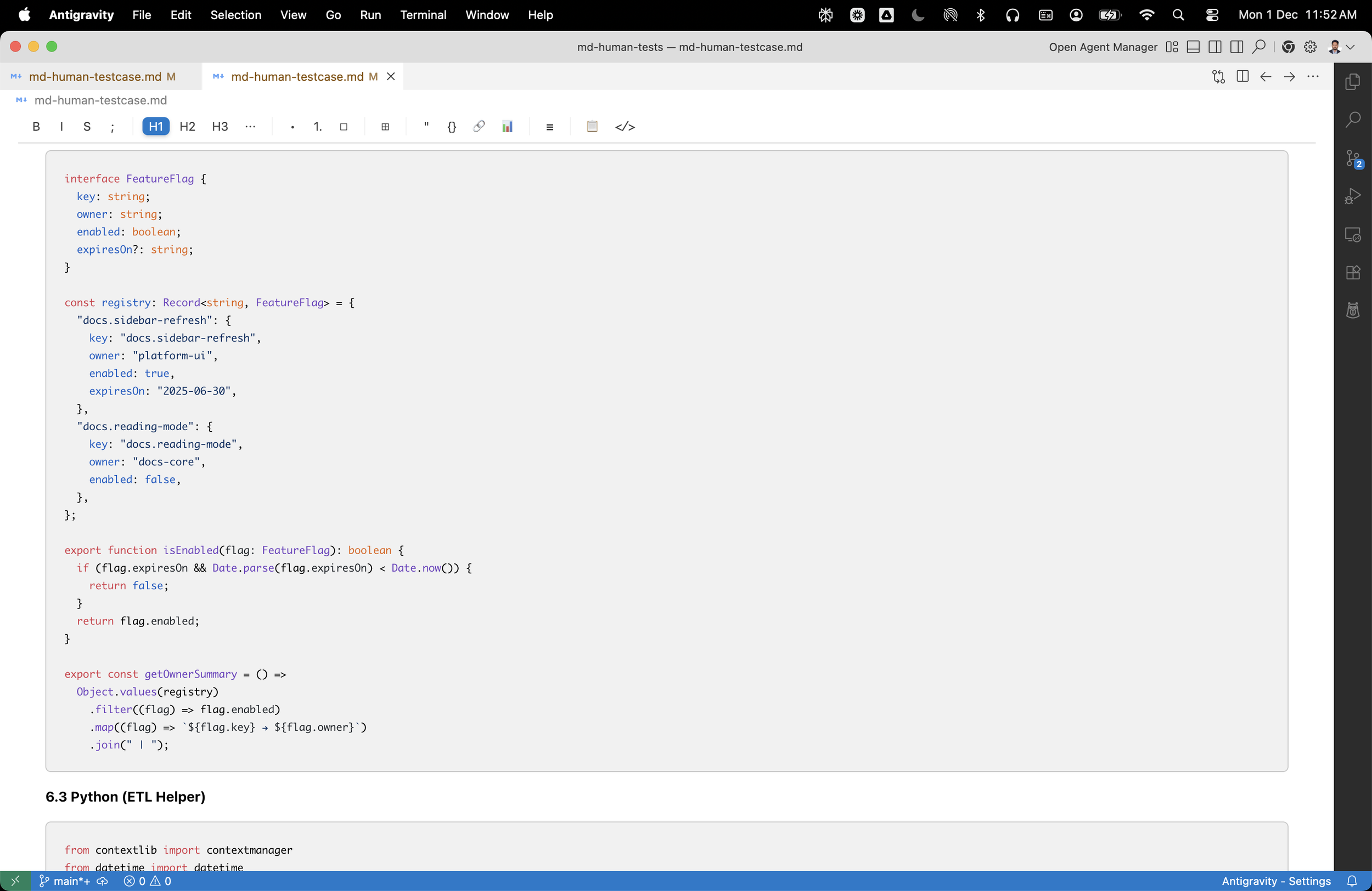
11+ languages supported with proper syntax highlighting.
How Does This Compare to Existing Solutions?
| Feature | MD Human | Typora | VS Code (Native) | Obsidian |
|---|---|---|---|---|
| WYSIWYG Editing | ✅ | ✅ | ❌ | ✅ |
| Lives in VS Code | ✅ | ❌ | ✅ | ❌ |
| Full-Screen Writing | ✅ | ✅ | ❌ (split pane) | ✅ |
| Visual Tables | ✅ | ✅ | ❌ | ✅ |
| Mermaid Diagrams | ✅ | ❌ | ❌ | ✅ (plugin) |
| Image Paste | ✅ | ✅ | ❌ | ✅ |
| Cost | Free (MIT) | $14.99/yr | Free | Free |
| Git Integration | Native | Manual | Native | Manual |
The key differentiator: native VS Code integration. Your markdown files work with VS Code's Git, search, commands, and extensions—without leaving your development environment.
What's on the Roadmap?
The extension is approximately 80% complete for MVP. Working on stabilizing and bug fixing the remaining 20%, which is the hardest part :)