Should You Build Your Own CRM?
The hidden cost trajectory, the security bill nobody quoted, and what happens after one really decides to use it for few weeks in real.
I spent 70 minutes watching three YouTube creators build their own CRMs with AI.
Can you build your own CRM? Absolutely. AI tools make it possible to get a working prototype running in an afternoon. But the question isn’t whether you can. It’s whether you should, and what happens few weeks after you do.
The Wall Street Journal ran a piece on companies doing exactly this in March 2026.
A few months earlier, Dharmesh Shah, HubSpot’s co-founder and CTO, called the idea “silly”, arguing companies should spend every calorie creating value for customers, not rebuilding software that already exists.
They’re both right. Just about different parts of the problem.
What the Demos Actually Show
I’ll give credit where it’s due. The demos floating around YouTube right now are genuinely impressive.
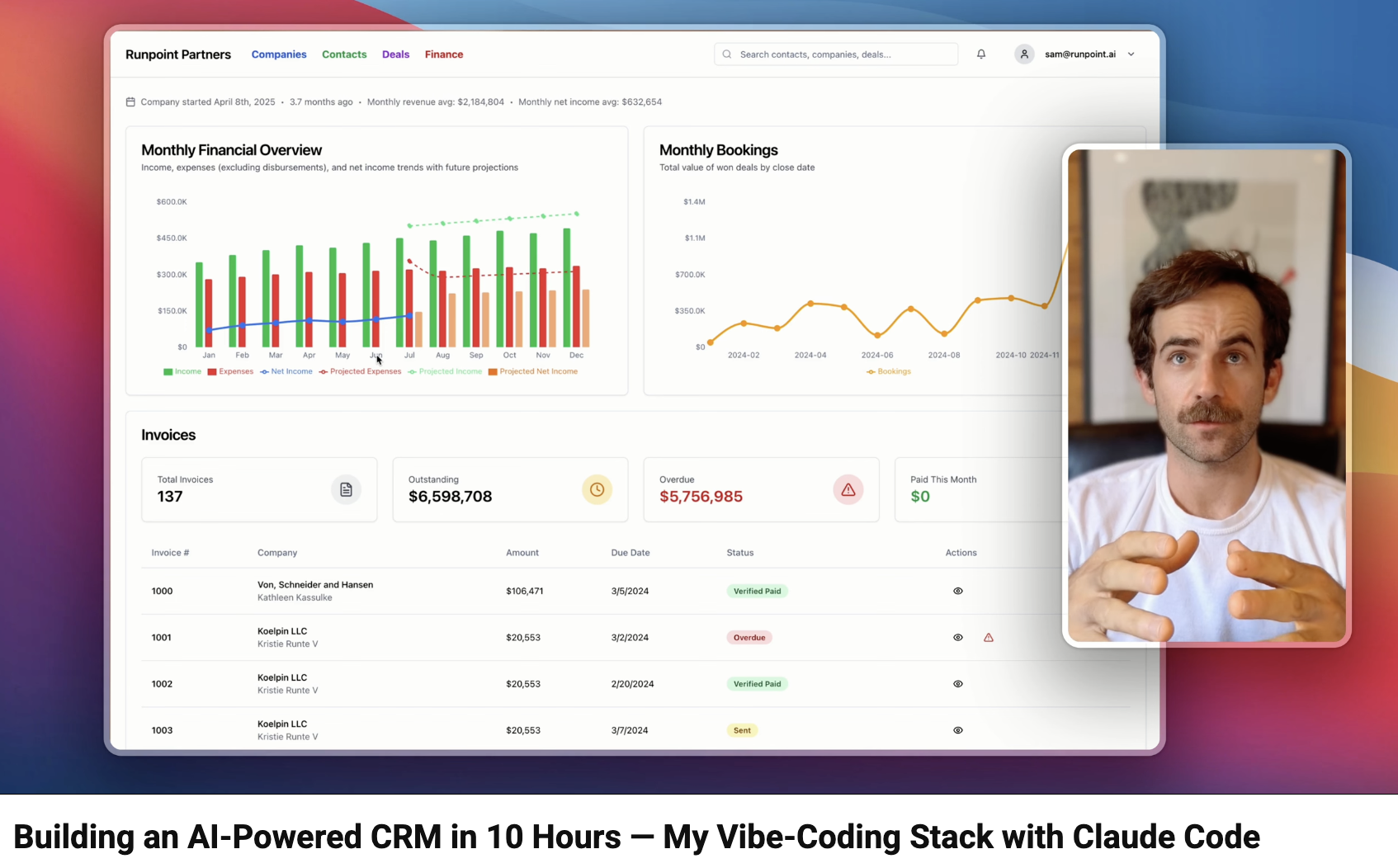
One creator built an AI-powered CRM in about 10 hours using Claude Code: contacts, deals, invoices, even AI-parsed contractor agreements.
Another used Gemini and Cursor to build a CRM with a Supabase backend, walking through database schemas and row-level security.
A third claimed to build a “$0 CRM” in 15 minutes using Google Stitch and Claude Code.
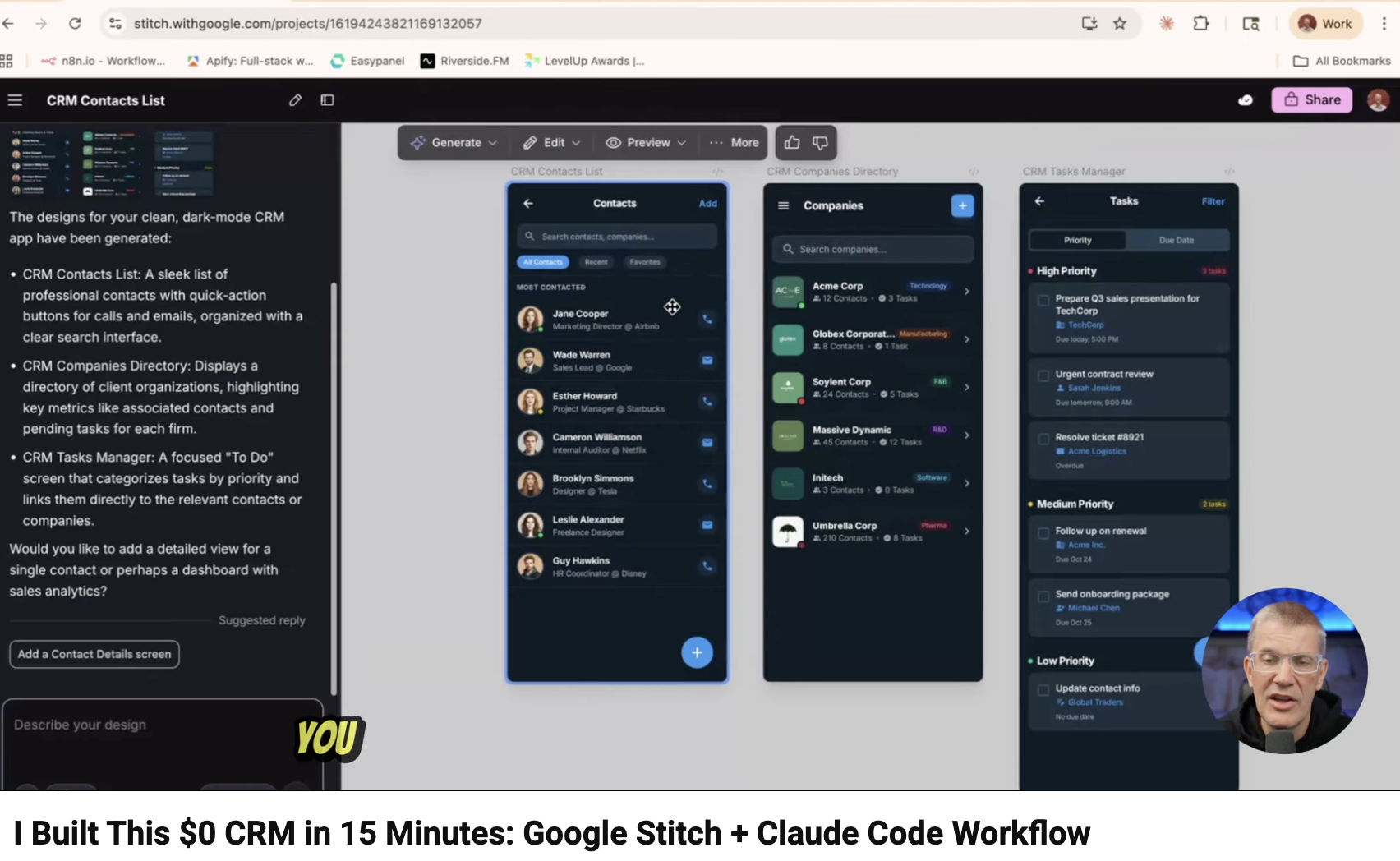
The iteration speed is legitimately fast. Some of these UIs look surprisingly polished. I understand why a business owner watching these thinks: “Why am I paying Salesforce $25 per user per month?”
1st things 1st, building glossy/gorgeous prototypes that somehow work is not surprise in 2026, anyone can do it on Lovable or Replit. Be careful of what you get impressed with.
Here’s what every demo shares, though.
Every single one runs on fake data. One creator explicitly instructed Claude to generate mock companies and contacts. The entire CRM: deals, invoices, cash flow projections, all built on fabricated records that never touched a real customer.
Security is either absent or intentionally disabled. The most sophisticated of the three touches Supabase row-level security policies, but even there the creator disables email confirmation to simplify things. The Google Stitch video? Local SQLite. No login screen. No multi-user support at all.
Zero integrations. No email sync. No calendar. No connection to accounting or marketing tools. These CRMs exist in complete isolation from the rest of the business.
Can ChatGPT, Claude, or Gemini generate CRM code? They can, and they do it well. But what I watched across 70+ minutes of footage were demos, not production systems. A working prototype and production software aren’t the same thing. Not even close.
I am unsure, how much CRM implementation or end user experience each of these guys had, to make such bold claims.
Probably FOMO in content creators to join hype train, without real experience using, or implementing a CRM.
What Does a CRM Actually Need?
People talk about four pillars of CRM: people, strategy, processes, and technology.
Vibe coding covers exactly one of those. Technology. The other three require domain expertise AI tools simply don’t bring.
None of the demos I watched built any of the following:
Basic Integrations: Email integration and calendar sync, a CRM typically talks to many other systems, and it has to be a reliable integration.
Role-based metadata/data visibility: Role-based access controls/permissions for features, tables, objects, fields, reports etc.
Page Layouts, they vary by roles and some times based on nature of record for Small/Medium Salesforce implementations in my experience.
Data/Record Access Tuning: Sales Exec North is not supposed to see West data, or could be able to see for some deals (Salesforce/CRMs offer rule based Data/Record Sharing).
Scalability with Data as starters, the “Hello World CRM”, can it import existing millions of records, common from small-medium businesses in Account/Contact/Leads (via lead database purchase, events). How will data partitioning, SQL tuning, performance optimisation work?
Workflow automation and approval chains: This is a biggest plus of using any CRM to map business workflows without even vibe coding, using drag and drop tools, and they are pretty stable and battle tested by CRM provider.
Creating new Tables/Fields/Layouts: Business is not just limited to what a standard Lead, Contact or Account fields, it ends up being more fields needed on standard CRM tables/objects, vs what CRM provider shipped with.
Reports & Dashboards: One can vibe code one popularly required one, but what if a new field or a dimension change is needed? Ask developer to vibe code again? Or what if a new report is needed? All this is point and click in all CRMs, no code needed.
Exposing API: All CRMs have pre-built APIs to share their Metadata and Data with external systems, which is vital for integrating with critical business flows. These APIs are ready to be consumed by all CRM customers, without coding them.
Security Features no influencer cared to quote about:
Field-level masking for PII: SSN, payment data, health records
Encryption at rest and in transit vs masking on display (managing keys etc), 2FA/MFA.
GDPR, HIPAA, SOC 2, or ISO 27001.
Data migration from your current system.
Backup, and disaster recovery.
Automatic CVE monitoring and dependency patching
Audit trails: who accessed what record, when, and from where
Each of these production capabilities, each with its own rabbit hole of complexity.
Unfortunately, none of inlfluencers/ content-creators were thinking in this direction CRM is not a B2C app with personal data, its storing sensitive business data.
For perspective, the Crazy Egg guide on building a CRM from scratch puts the cost at $30,000 to $600,000, with individual modules taking 2 to 4 months each. And that estimate predates the “just vibe code it” era.
The Economics Nobody Published
The “build to save money” argument falls apart once you lay the numbers side by side.
Vibe-coded CRM: $500-$2,000+ Year 1 in infrastructure: AI subscriptions during the build phase ($20/month on Claude Pro, $200/month on the Max plan the videos use), hosting at $25-$50/month, database, and email sending. Engineer cost not included. Zero integrations. Scaling/Security/Compliance: 100% your problem.
HubSpot Free: $0. 1,000+ integrations in the App Marketplace. Breeze AI included. Caps at 2 users and 1,000 contacts.
Zoho CRM Free: $0. Hundreds of integrations via the Zoho Marketplace. Zia AI. Up to 3 users.
Salesforce Starter: ~$3,000/year for a 10-user team ($25/user/month billed annually). 6,000+ AppExchange integrations. Agentforce AI standard.
Pipedrive: ~$2,880/year for 10 users ($24/user/month Lite plan, billed annually). 500+ integrations. AI Sales Assistant. No free tier, trial only.
Is there a truly free CRM? Yes. HubSpot, Zoho, and Salesforce all offer free tiers with core features, built-in AI, and hundreds of integrations. For a small team testing the waters, these are real options.
The quoted number is never the real number. Data preparation, scaling headaches, and ongoing maintenance compound every quarter, and none of them appear in the demo video.
The only option with a mandatory monthly fee is the one everyone’s calling free.
The biggest cost everyone ignored, the engineering hours.
None of those numbers include the most expensive line item: the engineer.
A production CRM needs someone who can write features, manage the database, patch security vulnerabilities, fix incidents at 2am, and re-architect the system when the business grows.
That is a rare, really senior seasoned engineer. Not a junior. Not a CTO who learned to vibe code over a weekend. They need to manage code, frontend, backend, database, networking, deployments, scalability, security and what else?
Quiet an impressive skill set for one person to have.
What that person costs?
US or Western Europe: $100-$250/hour as a contractor. $120,000-$180,000/year as a full-time hire, fully loaded with benefits and overhead.
Nearshore (Latin America, Eastern Europe): $50-$100/hour. The cheaper end of that range lacks the depth this work requires.
Offshore India: Junior runs $15-$25/hour. Not enough for a production system. Senior, genuinely senior, runs $30-$60/hour or $40,000-$80,000/year. India has exceptional engineering talent. But senior talent is no longer $5/hour. And you need senior.
How many hours are we actually talking?
Building a basic production-ready CRM, not the demo version, takes 300 to 500 hours.
Ongoing maintenance runs at least 150 to 400 hours per year.
Two or three incidents per year at 8 to 16 hours each adds 30 to 100 more.
Security patching and dependency updates: another 30 to 50 hours annually.
Year 1 total: 500 to 800 engineer hours.
At $150/hour onshore: $75,000 to $120,000 in Year 1. At $50/hour offshore senior India: $25,000 to $40,000 in Year 1.
Salesforce Starter runs $3,000/year for 10 users. That comparison does not require further commentary.
Is one engineer even enough?
For the demo: yes. For a business running on it: probably not.
Feature development, database administration, security patching, DevOps, and incident response are four different skill sets. One person is rarely deep in all four. You end up overstretching one engineer, or quietly splitting the work across two or three people who each know only part of the system.
What happens when the business actually takes off?
Say the CRM works. Business grows. You go from 200 contacts to 20,000. From 2 users to 25. From one market to three.
Who re-architects the database for that load? Who adds multi-tenancy when a second team needs isolated data? Who responds when the system goes down on your highest-traffic day of the year? The person doing all of that is also the person the growing business needs most for everything else.
The engineer who built it is now your most valuable technical resource and your biggest single point of failure. They hold the entire mental map of the system in their head. No documentation. No test coverage. No second person who understands how it works.
If they get promoted, fall sick, get poached, or simply get pulled into the business growth happening around them: the CRM becomes a liability overnight.
Salesforce has thousands of engineers maintaining the platform you are considering replacing. Your DIY CRM has one. That is not a staffing gap. That is a structural risk.
The Maintenance Cliff Is Coming
I want to be precise: nobody has a vibe-coded CRM and used it for six months to 1 year yet. The trend is too new. I can’t point to a failure case and say “see, told you.”
Annual maintenance on custom software required security patches, bug fixes, feature requests, infrastructure updates. And that assumes the codebase was written by engineers who documented their decisions and wrote tests.
AI-generated code usually has neither. No architecture docs. No test coverage. Often no second person who understands how it works.
So when the original builder gets busy with something else, and the AI model gets updated and starts generating slightly different code for the same prompts: who keeps the lights on?
The reason companies pay Salesforce, HubSpot, or Pipedrive isn’t because they can’t build software. It’s because those vendors handle maintenance: security patches, compliance updates, new integrations, AI features shipping quarterly. That’s what the monthly invoice actually covers, not the software itself.
Massive 2025 CRM hacks, a big reality check
In 2025, 700+ Salesforce organizations lost 50+ million records to a $45 voice phishing attack.
The victims: Google (2.55 million records). Coca-Cola (23 million records). Cloudflare. Palo Alto Networks. Zscaler.
The attack vector was not a sophisticated exploit. Attackers impersonated IT support, asked users to authorize a fake Data Loader app for “security compliance,” and walked straight into the data via bulk API. OAuth authorization sprawl: accumulated, unaudited app permissions that nobody was reviewing.
A year earlier, the ShinyHunters group had breached 100+ companies through Snowflake using the same principle: no MFA on customer-managed data stores, credentials from infostealers, direct access. No zero-days required.
I documented the full Salesforce attack anatomy and the response roadmap here, and the voice phishing mechanics that bypassed million-dollar security stacks here.
If Google’s Salesforce instance, backed by a full security team, wasn’t immune: your vibe-coded CRM with no MFA and no monitoring is a simpler target.
The Human Cost When It Fails
When a breach hits, three things happen simultaneously.
Everything stops. Sales calls, product work, customer meetings. The owner or CTO who built the CRM is now the only person who can debug it. The core business goes dark while they untangle infrastructure at 2am.
The 72-hour GDPR clock starts. Breach notification is not optional. Do you know exactly which records were exposed? Do you have breach counsel on retainer?
The customer conversation. Explaining that their data sat in a system you built yourself is a different conversation than “our vendor had a breach.” One is bad luck. The other is a judgment call they’ll question for a long time.
Vibe coding gets you to launch fast. It does not give you the instinct a seasoned security engineer builds over years. You cannot prompt your way out of an active breach at 2am.
Can you sleep at night knowing your customers’ data sits on infrastructure you maintain alone? That question deserves an honest answer before you write the first line of CRM code.
The Compliance Tail
Beyond the breach: if you sell to enterprise customers, expect them to ask for your SOC 2 report and data governance policy before they sign. Neither exists for a vibe-coded CRM. That’s not an abstract legal risk. It’s a sales blocker you’ll hit sooner than you think.
When Vibe Coding for Enterprise actually makes sense?
I’m not here to say building is always wrong. There are real scenarios where it makes sense:
Internal operational tools where no customer PII is involved and stakes are low
Quick prototypes to test whether a workflow idea has legs before committing budget to a platform
Genuinely niche processes that no existing CRM handles (fewer than people think, but they exist)
Learning projects where the goal is understanding AI tools, not running a business on the output
Build to learn. Buy to run.
Once customer data enters the picture, or you need more than a couple of users, or compliance matters even slightly: the math tips hard toward buying.
What Should You Do Instead?
Start with an established platform. Strong options exist at every price point:
HubSpot Free: Best for marketing-heavy teams. Covers 2 users, 1K contacts, Breeze AI included. 1,000+ integrations.
Zoho CRM Free: Best for small teams up to 3 users. Zia AI, strong automation, hundreds of integrations.
Salesforce Starter: Best if you know you’ll scale or need deep customization. $25/user/month. Agentforce AI standard.
Pipedrive: Best for pure sales pipeline. $24/user/month. Fastest to get running, built-in AI assistant, no fuss.
Every major CRM ships AI natively now. Building your own to “get AI” is solving a problem five vendors already solved for you.
Customize within whatever platform you choose. Use AI to make your CRM smarter, not to replace it.
The Bottom Line
AI makes building a CRM possible. It doesn’t make it smart.
Will AI replace CRM platforms? I don’t think so. AI is already changing how they work from the inside, not replacing them from the outside. The direction is clear: AI-enhanced platforms, not AI-built replacements. Your CRM is going to keep getting smarter on its own.
Before you cancel that subscription and fire up Claude Code, sit with these questions:
Who’s maintaining this after the initial build excitement fades?
What does total cost of ownership actually look like over three years, including your time?
What’s the plan when your team needs a report you didn’t think to build?
If those answers don’t come easily, that tells you something.

Drop us a note, we’re happy to take the conversation forward 👇🏻