HubSpot Sandbox Migration Guide: Preparing for the Legacy Sunset
Eight weeks. That's how long you have before HubSpot pulls the plug on Legacy Standard Sandboxes.
If you've been managing a HubSpot portal for a while, you know the Golden Rule: Never test your big ideas in a live production account. We've all relied on Sandboxes to break things safely so our actual customers never see the mess. HubSpot legacy sandboxes sunset March 16, 2026. To prepare, create a new Standard Sandbox, migrate your connected apps, and adopt the Deploy to Production workflow before the deadline to avoid development disruption. Here, this deployment works more as an upgrade rather than a preventive measure.
It's one of those updates that feels like a chore at first, but once you see the Deploy to Production feature, you'll probably wish they'd done this years ago. The December 15, 2025 Developer Changelog introduced the new workflow. Here's the breakdown of what's changing, why it actually matters, and how to move your work over. This blog is like a HubSpot Sandbox Migration Guide which can help users find out the perfect roadmap now.
Important Update 11 Feb 2026: We are launching a free Hubspot Scanner that audits single Hubspot instance, can compare 2 Hubspot instance and much more. Should go live near 16th Feb 2026 (Learn More).
What's Changing and Why It Matters
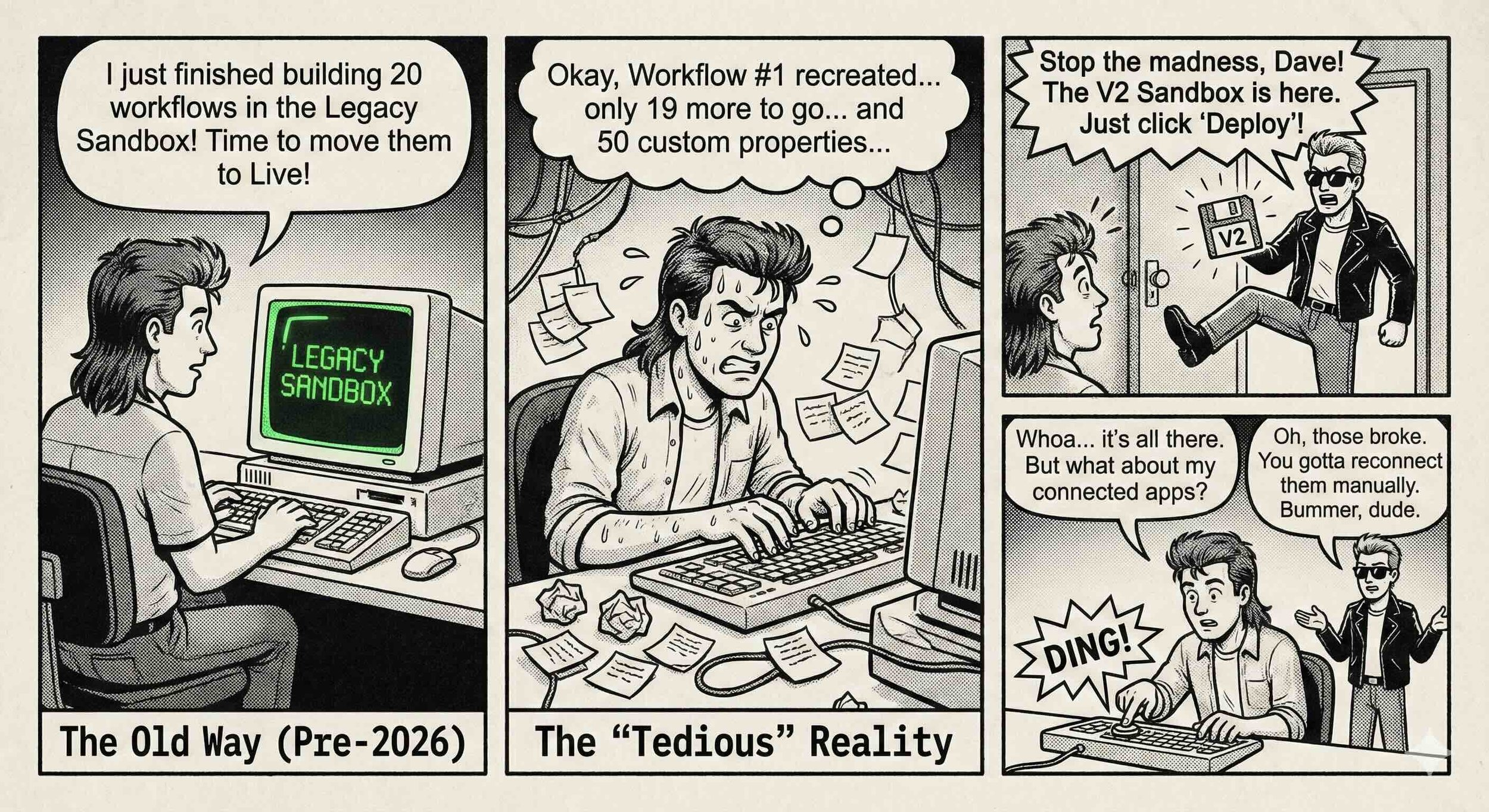
The old sandboxes were basically just empty HubSpot accounts. If you built a complex series of 20 workflows and 50 custom properties in the sandbox, you then had to manually recreate every single one of them in your live account. It was tedious and honestly, a bit risky for human error.
The Two Game-Changing Features
1. Sync from Production: You can pull your current live setup (properties, schemas, pipelines) into the sandbox to start with a real mirror of your configuration.
2. Deploy to Production: Once you build and test something in the sandbox, you push it into your live account with a few clicks. No more manual rebuilding.
The Breaking Change: No Resync
Here's the critical part most teams miss: Legacy sandboxes supported resyncing from production. The new model doesn't work that way. Once you create a Standard Sandbox, there's no resync button. If you need a fresh copy of production, you delete the sandbox and create a new one.
Who's affected? Enterprise Hub users with existing sandbox workflows, teams with connected apps and webhooks, and anyone using CLI-based development. If you have private apps pointing at a legacy sandbox Portal ID, those integrations will need attention.
Phase 1: Pre-Migration Assessment
In this HubSpot sandbox sunset migration task, don't overthink the migration part. It's essentially "out with the old, in with the new."
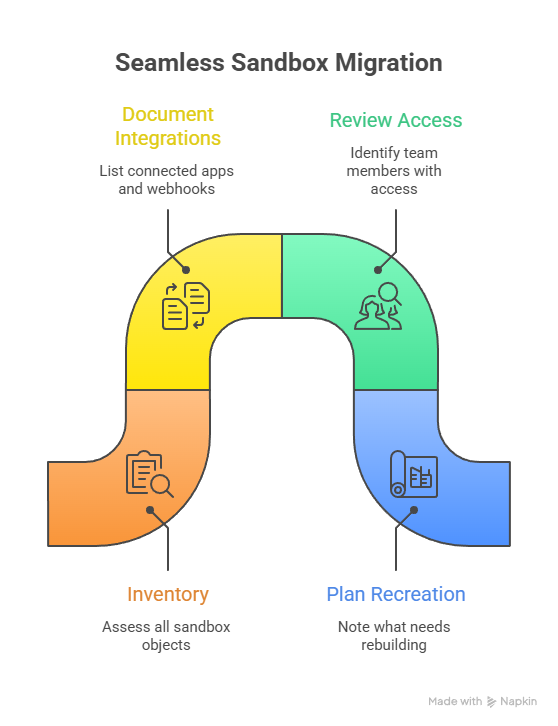
Before you touch anything, log into your Legacy Sandbox and take inventory. Is there anything in there you haven't finished? Since you can't automatically merge an old sandbox into a new one, you'll need to finish those projects or be ready to rebuild them in the new environment.
Assessment Checklist:
Inventory all objects currently using legacy sandbox
Document connected apps and their authentication methods
List webhooks and external services listening to sandbox events
Identify API integrations dependent on sandbox Portal ID
Review team members with sandbox access (who has Super Admin?)
Note what transfers automatically vs what needs recreation
Key Insight: The biggest migration pain points are connected apps and webhooks. Community discussions on Reddit and the HubSpot Community consistently highlight integration reconnection as the most underestimated time sink.
Phase 2: Create Your New Standard Sandbox
Learning how to migrate HubSpot sandbox is as easy as creating the new environment is straightforward, but permissions matter.
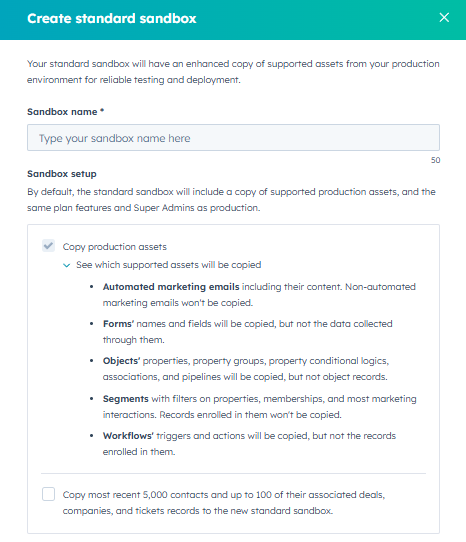
Step-by-step:
Navigate to Settings > Account Management > Sandboxes in your Production account
Verify you have Super Admin permissions (no access without it)
Click Build standard sandbox
Give it a name that makes sense—something like "[Company] Dev V2" works well
Select what to sync from Production during setup
Review Deploy to Production settings before finalizing
Pro tip: Start a naming convention now. Prefix test assets with [DEV] or [TEST] so everyone knows what's what during deployment reviews.
HubSpot has temporarily increased sandbox limits during the transition period. You can run both Legacy and Standard sandboxes until March 16, 2026, giving you time to parallel-test before cutting over.
Phase 3: Reconnect Apps & Integrations
This is where most teams underestimate time requirements. The new sandbox generates a completely fresh Portal ID, which means every integration needs attention.
Integration Migration Requirements:
| Integration Type | Action Required |
| Public Apps | Reinstall from App Marketplace in new sandbox |
| Private Apps | Create new access tokens, update external code |
| Webhooks | Reconfigure endpoints for new Portal ID |
| API Integrations | Update authentication credentials and references |
| Third-party tools | Re-authenticate with new environment |
Webhook Configuration: For project-built private apps, webhooks are defined in webhooks.json within the webhooks folder. You'll need to update these configurations to point to your new environment.
Rate Limits to Note:
Professional tier: 100 requests/10 seconds, 650K daily
Enterprise tier: 100 requests/10 seconds, 1M daily
Treat the new sandbox as a clean slate for your integrations. It's a great time to audit which apps you actually need for testing versus which were installed years ago and forgotten.
Phase 4: Test the Deploy to Production Workflow
Before committing fully, run a validation cycle.
Validation Checklist:
Create a simple custom property in the Sandbox
Go to Sandboxes settings, click Set up deployment
Select the property and push to Production
Verify it appears in your live account without typing a word (you'll see why this update is worth the hassle)
Test object sync from sandbox to production
Validate workflow behavior (deploys as "Off" by default)
Check custom property sync accuracy
Confirm CRM data isolation is maintained
What Can Be Deployed:
CRM Schema (properties, property groups, conditional logic)
Custom Objects (definitions, display properties)
Pipelines (Deal, Ticket, Custom Object)
Associations (labels and rules)
Marketing (Forms, Automated Marketing Emails)
Lists (Active and Static)
Workflows (deploy as Off)
For the complete eligibility list, see HubSpot's official documentation. It will make total sense with this HubSpot Sandbox migration guide overall.
Critical Note: Only new supported assets can be deployed. Edits to assets that were copied from production cannot be deployed back. Plan your development workflow accordingly.
Advanced: API-Based Configuration Backup
The "no resync" limitation is the most common frustration with the new Standard Sandbox model. For teams with developer resources, HubSpot's REST APIs offer a workaround: export your CRM configuration to a git repository, then restore it when you need to recreate a sandbox.
What CAN be exported via API:
| Asset | API Endpoint | Status |
|---|---|---|
| Properties | GET /crm/v3/properties/{objectType} |
Stable |
| Custom Object Schemas | GET /crm/v3/schemas |
Stable |
| Pipelines & Stages | GET /crm/v3/pipelines/{objectType} |
Stable |
| Workflows | GET /automation/v4/flows |
Public Beta |
| Association Labels | GET /crm/v4/associations/{from}/{to}/labels |
Stable |
What CANNOT be exported via API: Forms, Lists/Segments (complex filter logic), Marketing Email templates, Workflow folders and access settings.
The workflow:
Write scripts to call HubSpot APIs and save responses as JSON to a git repository
Run exports on a schedule or before major configuration changes
When sandbox refresh is needed: delete the sandbox, create a new one, run import scripts to restore
Important caveats:
This requires custom development. HubSpot doesn't provide a native "export to git" feature.
The Workflows v4 API is in public beta. Endpoints may change.
Custom code steps in workflows have known limitations for API-based management.
Connected apps still require manual reconnection regardless of configuration backup.
Commercial alternative: If building custom tooling isn't practical, Datawarehouse.io's Portal Migration Toolkit handles schema and data replication between HubSpot portals without custom code. It's HubSpot-certified and designed for exactly this use case.
Phase 5: Decommission Legacy Sandbox
Once you've validated the new environment and documented everything from the old one:
Final validation: Confirm all critical assets are either migrated or rebuilt
Update external systems: Ensure no production code still references the legacy Portal ID
Communicate to stakeholders: Notify team members of the cutover
Delete Legacy Sandbox: Free up the sandbox slot (most accounts have limits)
Update team documentation: Revise any SOPs that reference the old environment
FAQs
What happens to data in legacy sandboxes after March 16?
You lose access to legacy sandboxes entirely. Any unfinished work or configurations not migrated will need to be rebuilt in the new Standard Sandbox environment.
Can I continue using legacy sandboxes after the deadline?
No. March 16, 2026 is a hard cutoff. Legacy sandbox access will be removed regardless of migration status.
How do I migrate connected apps?
Connected apps don't migrate automatically. You'll need to reinstall public apps and create new access tokens for private apps in the new sandbox environment. This HubSpot Sandbox migration guide is a perfect way to start.
What if I don't have Super Admin access?
You cannot create or manage sandboxes without Super Admin permissions. Coordinate with your HubSpot administrator to get appropriate access before starting migration.
Does this affect all HubSpot subscription tiers?
Sandboxes require Enterprise Hub. If you're on Professional or lower, this change doesn't affect you (though you also don't have sandbox access).
How does Deploy to Production differ from the old sync?
Legacy sync pulled production data into sandbox. Deploy to Production pushes sandbox configurations to production. The data flow direction is reversed, and there's no resync capability.
What about developer sandbox access via CLI?
CLI commands have changed. The old hs sandbox sync is deprecated. Use hs project upload --account=<name> for the new workflow. Check the December Developer Rollup for details.
How long should I budget for migration?
Simple setups: 1-2 days. Complex environments with multiple integrations and webhooks: 1-2 weeks. The integration reconnection phase typically takes longer than anticipated.
The Bottom Line
March 16, 2026 is a hard deadline, and there's no extension coming.
Change is annoying, but this move from Legacy to Standard Sandbox is a massive win for anyone tired of double-handling their work. Once you're through the migration, you'll have a development environment that actually deploys changes instead of requiring copy-paste marathons. It makes the HubSpot dev process feel much more professional.
Migration itself is straightforward. The three things that trip teams up: underestimating integration reconnection time, forgetting that resync doesn't exist in the new model, and not having Super Admin permissions lined up.
Start Phase 1 this week. Eight weeks sounds like plenty of time until connected apps and webhooks eat into that buffer.
What's your biggest concern about the sandbox migration? Drop a comment below.
Further Reading
Official HubSpot Documentation:
Deploy Sandbox Changes to Production - HubSpot Knowledge Base
Legacy Standard Sandboxes Sunset FAQ - HubSpot Community
December 2025 Developer Rollup - HubSpot Developer Changelog
Assets Eligible to be Deployed to Production - HubSpot Knowledge Base
API Documentation (for Configuration Backup):
Properties API - Export/import property definitions
Custom Objects Schema API - Export/import custom object schemas
Pipelines API - Export/import pipeline configurations
Automation v4 API (Beta) - Export/import workflow definitions
Community Resources:
Deploy to Production AMA - HubSpot Product Team Q&A
Portal Migration Toolkit - Datawarehouse.io